 Problems? See this thread at archive.org.
Am I using throttle stop right?
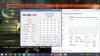
How do I stop these cpu spikes from happening?
-
-
Yes its set up allright, it will stop droping when You will run some demanding games.
When im plaing Skyrim or Rome 2 my CPU multiplier is a straight line. -
Do you have WiFi package drops on Lenovo y50?
To test it;
Open command prompt (Press Win+R then write CMD enter.)
Write down the below line on the new window and press enter.
ping -t Google
This process will request google.com for every second.
And if everything works fine you'll see the lines below forever.
Reply from 173.194.66.105: bytes=32 time=57ms TTL=45
Reply from 173.194.66.105: bytes=32 time=67ms TTL=45
Reply from 173.194.66.105: bytes=32 time=54ms TTL=45
Reply from 173.194.66.105: bytes=32 time=55ms TTL=45
Reply from 173.194.66.105: bytes=32 time=57ms TTL=45
Reply from 173.194.66.105: bytes=32 time=55ms TTL=45
Reply from 173.194.66.105: bytes=32 time=57ms TTL=45
But if ever wifi package drops you'll see the below line. And this means you got problem!
Request Timed Out
Do you have this problem and can you share your WiFi adapter & current driver version? -
Hey, here's my Firestrike score, you can see my overclocks on it: NVIDIA GeForce GTX 860M video card benchmark result - Intel Core i7-4710HQ,LENOVO Lenovo Y50-70
I can push it a little more but this suits my needs. -
I have a question. Why are Asus G750K computers doing almost 1000 points better at 890 MHz than Lenovo computers at 1200 MHz? Is it the quad-channel ram or something? Because that's a biiig difference...
-
I've wondered the same thing, since every other laptop with a 860m scores an easy 5000+... But I've heard it does have a lot to do with the vram it comes with too... Lenovo must be cutting more corners -.-
-
I have a problem with my Y50. Sometimes when I Turn Off the computer it will not turn on again unless I open it disconnect the battery and connect it again.
Maybe you guys have a clue on whats going on? -
Hey quick question. I've tried to mess with the clock speed of the 860m but in both evga precision and afterburner but both values seem locked. is the 860m a locked card?
-
Its not locked actually its quite an overclock beast(with unlocked vbios that is). Are you using the latest Nvidia drivers? If so downgrade to previous version and try again.
-
Can someone answer the above ?
-
Most likely but if you want to be 100% sure get the CDs from Lenovo.
-
I have i5 version with 860m GTX 4GB VRAM Maxwell. I used Throttlestop to keep CPU at max whole time and I scored only 3586 in Firestrike.
With GPU OC about 100core and 300 VRAM Mhz increase I scored about 3860. That is still significantly lower than that Asus. Wth is this, how is that even possible? And if that Asus GPU is Maxwell, how come it does have that low GPU frequencies? Something is behind this and we do not know what.
If I get my GPU clocks to same level as Acer Nitro with same GPU and CPU, I score about the same in Firestrike, so that seems OK. -
This was the issue. the 347.09 disables overclocking. just a heads up to everyone. i rolled to 344.65 and it worked just fine.
e; ATG where is there a modded vbios driver for the y50? because the last thing i saw from prema was that it couldn't be done without extensive work. Let me know if i'm mistaken. Thank you. -
There is NOT a single laptop that scored higher than 5000, not even the ASUS one. These ASUS laps are almost 5k though, which is really weird. Also I haven't heard of 860m GTX that would have lower than 900Mhz on Core, looks like Kepler to me, which should be significantly less powerful than our Maxwell.
One guy (link below) OCed his 860m GTX in Y50 a LOT, cca 1300 Core and 2850 VRAM and still, he can't get any close to those 890Mhz ASUSes.
Check this: http://www.3dmark.com/3dm/5424823?
EDIT: Ok so, apparently that reported clock (890Mhz) on those Asus is a default clock, which is 540 Mhz. Meaning someone reached almost 5k in Firestrike by OCing core by 350Mhz, so no wonder.Last edited: Jan 13, 2015 -
is it okay if my cpu temps reached 94 celcius during playing games (battlefield 3 full ultra settings vsync on) with active trottlestop? or i just need to switch the trottlestop off?
-
What frequency are you running your CPU? I barely reach 80C at 2.9 Ghz.
-
can I install OSX Yosemite on lenovo y50-70 ?
-
To Ramzay...Did you ever find that Lenovo Settings App? I'm talking about the small windowed one usable on the desktop, with fan reversal?
-
I currently have a modded Bios from Prema. But you're NOT mistaken, he has to do it custom each time so it does involve more work, since he works by donation only, donating does hurry him along quite a bit!(haha) I got mine in two days.
I dont know if it was the lack of sleep or I was just confusing myself when I typed that but I meant 4500+, every 860m seems to make 4500+ on a basic overclock.
I have to laugh a little, that "guy" in the link is me! it took hours dialing it in and overvolting to get it to break 4500+
I would be happier if I was breaking 4600 like other 860m laptops. -
ThrottleStop is showig me max 85 degres on 2 cores, and 83 on other 2, but HW monitor show 93 degres on 2 cores and 88 on third and 87 on fourth, witch temp readings are correct?
-
That's funny it was you. I had about 3600 Firestrike score at stock clocks.
Also I have no idea, why Lenovo is performing worse than ASUS counterparts. Maybe it has something to do with bus or something.
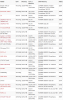
Check this chart, this can give you some idea of 860m performance in different laptops. And yes, ASUS G750JM is performing best.
 cossh014 likes this.
 -
Now thats a cool/interesting chart!
I might be confused here, but I dont see the Y50/70 860m Maxwell listed. I see all the 4gig Keplers.
I really believe the Asus used much better vram, thats why its so much farther ahead. -
All the Y50 860m's there are Maxwell. Y50/70 and Y70/70 does not have Kepler in any configuration.
-
Guys, 1 question:
Why some monitoring programs are showing my memory speed as 1500mhz, while other ones show as 3000mhz (OC) -
According to the graph it does, I was being mildly sarcastic as it lists all the Y50/70's as having 4096mb, the Kepler has 4GB, the Maxwell is 2GB, they should be listed with 2048mb
Last edited: Jan 13, 2015
-
not true. maxwell cards on the y50 come in both 2 and 4gb configs.
-
Are there any instructions for a custom Lenovo Y50 OS installation which installs all drivers and essential software, but leaves out all the bloatware ?
Kinda like the instructions mentioned in my signature for Sony VAIO F13 laptops ? -
True. Traditionally the Maxwell is 2GB and Kepler 4GB.
All I'm trying to say is the list doesn't include the 2GB or just lists them all as 4GB -.- -
Don't know about traditionally but I have the 4GB version and its Maxwell, GM107.
-
I like this laptop, but it's really trying my patience. A couple months ago a screw fell out of the bottom. I screwed it back in, but now I've got two empty holes. One is apparently stripped; the screw falls out as soon as I push it in. It's right under the hinge, too, so it makes the screen-half looser when I try to close it.
Does anyone have any ideas on how to get the screw to stay in without making it so that I can never open the bottom panel? -
One of my screws fell out, but I somehow found it. You could use some Loctite to keep it in:
Loctite Threadlocker Blue 242 from Loctite Adhesives -
What are you guys doing with it, that your screws are falling out? That is so weird.
-
Can anyone advise on how to upgrade the Wifi chip in the Y50-70? I'm getting a bit sick of the weak reception and want to install something better than the Qualcomm junk thats in there atm.
I understand that the bios has a 'whitelist' which restricts which type of hardware you can install - but are there better alternatives that are acceptable? -
Taking it to and from classes and work. I'm pretty gentle with it, so I definitely think it's weird...
-
How about a link to download a copy recovery media. I didn't make any before the fail. Lenovo wants 69.00 plus shipping. Of course it's still under warranty
I'm installing a new ssd. Lenovo Y50 uhd.. -
Thanks man, I'll try it out.
-
Thanks for the reply - I might just go with Windows 7 then. Would the key I have work with Win 7? It blows my mind that they would lock this feature like they've done...Seems to go back a long ways.
-
Hi!,
I'll be traveling to the US next week and I really want to buy a laptop. Been looking at different models and was between this ASUS model and the Lenovo Y50. The specs and price are pretty much the same between them, the big difference is the 4k display in the Y50 and of course the build/material differences between the two manufacturers. Which one would you guys pick?.
I'm leaning more towards the Y50 if only due to the bigger display. I read the screen is locked to 48hz, is that the top limit or can I get 60FPS if I tone the resolution down to 1080?. I know the VGA on the Y50 can run games on 4k resolution so whatever gaming I end up doing on it's going to be in 1080. Would it look worse, better or just the same as if I had gotten a 1080 model?.
The main uses I'm planning for the laptop are browsing, videos/movies and some gaming when I'm traveling and not at my desktop. -
Hey uh, I saw your 3DMark Fire Strike benchmark result (the stable overclock one) and I think it's amazing really, considering the fact that most entry-level gaming laptops only fare 3000-ish, sometimes probably almost reaching 4000. How did you overclock the laptop, and to what speed? Are you using ThrottleStop? If so, how are the temps? Have there been any thermal throttling issues?
-
I had a screw come out of my y50 as well. Very gently used. And I found it sticking against the metal when I pulled it out of its sleeve. I think it's magnetized screw. Anyways. I put it back and it's held. I think they just forgot to tighten it at the factory.
-
How do you find out if it's Kepler or maxwell? I have the 4gb Y50
-
You can use GPU-Z and find the stock clock. If it's around 1Ghz it's Maxwell, while if it's quite a bit lower it's Kepler...I think. You could probably Google it and find the answer, but I assure you that yours is Maxwell...
-
Okay. Thanks. This is what I had heard prior to buying my model. That all new Y50s came with maxwell. Why are you so certain without having to look?
-
Reposting to add another question!.
Can I swap the 256GBs SSD present for this one? How hard is it to do?. If I do replace it, can I use the SSD that came with the laptop somewhere else? Like in a desktop computer. -
1. Yes, you can!
2. It's not the easiest thing, but it basically involves taking the back off the laptop and unscrewing the hard drive slot...there's lots of tutorials on YouTube.
3. Yes you can! You might need an adapter but you can for sure. -
Out of curiosity, has anybody bought a Y50 lately? Does it still come with the same sub-par screen (the non-touch FHD model, that is)?
Lenovo Canada is having a sale currently, and there's also a $20 off coupon, so you can get the base model for around $920. -
Has anyone tried replacing the wifi card in these machines yet? And if so - any advice?
-
Yes, I have and I can confirm. This was MFD September '14 and I bought it from Newegg last 2 weeks of december '14.
Still has the Chi Mei panel. -
I got that deal 919 $CAD, arrived a week ago. Still got the same screens/panels/monitors.
I got the AUO36ED monitor which is apparently a little better than the Chi Mei.
The screen is not as bad as some say...well the viewing angles are bad but if gamma and saturation is adjusted I can live with it. Changed the hard drive right away with a Crucial MX550 256GB SSD, fresh Win 8.1 instalation and I,m very happy with the package. Hope that helps. -
Asked 2 days ago:
Are there any instructions for a custom Lenovo Y50 OS installation which installs all drivers and essential software, but leaves out all the bloatware ?
Kinda like the instructions mentioned in my signature for Sony VAIO F13 laptops ?
Lenovo Y50 Owners and Information Thread
Discussion in 'Lenovo' started by kingfirejet, Jun 5, 2014.


