 Problems? See this thread at archive.org.
Well, I do not have specific instruction but here is what I did.
For the most part Win 8.1 has drivers to start with.
I downloaded Firefox, latest nvidia drivers, and Intel wifi drivers directly from intel site.
You can get a clean Win 8.1 iso file directly from Microsoft and install from USB or DVD
as long as you have a legal win 8.1 key - it's in the bios. See link below.
Create installation media for Windows 8.1 - Windows Help
Install win 8.1 without access to the internet ( makes it easier to chose a local MS account)
I turned off UAC right away and turned off not wanted windows features (IE)off.
Installed browser of choice, Nvidea and wifi driver and went online activated immediatly no win key entry required -at least not for me. To make things easier I use Slimdrivers and or Drivermax (2 driver limit per 24h period for Drivermax) to update to the latest drivers. I had no issues and only went to the Lenovo site to install the Energy Manager.
I did the above because I did a clean install on a new SSD. No cloning since I wanted a clean start.
This is what I did not sure if u want to keep your original drive with all the data or not, with a clean install you would loose all that data. Useless to me that bloatware as long as I was legaly able to re-install Win 8.1 I went for it.
One more thing, u will have to do windows update to get all the security patches. My personal opinion is to not take any drivers from there if they are offered they are usually old anyway and u are better of using the once offered in in Slimdrivers or drivermax.
Proceed at your own risk...I had/have no issues.
-
Random keys on the keyboard stopped working. laptop is 2 months old. nothing spilled.
qaz,10, [;/ seem to be only keys that work.
Any ideas? i hope its not the ribbon. its basically brand new
using on screen KB ughhhh -
Also. When you fresh install. Just plug in to a Internet router with a cable. Windows update will automatically find drivers for the WiFi. I prefer this over the actual Wi-Fi program that runs in the background and task bar and uses up unnecessary memory.
Also the y50 comes with a separate partition. About 30 gigs or something. Do NOT delete this partition when installing Windows. It has all the drivers on it so no need to go searching on the Internet for no reason! With a fresh install of Windows 8.1 on the y50 and no bloatware. Windows boots up in 6 seconds flat! The only drivers from lenovo I have installed are the integrated graphics chip (necessary for the power options and quick keyboard functions to work) and the touch pad. pm me if you have any more questions. -
It's a personal choice. Those drivers in the separate partition are working drivers, many with some of the problems discussed in this forum.
Get the newest drivers straight from the manufacturer....the 30gb partition is full of old "Lenovo" drivers. I.E the Nvidea drivers from Lenovo are 9 month old or about 10 versions outdated. Just my 2 cents.
Made my last Laptop last 6.5 years and only had problems recently (did not even know about the issues with the Nvidea GPU) because of a manufacturing problem...Lenovo T61P had always the newest drivers installed. Probably only reason the GPU lasted that long in my rig giving the issue that FX 570 GPU had. -
Like I said. I ONLY installed the track pad and Intel graphics drivers to get the screen to work properly under power schemes.
-
Also installed the sound software. I'm not sure what issues people had with that. But I wanted the Dolby sound. The track pad drivers work very well with this machine. I like the y50 track pad a lot.
-
Having that partition saved will also make it easier to go back to "factory settings" should you choose to sell the laptop back on eBay or something.
-
Right!
Or u could just do another clean windows install without the bloat... before u sell. -
Me to ...track pad. Got the drivers straight from realtek
-
A lot of regular Joes out there might not buy it if it's not "factory" settings. But I suppose the types of people like us who buy these kinds of laptops abhor bloatware. Lol. I can't stand it.
-
Took me 5 min and I thought.... screw this I bow it away....done it with win 7 many times, blow it away (the factory install) and it's your's for good...don't be afraid. just make sure you saved what you want to keep. U will figure out the rest as long as u have internet access.
-
Lol. That strategy has bit me in the past. But I know exactly how you feel.

-
Does anybody have an idea of how high is an acceptable temperature for the i7 4710 chip to run at a sustained temperature while gaming? What temp is too hot? I hear that temps in the 90 range can be bad. Maybe y50 owners can list off some of the temps they get while gaming. Thanks guys.
-
I/we already did post temperatures. Check back few pages.
-
Thanks for the feedback guys .. Hopefully I'll have my laptop by this time next week, and I think the first thing I'll need to do is create Recovery discs using the factory Windows installation .. Then I plan to take out the default HDD and plug in my 1TB SSD, and do a fresh Windows install without needing the recovery partition. Then install all necessary drivers and software, and then once a stable state is reached, create a Windows System Image. This System Image will essentially be my 'true' recovery disc, and I'll recover from this in the future. This is what I'm currently doing with my nearly 4 year old VAIO - although I have the VAIO recovery discs, I've never used them as they install a bunch of crap. Instead I use my own 'custom' recovery disc.
I hope my plan is good
-
I underwolted my CPU with Intel Extreme tunning utility, for my chip -92mV is stable and no performance loss.
Now with most games im going about 80, with most demanding ones about 83-85. -
Yeah, I undervolted mine -95mv with XTU (and then TS7 beta). Hitting about 75-78C when going full boost if I'm not mistaken.
-
Yea iwoud love TS7, but license went off :/
-
Couple of quick questions.
The UHD version of the Y50, it comes with an IPS display, right? I've read in a few sites that it's a non-IPS LED one but dunno.
Can I wipe the entire SSD and do a 100% clean install or are partitions/data that I should want to keep? Any pre-installed software that you can't get from Lenovo's website?.
I know it doesn't come with any installation media but what about Win8's license? How do I do a clean install?.
Edit: When looking up drivers and software in Lenovo's site I only see the option to select the Y50-70 instead of just a Y50... they are the same model, right?. -
hi guys, gta v is out for pre-order on steam, and i wonder, can our device, Y50 run this great game at high settings?
RECOMMENDED :
Processor: Intel Core i5 3470 @ 3.2GHz (4 CPUs) / AMD X8 FX-8350 @ 4GHz (8 CPUs)
Memory: 8 GB RAM
Graphics: NVIDIA GTX 660 2GB / AMD HD 7870 2GB
Hard Drive: 65 GB available space
ought that i think gtx 660 is on par with our mobile gpu gtx 860m,,, or perhaps it may run at medium settings.. -
Here's my trick:
just everything on high, but low or medium shadows, and 2x or 4x antialias.
almost always 30FPS with most demanding games, but don't expect GTA5 to be ported correctly... GTA4 was a disaster in the pc port. -
thanks for that, yeah thats so true haha,. till cant wait for it to be released on pc
-
No its not on par.
3dMark Scores:
GTX 860M (Y50) = 5050 points
GTX 660 (desktop) = 6830 points
According to those figures the 860M is about 75% as powerful. -
So I've been watching/reading a LOT of reviews and impressions on the Y50. I've also been looking around for other laptops around the same price range and going from specs and build quality this one seems like the best one I could get. I can buy the Y50 UHD version with 16GBs of RAM, 256GB SSD and the 2GBs 860M for $1100.
I know I can't game in UHD resolution so, does the computer look good in the non-native 1080 resolution or should I spend a bit more and go with something with the same specs but that has a native 1080 display?. My second option is the ASUS GL551JM which has the exact same specs, a 1080 non-IPS screen and costs ~$100 more. -
what i do, ill take y50 1080p, and head for the ips screen replacement.... and thats what ive done,, now i am using y50 with ips panel,,, what a glorious achievement..
btw Y50 speaker is the most outstanding as it preset with dolby system.... i love this machine -
Yeah, sadly the problem with that is that I'm gonna be on vacation there. I can stop by a store and buy a computer but I'm not gonna be staying long enough to get a delivery with the parts and change everything before moving on somewhere else. Ordering the replacement screen here at home is nearly impossible =(. -
my bios is 1.09, do i need to update my bios? any improvement from updating?
-
@up
My temps vent up after bios updating and instead of that nothing have changed, so in my opinion not worth it
-
Hi, so i played the Ground Zeroes today, everything on Max Settings and it ran unbelieveably smooth, it's amazing! But this is just a "demo" and the game [Phantom Pain] is supposed to be open world thing, do you think it will run this smooth when it's released? I have 4 gigs of V-Ram and 16 gigs or RAM, also i was wondering if my Y50 will run GTA V on High - Very High buttersmooth, they released the specs today, what do you guys think?
-
Its impossible to say for either game since neither of them are out. If someone tells you they will or will not and you hold on to that promise you may end up disappointed. Thankfully there are plenty of machines out there running 860m with i7 4700s so there will be plenty of the feedback when they finally release on how it runs on that config. Im bummed GTA5 got delayed and we shall have to see how it runs compared to 4 did at release. 4 runs fine now but was utterly broken at release so who knows. The guys who brought Max Payne 3 to PC are apparently handling this port so hopefully that is some indication on the quality.
-
My best estimate is that you will at LEAST be able to run it on Medium, > 25 fps @ 1080p. Maybe on High settings if its optimized decently.
-
max payne 3 was a god tier version too looked and ran amazing on a huge range of machines.
-
Thanks for the reply Since both of them are open world with vehicles games I can never be sure, on the other hand I ran Watch Dogs pretty well on ultra and that was one of the worst ports, along with Unity [28 FPS on Ultra], ever... Kojima did an amazing job with Metal Gear Solid, I have never played a smoother game in this year on a laptop than MGS! I just hope that GTA will be well ported, I also planned on getting The Division buuuuuuut, I am not trusting Ubisoft anymore
But my other question is, should I play games with V-Sync on? I get quite a lot of tearing in LoL idk why, and also my fps is quite not constant [when plugged in] sometimes it barely reaches 40 fps and the other day it's 200 Fps, it is really wierd...
-
Hey guys, I am planning on getting a cooling pad, if not mistaken, Y50 sucks the cool air from beneath and lets out the hot air at the hinges right? Thanks in advance (just say yes/no), have a nice day!
-
Yes
10char -
So I just installed Windows 7 fresh and I have the same issue - I cannot make MPC-HC run on the Nvidia card...how did you get it to work?
-
You think the speakers are that good? I find it to be typical laptop garbage. -
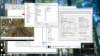
i noticed it wasn't actually using the gpu, but got it working after going into view -> options -> internal filters, checked the boxes, video decoder, etc. (see attachment). keep in mind, i'm not using madvr.
-
there's always GPU load on the nVIDIA but if you were to look at gpu-z what does it say the load on the intel is? My understanding is that if the nividia control panel doesn't let you change, there is no way to get it to work....you can still show load on both gpus but the intel will have full load and madvr won't be possible without using the nividia gpu in full.
-
I have my MPC hardware acceleration set to DVXA2 (copy-back)
Never had any playback issues. And I also run SVP(smooth video playback) with it and it runs perfectly. Not sure if it's using the nvidia GPU or not though. -
Hey guys, My Y50 is on its way to me in the mail, and my first plan is to install a new SSD and OS. I have a few questions.
1) is the Y50 Windows 7 Compatible? I tried installing Win7 on a newer laptop and the drivers didn't exist. Is it possible with the Y50?
2) if so, How would i go about installing it without a DVD drive? i have the Windows 7 disc.
Thanks in advance. -
yupp, but with some tweaks with the dolby of course... in game, sound is very clear and it was like i have an external desktop speakers pluggged in..
-
Yes im running Windows 7 on mine now. All the drivers are available from Lenovo's site under support .
Some Y50s come with an external optical drive, not sure which you ordered but if not no biggie you can just download this tool which will create a Windows 7 USB stick for you Windows USB/DVD Download Tool - Microsoft Store
You need a USB stick of some sort 4gig minimum to handle the task. Its 10x faster installing from a USB stick as well so its how i always do it.
You will need to format the USB stick to NTFS before hand dont forget that part and also in the bios you need to change anything you see that says UEFI to LEGACY. -
I can't really make sense of the stats from gpu-z, but here's what i've noticed:
1) the initial setting that I had, both gpus were under load, but madvr was unavailable.
2) right clicking MPC and starting the program using the 860m made madvr available, but looking at gpu-z, the 860m was just periodically spiking (i don't think it was being used at all).
what I want to know is what each card is being used for, when they're both under load. from what i understand, the hardware decoder on the 860m is being used, but the intel card takes care of post processing (filters, etc). does that sound right? i'm sure you've looked around on the webs, looks like there's an issue with optimus in combination with maxwell cards? let me know if you find anything worthwhile, solutions or otherwise!Last edited: Jan 21, 2015 -
Hello, forum.
After few months of saving money, I finally bought my own Lenovo Y50. I'm really excited about it (just got it yesterday), but sadly, I'm experiencing a major problem with it. WiFi. I have a Intel Dual Band AC-3610 network card and my WiFi is slow. My girlfriend's 5 year-old Acer downloads at about 8-9MB/s, while my fresh Y50 max speed is around 1MB/s. I'm really frustrated and desperate about this, 'cause this is important to me. I've read lot's of solutions and tried them, but non of them seem to work..still have low speed. Tried updating/reinstalling drivers from Lenovo D: drive, lenovo website, Intel website.. Nothing worked. Hope to get an answer here..
Cheers,
rasputinas -
Do a fresh install of Windows 8. When you boot into Windows 8 for first time. Plug into your router with a ethernet cable. Windows update will find drivers for your Wi-Fi automatically. Don't install the driver software from Lenovo.
-
I had similar problems, my connections did drop every 20 to 30 min. on top of it.
I did a clean install and downloaded the drivers directly from Intel.
The only thing I got from Lenovo was the Energy Manager.
https://downloadcenter.intel.com/SearchResult.aspx?lang=eng&ProdId=3776
At the very least I would try the latest drivers from Intel they are newer and have hopefully fixed some problems we had in the past.
If that does not help I would consider a clean install. -
Thanks for your replies, guys.
I forgot to mention that I had done a clean Windows 8.1 install before writing my first post. It didn't help. Have you both had this problem? If yes, I would really appreciate a step-by-step tutorial on how to fix this... I'm not fond of the idea of reinstalling Windows 8.1 just so I could connect the Y50 to ethernet... But if you can't supply any more solutions, then I might just do that..
-
Hi there,
it was only a one day problem for me. I received my Y50 and a day later i got my SSD.
I performed a clean win 8.1 install and installed the latest, previously downloaded (directly from Intel) 3160 wireless and bluetooth drivers.
My download speed is now the same as on my thinkpad T61P and the wireless does not drop the connection anymore. Having said that, my download speed is only about 5.3mbps, that is all I expect though.
A few more things which might help, I am about 40 feet (12M) away from my 8 year old router which was located almost on the floor initially. I have raised the router about 2-3 feet of the floor now.
I have also disabled bluetooth since I have currently no bluetooth devices.
So, I am not sure what specifically helped to get a stable wireless connection since I did everything at about the same time it might be worth it to try some of these.
I saw a lot of people complain about this issue in older threats I thought that newer drivers had laid the issue to rest. Apparently the Intel 3160 is not a great wireless card to begin with. Depends on what works for you (or not) it might be a distance issue.
I have used the below before and I am considering to built one again to help the 3160 along a little...worth a try.
https://www.youtube.com/watch?v=oWBanew1wn8
https://www.youtube.com/watch?v=xKczVWs0X3c
Ez-12
Hope you get it to work. -
Very likely not the Nvidia GPU - I want to be able to run highly optimized madVR and can't do it on the Intel unfortunately. I guess I'll just have to hope that a future driver release deals with this.
Lenovo Y50 Owners and Information Thread
Discussion in 'Lenovo' started by kingfirejet, Jun 5, 2014.


