 Problems? See this thread at archive.org.
Just to add to this, my experience installing Windows 7 also involved;
1) Use the right side USB 2.0 port as I kept getting a media drive missing error if trying to use the USB 3.0 ports on the left
2) You are going to have to blow away all the partitions as the HDD comes formatted with GPT and Windows 7 can't use that so I wiped everything and formatted over for Windows 7
3) The Intel Video driver listed under Windows 7 on Lenovo site DOES NOT WORK - I had to use the Windows 8.1 driver which works perfectly
4) You have to install the Intel Video driver before the NVidia driver
I think that's about it for now.
-
Yep its good you brought those things up because i encountered every single one of those issues now that i had thought about it . The USB 3.0 thing is fairly common among notebooks trying to install Windows 7 and i have run into it on a few occasions where you need to install Windows 7 from that legacy USB port. Also it sometimes wont even accept a USB 3.0 dongle even on a USB 2.0 port so sometimes it can be messy and people throw in the towel out of frustration or just say well its not working for me i tried everything.
It really should be stickied somewhere on how to install Windows 7 on this machine because it can save people a ton of time and headaches. -
Hey guys, do you think there is any chance that the Y50 get refreshed with the new GTX 965M GPU? Currently I have a Y510p with GT-750M SLI, I want to change not because I don't like the performance of this but because I need a GTX GPU for my Shield Tablet streaming (also I have to run Farcry 4 on 720p, high settings and I would like to have 1080p)..
That being said I don't know if get the current GTX-860M or wait for a possible refresh on the next months? They did it with the GT-650M on Y500 for the GT-750M so I think they can do it again now. -
well, if it so, im damned,, gtx 965m around 15% better than 860m, the new MSI ge 72 commanche uses that particular gtx 965m and it has more performance than gtx 860m...
and i hope not....BlazeHN likes this. -
No doubt it will get the eventual upgrade, but the question is always when and how soon you need it which in your case just to stream to your shield i would say wait awhile. If you can flip your current machine for close to the price of a used Y50 that might be another option.
I dont think anything was announced at CES for the Lenovo upgrades on the GPU but sometimes the manufactures just update the page with new parts and no warning so it could be any day or months from now.
As usual your guess is as good as mine is .BlazeHN likes this. -
are there any shell/ clip on cases for the y50(uhd)? has anybody found anything?
-
Hello guys...Just registered to this forum after reading a lot of the pages but havent found a solution yet for my problem...
Bought a y50-70 touch from amazon...as you all know there is a huge amount of bloatware installed so i decided to do a fresh install of my windows 8.1 leaving all partitions untouched till now.
I hope some one can help me now cause i am at the end of my knowledge...
After installing win 8.1 at the first boot there where two windows options to choose to boot from...why? I was formating the c drive before...how could there be a second windows installed?
After completely going through the Windows updates, all devices are showing up correctly in the device manager...
And now the major problem i have...
The First driver i installed besides the Windows original drivers is the nvidia drivers...working great, no problems during install...
But when i go into the geforce experience window after installing, shadowplay and the other stuff seems to work correctly EXCEPPT battery boost...every time i check the box it causes an error message that geforce experience crashed...clicking on ok, nothing seems to happen... battery boost will not work on my machine.
What am i missing?
Tried to install the chipset and power drivers located on d: lenovo...no luck
Anyone have a solution for this?
Thanks guys!
Oh i forgot...when using the original lenovo image using okr, battery boost works fine...i can check and uncheck the box without troubles... -
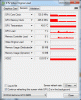
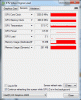
i just renamed mpc-hc to mpc-hc2, added it in the nvidia control panel, and was able to select the 860m as the gpu. madvr was also available.
860m jumps upto 27% load in fullscreen, 4600 maintains 3%
-
Guys, Tomorrow I'm buying this laptop. Please tell me how the wifi works on it? I have heard that connection drops frequently and speed is slow.
-
Hello everybody!
I'd like to buy this laptop. I already have a Windows 8.1 Key, so I'd buy the following version with no OS:
4K IPS Display 15,6" (lenovo y50-70)
12GB of RAM
1TB + 8GB (SSHD)
GTX860m 4GB of VRAM
i7 up to 3.5GHz
I can get it for 820€. Unluckily, the HD is really bad. It's a 5400rpm one and I consider it really slow. So I'm thinking about buying a Samsung EVO 840 500GB, so that I can get PC + SSD 500GB for 1000€. I'd like to ask if it's going to be easy to put the SSD without even turning on the PC once and then install Windows 8.1, or it might cause some trouble? I've never changed a drive and never installed an OS, so I don't know if I can handle that if there are some problems while following some guides on the internet. -
Swapping the drive out is very easy other then removing 12 screws from the bottom then 4 to remove the drive from the chassis then another 4 to remove the drive from the harddrive caddy. Getting the cover off of the Y50 the first time is abit tricky so watch some Youtube videos on that aspect.
As for the who OS thing it is not difficult at all. You will have to either use an external DVD drive which some y50s come with or use a program to convert the Win8.1 DVD to a USB bootable drive and install it that way. At that point you would go to Lenovos website and download all the 8.1 drivers.
All this stuff is very simple if you have done it 100s of times but since you are new to it there are plenty of guides on the web of how to get it going from scratch and it doesn't have to be a y50 tutorial just installing Windows 8 from scratch should find you plenty of info.
I don't think you will run into many major problems but plenty of reading before hand about installing Windows 8 on a new computer will help you the most. -
I'm hearing that you don't need to defragment SSDs. Is this true?
Windows 8.1 has been automatically defragging every week, and I'm thinking about shutting that down. -
Windows 8 or 8.1 will not even attempt to defrag the drive and just do a simple cleanup on SSDs. Trim is the SSD version of defrag kinda sorta and Windows 8.1 will run it at varying times.
You can disable scehduled defrag either way because Trim will be working when it needs too. -
Tried to play Dying Light on my Y50 yesterday. Piece of shiet game and performance, stutters and low fps while playing outside in town. Even on the lowest settings.
slevin K. likes this. -
I have a strange problem with my Intel Graphics control panel.The display and color settings don't appear!Updating to the latest driver didn't solve problem.I have the UHD y50-70
View attachment 120378 -
force it to use the nvidia GPU and turn the view distance down all the way. it becomes playable at mid settings at 1080p
-
Anyone getting low fps in Dragon Age Inquisition? My settings are high and battery mode is on high performance, drivers are up to date. I'm getting 30-32 fps and it drops down below 25 during paning/fight scenes.

-
I did that of course, game was running on dGPU. And yes it is playable, but drops below 60fps a lot in town, it is annoying and not worth for me.
-
Exactly why I lock the frame rate to 30fps in certain games now.
p.s. the new look for the site is pretty ugly -
So, after UPS decided to have my Laptop sit on the delivery truck for two days i finally got it today. And to my dissapointment, It has the French/English keyboard layout. I specifically got the model with just the English keyboard layout.
Otherwise i really like this computer, screen notwithstanding. I'm going to be calling Lenovo tomorrow to see what can be done about the keyboard. It really is a deal breaker for me. There was a few laptops that i wanted over the lenovo but didn't get because of keyboard layout. So if Lenovo can't fix this, I guess it's a return and back to the drawing board.
I'll update this tomorrow in case anybody cares
EDIT: So i called Lenovo about receiving the wrong keyboard, Apparently the French-English keyboard is the only type they have in Canada. They don't have the just English layout. Even though all the images on the site are of the English layout, and the stats on the various models show "english' keyboard for some, and 'French-English' for others. I was told that's a website error...
Either way, It truly is a deal breaker for me. I sent that Laptop back for a Refund and now am back to the drawing board on what laptop to buy. It's a shame too because i really liked the Y50, just not with that Keyboard. And no, I can't 'Just get used to it' It's a big deal to me to have a standard keyboard layout.Last edited: Jan 29, 2015 -
Not all games are easily lockable. Anyway, most games, especially FPS are totally unplayable for me at 30fps, I require 60fps stable at least. Dying Light does not look any way that amazing to deserve these hardware requirements. To be honest, I liked the gameplay videos, but the game itself when I played it, is just average meh.
P.S. Agreed.m1ko likes this. -
How many external monitors can I drive from the HDMI port? I have two 1600x1200 monitors with DVI-D inputs. I suspect one only but I thought I'd ask.
I see USB 3.0 video adapters. I guess I could use one of those, but it would be nice to leverage the internal video H/W.
Thanks! -
plz i have just bought a y5070 and i noticed 2 things so far
1- the toch pad clicks as the buttons from the middle and below but with no actions but also all of it works fine including all gestures and buttons.
2- when i am working on a heavy program or transfering data i noticed a low sound of the hard but it is not continuous as usual but discontinuous and on a regular time intervals.
is that normal or it is a problem and i have to get it replaced? -
I think more people should give the HDD a try before spending the money to upgrade, especially if you are going to the hybrid drive. I have an SSD in my desktop and I got the HDD in my Y50 with the intent to upgrade. But even with the HDD it boots up in <20 seconds, so I stuck with it. The hybrid drive is also riddled with its own issues, like stuttering under intense load. I know an SSD might be faster loading programs but I don't think the standard drive is as bad as people think.
-
I felt similarly at first but got sick of all the in-game freezing when a new sound would play. That only happened for some games, but it was pretty annoying. Other than that, I kind of agree.
Do you have the stock SSHD? That happened for me until I swapped it with an SSD. For me it would kind of freeze while spinning up. As in, I'm typing a paper and it freezes mid-word before going back to normal. -
Hi folks, I created this thread and an issue appeared D:
Woke up one morning and opened laptop only to hear a snap. AND my hinge is broken after 5 months of careful use. There was no impact damage of any sorts and is a home laptop that's always been on my desk. I've heard lots of hinge issues with Lenovo's but didn't believe them until now. THIS ISN'T COVERED BY NORMAL WARRANTY, unless you have Accidental Warranty. Costed me $269 to repair, good thing the screen wasn't damaged. Its because the metal hinge is connected to weak plastic in the bottom of the screen.
![[IMG]](images/storyImages/0ByDKu9.jpg)
![[IMG]](images/storyImages/u0JLimZ.jpg)
![[IMG]](images/storyImages/BVeEU3w.jpg)
-
I'm not talking about the SSHD. I got the one with the traditional HD and I've had no problems. I intentionally avoided the SSHD.
-
Not to say it is your fault, but I was googling for this - there are only a few (like 4) reports on this problem, mostly TOUCH versions.
I do not think it is widely spread and problem with every model, because Y50 were sold worldwide a lot and surely there would be many reports on this.
I believe you and few more reporting this were just unlucky and received some lemon.
ALSO, I'm trying to make WOWLAN work ( Wake up Over Wireless LAN) but I was not able to get it working. Anyone tried this and was actually successful? Wifi Adapter Intel 7260 does support this function. I would appreciate help on this a lot. -
To add more samples into the bowl,
I have not had your bad luck but the plastic is cracked all the way through the hinge on the bottom side of the laptop right where the screw is fastened. Also the "edge"-protection for the red grille by the speakers is cracked. So I do concur that the overall build quality is below average.
Maybe we should open up a lemon stand to share?
/W -
Guys no offense, but what are you doing with your laptops? I have mine for two months and it is like new. I cannot see how this can happen when you are doing nothing else than opening and closing the lid.
I also saw some beaten up Y50 at the Lenovo exhibition and none of those show any damage there. -
I have the touch version and feel like the bottom hinge cover on it is sub par. it creaks sometimes and i'm sure it will eventually do what this users did.
-
sorry double post, ignore.
-
Yes, this new "great" forum creates double posts all the time.
Also, so is it the touch versions only, is it different than non touch? I do not see it being subpar, just can't see any flaws that could result in this. -
the bezel is different on the touch. on the non touch it's one uniform piece of plastic that goes around the display, On the touch version it's just one little part on the bottom that isn't attached to anything but the hinges. The display has its own bezel because it's covered by the touch screen glass.
-
Anyone get cpu throttling after a while of gaming? I've used the Task Manager and saw that it would go down to 1.75. My temps never really go above 80c. Anyway I can get my i7 to stay at 3.4 like it does with Turbo Boost?
-
Use Throttlestop 6.0 > check Set Multiplier to 35T and that's it. No more throttling.
Unless it has something to do with your TDP which is set at 47W after 28sec. Then you might want to lower your core multiplier to something like 30-33 OR undervolt your CPU. The trick is to have enough power to run full boost under 47W TDP.
http://forum.notebookreview.com/threads/the-throttlestop-guide.531329/
v 7.0 is still beta so don't use it unless you want to change the date to 2014 each timeLast edited: Jan 31, 2015Perseus17 likes this. -
Sorry for double post here but I simply wanted to share my bricked Y50 story with you guys haha.
So I have unlocked the BIOS with the help of some helpful lad. Played with some settings, everything was going fine! But you know, I might have gone one step too far (which I still don't know what that was). So, yesterday evening, my Y50 wouldn't start after doing some changes in the BIOS. Well, it would start but the screen was all black and fans were blowing non-stop. I guess we should call that soft-bricked.
So here were the exact steps I have done in order to reset my computer :
(added post #3496 new information)
- Unplug AC cord
- Open up the back cover (12 screws if I remember correctly)
- Disconnect the battery from the motherboard (no need to unscrew it)
- Press the power button a couple of seconds (tried 5 to 30 secs, your call!)
- Unplug the CMOS battery from the motherboard (that's the round battery covered in black tape not too far from the battery pack. It has 2 wires : red/black)
- So, at this point, I tried to let it sit a good 2-5 mins and re-plug the CMOS back, re-plug the AC cord and reboot. NO GOOD!
- Instead, I plugged back the AC Cord and booted the computer without the CMOS (This step might be unnecessary. I simply wanted the computer to "understand" the CMOS wasn't plugged in and to reset it). This is really unnecessary, Skip it.
- Unplugged AC cord, drained power for a couple of seconds and removed my two RAM modules.
- Plugged back the AC and rebooted WITHOUT any of the RAM modules and the CMOS battery connected.
- At this point, the computer will bootloop continuously. During one of the shutdown period (maybe 3 to 5 seconds?) I plugged back the CMOS battery into the motherboard. This didn't make it work BUT...
- During the next shutdown, I quickly connected back one of my RAM module into the MB and voilà!, it was working like new.
- Afterward, I simply accessed the BIOS > Load optimal settings > Save and accept changes


Credits to some great minds on the Alienware forums. I tried to emulate the steps found there. Mr. Fox, Hybrys, some guy named kh90123 (?) and others!Last edited: Feb 1, 2015 -
Wow! Thanks! I just have 1 more question, are my settings alright? Any boxes I have to check on Throttlestop for my i7-4710HQ?
-
Sorry, forgot pic:
![[IMG]](images/storyImages/Sa33Sry.png)
-
Hi, I'm Polivio And i have this laptop (y50)
I notice that when i play with the charger, my game goes smoother than when im not plugged in. How can i change this? i mean, the same fps with charging or without charging.
Sorry my bad english.
Greetings. -
So is it really bad to leave your laptop plugged in all of the time? Some quick Google results were contradictory. Guy A says the traditional wisdom is true and you should have your battery between 40 and 80 percent as much as you can. Guy B says that only applied to older batteries and that it's cool to leave it plugged in all of the time now.
Any authoritative sources out there? -
So , sir,, u r saying u successfully recover from brick status ?? cos I once did brick my Y50 , and tried everyting , ended up RMA'ed my unit ,. I heard n read bout this method on the same AW forums , as well , but havent got chance to try, cos i addy sent back my unit for the new one.
Would you mind confirming , if these method re-doable ?? I mean , its not just a coincidence u got ur laptop resurrected.
Cos if this really is the recovery process , then , it wud be great , even its a bit harder to actually do what you did,, doing things in between bootloop shutdown. I did check once, if i remove the ram , n turning on , it will bootloop. , i did it when i replaced my 8GB to 16GB of Corsair vengeance, doin all that stuff , removing cmos , etc,..
anyway .. really appreciated for your usefull information sir.
rgds, -
You can use lenovo energy manager to keep your battery power between 50-60% with Conversation Mode when plugged in to save your battery lifetime.
-
No one got a solution for this?
Are zuall using the original lenovo image on your notebook? -
Here's how I use it.


Performance are my settings for gaming. You might want to uncheck BD PROCHOT and C1E for full performance. (Note: At the moment the picture was taken, CPU was not undervolt as I usually do.)
Internet settings are pretty much the same thing BUT with Power saver and C1E checked. Because why not!
By the way, you might want to hit on "Turn On" on the right lower corner of the software so it would take effect. More information on the settings can be found in the first few messages from unclewebb into the ThrotteStop thread I posted earlier.Perseus17 likes this. -
Clearly not a coincidence my computer booted back up. It definitely has to do with the steps I wrote.
Again, it was not a full hard-brick. My computer would boot and then stay there: black screen, fans blowing air, lighted keys. Must have input a bad setting into the BIOS and saved that. I'm not gonna try to soft-brick my computer just for science though I'll confirm if I ever do it again which I hope won't happen.
EDIT: Bricked my computer when playing with adaptive voltage .. again! So I did the same process (scrap that unnecessary step, go straight to unplugging CMOS and RAM module > bootloop > plug CMOS during shutdown > plug (one) RAM module during another shutown and you're done! Reboot!)
What happened to your Y50 by the way? And wouldn't playing with the BIOS invalid your warranty? How did you send it back for a new one if the warranty's dead?Last edited: Feb 1, 2015 -
Where do I find touchpad settings? I'd like to disable the touchpad while typing, set two finger tap to right mouse button and three finger tap to middle mouse button. I'd also like to enable palm detection. Lenovo settings let me disable/enable the touchpad. Win8.1 touch settings let me change the touch delay while typing.
Thanks! -
I've seen others do that however I don't think it actually works. I've tried doing it and I still can't get madVR to run at decent settings. This is so frustrating, totally wish I had known about it beforehand as I likely would not have bought this laptop. I've also now gone back to Windows 8.1.
One thing I find odd is that if you go to Intel's website and search for drivers for Intel HD4600 there are never version numbers than what is on Lenovo's website. Has anyone tried installing these newer drivers for their y50 yet?Perseus17 likes this. -
I've installed them just fine.
Proof:
![[IMG]](images/storyImages/dPuRzRg.png)
-
Your temps are pretty low for i7. If you have set up to 3.5T all the time, what max temperature do you reach in games (please post some game names and max reached temps)?
Do you have original thermal paste or you did you replace it?
Thanks for answers, I'm really curious.
Lenovo Y50 Owners and Information Thread
Discussion in 'Lenovo' started by kingfirejet, Jun 5, 2014.


