 Problems? See this thread at archive.org.
You should install all the ones listed in that link. For the Intel wireless LAN driver, I googled it and found it as the one from the lenovo website did not work. As far as the RAM upgrade, I am going to try it myself and see if it is an improvement.
-
-
Terrible terrible advice..
You buy the FHD 1080p screen for the extra real estate, to run in it's native 1920x1080 for crisp text and images. You do not want to scale it down to 1600x1200.
What you need to do if everything is too small is to do what another poster already said.
right click on your desktop
go down to personalize
click display on bottom left and change your text and item size to suit your crippled vision. -
Hello All,
I'm new to this whole forum thing but am hoping you all can give me some information. I am not the most computer savvy person ever so some of these questions are going to be pretty silly.
I have just got my y580, the version with 8gig and 750gb 5400rpm SATA drive. I installed Homefront on it but got the error,'D3DCompiler_42.dll not located on system', so I installed the latest windows Directx which seems to have sorted it out.
Firstly, I would like to know if anyone else had this problem?
Secondly, the game seems to be lagging quite badly, which it really shouldn't given the system specs Vs. System requirements. The game requires Max. 2gig Ram, But when I play the notebook only uses about 700Mb and the game is slow. Am I missing selecting some option that would sort this out?
Any help you can give will be much appreciated. -
Y580 is awesome, but now i have moved on to building my own desktop!!!
-
If gaming is your primary concern then build a Desktop and don't look back. For me, now that I have this beast of a laptop I can't really bring myself to sit at my desk when I can just plop in my Lazyboy. As of this point, I think my Desktop is just reserved for the most demanding of games which is a a shame.
-
Does anyone know how to change the OneKey Recovery default path? For some reason it is set to the SYSTEM_DRV which is merely a couple hundred MB. I want to change it too my storage drive to use for monthly backups as well as a backup to an external drive every 5-6 months.
How do you guys setup your backups schedule? I do all my work on VM's so I don't really need to back up the entire OS too often.
Also - I successfully installed the Corsair 16GB RAM in my Y580. It shows up in Windows and in VirtualBox so I am assuming it works. -
I just got my y580 in the mail. Yayyyyy.....
2 questions for you geniuses for now. My model number says 2099-xf9. It's a refurb, but I can't find anything online about this specific model. Any reason why that might be?
How do I know what version of bluetooth I have?
TIA -
Where the hell is this battery protection mode that gets talked about in here? I don't get that option, even after I installed 2 different energy management drivers. In fact, both drivers didn't seem to do or add anything so I ended up uninstalling them.
-
Did you install "Energy_Management" from your backup partition? If so, did you look for it in your system tray (see pic)?
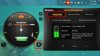
-
My understanding is that this mode should be used while plugged in for use. Do people just change it from 60 to 100% when they know they'll be going mobile? If so, how far in advance do you have to do that (how long does it take to go from 60 to 100%)?
-
Hey, what speed is the 16GB RAM you installed? Also the 800 MHz like the stock RAM?
-
It's 1600Mhz RAM but I doubt it runs that high since RAM is usually clocked to the speed of your CPU by default. I haven't messed with the BIOS but I would be surprised if it actually lets you overclock the RAM. I am only concerned with the amount of RAM because I do all my work on VM's and that eats up RAM. If you don't work with VM's or use video editing software 16GB is kinda overkill.
About the power management software, I downloaded it from Lenovo and I saw that orange icon but when I tried to click on it, it disappeared so I ended up uninstalling it. I have installed several new Windows updates so I guess I will try again later.
Can you buy a better battery for these machines? A 9-cell perhaps? -
I reinstalled the power management driver and the same is happening. When I hover over the icon it disappears and when I click on the power management icon in the start menu it does nothing. I'm certainly not going to reinstall Windows so I give up. I'll just have to buy a new battery in a couple years.
-
Hi guys. Did anybody get this optional update ??
nVidia - Graphics Adapter WDDM1.1, Graphics Adapter WDDM1.2, Other hardware - NVIDIA GeForce GTX 660M
Download size: 204.3 MB
You may need to restart your computer for this update to take effect.
Update type: Optional
I haven't found anything about an update for my GPU. What do you think?
-
First, My y580 has HD screen. it's really sucks. After spending so much time to find any option to upgarde screen resolution, I found this company
I asked their support about cable, and they replied " you should provide new cable for using FHD screen, and we don't sell cable!"
Anyway, where can I buy this cable? it seems that lenovo doesn't sell laptop parts! Also, do you know any better screen for laptop in order to replace with old one?
second, I'm going to buy mssd hard drive, what do you suggest about the best performance/money model? My default HDD is 1TB model. -
i have seen good feedbacks about crucial m4 mssd. its available at amazon for around 107$ (128 GB) or 205$ (256 GB)
-
So the slots can definitely take 8GB sticks? this is very good news, making this laptop more and more likable.
Hi,
I'm in the market for a laptop, and I was thinking along the lines of this guy, the only thing that concerns me is weight, but I think I'll be able to handle it when I'm cycling to college.
Are you able to remove the optical drive, to either reduce weight or replace with another hard drive?
I'm looking at the FHD model, and I'm just wondering are the colours accurate as I'll be doing artwork on this machine. And is it super reflective?
Also does anyone know of anywhere in Ireland I can buy this? The only places I've found are the Amazons in Europe (but there's no Irish one and on the UK one it seems over priced compared to other countries)?
Thanks.
Edit: I found in PC World but its €1299 for the 720p version which is ridiculously over priced, I can get it in Germany for about €1000, found it on dabs.ie for €1263 with everything including the i7 3630QM... still looking
Is it worth going for the 3630 over the 3610? -
y580 owners, could u plz answer my following queries
1) cost and shipping delays put aside, which site would u adivise ordering from. lenovo or others?
2) what are the return experiences after 21 day window(on lenovo website)?
3) on lenovo website, is 979$+taxes a good deal for 20994LU (i7,3630, 1 TB, no mSSD)
4) are the shipping delays all the time, or once in a while? -
You can get the best deals on the Barnes and Noble Gold site. I picked up the FHD model with the 1TB 7200rpm drive for $968 and got a 3 year full coverage warranty for an extra hundred. It took an entire month to arrive but it was well worth it.
As far as the weight, it is fairly heavy but it is also a straight beast in terms of hardware so what do you expect? The 1080p screen is much nicer than I imagined it to be but if you're not used to glossy screens it might be annoying. Every screen in my house is glossy from my 1440p Crossover monitor to my Panny plasma so I welcomed it because it allows for incredible picture in lower lighting.
The GPU is decent enough but it's noticeably weaker than older GTX 470 that my Desktop uses. I wonder if anyone has had success overclocking it with MSI Afterburner. -
Hey, I'm cycling to to my campus, bringing my laptop sometimes (distance is 0.9 miles or 1.45 km) It is doable (a bit tiring but I'm not too athletic so you should be fine I think) You can remove the OD and replace it with Caddy but I'm not sure it's worth it.
I'm not an artist but the color looks good (dont count on me). It is a bit reflective, it is glossy after all.
I personally cancel my order of 3610QM when I saw they have 3630QM. It wont matter much but It's personal i guess.. -
1. I have no experience with other aside directly from lenovo, but if you want your laptop quicky, you shouldnt buy on lenovo because they ship in batch so it depends whether you are early on their cycle or late.
2. I think it is basically price match. I did a price match because the price went down and I applied Barnes and Nobles Gold. Got 80$ +tax back
3. It depends on your Hard Drive condition, Im changin it to SSD so I took the 500 GB one. the one you mention is good if you have 1080 p and blue ray.
4. They ship about once a month i think. so it doesnt matter when you order (except when its too late for ur order to ship in that batch) they will ship it in a certain date -
Well I got it!
The GPU should be powerful enough for my demands
Well I'm cycling 12.2km a day to college and then back again, but I did it today and it wasn't too bad, I can always get a second battery and adapter and leave it in college if my back begins to break. I got the 3630 too!
Forget about the gloss it's no big deal, plus I'll be using it inside nearly all of the time. The display is really good at least I think so.
The point is that how often do you use the OD? I don't really ever, but I guess your right it can be handy, and it's in it so why remove it.
One more thing Windows 8 came on mine, the touchpad has all the gestures built which is nice. Most of the time I'm in the desktop mode so, really I see the same as windows 7 with a fancy start menu
Thanks for the responses! -
Well guys I finally got my Y580 (2099-XF6) With 1Tb HD, 1080p Display and Blu-ray burner.
I got a refurbished version for $1049 on e-bay, spent extra $116 and got a 128gb SSD Crucial M4.
Two questions:
1- How to restore the Win 7 to the SSD?
2- I installed the Win 8 on the SSD and checking the hardware on device manager, 4 itens have a ?, three of them are: Base System Device and one is Unknown Device. Any ideas which components are these?
Thanks guys! -
Can I ask where you bought it ?
Because from Germany, I suppose you would get a qwertz keyboard and German software, right ?
Thanks ! -
To restore Windows 7 you need to download an ISO from the microsoft website and use the OS serial key on the bottom of your laptop to activate it. As far as Windows 8 goes, I only installed mine on a VM and I haven't messed around with it that much so I can't help you there. Make sure you install all the Windows 8 drivers from Lenovo.
Drivers and software - IdeaPad Y580 Notebook -
Thanks!
I'm trying to figure out with drivers a I need for the three unknown device. The Base System Device was the Intel WiDi. -
Well I got all the drivers, and most of them have installation issues, either says I should get 64bts version (which I got), or that it couldn't find the specific file location and so on.
I still have three Base System Device. -
hey guys,
after much trouble, i finally installed windows 8 on my pc. It runs fine for now although i notice some glitches every now and then. my laptop came with a 1TB HDD and a 32GB SSD. i havent made any changes to those. I got the upgrade offer and burned that to a disc with the intent on keeping my files. i ran the install and after about 10-15 minutes it said complete. when i turned it on i got the BSOD and then it just went straight into windows 7 which was really weird. apparently i could not do a upgrade to windows 8. after spending ALOT of time trying to do this method i decided to do the fresh install.
so i boot up from the disc drive to do the install but now i couldnt install windows 8 on either hard drive because there was on "OEM" or something reserved. i originally had three hard drives that showed up. one was called lenovo, the other two were OEM reserved..... this really ticked me off
so i read somewhere online that you must the rapid tool agent to separate the HDD and SSD. so i did that accordingly and i come out with like 2 new hard drives giving me a total of 5 or something, but i STILL wasnt able to install windows 8.
so then i formatted every drive that was there on that windows 8 install screen and i was finally able to install windows 8 on a C drive called LENOVO..... but the problem is that drive is only 24.4 GB??? i can see another D drive listed under my computer but it doesnt show a size or anything.
another issue i am facing is that since i got the upgrade offer, i am not able to activate my windows because i did the clean install and its says the key only works for a upgrade....
IS THERE ANYONE ELSE THAT HAD THIS PROBLEM ???
HOW DO I FIX THIS? AND GET MY OLD DRIVES BACK ?
any help would be much appreciated
-
In the end I got it from a store in Ireland, it was over priced a little , but I needed it now, I had already put off purchasing a laptop for long enough.
I completely forgot about the other keyboard formats I guess I was lucky not to get one so.
Sorry I couldn't help, -
hey... had this baby for 2 months now... hell of a machine, anyway wondering if someone could send me a to a link for a CLEAN SSD install. I want to get rid of my HD not install it where the CD drive is, thanks!
-
Read the forum al the answers are there and check this out: http://forum.notebookreview.com/ideapad-essential/680517-y580-driver-install-guide.html
or this: http://forum.notebookreview.com/ideapad-essential/690046-lenovo-y580-clean-install-guide.html
or this: http://forum.notebookreview.com/ide...580-hdd-ssd-combined-thoroughly-confused.html
-
To those of you who have bought a ODD enclosure for your Blu-ray drive, Which one did you use?
-
Thanks for the answer. It helps me in a way... I will not buy it from Germany !
-
Hello! I have a quick question: is it possible to run two external monitors at the same time from my Y580, using the HDMI and VGA connectors? I'm planning on buying two BENQ 21.5 inch VA panels, I can get them at around half the normal price. While using the external monitors, I won't really need the laptop monitor, as I have a wireless keyboard/mouse combo so the laptop just sits there on my stand (I got a CoolerMaster Notepal U3, thanks to the recommendations I read here, and it's performing really well).
I love this thread, I found answers to almost all my questions here prior to my purchase, except this one. -
yes, you can run 2 external monitors. however the laptop screen will not run while the 2 externals are on.
you would need 2 hdmi/displayports on a laptop to run 2 externals with the laptop screen on at the same time. -
Hello everyone
I am not a gamer. This Lenovo y580 grabbed my attention because it has a beautiful screen, good build, and will be helpful with my video editing. It should also be future proof for a while. My only problem is which version of the y580 to buy. I am debating myself between the Y580 20994KU and the Y580 20994NU. My intention is to purchase the best bang for the buck, one that I will be happy with for many years.
Can anyone advise me on this? I know I need a large hard drive and fast processing speed, but I am no where near being a gamer. Just looking for the best computer that will keep me happy in the long run. I am looking for advice here in this forum because the participants seem to know their stuff! -
Thank you very much for your answer! I don't know if laptops with two HDMI ports exist, and I'm not sure I've seen any laptops with DisplayPort, except maybe for really high end models. Anyway, while using the two monitors, I don't plan on using the laptop monitor, so it's all good. Thanks for the info, I'll buy those two monitors.
-
You can also consider this 59359513 model :
Enhance your IdeaPad Y580 Laptop - 59359513 - Dawn Gray: Weekly Deal | Lenovo | (US)
It has 1tb disk space, so that fulfills your "large hard drive" requirement.
For fast processing speed, you can separately buy an mSSD from amazon for around 100$(128GB). Install the operating system in mSSD and u will have quiet a good speed. -
I was wondering if anyone knew where you can get a dual-channel LVDS cable for the y580; I want to upgrade my non HD display to a 1080p panel and I have not been able to find the cable anywhere. Thanks!
-
Thank You for replying. Now I will fill in the rest of my problem. Originally I saw the Y580 20994NU at Lenovo's site and ordered it. But then I read that ordering from them could take forever, so I decided to cancel that order and instead get the Y580 20994KU from Amazon's site, since I have always had good service from them. So first I called customer service at Lenovo and they assured me the order would be cancelled. Then the very next day, surprise, I got an email saying the laptop had been shipped from Lenovo! So there's my predicament...I will have 2 laptops delivered. Of course one has to go back. So please, can anyone out there tell me which one I should keep, knowing that they are probably excellent...which should be the keeper?? I really am looking for guidance.
Or should I just keep whichever one gets here first. -
Hey guys. I've had my y580 for a few weeks now and I love the machine. My only problem is I can't get more than 2 - 2.5 hours out of the battery no matter what settings/screen brightness/etc i use. I've downloaded the latest Lenovo Energy Management software and it hasnt helped either. Any suggestions would be much appreciated.
-
check your battery label and see if you have the 72whr battery -
This has happened to a number of people in the past where lenovo ships the next day after cancellation.
Technical comparisons
1) Processor -
20994KU - 3610QM Processor
20994NU - 3630QM Processor
2) Hard Drive-
20994KU - 750 GB
20994NU - 1TB 5400RPM+32G SSD
3) Optical Drive:
20994KU - Blu-Ray Rambo (I think its a blu ray burner.I am not completely sure about this.)
20994NU - Blu Ray- DVD Combo (It can read blu ray but burn only DVD.)
5) Return Window
Amazon - No Idea
Lenovo - 21 Days
6)Build Quality
This you can compare by a hands on of both the laptops when they arrive. Mostly they should be same.
The only reason to keep the Amazon model could be, if it has more relaxed return policy than that of Lenovo and if you want that kind of assurance.
Else I think you can judge that 20994NU is an upgraded model for a lesser price. I would've kept that.
This is a 1000$ investment. You should'nt select on first come first serve basis.
Use Darwin's Theory- Survival of the fittest
-
Hi everyone!
I was waffling on this a bit, and finally decided I'd like to get the Y580. Unfortunately, the one I was looking at with a 500gb 7200rpm hard drive is suddenly unavailable! Basically, it was this one, but with the 7200rpm hard drive. Does anyone who's been paying attention to their offerings lately know if this is likely to return any time soon? I LOVE everything else about the setup, but I really had my heart set on the faster hard drive.
(By the way, I did notice that they have one with the 7200rpm hard drive, but the screen is 1366x768 :-/) -
The one which you missed was kind of a good deal.( I ordered that). Lenovo renews their deals every Tue-Wed. So keep any eye on that.
On the other hand, if you are not getting 7200 rpm, you can compensate for that by getting an SSD, which will increase your speed to great levels. -
Believe me, I'm kicking myself a lot for having missed it. I'm just wondering if I should just pull the trigger on the 1 TB 5400rpm one, or if I should at least wait until next week. After missing the last one I'm paranoid that the current selection will go away too and I'll be stuck with even worse options!
Edit: Since you mention it though, does anyone know if you can add an mSATA SSD to the 1 TB model or do you have to get the one that has the 1TB + 32GB SSD for that to work? -
This video should help you make a comparison between 7200 rpm and SSD
Lenovo y580 SSD vs 7200rpm HDD - YouTube
Yes you can. Lots of people have done that. Search the forums.
Edit : I mean even the one without 32GB ssd will have an mssd slot. Also note that the slot is for mssd. For ssd you wil have to replace the hdd. -
Yea it's a 72wh.
-
use HWinfo64 and check the battery wattage info and see if it also says 72whr. It will tell you design capacity and charged capacity.
to maximize battery, go to power options and set your max cpu to 5% under battery power. This will hold it at 1200mhz and lowest voltage state.
Y580 Owners Thread
Discussion in 'Lenovo' started by Syed117, Jun 21, 2012.


