Problems? See this thread at archive.org.
I was looking at the Y500 as well, but because it doesn't have a disk reader, less battery life, and a weaker graphics card along with being HEAVIER, I stopped looking into it.
-
I will probably get y580.It's 800 dollar on frys.Do you know any other store with less price?
-
Depends where you look, I live in Commiefornia so prices here are a bit more then other places. Typically I see Lenovo selling them for 850 for the LCD version. Thats the one I will probably go for.
-
I wanted to buy on lenovo shop but it ll ship in more than 4 weeks so i ll purchase on frys. Thank you for help
-
The Y500 is NOT heavier than the Y580. The Y500 is with 2.7 kg 0.1 kg lighter than the Y580. Do not trust the website which has many mistakes, look for the PDFs with detailed technical specs! The Y500 has the better design, better fan, and a better place for the HDD. This laptop is definitely not a bad choice.
-
QFT
And the Y580 doesn't have any aluminum on it. The Y500 appears to be like the U series with aluminum casing. 660M is a sick GPU, though.
-
what programs do you guys use to check out hdd and cpu temps?
also does anyone know if i can buy a windows 8 disk and use that to put my os onto an ssd instead of hdd?
my y580 didnt come with any disks :< -
I had ordered the y580 then changed my mind, canceled and ordered the y500. After I did that the rep said the y580 was being retired and replaced by the y500. I have no idea whether this is true. Shipping is stated as being much earlier on the y500. Y580 is into January per what I was told.
-
maybe. Just look how they're cutting the models of the y580, and they've cut the ssd down to 16gb.
-
I still plan on getting the Y580 due to the Optical Drive Bay (correct term?) so I can run disks and such. Plus I plan on putting an SSD in it to keep temps low and reliability up.
-
What do you mean with "Optical Drive Bay"? Ultra-Bay or the 6-in-1 (SD/SD-pro/MMC/ MS/MS-pro/XD )? The Ultra-Bay is only in the Y500 available and the 6-in-1 Card Reader have both laptops.
For some information about the Y500:
http://shop.lenovo.com/ISS_Static/ww/emea/merchandising/pdf/en/y500_ds_en.pdf
For some information about the Y580:
http://www.lenovo.com/products/us/laptop/ideapad/y-series/y580/y580-datasheet.pdf
To put a SSD in the Y500 or the Y580 is a good idea. I am also planning to do this :thumbsup:
EDIT: Or do you even mean the drive which reads your CDs, DVDs...? I am confused, sorry.
-
Sorry I meant the disc reader. I am not well versed in Computer terminology, if its guns I do haha.
My reasons for the Y580 is its going to be a desktop (Dell B110) replacement and I need a disk reader with the laptop rather then a usb one. Sure it makes it fatter and a little heavier, but its worlds different then my Dell haha
-
Both the Y580 and the Y500 have a disk reader for CDs or DVDs and both have also the option for a Bluy-Ray reader. ONLY the Y500 model with SLI (2 graphic cards) does NOT have a optical drive bay, beacuse the second graphic card is in the slot where actually the optical drive was. Then you can decide if you want the design with lower battery life (Y500) or the better graphic card with a HDD which is in a toaster-position (Y580)
Or you can decide which one is cheaper, because they are very similar
PS: It will be a big jump for you from your desktop to one of these two laptops :thumbsup:
PPS: Most laptops and desktops have Optical Drive Bays except the really light and thin ones i.e. ultrabooks, apple laptops and the new iMac -
Hey guys, I just received my Y580 and I am wondering what are the first things I should do on a new laptop? Is it similar to when building a new desktop and follow basic steps like these: You built a computer. Now what? : buildapc or are there specific things to look out for upon getting a new laptop and more specifically the Y580 model?
-
Hey everyone, I'm buying my first laptop and this is mainly going to be for college. I'm buying the y580, and i have a few questions if anyone can help me out. First, I know of the HDD heat issues, if i just remove it and place a SSD instead will this fix the heat problems? Second, how long is a laptop supposed to last? Will it get me through college if i take good care of it? I will be doing some minor gaming like league of legends and maybe a bit of need for speed or something, but nothing too big. If anyone knows please help me out. Thanks
-
Is it just me or does the y580s wifi suck?
-
No, just the trackpad. I rate this PC 4 outta 5 solely because of how bad it is. If I used my laptop at a desk with an optical mouse it wouldn't matter but I didn't buy a laptop to replace my desktop. I bought it so I can plop in my lazyboy or couch.
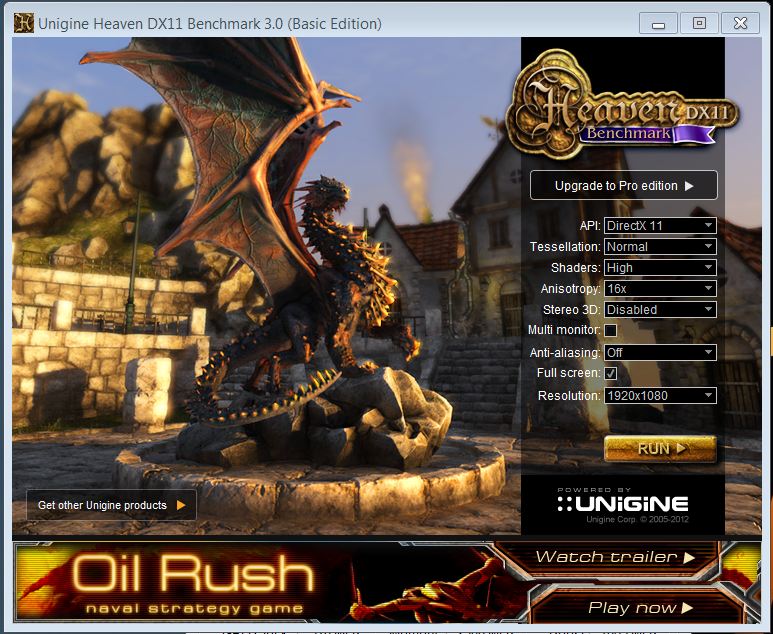
Anyways, I did some overclock benchmarking.
I think I can keep it stable at 1160Mhz Core
Here is the benchmark for my stock clocks:
FPS:
22.0
Scores:
554
Min FPS:
15.4
Max FPS:
49.6
And for the OC'd one it was:Attached Files:
-
-
Just got my mSATA installed, with windows 8 (yes I'm one of those odd people that like it) I have all the software I planed to install at this point on the mSATA. but I dont under stand how to get the mSATA into caching mode, I have installed Intel Rapid Storage software, but cant seam to figure it out.
I also wanted to use my Libraries, but they automatically save to the mSATA, is there a way to move them to the 1TB drive? -
You don't install on the msata if you want to use the msata for caching. The system, once set up correctly, automatically determines which files are mirrored on the SSD for quick access. Unfortunately my Y580 hasn't arrived yet so I can't tell you how to pair the msata to the hdd. I was planning to dive head first into the bios to look for an option.
-
So is true that BSOD is a big issue with this model? I was looking at amazon and someone mentioned the "lenovo bug."
-
Hey everyone, I'm buying my first laptop and this is mainly going to be for college. I'm buying the y580, and i have a few questions if anyone can help me out. First, I know of the HDD heat issues, if i just remove it and place a SSD instead will this fix the heat problems? Second, how long is a laptop supposed to last? Will it get me through college if i take good care of it? I will be doing some minor gaming like league of legends and maybe a bit of need for speed or something, but nothing too big. If anyone knows please help me out. Thanks
-
Hello guys.
I am suffering this problem : cant get sound from the optical output of Y580. Did perhaps all options, including ac3 filter setup, ffdshow, haali media splitter and ofc. started from selecting the digital output in control panel. Tried to remove the marks below that field (allow applications to take control bla bla bla....) but still no result. I can see the bars at the control panel sound profiles moving (that indicates something is playing) but no sound at all and No digital data. The red light inside the laptop output is on, cable is fine.Using the latest drivers from the site. A guy told me theoritically the sound must be raw (maybe analogue) to go into the Z5500`s decoder but can`t fix the passthrough. If anyone succeeded in solving that problem - please help the novice to fix it.
Thanks in advance ! -
Just use the mSata as the primary drive for the OS and for apps that you will never need to uninstall. Then go into all your web browsers and change their download directories to your 1TB drive so you aren't constantly writing to your SSD. You can also make a change in the registry that will set the default install path for all apps to your 1TB HDD.
Just google "how to change default install directory for application". -
That sucks. I take you are using a mini to regular toslink cable? Does the headphone and mic jacks both support SPDIF? Even though I can;t help you out, what exactly are you using it for for? Is it for music? I'm just curious because I use my Y580 to run studio software but I use a USB audio interface. My Roland model has optical output and input and I wonder if it would be better to go optical once you figure how to get it working. Although, I have read the differences between USB and optical are pretty minimal unless distance is a factor.
-
Hi all
I've read a good part of this thread and other threads but still have not found a definitive answer.
My question is which laptop cooler is better for the y580, between the cooler master U2 or U3 ?
I've read that u3 is best functionally, however it's huge. Would the U2 be sufficient to cool the y580? Would any of the vents on the notebook be blocked by the smaller sized cooler?
Thx for any advice you guys can provide. -
Ill stick with one post about it.
-
The answer is that you don't really need one. This laptop stays extremely cool until you start gaming and even then it's not bad enough to warrant a cooler. If you going to buy a cooler buy the most comfortable one because it has already been proven that they do nothing to extend the lifetime of laptops unless your laptop has defects in it's cooling system.
What I use is just a pad and it works just fine. It is very comfortable -> Amazon.com: Belkin F8N044-023 Notebook CushTop Stand (Dark Sky/Pitch Black): Electronics
The reason why I love this pad is because it raises the laptop up to nice height. It would be useless on a desk but I never use my laptop on a desk because that it what my Desktop is for. I use VM's for work and so I just save snapshots of the images and transfer them back forth either through my LAN or viz USB thumbdrive. -
Hi there,
I´m from Germany and i want to ask here, if anyone has the RapidDrive Driver for Win8 for the Lenovo Y580.
I have bought the Y580 with 32gb SSD and 1TB HDD and Bluray Burner... with Windows 7
for the Update to Win8 i need to cancel the combined SSD/HDD (Rapiddrive)
In Windows 8 i could not combine them again, cause the Driver for Rapiddrive is only for Win7 -.- -
Well, still no change. Because of a keyboard fault I have a new Y580 now (replacement by lenovo) and the problem still persists. DL-ing newest hd audio now and will test and tell you 2morrow. Btw, they DO support optical signal. Check if you can see a red light inside and if not - try to enable spdif from the control panel and check again for the light (play some music no matter you hear no sound).
-
Hi Everyone, it's been about 2 months since I bought this laptop and so far I'm still loving it! never overheats, and given the resolution on mine I can pretty much play most games on high/ultra with ease.
as for HDD heat, it doesn't bother me alot since I don't game like crazy, doesn't seem to have much effect.
there is one small thing that's annoying though(probably not Lenovo related), is whenever I browse through photos(fast or slow) every now and then I get a "COM Surrogate has stopped working" error.. when I open them this happens every now and then, but I noticed that this only happens when my Graphics card setting is on Auto-select(in other words WIndows Photo viewer using HD 4000), if I set global to use the 660m This error doesn't occur at all!
my Intel graphics driver is 8.15.10.2656 (dated 2/17/2012), has anyone else had this problem? would a driver update possibly fix the problem?
Thank you. -
I did this Change Default Installation Directory In Windows 7 & Vista
and now the applications installed on the mSATA wont open... Am I going to have to reinstall them? some work, some don't? -
caching only works with Lenovo's proprietary Rapiddrive raid software. -
Hello,
But on Win8 there is no Rapiddrive Software from Lenovo (and they sell the y580 with win8 and caching 16gb ssd..) -
sounds like they haven't released windows 8 rapiddrive to the public yet
but Windows 8 seems to have its own software RAID. Dunno if that will do caching though. Also, there's always a bigger risk of data corruption with software raid.
lenovo rapiddrive was never immune to data corruption either. So i wouldn't even use it. -
I could be wrong but isnt this the driver you are looking for?
Intel Rapid Start Technology Driver
0prs04w8.exe
1.52MB Windows 8 32bit,
Windows 8 64bit
Intel Rapid Start Technology Driver for Microsoft Windows 8 (32-bit, 64-bit) - IdeaPad Y480, Y580 -
Well I am now a fellow owner of the Y580 just got mine this week, seems to be a second hand model not sure who owned it before me or if it was just used as a display model.
Very nice laptop sadly having graphics issues with the 660M so I am having to send it to Lenovo for a repair.
My story is below but I was wondering if anyone had sent a laptop back to them in the UK with a list of what you tried... and if you did any idea if they actually read it/paid attention to it. Dreading the idea of getting it back with just the hard drive being factory restored as has happened to some people.
So tried to run 3Dmark11 and Vantage on it and it just crashed as they loaded the first test (out of memory error), checked different drivers and that made no difference. Formatted fresh windows no junk just the main drivers, same problem, tried 4 different driver sets with little difference, ran the GPUZ test and the drivers just kept crashing every few seconds. On one of the drivers while running the GPUZ test it some how switched the 660M into battery mode (405Mhz max clock).
Used MSI afterburner to drop the GPU memory clock by 50Mhz no improvement, at -100 it would load 3Dmark11 but with many glitches/flashing, -200 less flashing and finally -300 somewhere near correct few flashes and the odd corruption. Leads me to believe at least one of the ram chips is not so healthy.
Temps seem fine and the power settings keep it on high etc.
Tech support guy on the phone was very friendly though, no issues, as soon as I rattled off everything I had tried he made no effort to get me to try anything and asked about returning it for replacement at the shop but I got the last one so that was a no go.
So they are going to have it in for a repair as they cant replace it.
Not sure if anyone else has had this problem? I know there have been a few posts about graphical issues especially on the Lenovo forum but some of them seem purely driver related. -
Anyone realised that the 3 y580 models listed on the US Lenovo Website has the back lit keyboard option removed?
And i ordered 1 y580 thinking i was gonna get backlit keyboard....
-
Sure it is not as Safe as 2 Single Drives, but with Caching the complete System runs faster an the 32GB SSD is too small for Win8 (and Updates etc..) (Visual Studio Office need also free Space on C:/ also if you install it on D:/ -.-
-
Are you saying you already received it and it doesn't have a backlit keyboard? My understanding is that the backlit keyboard is a standard feature on the y580.
-
it seem to be that way...at least on the product specifications page

however....in post number 9 another owner who has his laptop shipped has backlit keyboard Y580 Backlit Keyboard not offered - Lenovo Community
-
Have you tried holding the Fn key and then hitting the space bar. Mine was just delivered yesterday and it works.
-
You had me worried. According to the spec, my laptop should not have the back lit keyboard. I just received it today and I am happy to report that I am typing this message with a very nice back lit keyboard. Life is good!
-
Some questions about Y580:
Can I downgrade my Y580 from Windows 8 to Windows 7?
Can windows 8 play black ops 2, fallout 3, assissen creed 3, left 4 dead 2, Shogun 2: total war, borderland 2 and skyrim? -
Hey guys,
I just have one question.
Is there any possibility for me to buy an Ideapad Y series laptop from the lenovo site and they send it to me in Poland via express mail? or is there any better way to do this? ( or maybe some of my friends in USA buy it and then send it to me by express mail )
any suggestion? -
you could try comgateway, borderlinx?
-
all games for me are working perfectly with windows 8
windows 8 isnt even bad. just get start8 then ur set -
you can, but you won't have a key for windows 7..... unless you activate by illegal means -
This is one good looking brick!
USNA 120 - Cooler Master - Leading Provider of Computer Case, Cooler, Power Supply, Laptop Cooling, Gaming Peripherals
Would this kill my y580?? At 19v and 5.79A?
The output amp is just a tad lower than the original output of 19.5v and 6.15A -
Any reason my PowerLight has started constantly flashing -- battery's fully charged. It's plugged in. No idea.
Y580 Owners Thread
Discussion in 'Lenovo' started by Syed117, Jun 21, 2012.