Problems? See this thread at archive.org.
WD all the way! That being said, I'm looking at the Seagate ST9500420AS
Would like a 640 but they apparently only run @ 5400rpm.
I'd say give the SSDs another 18 months and they'll be cheap as chips!
What's the specs on your HyperX? I've read good stuff on them, and wondered how they'd compare to the Transcend mem my lappy came with.
-
Hopefully. :drool:
lol, remember how much lenarasssssss loved SSDs? -
Yea the kid was mess! Seems to have dropped off the radar.
BTW, having a little trouble finding a reliable supplier for the ICD 7 paste, anyone got a suggestion? -
If it is giving you that message when you are installing it, maybe the .inf isn't being modded properly.
Download a fresh copy off amd, then post the .inf here, we'll have a go...
@ Vulvina, the days of Lenarasssss were always entertaining. No idea why he got banned though? -
I have the Western Digital 640 GIG. It runs ok, but since I am used to POWERRRRRRR, I can tell its slowerrrr. Previously I had the 500 GIG Western Digital which came with the GT725. Like I said if u want daddy then go for WD 320 GIG 2.5inch BJKT, but very hard to find (had it on a previous samsung x22 which i flogged with the drive)
On another note I was once thinking of getting one of these puppies but the damn things wont fit in a laptop as its for those BLADE SERVERS. But check the links to drooll on da performance specs.
http://www.ebuyer.com/product/159685
http://www.ebuyer.com/product/146081 -
It's a CL5 KHX6400S2LL/2G , Worth every penny. There's an Hitachi that seems to be better than the WD. Will stick with the WD though
Scan.co.uk has it in the notebook department ! but like you said , it's for blade servers/desktop ....
There's 2 WD black available on amazon at 58quid ,one is mine eventually
-
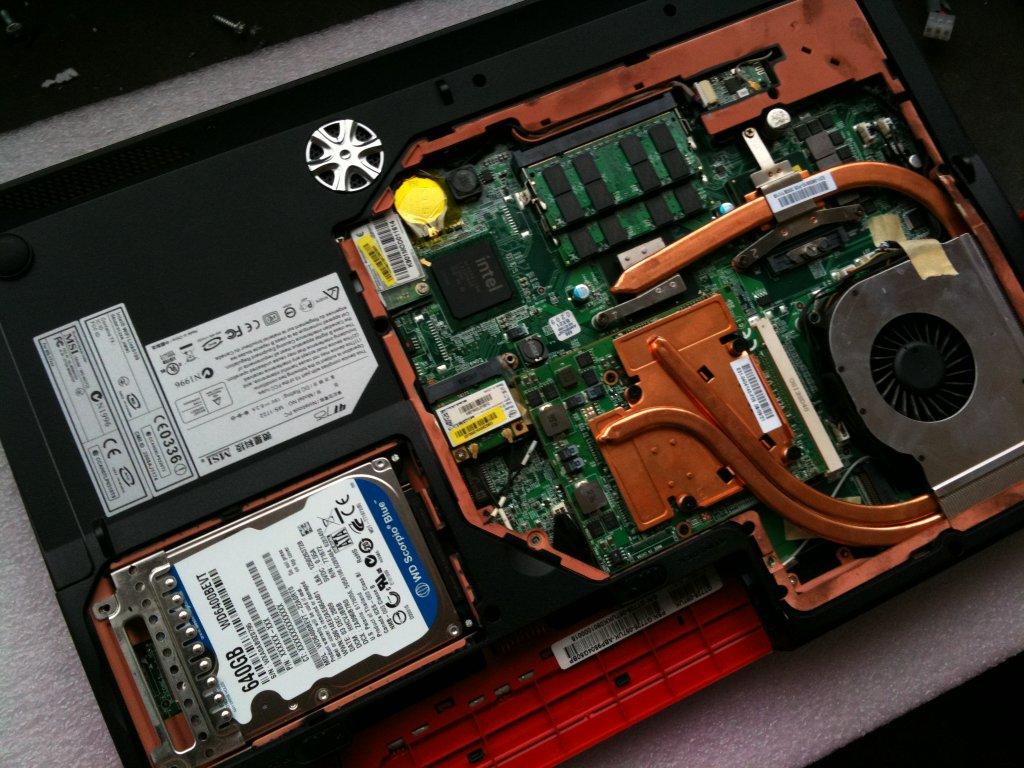
JOB DONE:
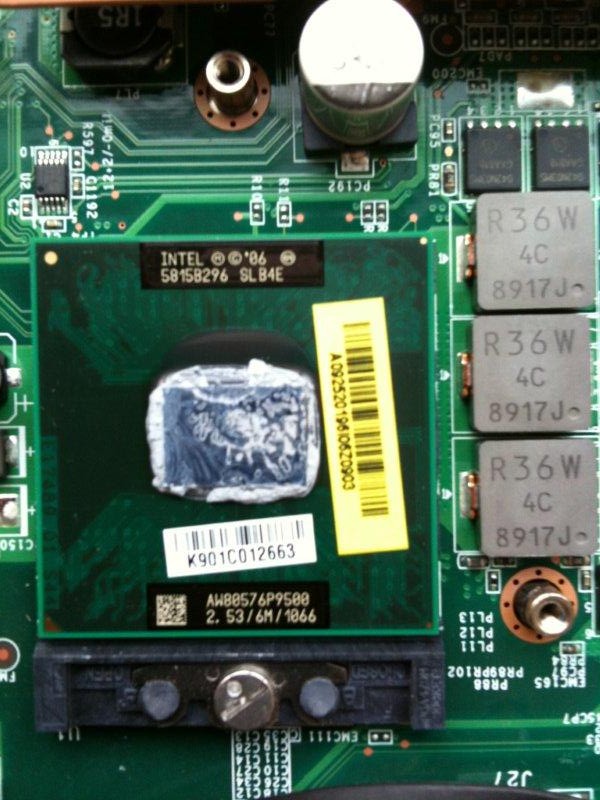
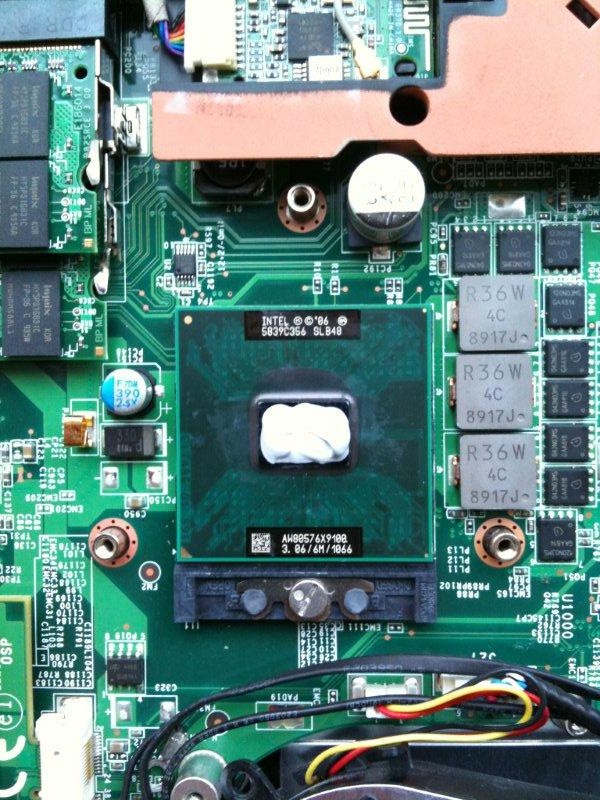
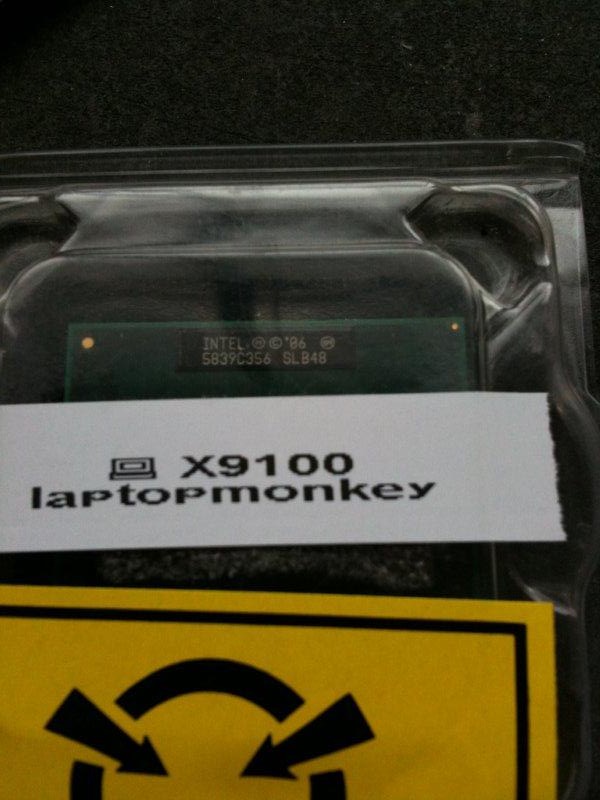
Processor Put in:
Couple Niggles:
Cant cope with 800 MHZ and 20% or 24% I have left it at 667 %16 percent (kept freezing)
Initially when installed had to pull out the BIOS Battery for a minute as the Processor didnt kick in until I did this.
So far based on 16% and 667 Settings all is well.
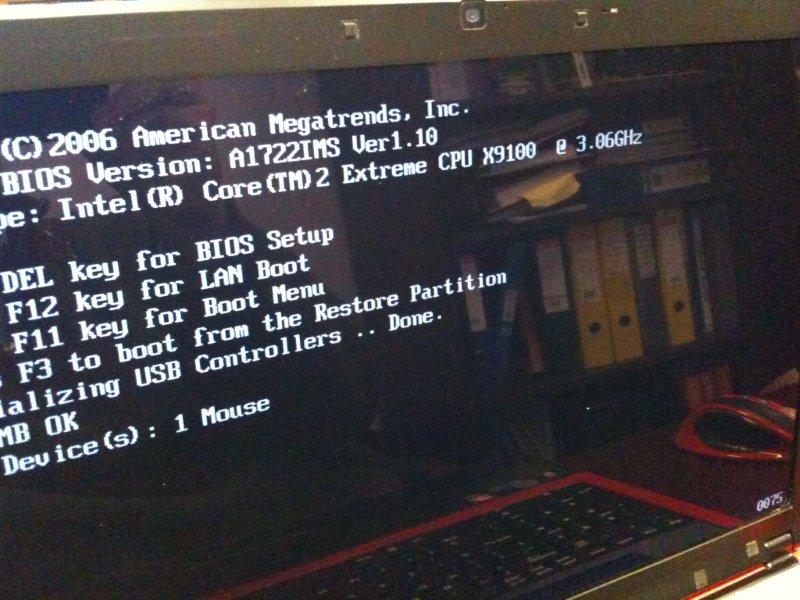
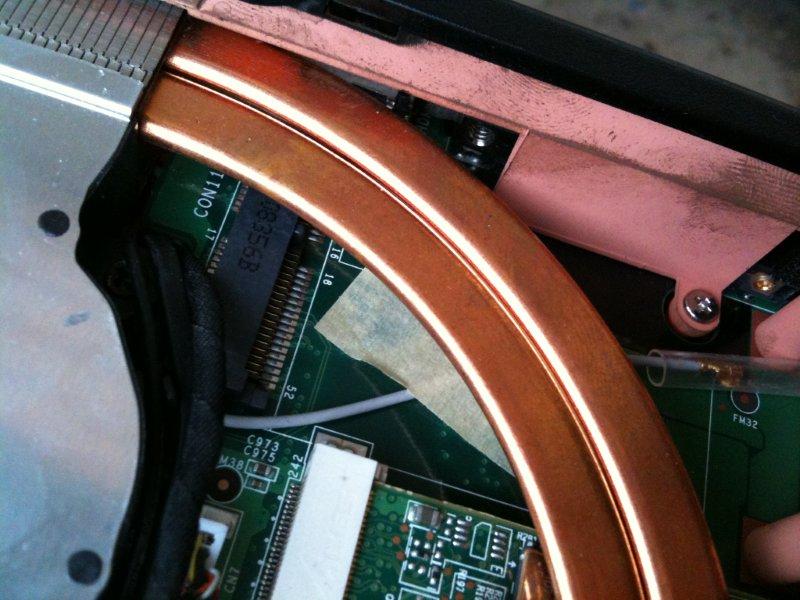
Will keep you up to speed and here are the photos.......
Taken a shot of the TV CARD PORT etc that never gets used
Windows 7 screen shot ( It went up 1% woohooo) to 5.9 in da rating from 5.8 overall.
All photos below
ADDITION: Turns out its the RAM I am buying G SKILL TO SORT OUTAttached Files:
-
-
That's weird , you should be able to go over 16%. Did you try loading the default setting for bios , then @ re-start , set it to 20/800 ?
What's the speed of it with turbo on ? CPUz or Hwinfo32 will help on that -
It'l be the RAM, its actually quite known that the MSI RAM isn't that much better then consumer stuff in some cases (Or just weakly manufactured),
You could try drop timings? -
OK got CPU z what am I looking for if anythign thats out of the ordinary ?
In the meantime I am doign a factory reset of BIOS andtryign what u recommended -
He's using kingston hyperX , same as mine , which can handle it .. always ran my P9500 on 24% Turbo without issues. It's something else ...
Check whether turbo is working properly , check the clock speed .. by the way did you installed SCM ?
EDIT !! Where the hell did i see kingston ?
-
Interesting, what about trying with a single stick,
But yeah a bios reset seems good, something about the q9200 maybe? -
OK everyone here is the deal. The RAM I have is the OCZ running at CL5
Link below:
http://www.ocztechnology.com/products/memory/ocz_pc2_6400_ddr2_sodimm
For some reason it no likey 800 at all 667 and it clocks away.
I have latest gt725 bios firmware installed and remember non stock RAM ( I know its crap thats why I took it out) maybe its because its CL5 and not CL6 which is the default ram ?
Any ideas anyone ?
Dont know if this helps but here is CPU'z
CPU-Z TXT Report
-------------------------------------------------------------------------
Binaries
-------------------------------------------------------------------------
CPU-Z version 1.53.1
Processors
-------------------------------------------------------------------------
Number of processors 1
Number of threads 2
APICs
-------------------------------------------------------------------------
Processor 0
-- Core 0
-- Thread 0 0
-- Core 1
-- Thread 0 1
Processors Information
-------------------------------------------------------------------------
Processor 1 ID = 0
Number of cores 2 (max 2)
Number of threads 2 (max 2)
Name Intel Core 2 Extreme X9100
Codename Penryn
Specification Intel(R) Core(TM)2 Extreme CPU X9100 @ 3.06GHz
Package (platform ID) Socket P (478) (0x7)
CPUID 6.7.6
Extended CPUID 6.17
Core Stepping C0
Technology 45 nm
Core Speed 957.5 MHz
Multiplier x FSB 3.0 x 319.2 MHz
Rated Bus speed 1276.7 MHz
Stock frequency 3066 MHz
Instructions sets MMX, SSE, SSE2, SSE3, SSSE3, SSE4.1, EM64T, VT-x
L1 Data cache 2 x 32 KBytes, 8-way set associative, 64-byte line size
L1 Instruction cache 2 x 32 KBytes, 8-way set associative, 64-byte line size
L2 cache 6144 KBytes, 24-way set associative, 64-byte line size
FID/VID Control yes
FID range 6.0x - 11.5x
Max VID 1.238 V -
Have to go with cata's recommendation here. Got things mixed up , don't know where the hell I saw hyperx ..
Is turbo working at all ? or just kept on freezing every time you press it ? -
so should i try it with one stick at 800 or just leave it at 667, or try and reflash the bios etc etc, I have reset it to factory,
interestingly enough whenI accessed the OC bit of the bios it was on 667 by default.
Bizaree none the less.
I could always try the memory it came with, although that would upset me if it worked as the OCZ one is meant to be better
-
Well hmm, ok lets try
Set OC to 20% in bios,
http://www.tweakers.fr/memset.html
Download memset,
And set the primary timings (Except CAS? Unchangable,) to 6,6 and 18.
Dont mess with the other stuff, just the main ones 5,6,6,18
We will just loosen the machine up a bit also these changes are not perminent.
-
, yeah try that. The frequency is always set @ 667 whether the ram is 800mhz or not .. has to be changed manually.
Does it work on 20% ?
E: try what he said 1st -
Haha no lets confuse him! Try what WE said first!
Or we could do a fusion of both, 1 RAM stick, 20% on the OC 800mhz on the ram (Although 667 is there to be more tollerable i believe,)
And loosen the timings, that should give us a fairly stable OC. -
OK its the second I hit overclock that it goes up ! Or else it runs fine on 800 it doesnt lie to overclock on 800 how weird is that?
-
Does this reflect on the Processor etc ?
-
Its tollerance for something, but i don't know what,
So you tried,
1 Stick at 800 at 5,6,6,18?
Damit lol,
Its possible it reflects on the processor but unlikely, unless the machine isn't wanting to OC due to the quad restrictions in place (What did you upgrade from sorry?) -
p9500 2.53 to = Intel Core 2 Duo Extreme x9100 (T9900)
-
Huh? Which one lol there both majorly different,
Is it ES? -
it's oem . We need more info , what happen on 16% ? then 20% ? then 24%?
Freeze ? BOSD ? etc etc.
Did you tried with one stick ?
Did you try the crappy transcend that came with your 725 ?
Pretty sure the OCZ is crappy too
-
im still trying to stabilize it
-
ATI drivers do you guys let wndows sort it or actually download them from ATI etc ?
Side issue had a major crash while testing Call of Duty
PS: Seems to be going from bad to worse
-
Lol, temperature check?
-
Dude ! one prob at a time
what happen to your mem/cpu ? all good ?
-
Ok it seems to only like 667 and thats that for now I dont have the dodge memroy the laptop came with (its at home) and Im at work.
-
so lets get otno the ATI issue shall we, why dont i see an ATI catalayst icon after installing drivers, anyone, anyone ????
-
You got rid of crappy rams and replaced em with another sets of crappy rams !
The OCZ you bought can't withstand OC.
Coz you haven't installed the driver , the desktop one needs to me modded before installing ... and so far we can't as the modder thingy isn't compatible with 10.1/10.2 -
ahhhhhhhhhhhhhhhhhhhhhhhhhhhhhhhhhhhhhh
-
Oh well back to the drawing board
Im just glad i didnt end up spending a monkey and went and bought the cheaper one from monkey PC -
so shall i uninstall the 64 bit win 7 ati drivers as it did install ut with no CP etc ?
-
Easy there diesel, gimme 1 sec to work on this problem...
First and foremost With Ocz ram sure it is in some cases better ram, however that's their desktop ram and even then it's plauged with incompatibility issues and is extremely picky when it comes to the boards it likes to work with...
With that being said, half of the problem comes from beig somewhat restricted with the overclock settings and having to resort to software modifications for ram timing, speeds, bus settings etc.
With this particular setup I think that it's probably just the ram not wanting to work with anything past it's rated speeds.... It's very typical of valueram, which is what I suspect their notebook ram is, just with a fancy sticker.
In all reality you might have to run your ram at 667 so that you leave headroom for your processor oc, and if you look at your ram speeds in CPU when you overclock you should notice the actual speed (of your ram) will increase and should actually come closer to Its oigional ddr800 spec.
It's unfortunate but that's the way you have to oc with valueram.
Tbh I'm suprised you actually got ocz to work it seems like every other person I've seen get that ram has their macine get all sorts of screwey.
Your best bet is to get what the majority of us are using, the gskill ddr800 ram. This stuff Is quite godly, it's ran at ddr800 and then ocs to ddr1000 with no complaints whatsoever! The stuff is gold!
@diesel
Anything past 9.2 won't work with mobility modder, it's s known issue and will be fixed prolly in the next build.
I managed to acquire a beta build that works with 10.1 though idk if it is really doing what it says it is...
And with ati's announcement, they may wait even longer...
Speaking of that, anyone know how to get the latest alienware ati driver? I'm curious to see my card likes it's own better... -
9.12 is compatible with MM , use that or go back to MSI's driver until 10.3 is released (which will support our card without modding it)
You need that to mod 9.12 http://www.hardwareheaven.com/modtool.php follow the instructions. -
OK TRYING NOW....
-
Is this the RAM ?
http://www.gskill.com/products.php?index=207 -
found mm installed 9.12 modded all good and stable, with win7 64 bit ultimate.
sticking to 667 with 24% researching that memory , thanks everyone you have all been exceptionally helpful, if stability holds with processor i will be selling the old processor at a reasonable price via ebay uk. All interested please feel free to enquire. -
Stick with 9.12 for now.
The processor is fine , it's your memory that is crap. The X9100 is the best dual core available for PM45 chipset.
You could have done a trade , same as me parts for parts .. too late now , could have saved you 220£
PS: you can sell it in the market place (read the sticky 1st)
http://forum.notebookreview.com/forumdisplay.php?f=18 -
well live and learn im sure i will get a portion of my money back selling the processor etc.
do u know where i can get that ram from by the way as i found the suppliers site but not a retailer yet ? -
G.skill : http://www.memoryc.com/computermemory/ddr2sodimm/4gbgskill800pc26400kit.html
Kingston HyperX : http://www.ebuyer.com/product/146774
Your call now. -
is it the shnizz ? and does it work at 800 ?
irony = memory ocz also from ebuyer
which one would u choose ? -
I can't talk for the G.skill , but the hyperX does run at 800.
eBuyer is awesome , bought all my pc gear from them. Great service but hates it when they use parcelforce ! -
i know there jokers misses was home all day and they just slipped a note saying they missed delivery, and that the parcel was waiting at the local PO, proper muppets !
-
Happens to me all the time ! they came and drop a note .. not even bothered pressing the damn buzzer. The UPS guys are simply the best.
The good thing is you can drop them a mail and let them know which one you prefer. -
ok thi g im going for that other memory link not da ebuyer one, should sort it out
-
GSKILL BRO, thats what i have, i swear up and down by it. yes you found the link for them, theyre available at newegg, check the timings of the kingston, 5-5-5-15 is pretty decent for ddr2, especially when you can keep those timings and push the ram up 200mhz. i almost got my ram and fsb into a 1:1 ratio which to my understanding is the sweet spot for performance, i might be tempted to even try and tighten my timings some to see how low they can get.
kingstons a good brand, but i strayed away from them since gskill is cheaper, and suprisingly reliable, i've bought kits from them before and ive never been let down. they do their job exceptionally well for the price point. plus you get a cool sticker, and thats always a plus. -
Timing hows it done what am i trying to tweak exactly in correlation to the RAM and Processor, is it done via the bios etc etc ?
OK good stuff looks like I should get the memory on monday oh and it does look like amazon has that western digital hard drive back in stock again if anyones needs it.
http://www.amazon.co.uk/Western-Dig...1?ie=UTF8&s=electronics&qid=1266585635&sr=8-1 -
we were trying to get you to achive a stable overclock?
use memset to set your timings to 5 6 6 18,
not too much we can do from bios lol.
-->*OFFICIAL: MSI GT725 Owner's Lounge*<--
Discussion in 'MSI' started by faisalhero, Feb 4, 2009.