Problems? See this thread at archive.org.
Ok, I see now. I need to use the mic port for sub and center. I give it a try later today.
Thank you!
-
Nice find
 . The Sonar 5.1 USB headset will work just fine. it has only one USB cable and the headset has it's own built-in sound card.
So it's a external USB sound card + 5.1 headset and the audio coming from the USB not from the 3.5mm jacks.
I recommend something similar like this, can't comment about the sound quality because I never use it before but you don't need to buy a external sound card with many cables to mess with.
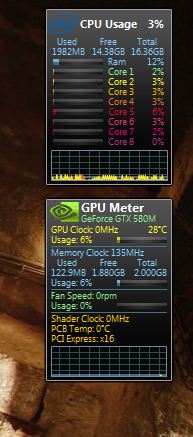
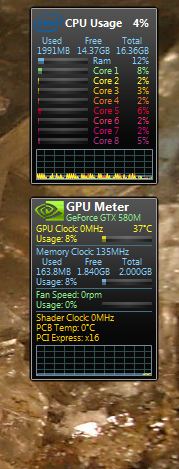
LOL, nothing wrong with your laptop and these are the screenshots you want to see :
Attached Files:
-
-
I highly doubt that GT780DX supports 1600? o_o? or?
-
Yeah I agree these things seem like the way forward. No mess no fuss. Pretty cheap as well, you can pick them up for less than $100. I read a review where the author had previously disliked their products but then ended up rating this particular headset highly.
Depends on the CPU, although even the CPU's that only support 1333Mhz officially can apparently run at 1600Mhz, such as the 2670qm in the 780DX. It was talked about in this thread earlier. -
Don't have my laptop yet so can't check.
-
Is there a guide to change the memory ram in GT780DX?
-
Check this please: http://forum.notebookreview.com/msi/584869-official-msi-gt780-gt783-owners-lounge.html
Ok! It's working!!! -
VERY Nice Ken! Now THAT's more like it! It looks like the 580M temps are amazing on that machine..... even during OC! No doubt the thermal application is perfect. Aside from your KENshiro magic touch, did you install some sort of special fan unit, or something? Well done, can't wait!
-
how did you get 28 celcius ? or is it because my room temp is around 30-35 thats why i cannot get that low
-
you can change the fans on these things?
-
Several factors will affect temps, including ambient room temp. I suspect that first temp was just idle, but also keep in mind, CPU's & GPU's are not 'precisely' equal in performance or temps..... there will always be some fluctuation here, from unit to unit.
Sure the fans can be changed. Question is, are they readily available, and do they make a higher performance fan for this model? I don't know.... I was basically joking with Ken, LOL!
-
if only someone invent a safe watercooling pad
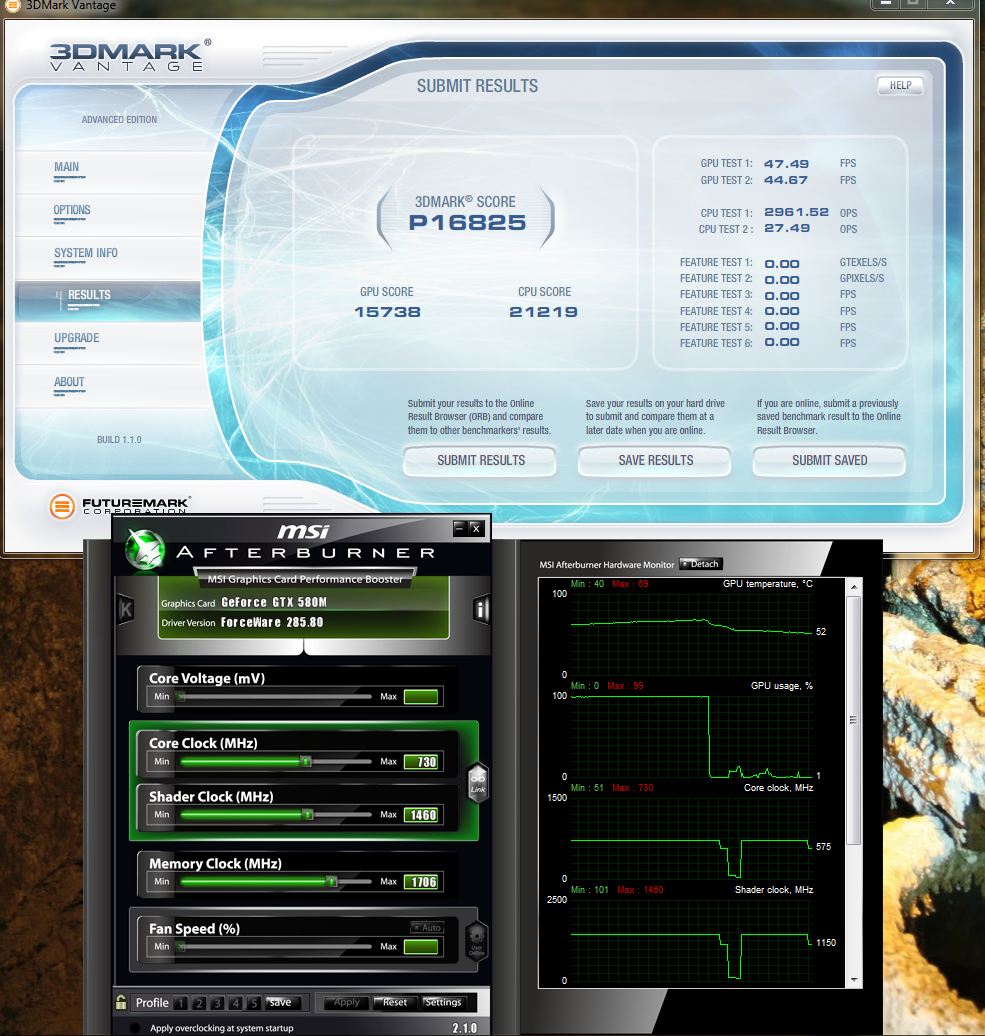
May i know the 3dmarkvantage settings ?
or the link because mine seems low in free edition of 3dmark -
ok either you're pulling my leg or you know something the rest of us don't?
if there are fans we can switch on them, show me a link i'd be interested, my 780 just started making this high pitched noise just now after doing some video editing. -
Smitty123,
No, I am not pulling your leg...... again, the "question is, are they readily available (to us), and do they make a higher performance fan for this model?"
I am sure the custom building resellers have access to these, and if not, certainly MSI has them. If you are having a fan issue, get with your reseller or contact MSI regarding this.
-
May i know why is my 3dmark vantage quite low ?
I am running performance presetAttached Files:
-
-
you were just saying MSI has some they can replace.
i hope somday Arctic , Thermaltake or other Cooling companies would just get into a partnership with the vendors and supply them with quality fans. -
Yeah Ken!
Tell He1p about the 3DMark Vantage settings, AND then post more screenshots of my AWESOMELY cool new notebook. Then, if everything else test and checks out well, ship that puppy to me ASAP!
-
Note to self reliability > performance
I learned my mistake -
Safe water cooling pad - you mean like the Chillow for those hot summer nites
-
Yes, certainly the manufacturer has replacement fans. Also, I would not be too quick to knock these MSI fans. Thusfar, MSI has a very nice track record with the cooling of these units (so the fans have to be pretty good), and fan complaints are minimal. I have had 3 of these units (soon 4), and all have been outstanding in the cooling department. Again, if you have a squealing fan, get with your reseller or MSI to have it replaced. Considering these are power gaming machines, the 570M & 580M, temps over all are marvelous.
Also, what about your operational environment...... dusty? Have you checked to see if your notebook needs a good cleaning, perhaps? If this is not a problem, get the fan replaced and all will be good in the world again.
Have you made a mistake? Looks like you have a very nicely spec'ed notebook there, and I am betting your temps are well within a safe and normal operational range.
-
I don't see how temps could get any better. MSI already uses high quality fans as it is. If you talk to a certain re-seller, (wont mention any names) he will tell you that the MSI fans/cooling is much better than what you get on the Sagers. I was told that Sager uses cheap fans.
Granted, I do have the IC Diamond thermal paste applied, my 570m which is overclocked gets to about 66-69 Celsius depending on room temp. I ran Furmark for 30 minutes and the highest it got was 73 Celsius. -
Agreed & concur...... my 570M machine with ICD, the highest temp in similar testing was 72 C. For those who don't realize it, this is outstanding folks..... especially considering these power notebooks are equipped with hi-watt GPU's! There are many lessor GPU'ed notebooks out there, running much higher temps..... without FurMark testing.
-
well looks like you got yourselves a nice bunch of laptops, i'm more and more tempted to just send it to msi and let them do a full inspection, new fan, redo the paste and remove that kevlar although idk if they will.
And its all stuff i could do right here, would it void the warranty to redo the paste myself? -
hi im sorry if this is a double post. but do you guys know of a stable and coll OC freq for thr 570m?
-
Hard to say where your sweet spot is, but there have been many posted suggestions within these pages. This varies from GPU to GPU, notebook to notebook. You really need to discover this on 'your' own particular notebook, as some GPU's will OC considerably higher than others. Start low with AfterBurner, and gradually work upward. With each incremental increase, benchmark for performance, but watch carefully for any abnormalities..... such as artifacts or system instability/slowdowns. If you see any of this, back it down to your last stable runs.
You OC at the risk of both GPU & warranty. Good luck!
Here is an entire thread devoted to your question:
570m Overclock
-
Start off with a core clock of 700. If it's stable, increase it by 5 until it becomes unstable. When it comes to the memory, start off just bumping it up about 20 notches.
-
newest member! this thing is no joke..kinda wish i went with the 15" instead now LOL. everythings good minus the shortish enter key
-
Here's what i have.
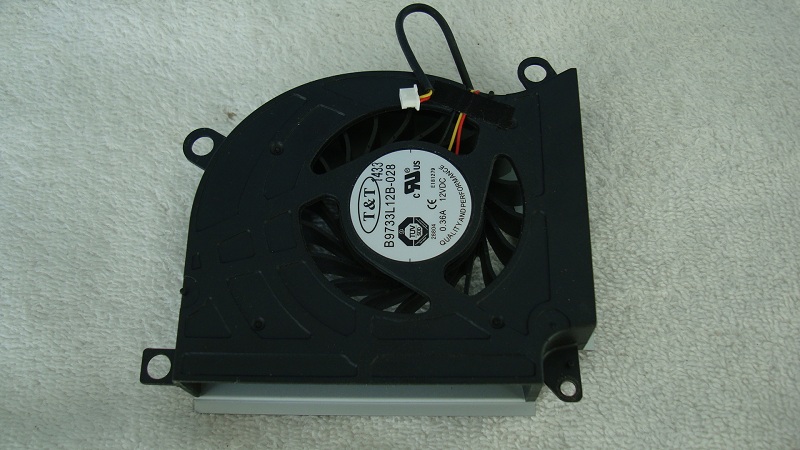
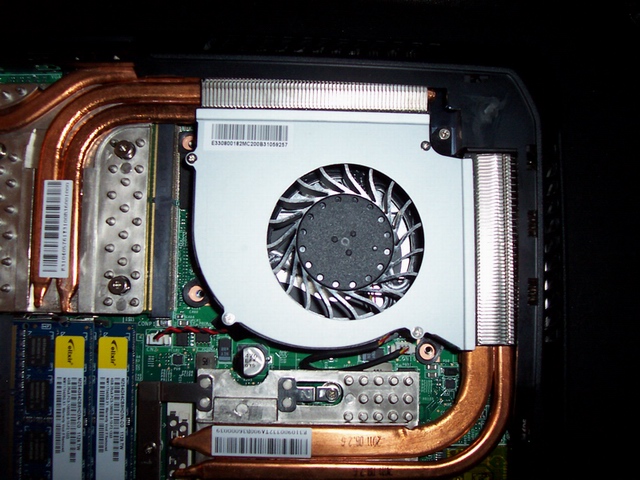
Anyone have a different fan than the one I have in my GT780DX?Attached Files:
-
-
Mine goes up to 75c =( while max settings on some games -
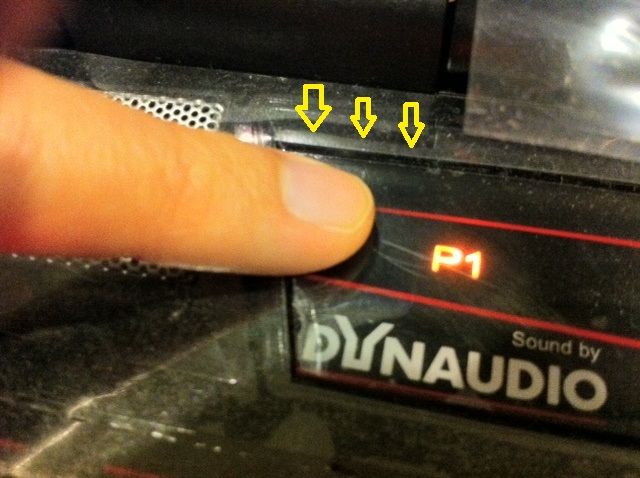
Hi may i know does anyone of you here have this issue ?
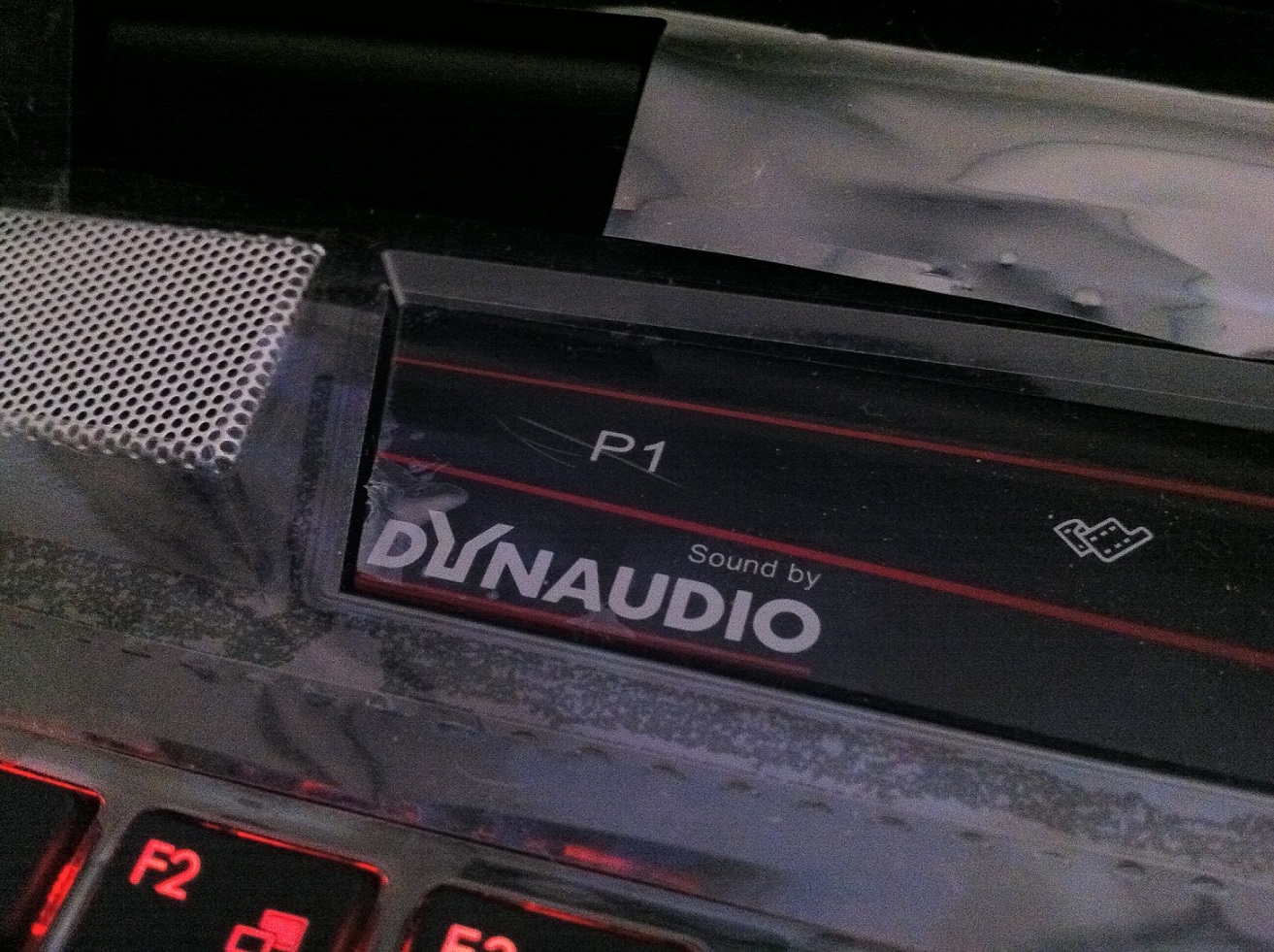
The touch button sensor is popping out ( i am not referring to the protector )
Look the top edge and bottom , it is lifted a bit
Although it does not cause any issue , just feels loose when pressing P1Attached Files:
-
-
I was getting mid 80's in games and mid 90's in Furmark. I think anything in the 70's is good.
-
If you could gently remove the plastic covering stuff and get another photo or two we here in the forums could tell for sure. It shouldn't be sticking up though, they generally sit flush. Just a bit hard to tell from the one photo you have posted though.
How does the other side look in comparison? -
the other side is fine
it was sit flush on the right side but the left side always pop out itself although i press it down , it will pop back out after 30mins or so -
Well, they aren't supposed to come like that if it is the actual touch panel. You may want to get in touch with your reseller and check with them. A couple more photos to them should also help out, or a video. They should definitely be able to take care of you.
-
So what do you think of ways fixing it ?
-
Where exactly is the Control Bar problem?
The whole Touch Control Bar that contains the speaker covers on the ends,the power on button in the center and the 8 touch sensitive buttons snaps into the case.
The center part that has the 8 buttons has a protective film covering over it.
I have a big bubble forming in the covering by the ODD tray eject button.
Attachment Control Bar out of the case w/bubble -
Just wondering, why do you and He1p leave the protective shipping film on the notebook? I see you also left the film grid between the keys of the keyboard. It peels up quite easily, and looks alot nicer when removed. It looks as though He1p hasn't removed any of the protective film since he unpacked the notebook. This thin film also covers the webcam, which will be blurry if left in place. Just wondering the logic here......
-
My problem is the control bar that is around the edge of the P1 mode touch botton -
It's not because of the fan, I haven't seen any fan performs better than the other on Gt683/780/783.
The difference is how the thermal compound is applied not the fan. If your unit is running hotter then you can try re-apply thermal compound with thin layer of IC Diamond.
Like rrwingate6 said, MSI already use the best fan on it's laptops, much better than it's competitors.
It looks normal from the picture you posted, maybe you can take some more pictures to show us? -
The photo of my Touch Control Bar and keyboard is from the days soon after receiving it while I was adding the 3rd antenna and Bigfoot wireless card.
That film on the keyboard is long gone.
The bubble I have in the Control Bar is not due to any shipping film left on.
I'll just take the Control Bar out one of these days and walk it over to the MSI notebook service center for replacement.It's about 10 minutes away.
Some of the photo attachments I post are of other than my own notebook.I've helped a few locals customize there new MSi notebooks since the only way they're sold here is stock configureation without an OS. -
Question:
I did a fresh install of Windows and ever since, the Eject hotkey isn't so hot anymore (fact is, I have to go into Computer> rt click on drive > Eject). Any ideas? My S-bar also doesn't come up automatically upon start-up. -
mine doesn't have the sticker
Attached Files:
-
-
okay here it is
-
okay guys i took 3 photos
#1 Overall the edge that is popping out
#2 Finger on the touch panel but did not press down
#3 Pressed down result as you can see the difference on the top edge compared to #2Attached Files:
-
-
Just like disco
![[IMG]](images/storyImages/disco-dance.gif)
that may have come out wrong :laugh: -
can see its a bit loose i guess, but you also have all the plastic film stuck on the whole machine, what are you waiting for ?
-
I fear i might scratch my gorgeous notebook so i did not take some off
-
Still has that new car smell huh? Mine too
love the lil beast, she performs admirably except for a few quirks, but i wouldn't trade it in for anything. -
If only it is possible to trade it in for $$$
-
the store not wanting to take it back?
there's always ebay or amazon
--->The Official MSI GT780/GT783 Owner's Lounge<---
Discussion in 'MSI Reviews & Owners' Lounges' started by -=$tR|k3r=-, Jun 9, 2011.