 Problems? See this thread at archive.org.
Windows 7 is UEFI compatible. I am running it in UEFI mode on both of my laptops. I have CSM enabled and change the video (only) from UEFI to Legacy. You need an unlocked BIOS to access that menu. I do not believe a stock BIOS will give you that access.
The other thing is, there is no real need to even use UEFI mode for Windows 7 or Windows 10. There is nothing to be gained by choosing UEFI over Legacy BIOS unless you are using a volume greater than the size limit (not likely) or have a weird need to create a bunch of partitions on GPT disks. So, if you are having issues, set the BIOS to Legacy and install both OSes in Legacy mode using MBR disk format.
Pro Tip: If you are going to dual boot, remove all drives (or disable the SATA ports with an unlocked BIOS). Install each OS with only one accessible drive, and do not install them on the same drive. Use a separate drive for each OS. Then they have discrete bootloaders and function totally independent and agnostic of one another. You can use the boot selection menu (F11 on 16L13 and F7 on Clevo) to choose which OS/drive to boot during POST.
-
-
Depending on your perspective, both of these CON bullets might actually be a PRO. If it were any thinner it would be impossible to cool, nowhere nearly as powerful and thin/light is mostly for wimps.
I find the buttonless clickpads like Apple and Dell use to be the most insufferable, miserable input devices I have ever used. Back when I was still doing product testing I told Dell the buttonless clickpads they were using made the products I was looking at an absolute "would not buy" feature because I hated them so much. My wife's XPS 15 has a clickpad and I refuse to use her laptop even for a few minutes without connecting a mouse to it. It makes me furious almost instantly because the areas where buttons should be are touch sensitive. But, you're correct about using a real mouse. I consider all touchpads (even the outstanding quality touchpads on the P870, Alienware 18 and M18xR2) grossly inferior to using a mouse. I think all are pretty icky to use, but not as insufferable as the buttonless clickpads. I have touchpads disabled on all of my laptops and use a mouse even when the laptop is in my lap. I think I could be just as happy with having nothing but a blank palmrest surface where one would normally be.
Excellent choice. All things considered, the absolute best notebook you can get today. If 17-inch is too large, the 16L13 is the only acceptable option available for purchase. Pretty sad that we are left with only one acceptable 15-inch and one acceptable 17-inch, but this is the pathetic mobile computing world we live in today. Pathetic and lame at an unprecedented level.Last edited: Aug 14, 2017 -
Out of curiosity, what is wrong with the Clevo P750DM2 and P775DM3? I thought they are both LGA and MXM, or are they not MXM?Donald@Paladin44 likes this.
-
The P7XXDM's cooling system is inadequate for high-end configurations.
-
The P870DM2 has a decent enough cooling configuration for high end, then? I thought the P870KM series had -worse- cooling (gaps in the fans, etc) than the P870DM2 ?
-
It's a great machine except for the truly horrid cooling system. Unified heat sinks are seldom as good as discrete heat sinks, and the P7 product line is no exception. Still better than BGA turdbook, but a real bear to try to keep cool, especially if you are overclocking. With the P870DMx being so superior, I'm not even sure why the P7 series needs to exist any more... especially the 17-inch. Kind of silly that they are still making it IMHO. Maybe for the benefit of those that would prefer to save a few dollars at the expense of higher temperatures.
Exactly.
Yes, P870DMx with a vapor chamber is excellent. Sometimes you have to do some creative things with the CPU heat sink not fitting well, but not a huge problem if you take the right steps where Clevo dropped the ball. KM1 is interesting and not as good as the DMx cooling system, but still better than anything else (other than DM3) at the end of the day. With a single 1080 and KM1 vapor chamber, cooling probably still comes pretty easy even with the weird change that was made to the GPU radiators not fitting the fan size. With 1080 SLI the KM1 GPU vapor chamber cooling is not as effective as the DM3 vapor chamber... unless you get a DM3 vapor chamber for it and then they're essentially identical in terms of cooling. -
I'm dropping cash on this PSU next and I will keep the 300w PSU as backup.
http://www.hidevolution.com/780w-laptop-power-adapter-for-evoc-p775dmx-p870dmx-msi-gt-models.htmlUsmanKhan likes this. -
Thanks for your help but the only way it can POST is if I have it set to pure UEFI. I tried setting video to Legacy in the CSM options (wasn't aware of that menu, thanks) but I still get a blank screen when I set boot to UEFI+CSM.
Same with Legacy boot.
It can't be my installation media because, at the very least, I should be able to remove all media and get to the BIOS in CSM or Legacy, right?
Is this maybe something specific to the 4k screen option?
**Nevermind, Microsoft wins this round. I'm installing Win10 again.Last edited: Aug 15, 2017Donald@Paladin44 likes this. -
Other than it being cool, why? You shouldn't be pulling more than 330W. I think we can see 300W maxUsmanKhan, Donald@Paladin44 and saturnotaku like this.
-
I could see it if he were doing some extreme overclocking, but as has been established, this machine is not capable of it, at least not until Prema, et al, crack the code. So there's no real point to getting the larger PSU.Donald@Paladin44 likes this.
-
Only way to pull more than 330W is with a TDP modded 1080. But then you will run into the same issue I am running into with a 1070; if you exceed the maximum power the EC detects the system is designed for, it will throttle the CPU. Not sure if the Premamod for the Evoc system bypasses this.
it's possible that poster simply wants that Eurocomm PSU because it looks really hightech for a PSU, but there's really no reason to buy it without an SLI system because it's twice as expensive as the regular 330W delta brick.Huniken likes this. -
I already said I needed a backup PSU and it's a good investment in the long run, going the extra mile! my next system should be an SLI one so this will play a good role. And yes it's not just high tech nice looking , it runs cool too and this is a plus as I live in a hot place.Papusan and ThatOldGuy like this.
-
Finally got a good night of gaming in last night playing some PUBG for a couple hours. With fans maxed my CPU was running around mid 70s (currently at 4.7GHz) which seems good and my GPU was still hitting 90/91. If this is okay and fairly standard and average then it is what it is but I'd like to try to reduce the gpu temp a little bit without really sacrificing power but I don't know how reasonable that will be.
Huniken likes this. -
@Lunatics What screen do you have and what conditions are you running it on? My CPU is hitting a lot more than that for some reason.
-
Finally my EVOC arrived home, still I need to wait until Monday for a friend to drop it off at my workplace so I can start going CRAZY all over it again.....
-
This is with a 120hz screen, running at 4.7GHz on my CPU currently. I had fans maxed via hardware switch and I have the bottom cover mod from HID.Papusan likes this.
-
Guys, please take a moment to cast a vote and share your thoughts here: http://forum.notebookreview.com/threads/how-do-you-want-your-next-laptop-to-be-built.808062/
-
Voted.
I got the first screenshots of my laptop! I'm loving it from every angle, HIDevolution did a very clean and NICE job on it, the laser engraving is top notch and it is done EXACTLY the way I asked them to do it.
Before anyone starts to say it's fugly, Star Citizen is my dream project and I backed it, on 26 August 2017 in Germany the event gamescom will have a big showcase of Star Citizen Alpha 3.0, a big leap in gaming history is coming with it, keep an eye on it.
https://robertsspaceindustries.com/...tar-Citizen-Laser-Engravings-On-Custom-Laptop
The laser engraving in the bottom panel is done with my full name plus Email and phone number. They did the 2 vents as well.
I'm yet to get it in my hands, but by the looks of it, I'm going to have a very good time with it once it arrives. -
I feel like this is all I have been hearing about the game for years since I first heard about it. = \
Any ideas to reduce GPU temps below 90ish when gaming or is that fairly standard for using this GPU in a laptop this size, and should it be safe in the long term? I am not exactly spending hours and hours gaming on it every night, but I don't necessarily want to risk damaging my machine in the long run because anytime I do use it for gaming it's sitting at 90C. -
I undervolted the gpu (1070) on mine. Runs 10C colder. Used to hit 79C in Overwatch, now hits 69-71.
-
90C is borderline but shouldn't cause damage in the long term. One thing that might help is to prop up the back of the computer so air can flow underneath it. It can be as simple as a plank of scrap wood. Something else to check are the heatsink screws. Open up the system and tighten up any that are loose. My GT73VR was suffering from major differences in CPU core temperature. Turns out one of the heatsink screws needed to be tightened a bit more than a quarter of a turn. Doing that brought temperatures more in-line.
You can also undervolt. -
Best way to undervolt a GPU would be through Afterburner? Never really used it or touched my GPU before in terms of OCing or undervolting etc. If you use afterburner, do the settings save and stick or does it need to be launched and running every time you turn your PC on?
-
The afterburner settings stick as long as you click on the button that makes it stick after reboot. Don't need to open afterburner after reboot. I used the curve editor for my changes. Just remember to use the curve editor when your idle temps are in the low 30s. The curve moves dynamically as temperature rises so it is accurate when your temps are in low 30s.
-
How do you use the curve to edit voltage? On mine you can only move the points up and down (MHz) not side to side (mV)
-
So what I did was get the point at 0.881v and moved it up to 1835mhz. That was probably +165. I then made sure every single point on the right was a flat line. This forces the gpu to max at 0.881v with a clock speed of 1835mhz. Since I moved that point +165, I moved all points to the left of it +165.
![[IMG]](images/storyImages/9c056d650f5d3fdb86da421687dbaba8.jpg)
-
Btw, I chose 1835mhz at 0.881v because that was the max I could go at 0.881v. Depending on your gpu, it can go lower or higher.
I have another profile where I just straight overclock at stock voltages for more power when playing super heavy games. With the gtx 1070 at 1080p 60hz though, I doubt I will ever need it. -
That makes no sense. If I click on any dot in the flat line, a corresponding mV value highlights underneath it. If this is truly how the curve is supposed to work , they made a very counter intuitive graphplee82 likes this.
-
How did you get temps that high? When I had the GT72VR chassis, GPU never exceeded 72C even on auto fans...on stock paste also.
-
Yup, that is how it works. TBH i was surprised too but I have been testing this for so long. I confirm with ppl over other overclocking communities that this is how it works. The curve will max out at the voltage where the flat line starts.ThatOldGuy likes this.
-
Overwatch maxes the voltage lol I have no idea why. I have seen people on desktop gpu 1070 and 1080 hitting 80s on this game.
-
These temps seem to be fairly standard or average when in a demanding game. I know Overwatch and PUBG both will seem to use a lot of gpu power and make the card run those temps...I'm not doing anything special or trying to get it to run that hot.
-
we'll see about that. I'll play overwatch in a sec at starbucks on my gt73vr TDP unlocked 1070 bgabook.
-
I figured out that setting Render Scale to 100% fixes the heat issue. But without that stuff, the AA is worse than consoles lol.
-
Render scale 100% is the proper setting. If you have render scale higher you're basically doing supersampling antialiasing, which destroys the framerate. Render scale 200% is 3840x2160=4x SSAA
-
Thanks to @woodzstack for his precious services ,
Thanks to @Mr. Fox for guiding and inspiring the overclock on all mobile from 2012 till today, @Donald@HIDevolution ,
as @TBoneSan , @hmscott and @Papusan and all the other like ssj92 and other from m18x-r2's thread!!
This thanks is for let me know at best this little beast!
After thinking a bit I also changed the Eurocom's bad pasting works on ihs, at open the LiquidMetal barely touched the ihs, now run in this way!
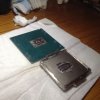
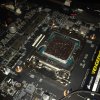
-preview.JPG)
http://www.3dmark.com/3dm/21624454
6700k at 4600Mhz at 1,275v vcore spikes (adaptive "gay" -65) 71°max temp with fans maxed out
1080 prema bios with a small OC(+140/240) by nv inspector maxed at 75°
^_^ now just wait till Winter.. because here at home (in Italy) is 26°
Best Regards to all best and other!sicily428, Robbo99999, UsmanKhan and 8 others like this. -
WOOT! Nice job, brother @aaronne - looking good!Papusan, aaronne, TBoneSan and 1 other person like this.
-
-
-
I always encourage people pay for the services to get things right or learn to do it themselves, as it always pays off to know how to do it, and service the laptops every year or so anyways.
Good work BTW !Last edited by a moderator: Aug 18, 2017 -
I'm waiting on a reply from Eurocom support about services they offer (air holes in bottom cover, wiping computer, so on). How long should I wait for a response before giving up?
-
well maybe I can help you, I'm one of thier resellers and rather close to them.aaronne likes this.
-
I would call them if you get no reply.woodzstack, Huniken and Donald@Paladin44 like this.
-
Agreed...when you don't get an email reply...pick up the phone.
We are regressing back to the days of telegrams in the 1800s and early 1900s with email. You send a message, then wait a few hours, or a day, to get a reply...little difference between the two. The telephone is a modern advancement that should be used when you need faster answers.syscrusher, Huniken, bloodhawk and 4 others like this. -
Then you would have to speak to someone... with words, yuck
 Papusan and Donald@Paladin44 like this.
 -
Hah, i cant remember the last time i had to wait more than a few hours to get a reply back from my reseller (Even on weekends)
UsmanKhan, Donald@Paladin44 and Papusan like this.
-
For me, it's a time zone issue: with increasing family commitments, (my brother is in hospital), sleep is becoming a rare commodity. I should call them, I'm just too tired to.
-
Wow un connazionale con il mio stesso PC e la mia identica configurazione!
Great job man! -
Thats the way it should be, though I often apologise to people for not replying to them fast on weekends or sundays especially. Have to have at least SOME time off/away from keyboard
-
Great results! Do you have the Prema BIOS in your beast? I'm asking because I do, and it won't allow me to set temp limits in Nvidia Inspector. Was there a BIOS setting you had to change to allow control?
Sent from my SM-G935T using TapatalkDonald@Paladin44 and Huniken like this. -
Yes Prema's vbios on 1080 GTX but
sorry for wrote sentences in wrong way, I've only overclocked the gpu by Nvinspector, the 75° is the gpu's max temp reached on benchmarking by 3dmark.
The temp limit trough nvinspector was the standard "91°".
By the way, for gaming I've edited the curve on msi afterburner to stay on lower voltage limit (0,800v/0,867v) with 1600Mhz stable clock and the 1080 gtx temps are decreased by 15° and 3dMark's scores affected by 10% lower points.Donald@Paladin44 likes this.
*** MSI 16L13 (Eurocom Tornado F5)/EVOC 16L-G-1080 15.6" Owner's Lounge ***
Discussion in 'MSI Reviews & Owners' Lounges' started by Diversion, Oct 14, 2016.


