 Problems? See this thread at archive.org.
I'm not satisfied about the thermal conductivity of IC Diamond on CPU, also just observed some missing screws on CPU+GPU heatsink cover, I'm not sure if it's even a problem though. The CPU large 4 heat sink screws are tight.
Used @Mr. Fox PDF, static 1170Mv, Cinebench CPU test makes it hit 89-92c easily with a 4.7Ghz. I'm now considering dropping the clocks to 4.5Ghz with more undervolt values to manage the heat.
I need to tone down the heat on GPU, so Phobya grease+external fan that helps move more air would help in gaming sessions, currently I don't have even an air pad cooler.
-
Maybe try the middle way first... 46x

Maybe try Phobya on cpu as well.UsmanKhan, Huniken, Donald@Paladin44 and 1 other person like this. -
@Mr. Fox, I followed your pdf and now I can't achieve speeds over 4.2 GHz. Any idea why?
Sent from my SM-G935T using TapatalkDonald@Paladin44 likes this. -
Just received my laptop yesterday. I'm having some issues with the GPU reaching 91C and throttling. I've already applied an undervolt to the GPU and CPU. CPU temps are just fine. Anyone have any ideas what I should take a look at? Bought from HIDEvolution so it is supposed to have some good thermal paste already applied.
-
The max OC ring set to what? I remember it around 83-82 (where you set static or adaptive voltage)
In Overclocking the cores make sure you put in the multipliers correctly on all 4 cores. And power limits 1 and 2 set to 160000 and (1) for desktop in power limits.Donald@Paladin44 likes this. -
The 4 screws n the smaller CPU plate that attaches to the GPU? Those are left off by purpose, there should never have been an unified heat-sink; that doesn't help thermals in anything but cinebench (cpu only tasks), even then extremely minimal at best.UsmanKhan, Huniken, Papusan and 1 other person like this.
-
yeah, I was thinking of going the lower detail route. Then again, if I don't need the 20-30% FPS boost from a 1080, there is not much sense of getting the F5 over say a P650 or an X5 with a 1070, aside from K CPU/MXM. Pretty much anything will be more portable because it won't be designed to accommodate a 1080. I'll have to handle a 17' to decide, but looks like an F5 is overkill for me. Very nice hw though
-
All of my settings are as you recommended with the exception that it doesn't seem to let me set per core multipliers. Instead, I've set a multiplier that dictates all 4 cores with one value.
Sent from my SM-G935T using TapatalkDonald@Paladin44 likes this. -
You must have missed a setting, or what you applied in the BIOS was not saved. If the is only running stock (4.2GHz) the most common reason is overclock switch is disabled or Core Max OC Ratio is set too low or on zero. Set that to at least match you multiplier. I set it to 83. It is a core ratio limiter or threshold.
Using XTU can sometimes throw off your BIOS settings, so even if what you set in the BIOS was saved, XTU can sometimes reset values. If you have XTU installed, I would uninstall it. There is no reason to use it with your @Prema BIOS.Last edited: Aug 24, 2017Rage Set, Huniken, Donald@Paladin44 and 1 other person like this. -
I removed XTU a while back. I've gone over the settings repeatedly and have verified they match the suggestions. I'll dig through them again tonight. Would you suggest I leave the ring ratio alone?
Sent from my SM-G935T using TapatalkDonald@Paladin44 likes this. -
For those we are interested, we now offer the MSI MS-16L3 with Z270 chipset, GTX 1060/1070 and Intel Optane support. This model also has SABRE HiFi and golden audio connections
.
-
Put Core Max OC Ratio to 83 and ring will be set automatically to 300MHz under core clock speed. Test and see how temp being before you eventually want put lower ring ratio with ThrottleStop. You can decrease voltage a bit for ring/cashe if you decrease ring ratio aka Cashe in TS.UsmanKhan, Mr. Fox, Donald@Paladin44 and 1 other person like this.
-
Thank you.
Sent from my SM-G935T using TapatalkMr. Fox, Papusan and Donald@Paladin44 like this. -
Why don't you offer GTX 1080 mxm support on that board?
Sent from my SM-G935T using TapatalkAroc, Mr. Fox and Donald@Paladin44 like this. -
K CPU is very good for helping to sustain a stable 120fps though, so if you do a lot of fps gaming (especially if multiplayer competetive), then I think K CPU is worth it.
-
If you are gaming, having you already pressed the button to max out the fans?Spartan@HIDevolution, Huniken, Papusan and 3 others like this.
-
If you need any help after we are off work late this afternoon, tomorrow afternoon or this weekend give me a shout. We can walk through the BIOS settings one screen at a time.Spartan@HIDevolution, Huniken, Papusan and 2 others like this.
-
That would be greatly appreciated. I'm under a ton of stress. It could just be lack of focus on my part.
Sent from my SM-G935T using TapatalkMr. Fox, Papusan and Donald@Paladin44 like this. -
That's the reason I dumped Norton. Too much "push" advertising, or near-advertising. I want my virus scanner to stay out of my way and shut up unless there is something I need to know -- actionable information. Popups to tell me nothing is wrong are a bug, not a feature, IMO. If I *want* to check my status, I know how to open the program.Rage Set, leftsenseless, Papusan and 3 others like this.
-
I dumped all of them. I don't do naughty web sites, and the surfing I do is mostly only NBR, HWBOT.org and Overclock.net. I look at emails only from people I know or stuff I am expecting to receive. Everything else gets mass-deleted with no read. I don't open attachments or view email photos unless I know the person sending them to me and why. I very seldom download anything off the internet except HWiNFO64 updates. Windows Updates and Defender filth are disabled. Haven't had any virus or malware for several years, but I have a Macrium Reflect image ready if I get something. All of my sensitive files are stored on disconnected USB media. It has been so long since I used any kind of AV/Security software I hate using anything now. Even the best (ESET) drives me nuts. Everything is annoying, LOL. I tried NOD32 (got it for 3 PCs for a year for $10) and used it for a couple of weeks... bugged me too much, so I uninstalled it. I had ESET Suite gifted to me from @j95 recently. Used it for a few weeks and it bugged me too much, so I uninstalled it.
-
@Mr. Fox what's the best paste for GPU and CPU? -
Liquid Metal beats everything else by a landslide. I use Conductonaut. Be sure to use the Kapton tape and foam barriers like I recently showed in photos and videos and paint a very thin layer on both contact surfaces. You don't want any extra, but you want both halves to come together wet.
If you use Kryonaut on the GPU that will likely be good enough. Kryonaut is definitely not good enough for the CPU if you are doing any serious overclocking. If you Kapton tape and foam barriers in both places, might as well use Conductonaut for both. No need for foam barriers with non-metal paste.
Edit: I would also recommend that you take the c-clips off of the spring-loaded screws for the CPU heat sink as well. The clips are only there for convenience and holding the screws and springs together after you take it apart, but sometimes the c-clips can interfere with the heat sink contacting the CPU IHS. If they are not interfering removing them won't help, but if you eliminate them it removes any guesswork, and then it cannot happen.Last edited: Aug 24, 2017FrozenLord, Huniken, Papusan and 1 other person like this. -
Yes, sometimes before temperatures even start climbing. Even games that are only pulling 70-90% and it's still creeping up to 91c.
Sent from my SAMSUNG-SM-G930A using TapatalkMr. Fox likes this. -
The 1080 in the 16L13 tends to run warmer than I would prefer it to. Unfortunately, higher than ideal temperatures is common for most notebooks running 1080 GPUs. It is possible repasting would help a little, but I see in-game temps near that high even with liquid metal on the GPU. The only other thought that comes to mind is whether the machine is sitting on a flat hard surface or elevated to promote better breathing. Since you got it from HIDevolution, I am going to assume it already has the bottom cover mod. If it is not elevated and placed on a hard surface, either of those operating conditions will drive higher temps.FrozenLord, aaronne, UsmanKhan and 2 others like this.
-
You have the Bottom Service Panel Ventilation mod, as well as Coollaboratory Liquid Ultra on your CPU and IC Diamond on your GPU.
As Mr. Fox says, the EVOC 16L-G-1080 does run warmer than most desire, but please do as he suggests regarding using it elevated on a flat surface, or consider getting a cooling pad.
Keep in mind this is the only 15.6" laptop that supports the full nVIDIA GeForce GTX 1080...FrozenLord, aaronne, hmscott and 5 others like this. -
Right on, Brother Donald. It is an amazing product, and one of a kind. A true enthusiast machine in a small package.
Even the Clevo monsterbooks with a massive vapor chamber can get that hot if the thermal pads are too thick or there is any kind of issue with warping or crooked placement before tightening the screws. The 1080 just runs on the hotter side of the spectrum when left to its own devices. If you think about how crazy high the core and GDDR5X clock speeds are (just stock clocks) it's not at all surprising. The GTX 980 cannot even achieve stock base clock (non-boost) 1080 clock speeds even pushed to the edge of functionality. It is truly amazing, but it does warm things up as a natural byproduct of high clock speeds. It's so worth it though. I gladly tolerate those temps based on the wicked performance it brings. Clock is king! -
Speaking of clock is king, I still can't figure out why I'm only ruining 4.2... I've checked the settings repeatedly. I am not sure what setting had this impact. Help is appreciated.
Sent from my SM-G935T using TapatalkDonald@Paladin44 likes this. -
I will send you a PM with my phone number if you want to call me.hmscott, Papusan, Donald@Paladin44 and 1 other person like this.
-
Please, and thank you.
Sent from my SM-G935T using Tapatalkhmscott, Papusan and Donald@Paladin44 like this. -
Oops! Sorry about that. I was traveling and had only a few minutes online from the hotel, and in my haste I forgot this info. My device is the Intel AC-8265 dual-band, and the driver version is 19.10.0.9 dated 2016-08-21 (old!!!).
One of my friends is a professional Windows sysadmin (I feel so sorry for her!), and she says she has seen this problem on other laptops. She recommended I check for an updated driver, which I am now doing. She says there is one component of this particular driver that Intel is continually messing with to try (so far unsuccessfully) to resolve bugs in the power management.
EDIT: After waiting for a very slow Microsoft search, Windows did find version 19.71.0.4 of this driver, dated 2017-06-25, and installed it. I'll re-post after I've had some time to test it.hmscott, Papusan, Donald@Paladin44 and 1 other person like this. -
-
I have it on a hard surface but not elevated. I will try that this evening and I ordered a cooling pad, however they sent me the wrong thing. I ordered another and I'm sure it'll help some. I was really unsure if it was normal to run this hot. Is there any way I can adjust the throttle temps to 85 or 88 degrees to possibly decrease the extra heat on the GPU?
Sent from my SAMSUNG-SM-G930A using TapatalkMr. Fox likes this. -
Just out of curiosity, what is the basis of that test, and the 27% performance hit? I looked at Task Manager during normal system usage, and the Windows Defender process was using 0.1% of CPU. My total CPU at the time was about 11% usage. Is the 27% a performance hit in I/O to/from the SSD?Donald@Paladin44 likes this.
-
Please take a few moments to read this: AV-Comparatives Performance Tests
Just go give you an example of how bad Windows Defender is...
I have a folder called Software....
in that folder... I have many subfolders each containing portable apps...... every folder has a custom icon... like CCleaner, has the CCleaner icon...and so forth......
something as simple as opening the Software folder...makes the icons load in slow motion on my super fast system with all NVMe SSDs.....they load one by one.......as if Windows Defender was scanning them again....... not only is it heavy, it doesn't whitelist files to prevent them from being scanned in the future should the file signature not be changed..... let alone how much overall drag I feel on the system with Windows Defender enabled....
It has way too many things running in the background just to make it work.....
![[IMG]](images/storyImages/2017-08-25_041211.png) Papusan, Mr. Fox, Rage Set and 1 other person like this.
Papusan, Mr. Fox, Rage Set and 1 other person like this. -
You can limit your framerate with RTSS or MSI Afterburner or EVGA Precision X. That generally helps lower GPU temps. As long as the FPS are high it will have no effect on your gaming experience at all. If you keep the FPS less than the LCD panel refresh rate you will have no screen tearing. And, I doubt you would notice any difference between 75 and 120 FPS in gameplay.Papusan, Donald@Paladin44 and leftsenseless like this.
-
Listen to this man. He definitely knows his stuff when it comes to this kind of thing.syscrusher, Papusan, Donald@Paladin44 and 1 other person like this.
-
My refresh rate is 120hz, but I'll locking the fps to about 70 and see what kind of improvement I get. Thanks for the info!
Sent from my SAMSUNG-SM-G930A using TapatalkPapusan and Donald@Paladin44 like this. -
Yesterday GTA5 was running and I forgot to max fans, game shutdown with CPU thermal throttling at 99c.....dropped it to 4.5Ghz and an undervolt static set at 1090Mv, Fire Strike works great and temps in Cinebench too are not over 81c.
GPU still gets that 91c, time to try this undervolting as it kept failing the stress test in Fire Strike.
This curve seems our only hope.syscrusher and Donald@Paladin44 like this. -
-
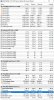
Look at this!
https://www.3dmark.com/3dm/21766898
Little difference from my previous result which had high temps, this undervolt on GPU is SWEET! 1.031v but it hovers around 0.900v, good amount of wattage there.
 aaronne and leftsenseless like this.
 -
It was on 4.7Ghz, running 1170Mv, going lower it crashes, also noticed it pulling in max of 1330 in HWinfo, with a 4.5Ghz and 1090Mv, it pulls max of 1258.
-
What with what I said in post #7702
-
will do.
Somehow the GPU in the fire strike stress test reached a 90c, failed the fire strike stress test even though max voltage was 1.031v, need to go adjust the curve a little bit more.
EDIT: What's up with the frame consistency stuff? -
Adjusted voltage to 0.875-0.881v in F/V curve inside MSI after burner, Max clock 1898Mhz. Max Temp 70c, CPU 63c after benchmarking Deus Ex Mankind Divided on Ultra settings 120Hz FHD.
Time to see if It will crash on other games, I feel minimal performance impact, great to see I can game quietly now.syscrusher, Papusan, ThatOldGuy and 1 other person like this. -
Thanks for linking the full report. After reading that, and a couple of other online reviews, I have installed the trial version of NOD32 AV and am giving it a test on my machine.Spartan@HIDevolution and Papusan like this.
-
How did you access that curve? I can't seem to find that feature in MSIAB.
-
1898Mhz at 0.881V doesn't seem particularly feasible to me, I'm thinking you might be residing in the area where extreme lows of voltage don't crash Pascal, but instead you end up with lower performance than the clock speeds suggest. I think I linked you (or somebody else) the Youtube vid that explained the issue.
EDIT: oh yeah, here's my post that explains the issue as well as the link to the vid that I mentioned above:
http://forum.notebookreview.com/thr...6-owners-lounge.797128/page-766#post-10586924Last edited: Aug 25, 2017 -
My max at 0.881v is 1835mhz. After that I will have driver crashes.Huniken and Robbo99999 like this.
-
In that case maybe that voltage & Mhz is not that outlandish then, but always good practice to check effect of overclocks/undervolts on performance, and if performance drops or doesn't increase then this is a sure sign of the "Pascal Undervolting Problem".
*** MSI 16L13 (Eurocom Tornado F5)/EVOC 16L-G-1080 15.6" Owner's Lounge ***
Discussion in 'MSI Reviews & Owners' Lounges' started by Diversion, Oct 14, 2016.


