 Problems? See this thread at archive.org.
Exactly the same symptoms I had, first on my CPU fan and then the GPU fan a few weeks later. HID Evolution replaced both fans (one at a time, since they didn't fail together) under warranty for me.
FWIW, I suggest you initiate the replacement order ASAP. In spite of HID Evolution's efforts, MSI was not speedy about shipping my GPU fan to me. If a lot of people are having the same problem, parts may be in short supply. I'd like to hope someone at MSI is leaning hard on Aavid to get this QA problem fixed upstream.
For me, the on-off oscillation lasted a few days, then the fan failed to zero.
-
-
^ This.
When I had my MSI GT73VR, the GPU fan was failing. I called MSI and had to beg them to just order the fans and ship them to me, rather than me sending the machine back to them at my expense. I didn't think they would process the order, but lo and behold, several weeks later, the part showed up at my door. Of course, this was after I managed to track down a replacement on fleBay that I ended up paying way too much for (though it was still cheaper than shipping the computer to MSI, let alone the time I would have been without it).UsmanKhan and Robbo99999 like this. -
I think so. You can try little bit undervolting maybe but I have no experience in that. Some of guys at the forum published that they made undervolting. So you can check that.
CMOS resetting is the way if nothing work out.hfm likes this. -
The 1070 and 1080 have very different thermal maximums in notebooks. I wouldn't compare the two directly. I can easily coax 90 C out of my book. I rarely see temps over 80 C because I control all settings around my book. It isn't abnormal for the 1080 to rise to these temps in this smaller shell though.
-
Ok, so now a change of events.
I played around and now I have it booting up just fine on an external monitor.
I am showing only 16 out of 32 gb of RAM. not reading one of the slots, the upper one.
Still cant get the screen to work, even when system is working good on external monitor.
Thoughts?Last edited: Nov 15, 2017 -
Did you remove and reseat all ram? Have you checked all connections for the screen? Shine a flash light on your notebook screen, is there an image on the screen at all? If there is then it may be that your book isn't playing well with the gpu driver.
-
It looks like the hotkey software for Windows 10 has been pulled from Eurocom's website. Does this package include the system control manager portion as well? Will an updated version be uploaded soon? @Eurocom Support
Lunatics likes this. -
They have removed all of their drivers from their website and there hasn't been anything there for the past couple months, unless they added some back and I missed it. I know you should be able to use the MSI websites drivers for the GT72 or something and those drivers should work for the 16L13. I also have a flash drive from HID with all of the drivers on it, when I get home I could always upload a specific one if you need it. I do not believe the hotkey software and SCM are included in 1 driver, they are 2 separate drivers IIRC.
-
I have the drivers disc as well, so I guess I'll just use that. All the other drivers are available from Eurocom here, and you can get the hotkey software for Windows 7/8.1, but the W10 version is missing.
-
this laptop seems like a steal at this price!. man, so tempted to exchange my tornado for this new 8700k eurocom laptop. definetly my next laptop unless eurocom releases 8700k in tornado chassis.
http://www.eurocom.com/ec/configure(2,431,0)SkyX4C -
I'd wait until people had reviews of this one. Even with the i7-7700K + GTX 1070; the cooling was not up to the challenge. It had a hard time keeping the CPU cool.
Also, it doesn't make much sense to downgrade to a GTX 1070 and upgrade to a i7-8700K at the same time (for gaming that is)
The Tornado or larger 17" Clevo will be the way to go to get i7-8700KUsmanKhan and saturnotaku like this. -
Please read new review of Tornado F5W (C236 chipset edition) with Quadro P5000 - Its is real mobile workstation killer.
https://www.notebookcheck.net/Euroc...Quadro-P5000-Workstation-Review.262400.0.html
We are planning to update Tornado F5 to Z390 chipset (8cores/16treads) in 2H/2018, "pushing" Intel to update their Z390 POR to upport 16Gb DRAM chips so we can support 128GB of RAM using 4x 32GB DDR4 modules that are coming next year. Currently Intel supports only 8Gb DRAM architecture in Z170, Z270 and Z370 so we are limited to 16GB per module and total 64GB. -
12lb? At 15.6"? That's ridiculous. I at least hope they dropped the ball on that spec and included the weight of the power adapter.
EDIT: whew my bad it's 7.5lb.. shipping weight is 12.. man haha
That's good. If others were consistently seeing below 90 for a 1080 at full usage in these units I'd definitely say something was wrong. It's still not holding full base clock speed as it keeps wavering to keep the temp at 90. The boost clock dies quick. Last edited by a moderator: Nov 17, 2017UsmanKhan likes this.
 -
Unfortunately, the 1080 starts to drop clocks above 50 C... not much can be done short of running air conditioning into your book.Last edited: Nov 21, 2017Huniken likes this.
-
What item on pages 6, 7, or 8 of https://encompass.com/model/MSI9S716L221087 are screws for the fans? @Mr. Fox
-
Next year. Should be able to use the same chassis and just swap out the motherboard (this is speculation, on my part, but there is precedence for it)
-
@Eurocom Support any word on an accelerated release for the MSI 16l13 or new 17" z390 based laptops with 8c/16t CPU's? They were scheduled for 2H18, but now it looks like Intel wants them to ship just after the first of the year:
Intel’s Z390 Motherboards Start Showing Up – Will Support Coffee Lake-S (Up To 8 Core) Processors, Arrival Due in 1H 2018
https://wccftech.com/intel-z390-motherboard-leak/
"The first Intel Z390 motherboard has just appeared on SiSoftware’s database revealing that the new products based on the upcoming chipset may arrive sooner than expected.
Intel Z390 Motherboard Appears Online – Will Support 8 Core CPUs, Arrival Expected Much Earlier Than Anticipated
The Intel Z390 is a not a new name that we are hearing of, it appeared months before the Coffee Lake-S launch. At that time, there was no evidence of why Intel was producing the chipset but later, we got to learn that the chipset will be designed to support 8 core CPUs that Intel will be launching in 2018 to compete against AMD’s Ryzen processors of the same tier."
http://forum.notebookreview.com/thr...coffee-lake-z370.809268/page-38#post-10633359 -
They were actually supposed to have it this year, but I think some changes happened. Like they were testing an AMD version of the F5 as well...
-
So no more Z370 upgrade? Ok, then I'm reserving cash for you to upgrade my z170 Tornado F5 to z390 MoBo + 780W PSU + 6/8core CNL cpu.. Almost the cost of half laptop I think
-
Are they seriously going release 1H 2018? I just finished scooping up the F5 because of the student discount. They better make it an affordable swap or my buttmad will be immeasurable.
hmscott likes this. -
i didnt knew about the cooling of that laptop. for my work i need alot more cpu power thn gpu, 1070 is the sweet point for me but even a 6700k is not enough sometime. would love getting that 8 core instead if they can come early next year hopefully.
that would be awesome if true!.ThatOldGuy likes this. -
@Eurocom Support announced the z390 based model for 2H18, and that they were skipping the z370 platform.
Which turned out to be a good move, as Intel is zipping right into the 8 core z390 in early 2018 now.
Probably why Intel isn't making many 8700k's, they know they are going to announce and ship 8 core CPU's running on the z390 very soon.
UsmanKhan likes this. -
So glad I've got this machine nowadays. Last week I needed to render out a 4K (2160p) 30 FPS video. I can render those out now at about 2/3 of realtime speed -- way, way, way faster than my Macbook Pro used to do.
Huniken, UsmanKhan, saturnotaku and 2 others like this. -
I just bought an 8700k and motherboard recently to build a new PC. Feelsbadman.
-
Return it fam.
-
Hey, you've got 50% more cores than me! ;-) (And a theoretically higher overclocked clock speed!)
-
ok it seems my gpu fan is getting faulty. it goes from 4k rpm to zero constantly making annoying sound. unfortunately only 4 days left in warranty and im in pakistan right now so cant claim it
.
any one knows a replacement fan thats easily available through ebay please share with me, thanks. -
Well, I'm back, and until the Creators' update, entirely satisfied with this beast.
Sadly, that's no longer the case. Something within the raft of updates I did after a month's travelling (which inxludes the Microsoft update) has introduced a bug which turns off the backlight of the screen 1/3rd of the time when I shut it down.
Can you wise masters help me? -
If you want a direct replacement, search to buy aavid part PABD19735BM. It's very simple to replace yourself. You might want to buy two these things seem to fail quick. I've never seen anything like it, poor quality.
Check out this thread of you're feeling adventurous. http://forum.notebookreview.com/index.php?threads/810712/ -
Do you know where to buy those fans? The only place I've been able to locate is a shop in Canada, and they're insanely expensive at about US$42 each.
-
I would just Google it, also check eBay. I think @alaskajoel might have had some he was looking to offload but I'm not sure what shipping would be to your country, that might be why they are expensive? Maybe people are gouging because the failure rate is high.
I think they are identical to GT62VR fans, try Google that as well.UsmanKhan likes this. -
thanks will definitely get those since i never liked stock ones and failing within one year is really bad. will take sometime to get these ship to my location.
i order this fan, will see if they work since my gpu fan is now completely dead. and these are dead cheap too for less thn 10$.
http://suriscomputer.com/product/ac...op-cpu-cooling-fan-w-heatsink-new-used-price/Huniken likes this. -
My CPU Fan died, using the cooler pad and Air Conditioner to keep the CPU cool enough under 92c for GTA5 gaming sessions of 2 hours before it crashes, no thermal throttle but fan is dead with 0 RPM, GPU fan works well.
UsmanKhan likes this. -
sees like they wont last more thn an year, checked the msi forums and it seems relatively common for msi laptops. i never had much fan issues with previous laptops so definitely its not due to use but rather the quaity of fan is poor.
-
Hi guys, someone know if there is a new display in development like 3k 120 hz or 4k sharp?
And Someone have some picture
Between the 4k display and 1080p display? -
That fan is not the correct one for our laptop, it's wired differently and the plug won't fit either. It is also a 5V fan, not 12V..
You need to specifically search for aavid part # PABD19735BM or search for GT62VR Fan. -
Will this work for my 16L13 CPU fan?
https://m.ebay.com/itm/New-MSI-16L1...166443?hash=item1ed3119fab:g:BMcAAOSwWHBaAWRr -
oh thanks for looking into it. unfortunately exactly same fan wont be available here in pakistan and the shipping will take a while i have to find one and mod it to fit for time being.
-
All the fans I've purchased to ship to the US take while to get here due to being shipped from China. Seems nearly all the fans ship from there.
-
Wow, the fans on this laptop model sound really dodgy, does anyone know if this problem has been addressed already by the resellers for the current stock they're selling?Huniken likes this.
-
you peeps scared me enough to buy a pair of new fans (PABD19735BM -N322)obviously fromChina. If these really die after an year of use, mine are about at half life..
Maybe do not pushing it at 4000rpm (by HW button) will help to last longer, or maybe they need a "break-in" time at low RPM..
If Someone has tech specs about estimated lifetime and other things will be very helpful.
I'm very hungry, the fans from 2012 m18xR2 used as gaming/mediacenter 16h/24h still runs well and on these one seems to broke in 1/5 of the time bleah -
Where did you buy it from and how much is the total with shipping?
-
eBay
here:
https://www.ebay.com/itm/New-For-MS...e=STRK:MEBIDX:IT&_trksid=p2057872.m2749.l2649
I buyed 2 of them, total with shipping 85$ -
They all take too much time, I will check with HIDevolution.
-
I've been playing around with C-States on my machine and I think I have most everything configured. AC/DC load line set to 1, voltage override to 1175, and +0 offset. Voltages are rock solid at 1.185, and the CPU is switching power states just fine - 15W at idle and up to 90W under full load, with temperatures maxing out around 80-81 degrees under a Prime95 stress test. I disabled Intel Speedstep as noted in a previous post, but this locks my clock frequency to 4.2 GHz. What setting in the BIOS do I need to lock it in at a higher clock speed for testing? @aaronne @Falkentyne - a little help?
Last edited: Nov 20, 2017 -
When I reported my GPU fan had died to HiDevolution, they had MSI ship me a replacement. It came from California.Huniken likes this.
-
@saturnotaku what's the power draw of your CPU exactly during that prime stress test?
-
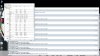
The attached is at 4.4 GHz with SpeedStep on and the same settings I listed above. Bumping it up to 4.5 GHz results in at least one CPU worker failing Prime95 instantly.
 hmscott likes this.
 -
Yeah you need more vcore for 4.5 ghz. You also can raise AC/DC Loadline a little (up to 25) to help mitigate vdroop (this setting does not operate directly on flatting the VCORE curve, unlike "Loadline Calibration", rather it raises the VID target based on CPU load. A value of 1 means VID remains constant (AVX will boost the VID slightly) but you still have to deal with vdroop, which isn't measured by any sensor on the MSI laptops). But notice you cannot exceed 91W? The 16L13 is limited to CPU stock TDP due to a firmware shenanigan bug with MSI's cancer coding, which was migrated from its BGA systems; I've explained that in previous posts. That means the "power Limit 1/2" settings in the Bios are completely ignored by the EC, due to the nonexistance of a "MSI Machine ID". programmed in and recognized by EC RAM Register E3 (the preset value isn't seen as a MSI power ID because...uh...it's not programmed for the barebones).
The only way this can be avoided is if MSI releases a proper EC for their barebones without their branded BGA power limiting scheme. There is no workaround for this except to use a "Negative" Imon offset of -31999, to trick the CPU into reporting less power than it's actually using.Huniken and saturnotaku like this.
*** MSI 16L13 (Eurocom Tornado F5)/EVOC 16L-G-1080 15.6" Owner's Lounge ***
Discussion in 'MSI Reviews & Owners' Lounges' started by Diversion, Oct 14, 2016.


