 Problems? See this thread at archive.org.
I am sorry that I cannot let this ssd thing go, but I have not managed to boot from pcie ssdCould it be, that the F5 does not like this plextor ssd? I cannot even think what else I can set or do...
-
I have an F5 again but no spare M.2 to check...
does it show up in the BBS (think that's how it's shown) menu ?
Do you know what I'm talking about ? -
Unfortunately no
-
Theres a boot order menu, but I think it's not in the "boot"section per se, depending on which bios. (might also be there too)
but it is the menu that allows you to choose what boots, drive was, think it's labelled BBS should be there for your drive if your on AHCI -
If anyone interest, I have some - let's say - experiences with nvme ssd heat issues. I have purchased a toshiba XG4 nvme ssd. Bad choise I would say due to heat... Based on this experience I propose to everybody to read some review regarding temps, because it causes many problem. Unfortunately the above mention ssd produce a lot of extra hear, after boot hwinfo shows 70-75 degree. I have started a windows update - I assume it check many small file, copy etc - let the machine for the night, but I was swhitch off in the morning. Tried the process in the morning, and once it completely frozen one restart. I had no idea what was going on, long story short the ssd was 93 degree hot, and as it the latest thing I have upgrade, and before it the machine was flawless, it was not difficult to filter the problem.
SOLUTION: thank god that previously from aliexpress I have purchased this kind of very simple heatsink. The idea got from the machine of Mr. Fox.
https://www.aliexpress.com/item/67-...32810876201.html?spm=a2g0s.9042311.0.0.oyOrmT
I have put on both side of the ssd - befored that piled off the toshiba sticker. On one side the heatsink covered 4 chips on the other side there are only 2 of them. It took 2 minutes maximum.
After that the update went thru without any issue. Under normal operation hwinfo shows 51-55 degree compared to the previous 70-80. Under the heavy upgrade load it was 70-73. I dont know what are the temps with other ssds, ot it is just a bad seriers, but my advice to put 2 pieces of this kind of heatsink of both sides, reduces the temps significantly and improve the lifetime of it.
cheershmscott and woodzstack like this. -
Hello guys I was gonna buy a p870tm from hid but think I will get one of these a have 2 questions will the 8700k cpu be coming to this latop soon? and will future volta cards be compatible?
-
updates: under heavy ssd load the temps crawl back to low 80s... still stable and -10C, so the heatsink helped a lot, but still ver hot...
-
well it's just a piece of copper, sometimes the way the fins are made helps too, but this block you have seems like just a block of copper.
-
@saturnotaku, I would be glad to. It won't be able to right now, but I'll get to it. As far as stability goes, I've never run potentially destructive stability tests. I have run benchmarks, apps, vr games, video editing software, and other such programs without a single hiccup. I do light programming and I've routed boards on my laptop. I'm never worried about crashes because they don't happen.
Donald@Paladin44 likes this. -
Yeah, but now it seems that the system works... prior it has just collapsed... need to test more tho
-
Well seems this was the issue then to some extend.
-
I look forward to seeing what you have. It'll need a lot of pictures, but please be sure to capture all the overclocking/voltage pages.Donald@Paladin44 likes this.
-
will they be releasing the 8700k on this laptop?
Donald@Paladin44 likes this. -
clevo is out... 751tm with 120hz 8700k ready but with 1070...
Donald@Paladin44 likes this. -
And GTX 1080 exclusive from Eurocom
EUROCOM Sky X4C
Recent addition from them haven't seen any reviews
http://www.eurocom.com/ec/configure(2,431,0)SkyX4CDonald@Paladin44 and saturnotaku like this. -
@Donald@HIDevolution - will HID be carrying a variant of this?Donald@Paladin44 likes this.
-
We are testing it now. If we can maintain good temps, we will release it.
-
The Intel® Core™ i7-8700K is already available on the EVOC High Performance Systems P870TM and EVOC High Performance Systems P870TM1.
While no one can guarantee whether a GPU that has not been released will be upgradeable to a laptop with the current Pascal GTX 10xx GPU, it is probable that the next gen NVIDIA GPU will work. -
There is no confirmed date upon which the Intel® Core™ i7-8700K will be released on the EVOC 16L-G-1080.Huniken, hmscott, Spartan@HIDevolution and 1 other person like this.
-
Depends on what you're doing. My lightmap bakes can use however many cores are on the CPU, and it's not unusual for me to have 75 threads executing in parallel. You're right for many people's situation, but not for everyone.
raz8020, Papusan, Spartan@HIDevolution and 2 others like this.
-
Yep. A bunch of us have had the same problem, and it's the fan failing. In my case, first the CPU fan went, then the GPU fan in the same way a month later. HID Evolution took care of it under warranty (shipped me the parts for DIY repair so I didn't have to return the machine).Huniken, Donald@Paladin44 and Vasudev like this.
-
Mathematically, the difference between 4.9 and 5.0 GHz is 2%. If the game or app isn't using all the available CPU cycles, then you'll get less performance bump than that, but in no case would the bump be more than that. I've been running at 4.5 GHz rather than 4.7, even though my system is stable at 4.7, because it runs a few degrees cooler, and the (circa) 4% performance hit isn't really perceptible.hmscott, Donald@Paladin44 and Vasudev like this.
-
FWIW, mine was doing that at 4.7 GHz also, until I went to static voltages instead of dynamic. It took some experimentation to dial in the right voltage, but it was rock solid after that. As I mentioned in my other post, I have deliberately pulled back to 4.5 GHz lately because I'm running some long lightmap bakes and don't like the temps being close to limit for a long time, but that was my choice and not a stability problem per se.raz8020, hmscott and Donald@Paladin44 like this.
-
Hello, all. Couple of things about the latest Windows feature update that I've observed:
- On my system, it .... ahem .... "upgraded" my Synaptics driver from a December 2017 version to one from over a year earlier. I think it got confused about the version number syntax and thought mine was much older. I had to reinstall the Synaptics driver from a downloaded file. The one Microsoft put in didn't work worth a crap on this machine; all kinds of problems.
- Since the Windows upgrade, Intel XTU seems to work for applying settings but can't display the CPU temp or core clocks any more. I checked for an XTU upgrade a few days ago but found none. Anyone else seeing this problem? HWinfo works fine, so I know my sensor hardware is okay.
hmscott and Donald@Paladin44 like this. -
Switch XTU to ThrottleStop.
Although I can't say about WU driver updates since I disable WU and BITS and only install updates using a cab or msu files.syscrusher, 0lok, Papusan and 3 others like this. -
Have seen the same on a AW17R3 system.
Intel and Micro$haft is a big mess nowadays
Donald@Paladin44, syscrusher, Vasudev and 2 others like this. -
See my BGA doing fine and working acc. to my needs thanks to CU.
wyvernV2 likes this. -
No need for XTU's fancy graphs who eat unnecessary process cycles. You have ThrottleStop who is a better tool. The lifesaver if you have one of Dell's most popular laptops. Xtu can't do much.Donald@Paladin44 likes this.
-
XTU is a insurance policy if the FW locks out TS settings, so XTU can fix it.
XTU never gave me any increase in battery life and performance, it was TS doing all the hard work for optimised performance. -
Would you be willing to post your BIOS screens from when you were running at 4.7?
My machine is on static voltage as well. Anything higher than 4.5, it either fails Prime immediately or requires too much voltage to the point where it thermal throttles. Perhaps there's a setting I've missed.Donald@Paladin44 likes this. -
Prime with AVX/FMA3 enabled or disabled, saturnotaku ?
This matters.Donald@Paladin44 likes this. -
Enabled.
Again, I'm well aware of the fact that AVX is not commonly used outside of stress testing, but I want the peace of mind that absolute stability affords.Vasudev and Donald@Paladin44 like this. -
Are you using IA AC DC Loadline=auto?
If you are, your VID boost is going to drop you past prochot at those voltages.
Try IA AC DC loadline=5 or 10 (in Intel IA Core Domain).
Also, don't use AVX past 4.5 ghz. I can't even do that on my 7820HK.
And that's with a direct die contact heatsink (even though yours seems to have longer heatpipes).
FMA3 is even worse.
Don't bother trying to get FMA3 stable in prime higher than 4.4 ghz. Laptop thermals simply can't handle it.
With 4.4 ghz, and 1.175v, FMA3 prime, I can't even keep the temps below 85C. And that's at 1.175v.
So don't bother trying to stabilize that. It's not worth it. But disabling AVX AND FMA3 in prime95, now you have a valid test to run.
I used to go OCD about getting prime stable. But on the Gt73VR, there is an overcurrent trip, I found out exactly what is going on.
There is an EC register "D7" in EC RAM. If there is too much amps being pulled by the CPU (seems to be a heat curve affecting it also), this register gets triggered, causing the system to instantly power off and reboot in 1 second (power light goes off and back on). I found out by editing this register (default is 00) and putting a 01 in it directly. As soon as you change it, the system shuts off and on within 1 second. So something is triggering this register (that's the protection). I'm not sure if your 16L13 has it or not.
If you're bored, download RW Everything. Go to EC RAM (embedded controller). Go to register D7 (D0+07). Put in a 01 in there and see if your system instantly reboots Let me know. I'm tired of being the only rebooter on NBR
Anyway, don't use AVX. It's not worth it. If you DISABLE FMA3, then AVX Is ok up to a point. You can edit LOCAL.TXT in prime95 folder and add CPUSupportsFMA3=0, this will block FMA3 and give you a bit lower temps.
If you you decide you want to disable AVX also, put in CpuSupportsAVX=0 in there too.
Then you will use basic FFT. Try a temp test with that. I think you will have much lower temps.
If setting IA AC DC loadline=5 or 10 causes instability (BSOD or sumout/roundoff errors in prime), you will need to raise your static vcore until those errors stop. Either way, your thermals should improve.
Don't forget, when you're done, to check windows EVENT VIEWER->SYSTEM logs and look for WHEA correctable errors. If you get those, you're not stable.
Good luck.raz8020, Donald@Paladin44 and saturnotaku like this. -
I'll look at moving over to TS; I just upgraded from 8.40 to 8.50 (interestingly, 8.40 claimed my CPU was unsupported, which is weird because it was working before...in any case, 8.50 works fine).
I don't normally leave XTU running -- for precisely the reason you say. I run it to change settings then close out of its main window.
Now I just need to figure out how to translate my carefully-derived stable settings from XTU to the equivalents in TS. (I'm starting with the TS documentation thread on NBR, of course.)Donald@Paladin44 likes this. -
I'll try to remember to grab pics next time I'm rebooting.Donald@Paladin44 and saturnotaku like this.
-
@Falkentyne I have the IA/AC/DC stuff set to 1, CPU voltage at 1.2, and going full-tilt boogie with Prime95 at 4.5 GHz nets max temperatures right at 90 with no errors or thermal throttling. Disabling AVX brings them down to under 80. If you say that attempting frequencies greater than 4.5 is not advisable for what I desire in terms of stability, then I shall trust your judgment.
hmscott, raz8020, Falkentyne and 1 other person like this. -
Laptop's cooling mechanism isn't good enough to handle repeated hammering FMA3 instructions without fetching to RAM. Thus I would not run AVX at anything past your 24/7 stable configuration.
Non AVX small FFT prime at sub 80 temps is very good. Laptops were not meant for pulling that amount of nonstop current that stuff like LinX, small FFT FMA3, etc, can pull.
BTW did you test EC RAM register D7 on your system? I'm curious if your system instantly reboots if you set it to 1 from 00. Just takes a minute to check
Make sure you close all other open programs
(if you don't mind).
Thank you.Donald@Paladin44 likes this. -
Regarding the recent subthread about core count vs. raw clock, I remembered this video from Unite Austin 2017, a Unity gamedev conference I attended last year. This demo starts with about 30K individually-animated NPCs in the scene, each with an AI controlling that unit's response to group tactical goals. At about 8 minutes into the demo, the presenter will manually spawn more units to reach an eventual level of over 100K in the scene.
The C#-based "Job System" itself, which is the actual topic of the presentation, does not depend on high core count, but it does benefit from more cores because other tasks (such as overall scene management, multiplayer network sync, audio, user interface, and higher-level graphics management functions such as turning special effects on and off) do not contend for cycles with the Job System.
I will point out that this demo is running inside the Unity editor, which imposes a performance penalty. It would be faster as a production build.
I'm using Unity to illustrate this concept because that's the one I personally know, but the other leading game engines are doing similar things. The trend is toward offloading CPU functions demanding high clock speed onto the GPU, freeing up the CPU to spend more time on high-level functions that demand more specific programming. The GPU is becoming the compute engine for generic problems like collision detection, physics simulation, and of course graphics. The internals of game engines are evolving, so conventional wisdom about cores vs. clocks may not hold a couple of years from now.
Donald@Paladin44 and saturnotaku like this. -
Yeah, I'm pretty happy with the temperatures at load otherwise - by sub-80, I'm talking like 79 LOL so it's 80 for all intents and purposes. Now the noise, not so much, but that's the fault of those terrible fans MSI employed. Mine haven't failed...yet, but I have two spares handy for when that day inevitably arrives.
I'm not going to be in front of my PC until later tonight. I can't guarantee I'll edit that register, though. I assume it resets back to default after it insta-reboots?
Regarding Prime95, I think version 26.6 doesn't incorporate any AVX/FMA3 instructions, so you can just run that without having to modify any text files. Not that modifying a text file is a big deal, but still, the option is out there.Vasudev and Donald@Paladin44 like this. -
Yes that register isn't persistent. It's a 1 time thing. I just want to see if it triggers a reboot, because I am 100% sure that is the "current overload triggered" sensor, because it isn't a regular power off and on, like when you save settings in the bios and exit. It's like, much faster.
Thank you.
It's register "D7" in RW Everything, EC tab. Just change it to a 01.Vasudev and Donald@Paladin44 like this. -
How the F5 fanboi's doing ?
-
I'm doing fine and pretty soon, I wont be a F5 fanboi no more.woodzstack likes this.
-
Oh noes, why not ?
If anyone need a few extra fans I picked a few extra's up. (have like 3 left) -
I am selling my F5 and just going with something more simple. I dont need the processing power anymore and kinda wanted a 17incher from the beginning so I got a Gigabyte P57Xv7-KL3 for a very cheap price. I'll make a small profit with selling this F5. It kept its value with the increase in memory price and SSD price.woodzstack and hmscott like this.
-
So for S&G I installed Windows 7 on this thing. I dug up a Windows 7 Ultimate ISO I had on my NAS and used the program linked in this post to inject the proper drivers and patches. I ran into some difficulty because for some reason, my BIOS settings got messed up when switching from UEFI to legacy. I though I might have accidentally done a "restore defaults." While some settings from before were still correct, all the overclocking ones were completely hosed. Not sure what was up with that, but with everything back in order, the installation went perfectly. The only drivers that needed to be installed separately, aside from peripherals, were for the Killer Ethernet, Intel MEI, and GPU.
For some reason, my CPU thermals are a bit better under Windows 7. While idle temps are pretty much the same, running Prime95 saw about a 2-3 degree drop versus Windows 10. Only thing that sucks is I can't play Forza Horizon or Gears of War, but keeping 7 is a rather tempting proposition.Last edited: Jan 24, 2018Huniken, Spartan@HIDevolution and hmscott like this. -
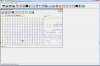
@saturnotaku sorry for bothering you. did you check that register?
-
This was not high on my priority list.
No reboot.
 Donald@Paladin44 likes this.
 -
Thank you !
-
I got a Tornado F5 with the following specs: i5-6600K 8GB RAM 320GB HDD GTX1070.
One of the fans was showing the same symptoms you guys report here (the CPU fan) so I replaced both of them with the Delta ones from the other threads and it's been working great. I'm considering of selling it and build a gaming desktop with the funds so if anyone is interested drop me a pm. Will also list it in the FS forum in the following days. I'm located in the EU
Last edited: Feb 5, 2018 -
Do you have a link to these Delta fans? Would it be recommended to go with them over the normal MSI ones? When I have my laptop on without the fans on max, I hear a slightly weird noise but I cannot tell if it is one of my fans or potentially my hard drive. I don't throw my laptop around or anything it just comes with me in my backpack so I can't imagine the HDD went bad but it could be possible and I did have a weird HDD controller message when I went through my event viewer and saw other errors.
*** MSI 16L13 (Eurocom Tornado F5)/EVOC 16L-G-1080 15.6" Owner's Lounge ***
Discussion in 'MSI Reviews & Owners' Lounges' started by Diversion, Oct 14, 2016.


