Problems? See this thread at archive.org.
Check my thread: http://forum.notebookreview.com/thr...de-guide-msi-16l13-eurocom-tornado-f5.821651/
Hope you find it interesting!
Credit is due to @dsanke for providing the bios
-
-
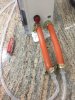
I couldn’t find anything better than gas pipes & stupid clamps....the connector on pump box is just a plug on type instead of a threaded piece to screw on.....now I did test the new heatsink, no leaks at all. Just the return line to pump box connection....you guessed it, leaks from the clamp

Any advice is appreciated here!Attached Files:
-
-
Soft vinyl tubing from the local hardware store worked OK for me. Would be more compressible than that hard rubber.
But I screw onto metal fittings which won't deform under high pressure... unlike the plastic ones you have there. As a result of mixing metals: brass and chrome fittings, copper pipe and rad, Pb/Sn/Bi in solder joins, I use car coolant (green for alloy engines) for anti-corrosion.Huniken likes this. -
Just had to replace my GPU fan. It didn't completely fail, but it was spinning up and down constantly while making a nasty noise in the process. Good thing I had a new one on hand.
-
Soft vinyl tubing....easier said than to be found in this country I live in, so many things I had to import from the outside. I’m going to use white vinyl tape as a sort of seal then screw back on top those hoses with double clamps, I shall see if they leak.
-
Soon you will runout. I suggest you use that Asus fan.
-
Well back to the drawing board, GPU side of the water block isn’t compatible with GTX 1080, also height difference between CPU block and GPU, need to find another water block that works with GTX 1080.
-
You as well? I noticed we have pretty much the same laptop and I literally just sent my laptop back to HIDevolution because my GPU fan was also failing to spin up and the only way I could get it to start was by taking the back panel off and jump starting it with my finger. I wonder if those fans just don't have a long lifespan or if there are better ones in general that they should be using. Luckily mine just barely under warranty but now it has run out and I am hoping things stay good for a long while now.
-
Nah, not really in the mood of having to modify my internals and then still having to jerry-rig them to fit. Maybe when the OEM fans start to get in short supply, I'll consider it, but for now they're still readily available.
Folks have modified some Asus fans to work in this model. It's a faff that I don't care to do myself. I don't mind spending the money on original replacement parts, especially since you can get them for $15 a piece now via AliExpress (going rate on fleBay and Amazon is $30 each). I figured at least one of mine would fail eventually so I ordered new ones well in advance to have handy. Sending in the laptop under warranty wouldn't cost anything out of pocket, but if HID didn't have the parts in stock, I could potentially be without my computer for weeks on a job that takes less than 10 minutes from start to scratch. -
If only I could fit some delta fans into this laptop...
That way it would stay cool lol. -
Well soon I'll get rid of that sissy CPU fan and use the Asus fan.
I'm not giving up on the water cooling project, seems it will take more time than anticipated. Damn I can't wait to have my 8700K in the machine, trying to sort out the tape and pins issue.Mr. Fox likes this. -
Looking forward to seeing your results, bro.
Maybe once it is all working well you can get it on chilled water for even more crazy fun.
-
That was some good porn!
What are the firestrike scores? 29959 was the highest you got?Mr. Fox likes this. -
Yes, but that was 5.0GHz. I have not run it yet at 5.1GHz.
https://www.3dmark.com/fs/16316866Nourival Pedroso, Huniken and Papusan like this. -
Hello, all. It has been a long minute since I've been here. School, work, life, legal custody battles have really absorbed my time. I have missed you all and it's great to read from familiar names. What has forced me to push my hectic life aside, fortunately and unfortunately, is I am now apart of the common fan failure. I could peruse this giant thread, but knowing how helpful this community is, I'll just ask. Has there been a better fix for the fans in the unit? And what pastes are still recommended for best cooling, I also want to be mindful of longevity of use. No shorts or deterioration of components from said compounds. Thanks before hand.
Robbo99999 and Mr. Fox like this. -
Custody battles while you're a student? How do you have kids already when you're a student? What?
-
I am a late student. I can't be a father? Hahaha. Regardless, is there a solution or a post reference? I'd appreciate it. I am about to order another set of fans from HID now.
-
Read this thread... http://forum.notebookreview.com/threads/msi-16l13-eurocom-tornado-f5-fan-modifications.810712/hmscott, Robbo99999 and leftsenseless like this.
-
Thank you.
Seems like the stock fans are what I am going to go with. I don't care about the noise and the mods don't really have a gain in controlling temps. -
@Mr. Fox, what are your top recommendations for repasting?
-
Best option: Liquid metal (assuming the fit is proper and the heat sink makes excellent die contact)
Second best option(s): Phobya NanoGrease Extreme or Kryonaut. (If the fit is poor, Phobya is better because it is thicker and has high thermal conductance.)FrozenLord, hmscott, Falkentyne and 3 others like this. -
-
Don't pay fleBay or Amazon prices for replacement fans. Get them from Aliexpress. Shipping might take a little while, but you're basically getting them for half price.leftsenseless and Huniken like this.
-
While I will check into that for the next set, I need this set replaced as soon as possible. I am currently trying to get them through HID.
After looking, I've noticed the ones linked aren't quite an exact replacement. Do they have those available as well? -
After searching, I have found that Eurocom has them in stock, but they want a pound of flesh for a pair. Or I can wait to have them come through HID at a reasonable price, but 4 to 5 weeks out at best. Anyone know where I can order the exact replacement fans for a reasonable price now? I checked the last link posted and they didn't have the same part number...
Thanks for any help. -
See, this is the reason why I shifted to use the big GPU Asus fan. I'm yet to replace the CPU side, waiting for it to die then replacing it with the ASUS one. 5500 RPM of cooling!
-
How much modding was necessary to achieve this? Would you kindly list the part number for the fans?
-
I advise you to invest a little time to read the guide here:
http://forum.notebookreview.com/threads/msi-16l13-eurocom-tornado-f5-fan-modifications.810712/
Modding for GPU side is minimal, just scrap a tiny bit of plastic to make enough room to fit that huge GPU fan in there snuggly.
CPU side you will need to remove a screw mounting that will need some tools and effort but also doable, I haven't been to it yet. -
I read the OP. It stated that there was loss in performance from that fan. A few people saw improvement. Is there an overall consensus on whether the modification is worth it? Buying the stock fans through HID isn't bad...
-
Well my GPU runs cooler on idle and lower RPMs, on load it is the same as stock fans or maybe better by 2-3c. The reason I switched to Asus is because they won't die after a year like the stock ones, hence I moved to it.
-
Well, it runs worse than stock if you decide to not cut the hole in the bottom cover. This happens probably because there is very little space left for the air flow, Asus Fans are thicker. With hole, however, it runs better than stock fan (better even than stock + hole). It's also more quiet, or at least it has more acceptable sound characteristic for me, and it's more durable I suppose. Keep in mind that if you want to install big GPU fan for the CPU you'll have to cut off one of the screw mounts. This doesn't prevent you from going back to stock fans if you change your mind anyway - 2 mounts are enough.
I'm personally interested how this 3-heatpipe, water cooling ready chinese heatsink performs with air cooling. Guy says that is performs well, did anyone test it with air only? I'm looking for something that could help when/if 9900K bios mod arrives
https://item.taobao.com/item.htm?id=576384221336Last edited: Sep 28, 2018leftsenseless likes this. -
I bought that Chinese heatsink, the GPU heatsink doesn't work with GTX 1080 I think it is for GTX 1070 users.Nourival Pedroso and mat89 like this.
-
I thought I went over this with you via PM.
-
The modded bios already has the cpu's id for 9600K/9700K/9900K.
In the meantime I've delided mine 8700K by aquacomputer delidder thx to a friend, now I can manage 4,7Ghz at 1,285v load, on all core, on every game and daily routine tasks (instead of 4,4Ghz at 1,18v) maxing 85°c at 22°c ambient temp(on Prime95). I really reccomend to delid, it is a must to these unlocked cpus.
https://www.3dmark.com/fs/16509835
Last edited: Sep 29, 2018Huniken, mat89, Robbo99999 and 2 others like this. -
Would it be advisable to use an i9 in this laptop lol, it has thermal issues as it is. On the contrary though the P870dm-g should handle the i9 without any problem on stock clocks.
-
We never discussed using the larger fans that needed modification to fit. We only talked about the fans you linked specifically.
-
If not much to ask, can you take a few photos of the BIOS settings you use for 4.7GHz?mat89 likes this.
-
Yes!
I'm sorry to say no magic here, only help from this forum member (and old overclock guideline still valid) taking this on mind, your CPU's VID can differ from mine(and I hope for less volt on your), but here all my settings:
https://imgur.com/a/1V4HYAx
Here a quick regroup write of what I've enabled/disabled/set:
-VT-d [Disabled] (if you are using CPU to virtualize or similar, leave enabled)
-Intel VMX [Disabled] (if you are using CPU to virtualize or similar, leave enabled)
-SW Guard Extensions SGX [Disabled]
-PECI [Disabled]
-FCLK Frequency on early PowerOn [1 GHZ]
-Voltage Optimization [Disabled]
-Boot performance mode [TurboPerformance]
-Race To Halt (RTH) [Disabled]
-HDC Control [Disabled]
-Package C-State Limit [C10]
<Cpu Lock Configuration>
-CFG Lock [Disabled]
#Advanced#
-Power Limit 1 Override [Enabled]
-Power Limit 1 [300000]
-Power Limit 2 Override [Enabled]
-Power Limit 2 [300000]
-PowerLimit 1 Time Window [1]
-Energy Efficient Turbo [Disabled]
#Advanced# <CPU Thermal Configuration>
-Bi-directional PROCHOT# [Disabled]
#Advanced# <Overclocking Performance Menu>
-Overclocking Feature [Enabled]
-WDT Enable [Disabled]
-XTU interface [Enabled]
-IMON Scaling Support [Enabled]
-RSR [Disabled]
-AVX Ratio Offset [-3]
-BCLK Aware Adaptive Voltage [Enabled]
-Core Max OC Ratio [83]
-Core Voltage Mode [Adaptive]
-Core Voltage Offset [30]
-Offset Prefix [+]
-Ring Max OC Ratio [40]
-Ring Min OC Ratio [8]
#Advanced# <CPU VR Settings>
PSYS Pmax Power [8191]
<Core/IA VR Settings>
-VR Config Enable [Enabled]
-AC Loadline [1]
-DC Loadline [1]
-IMON Offset [31999]
-IMON Prefix [-]
-VR current Limit [1023]
That's all! Best Regards and good overclock to all!Last edited: Sep 30, 2018Huniken, leftsenseless, mat89 and 1 other person like this. -
Did you get better temps when you used this on the CPU or the stock one is better? Thats disappointing that its not compatible with the 1080 though.
-
Didn't bother, was pissed that GPU side was not compatible so I just returned both stock heatsinks. I'm trying to do something about the GPU side heatsink, currently I face 2 problems, 1-Incompatible plate and screw mounts. 2-The GPU side with GTX 1080 is also higher than the CPU side
I need a sort of riser for CPU side to level with GPU side and GPU side I need a custom plate for the whole GPU to GTX 1070 Custom heatsink as a shim plus something like a strong clamp to hold them down without using any screws. This is crazy.....but I'm interested to do it, for the sake of water cooling only.aaronne, FrozenLord, DaMafiaGamer and 1 other person like this. -
Been a while since i've checked this thread, good to see it still so active. Also the 8700K in the F5?! That's awesome.
-
Yeah many are running with it now.
-
Credit is given where it is due, first:
@aaronne was the first to run 8700K
http://forum.notebookreview.com/thr...-owners-lounge.797128/page-1044#post-10769374
Second:
@Talon was running it, cinebench R15 he got 1630 points with the 8700K.Last edited: Oct 4, 2018aaronne likes this. -
Do you think F5 won't cope with 9900K even on stock clocks? They say TDP is 95W which is surprisingly low for such performance and F5 should deal with such heat with ease, but having in mind that TDP for 9900K and 9700K is the same I have to admit that declared TDP is some marketing ********. How about 9700K vs 8700K then? Price is similar and 9700K is going to be factory soldered, which is good I guess.Huniken likes this.
-
Well the 9 series are soldered and with a cherry or good chip you will be fine at stock clocks. The 8700k/8086K run great if you got a good sample. The 8086K basically guarantees a good sample and low voltages. The 9 series will be great for the F5 being soldered, and supposedly the modded BIOS will support 9th gen.aaronne, mat89, Robbo99999 and 1 other person like this.
-
I just bought 8700K and yet to run it or flash the Bios & juicy 9900K is out there....first I will see how much performance I get with 8700K in Tomb Raider. Then I will decide if I want to upgrade to 9900K.
7700K is getting punished with the new Tomb Raider (Shadow) on benchmark. -
Hello everyone - 1075 pages - quite alot
Im going to buy MS-16L3 with GTX1060 but do not want to make any mistakes so i want to learn on yours:
EDIT. Guess i know everything thanks to this thread - http://forum.notebookreview.com/thr...de-guide-msi-16l13-eurocom-tornado-f5.821651/Last edited: Oct 6, 2018 -
I have my 9900k on pre-order for my new desktop build, but very interested in testing it in the F5 first. Hopefully we will see an immediate hacked bios update that supports it like the 8-series.
-
Just 1 page behind..
So make a pleasure to us, go on with this i9 9900K, tape it, and show to the world where a good socketed notebook could go!
(I want to upgrade too, but first I want to hold on to see if this "9xx" are the last one for 1151sk)mat89 likes this.
*** MSI 16L13 (Eurocom Tornado F5)/EVOC 16L-G-1080 15.6" Owner's Lounge ***
Discussion in 'MSI Reviews & Owners' Lounges' started by Diversion, Oct 14, 2016.