 Problems? See this thread at archive.org.
Those voltages are really high imo... try to set LLC to 1 or 5 and find a balanced setting. And yes, relid your cpu, use liquid metal (CLU or TGC), and miracle will come for sure
-
Thx but I cannot follow majority of these notes is there any iso-ed OSX for MSI16L1x? Would be nice and easy
-
I'm not aware of any hackintosh that's "plug and play." There are varying degrees of tinkering you need to do in order to get MacOS in a reasonably functional state.
-
Unfortunately... It would be great to have 2 OSs, win10 for gaming OSX for fun
-
I recommend following notes by @win32asmguy. Also, keep in mind that for WiFi to work you will have to replace card with something that is OSX compatible. Here is my clover config: https://pastebin.com/YctSZzv5
And kexts: https://pastebin.com/LuWABGME -
-hi all!
here is it our little beast running a short single player test on Battlefield V ultra settings, I will post later (tomorrow) some multiplayer also:
z170 mod, 8700K running at 4,5Ghz 6c/12t (delid+clu),
GTX 1080 150W vBios,
recorded by OBS x264 codec (cpu total usage between 10%/20%).
Onscreen stats by HWiNFO64 and RivaTunerStatisticsServer.
LCD set to 120hz, RTSS locked to 59.998 fps.
Ambient temp.: 20°c
Max CPU temp.: 77°c
Max GPU temp.: 62°c
If I switch codec (from x264 to NVENC) on OBS I have 10/30% more gpu load usage and gpu temp uppped by 5/10°c
Laptop obviously sit on modded laptop Cooler Master notepal U3 with 3x Corsair AP120 fans at 1500rpm posted here
Bye all!Last edited: Dec 18, 2018saturnotaku and Huniken like this. -
I'm borrowing that YouTube link to put in my for sale listings here and on reddit.
Regrettably, I must sell this beast because I'm just not using it to its full potential, and I'd rather have something more portable. The Blade is a significant downgrade in terms of performance, but I got it for a crazy price that included a 2-year accidental damage warranty.
-
1st part of upload, I don't know why but NvidiaShadowplay splitted my match in 2 files of 9 GB each. Will edit later
edited
Battlefied V ULTRA settings 1920x1080p 150% Resolution scale set. This is a complete multiplayer conquest run on our laptop: this time recorded by Nvidia ShadowplayLast edited: Dec 19, 2018mat89 likes this. -
And finally, how I play everyday, the only way to not thermal stress too much this notebook for long gaming session:
Vsync!
(Adptive Vsync in my 120hz screen case!)
GPU max temp 54°c without nvidia shadowplay recording and max 61°c recording this:
-
hi guys
im looking for a screen upgrade
anyone knows if the AUO B156HAN08.2 can work on this laptop (msi uses this on the new gs and gf series), the AUO B156HAN07.0 suports gsync
is a 40 pin edp 144hz ips, whit 9 ms imput lag, (i dont know if this suports gsync)
im using a samsung LTN156FL02-L01 4k
or anyone knows a better screen (HDR, etc..)Last edited: Dec 21, 2018 -
I think those 2 screens are identical, only difference is B156HAN08.2 got no 'ears' so you cannot screw it to your 16l13.Erick182 likes this.
-
Hello guys,
Please, how do I check if there is a new BIOS version for my 1080?
I'm running ver 86.04.2B.00.1B
Thanks -
Which system do you have? And what graphics is this? NVIDIA GeForce GTX 1080, 8192 MB?
-
HID EVOC 16L-G-1080; NVIDIA GTX 1080 (vBIOS 86.04.2B.00.1B)
-
I found a bunch of them on techpowered website.
https://www.techpowerup.com/vgabios...&version=&interface=&memType=&memSize=&since=
Use it with caution.Papusan likes this. -
-
I have also put the ChiMei 120hz screen in instead of the AUO BT.N,,..5.2, Man, the difference is night and day... this ChiMei screen looks IPS after the AUO
and feel even a little smoother/faster!
Talon likes this. -
My F5 is not booting now. The UEFI takes ~5 minutes to load and shows no BBS priorities for internal disks even when in UEFI boot mode. Drive detected. No luck with CMOS reset.
-
Welcome back matyee! Does the ChiMei have Gsync? After playing Shadow of the Tomb Raider on Ultra on this laptop, I am itching to have g-sync working.
-
What about Boot Sequence? What do you see in there?
-
Not unfortunately... for me the 120hz is enough, I have never really liked v-g sync...
-
Guys, the clevo 751TM1-G has 144hz IPS screen, however it has 40pin edp cable. Can it be assembled here? Maybe with cable change? I would test it out, however the chimei's colors are very close to the LG 144hz what I have had im my 751tm1...
Talon likes this. -
@Kevin@GenTechPC Thanks for the reply.
Boot Configuration:
https://ibb.co/k1PVpLX
https://ibb.co/mB6dhjg -
Hello! tell me, has anyone used the "Copper Upgrade Kit for 1151" and the copper lid of the processor from the company Rockit Cool? Is it possible to use it in the Eurocom Tornado F5 ?
https://rockitcool.myshopify.com/products/copper-upgrade-kit-for-1151hmscott likes this. -
It doesn't but it has a very high response time, even faster than the AUO panel and has excellent colors and viewing angles. It looks very IPS like he said. The AUO is brighter but the ChiMei is still bright and very acceptable for gaming.
I'm still holding out hope that next week's patch from nvidia will enable variable refresh rate on our laptops to test since we don't have optimus and that is what they use for "g-sync" on laptops anyways.
I also ordered a 40pin EDP cable for my F5 so I can order a 144hz G-Sync panel if necessary to test as I'm not sure the Chi Mei supports VRR.matyee likes this. -
I cannot wait your test result for g-sync I have doubts, as I have a Clevo 775tm1, which was assembled with ChiMei 120hz panel. After I have replaced with 144hz IPS gsync, I still has no gsync... maybe I need to update the 1080 vbios? gsync is still a mistery for me
Talon likes this.
-
Had to replace a failed GPU fan on my F5 after 2.5ish years of loyal service one finally failed me.
Replacement fan looks the same but is slightly different model # and it spins at 4700RPM instead of 3700-3800RPM of stock fan. It's spinning so fast at full tilt I can feel my chassis vibrating. Although I actually sink it's the asynchronous vibrations of the fans moving at different speeds. I may need to replace the other fan as well so they sync up. Reminds me of flying a small prop multi engine and not syncing the props. -
I've done extensive testing with this and have pictures comparing it against other heat spreaders. Bottom line, stock intel is the best. I actually found the Rockit cool gave me worse heat dissipation because it retained too much heat. If the F5 had stronger fans I think it would have done better.
Search this thread for more info from me. -
What is the part #, I have a 40pin EDP and could possibly try it out to see.
-
What are the GPU thermal pad measurements for those with 1080 on their F5s? My 1080 goes up to 90*C whenever I play a game. The CPU stays at an acceptable temp, mostly at ~71*C which is fair imo.
Do you have a link on where to get these higher rpm fans? -
AUO B156HAN07.0 - based on the picture this is the form, where I see identical screw holes...
the another one what I have had in my previous Clev 751Tm1 was LP156WFG-SPF2, but there I cannot see the screw holes at all, so maybe it is not compatible... -
Hi,
Have you set the voltage curve with MSI afterburner? Do not forget, that I have put a 200W MSI GT card in the F5 So you either put a 150W vbios on the card or limit the voltage to 0,9V with MSI afterburner. Based on my testing, with 150W @0,9V voltage curve it made better scores than the 150W limited vbios, and the temps remained under 80C during gaming and under 85C under benching.
PS: this was my curve setting: @[email protected] -
Thanks to Mr.Fox:
![[IMG]](images/storyImages/lZxdTRd.jpg)
hmscott, Kevin@GenTechPC, Robbo99999 and 1 other person like this. -
Hi guys,
I've installed the AUO B156HAN07.1 screen today,
and is working perfectly,
144 Hz, IPS, 7 ms input lagmatyee and Kevin@GenTechPC like this. -
How's contrast ratio looks like with this? Better than the stock one?Erick182 likes this.
-
WOW!!!! Good job, thanks a lot! Pls share what kind of cable do I need to buy to use this screen! This laptop is a miracle
-
The next thing we need to figure out, how the 9700k can function in the little beast? anyone is about to do so?
-
I did not do that unfortunately, temps are stable now after the voltage curve was applied. Thanks
-
Thats a really good panel since it has an anti-glare coating
http://www.panelook.com/B156HAN07.1_AUO_15.6_LCM_overview_34302.html
![[IMG]](images/storyImages/1535705405973295.jpg)
![[IMG]](images/storyImages/1535705380325075.jpg)
![[IMG]](images/storyImages/1535705390613338.jpg)
-
I have tried thermal pads with those exact dimensions but my GPU would go into a short-time throttle states after some time.
The problem seems to be similar to this one: Alienware 17 R4 GTX1080 in game random Stutter & Freeze
One of my assumptions was that the gaps might be a little bit wider and I tried using liquid thermal pads (K5 Pro) in a different attempt.
But I have yet to find a definitive solution because those stutters are still there :-(
(I just ordered 1.5mm thermal pads and will redo the thermal pads again)
Does anyone else have these stutters?
And is there any source for a heatsink replacement or maybe even an improved one? (I would require the 1080 version)
Thank you in advance
-
I do not know your laptop setups, but based on my tests this machine is not able to cool down more than 150-160W properly. Direct die CLU could help - that one I have not tested - but MSI AB Curve could solve the heat issue without sacreficing too much performance (actually none).
-
Ah, you are right, sorry.
I am running Windows 10 x64 (1803, 17134.523)
6700K @ 4.2 GHz
1080 GTX with an Afterburner curve that limits the voltage to 0.875 V and driver version 417.58
The stutters in my case are just that: sudden drops in FPS.
It seems that even though my CPU and GPU are running along at decent temperatures, the GPU clock will sometimes drop to idle levels:
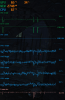
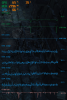
I have yet to find the culprit but my current bet is on the GPU's heatsink having not the best connection to the GPU's chips (despite using K5-Pro)
Running Furmark for 40 minutes (it's still running) does not show sudden drops to those low frequencies, but will rather reduce its clock speed to keep at temperatures near 90°C.

And just shy of 45 minutes (at 43:52) it started showing drops in frequency down to 139 MHz:

The power draw, according to HWInfo64, was fluctuating between 100W and 150W before that.Last edited: Jan 12, 2019 -
May be it is well known, however for Dsanke mod bios:
LEFT Alt + RIGHT Control + RIGHT Shift +F2 (press F2 as last button) - and VOILA you have access to hidden menus, such as LLC, OC whatsoever
Last edited: Jan 12, 2019 -
That bit before the throttle in the last pic shows cpu spiking to 100% before the throttle starts, and GPU usage dropping, that suggests it's not purely a gpu issue (cpu bottleneck => gpu is idle => clocks down). I think you might find that if you force the gpu to maximum performance (instead of 'optimal' or 'adaptive' power savings) in Nvidia control panel, your gpu will not drop to 139mhz but you'll still get the stutters. I find hwinfo cpu frequency readings unreliable. Have Throttlestop open and watch the average cpu multiplier, if you set speedshift to 1 it should run at max multi constantly (42.00 in your case) so anything less than that is a throttle, look in the hwinfo64 sensors window under Limits for clues
It could also be the pch or secondary vrm somewhere on the motherboard that's overheating, yet not show a throttle flag at all... sometimes a notebook cooler adding airflow that can fix things like thisLast edited: Jan 12, 2019Huniken, FrozenLord and Papusan like this. -
What cable is needed to use this 144hz screen? thx in advance
-
eDP is the connector, you should be able to reuse the existing cable.
-
Could you link me a cable from eg ebay... I tried to seach for edp 40 pin, but I have found many of them...
-
i used my old 40 pin, 4 lanes edp cable that comes with the samsung 4k monitorKevin@GenTechPC likes this.
*** MSI 16L13 (Eurocom Tornado F5)/EVOC 16L-G-1080 15.6" Owner's Lounge ***
Discussion in 'MSI Reviews & Owners' Lounges' started by Diversion, Oct 14, 2016.


![[IMG]](images/storyImages/FS4.png)
![[IMG]](images/storyImages/SP2_hwinfo.png)
![[IMG]](images/storyImages/Superposition_Benchmark_v1.0_14486_1546641710.png)


