Problems? See this thread at archive.org.
if you want you can buy some cheap second hand mxm that fits the laptop, mod drivers inf if its not supported and fix error 43 if may occur and buy desktop gpu and ADT-link TB or M.2 and use it that way.
You will need to change in the bios under system agent -> primary display -> SG
Clean install nvidia drivers and fix error 43, notice that this will work only with external display as far as i tested.
https://www.3dmark.com/3dm/51862980?
https://www.3dmark.com/3dm/51864343?
https://www.3dmark.com/3dm/51864425?
-
-
Thank you!!!
This is exactly what I did. However I am still waiting (10+ days) for my 30+5Euro FirePro M4000 from Germany. Apparently DHL lost the package, that was supposed to be delivered to one of their post offices in Germany.
Before I burned my 1070 I tested the cheap 7$ PCI-e x1 m.2 NGFF adapter. However could not get it to detect the card. I think I tried that option (SG) but it did not help.
Had luck connecting a PCI-e sata adapter and it worked as a charm the HDD got detected and worked perfectly normal.
Few days ago I ordered the R43SG adapter. Reading the egpu.io forums and some videos... Linus mentioned (after not being able to hook the eGPU to the laptop in his video) that in order to get the eGPU work -- RAID should be disabled and PCI-E hot swap should be enabled. Haven't tested that one yet. Will test and share a guide on how exactly to get the m.2 eGPU solution working. Damn I did few eGPU setups 4-5 years ago with mPCIe and it wasn't that hard.
I had **** tons of bad luck with hardware/software for the past month.
Meanwhile I got lucky and got a super deal on MSI GE75 with RTX2080 (for the price of RTX2060 super MXM). However the laptop does not have its original PSU and supposedly has issues with the power delivery due to usage of underpowered PSU 19V/180W, but it works perfectly on battery. Anyway I consider this masterpiece of hardware non-working (as well) for now.Last edited: Oct 20, 2020 -
buy a psu, the 330w one from eurocom, it will work with the laptop, or use the one you have for the tornado f5.
ignore this "RAID should be disabled and PCI-E hot swap"
If you didnt set up raid there is no reason for it to be enabled, regarding hot swap its not supported on this laptop.Last edited: Oct 20, 2020 -
I am out of ideas about the eGPU setup. Most people out there just plug and play. Me... lost hours ... bricked the laptop 1-2 times fiddling the settings
The Tornado one is 19.5V with 4 pin DC jack, the MSI GE75 uses 20V round jack (7.4x5mm). Is there some kind of adapter I could use (I was thinking about it)? I already ordered a PSU from China 20V 14A, same as the original one. -
not sure if there is an adapter, i thought the input socket is the same, looks like MSI loves to screw with their laptops.
the method i posted for the egpu setup seems to be working pretty well
however you'll need to populate that mxm slot otherwise it will not boot. -
It is not only MSI... Why do they all bring that underpowered, overpriced BGA crap in the first place.
At least the performance looks decent compared to the other brands. But it is all on one board CPU+GP+RAM. One goes out and you end up with a 3000 Euro cutting board
My EC chip + some more burned a couple of years ago ... 100 Euro fix and it was working as a charm ever since, until I burned the GPU.
9700K and eGPU or MXM to PCIe adapter and the Tornado F5 easily outperforms this joke of a laptop. -
I've installed the 9700F non-K as the laptop gets so hot under load there is no point overclocking beyond 4.7ghz
90c on GPU under load and 80~ on CPU.
Thermal solution for this laptop is at its knees while gaming.
I've got 2060 super benchmark tests from perfectron and i currently avoid publishing it since something is not right there, the results are so bad its embarrassing to show them.
I've told them to look into it as something doesnt look right. -
90c on GPU or CPU? GTX1080?
Wow mine 1070 fried at 84 not even 85... I did not put any paste and no fans
-
GPU gets to 90c under load
CPU 7700k gets to 90+c under load as well but in games its not getting to that level since its not being utilized 100% all of the time, i was running it at 4.7ghz
Now I've installed 9700F 65w it still gets to 90c under avx load but usually under normal stress tests its about 75-80 tops.
I did that to keep the temps down and GPU temps also went down since the CPU heat output is lower.
your 1070 went over 85 for sure, the chip dies at about 110c.
If you ran it no paste no fans it could crack the die, the temperature node is not accurate so it probably died at 100+c while not updated yet in the monitoring software. -
My 7700k and GTX 1070 hit 90c when gaming (Hitman 2016, Hitman 2 2018, Far Cry 5) with power settings on High Performance and Fans on 100% max (I only game with fans on max). I would say the sustained high numbers I notice most often are 90c and 86c. It dips lower at times, for sure, but I don't keep track of those numbers in my head as I more concerned with is the heat within limits and under control. To me that answer is yes.deathwingbg likes this.
-
Thank you for the answer @Aroc! I also thought these 85c on the GPU is not fatal at least for a short test as I have seen 1080 temperatures.
Such temperatures for the GPU (1070) are strange to me though as never saw GPU above 70c... but I had Liquid Metal for 2+ years now. CPU would normally hit 99 even 103 when I run Prime but under games it would also stay within 80c.
Anyway will have the card examined and hopefully repaired by a professional. -
Using the GPU / CPU without any paste sounds like asking for trouble.
Just going from the top of my head here, so take with a grain of salt:
You're basically pushing 100W if the thing is under load - and even while idling in Windows, my 1080 GTX will hover around 40W and I'd guess that the 1070 is similar.
If you don't add any paste, the GPU is not able to transfer the heat over to the heatpipes, i.e. it will be heated with at least 40W - you mentioned increasing the TDP to 200W, so you might have heated it even faster...
Considering that you managed to get into Windows, it seems that you did have some contact with the heatpipe, but any bump in power would be likely to kill your GPU (and probably has).
I'd put it down as sunk cost and not worry about getting it fixed, as it probably has been damaged quite extensively, at least by your reports (not being detected / not turning on).
Throwing additional money at this problem will (based on my understanding) not be able to fix the GPU.
Have you tried undervolting the GPU and limiting the FPS to 60?
A 1070 GTX should be able to have its temperature reduced that way.
My 1080 GTX is hitting 90°C only when loaded 100% for long periods of time and under specificically demanding cases.
I have attached two screenshots of my previous stress test results (laptop slightly elevated, FPS unlimited):

 Last edited: Oct 26, 2020
 -
It's a too hot processor for this laptop. Since it is designed for a maximum of 4 cores. So I would not recommend that you overclock it to such values of 4.7 GHz. These are normal values for desktops with more powerful power circuits and cooling. Since several people from this topic have already burned laptops with 8700K and higher processors at very high frequencies. I would recommend limiting the processor frequency to 4.2 - 4.3 GHz. And I would also recommend installing additional cooling on all power circuits and mosfets of the processor
-
The CPU is capped at 65W, it has lower TDP than the 7700K and the 9700 (non-K) cannot be overclocked.
So i think it should be fine.
I ordered a heatsink for the VRMs.
Cant even undervolt the sucker. -
Even the mobile CPU i7 8750H, with a TDP of 45W, consumes up to 90W in load, on 3.9 GHz.
65W is the TDP for the base frequencyLast edited: Nov 1, 2020 -
Yeah, 9700 should do fine... https://www.notebookcheck.net/Zotac...eForce-RTX-2070-Super-in-review.477475.0.html
And i7 8750H won't stay long on 90w before the power will drop. -
I meant that the 9700 can do much more than 65W, and it is not limited. Unless you turn off the turbo boost. 65W this figure is only on paper, same as 45W for laptops
-
Have been like this since a decade now. Intel TAU and PL2. Once the time run out it will kick back to PL1. The Tornado is shipped with 7700K aka it will default back to 91 W power consumption with default settings fully loaded. 9700 should be a better option run cooler than 7700K in this model. See, no need for tweaking the cooling.
Full load.
7700K had to run +5.4GHz in the Tornado to compete.
Last edited: Nov 1, 2020Semmy likes this. -
We'll hope. I can only wish this laptop to work for this person for a long time, and he did not have any problems
Papusan likes this.
-
Yes it can for a short period of time until it reaches PL of 65W and downclocks to 4000-4400 all cores.
The same goes for 7700K it hits its OC level or turbo until thermal ceiling and clocks down, however it pulls more wattage as its unlocked.
The 9700 (non-K) will go up to 100+W for about a few seconds and will PL to 65W.
So power consumption wise the 9700 will put less stress on the VRM's and should be able to stay cooler.Semmy likes this. -
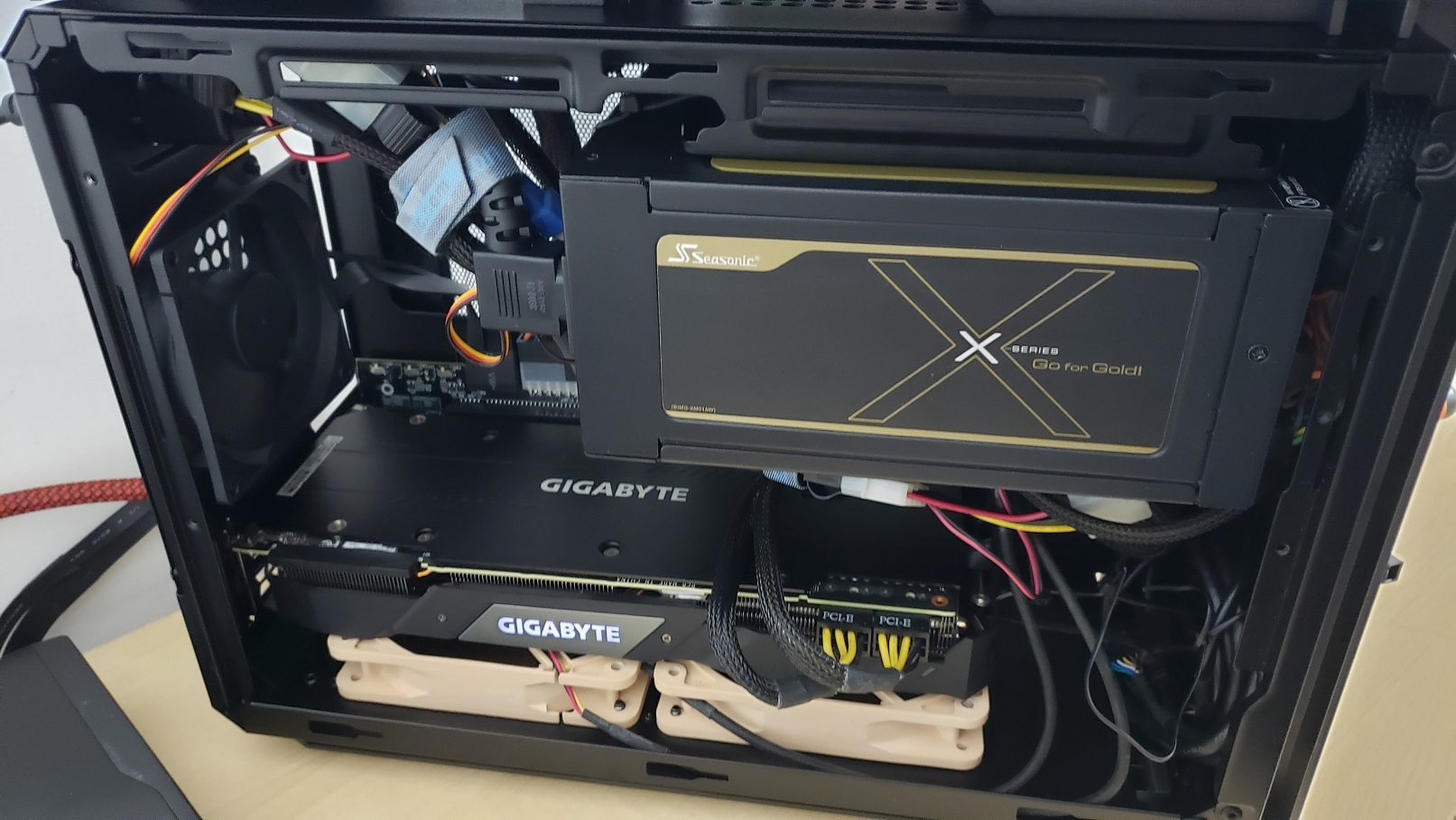
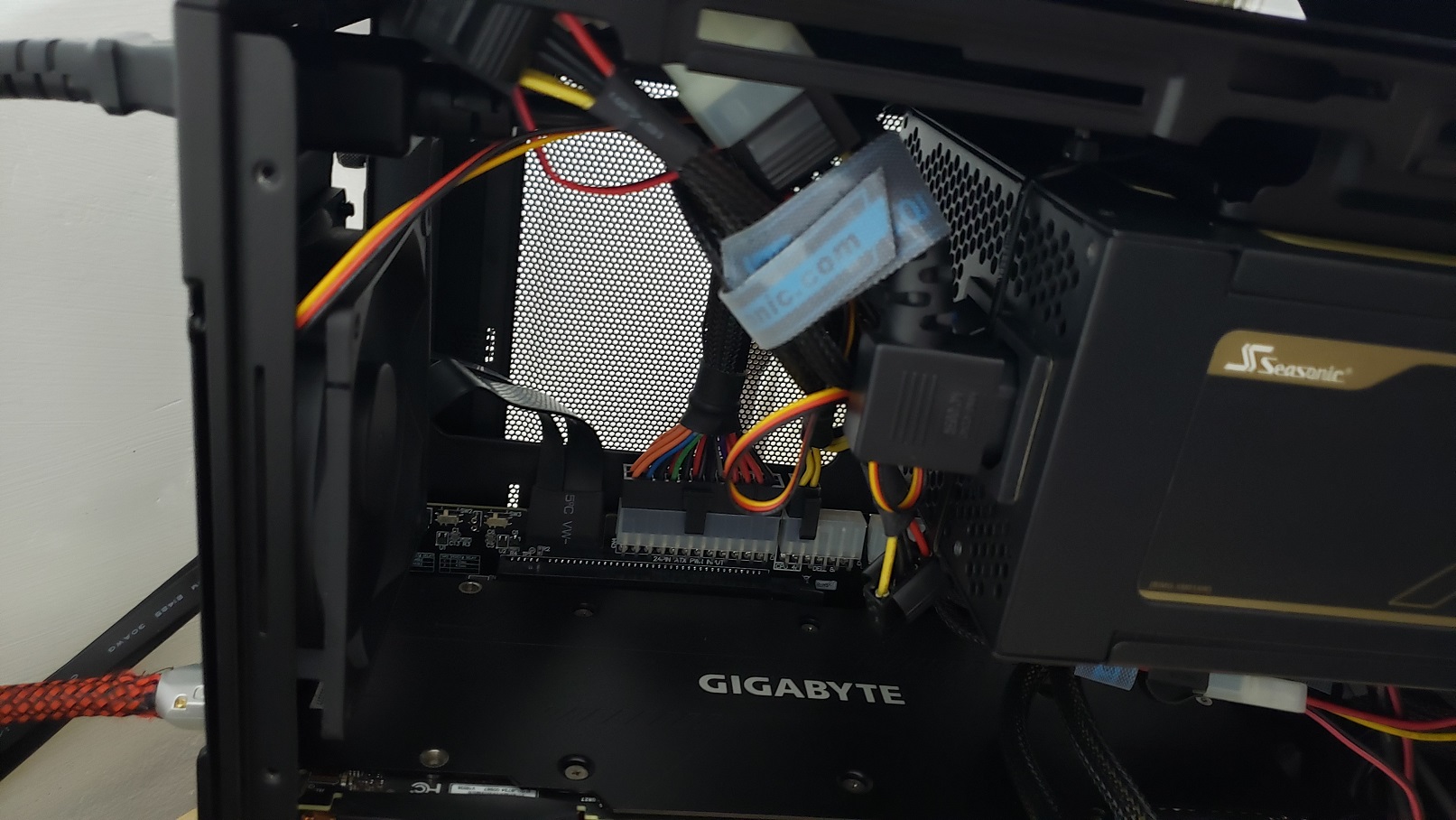
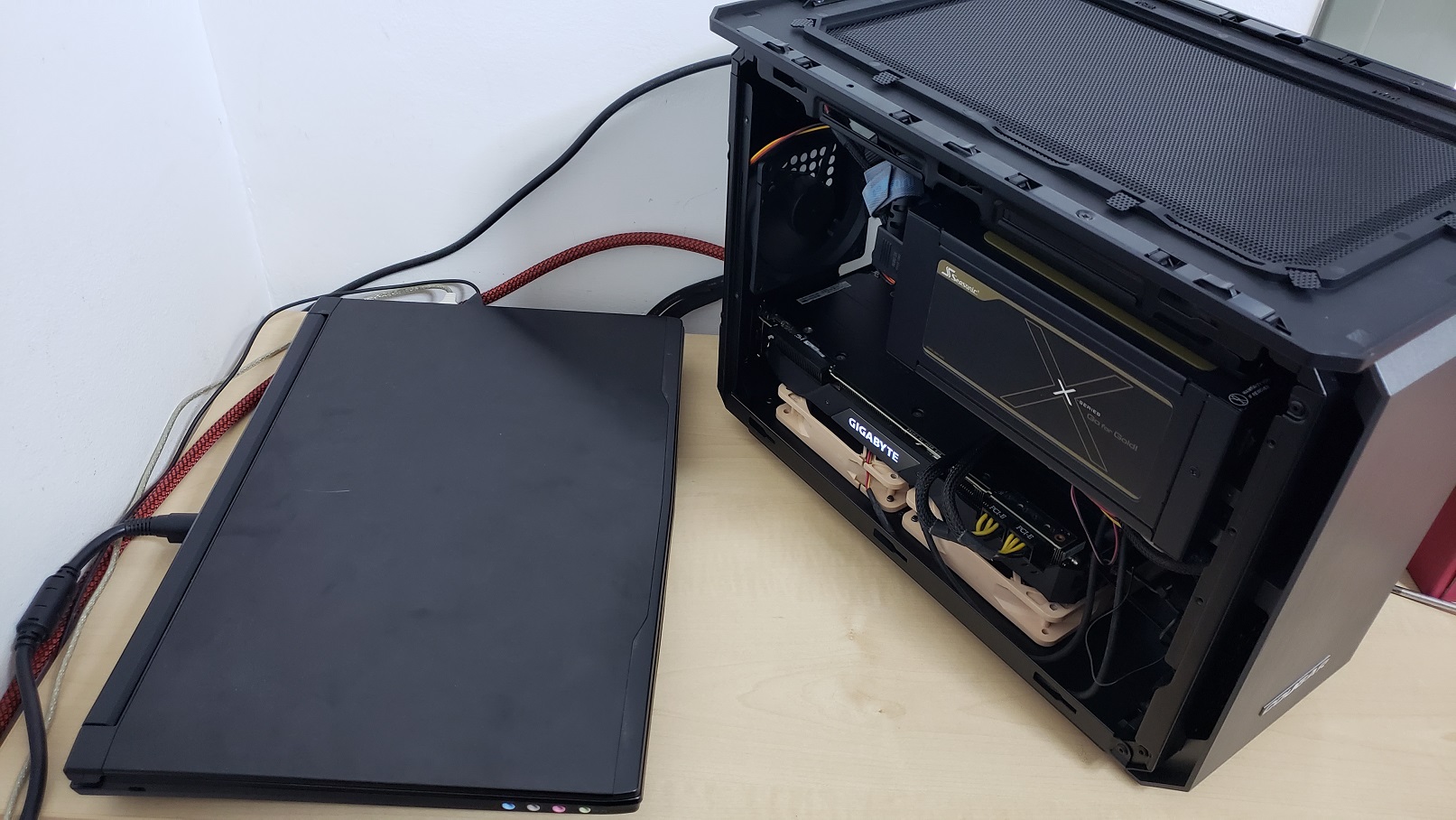
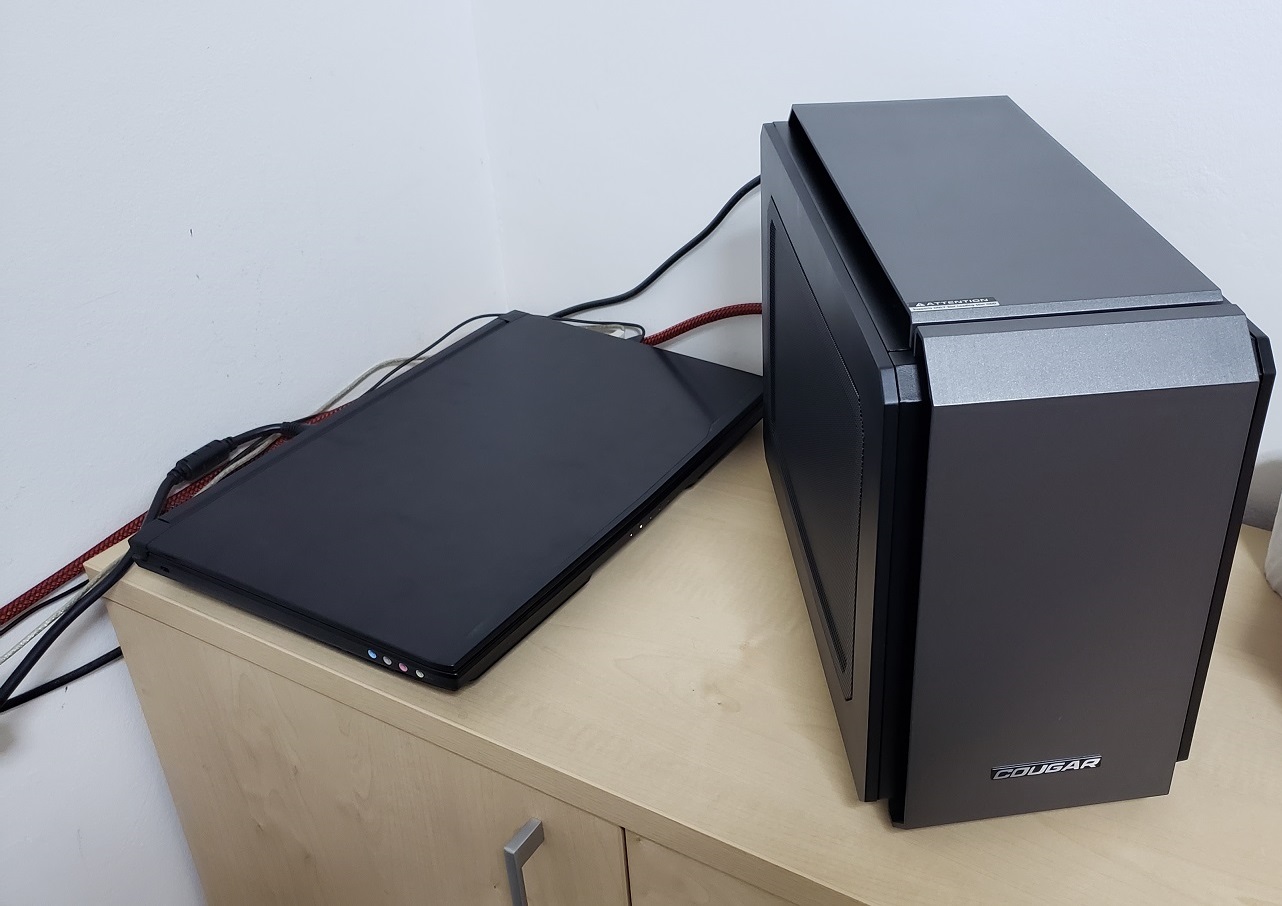
eGPU with Tornado F5 with 2080 TI
Case used Cougar QBX
Yes that is a 1250w PSU i know its overkill but my smaller PSU is faulty and i dont want to buy another one so that will do the job.
Bench: https://www.3dmark.com/spy/14974947Attached Files:
FrozenLord and Papusan like this. -
-
mxm 3.0 to pcie Х16 This is it ?
![[IMG]](images/storyImages/K1UrNhe.png)
-
no, i used the ADT Link m.2 to pcie 3 4x.
What is that thing in your image? it intrigues me and i was not able to find anything like that on sale. -
This is an adapter for connecting directly to the MXM slot, without losing bandwidth
https://item.taobao.com/item.htm?sp...i0b6yz&id=599010631937&ns=1&abbucket=6#detail
can also be found on amazon
![[IMG]](images/storyImages/nNvdW0n.png)
-
Is it working well?
my 1080 still working so my laptop remain still portable if need be, this way ill have to repaste it every time i want to use it.
However if my 1080 dies this could be a good replacement to revive the laptop.
Since i play games in 4K the percentages i lose are around the 3-5%, so not a big deal.
At lower resolutions can be from 10%-15% depends on the game. -
There are reviews on taobao
-
Would you mind posting the amazon link? I can't seem to find it, although that may be because I'm searching the US market. The European market seems to have more goodies like this.
-
Previously it was available, but now it is no longer available. Maybe it will appear later
https://www.amazon.com/ELECTRIC-MAGIC-External-Equipment-rtx2080ti/dp/B08BYG1P5F?th=1 -
Thanks for trying. I'm trying to acquire one of those adapters without using taobao since I don't speak Chinese. I was hoping to find it on some store in the US.
-
Hey that does look really interesting.
How did you get the eGPU to work? (I.e. which driver and bios settings are you using)
The reason why I am asking: My F5 is not detecting my eGPU when I plug it into the TB3 port.
And just to make sure that I am not missing something obvious: are you using two NVME SSDs in your F5?
Thank you very much
-
What i am using is the m.2 adapter from ADT Link.
However they also have the TB adapter which should be working if you enable TB in the bios but i didnt test it.
I am going to buy one as well via a guy i work with who is from china, ill test and tell you guys if it works well and at full 16x speed.FrozenLord likes this. -
If anyone of you need that mxm to pci-e 8x/16x adapter i can ship world wide.
The price for the 8x speed is 150 USD, for the 16x 170 USD
Shipping not included.
UPDATE: Nevermind, the guy, will take him 20 years to make it as its one guy making these as a hobby.Last edited: Nov 6, 2020deathwingbg likes this. -
Hm, last time I checked he had some on stock already made... but I gave up on the idea for now.
Received my ADT-Link, but I need 1. some sort of MXM card to be able to run the laptop, Or 2. A bios with Integrated Video enabled ( to flash it directly
-
If I remember correctly, there are some posts in this thread that point toward the mainboard having the external GPU wired directly to the display.
Therefore, the internal GPU can't be used for outputting a video signal.Semmy likes this. -
I think you already know that one, LOL. That is a BIG 10-4, negative... huh-uh... nope... hell no.
That sounds like a real piece of work that crApple has going on there. Their eGPU-packing gamer fanbois are going to just love that ice-pick-in-the-back love they are getting with the removal of eGPU support.
It's amazing how idiots like the Redmond Reprobates and the Cupertino Clown Possee have such a knack at self-imposed failures.Papusan likes this. -
buy some cheap ass mxm gpu, your 1070gtx heatsink will fit most of the standard non external power gpu mxm format.
-
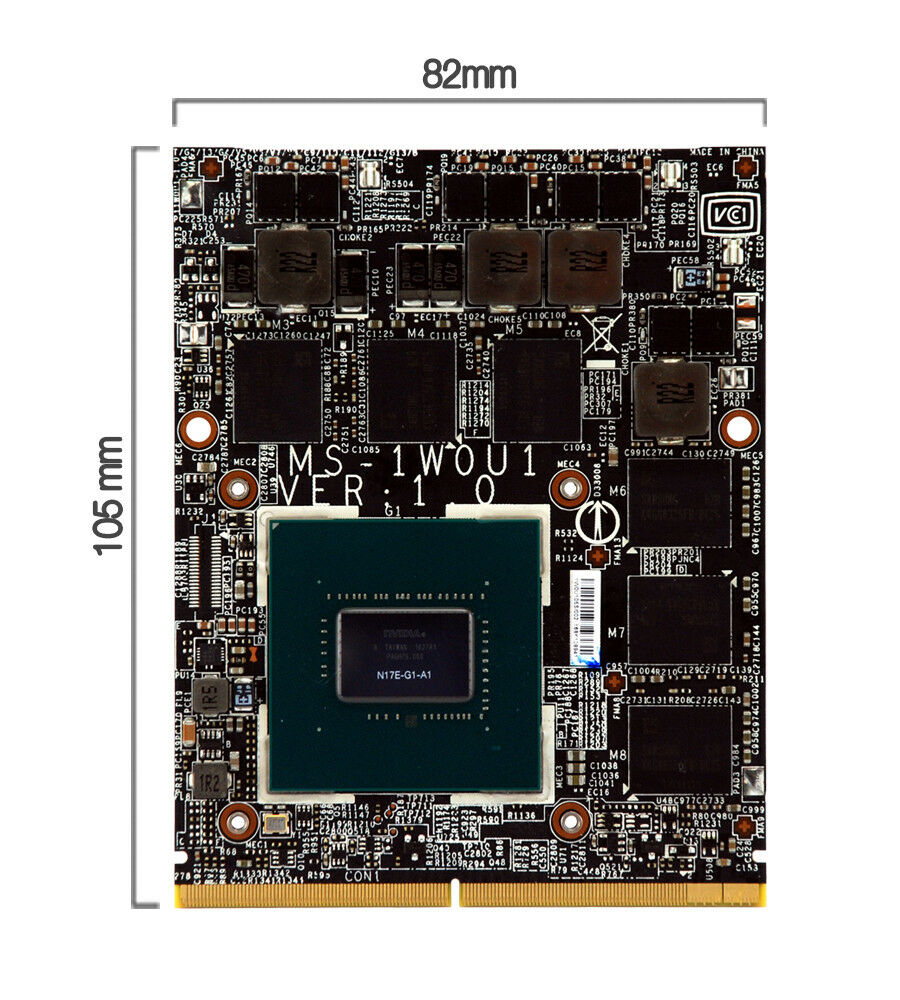
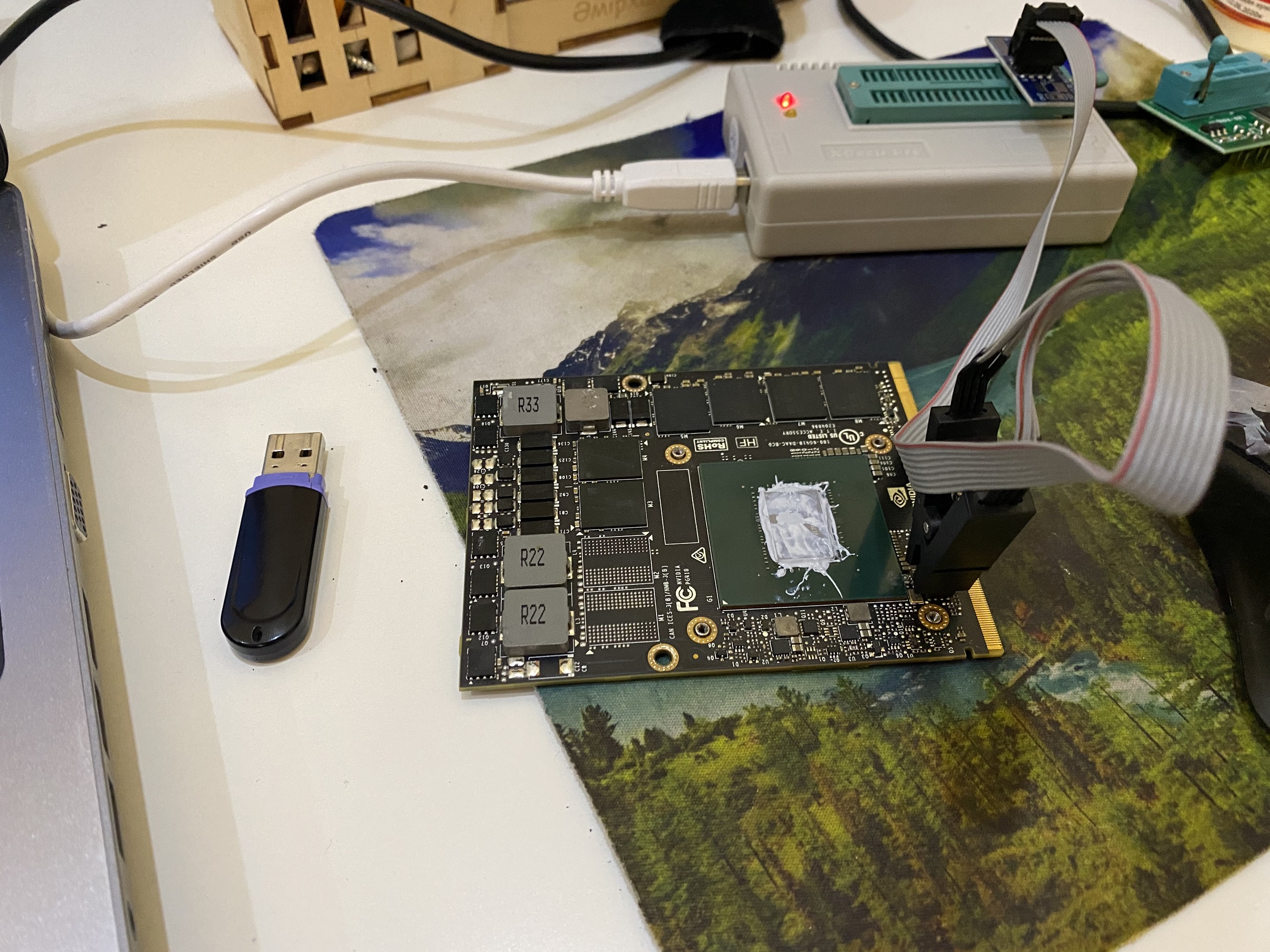
Hello! I have Tornado F5(6700K, GTX 1070). One month ago after install new nvidia driver, nothing displayed on screen. But before sometimes when I played the games, laptop rebooted. I buyed new videocard gtx1060, but the same problem(. Maybe laptop not supported this videocard?
Sorry for my english).Attached Files:
Last edited: Nov 24, 2020 -
-
Hey,
Does the laptop boot with the 1060 gtx?
If not, the issue could be unrelated to GPU.
Or the GPU is non working on its own -
did you try connecting it to a monitor?
-
Yes! When it was first problem on gtx 1070, I tried to conect to tv with HDMI cable and it woked. Then I installed old driver, but
stopped showing on both screens. Yes after install gtx 1060 I tried connecting to TV.
Maybe need only this card?Attached Files:
Last edited: Nov 25, 2020 -
-
no it should be working no matter the card if it fits the system.
The only reason for it not to work is if the GPU is faulty or something wrong with your motherboard.
If your screen has display before it boots to windows that means that the driver is not properly installed, you can fix it by going to safe mode.
Is your BIOS unlocked?
have you tried to clear CMOS?azatos612 likes this. -
No I have standard bios. I tried push reset button 10 second. Maybe my problem same like this post?
https://forums.tomshardware.com/threads/unresponsive-lcd-wrong-gpu-bios.3389205/ -
The post you provided had only the internal monitor not working however the laptop booted with external screen.
Yours doesnt do that with internal and external.
Your laptop does not boot properly, if it would, you could hear windows login sounds if you have them enabled.
Your issue could be unrelated.
Try clearing your CMOS, remove the bios battery so the bios could revert to its default settings.
Does your laptop turns off after a few seconds when you boot it?azatos612 likes this. -
Do you speak russian?)
I hear sound when I plug usb flash.
No, laptop dont turn off.
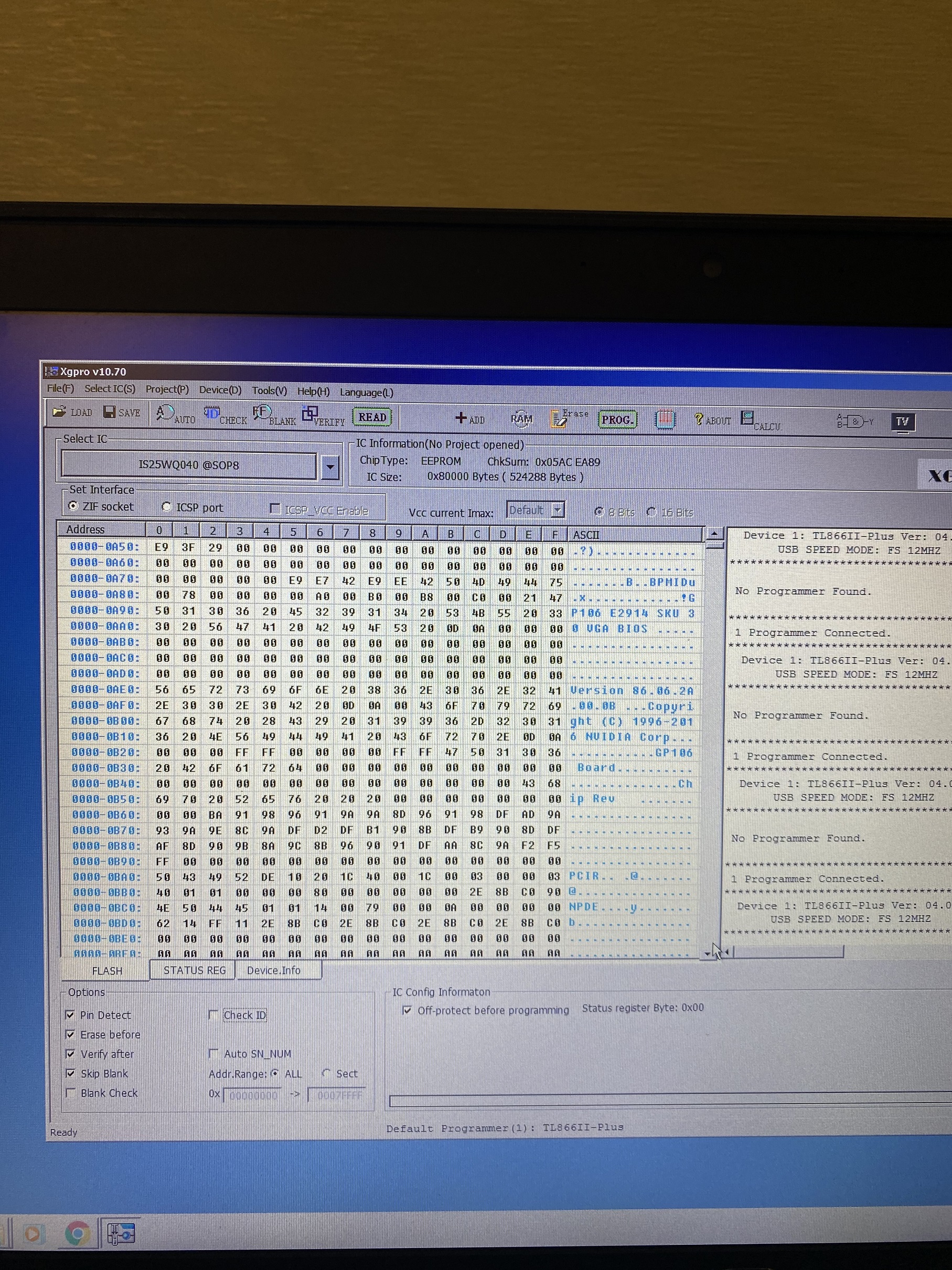
Yesterday I wrote to Eurocom, they said my vbios(86.06.2A.00.0B) is incorrect for my laptop.
I must update the VBIOS on that card with functioning display ( windows desktop) in order to flash the chip or machine supports Optomus, you _might_ be able to flash the card on that system.. Driver for card must be disabled in windows in order to flash the VBIOS chip.Last edited: Nov 26, 2020 -
Hey,
Yeah i do speak russian.
Ah i see so optimus is enabled on the card therefore it does not pass through display to screen or external screen.
I thought your laptop doesnt even boot.
In that case your laptop does recognize the MXM card and boots to windows however fails to display image since there is no route for intel igpu on the motherboard therefore it just nops.
What i would do is take out the SSD/HDD you have your OS installed on, slap it into another laptop or desktop and boot into it.
Install Radmin, VNC or some remote access app, make it run with boot as a service or so, than put that drive back to your laptop, let your OS boot and remote access it via radmin viewer to your Tornado F5.
Once you're in, install GPUZ and dump the bios, contact SVET or PREMA or whoever is good with vbios mods on this forum and disable optimus.
Than flash that same bios with spi flash programmer or easier with a modded nvflash app that doesnt check signatures.
After that your laptop should boot with an int/ext display.
Also yes it does look like a bios chip but make sure to macro shot that as i cannot see the markings on the chip.azatos612 likes this. -
I will have to reply in English as i dont have RU keyboard, sorry.
That is the bios yes
https://www.alldatasheet.com/datasheet-pdf/pdf/812831/ISSI/IS25WQ040.html
Flashing another bios from a different vendor could work but i am not sure as i never flashed mxm cards, only desktop cards.
You can try though, make sure that the GDDR manufacturer is supported by the vbios you're going to flash.
Let me know if you were able to flash successfully.
***WARNING***: make sure to dump the chip binaries to a file with the SPI programmer before you flash into it, if by some chance that is not the bios you can revert back without bricking your card.Last edited by a moderator: Dec 2, 2020 -
You can boot from the SATA drive if you change the boot order in your bios,Last edited by a moderator: Dec 2, 2020
-
I screwed up my laptop motherboard so bad it doesn't detect the GPU, m.2, SATA. TB, Monitor doesnt turn on but that is because GPU.
As if it does not deliver power to it.
However if input m.2 to PCIE adapter with external power and plug a hard drive in there it detects it fine and boots to windows with m.2 eGPU in second slot.Last edited: Dec 23, 2020 -
Today I flashed vbios from MSI, but still not worked
Attached Files:
-
*** MSI 16L13 (Eurocom Tornado F5)/EVOC 16L-G-1080 15.6" Owner's Lounge ***
Discussion in 'MSI Reviews & Owners' Lounges' started by Diversion, Oct 14, 2016.