 Problems? See this thread at archive.org.
I would say yes since the GX60 comes with the option for the backlit keyboard, I've also noticed that my GX740 keyboard is the same demisions as this keyboard I would assume you wouldnt have a problem.
If you live in the US you could also go to best buy pickup a GT60 or GT70 on credit swap the keyboard to see if it works then if it does return the GT70 and order a keyboard.
Then again 150$ for a keyboard...I would rather invest in a RAID 0 or wait for the 5750m but you're the boss!
Either way let us know how it goes!
-
Well, I'm not in the US right now, but your idea is very interesting... I ordered a Samsung 840 Pro and a Killer 1202 and they arrived today. I think I'll open my GX60 today. Also I was looking for this keyboard through ebay, and I saw there it is not too much expensive. I like the backlit (very useful to me) and also like the steelseries design. From Meaker's Clevo keyboard swapping test I think using a GT60 keyboard is plausible. Keyboard backlit plug is in the GX60 board, but if board don't send the right signal (or no signal), I'll have a static keyboard (or even no-backlit).
Meaker... Do you still use the Clevo Keyboard in your GX60? Firmware updates don't kill backlit? -
I don't have the laptop with me now to check, but I've a feeling it's an MBR drive.
I have 2 SSD's - 60GB OCZ (OS), 128GB Samsung 830 (Everything else).
Why do you ask? -
the gx60 comes with the hard disk gpt or mbr?
-
MBR I think.
-
I've been playing around in the 'AMD Vision Engine Control Center' with power settings and switchable graphics. For some reason, my dedicated GPU is active all the time now (orange light), no matter what settings I change, power source, forcing power-save etc.
1.) Anyone have an idea why? I'm running a system monitoring application called Rainmeter, and I've noticed it's not showing under the application settings for switchable graphics, could this be why?
2.) My other question relates to the fan boost sensor (to the right of the P1 sensor).It doesn't respond/start 99% of the time I touch it, and when it does start I can't stop it. The other sensors don't function correctly either...Ideas?
Thanks -
I will get my GX60 next week, it comes without any OS and with an HDD. I just ordered a SSD drive where i want to install W7.
I've read some posts here saying its good to remove HDD while installing an OS on SSD, I also need to make some changes in the BIOS. Not sure what exactly...
Can somebody in a nutshell tell me what needs to be done to do it properly ? or point me to an appropriate post or thread
thanks in advance -
Everyone seen the new firmware update?
GX60 w/Windows 8:
http://www.msi.com/product/nb/GX60.html#/?div=Firmware&nbos=win8
GX60 w/Windows 7:
http://www.msi.com/product/nb/GX60.html#/?div=Firmware&nbos=non-win 8
GX60 Hitman w/Windows 8:
http://www.msi.com/product/nb/GX60-Hitman-Edition.html#/?div=Firmware&nbos=win8
GX60 Hitman w/Windows 7:
http://www.msi.com/product/nb/GX60-Hitman-Edition.html#/?div=Firmware&nbos=non-win 8
Also see MSI News:
MSI Global â News -
Gonna try it after work. It says its an update for the fan table for mlcc noise. Never had any problems with the fan tbh.
Btw my stock notebook came with W7,im on W8 now, so i need to use that firmware but can i use the W8 winflash tool in combination with the w7 firmware ?? -
same. I would love to got a bios update instead. I hope to get one in future
-
Received my GX60-hitman edition today....
Tried to run 3d marks 11, received this error instead....
Workload Single init returned error message: DXGI call IDXGISwapChain::SetFullscreenState failed:
The requested functionality is not supported by the device or the driver.
DXGI_ERROR_NOT_CURRENTLY_AVAILABLE
Any ideas? -
Are you running any software like logmein, remote anywhere, or a high end monitor? Basically anything that might interfere with the creation of DX11 fullscreen surface could cause this issue. First off you should make sure to close any program running in the background similar to the above stated ones... -
Hmm...i didn't install anything else other than Chrome and 3D marks 11.....
Everything is pretty much out of the box...... -
Post a Hwinfo64 screenshoot please and try to make work that 3DMark 11. I'd like to see a score with integrated and dedicated graphics too. Thanks!
-
And please tell us can Richland hybrid crossfire with 7970m ?
-
Still couldn't get 3d mark 11 to run....
Here's some Vantage benchmarks...
7970m

8650g

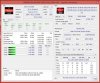
-
Ok...3d mark 11 is running....
7970m

8650g

Windows Experience Index

-
wow it seems the 5750m doesnt have much improvement. My force 2.7ghz 4600m can reach 2926 physics score while the default 5750m reaches 2890
-
highwind85:
Wow, you seems to be the first Richland laptop owner in notebookreview. Congrats !
!
The GPU either, my A10-4600M was making 1340 3DMark 11 points and A10-5750M barely makes more. Of course 1866MHz DDR3 could help, but the main problem is the 35W TDP limit. -
http://www.coolaler.com/showthread.php/301778-全世界首發-MSI-GX60改上AMD-A10-5750M
3dmark cpu there is 3288 if i see it correct. so its 400 points higher than yours , thats very odd. -
Two options if the 5750m is running in the same fashion as the 4600m. The guy could be using PScheck to force 3.2ghz on all cores which would give you a higher score...He could also have just loaded into the OS with 2 cores which forces them to 3.5GHZ each.
Anyways 1st test with PScheck forcing 2.7ghz for all four cores and stock on 7970m
http://www.3dmark.com/3dm11/6381345 -
How are the 3dmark 11 scores like if you run a10-4600m at default with catalyst 13.1?
-
I would love to tell you but I'm not gonna switch drivers lol, ill do a 13.3 beta 3 test on default A10-4600m for yeah though.
Here is the 4600m two cores at 3.2ghz
AMD Radeon HD 7660G video card benchmark result - AMD A10-4600M,Micro-Star International Co., Ltd. MS-16FK score: P3598 3DMarks
This would be stock A10-4600m
http://www.3dmark.com/3dm11/6381523 -
LOL...understood...
but your stock A10-4600m score is enough....the gain in CPU score from 4600m to 5750m is indeed just about 10% by default...
Anyway, ran another 3dmark 11 test with stock clocks, and here's a comparison between your stock and mine...
http://www.3dmark.com/compare/3dm11/6381523/3dm11/6381446
Under cpu clock it's 2,297 MHz vs 1,406 MHz...does that mean mine is not running as fast as it shud have? -
It is very odd I noticed the clock also right away, run a test with PScheck loading your cores at 3.2ghz another thing to do is run hwinfo64 while running your 3dmark11 to see if your clocks are actually dropping down.
How much was your hitman anyways? -
Ok, will do when i get back from work later...I'm in Australia, so it's $1299...That's the RRP for GX60 here all the while...
GX60 with A10-4600m was discontinued almost immediately at retailers that carry hitman edition... -
Can you test 1866 RAM?
How is battery life when only using the igpu? It SHOULD be better considering the better thermal control AMD claims to have implemented into Richland. -
This is my result force 2.7ghz 4600m gpu no oc AMD Radeon HD 7660G video card benchmark result - AMD A10-4600M,Micro-Star International Co., Ltd. MS-16FK score: P4868 3DMarks
-
the low score wth richland could be due to settings of power managment. there is more then probably that if you have brand new notebook, the power management settings are at medium-high. switch there as many advenced features to high performance as you can find. forcing some MHz with PScheck should help of course too. next possibility is throttling. run your tests with the msi turbo cooling option
-
i believe that score is the default score of 5750m. The other score u see is because they force 3.2 the 5750m
-
I do not negate that but all expect from richland something more then proper working of trinity
-
The expectation from Richland is 10-15% gain is cpu power...
and no matter which scores you refer to (stock a10-4600m vs stock a10-5750m or turbo a10-4600m vs turbo a10-5750m), it's still around 10-15% cpu gain...
There are no big changes in architecture... -
by now I see no gain. You know, its good to know if its worth to pay some $ for swapping those apus. Of course I would still go for the GX60 Hitman but I have bough my own basic like 3 months earlier
-
its better to wait for kaveri
-
That wont be an option if it dont use the same socket, which i highly doubt.
-
all the way I calculate I see ~10% except the extreme case that you used
-
its extreme yeah. But lets say that some people get 2900 on the 4600M (I cant reach it , 2700 highest) score that still 14% higher and i cant tell what 1866MHz memory would do cause the hitman tested still had 1600MHz memory. Also we dont know what caused the 3288 score , maybe i can go higher . Still lots of variables . Need moar testing !
-
looking foreward what you get
-
u cant compare a default frequency and a forced frequency. if its default, the 4600m approx 2600 score and the 5750m approx 2800 score and for forced frequency the 4600m is approx 2900 score and the 5750m is approx 3200 score. Thats only a little gain
-
Kaveri is the 3rd gen apus which uses the same socket. Kaveri is only a codename just like trinity and richland
-
in desktop case sockets were swapped between 1st and 2nd generation
-
I really hope ur right but we cant say for sure. There are some articles about kaveri will get an new FM3 socket on the desktop variants but that they also will be backwards compitable with FM2. Like i said i really hope this will be true!
** link Somewhere in the bottom of that article " Kaveri APU will use the same Socket FM2 used by the current generation Trinity APU! This makes Socket FM2 the most future proof desktop CPU platform available on the market. You can buy Socket FM2 boards now!". Looks like ur at least right for the desktop variant
Well i just want to see some game benchmarks to see if those 300 points are worth it. If it means 10% more fps then it might be worth it for me -
Wrong post , how to remove a post btw ?
-
@randomice
I agree with you but the notebooks still uses first version of socket for apus while desktop changed already. There must be something in it but I hope not -
those 300points is like comparing a default 4600m and a forced 2.7 4600m. fps wise is only 1 or 2 fps in physics score and 2 or 3 in combined score
-
btw take a look here AMD Kaveri APU will use FM3 Socket but supports FM2 - Lensfire
-
WelcomeI
Need some help. How can I check the temperature for the CPU and graphics? MSI Afterburner, HW32info, hwinfo shows only HDD. GPU-Z does not want to install. I have Window 8 64 bit. -
I saw that also in the article i linked but it all goes about the desktop versions. Nothing mentioned for the mobile parts..
-
I use Coretemp linklink
*The Offical MSI GX60 Owners Lounge*
Discussion in 'MSI Reviews & Owners' Lounges' started by layjohn, Oct 12, 2012.


