 Problems? See this thread at archive.org.
Here the test I have done for you
with dedicated graphics and integrated result: 56 fps average
![[IMG]](images/storyImages/unbo.jpg)
![[IMG]](images/storyImages/qoej.jpg)
![[IMG]](images/storyImages/j96u.jpg)
with dedicated graphics only result: 69 fps average
![[IMG]](images/storyImages/rq5d.jpg)
![[IMG]](images/storyImages/0e9o.jpg)
![[IMG]](images/storyImages/sqcg.jpg)
![[IMG]](images/storyImages/bezm.jpg)
more surprising result 13 fps on average over the 7970M
-
@ raul, how di you disable the igpu? I did unlock the administrator bios bu when I turn the igpu off the laptop refuse to start up. Mabe a foto of your bios settings?
-
I've driven by this video: https://www.youtube.com/watch?v=-KnQ6vAgL9I
when you make all these adjustments must record and reset.
![[IMG]](images/storyImages/wyg7.jpg)
-
Ok thanks will have a look at it.
-
Can you mabe run 3d mark 11 and report the differance?
-
ok, I'll make a proof without the dedicated graphics doubt that scores more.
-
Here's to the integrated and dedicated graphics: AMD Radeon HD 8550G video card benchmark result - AMD Eng Sample Mobile 2185_A1 ,Micro-Star International Co., Ltd. MS-16FK
L another test with dedicated graphics: AMD Radeon HD 7970M video card benchmark result - AMD Eng Sample Mobile 2185_A1 ,Micro-Star International Co., Ltd. MS-16FK -
Hey raul-77, I got GX60-1AC with A-10 4600m with Win 7.
I also get the "wrong function" error, when I try to run MSi_Enabler, even as administrator. -
windows 8 may be necessary, I must also say that before all these changes had ULPs enable disabled.
I have another msi board looks GX60 hitman edition -
How to disable/enable the ULPs?
-
What the ULPs have open regedit in search and then hkey_local_machine, system, ControlSet001, control, class, 4d36e968-e325-11ce-bfc1-08002be10318, clik on the 000 folder in registry editor you want enableulps values point out right click to modify is 1 change to 0 enableulps_na accept and do the same, folder 002 enableulps change from 1 to 0, restart the laptop and you're -
i have GX70 with win 7
use lag boot
i get "incorrect function"
have an other way to get unlock bios?
in http://forum.notebookreview.com/msi...os-settings-without-flashing-modded-bios.html
cant download any thing...
thx -
Wow,\mine worked right way with no hasseles. Mine GX60 is a 3BE version though. I don't suppose everyone having issues is running UAC and a virus scanner or something?? I turned both these off before trying the patch.
The other thing to check would be that the BIOS is set to boot UEFI mode and NOT Legacy mode. -
@rual. How does it compare to before the change? Did you gain perforance ob the cpu or gpu?
-
Performance on some games have only tried three sets exceeds the burden of gpu is higher, excepting battlefield 4 that the performance is worse
-
Hi are any of you playing assasins creed black flag. I change all my setting but only manage to run the game at 20 fps. When I look at resources used the apu is throttled at about 90% and the dgpu at 60%. Any idea how i can increase my fps?
-
i get 20-30s in cities...in large cities like havana, i get 20-25....
during naval battle and island hopping the fps is about 30-40s..
half way through playing the game..
My settings are:
environment quality: low
texture quality: high
AA: FXAA
Shadow quality: normal
reflection quality: normal
motion blur: off
good rays: off
volumetric fog: off -
CPU bottleneck.
-
I've done as the video did and since I disabled the IGPU I occassionally get screen flickering, until I restart my computer anyidea what could cause this?
-
Hi everyone, i have a problem, When i try to play any of the older stronghold games, i get two gray bars at the side of my screen because the resolution from the game sis not widescreen. I have tried to change things in vision control center, but all my display properties are greyed and i can't change anything. Anyone an idea what i'm doing wrong?
Thanks in advance. -
I too passed the display controller becomes unstable and causes flickering, I have desktop right click, graphical properties, my digital planes properties (digital flat panel), disables or enables gpu scale panels and is well again . -
I seem to get the same benchmarks as before in 3dmark11, however when playing some games I'm getting an increase of around 10 fps, so its definetly worth it.
-
Woops I set the ram speed to the wrong value in the BIOS and now I get a black screen on startup. Could anyone tell me where the CMOS battery is on the MSI gx60 1ac I can't seem to find it. Thanks
-
Hi Jamie, I was in a simular situation. Press del to enter bios on start ip, then the following: f9, enter, f10, enter. This will restore factory default for the bios.
-
Just tried it nothing happened, is there another way?
-
Ok, so hope ya's all had great XMAS and are looking toward having a great great new 2014 year just a days away now

Its been a while since I have started my little DIY project on the Backlit Keyboard mod to fit my MSI GT683R and just lately I have had it completed. So if you's are thinking of getting a backlit keyboard to your MSI laptop that came without a backlit keyboard feature, look in to this thread:
DIY Blue Backlit Steel-Series Keyboard MOD for MSI GT683R (May also work for MSI GX660 GT660 and similar models)
Hope yous will like it and appreciate it
Thanks
BR -
I'm a little worried now, ever since I changed the ram speed setting in the unlocked bios to 1866mhz I've received a black screen on bootup. The computer seems to power on fine and the cpu is running.
I've tried spamming the delete button to get into the bios and then f9, enter and f10, enter but it did not help. Could anyone tell me the keystrokes to reset a MSI GX60 1AC Unlocked bios to default settings.
Or if someone knows another way of solving the issue please tell me. -
^^
- disconnect power supply cord
- remove main battery
- open bottom cover-lid
- remove CMOS/BIOS battery (2 pin wire connector closest to the RAM sticks)
- press and hold power-on switch for 30+ seconds
- reinstall everything in reverse sequence
Enjoy
-
Are you sure the MSI gx60 has a 2pin wire connector. I can't see it.
Here's a picture of my laptop board:

-
my bad, seems GX60 pcb is little different... you can still try same sequence without removing/disconnecting the CMOS battery, just try keep power-on switch pressed in for longer, like 2-3 mins
-
I held the power button for around 1hour and the bios doesn't seem to have reset. Or if it has it looks like the memory configuration might need to be done manually, does anyone have an MSI GX60 1AC with an unlocked bios that could post me some pictures please.
-
I tried to unlock m GX60-1AC, but that enabler won't work for me. Gives me the "error of function" massage.
-
I've found the CMOS battery, disconnecting it for 10minutes will reset the bios settings hopefully right?
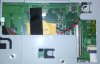
-
See if you are lucky and you fix it, and you comment if you've worked like the notebook
-
Thanks to anyone who tried to help me. It worked! Lesson learned don't touch the ram speed.
-
See, if you can force 3.2 Ghz on A-10 4600m (if this is the A-10 you have).
Since this is the same chip as A-10 5750m it should handle 3.2 Ghz with no problem juz like A-10 5750m.
Unlocked BIOS should allow some sort of OC on the CPU, am I right? -
Glad you've fixed now know be careful and do not touch what you do not know
-
I've got the A8-5550 ES and I can get a stable overclock of 3.7ghz.
-
I tried crysis 3 and works great with the 7970M graphics with loads of 99% in most of scene
-
Wait till you get in the open and see like 50% of the map, the CPU will meet it's limit fast.
-
Best I've managed in so far is 5905 in 3dmark11 with the A8-5550m ES at 3.8ghz.
AMD Radeon HD 7970M video card benchmark result - AMD Eng Sample Mobile 2185_A1 ,Micro-Star International Co., Ltd. MS-16FK
Haven't touched memory timings yet, no idea if that would make much of a difference. -
Oh man, I want to test to see if I can get my A10 4600M to lock at 3.2 GHz, but Im afraid Id mess something up, I dont have the money to take a chance on something I dont know about. If any of you are successful doing so, let me know!
-
Jamie, as you have made these adjustments
-
So, I've been graced with the opportunity to upgrade my laptop, and I was curious if this: Newegg.com - MSI GT Series GT60 2OC-022US Intel Core i7 4700MQ(2.40GHz) 8GB Memory 1TB HDD 15.6" Notebook Win 8 Multi-language (MSI GT60) Would be a large improvement over the GX60 1AC? I know it would get rid of most of the bottleneck processor wise, but is the 770M a step up or down from the 7970m?
-
@ Jamie, very nice!!! I Which I had a es cpu.
-
-
Dabidbobol very good score, you know how to unlock the turbo in the bios for more voltage?
-
Hi Guys, long-time owner and follower of this thread etc etc.
Recently I've noticed that sometimes when I try to power on my laptop, nothing happens. Almost as if the laptop is completely dead. On a rare occasion like this I would remove the power lead and re-insert. If that didn't help I would hold down the power button for a short period and then try to power on again. Normally one of these would work and the laptop would start up.
However last night was different. The laptop refused to start no matter what I did. Took the battery out, held down power button, removed power lead etc. Nothing would work.
I tried for literally 5-10 mins to get it started. Even with the power lead plugged in, the LED indicator for charging/battery would not light up. Eventually it started up.
Does anyone know what could be the problem? Thanks -
770M is a step down from 7970M.
7970M is superior to a lot of nVidia GPUs, see below notebookcheck for ranking.
AMD Radeon HD 7970M
NVIDIA GeForce GTX 770M
7970M is beaten by the following GPUs.
GeForce GTX 780M
Quadro K5100M
GeForce GTX 680MX
Radeon HD 8970M
GeForce GTX 680M
GeForce GTX 775M -
Hello guys,
i got this laptop recently and i want to ask about some advices to boost this horrible CPU. I already red like 20 pages of this thread and cant find anything usefull, so can you please forward me ? I ve tryed thing with bar edit which didnt improve anything for me, is there anything else ? Im trying to play BF4 multiplayer since this was the main reason i bought this laptop but its unplayable even on lowest settings. Also i want to ask about that AMD mantle, do you think it will improve anything for this laptop or can i give BF 4 account to a friend ..
*The Offical MSI GX60 Owners Lounge*
Discussion in 'MSI Reviews & Owners' Lounges' started by layjohn, Oct 12, 2012.


