 Problems? See this thread at archive.org.
Okay, any reason the GX60 1AC is unable to use the 7970M for rendering in Sony Vegas 12? I have set it to use OpenCL, but it just ignores it and goes back to using the CPU only! I know using the GPU to render is much much faster, so it really sucks it's unable to recognize it as capable of doing it (I have had it test to see if OpenCL is available, and it says it is, but no use.
-
Have you looked up enduro/optimus and sony vegas, some CAD products have issues with these technologies.
-
Bumpeti bump. Anyone?
-
I don't see the point. I don't think there are any problems with the stock pads, but I don't know much about pads. Definitely recommend repasting the APU and GPU though. My GPU came with 4-5 giant air bubbles. The APU was actually done ok but MX4 is probably better than whatever paste they used at the factory.
-
Hey gang
Has anyone tried out the 13.30 drivers? See Link:
AMD Support and Game Forums - AMD Catalyst 13.30 BETA leaked
Says the 7970m is supported just checking if anyone has run into trouble with it.
Reason I ask is because it describes Mantle support and for the off chance that BF4 comes through on their usual patch day (28/1/14) My baby will be ready!
I've basically refused to play BF4 until Mantle is released because it promises to make the game so much better for us!
Thanks in advance -
I'm having wifi issues just moved to a new house sharing with people and my connection seems to drop quite a lot or appear as limited. I've updated wireless drivers to the latest but just wondering if its worthwhile updating the bios and / or the firmware? As I have the old GX60 and never updated the bios or firmware.
What do you think? -
BIOS and EC may resolve issues sometimes, but not always.
Which version of wireless driver did you update to? Have you tried this one below?
MSI Global â Download Center -
Had the same problem after upgrading to a new wireless router. It turns out fixed channel on the router is the problem. Changed the channel to auto on the router fixed the problem.
-
Having a similar issue with my university hostel wifi..My room has poor wifi reception and the wifi connection keeps on dropping on 1 laptop, and limited connectivity on the GX60...Seems like my tablet has a better wifi reception than both laptops...
-
For anyone who likes weird statistics about their hardware I have some neat power measurements. Intel developed a tool for use with Linux distros that measures the power being used by notebook batteries. It's interesting as I've only ever seen wall measurements which include things like PSU inefficiency and such, so it's hard to know what yout hardware is actually pulling. When I took these nothing was open but the terminal in Debian
Idle - APU only (dGPU off)

Idle - APU + dGPU

Turning on the 7970M/8970M only added ~9W to power draw, and that's including the fact that the APU's cpu cores were being woken up more often by it being turned on (which is strange and I don't know why this happens).
It's worth noting that these numbers jump up quite a bit as soon as you start doing things. Even just have Steam open in the background accounts for a few watts. I imagine under Windows these would also be higher due to the increased bloat (this Debian install is very barebones). -
I'm on windows 8 and used this wireless_aw_nb100h_10.0.0.225_w864_1 but I might try that one.
-
just for you my friends:
5550m à 4.0Ghz (1.269v) et 7970m à 1065/1560 (1.1v)
AMD Radeon HD 7970M video card benchmark result - AMD Eng Sample Mobile 2185_A1,Micro-Star International Co., Ltd. MS-16FK
héhéhéhéhé it was rockstable..
i can play at 4.2Gh but to hot i believe -
incredible. How hot did it get?
Did you try out games like this (especially games limited by the cpu?) -
For anyone who is playing battlefield 4, the patch for mantle has arrived!
Battlefield 4 Mantle update now live -- do you get better performance? - GameSpot
the amd catalyst driver 14.1 driver that is required will follow suit shortly... -
I've been on twitter trying to clarify that because of this post:
"AMD Catalyst 14.1 Beta will support ALL desktop GCN products, though we are working with EA to further optimize performance on 280X, 270X, HD 7000 and HD 8000. We have asked EA to update their blog to reflect this"
From "AMDGaming"
First person to get mantle working on our Mobile platform please let us know because I'm getting worried... -
umm but what is unclear?
-
I think it will be just the matter of time...it is totally possible that they are only releasing Catalyst 14.1 for desktop this time...they seem to be still rushing and might not deliver the mobile version...
-
will i be able to play diablo 3 multi with a decent fps in fullhd resolution on high settings on gx60 with amd a10 5750m machine?
-
Yes.
Lags only when there's over 40 monsters on the screen (around 20-30 fps) -
I didn't expect such a nice result.
-
Hey gang!
Check out 14.1 beta drivers, Mantle has hopefully arrived.
AMD Catalyst 13.11 Beta Driver for Windows
Downloading now will update with results -
Check this out too...Benchmark that Stardock used to demonstrate mantle...
Star Swarm Stress Test on Steam -
unfortunately, our system is not supported yet.. (mantle), i've been waiting for this..
 bit dissapointed..
-
Hi can you please explain how you got the cpu volt over 1.2375 as my gx60 throttles at anything above that regardless of cpu speed or temp, best oc I can achieve is 3.7 stable 3.8 crashes but infrequently!
Any help would be great!! I am assuming it's down to unlocked bios?
I am using windows 8.1 and amd overdrive.
Thanks in advance -
Any body els tried it?
-
I guess he has a very exceptional piece. My A8 ES top is 3.6GHz and it is different from piece to piece.
-
I don't think it's the chip, I can set it at 2.1 and with cpu volts over 1.2375 and it throttles, I set it to 3.7 (which is stable at 1.2375) and increase it to cpu volt of 1.24 it throttles, Change it back it works fine.
I think my system is choking due to lack of power required, the gentleman I quoted originally had similar issues but some how solved it. Hence my question as I have searched and searched, my only thoughts now are it's unlocked bios options, or i need to mod my psu?
Could anyone please help Me? -
I heard the RoS beta is much bttr FPS wise, so it even might get better
-
there is no benefit from OC it higher then 3.7GHz. Of course for benchmarks you will get some scoore but while gaming it will throttle as hell. 3.7 is max you would try to play. Best for gaming for me is 3.5GHz.
To set higher voltage disable turbo mode in bios (via unlocked bios) and then OC it by PSCheck. -
I am not sure why you say that tbh, my 3.7 oc has no throttling at all, reason I want to run it higher if I can is because I play stwor and that game is heavy cpu whilst in pvp and warZones, just going from 3.2 locked a10 5750m to a8 5550m es with 3.5 oc made a substantial difference, taking it to 3.7 made the game go from unplayable wz to reasonable and just playable..
So opening it up to 4.0 will make it run the game nearly smooth in my opinion. -
I agree but while you push that CPU above 3.7GHz (means higher voltage also) your CPU will start to throttle. You can also turbo cool the CPU but the noise isnt worth game playing 2-3 fps better
-
You might want to investigate re padding and repasting and if any of the Intel heatsinks will fit (something tells me they won't but worth a check)
-
Does anybody else tried this one? Its compatible in our gx series
AMD Catalyst 14.1 Mobility Beta Modded(Mantle API enabled) Driver - Guru3D.com Forumsdidsuw likes this. -
It is compatable but there is no mantel support for our 5750 yet.
Can anybody give me a link for the latest drivers for the motherbord and chipset of the gx? -
What if someday HD7970 will die? Laptop will work on with iGPU ?
-
Then the laptop wont work at all until its replaced.
-
Actually long time ago, there was a dude on these forums who got his GX60, but without a 7970m inside! turns out they forgot to put one inside his unit! crazy stuff, but his GX ran on iGPU just fine, but only with performance of a cheap multimedia notebook witch often gets APU nowadays. He returned his GX not long after he bought it.
-
Oh wow I dont remember seeing that.
-
I personally tested it too, igp only works fine, also nvidia GPUs don't work.
With a little bit of work igp only mode works on the gt series too. -
Hello Guys
Bought a Gx60 3BE
need some help to get more performance
Things i allready did:
- Bios is unlocked
- new heatsink paste
- played a bit with Bar-Edit to lock the cores to 3,2 .... but dont know if its good for the notebook.
Hope you can help me to get more gameing performance out of it
best regards
Max -
You have to disable the integrated graphics is the biggest benefit that you can get about 10 fps or more in most gamesmadmax916sps likes this.
-
any link on how to do it safe ? cause i saw a few post which the user didnt have any screen and needed to flah the bios blind..
-
For me if it is safe and flickering problems and fault display driver have improved with 13.12 drivers, I also know that some users have tested successfully
some touched the speed of RAM is a mistake and the screen goes black -
not got the MSI
but I do have the Lenovo G505s with the same AMD A10-5750M cpu
HWmonitor?
been reading that you say the package temp is way off
pic attached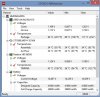
mines "package" has been up to 122c
seems scarey -
The cooler off a GT60 fits perfectly . I have one on my GX60 with a A8 ES . It never goes above 78c while gaming or benchmarking . I am running it aT 3.7ghz @ 1.2125 volts
-
Ah, well then well worth the upgrade for the extra heatpipe (the AMD one only has a single heatpipe).
-
can you explain me exactly what I need to buy and instal to get the cooling like yours?
maybe part number? -
hello raul-77
how can i disable the integrated graphics (my laptop is a GX60-3BE) -
Download this mod: MSI_Enabler.rar (4,29 KB) - uploaded.net
Now open right click and accept, reboot the laptop and you're unlocked bios
and now do what it does in this video: https://www.youtube.com/watch?v=-KnQ6vAgL9I
Never touch the speed of RAM
and before installing all these drivers: AMD Catalyst 14.1 Beta Driver for Windowsmadmax916sps likes this. -
This is the cooler I bought off of ebay E310900332TA900 Genuine MSI CPU Cooling Heatsink GT60 MS 16F3 Series | eBay It has a extra drop on the back that you can sort of see in the picture . It is not used on the original AMD cooler and clears the two small chips on the board . I measured everything and it is the same height and width . Mine came with the thermal pads as it was new .
*The Offical MSI GX60 Owners Lounge*
Discussion in 'MSI Reviews & Owners' Lounges' started by layjohn, Oct 12, 2012.


