Problems? See this thread at archive.org.
OK tnx. I'll try tCL:17, tRCD:17, tRAS: 39, tREFI:54500, tRFC:520 all rest tobe stock and will report back maybe tomorrow.
Last thing voltage 1.25 or more?
and NMode (CR): 1 or 2? I see a lot of people cannot make it 2T
Tnx in advance
-
-
Btw, did you try the RAM overclock without the System Agent Offset befre you added +125mv?
-
Yea 1,25. Strange cr2 it's more stable but slower
-
U can try 0 uncore 1,30volt memory.if doesn't boot try +50 uncore.
-
No. Most people here guided by this tread
http://forum.notebookreview.com/thr...-the-i7-8750h-advanced-version.823065/page-13
Have a look and read it carefully, although the timings did not worked for me.
Any way, overclocking the RAM require a lot of knowledge and a lot of trial & error, that is painful and takes long long time. -
i removed system agent uncore offset, and upped memory voltage to 1.35 (as seanwee suggested earlier) and it booted just fine, and cpu temps decreased 5-7c.
-
I will check n let u know.
-
ran aida64 memory bench without issues as well
-
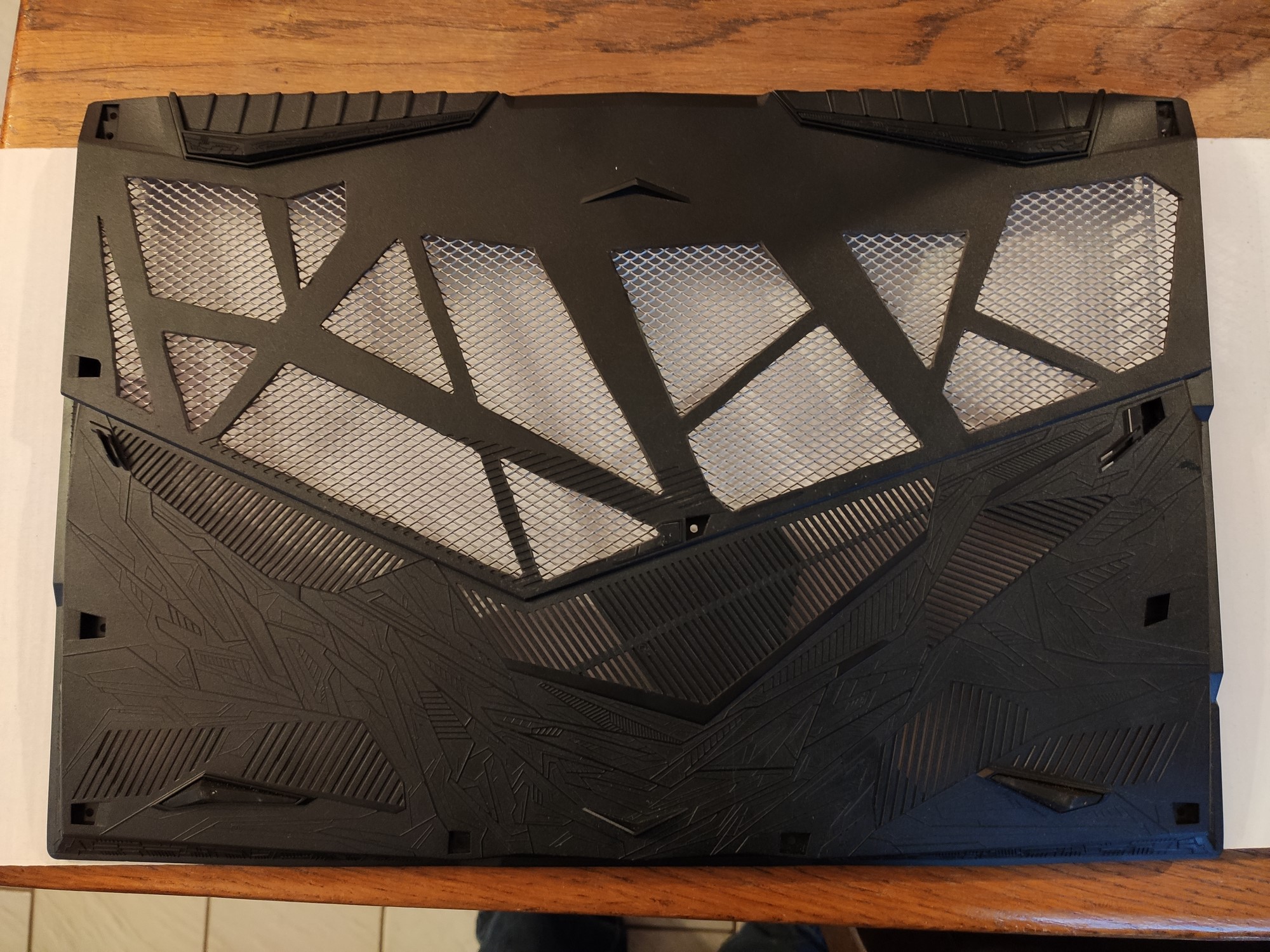
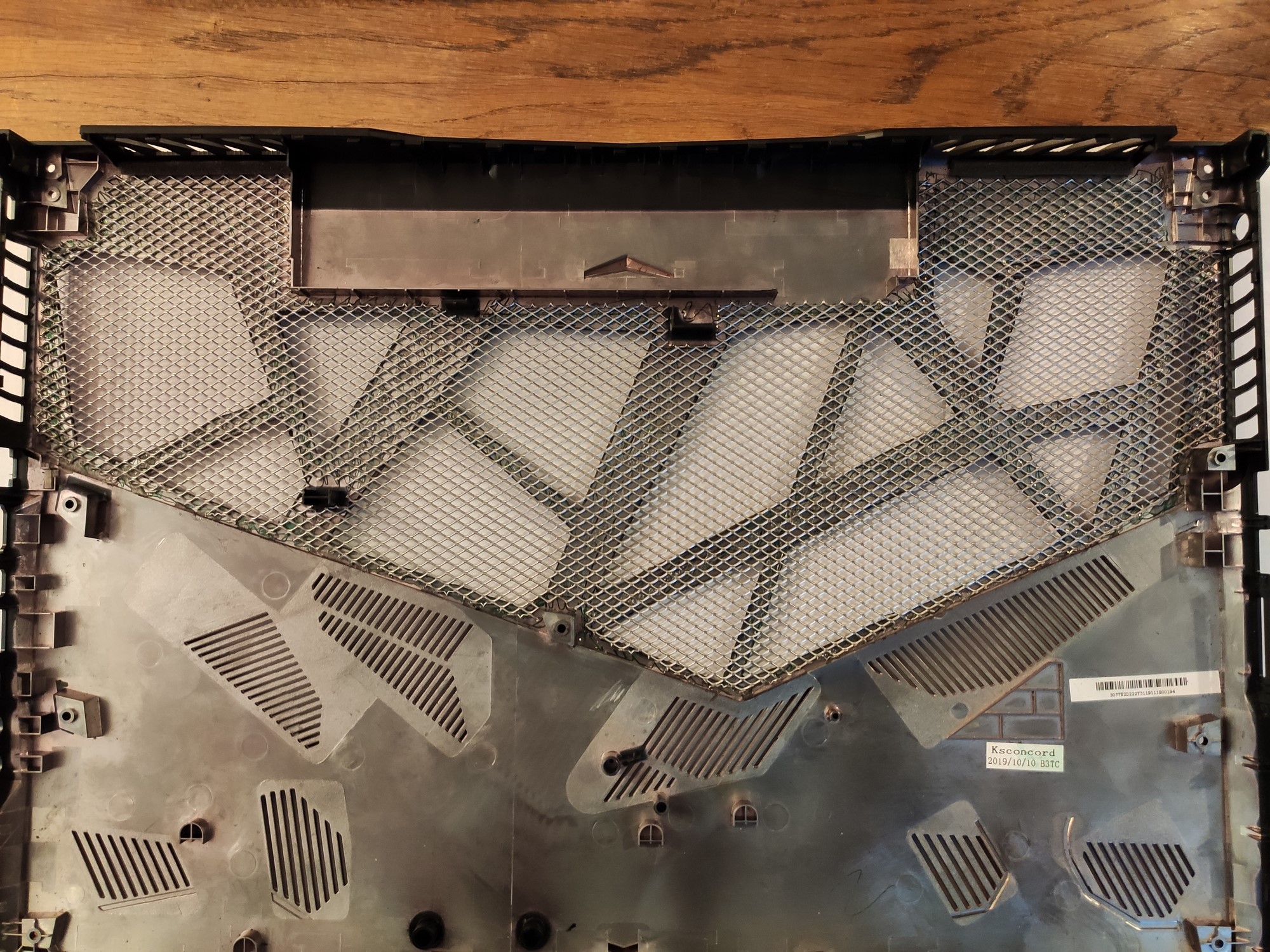
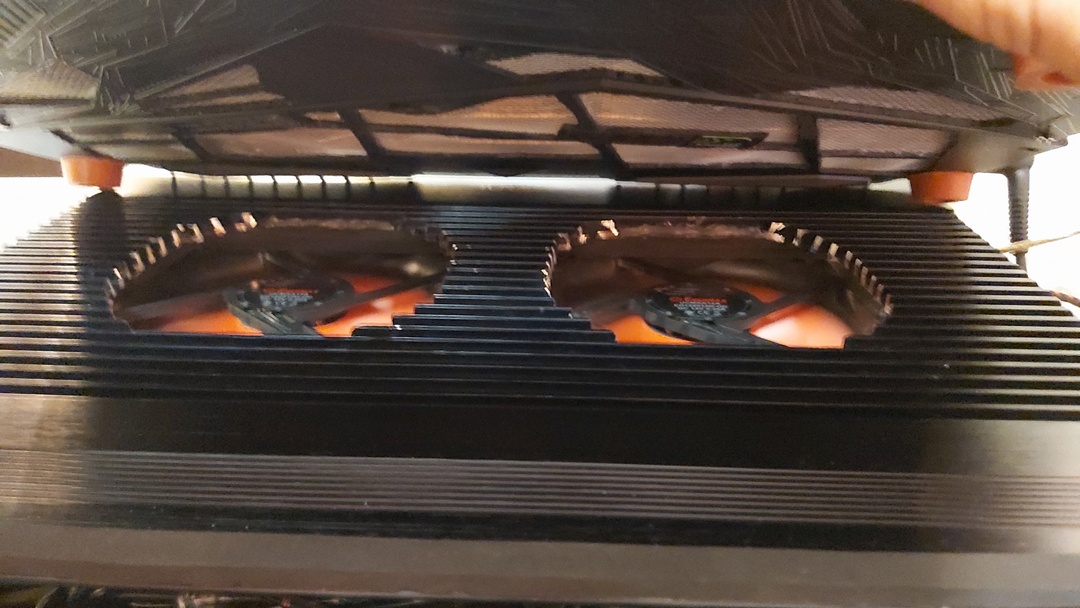
Well get a cover and make it like this.with cooler pad have nice results.
Attached Files:
-
-
what, where did you get that cover
-
This is a stock cover from ge75 and made by a guy in forum.and this at at pic it is mine. Its rushed modding. (About 15 minutes to make it) now I am thinking to get another one to make it with style xd
Attached Files:
-
-
Or like this
-
thats awesome, you just cut away plastic?
-
Yes and use strong glue. Ge65 has that cover as stock.i cant understand why they didnt make us same..
-
Haha all ge75 cover its modded. This is urs? Its nice
-
Attached Files:
-
-
looks like u get nice cooling pad cooling with that mod lol
-
Yea cooler pads with that covers it's awesome.
-
This the stock of 15inches msi.that got me the idea
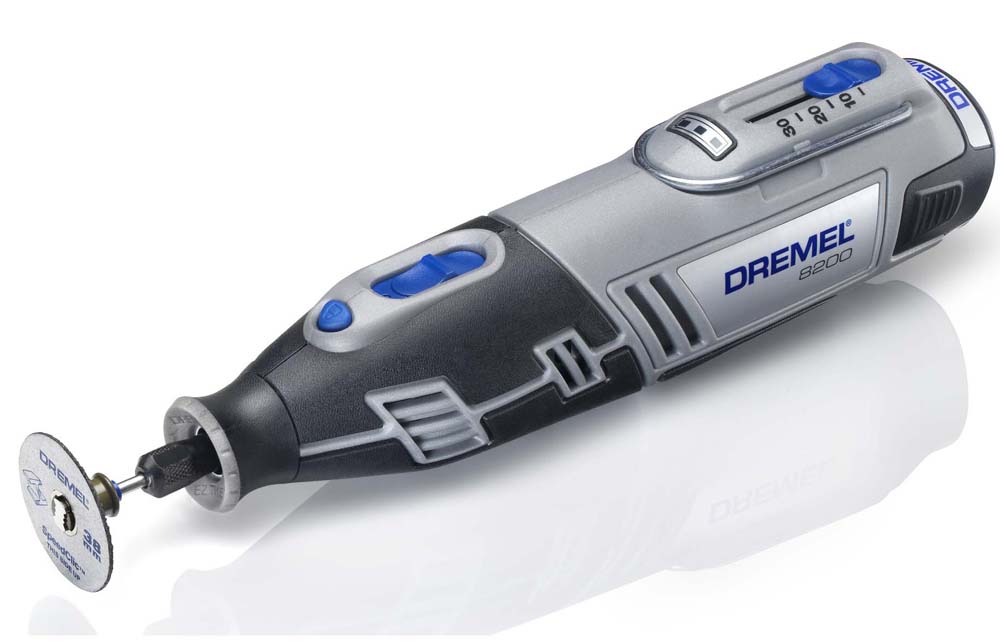
It's hard plastic. U need something like dremel for cut it easyAttached Files:
-
-
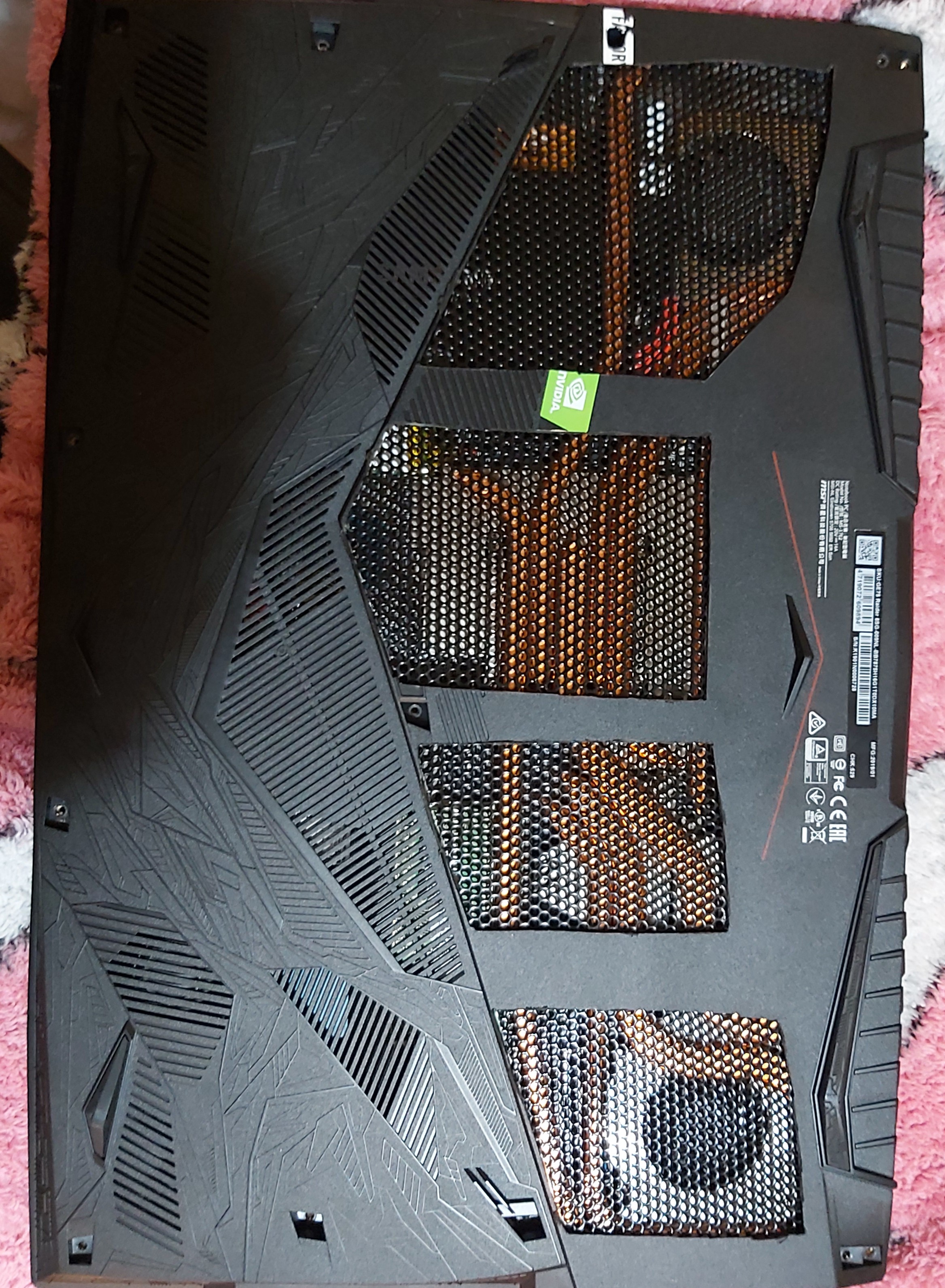
2 months ago I read yr post and somewhere you posted also the tools you use. So thats it. You inspired me and last month during lock down I did it. Now I also attached rubber feet (1 cm in length) in order to be a little high. And also I use a modified cooling pad as well. Idle temps as follows
-
what tools u used?
-
Hahah wtf this it is like u have drop it to cold water... u live in Alaska??
I read also some guys telling have seen -15c with that cooler pad . Maybe can be,cause 4500rpm and that silicon on it,dont let the air leave and its press so much air inside..damn this cant be shipped to greece. What ur cooler pad?
https://www.amazon.com/IETS-Cooling-Flexible-Colorful-Adjustable/dp/B07WVK2ZZ9 -
And if u have time u can make it really like stock madden
Attached Files:
-
-
I used cutting blade often heating it with a torch (the blade only not the cover!!!). Then a small nail file and a stainless wire mess (for windows). Inspired by greninga.
The hard part is to measure the openings to be aligned with the cpu / gpu / fans n coolings / screws and frames.
Remember the following rule:
Measure 10 times first, and only cut once. -
Deepcool N8 with modified fans 2 x 120 mm https://www.enermaxeu.com/products/fans/performance-fans/magma-advance/
BTW where are you from? -
Haha skroutz..greece same as u xd. Α ρε πατριδα!
Well I am thinking to make a modded cooler pad too ,cause summer its comming. 1800rpm its enought? How u give it 12v u using 220volt convert to 12volt or via usb? -
Ναι Ελλάδαρα
Like thisAttached Files:
LocoPwnify and greninga like this. -
-
Adaptor fm 220 to 12 v DC external power supply but I'm not suggesting those fans. You better buy Noctua with higher "Static Pressure". At the time I ordered those fans I thought tt the noize matters and the air flow as well. NO I made mistake. The most important is the static pressure that matters. Anyway I'm happy with those since they have 3 different speed controls. While gaming I have them in the second scale. The third scale is a bit noisy and no gain any less temperatures
-
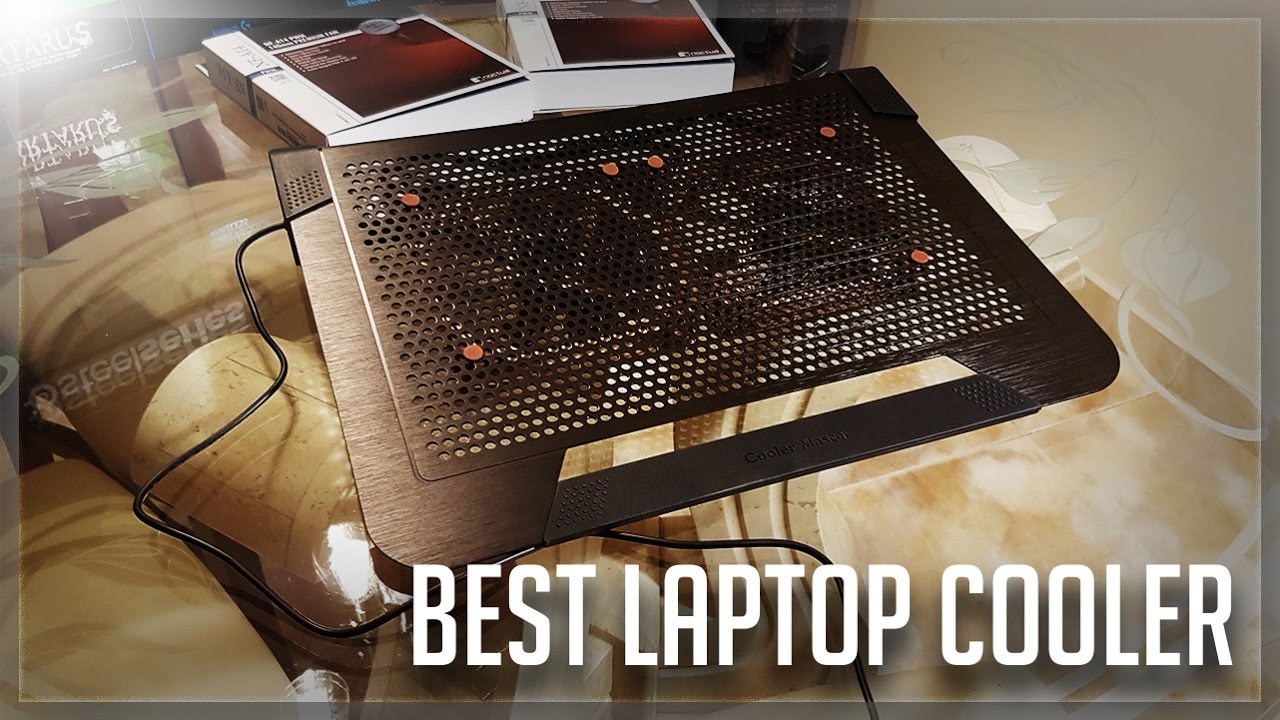
I am thinking to make something like this with noctua fans.
Attached Files:
-
-
Yes that will be my future build.
CoolerMaster NotePal U3 Plus with Noctua fans w/high static pressure & external power supply -
u used before normal cooler pad and u see any difference?
-
I did a test. I tried a big 220v fan that I have at home. And I placed under laptop
CPU temp dropped from 82c with normal cooler pad to 78c. But this fan really push mush air -
Most of the cooling pads no have adequate fans with static pressure. FYI I also made my modded cooler more higher in order to be adequate air space for the fans to pick the air from bottom to the top with max pressure. Therefore a modded pad is a must for us the enthusiasts.
But to be honest only on idle u can see really lower temperatures. During gaming I only have 3-4 degrees C less. The most important as you know is to setup the OS without bloatware, undervolting CPU / GPU, overclocking the RAM, make the BIOS tweaks (IMON SLOPE etc), Proper drivers (MSI drivers sucks), Get rid of the Dragon Center, Thermal paste / pads need to be replaced etc etc.
Took me almost a year to make my laptop working as it should. And I'm telling u tt I was regret buying MSI. Before I had Alienware, I installed the windows, drivers and thats it. With the GE75 spend hours and hours googling / searching / reading in order to make it work decent. But finally it worth itgreninga likes this. -
Yea take me long time too for make it way better than stock.
This week the weather got hotter and now I am playing apex legends at 3,9ghz 80-85 max. With all that tweaks and rams. Last week was max 80 81. Really compare to other laptops like asus scar it's so better. They have our temps only with LM -
Yes. Mine without LM during gaming CPU/GPU are at 60s-70s max. For the games I use a profile with CPU 200 MHz less than max (39 39 38 38 37 37) and the GPU (GTX 1070) undervolted with a almost linear curve of around 1911 MHz.
Custom Fan control through Silent Option. Play Wolfenstein Yangblood and Rage 2 in max settings (No Ultra) locked on 144 fps
Very good performance for me.. -
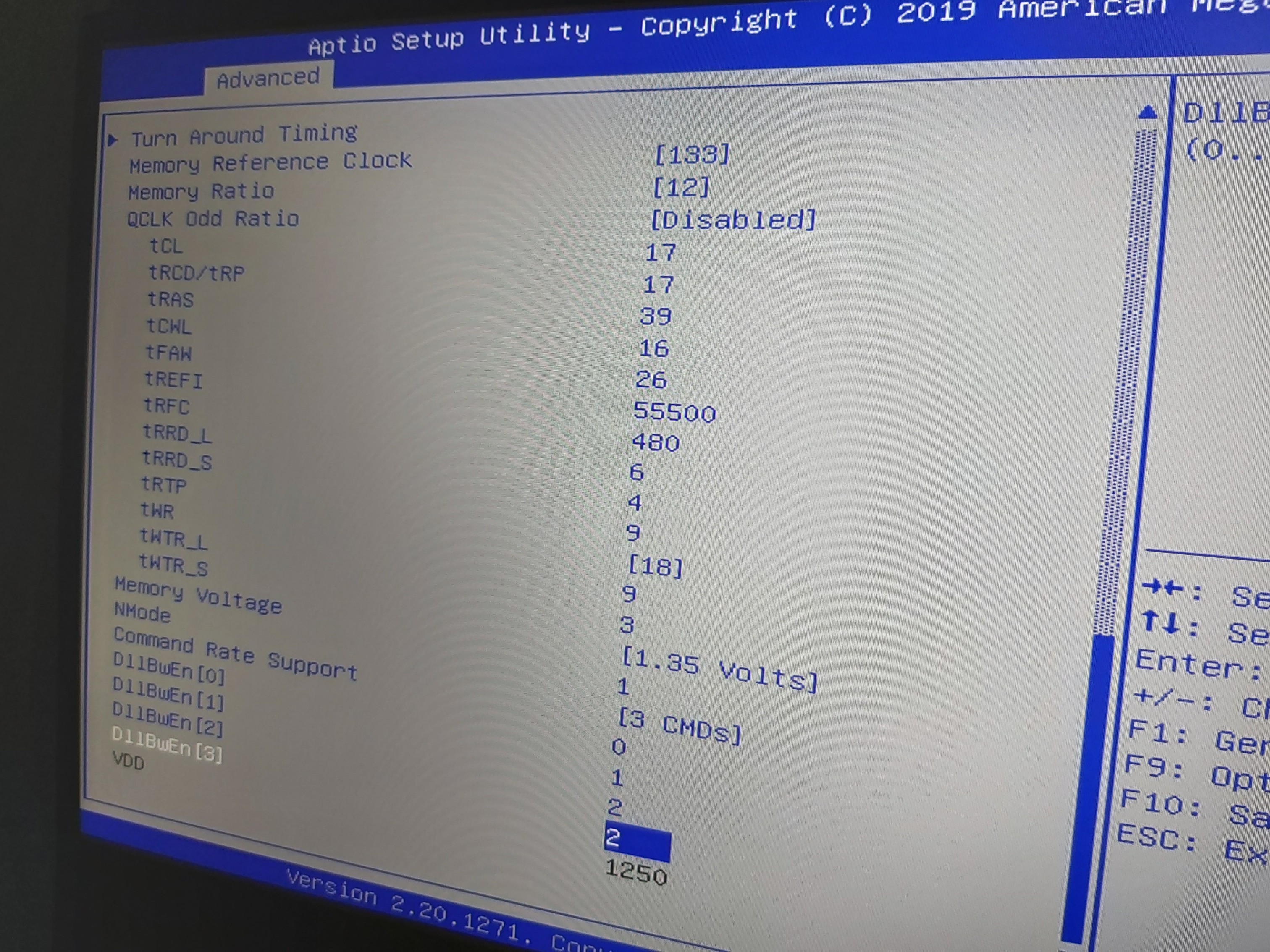
OK These are my last RAM settings HyperX 32 GB 2666 stock (2 x 16 GB)
I did n't tested with games or heavy programs yet.
Any of you guys have any idea to tight the timings a bit more, I will appreciate.
-
i had much better timings and latency with the settings you gave me, however i removed system agent uncore and increases ram voltage to 1.35. Didnt we have the same ram? What are your aida benchmark with your older settings? Maybe my cpu is the reason tho
-
Try 17 17 39
Ur latency its very high 80* -
The last settings are performed better comparing to the settings I gave u yesterday. I also put uncore:0 prefix and increased the memory voltage to 1.30 V. It's working with no much differences in temperatures.
Don't know why your benchmarks are much better. I believe is due to yr better CPU/Caches.
Did you make any memory stress testing? -
Gd morning.
I tried all night long but did n't boot with 17 17 39 -
Good morning
Try that settings. But 1,25volt and uncore 125. Also u can raise trfc from 480 to 600.if doent boot try 18 18 43
U know if that rams its b die?Attached Files:
-
-
Ok I will try when I go home. Tnx very much
-
I solved the issue i had with the colors being wrong. Was a easy fix nothing too bad thankfully.
This is my recent AIDA64test result. Looked a bit at the more recent comments i saw here. Quick question though, what exactly does the voltage do? If it's too low it won't boot? Because i got mine on 1.35, no issues. But is it better to go lower? Because then i'll try that out next. But i am happy with the current results.
https://imgur.com/S13ER3V -
Tried yr settings uncore 125 with 1.25 volt. with 17 17 39 and tRFC 480 & 600 respectively, no boot at all.
Same with uncore 125 with 1.25 volt. with 18 18 43 and tRFC 480 & 600 respectively, no boot.
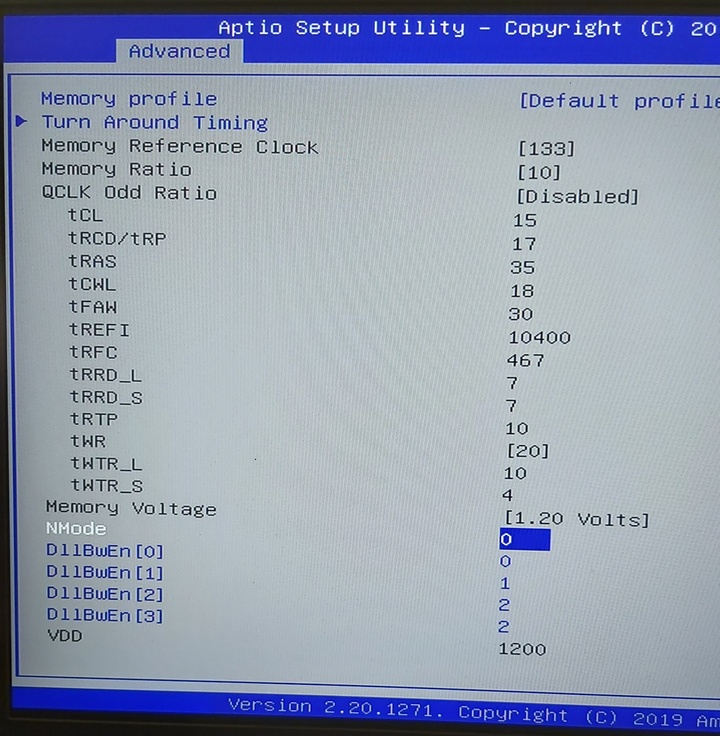
For yr guidance pls see my stock settings in Bios and the AIDA64 default benchmark.
Don't know the answer to yr question.Attached Files:
-
-
Here are my timings if you wanna try @3200MHz, uncore +40mv
The first numbers were before tightening the timings & (best stable timings so far). You can also set them to 0 for auto.
ratio:12
Tcl:18 (17)
18 (18)
46 (36)
17 (17)
34 (20)
10400 (37440)
467 (560)
8 (5)
5 (3)
10 (9)
20 (18)
12 (5)
4 (3)
1.35v (1.25v)
Nmode 1
Cmd rate support: 3 cmd
Last edited: May 14, 2020DimitriosMSI likes this. -
What wrong with ur memory? U try benchmark with full cpu clock speed?
For sure it's not b die rams. Its hard to overclock them. we need check what die rams is.
If ur benchmarks it's with cpu downclocked ,run one max cpu clock
Also try same settings as default with ratio x12 trfc 560 and trefi 10420 and uncore +125 (volt stock)Last edited: May 14, 2020 -
Don't know. All benchmarks carried out with max cpu 41 41 40 40 39 39 but sometimes Aida64 shows base clock speed 2.2 or 3.5 or something else. I really don't know about .
Last night I did all settings possible without any improvements.
When I go home I will try Ulukai's suggestions and yours as well.
Alternatively I have 2x8 GB 2400 MHz Samsung sticks at came with the laptop. -
The stock rams it's not 2667mhz as default?
Yea doesnt matter what clock speed aida shows.its ur clock speed when u press start. -
Tried with uncore +40 mv with both settings. Not booting at all.
-
Probably because these guys dont have the same ram as us bro
*** The Official MSI GE75 Raider Owners and Discussions Lounge ***
Discussion in 'MSI Reviews & Owners' Lounges' started by Spartan@HIDevolution, Nov 12, 2018.