Problems? See this thread at archive.org.
I know this is a good guide but how its explain the stock default settings 17 17 39 and trtp 9
-
It's probably due to heat. Those triangle heat sinks pressing unevenly the cpu causing high differences of the core temperatures. Furthermore suffering with the pump out effect causing the heat sink to dry and all paste to pumping out. This is from my experience when I repeatedly made trials and errors and spend 2 weeks and 10 ml of thermal paste in order to make it work. A suggestion is to put a carbon paper on top of cpu and screw the heat sink in order to determine how much is the uneven pressure. Then to sanding down the heat sink in order to be flat or use a very thin bronze shim plate between heat sink and cpu putting pastes in both sizes. But this will be affect the thermal pads of the surrounding vrams.
-
And also 95 degrees are very very high temperatures that it's not normal. Mine is 80-85 max at the most stressful benchmarks. At gaming and demanding progs I am at middle 70s which is the normal I think
-
His laptop throttling like crazy. GPU close to 90c and drop the clock to 1200mhz.the funny is this laptop was at msi service and they was send to him like this.
I told him,I dont believe they repaste it.and then he opened the laptop and repaste it again with grizzly. But it was exchalty the same temps again. 90c.gpu 95c cpu at 3,0.or 2,6ghz -
Maybe broken heatpipes ? or problem with fan speed ?
-
8750H / gtx 1070
Attached Files:
seanwee likes this. -
-
Another think. If he used kryo before might had the following issues
1. The paste pumped out and the area dried cause kryo is having high viscosity
2. Maybe permanent markings due to paste. It is reported to many users tt kryo in long term make permanent markings to the heat sink
That is the reason I never use kryo and finally it is also reported tt this paste is for short term overclocking just for testing purposes but this is another story.
For solutions, did you try CMOS Reset and try to k5 pro the vrams and align the heat sing. For my experience I bend it a little bit but this is after mana many trial & errors as I told you before..
Can you send me the core temps one by one? eg cpu0, cpu1, etc. I need to check something -
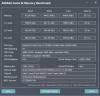
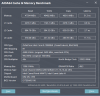
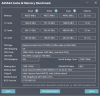
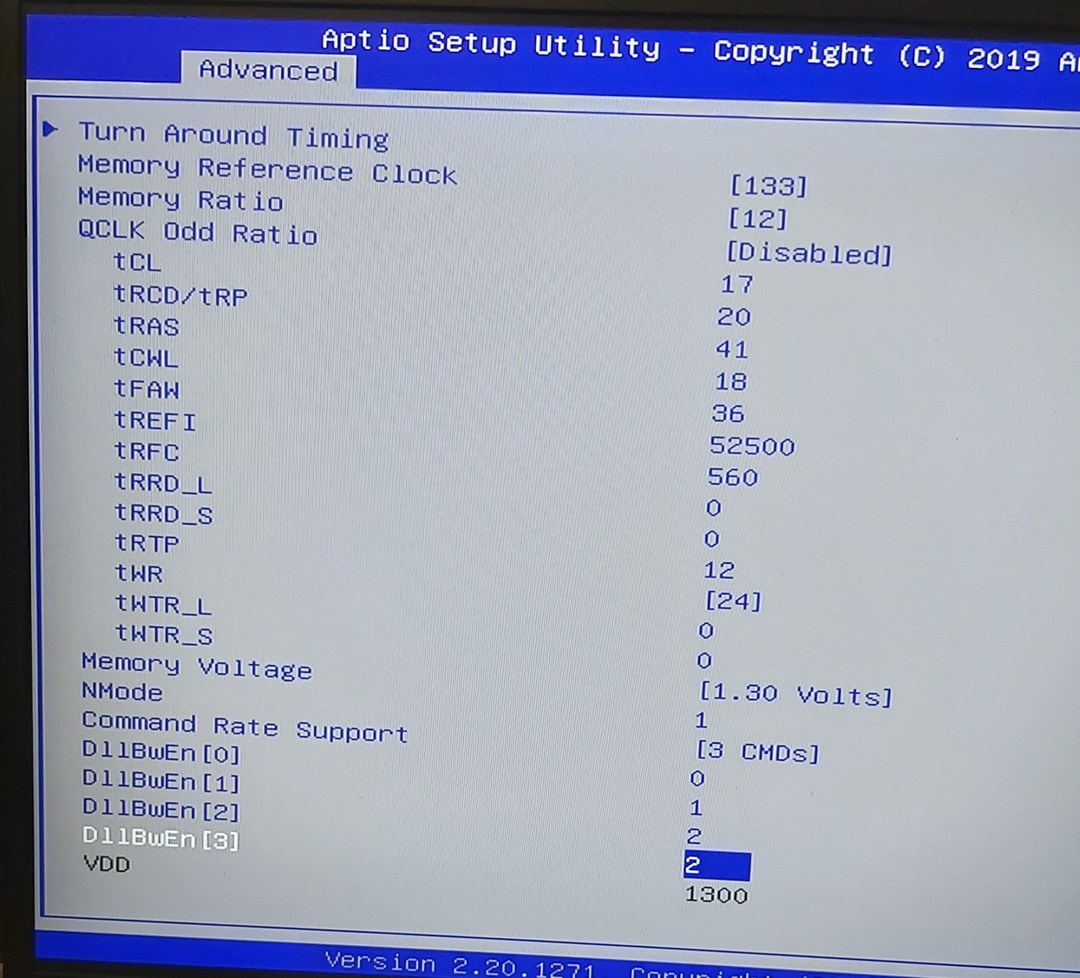
I did your setting with tRCD/tRP on 18. With tRAS = tCL + tRCD/tRP + tRTP (Hackness model) and these are my results:
Attached Files:
-
-
I tried with both 34 and 36 both didnt boot with tRCD on 17. with low9 settings.
-
Can you make a stability test just to see tt its stable (no errors / no BSOD). Cause mine with those settings are unstable on memtest64. Tnx in advance
-
Yo usure you changed tras to 43? since low9 had it on 42. I'll test memtest
-
****, it wasnt stable...
-
I'm doing some tests (takes time) and if I achieve some good results I will post here
-
https://imgur.com/a/h3lZrfs
So these settings were not stable on Memtest64. Took 15 seconds before BSOD. Anyone have any tips? @seanwee -
tcl: 17
trcd: 18
Tras:44
rest low9 settings.
Gave me 0 memtest64 errors. Still no error after 10loops.Attached Files:
Last edited: May 15, 2020 -
-
Uncore: +40 and mem volt: 1.30? Or else?
-
Nah i did 1.35v no uncore
-
It give u bsod cause of uncore.memory control need more feed
-
Raise your TCL to 17. Your secondary timings can be tightened more btw.
Try my settings for the secondary timings.
TCWL 16
TRRD_L 5
TRRD_S 3
TWTR_L 5
TWTR_S 3 -
Nah, didnt boot, thanks tho
 raising TCL to 17 and TRAS to 44 are stable atm
Last edited: May 15, 2020
raising TCL to 17 and TRAS to 44 are stable atm
Last edited: May 15, 2020 -
Tried all possible combinations, RAM 2x16GB HyperX 2666 MHz stock overclocked to 3200 stable FTM, Uncore:0. Still testing
Attached Files:
-
-
My settings were not 100% stable. I raised the voltage to 1.3v too. I will do more test
-
Speed looks good!
-
Is your new settings stable?
-
So far yes. Ram tests passed successfully. Although I need to test with heavy programs n games too.
-
Try using TM5, run it overnight let it run for 20 cycles (Its already preset to 20 cycles).
And if those are hynix chips on the hyper X ram then you are already on the correct path, its hard for them to match a samsung die most of the time.
And I think your tFAW can be a little tighter. + depending on the memory and memory controller the uncore voltage can help a lot compared to just raising the memory voltage.Attached Files:
-
-
Well I thing that grizzly kryonaut it's not good paste for laptop.dont know maybe works stable at lower temps.
The true is the room temp raised from 20 to 27c but I dont thing this is the reason 20 days after repaste the temps will raise almost +10c on cpu. I had max 80 and after 20days I have max 90c. This is the 4th time I repaste the laptop with grizzly and different methods but everytime the same happens.I am thinking to switch paste -
Tnx for the info I will try the tm5. Regarding uncore voltage I did n't set because I will have higher temperatures and I think 1.30 v in the memory is enough. I'm not sure tho.
Now I have temperatures 40-45 idle with fans on zero. Before ram overclock I was constantly at mid /high 30s on idle. -
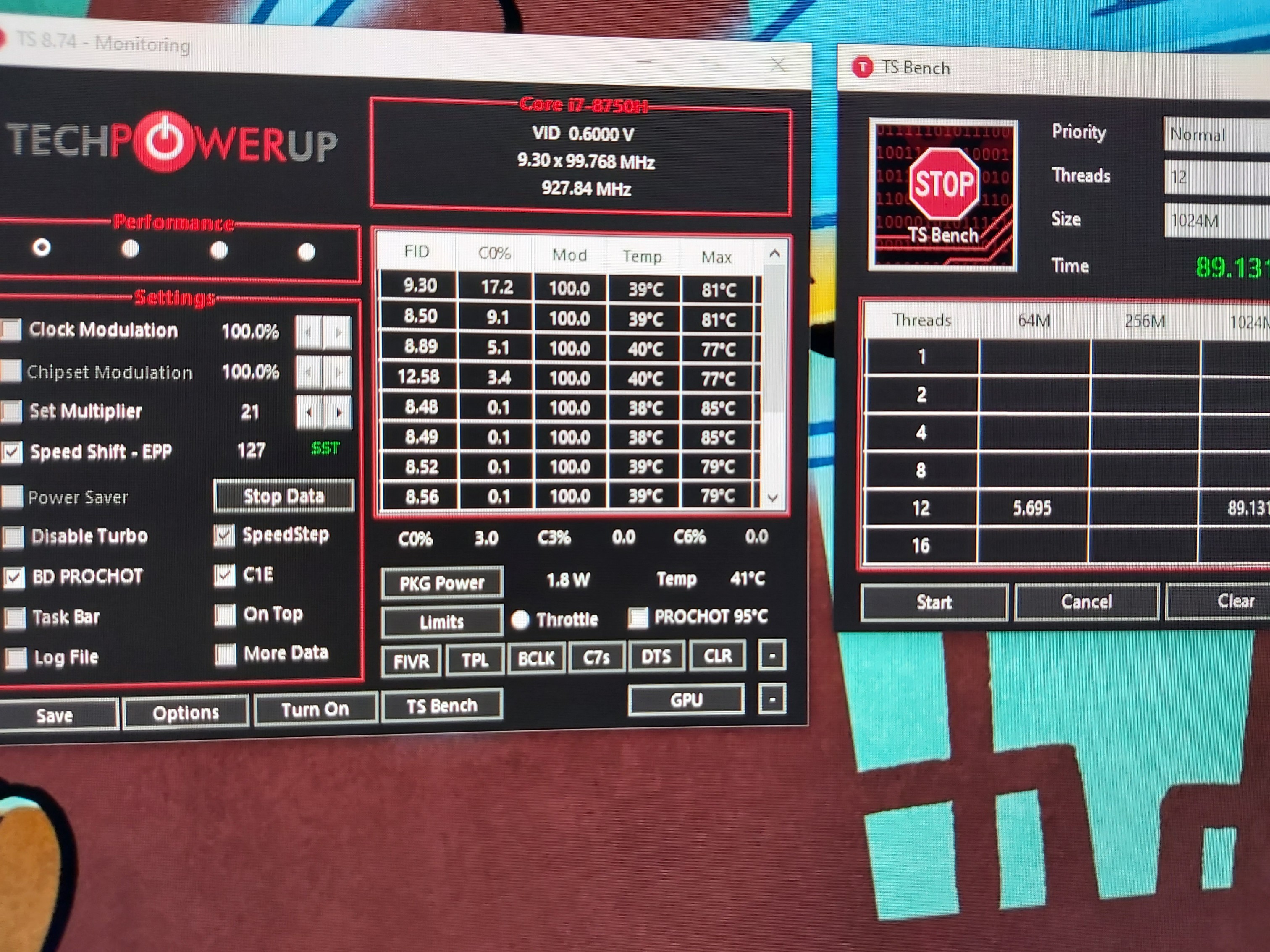
Dimitri I wanna u try a ts bench 1024 at 3,9ghz with no tdp limit on cooler boost and just tell me the temps.we live in same country so it's good compare
Edit: dont set ur cooling pad at max rpms.u have powerfull cooling pad.set this to lowest rpms -
Experiencing the same, temps are good the first week, then deteriorate fast. My issue is two cores running 10-15c above other cores on high loads. Probably didnt screw the heatsink well enough. But im gonna go with new paste next time. I had to downclock today, cant pla ywith 4.5ghz on all cores anymore because of those 2 damn cores running 10c above others. 4.0ghz the bad cores dont go above 79c tho. However, Kryonaut are cooling my GPU insanely well. it dont go higher than 73c even on big overclock.
-
As I told yesterday, I made my own search and I found out the following, but this are given without any prejudice.
1. Grizzly kryo is reported tt in long time term somehow make permanent stains to the sinks or some how corroded them
2. Also its viscosity make the pumping out effect. So with the low pressure heat sinks (laptops) eventually soon or later will dry out and will be transfered outside the cpu
3. Its performance is for short term and this is the reason tt it is using for overclocking only
4. I think it is overated and overprized as well.
A little ggogling and you will find tt all pastes more or less they have small performance differences of abt 3 degrees C. Except of the LM which I also have a very bad experience.
Long story short. Our laptops with low pressure and uneven pressure triangle heat sinks require a more thick paste such as cm mastergel which is not the best in the market but you loose/sacrifice a couple of degrees C but maybe you can have it for one year or more without worries.
This is my personal opinion and at the moment I use noctua h1-n2. -
Yea this is really bad. At first days the temps it's amazing..this time I repasted with pea method and worked good till now.but I got tired of this. I wanna give a last chance and repaste with X method but I dont thing the reason it's the method.. That paste it's not stable at high temps. That is my opinion.
-
Yea maybe u are right to all. Also i have LM at home but I dont want use it..damn
Do that test..really I wanna see how noctua works.. we have same laptop with same cpu and same country ahha. When finish my son I will post a ts bench 1024 -
Im gonna try the Thermalright TFX. Thicker than Kryonaut so it won't have the pumpout issue. Heard good things about it.
-
This temps before one week was 66c gpu and max 70cpu at 3,7ghz
Many ppls say good words for that noctuaAttached Files:
-
-
Yea but I thing that laptop have really good cooling system for the gpu.its not like some others laptop that hit 85gpu. As stock i remember the gpu was max about 75 76c.
-
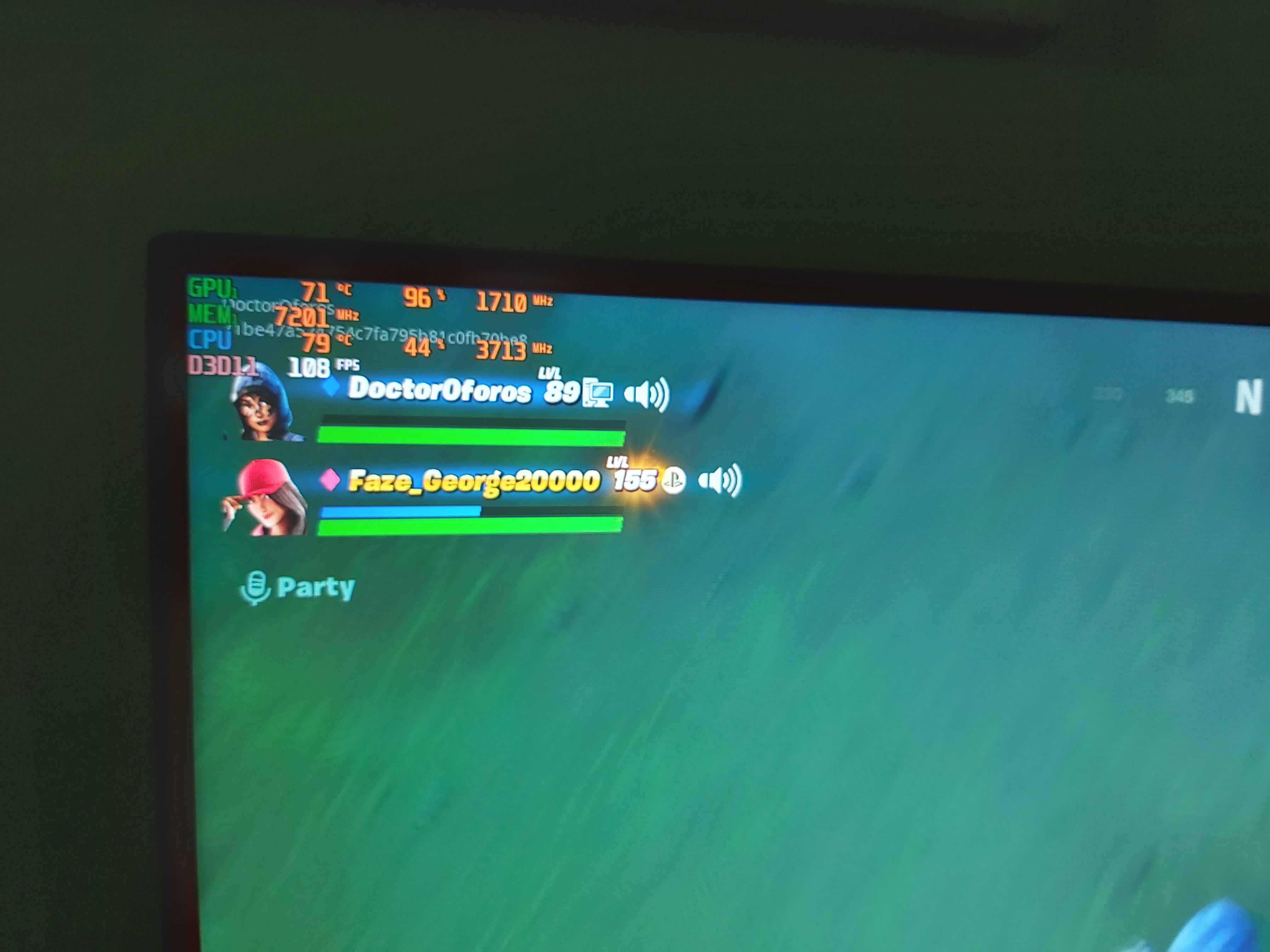
One friend have send me a pic from ge75 10980hk/rtx2080 super. I helped him to undervolt it. This ge75 it's just undervolted.
I will have new pics with heaviest gameAttached Files:
-
-
I advise u don't use LM u will regret as I did. find out my results but let me tel you my setup first
1. bios speed shift enable
2, bios imon tweak 50 / -31999
3. bios AC/DC load line set to 5
4. Fan curve fm silent mode manual curve
5. Speed shift set 50% in windows power settings and in throttlestop set to 127. I can do better results with speed shift to 0 but I don't want to
6. No cooling pad fans run for more accurate results
7. RAM overclocked to 3200 as you know already
8. CPU cores 0-2-4 are a bit higher than 1-3-5 due to uneven heat sink but the difference is only abt 5 degrees so I am happy. Before I had abt 15 degrees difference but I managed to solve it
9. Max temps 81 min 76 without running the cooling pad fans.
I'm here for any clarifications
PS also noctua is known for pump out effect due to its thickness but I can make the sacrifice and do the repaste every 2-3 months. it is also easy to apply and remove, I have the 10g which is coming with noctua wet pads for cleaning the previous paste with the price of abt 20 euro. I also use cooling pads on vrams instead of k5-pro so it is more easy for repaste.
Sorry for the long post but I need to be as clear as possible and to give you the most tt I learned since I bought this laptop.
-
Forget to tell u tt after bios tweak AC/DC loadline to 5, I undervolted core & cache to 50 mV. Did not try less, yet...
Attached Files:
-
-
Well we have same settings at bios just my imon its 11999.doesnt matter this...
I have dragon center installed.i will make speedshift 127 like u cause I have 0 and 85 and I will do the test.but i am sure i will hit higher temps.that temps i had with fresh grizzly. Also I hope u havent any air condition on. My room temps it's about 27.
now also my uv its -62,5 with loadline 5. I can push it to -92mv with really very low temps but I got ts bench errors -
No aircondition and same room temp as yours. Tonight is a very hot night. PM me yr city if you don't mind.
-
Corfu
-
Maybe I will try after that test repaste X method for last time.the strange it is I dont see never the paste ruin at cpu
Last edited: May 16, 2020 -
Did you fix the uneven core temps by rescrewing heatsink unti lyou got it right? Or did you repaste a lot of times?
-
Repasting GE laptop is a pain in the ... Check yr thermal pads not to be more than 1 mm thick (affecting the pressure of the heat sinks) or if you use k5 pro or similar, try to put exact quantity (no more no less).
Another small hint. After repaste try to put the cooling system evenly and force some strength on the gpu and cpu heat sinks with your hands evenly but with caution not to bend the heat pipes.
Then try to screw all the bolts with the following order and only one full round each time
11 one round, 10 one round, 9 one round, 8 one round. Repeat steps untill you tight the gpu,
Then screw the bolt 7 one round, 6 one round, 5 one round, Repeat steps untill you tight the cpu evenly
Then screw the rest fan screws Nos 4,3,2,1 respectivelly and in that order on round at a time.
With this way you will have constant pressure untill you finish, so the paste will be spread evenly. Always use your laptop in upright position so the motherboard to be always on 0 degrees without list.
I'm fm Patras btw.LocoPwnify likes this. -
I spent many hours and many many tests until I found out tt my adjusted cooling pads were 1.5 mm thick. I ordered 1.0 mm instead, I very very very carefully bent this f***ked triangle heat sink and discovered that the cooling system should be placed as per my above post's description. The other option I had, was to place a very thin copper shim between cpu/gpu and heat sinks but I did n't risk it, It is an alternative option tho.
Rescrewing heatsinks does not gain anything. The only way it to repaste several (I mean SEVERAL) times till you can make it. This is my experience, don't know abt what others do. -
All that helpfully !thnks.go now repaste.and I come back stronger xd
Attached Files:
-
-
what pasting method was most effectvie for you? or doesnt matter?
-
I was tried 0,5MM thermal pads at vrams and was thick. My gpu temp raised to 88c.i thing this made a gap at heatsink and gpu chip
*** The Official MSI GE75 Raider Owners and Discussions Lounge ***
Discussion in 'MSI Reviews & Owners' Lounges' started by Spartan@HIDevolution, Nov 12, 2018.