Problems? See this thread at archive.org.
Thanks for the reply. I just wonder if "bottom-side" ssd memory chips will have enough space between the motherboard and the ssd. To be honest, I must say that I asked MSI support and they said: double-sided will not fit. However I am not sure if they really don't fit or MSI support was just "cautious" giving they statement. Cause they added that these Adata ssd is "not guaranteed that it'll be fully compatible with the laptop".
I would buy other brand, for example Samsung, but I read that Adata is significantly less hot.
-
This SSD should still clear the clearance with double-sided components but not 100% sure, however its heatsink will need to be removed in order to fit. The other concern is the one side of SSD close to the main board may not get much of heat dissipation which can cause the SSD to throttle down easily.
-
Ok, keep in yr mind tt although we all have GE75, all models varies in thermals / cooling system and device configuration. My model GE75 8RF have 2 slots for m2 nvme ssds with a height from the motherboard of abt 3 mm, tt should be ok for you but I can not guarantee that.Kevin@GenTechPC likes this.
-
Actually only the SSD controller needs to be cooled, the memory chips don't produce much heat or throttle, it's the memory controller that produces a lot of heat and throttles.Kevin@GenTechPC likes this.
-
That makes sense, so most likely the SSD controller stays on top side, thanks.

-
When u have repaste with noctua and k5 pro and have visitors at home and cant test it haha
-
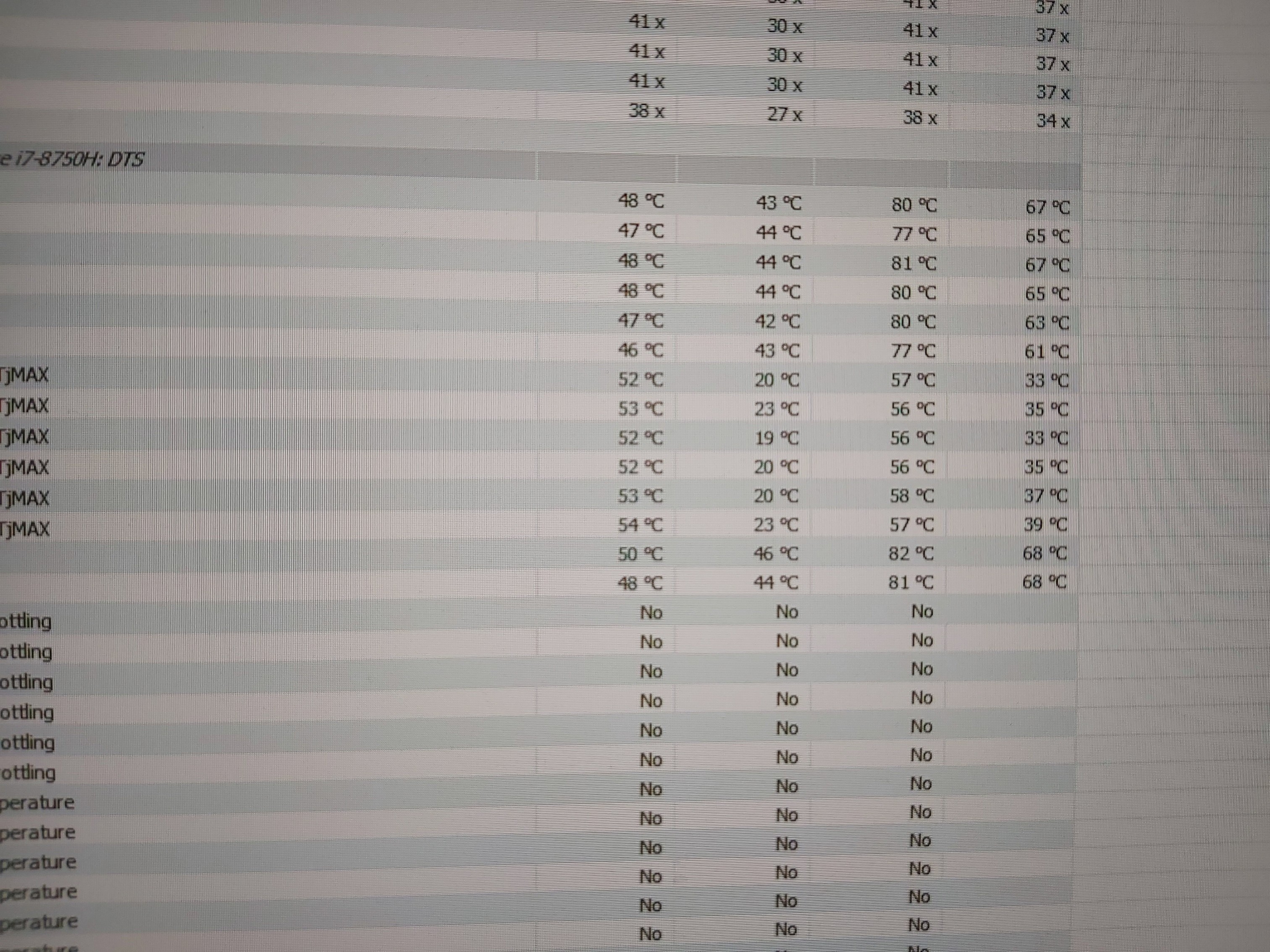
Laptop running with noctua about 6hrs now and the temps looking very stable.if the temps stay there for sure bye bye grizzly...game over
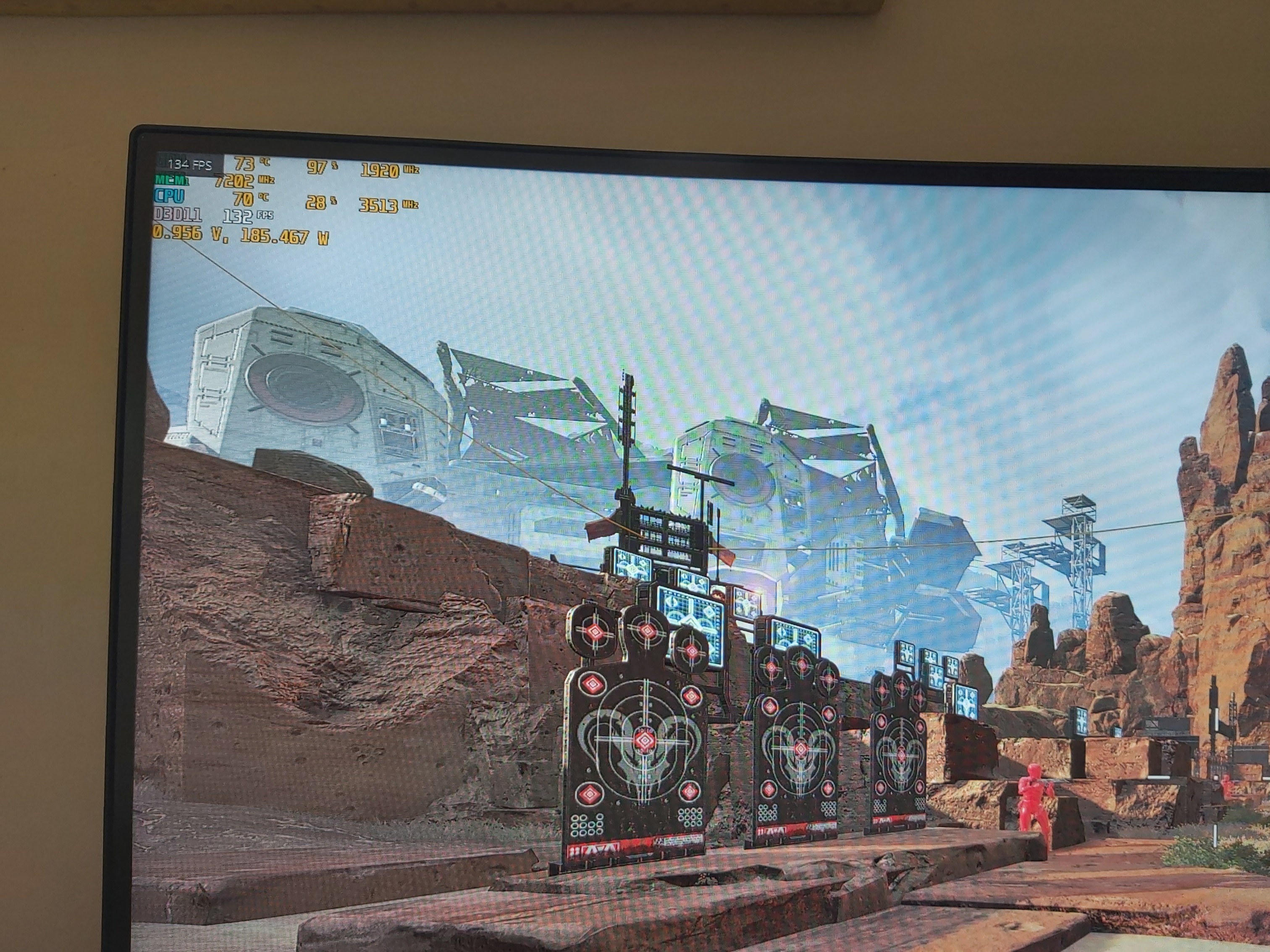
Here is a pic playing apex legends at full CPU clock speed at last hr. With grizzly i had yesterday bout 83-92 with about 2-3c hotter room than now.
Thnks to dimitrios about noctua and that trick at triangle on cpu. I hope the temps stay there.Attached Files:
Last edited: May 21, 2020LocoPwnify, seanwee and DimitriosMSI like this. -
-
What happened now? And what trick are you talking about?
-
Dimitrios wrote a little guide on how to screw the heatsink properly a few pages back
-
Yea that 3 screws on cpu.
Today before go at work I did about 10 benchmarks. The temps its stable exchalty same like the first 5 minutes after repaste.
Noctua hasn't that bad effect like grizzly.
5 minutes of repaste it's amazing and after some use raise and raise.
At benchmarks it's about 5 -6c max difference the lowest core with highest one. At games about 2-3c
Wtf with grizzly? Why all say it's the top? Marketing?I got bad quality grizzly? I have spent about 15gr grizzly at this year
*GPU 68 -69 like grizzlyLast edited: May 22, 2020 -
Probably because noctua paste is thicker and thus has better contact.
Perhaps your heatsink has uneven contact with the cpu and gpu and needs more paste to compensate. And thicker paste will stay in place better than thinner pastes which will drain away and leave gaps. -
I think Grizzly works really bad on laptop heatsinks, the pressure between heatsink and die simply aint good enough. However my grizzly is working really well on my GPU! But my CPU has high core temp delta..
Going to try Noctua -
Yea grizzly works amazing at lower temps.for this the firsts benchmarks after application it's like max 77 78c.
Then, this dont stay for much time and the temps raised.
I am sure if set the cpu at 3,0ghz grizzly will have lower temps than noctua about 2c.
But at higher temps grizzly lose control -
I think this is because Operating temperature of noctua is -50 to 200°C. Either way most of the good pastes on the market right now, have very little difference in temperatures (2-3 C). The most important is their viscosity and their ability to stay on the area (no or less pump out effect) for longer period, especially on the low pressure heatsinks (laptops).
That is the reason some PC users have very difference experience than laptop users.greninga likes this. -
I thing grizzly says on it 200c too.
First time I play apex legends full cpu and hwinfo say max 81c... on afterburn about 75-79.
At evening I go for more tests.
Also I have to test it when the weather its hotter. -
Im getting tired of figuring out ram overclock guys... i get micro stutters every 5minutes.
I know this might be a stretch but by looking at my Kingston Impact 2666mhz XMP, are some or one of you guys able to tell how i should time it to most likely get stable at either 2930 or 3200 or 3600? I’ve tried so many different things at 3200 and micro stutters when gaming just wont go away..
https://imgur.com/a/6IBEw9Z -
Ram overclocking is a real pain and can be more of a chore than entertainment unlike cpu overclocking.
As long as you get 90% of the maximum performance you ram can achieve then you should be fine. The last 10% takes weeks to squeeze out.Kevin@GenTechPC likes this. -
Did u try my settings? I'm running almost a week now full stable at 3200 MHz
-
Enter the attached settings, NMode set to 2 for more stable performance and uncore: +125.
Attached Files:
kickback likes this. -
-
Thx. Worked
-
Found a way to disable Optimus on demand, increased my fps ingame. Used traypwrd3
-
Wait what?
Are you using the built in screen or an external one? -
Hello community, I want to upgrade my RAM to 32Gb, but I'm not sure which one to choose.
Maybe your experiences can help me. You can choose between the HyperX Impact 2666 CL15-17 or the HyperX Impact 3200 CL 20-22.
After the blunt math, the 3200 is slightly slower in timing. What would you recommend in terms of OC?
My OEM (Kingston) Ram is currently running on 2933 CL 16-18-18-35
Thank you for your assessment. -
HyperX Impact 2666 CL15-17 is a good choice. I own it (2 x 16 GB). For overclocking this ram upto 3200 MHz, just see a few posts back in this forum.
-
I have read your posts and would like to know if the 3200 RAM has more OC potential. The 3200 only costs 5 € more.
Gesendet von meinem MI 9 mit Tapatalk -
Don't know what you mean. I'm telling u tt the HyperX 2666 can be overclocked upto 3200 stable and perhaps upto 3467, in the cost of a few degrees C more, on the CPU.
-
I am thinking it's the same rams.just different settings from factory
Plumps_ likes this. -
If u want to improve the sound experience of yr MSI laptop, u can use the modded Realtek / Nahimic drivers fm this forum:
http://forum.notebookreview.com/thr...upported-systems.822763/page-86#post-11011914
The guys there are doing excellent job and I am using their releases for one year now without any issues. All u have to do is to check if yr laptop is compatible with the relevant list and to follow the installation instructions.Plumps_ likes this. -
I prefer Dolby as they have superior virtual surround technology.
-
Yes, but I heard tt Dolby on MSI laptops having issues with the microphone, is that true?
-
Yes, I was the one who said that.
If you use Dolby you will have to use an external mic. I use WO Mic which allows me to use my smartphone as a wireless mic, pretty convenient -
Well I just got my best timespy score
https://www.3dmark.com/spy/12171396
I had it at 4.6 with -62mv. It hit 91c I also used the afterburner oc scanner profile with +600 on mem. I’m just learning ram overclock and it was the first setting I could get to boot. 1.35v x11 +125 uncore. I didn’t change anything else. I should be getting my new 64gb ballistix 3200 sometime this next week.
The gpu doesn’t get warmer than 68c. Do you guys think I’d benefit from the TDP trick? -
For sure
You can try flashing a higher tdp vbios as well to boost gpu performance. PM me if you're interested.
Edit: NVM you're running a 2080 super.Last edited: May 24, 2020 -
There is a custom TDP vbios available for the RTX cards in the GE75 ?????
Can't find anything for my GE75 9sf -
Are u meaning the vbios from asus 200watt? I was thinking that but what after with the 280watt adapter its enought to feed all ?
-
I only have the vbioses for 2080 gpus. All the way from 80w to 200w ones.
-
If you're running an i7 8750h/9750h then yeah the 280w brick is enough for you to run a 200w vbios if you're not intentionally stressing the system and just gaming.
-
Damn, this power limit is so frustrating !
Thx for your answer. -
You "could" do a shunt mod like I did if you're really crazy for more performance.
I'm just 500 points behind @Hd172's timespy graphics score with a shunt mod on mine. -
Yea for this u are right.never the games will stress so much the 8750h to draw the maximum watt. U have to stress cpu gpu in same time.
But someone was told me its risky to lose gsync of the card? Are u heared something like this? -
They said you will lose display port I think, not G-sync as the GE75 doesn't have that in the first place.
Luckily the 200w vbios I have is from the GT76 titan so there a higher chance display port will still work.
You can always flash back to your original vbios if you need displayport so there's no risk of losing it permanently. -
Yea maybe he ment the display port.i am using the dp cause of external monitor .Ur dp works as well?
Has a big chance to works all 100% cause of same device Id . -
I dont use displayport so i wouldnt know.
In any case even if display port worked on mine it might not work on yours as we have different laptops. Yours is a GE75 and mine is a GS75. -
I remember fixing it with some stupid thing, keep changing the the default format from 16bit something to something (Not sure of the numbers) just keep changing them and disabling it and enabling it at some point it will work.
-
So I’ve peaked and now I need a new laptop?
-
No, I just haven't asked for a 200w 2080 super vbios
-
Who do ask?
-
Same question seanwee, where did you get your modded vbios ? you edtited it yourself ?
-
On ge75 rtx 2080 the 200watt works absolute perfect.some times hits 205watt.
now I have to undervolt it.here it's on external monitor 1440pwith displayportAttached Files:
seanwee likes this. -
-
Its works with out problems cause that 200watt model use exchalty the same grafics card.
For 2080 super may need the 2080 super 200 watt vbiosseanwee likes this.
*** The Official MSI GE75 Raider Owners and Discussions Lounge ***
Discussion in 'MSI Reviews & Owners' Lounges' started by Spartan@HIDevolution, Nov 12, 2018.