 Problems? See this thread at archive.org.
No uncore offset.
Try this one
-
-
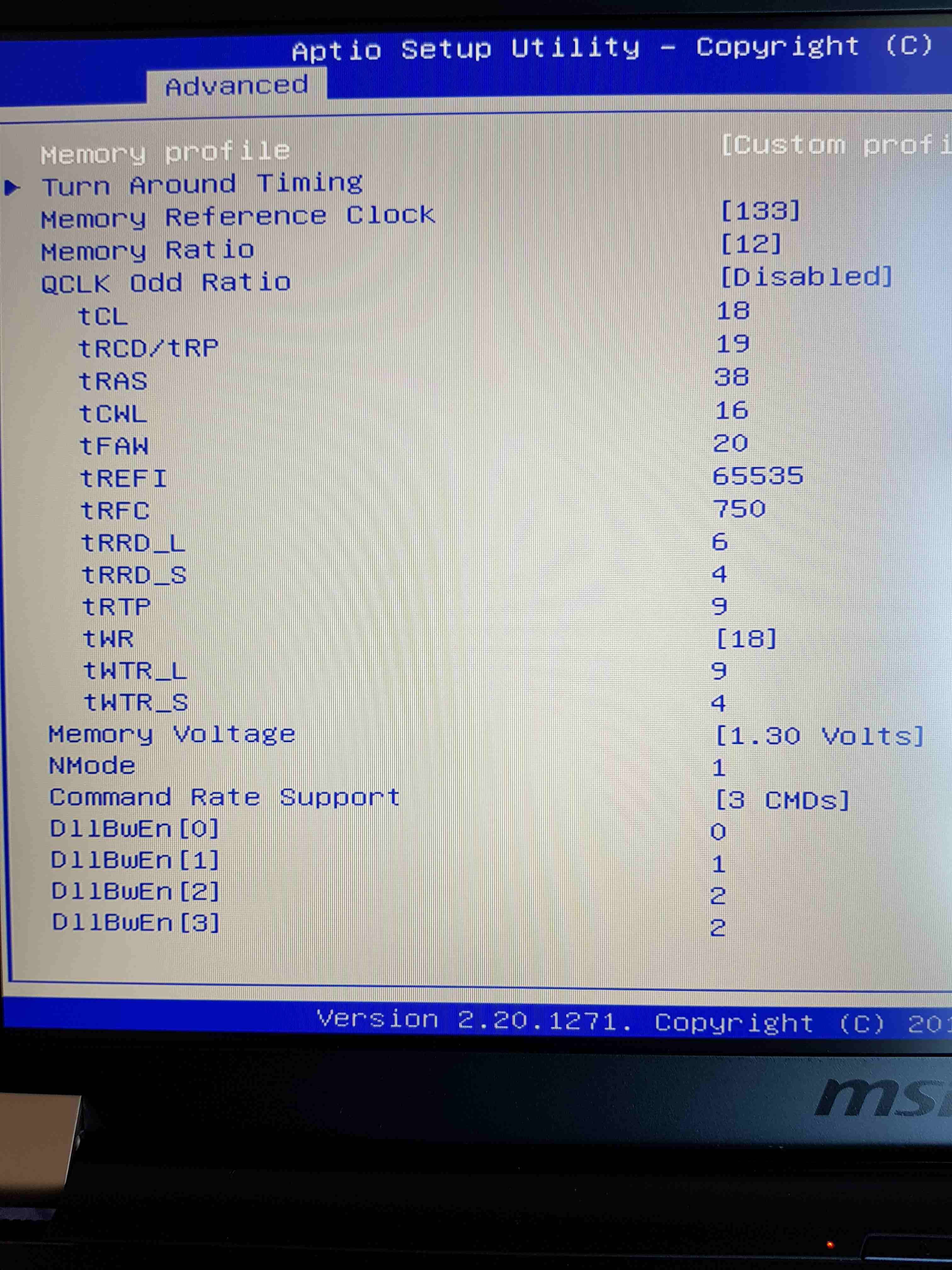
I seem to not be able to get a stable ram above 3000 on my system.
-
Again, black screen which resets it self after 30 sec or so. This are my stock values for my ram btw:
-
Yep, no issues what so ever. 3-5c drop on cpuDimitriosMSI likes this.
-
Yeah! I did it last night, no uncore and mem volt 1.2V, Nmode:2. Temperatures dropped significantly and runs stable so far. Tnx very much!!LocoPwnify likes this.
-
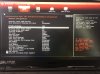
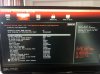
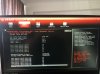
This is the GUI in my system for bios. I can override the max frequency for all core settings as can be seen, didnt try it though. You guys think its safe if it maintains thermals?
the other 2 images are from graphics settings, is this a mux switch?
EDIT: I tryied to increase frequency but as @greninga said, its just locked.
nvm. the question about the mux switch, under advanced tab there is a "switchable graphics" menu which says "muxless" for sg mode select. Without any other selectable option in its menu.Attached Files:
Last edited: Jun 5, 2020 -
-
At 8750h also have that settings but doesnt effect cause its locked cpu.i have tried it.
I dont thing u if try all cores 44 will be a problem. If does work I dont see a reason to dmg something -
First up I'm sorry. I'm sure the answer I need is buried somewhere in this forum but I just can't seem to find it.
I have a GE75-8SF, bought it well over a year ago but due to circumstances its spent the best part of that time still in its box. Finally got it out of its wrapper and started to install some games and some productivity apps on it. Nothing too mad, a couple of Assassins Creed games, Office and a few other bits. Anyway pretty much as soon as it boots into windows the fans start to ramp up. Running Word or Excel levels stay the same but as soon as I launch Assassins Creed it starts to go mental. The game has only just started the splash screens when the fans just start shouting at you, then when you actually get to play the game the noise just gets crazy, I can hear it two rooms away.
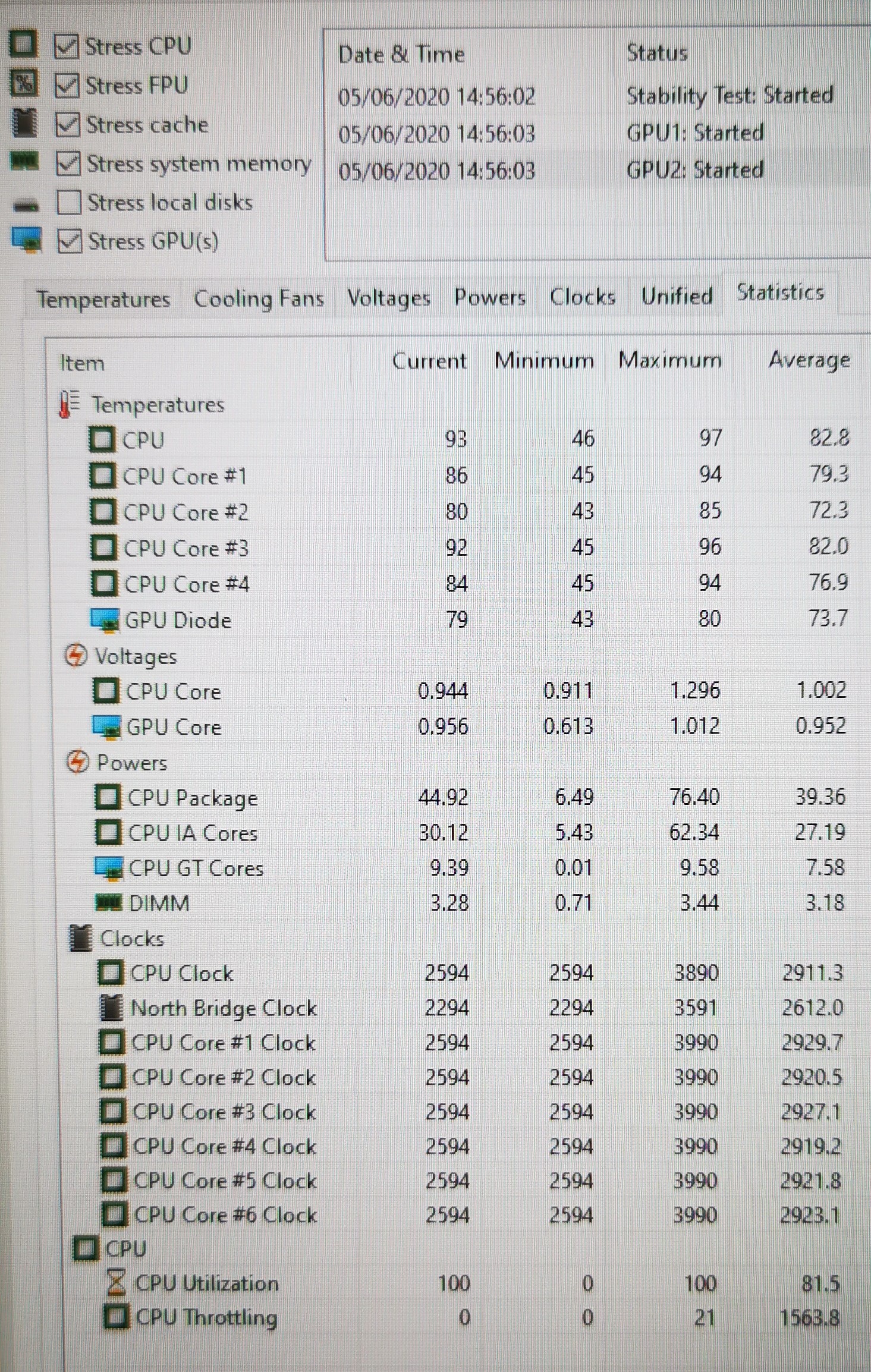
So I have read several articles and watched several videos on thermal throttling and ways to reduce the temps using undervolting etc, most of which I think I understood but just went with the flow. I downloaded AIDA64 as it was a suggested tool to actually see if the laptop is suffering from thermal throttling. Loaded it up and selected the stability test and before actually stressing the laptop out a red message appeared "CPU
Throttling (max 9%) - Overheating detected". OK what, how? The laptop is just idling, nothing running apart from AIDA64, no tests and yet its throttling the CPU. I'm not sure how to proceed next. Is it worth doing a re-paste? I know the thermal paste on these machines is a bit shoddy out of the factory but not sure what to use or even what to expect from re-pasting. Do I need any thermal pads for the VRMs (or whatever they are called) if so whats the suggested thickness. Any help or pointers would be much appreciated. Its a shame this thing is so bloody noisy.
Is there a better tool to check if the laptop is throttling?
As soon as I kick the stress test in AIDA64 the temps on the CPU seem to have a big variance, Core 2 seems to be several degrees cooler than the other three.
CPU = 97 degrees
Core1 = 94 degrees
Core2 = 85 degrees
Core 3 = 96 degrees
Core 4 = 94 degreesAttached Files:
-
-
All stock gaming laptops its suck about temps. With what u did undervolt?
Can u post that pic or hwinfo64 stats? -
Can I ask you to share your bios settings of memory overclock menu, please?
-
My first edited video.hahah
-
Hi
I've got a GP75 9SD, pretty similar to the GE75 but the thing is that i can feel a slight vibration coming from the bottom left part of my laptop,
Is it ok or should I check my fan?
Thx -
Hello, from the front or the back ?
Can you tell us when it vibrates ? It could be the speakers, the hard drive (or do you have a ssd?), (laptop cooler ?) or fans.... you can check the fan easily with dragon center or silent option when you customize the fan speed.
I had "vibrations" on mine but it was a curve on my desk (no vibration when in my hands) -
It vibrates from the front, when I usually plug in the charger, how to customize the fan speed (to set it in silent mode)? in the bios?Last edited: Jun 9, 2020
-
if you have the dragon center instaled: @2 minutes
-
thank you but is the vibration something normal because I can also feel it at the keyboard...
I recently turned off my c state due to whine coil could this have affected it? -
On my laptop, I don't feel any vibration, I can only compare with my previous GT70 which had vibration at max fan...
For the C-state part, I have no idea.
Do you have a ssd or a hdd ? the later can make some "small" vibration -
I have an ssd, I think the issue is my fan since like 4-5 days ago it made a weird noise when I turned on my laptop
-
Well rip noctua too. The weather get a little hotter and I see cores different about 12c.
Dont know what thermal paste we need.
Maybe I will try that grizzly carbonaut pad at cpu. It gives some temps compare to good thermal paste but i thing it will give it stable
Also some ppls say this is the best for 3 screw heatsink cpu.
All thermal paste I have try give at first days about
75 78c max and difference to cores about 6c.and after some days ita raised to 85 87 and 10+ cores difference. I talking about for full clock cpu.
Well if that pad give 82 will be the best
I am start thinking the stock thermal paste it's better than all top paste at that temps.lol
I didnt notice this issue .I had the same cpu temps at unboxing and after 2 months was sameLast edited: Jun 9, 2020 -
My noctua has been pretty stable for three weeks now, run a frequency which keeps temps just under 80c. I will just use this until my 10g tube runs empty
 Very satisfied
-
U have disable optimus?
I have ordered kryonaut ,gelid extreme,and ic graphite pad. So many tests xd -
I tried to using something called TrayPwr3d, apparently it sets iGPU on idle, it helped my GPU benchmark scores but it made my games stutter
-
Yea for this I asked. A friend did it and has shutter too
Optimus it's so bad
I am running apex legends at low settings on external monitor about 250 -300 frames
At laptop screen runs 180 -240 -
No kidding?
Thats a massive difference. -
I tried it now.this video it's on external monitor. Low settings but texture streaming maxed.About 200 -300 depend of place. Also at 1440p has close to same frames but with high gpu usage.
At laptop screen with out record it runs about 160- 250. There I have 160 on laptop I have about 200+ on external or at laptop screen 230-250 at external 300
Last edited: Jun 11, 2020seanwee likes this. -
Well I made the best video for u see the power of external monitor
-
I have a question. I have i9-10980hk which on Intels site supports memory speeds up to 2933mhz, im running memory on 3200mhz, is tha tbad or does it not matter?
-
The rated speeds that manufacturers support is just the "confirmed and tested" speeds, it doesn't mean you can't run higher, just that your mileage might vary at different timmings and with different brands.LocoPwnify and greninga like this.
-
Yea its it's like I buy the new 10900k and I runs 2933mhz.
-
Do you guys keep your bios and firmware up to date?
-
Yea
-
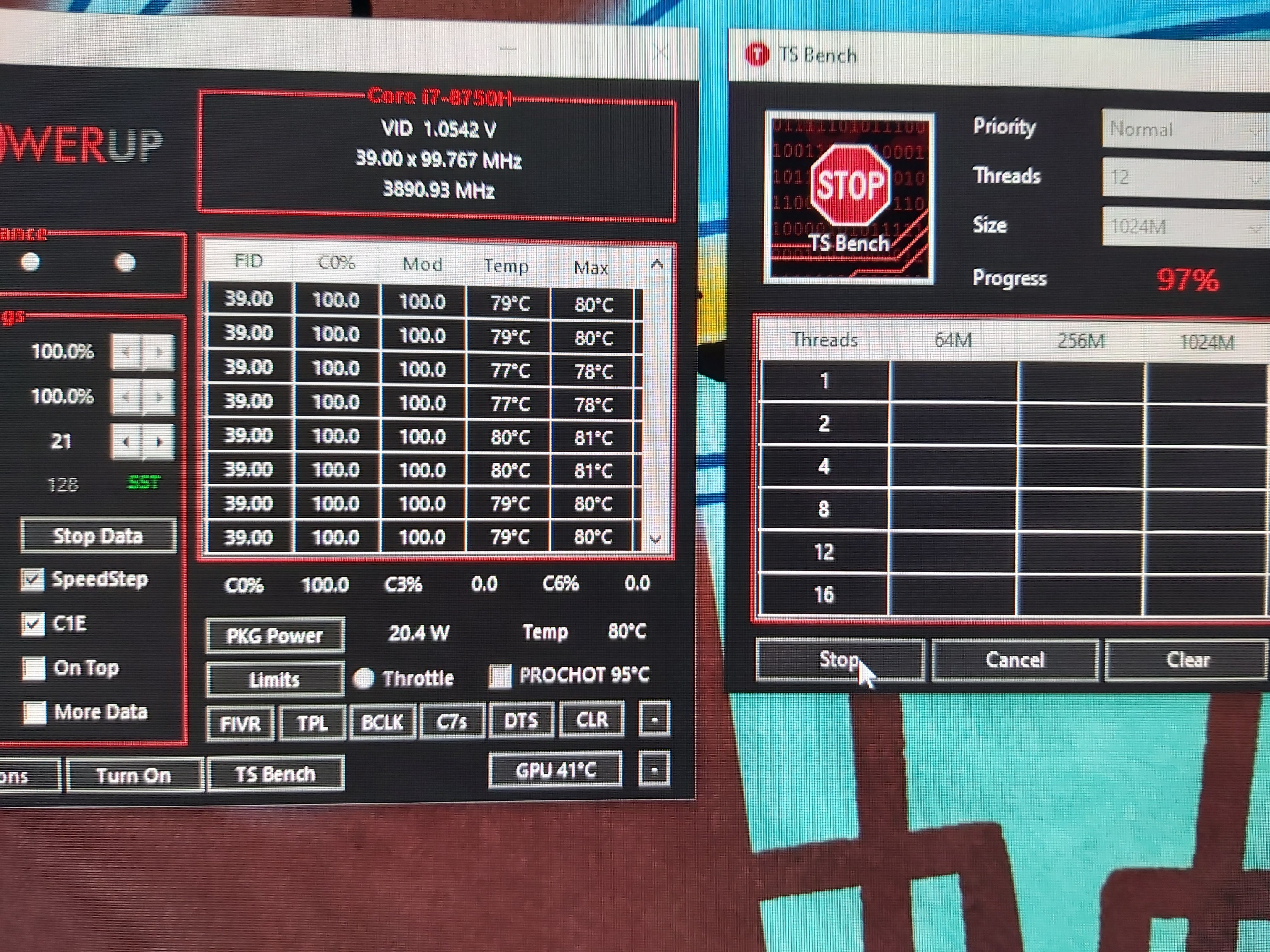
Guys today I tried ic graphite pad cause noctua after 20 days the temps got raised too like kryonaut.
Here the results. I am supricely with this graphite think.
Let's see how is with long time use.Attached Files:
Last edited: Jun 14, 2020 -
-
bios just got updated to 119, weird since on my support page ge75 8sf 118 is the latest
anyone got info on this? -
Try ic diamond. Best paste I tried in this laptop, and lasts forever
-
I dont do any other test .this pad surpriced me. I thought at max clock will hit around 90c but I would give a try. That max 81c and differences cores abou 3c max 4c for me it's the best from all my tests I have did with noctua and kryonaut.
Noctua and kryonaut was at first day 80c max and after 10days raised close to 90c.and difference eat cores 10+
And all that previous test was at 20c room.
Now we have summer,out the temps today its 30c+ -
I tried:
Kryonaut
Mastergel maker
Phobia mano grease
Ic diamond
All lasted a few days /weeks before temps raised 10c+ again.
The only one that lasted is ic diamond, which is lasting for 6 months for now -
Do you guys have any higher TDP vbios for GE75-8SE?
Is it worth flashing?
thanks! -
I dont thing so.if there a high tdp 2060 mobile the ge75 wear itunclejun likes this.
-
The MSI GL65 has a 115w 2060.
If you guys can find an owner you can ask him/her for a copy of the 115w vbios and flash it onto your laptop.unclejun likes this. -
Hello Guys! I bought a MSI GE75 with an 10750h 16gb ram 2666mhz and Rtx 2070 refreshed version. I would like to upgrade the memory Rams to 32gb, but I can only find 3200mhz versions. I understand that the motherboard only supports 2933mhz. It will run fine if use any RAM that is 3200mhz? Also, which brand do you guys recommend and specifications. Thanks for the help.
-
Actually yeah the 118 is the lastest idk where you got the 119 xD
-
You can download the latest Bios from Device Manager. I got a GE75 Raider 10sf and I got the Bios E17E9IMS.109 over there, when in the web site they have the E17E9IMS.106. In Device manager go were it says Firmware and then right click the Bios Version and select update driver.
-
Just update the firmware in device manager for some unknown reason im getting better thermals like -2c after the update haha cant explain it all settings are the same
-
Any recommendation?
-
That memorys 3200mhz doesnt mean can run only 3200mhz.
3200mhz maybe it's the xmp profile.deafault profile maybe its 2400mhz. Also at custom profil can run every settings u want
Can u show the memorys?seanwee likes this. -
The new 119 bios that came out today states:
New BIOS : E17E2IMS.11
ROM CheckSum : 0xE11B
Release Date : 20120.6.17
1. Update brightness table.
2. Update PMC for system stability
Anyone know what these changes do? And if you updated or not and if so noticed any issues / differences. -
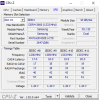
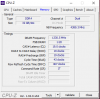
This is the memory ram that the laptop has and the benchamarks that I did. The memory ram that I would like to upgrade for are these https://www.amazon.com/gp/product/B083W5ZRJ1/ref=ox_sc_act_title_2?smid=ATVPDKIKX0DER&psc=1
I was looking for these too https://www.amazon.com/Kingston-Tec...2/dp/B07BGLKD4M/ref=psdc_172500_t2_B083W5ZRJ1
But it seems they have the same speed and the hyperx are 50 dolars expensive.Attached Files:
Last edited: Jun 18, 2020 -
-
Yea both runs 3200mhz to xmp profile.at default will be 2667 and maybe 2400mhz for cl16 rams.
If u have 10th gen cpu maybe it's not runs 3200mhz.
Many users of that cpu has report that cant run more than 3000mhz.
Ballistic rams it's faster as stock settings cause its cl16.
If u want more perfomance the stock rams can runs like that u wanna buy.
If for some reason u need 32gb so it's ok.
But frames in games will be same if u tune ur stock rams -
How can I make my stock rams run with those speeds? I would like to do it.
*** The Official MSI GE75 Raider Owners and Discussions Lounge ***
Discussion in 'MSI Reviews & Owners' Lounges' started by Spartan@HIDevolution, Nov 12, 2018.










-preview.png)
-preview.png)