Problems? See this thread at archive.org.
Hi!!! I'm a Happy new owner (yestarday) of a Ge75 Raider 8se.
I bought It refurbished, but its like new.
I'm looking for tutorials to improve It as best its possibile, and I Ask what kind of Memory RAM I can buy to improve from 16 GB to 32 GB.
Thanks for tour help
-
you'll probably need a 16gbx2 kit. Check if you currently have one or two sticks of ram installed.
Concerning optimisations, you can join the msi discord here https://discord.gg/ARYX6Ud We have many tips and guides there that you can follow to optimise your laptopAriSe82 likes this. -
Thank you!!
-
Does the Win10 20H2 update play nicely with the Raider GE75 8SG? Not done it yet.
-
For me yes. 8sg
-
I have a problem with keyboard in GE75 (i7 10750h/rtx 2070). Every once in while, when I wirte text, suddenly the last letter or a special key (like backspace) starts to repeat. For example instead of storm I get stormmmmmmmmmmmmmmmmmmmmmmmm... in the current doucment. Also when I press delete or backspace - these keys also repeat. It lasts for around 1 second if I remember. The problem exists from the begining when I bought this notebook around a year ago. I doubt if the reason is because I hold keys too long and they begin to repeat. I write on computers for a long time and did not experience such behaviour of a computer before.
Questions:
1) has someone experienced similar problem in GE75?
2) may it be because I keep cooling fans at low speeds, what may cause extra heat?
3) what may be be the reason of the problem?
4) shall I send it to service on warranty? However I am somewhat reluctant to send it. I use it all time as desktop replacement and sometimes for gaming. Furthermore I am not sure if the MSI service will be able to replicate the issue. It happens sometimes often and sometimes less often. -
try EC reset ,.,.last steelseries drivers/app
https://www.xoticpcforums.com/forum...resetting-your-laptops-ec-embedded-controller
driver
https://steelseries.com/engine
when is mechanical keyboard broken or problem is HW "still is possitible repair"
APP -try set custom touch for this key " sensor only for way UP" " steelseries is fully configurable"
good luck -
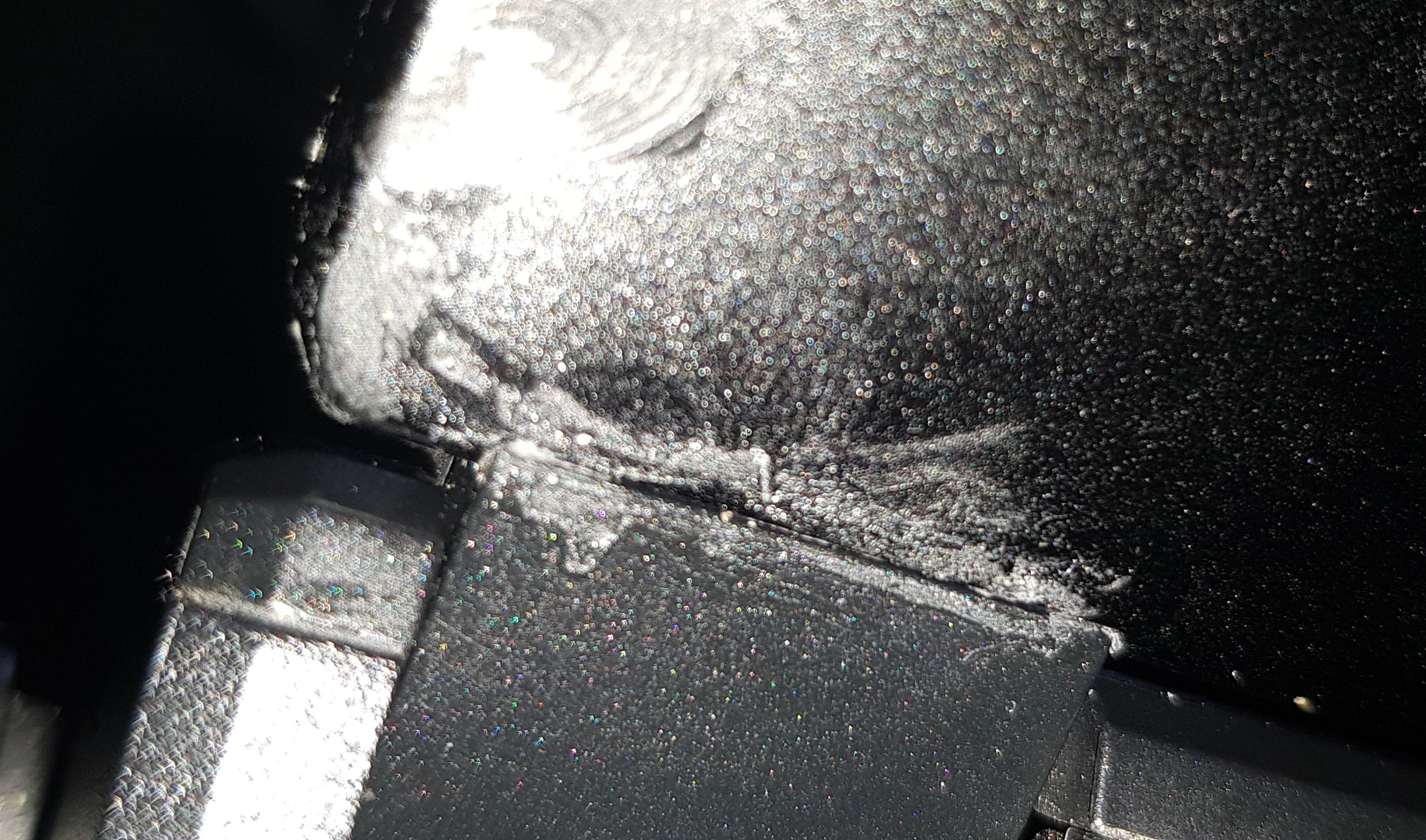
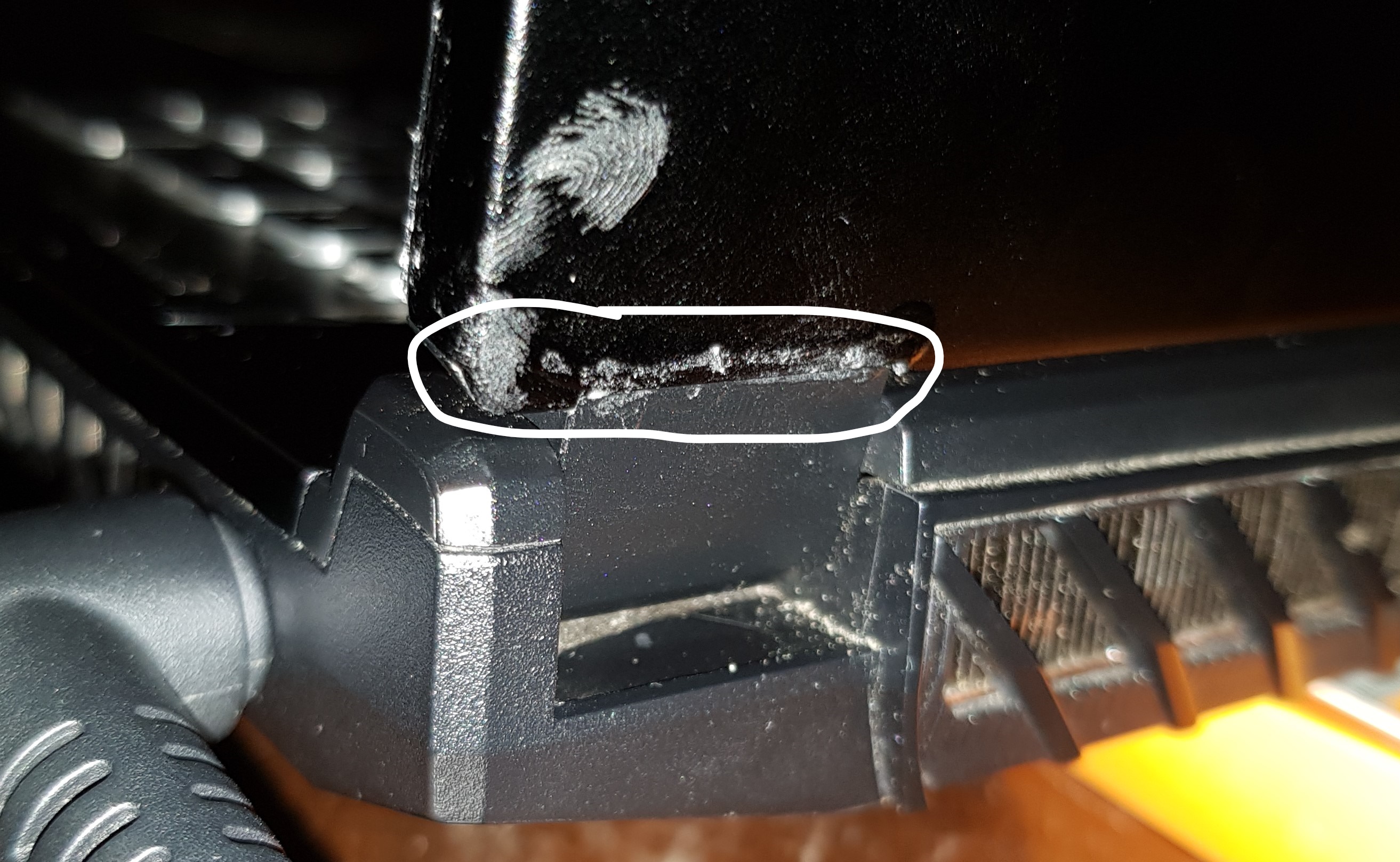
Guys I've had my GE75 Raider for just over a year now and yesterday the plastic around the right hinge gave way. Has anyone experienced this and/or fixed it?
Attached Files:
-
-
Do you have a better picture? I have the same model but I'm not even sure what I'm looking at.
Did you open the screen with caution or sometimes with too much force? -
Nah I've taken extra care with this laptop coz my last laptop had a hinge issue a well. It was a HP though.
Here's a better picture. That is where it snapped. The bottom-right of my screen is now compromised since the bezel is coming of the rear lid.Attached Files:
-
-
Anyone here have the model 10UH-231?
Specifically with the 3080 and 1080p 300hz screen? I'm wanting to purchase it but I have concerns about optimus. I've read with a 300hz screen it will not have optimus. Anyone have one to confirm if it has optimus? If so, do you have the ability to use the 3080 and not hybrid mode? Basically disable it. Thanks. -
I have seen Jarrods Tech on youtube having the option in dragoncenter maybe it will help.
-
Hi!
Can you please link the materials you used to perform the bottom cover mod?
The metallic mesh, glue, tools, etc.
Thanks in advance.berkkocaturk likes this. -
After going through the forum I understand how I would go about overclocking my RAM. But has anyone had luck overclocking this stock ram that came with my GE75? What settings would I use specifically?
I assume (based on stuff I Saw)
Uncore 125+
Trfc 560
Trefi 14000
Memory ratio x 12
Last edited: Apr 14, 2021 -
or SA training --better
must USE BIOS .,,.best is OC TAB for memory
ratio x 133 "ddr is x2" -your speed
for this only try RAM profile switch - CUSTOM "still same configuration" from DEFAULTS
this enable SA training --3x longer boot -and you have new timings
more than 2666 no need ??
this create fake/XMP -- 2666mem but 16-20-20-45
edit ,,..
SA offset no need for 2666 .,,.2933 + 50/100mV
more not use ,.,.still missing VCCIO - 0.950V
all is for nothing
VCCSA -1.05V defaultsLast edited: Apr 13, 2021 -
Hey thanks for the response! To make it easier on myself, and so I dont mess anything up, here is a picture of what I'm looking at in my bios.
So you're saying I shouldnt touch the ratio? I should just edit the other values? In what order would I edit them from top to bottom? -
set only CUSTOM PROFILE --option
all same + try save this --get longer boot --AUTO TUNE FROM SA DOMAIN ?
but best is OC TAB for this
edit
10x 133 x2 x blck 100 --2666 now
edit 2
enable ODD --you have 2800 mem -
and bad ram OC -- 30s power button when NB run
--full reset "like cmos" -
This is by far the worst built gaming laptop I've ever owned. Up until last year I always purchased Asus but early 2020 when I went to buy a 2080 laptop MSI was all they had in stock and this one seemed pretty nice. Raider Ge75 9SG with 2080 and 9750h.
Fast forward one year the hinge broke on the left side and it's basically tearing my monitor and screen away from the bezel. I'm afraid it's going to break the monitor display eventually.. it's very hard to open and I have to hold the monitor in place on the left side and push down near the touchpad to open it in intervals.. Also the solder for the power jack broke and every time it comes unplugged I have to open up the bottom of the case and hold the power jack in place while I push the plug in. Is there anyway I can get this fixed locally or anything? I'm not going to do it myself I've watched videos I don't trust myself to do it. I've never had any of these issues with all of the other gaming laptops I've owned it is very frustrating to know that the resale value has gone down over this and I can't invest it towards my next one properlyblacklupus likes this. -
Hey guys. My back lid cover snapped around the back right hinge of my GE75 Raider. I wanted to know if anybody has a guide on how to replace the back cover.
The hinge is fine but since it's not attached to the back cover on the right side, it's not very stable. -
Buy new 1 from ali express
-
Weird thing happening with my keyboard lately. I have an MSI Raider GE75, purchased last October. For about a week now, a couple of times a day my keys just start randomly backspacing repeatedly or doing weird things in a game like running left or right uncontrollably.
I immediately check the windows event log to see if these things line up with any kind of event message, but there is nothing that shows up each time this happens. So I don't think there will be many clues to be found there.
I was thinking that maybe I was pressing too hard with my palms on the laptop surface, but I'm not sure that is the case. I have owned many gaming laptops over the years and am not doing anything differently than I have always done.
I feel this "might" have started after a recent Steelseries update, but I wouldn't be my life on it.
Has anyone else seen this type of behaviour?
Thanks -
Newbie here: I just recently got MSI GE75 10sf. I intend to have it replace my MSI X99 Godlike. Is there a way to add an external keyboard and use it to boot the laptop. I know the option on a desktop BIOS is there but is there an option in the MSI GE75 Raider. Many laptop sites give me step by step guides. But I cannot find "power options". There is "Wake up on LAN" and in the BOOT option "USB CD/DVD".
Thanks for any help -
try DEVICE MANAGER ,.,.your external HW - drivers option "WAKE UP EVENT" ??
in bios not exist this option "like MOBO"
option 2 "from sleep or hibernation"
https://www.tenforums.com/tutorials/63148-allow-prevent-devices-wake-computer-windows-10-a.html
and from complete shutdown ,.,.i think this impossible "EC fw control this "
.,.,.,.,in bios .,,.I didn't find it anything "only for LAN wake up"
good luck -
Thanks for the quick response. The tenforums is what I had used. Shame about no hidden BIOS option. I just have to make sure I select sleep rather than shut down.
-
I have a GE75 that I purchased last October. Lately, about once a day, it will blue screen and reboot stating a DCP WATCHDOG VIOLATION error.
Any tips on how to troubleshoot or correct this?
Thank you! -
https://www.howtogeek.com/123646/ht...ndows-event-viewer-is-and-how-you-can-use-it/
system/errors .,,.or send here file
DCP ?? more info ,,, i don't know what DCP
-
Thank you for the response. I do know how to access the event viewer. I've done some googling on the stop code and am looking at drivers for SATA, etc.
I just thought if I posted here, perhaps someone might have dealt with a similar experience and may be able to offer something a little more focused than a general google search. -
Not sure if I remember correctly, but I might have had a similar Error Message.
Swapping out the NVMe SSDs with each other solved the bluescreens.
So basically putting the boot NVMe into the other slot. -
all drivers is here on forum
your chip ??? or notebook name
18.34 package .,.,AHCI / RST .,,.VMD ,.,,.no VMD
https://www.station-drivers.com/ind...RST-VMD)-Version-18.4.0.1000-WHQL/lang,fr-ca/
or 300series + AHCI - 17.7.1 or 17.9
///////////////////////
disk problem "maintenance"
""r- error repair for HDD / on ssd ???? -and is slower"
CMD + admin
chkdsk c: /r
or for ssd "f - only remove errors ,.,faster"
chkdsk c: /f
////////
CMD + admin
sfc /scannow
.,system repair after this .,.or DISM is full repairLast edited: Jul 10, 2021 -
How come this thread suddenly dead in 2018?
-
I would like to flash the GT76 VBIOS on my GE75 8SG. Are there any restrictions and do I have the right VBIOS from the GT76?
GT76 VBIOS: https://www.techpowerup.com/vgabios/216348/216348
GE75 (now): https://www.techpowerup.com/vgabios/214021/msi-rtx2080mobile-8192-181122
Thank you for your help -
hi all i wanted to ask about what thermal paste you use
i used Thermal Grizzly Kryonaut it's good for a week or so then cpu temp will rise as i read that it will dry on temps above 80 C
so i try Thermal Grizzly Carbonaut it's not good and thermally throttle on cpu and some times on gpu
finally i tried Thermal Grizzly Hydronaut it's as good as Kryonaut but better than Carbonaut but also thermally throttle
any good paste that i don't need to apply every 4 months or so -
Noctua NT-H2
No guarantee though as I heavily undervolt and underclock. Don't know what you're trying to achieve. Maybe go for liquid metal?
The NT-H2 doesn't seem to suffer from the pump-out effect as the Kryonaut does. -
i undervolted the cpu at -165
i'm want stable performance i dont want the best performance i just want long lasting and stable -
My guess is that the Noctua is your best bet.
I'm at 3,6 GHz Allcore with -140mV (+120mV System Agent) in CPU limited games like BFV and hitting 85C average on Auto Fan Mode.
Had Kryonaut before and it would hit 90+ after couple days of repaste.Last edited: Sep 6, 2021 -
Yes its the right vbios u can use. After u have to undervolt the gpu for avoid high temps.
About 170 watt it's the sweet spotLast edited: Sep 6, 2021 -
Nothing u can do it about this.all thermal paste after some time will be same.that triangle heatsink it's really bad on cpu. Bad design. For this I am stopped using paste and I am using carboanut 1 year now with good results. After 1-2 month thermal paste for me give higher temps than carbonaut who is stable on time.What ur cpu?
-
hi
cpu is 8750h
gpu 2080
Carbonaut for me didnt work even the gpu thermal throttle -
Carbonaut only works on a perfectly lapped heatsink.
-
No need carbonaut at gpu. Gpu works perfect with paste like kryonaut and stable .
I am using carbonaut 0,2 at cpu. It gives about +3 4c compare to fresh kryonaut but after couple of months kryonaut and all brands I have try give really high temps.
If u running on stock loadlines U can get about -5c at cpu if u change the loadlines at bios -
I tried several pastes (not liquid metal) and the best performer over a long time was icy diamond
Papusan likes this. -
I might have an interesting update on the NVMe drives.
The controller of the preinstalled 1TB Samsung PM981 gets really hot even when idling.
80-90C.
It gets so hot because Windows writes to the main system drive all the time, even when browsing the web or watching videos online.
(There is a workaround with RAM-Disk programs but I wasn't able to make it work.)
Long story short:
Migrated the OS to my secondary 1TB Kingston A2000 NVMe.
The Samsung Controller doesn't heat up the laptop any more.
Temps went down to 56C on the PM981. (With heatpad)
Kingston still at 45C.
CPU is at 61C instead of 70C and the fans are kept turned off.
Dragon Center Turbo Shift, Fan Speed Advanced 1%, Throttlestop -90mV Internet Presets.
Before, the CPU fan would be idling at 2100 RPM.
I always blamed the 5-10% CPU load while browsing for heating up the cooling unit.
Conclusion: Don't use Samsung drives in laptops as system drives.
*GE75 Raider 9SF*Last edited: Jan 21, 2022greninga likes this. -
Update:
The fan behavior while idling seems a bit erratic.
Sometimes it would stay at 0RPM even at 72C and sometimes it won't shut off below 65C.
Not sure what's the deal there. -
Update firmware or reinstall it.
-
I installed this on my Nvme drives and now they perform super cool. The size is perfect too
https://www.amazon.com/EKWB-EK-M-2-NVMe-Heatsink-Purple/dp/B077TYSDK2 -
Are there any good guides how to tune the GPU in this laptop? I have the 2070 with 9880. Ideally I'm looking to undervolt the GPU or maybe increase the wattage limit. Is there a way to do this?
-
http://forum.notebookreview.com/thr...cussions-lounge.825828/page-281#post-11010805
Wattlimit can only be changed with another GPU Bios.
Not really a benefit in my opinion since the card will run hot and ramp up your fans.
Only viable with liquid metal repaste.Last edited: Dec 28, 2021 -
Shunt modding will work but do you have soldering experience?
No need for LM, gpus are a lot less thermally dense than cpus. Besides, LM on gpus suffer from hotspots after a while due to the larger die and cohesive nature of LM.
*** The Official MSI GE75 Raider Owners and Discussions Lounge ***
Discussion in 'MSI Reviews & Owners' Lounges' started by Spartan@HIDevolution, Nov 12, 2018.