Problems? See this thread at archive.org.
Looks like you need to reinstall SCM, a proprietary MSI program.
-
You might also check .net framework for possible errors: https://www.microsoft.com/en-us/download/details.aspx?id=30135
Atma likes this. -
Don't expect 6 core BGA this year. Only LGA as I know
 And 20 series Nvidia won't come this year. But you could opt for the new Max-Q models
They will definitely come this year. Max 40db should be tempting?
And bruh
@Phoenix will probably rob the bank for one of those as well
And 20 series Nvidia won't come this year. But you could opt for the new Max-Q models
They will definitely come this year. Max 40db should be tempting?
And bruh
@Phoenix will probably rob the bank for one of those as well
-
With maximum perfomance what is better ?
-
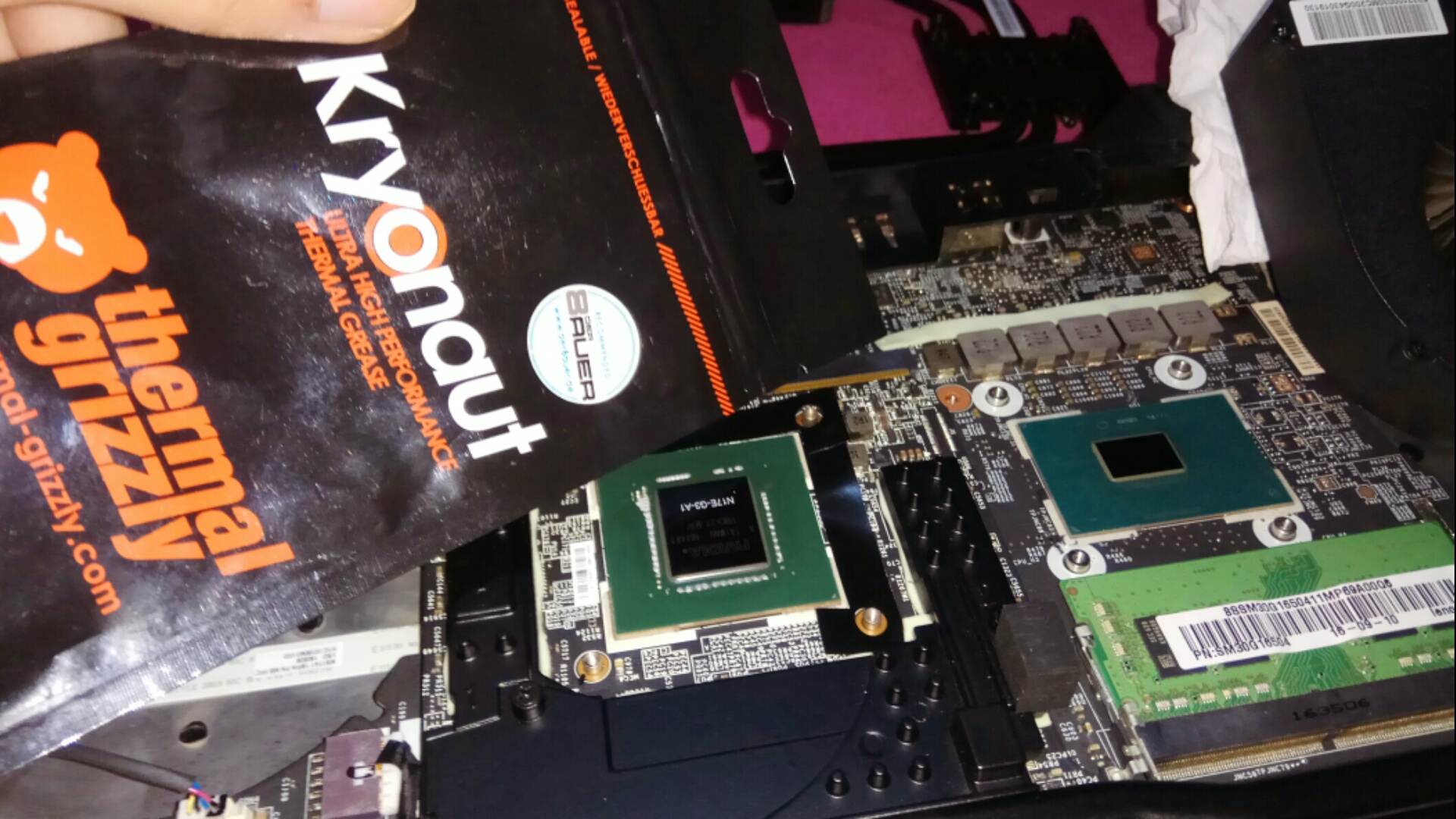
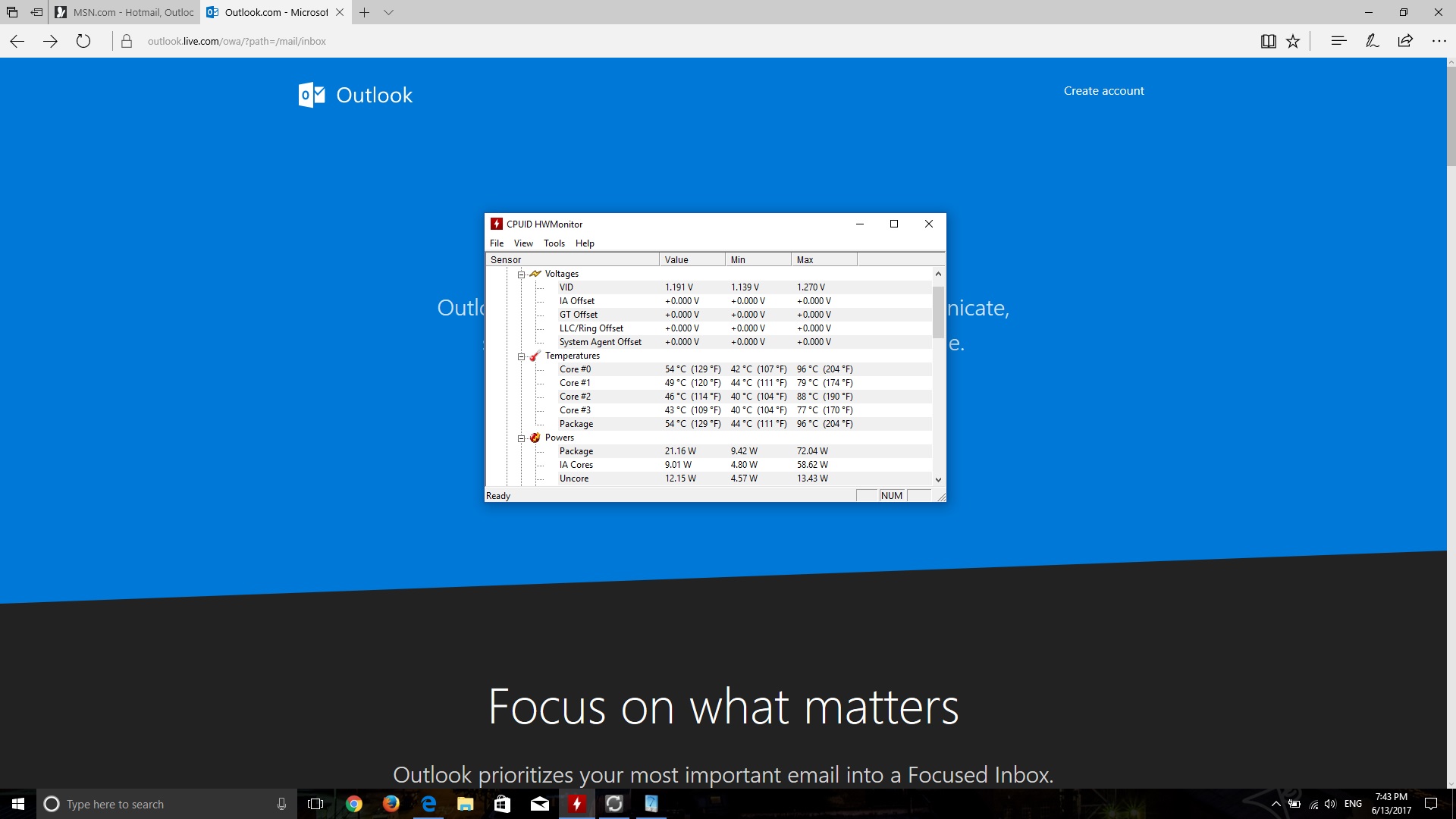
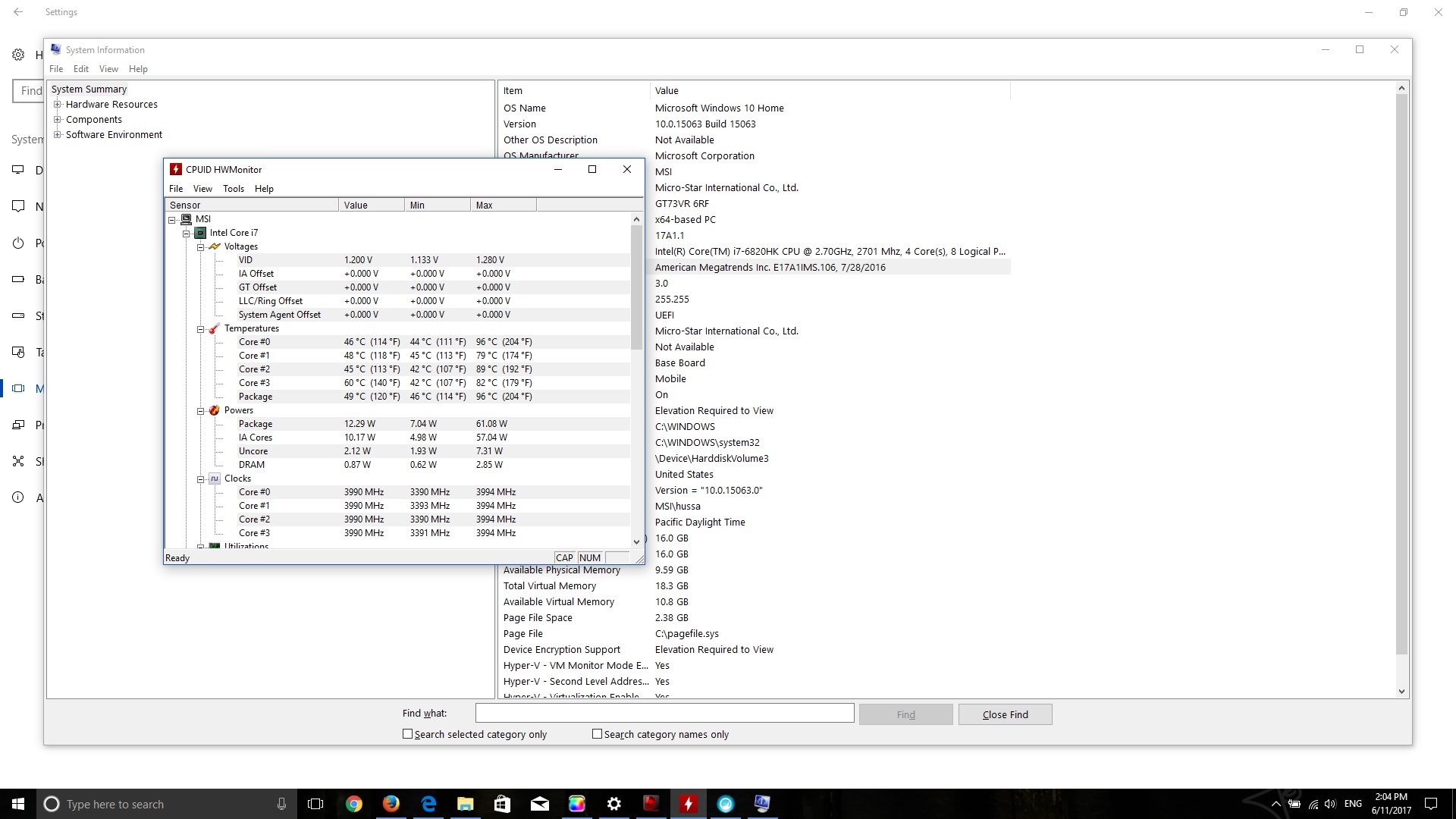
After repaste cpu and gpu with thermal grizzly
My temp drop 15-18° celcius
Is amazing result for me
Even it seems that the previous pasta was the worst pasta. Because I really feel the difference in temperature far after repaste
I think why not from the beginning since the product is made using quality paste?Attached Files:
Last edited: Jun 11, 2017 -
-
can u share an instruction for repast? or video? -
I did not record it. But you can see it on youtube
Msi gt73vr provides easy access, compared to other brands and types that are very difficult to reach parts of cpu and gpu I just open 4 bolts. Each on cpu and gpu As well as 3 bolt gpu fan. And cpu 2 bolts After that you will immediately be able to open the heatsinkAtma likes this. -
Really unexpected thing. And many may be disappointed if they understand the difference. Because it has a fairly significant difference
-
The Creators Update breaks SCM. Uninstall SCM, reboot, then reinstall.Arestavo likes this.
-
Please, share your temps in 15 days...I havent had any luck with thermal grizzly. The paste gets dry out...
-
I've used Thermal Grizzly Kryonaut on my gaming desktop, and it's been just fine for several months. With my old 5820K it was just fine for a year, not drying out at all.
Now, Collabratory's Liquid Metal Ultra - that crap dried out on three different applications in less than 9 months and had temps soar 10 to 15C. -
Can't compare the better cooling for desktops vs. laptops
-
Well i will share it to you but this is only the 2nd day after repaste. I think dry out on thermal paste due to the use of pasta that is too thin. Do I know when I repep with grizzly 1gram. . There is still a lot of pasta left. About 40%. But I use a thick enough paste about 80% of 100%. I think the pasta is unused and dries up so I give a thick paste on the cpu and gpu. I've seen a lot of grizzly paste performances that went down after a few weeks. So I try to repote thickly when compared to standard repaste in general. Although when the heatsink is installed it looks like the paste will fill a bit of the outside of the processor / gpu point. And it's very easy to clean if later we will repaste cpu)gpu at a later time.
Whether the drying you are experiencing occurs on cpu and gpu? -
I'm getting a STUPID amount of crashes trying to game lately. Unexpected, some to desktop, some reboot, some require me to reboot. I'm completely unable to figure out what is the issue and am starting to think I have a very expensive paper weight.
In event viewer I get this every time :
The MSI_ActiveX_Service service failed to start due to the following error:
The system cannot find the file specified.
There are also other events that I can't understand or fix. My laptop isn't overheating, I use afterburner to monitor the cpu and gpu. Both are fine. I've tried everything that I know short of a clean install of windows. GT73VR 6RE Titan with 6820hk and gtx1070.Thana7 likes this. -
You could have a corrupt C volume. Try setting a chkdsk on next reboot, right click on the C drive, Tools, Check disk, then when you try to check it now it will say it can't and ask if you want to schedule a disk check on the next boot, agree / yes. Then reboot and let the disk check happen - do this before making any more Writes to the C volume.
So, since you have been having so many reboots, without checking / fixing the disk, it's likely you have lost some files - and those won't come back even after checking/fixing at next boot - so you will want to uninstall the application(s) that you get this crash in and reinstall them - after checking / fixing the C partition
It's always a good idea to schedule a C check/fix at next boot after crashing - Windows should automatically do a C system volume check after every crash, but it doesn't - you have to schedule it.Last edited: Jun 12, 2017DukeCLR likes this. -
Neither disk had any problems. Just got another crash. Is it easier if I just screenshot the event viewer? Getting errors like this:
Processor 0 in group 0 exposes the following power management capabilities:
Idle state type: ACPI Idle (C) States (3 state(s))
Performance state type: None
Nominal Frequency (MHz): 2712
Maximum performance percentage: 100
Minimum performance percentage: 100
Minimum throttle percentage: 100
The application-specific permission settings do not grant Local Activation permission for the COM Server application with CLSID
{6B3B8D23-FA8D-40B9-8DBD-B950333E2C52}
and APPID
{4839DDB7-58C2-48F5-8283-E1D1807D0D7D}
to the user NT AUTHORITY\LOCAL SERVICE SID (S-1-5-19) from address LocalHost (Using LRPC) running in the application container Unavailable SID (Unavailable). This security permission can be modified using the Component Services administrative tool.hmscott likes this. -
Wow, as much as I hoped, I didn't expect to find hits on this search:
"The application-specific permission settings do not grant Local Activation permission for the COM Server application with CLSID
{6B3B8D23-FA8D-40B9-8DBD-B950333E2C52}
and APPID
{4839DDB7-58C2-48F5-8283-E1D1807D0D7D}"
But, there were a number of specific responses to it, these look worth checking out:
https://www.google.com/search?clien...+APPID+{4839DDB7-58C2-48F5-8283-E1D1807D0D7D}
Has a solution in 1st response:
https://answers.microsoft.com/en-us...vent-log/22701266-e81e-40a5-9fb4-780519363f59
This is more current, and IDK if Windows 10 update is the root cause now, that 1st link was from 2015... sounds familiar tho.
Windows 10: Permissions error (CLSID/APPID) since Anniversary Update
https://www.tenforums.com/user-acco...ror-clsid-appid-since-anniversary-update.html
It looks like google is your friend, and hopefully someone will have posted a specific fix for the current issue.
Please do come back and let us know what the fix is.Last edited: Jun 12, 2017 -
Well, the ole "google it" seems to pay off so far. Just put in a decent little gaming session without a crash. Here's what I did: https://answers.microsoft.com/en-us...vent-log/22701266-e81e-40a5-9fb4-780519363f59
I feel bad that I made someone google something for me. -
Nah, don't worry about it, we all do it from time to time.
It's sometimes not obvious in the middle of a fire that the extinguisher is mounted on the wall in the other room
DukeCLR, Papusan, ryzeki and 1 other person like this. -
Could it be the 1070 boost crash issue?
http://forum.notebookreview.com/thr...vr-gt62vr-gt72vr-reboot-crash-problem.804978/ -
How does my battery wear level go from 0.0% to 4.2% after two weeks, then 3.7% after a week then eventually back to 0.0% and then now at 0.9% wear?
-
If you use a laptop with wasteful
or maximum perfomance battery wear will increase
If you use battery with efficient
Suppose by limiting the fps at 70-80fps only
then battey wear will decrease. But actually battery wear not decrease
Did you check using ba tteryinfo?
Try a hwinfoLast edited: Jun 13, 2017 -
New audio driver and Nahimic out today for the 6RE and probably other models as well on MSI site
Spartan@HIDevolution likes this. -
Yes I used both. They both reported 99.1% (0.9%) now.
-
My Dragon Center updated itself to v1.2.1705.3101Atma likes this.
-
I used Gelid Extreme for my repaste.
Dropped CPU temps by 15C. -
Is it normal for the MSI GT73VR Kaby Lake to make a strange noise(same as when you increase or decrease the volume on the bottom right hand corner), as mine has done since March, but it's getting annoying now, if anyone knows why could you let me know
Thanks
-
Does anyone have the original vbios for the GT73VR 6RE? The one before the .3A vbios that is up now? I need to test something.
-
I have the same issue,
an "bomp" sound for 1 millisecond !! -
same, i have it and it's irritating
-
Mine doesn't do that.
When does it make that noise, and why? -
it makes the noise regularly, and i have no idea why?
-
Yes it seems that startup program msi dragon center/steelseries
Look when bump sound. Keyboard lights start up. -
sorry could u explain that more clearly
-
@Shehary
You mentioned something about 5.1 surround sound not working correctly in rear speakers a long time ago.
I managed to get it to work but it stopped working after a reboot, AND it ignored volume settings when it was working. While the rear channel does go in port #2, it seems to get mapped through "Stereo mix", by enabling that. Then it was working until reboot.
Seems more like a software bug for sure. Older realtek laptops before Nahimic had absolutely no problems with this. -
Thanks! Pretty sure that is it. I found the post and also we had both posted screens of our GPU-Z and we had the same vbios.Shehary likes this.
-
Glad I was able to help, you can use it safely, he just emailed and I uploaded to my server just in case if any of us need old vBIOS..
-
yeah I remember that and honestly I never tried and checked again to see if 5.1 working on not, I will try again in next couple of weeks when I will get time and visit my other house, did you update the Audio drivers to latest version available on MSI support page, may be bug has been fixed.
-
I'll try later. Really cbb since I usually just use my desktop at home which is fast enough. Although this laptop just eats Overwatch for dinner, compared to my 2600k and 290x....
I have a Sennheiser GSX 1000 I could just use for good 7.1 surround, but it was 90 degrees in my apartment so I wanted to use my speakers... -
The bump sounds it seems at the start of the killer control center . I just stop the startup killer control center and the sound is fixLast edited: Jun 14, 2017
-
Hi everyone!
I am a new happy (for now) owner of a GS73VR-7RF
Right out of the box i experienced quite a lot of mouse stuttering and speaker cracking.
However, after updating everything (drivers, OS, basically everything I was prompted to update), things seem better! I did not have to remove any software.
The only times where the mouse stutters for a bit is when the UAC (user account control) pops up.
I'll post more updates in the coming days. For now I am giving a go with undervolting the cpu (with the Intel utility) by -0.125V, let's see if the fan noise becomes more reasonable during lightweight usage.
So far so good, though!
It may have been that the stuttering/cracking was correlated with the USB boost from MSI Dragon (now is disabled) but I can't confirm it right now.
Just for the record this model has a 120Hz panel, a Toshiba SSD (seems to have slightly worse performance with respect to the Samsungs), and a Seagate HDD (2TB 5400 rpm) -
mine make noise mostly when I open/close a folder, but sometimes i am reading sometimes the laptop is idle but it makes a "bup" sound!! that is not regularly for me!
-
-
Hello!
I'm a happy owner of a GT73VR-6RF (1080 inside) and I plan to improve cooling.
From where I live, south of France, temp is getting really hot, for exemple, 28°C by night, and it's not even the maximum
I already have Conductonaut for GPU/CPU, but I'm stuck with thermal pads. Which one should I buy, and how many per thickness? And of course,which thickness (for SSDs + GPU, I don't think there are TPads near CPU).
Big thanks here! -
This is what I was testing. Maybe it will help someone else who is having crashes and reboots. I'll probably contact support about a new 1070, but I doubt they have one right now and I can't do without my laptop right now anyway. It seems to be running fine now with the 8A vbios, just not up to the $2300 potential it could/should be.
-
Here are some posts by @Shehary that may help you that I bookmarked before I repasted.
http://forum.notebookreview.com/thr...cussions-lounge.794968/page-174#post-10415003
http://forum.notebookreview.com/thr...cussions-lounge.794968/page-175#post-10415393
http://forum.notebookreview.com/thr...cussions-lounge.794968/page-202#post-10427469
http://forum.notebookreview.com/thr...cussions-lounge.794968/page-219#post-10432609
http://forum.notebookreview.com/thr...cussions-lounge.794968/page-242#post-10438106 -
HI guys I need Consultation please
I have had this laptop since six months now ,the first three months were great ,but after that I started noticing rising in temperature
before, my temperature was never exceed 86 degree but now it reaches 96-98 and one time 100(under stress test),
and also the difference between cores in temperature is 15 degrees and sometimes more.
I reached MSI and they told me to update the firmware and when the problem stayed the same,they said it is normal to get that hot!!!!!
so i continued contacting them and telling there is a problem then finally they sent me there RMA number,and they are asking me to pay for the shipping fees also (one way shipping) Which I believe is not acceptable because it will cost at least 50$ !!!!!!,
So let us say I agreed ,and they ended up with changing the thermal paste what can I do ,because I believe the problem to be ether from CPU or the heatsink
Thanks
Attached Files:
Atma likes this. -
-
Change thermal paste yourself. See how it goes.Donald@Paladin44, hmscott and Atma like this.
-
Will I don't want to open it up ,you know it is not cheap machine and ,i read a post telling that when the difference between cores is high ,there might be problem, and if it will need repaste every three months that is horrible !!!!!
The Official MSI GT73VR Owners and Discussions Lounge
Discussion in 'MSI Reviews & Owners' Lounges' started by -=$tR|k3r=-, Aug 16, 2016.