Problems? See this thread at archive.org.
Doesn't really answer to your question but I Use Gamer mode since day one, better control on color and white balance
-
I don't think I've ever seen the sRGB setting look fine on any LCD panel, whether it's a desktop $$$ monitor or a laptop via software....
hmscott likes this. -
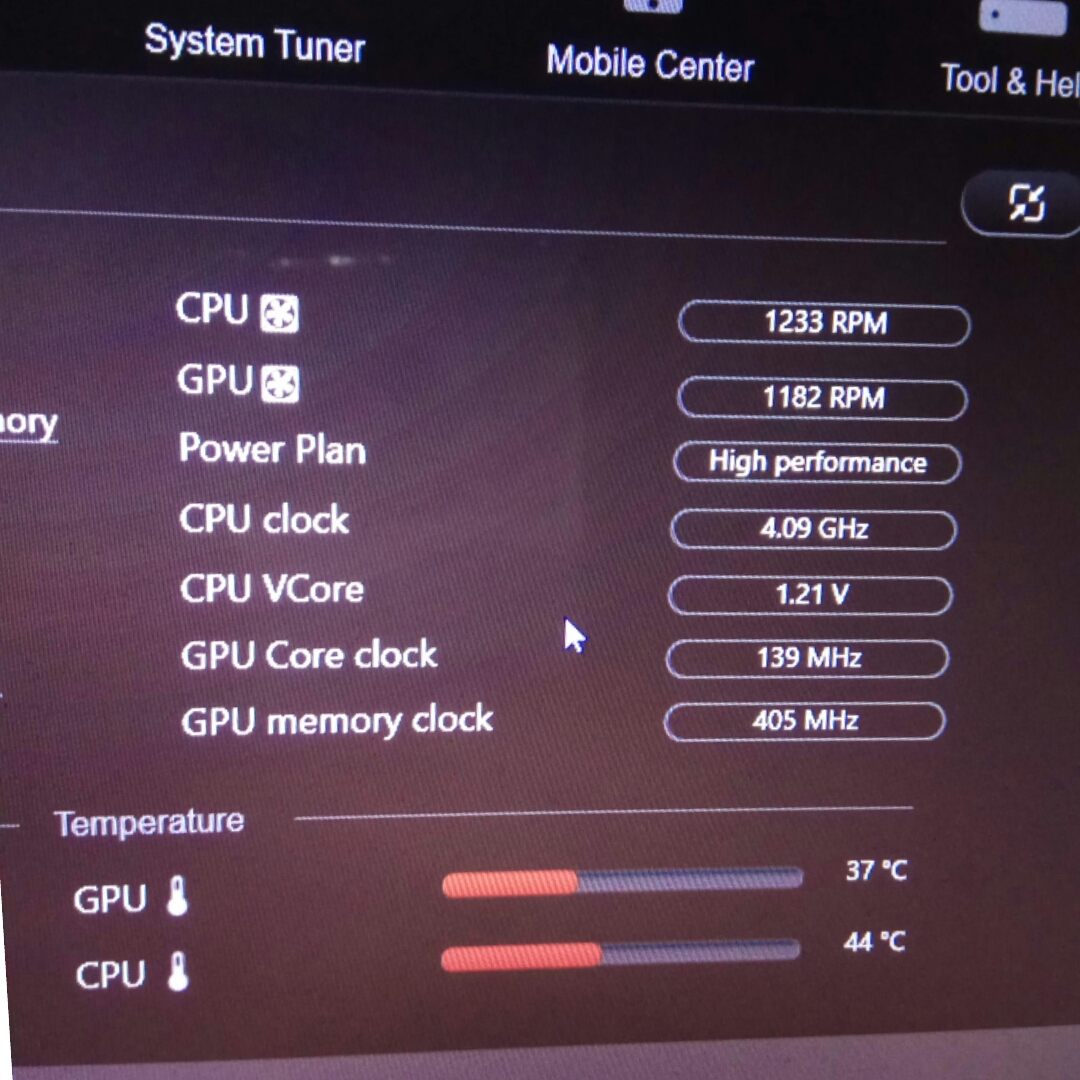
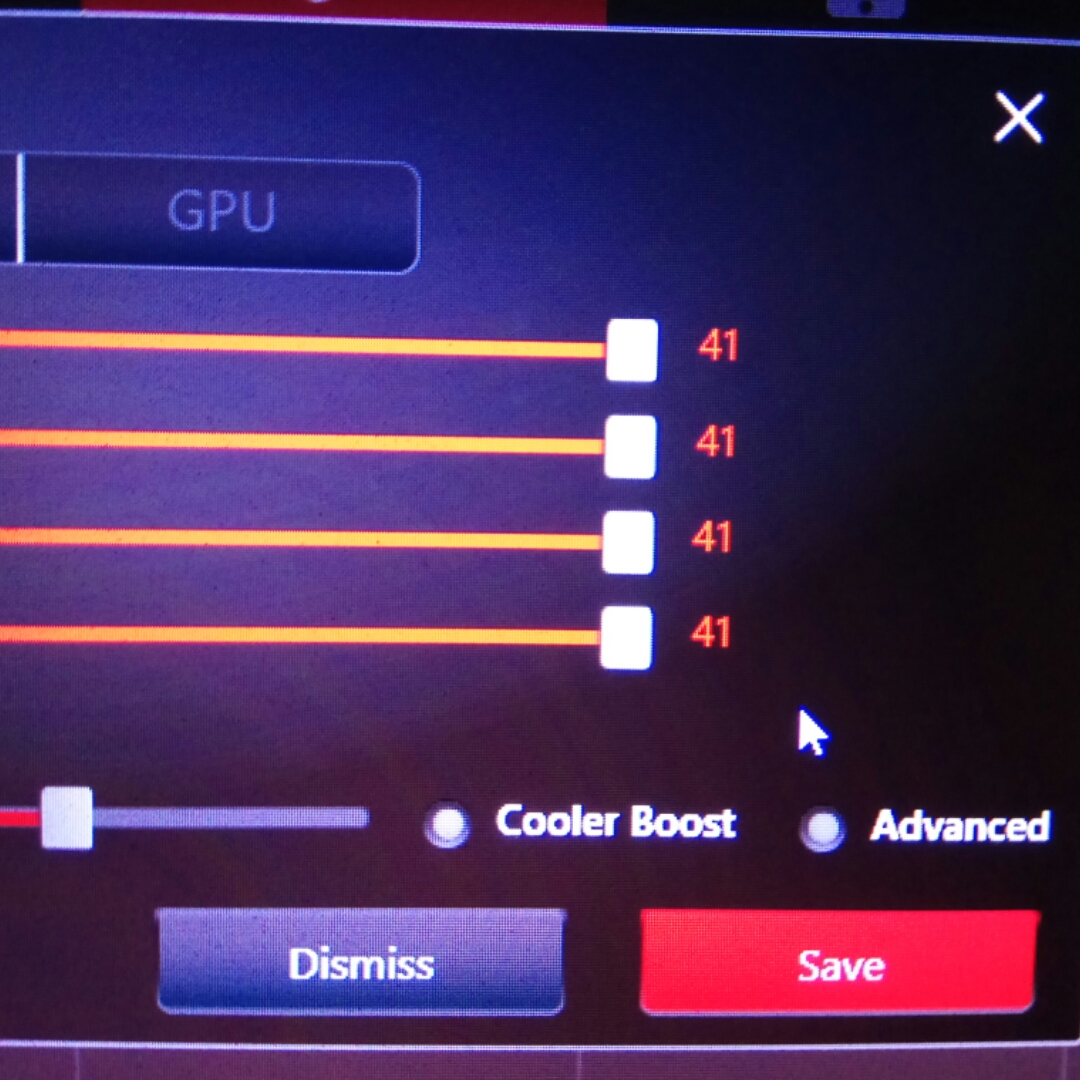
After clean install my cpu is limit for 4.09 Ghz when setting Turbo max oc in dragon center. Just show 4.1
What my problem?Attached Files:
Last edited: Aug 20, 2017 -
-
What's the problem?
-
Before clean install, I can overclock to 4.2ghz in turbo mode
Can you take pictures on display of turbo mode in dragon center?
Now .I can only set maximum to 41 -
-
the new Dragon Center limits j00 to only 4.1 GHz overclock now

-
is the back usb c port a true USB 3.1? i mean has the thunderrbolt port simbol, just wondering if it would work as a true usb?
-
Thanks phoenix .
Why msi lower the maximum overclock in turbo mode.
Whether to set it to 4.2 ghz I need to manually set it in XTU?Last edited: Aug 20, 2017 -
-
-
@Phoenix can you do me a big favor?
If you have a few minutes, can you run RW Everything and get me a picture of your EC tab?
I need 2 screenshots:
1) page: regular hex codes. (like, FF, EA, 0D).
2) page: "Dword 32 bit hex codes". like "0022330f 8001002", etc.
Thank you !
-
Do you use intel XTU?
-
No, I uninstalled it. Using Throttlestop 8.48.
*edit*
since everyone seems to be busy, if anyone else here has a 7820HK (not 6820HK) and a GTX 1080 (GT73VR 7RF only), can you please take a picture of your EC (embedded controller) tab hex window, in RW Everything screen for me please? (takes just a few seconds) and post it? Thank you.
Papusan likes this. -
I do not understand how to do it. Is it with hex editor? -
-
Hello, I have one problem. Could someone please help me.
I have msi gt73 3rf with 6820hk and 1080 gpu. When I drain my battery to 20% and connect my charger,my battery is charging but I do not have stable cpu clokc in games. When I put laptop on turbo mode It is 4ghz stable clock on idle but when I start gaming cpu spikes from 2000 something ghz to 4000 ghz all the time. When battery is charge more than 80 % everything is normal. My cpu is 4ghz stable in games. Is that normal? Could I fix this somehow? -
The Psu work hard with charging up the battery and can't deliver normally for the real deal, the hardware!! MSI doesn't allow that you can max out the fully potential from the psu.Ivan994 likes this.
-
Thank you so much for your answer and help! Now I have tested and drain level just to 78 and put charger and star playing and clock is stable. How I could see this happen when star charging from very low value like 20-30 or under. I am happy to hear that this is normal behavior ! Thanks man!
-
Sometimes the OEMs make changes to the better with firmware updates. You need talk - ask about this with people who have your laptop model and hardware or simply ask where you bought it. Worth a try.
-
I have updated everything to the newest version and now I also talked with Msi and they told me that cpu clock 4ghz need both power from battery and adapter. This is not bother me too much I just wanted to ask is it normal or defective.
-
Yeah, I know. A typical solution from MSI from earlier days and they continue with it. Have already posted some info about it a few days ago.
Ivan994 likes this. -
hahaha very good picture mate I would like to try first option
Is this now normal or not?Papusan likes this. -
Yeah, as I said pretty normal behavior on most of MSIs notebooks. Just Ask @Falkentyne, he is damn angry on MSI and their cancer firmware.
-
You need an unlocked EC which MSI refuses to let anyone use.
When battery is less than 20(?)-30%, it acts the same as if the battery is *unplugged* (you can open the laptop yourself and test it next time your battery is 100%). With battery <30% or battery unplugged, max AC power is limited to 60 of maximum (1060, 1070=60% of 230, 1080=60% of 330; might be 50%).
They should let the AC draw as much power as available or let AC adapters higher than stock draw more than 230W (e.g. 330W AC on 7RE or 6RE GT73VR) but NO.........
I suspect these EC values if set to '0' would prevent CPU and system throttling, but you can't set it to 0 without bricking the system,if you try to edit the EC......
CPU_CrtT = 1" to "CPU_CrtT = 0" and Sys_CRtT=1" to 0,Ivan994 likes this. -
Thank you so much for so good answer! I am only confused when battery is under 30 % and they limited ac power,why I can not have full ac power and stable cpu clock as soon as battery level reach 40-50 %? Why I need to wait for 70-80 % for full power and stable 4ghz in games? Also when I drained my battery just to 40-50 % I still have full power. To summer that power limit is active always bellow 30 +- and last to bigger numbers of battery? Right?
-
You're not going to like my answer.
The answer is: "because MSI decided it."
I suggest you send them a support ticket and ask them. But you won't get an answer. They'll just say "cuz we said so." -
I already ask them and they said because laptop need both battery and adapter power to boost OC settings clock Could I ask you something else also. I like when I find a man with same laptop like me to talk about
Do you have a little coil whine in games? as soon as fans gets loud I can not hear that? in comfort mode what is highest temp that your cpu is while browsing,watching youtube? Without gaming. mine is around 60 sometimes but idle when I am not doing anything is 42. Thanks!
-
Sorry, I can't hear any coil whine. I also do not use dragon center. And I am using Liquid Metal paste, and have a 7820hk cpu. Voltages and speeds are different. So I can't answer your question.
But I did ask this earlier and no one replied. so I'll ask again.
Can someone with a 7820HK CPU, and 1080 GTX (not a 1070 GTX)--so 7RF only please, please take a picture of their "RW Everything" Embedded Controller screen? Thank you
-
Help me ... how to update firmware ME and Thunderbolt in bios ?
-
Hey guys,
I have been looking to add an ssd to my laptop. It seems m.2 nvme vs sata ssd aren't much different in real world use. Any thoughts on this? I only have a 128gb for my main drive for the os. I'd like to put a 500gb in it. I can keep the m.2 for the os only. The ssd would be for games. I do no editing/rendering.
Also would this fit? https://goo.gl/3bwuReFalkentyne likes this. -
yeah that will work fine. You'll have to put that in the HDD slot however.
It's just the thicker/bigger (physical size, not drive space) HDD's that won't fit.
The largest capacity drive that can go into the 2.5" slot is 2GB I believe (platter). Hardly anyone can afford 2GB SSD's... $$$ -
What store experience host . Cannot delete it??
https://m.imgur.com/a/cKZ5wLast edited: Aug 23, 2017 -
ANyone knows any good laptop stand that fits our titan with its mouse? I bought one but it was small for the titan!!
PS: i am not talking about cooling fan , i mean something like this: https://www.amazon.com/GreenForest-...coding=UTF8&psc=1&refRID=2AD8PS4NNFCW77S3SGKD
thank you -
I got this little stand and it works great. Nice little platform for mouse. Easy to move about as well. https://www.amazon.com/gp/product/B00OM52E3U/ref=oh_aui_detailpage_o06_s01?ie=UTF8&psc=1
-
Can you undervolt these in the BIOS? It seems that I can add voltage but not decrease.
Thanks for your help
-
Go to Sirgeorge's post way back and unlock the Bios and then you can undervolt in the Bios. Otherwise use Throttlestop. Be smart. Be like people who use throttlestop instead of bricking their laptops.
DO NOT UNDER ANY CIRCUMSTANCES USE APTIO (AMIBCP) ON THE FILE YOU DOWNLOAD FROM MSI. PERIOD--the ONLY reason you download that file is to get the proper GUID and address for disabling the "Bios Lock" feature with a DOS boot disk. The file you edit and then flash back with FPT64 is the 4mb user space you dump with AFUWINGUIx64, then you edit *THAT* with AMIBCP.
Please dont ask for help with this if you decide to do it and please have SPI flash tools available if you fail (I recommend a skypro II). -
EC Firmware and VBIOS? Are these things I should update? What are they for and after their download do I just install them like any other driver? In other words, just double click and follow the directions?
-
You need the unlocked Bios to avoid the black screen Mux issue. This can only be done by unlocking the Bios yourself, or paying Svet. And the master Bios is easily reflashable if you brick it, with a Pomona clip, adafruit cables, and a Skypro programmer. Or call MSI on the phone and tell them to fix their cancer buggy firmwares. And to give us unlocked power limits while we're at it. And if you use the igpu switch, you will eventually encounter the black screen problem.
@Phoenix I found the EXACT cause of the black screen mux issue.
The PEG port for the GTX detection is set on 'Auto'
When you switch to integrated, the port gets disabled obviously. When you switch back to dedicated, it gets re-enabled.
A combination of MSI's spaghetti code causes "Auto" to act as Disabled, causing no video output when switching back to dGPU.
This seems to happen if a warm reset occurs somewhere (basically, a fast reset). One way to trigger this is to load a saved profile. Another way is change spread spectrum and force a warm reset from there. Changing the PEG 1 port to enabled instead of Auto seems to stop this from happening completely. I suggest someone else verify it.
I called MSI and told them about the bug still happening, but didn't know it had to deal with the automatic settings failing to work after certain resets. -
After resetting the BIOS to defaults by holding the power button down for 30 secs while the system is off, the issue stopped happeninghmscott likes this.
-
Yes because that restores the default state completely. But clearing the CMOS is annoying and sometimes takes like 5 minutes to work without sitting there frozen.
Just changing PEG to enabled should prevent it fully. -
How long is it usually boot time? At the time i do the clean install without installed program. I need 12 seconds untum booting. With ssd 960 evo. is it normal? because i see 960 evo takes 6-8 seconds to boot in some videos.
-
Just did a stopwatch boot, with my 1TB 960 EVO. It took about 10.4 seconds to hit the log in screen.
I've always felt that The MSI logo adds 2-3 seconds of unnecessary delay.hmscott likes this. -
How much time does a M.2 / 2.5" full speed (~550MB/sec) SATA SSD boot to login screen take? 10.2 seconds?
Last edited: Aug 29, 2017
-
whether many programs are installed?
i use 960 evo 500gb. when many programs are installed it takes 16 seconds. Is it normal ? -
You said it yourself, it depends on what you have installed, so it's not really a test to compare against others as necessarily there will be variance of seconds between them.
It's a test I use when restoring a backup with known boot time to a new device. So it's more of a test to compare your known install / boot time against new devices in your laptop / computer.Last edited: Aug 30, 2017 -
Alienware 17 R4 vs MSI GT73VR Titan Pro Comparison Smackdown
Atma likes this. -
-
Of course was high temp and TRIPOD mentioned.
I wonder if Azor has nightmares every night due TRIPOD Aka His preferred HS design. Mind you... He is the Vice President for XPS line also. And yeah, I think you guessed right... Of course TRIPOD in the XPS Dell laptops as well
@Phoenix
@hmscott
hmscott likes this. -
How is Gsync possible on laptops like the G73VR without using the gsync module that monitor use? is there are hardware side on laptops?
The Official MSI GT73VR Owners and Discussions Lounge
Discussion in 'MSI Reviews & Owners' Lounges' started by -=$tR|k3r=-, Aug 16, 2016.