Problems? See this thread at archive.org.
Nope, last email from me to them was on Friday and they just said they will check. then it's the weekend so
-
-
Well, that's part of the problem solving problem generally. The go to solution is to shotgun solve it with a "clean install" when in your case simply updating the driver for the Wifi - or digging a little deeper and finding out you can uninstall the Killer Suite software, reboot, and install the "drivers only" version - would have solved it.
It's really Windows 10 that's caused all of this. There were times in the Windows 8.1 transition that were like this, but it was a few weeks or months, not 2 years + of constant instability off/on times.
The solutions aren't all that complex, noone should need to do a "clean install", or re-paste, or hack their firmware, I've never had to and I've had a dozen+ laptops of my own and supported the building of hundreds' of others. Rarely do I come across a bad one - I check at the store for myself, and at incoming QA for client sites, it's a very small percent, with rare bad batches.
That's why I try to speak up once in a while to the sanity of calmly simple debugging, stay calm - it's just a laptop and you can always return it within the initial return period if you aren't happy with it - and do your research ahead of time as to what to expect and what to check for with particular models.
Anyway, I hope you got it all worked out, but I would have recommended returning the laptop with a 12c core differential, if it was indeed that, as it's rare with the GT73 - not so rare with Alienware.
It's the suggestion that people should solve these simple undervolt's with a BIOS programmer and hacking the firmware to unlock the power limits that bothers me, and should be bothering everyone. It voids the warranty, is dangerous to do and to keep unlocked long term. And it's completely unnecessary to solve problems. There isn't enough of a performance improvement to make it worthwhile anyway, to run it for highest performance like that isn't safe long term.
Just get XTU or TS, and undervolt and set higher power limits, OC if you like to the limits of the stock BIOS, and that's more than enough to enjoy your laptop for many years. There's no need to spend a lot of time and effort to get a few more FPS, especially with G-sync / Vsync or RTSS limiting FPS anyway - the added FPS are lopped off the top down to refresh rate.
And, if a laptop can't be tamed that way, and would require re-pasting - very rare with MSI - then return it to the vendor and get another unit before the return period expires so you don't need to wait through an RMA. If you try to do it yourself then something can go wrong and void the warranty, or even worse it takes you 2-3 or more retries to get it the way you want it. Build a bird house if you want something physical to do
@Falkentyne helps a lot of people, and that's awesome, but to suggest that going nuclear every time just to solve someones thermal questions isn't right, but if you don't question it's absolute need - no one new knows any better and assumes it is the *only* way. It isn't, by far it's uniquely extreme, and potentially damaging for no good reason.
GENOCID likes this. -
Seems like that's not the case...
Or even a laptop mod! It's not really cheap, but hey... Xbox laptop!hmscott likes this. -
Yup I usually mention that the amount of undervolt varies, including one I had that would only do -15mV out of the box initially - ended up doing -50mV after 2 years and steady increases in undervolt. But, it ran cool and didn't thermal throttle even without undervolt, the undervolt dropped temps a little, so that's a good reason to do it for long term.
That's also why I suggest trying -100mV first and if it works try more, if it doesn't work drop down to -50mV, then I tell the -15mV story to encourage those that have lower undervolting CPU's.
When OC'ing you need to remove the undervolt and find the best OC point for your CPU, then try a little undervolt. At maximum CPU OC often you can even use some overvolt.
Were you thermal throttling even with the undervolt? Was there a real need to re-paste - or was it just something you wanted to do?
That same dab of thermal paste on the GT73VR 7820HK 1080 OC'd at 4x 4.5ghz ran without thermal throttling, it didn't need re-pasting.
Most MSI laptops don't need re-pasting, even at maximum OC on stock firmware.
If you unlock the firmware, remove the power limits, voiding your warranty and chancing frying your power components down the road, you can benefit from re-pasting.
But, what's the point of it all? A few more FPS? Loudly constantly running fan's? Bragging rights? Who cares what these guys think? Who are you impressing?
Tune your laptap with software, 99% of the time it should be more than fine, and enjoy gaming. Then build a birdhouse if you feel so inclined to work with your hands. $10 of wood isn't a big loss if you muck it up. $2000-$3000 worth of brand new laptop, that would be crying shame to mess up.
That's all I am trying to say. 30 years OC'ing and tuning experience has taught me there's no need to go through maximum overdrive to enjoy the hardware. Use software tuning within the design limits of the laptop engineers, and that's enough for 99% of us.
There are no magic tweaks worth doing beyond simple tuning to the specific CPU / GPU limits under the stock firmware. Anything else is gilding the lily, and won't magically improve your gaming or application experience. It's a waste of time.
-
I said consoles don't come that way, of course they use an external display and controllers, so you can get add-on's, but it's a mess, I've tried portable solutions for consoles myself a few times years ago.
What you end up with isn't a laptop, it's expensive, bulky, and not very satisfying. Current tech probably makes it a lot better than what was available years ago, but you still have to have a place to set it up and plug it in. Carrying around the heavy console, power supply, controllers, screen, and batteries if you go that far is too much for most people.
And, yes I've seen the Xbox/PS in a laptop form factor builds, they aren't mass produced, they are rare exceptions.
You know what I meant, and my point stands, consoles as designed, built, and shipped are not turn-key laptop replacements.
Besides, now we can get 99% of the games on our PC's directly or emulated, which is a much more satisfying place to play.
Last edited: Jan 14, 2018 -
More to the point, I want to say I find it completely unnecessary to hack the firmware of the GT73, re-paste, or otherwise physically mod the GT73, voiding the warranty, just to get a few more FPS, it's beyond ridiculous to suggest as the 1st option instead of simple undervolting.
I recommend MSI and the GT73 series specifically to people because out of the box it doesn't need any tuning to give a satisfying gaming experience.
Unlike other brands like AW and Clevo that require re-pasting and firmware hacks, the MSI's don't, and if you get one of the rare ones slipped through QA that does *need* re-pasting after undervolting then take it back and get another one.
You shouldn't need to DIY fixes yourself after paying $2000-$3000 for a brand new laptop, it's the vendors job to get it to run without thermal throttling.
There's no need to treat the MSI laptops like a Clevo or AW, MSI is a much better built, QA'd, and out of the box satisfying brand.
If you want a hardware / firmware project buy a Clevo or AW laptop instead
Last edited: Jan 14, 2018 -
I'm not sure if that was to me or someone else or your are just talking in general but I haven't had temp problems with my cpu. I will admit I have a gaming laptop that I don't push because I want 5 years out of this sucker! I set my idle fan speed to 1500 rpms and idle sits at 31/31 CPU/GPU and the games I play are 50-60CPU and 50-60GPU and even then I haven't played much in the past 5-6 months. I did have a problem with GPU crashing though as I have one of those crappy 1070s with the voltage problem but it has the Vbios fix so at least it works without crashing and it is OC to 1650 through afterburner.
As for CPU all I have done in XTU is
max non turbo boost ratio changed to 8.000x from 27.000x (If I remember I had to set it to 8.000x in the bios but it was awhile ago)
max non turbo boost speed to 0.800 GHz from 2.7 GHz
Turbo boost power max 200.00w from 3.375w
turbo boost short power max 200.00w from 3.375w
turbo boost power time window to 1.000 Seconds from 28 seconds
core voltage offset -0.55v
cache voltage offset -0.55v
right now it's sitting at 28.00x for all 4 cores, I don't need anything more than that for 60fps during overwatch, but for witcher 3 I think I set it to 36/34/33/32 which is default clocks. that is when my temps float around 60/60 cpu/gpu and that is with witcher 3 maxed out @ 60fps. Even though I usually leave my cpu at 28x for all for cores I leave the processor cache ratio at 36x as I don't know if I should change it or not.hmscott likes this. -
Actually it was to you, but given the other revelations about your settings, I'm not sure how to take it all.
Originally I was asking if the -55mV limited undervolt instead of a full -100mV minimum like we've seen for most CPU's in the last couple of years kept you from being able to stop thermal throttling. Usually even a small undervolt is all that is needed to drop below thermal throttling in the GT73.
But you've got "whack" settings - no offense, but you have neutered your CPU tremendously, so there's no way you can thermal throttle.
So in your case you don't even need the undervolt, it's not going to overheat running at that low multiplier's.
I am surprised you can't get more than -55mV at 28x though. When I drop the clock that far - actually to 34x, I gain about 25%-50% more undervolt range - my default suggestion of -100mV first value to try is based on default CPU speed settings.
You don't need to worry about "stressing" the CPU so much that you don't get full
value from your laptop. You spent a lot of money for an HK laptop - they are supposed to allow you to OC and run at high speed all the time. That's what the awesome cooling is designed to allow.
Running at those settings won't change the life span of the CPU, or anything else.
Better is to leave it all at stock, and set up G-sync / V-sync or RTSS to limit FPS to reduce the load on the CPU / GPU - they stop the laptop from rendering unneeded frames that won't affect game play, which reduces load on the CPU and GPU.
IDK what those odd settings accomplish other than making you think you've taken control of the lifespan of the CPU, but if it makes you feel better then I am happy for you.
You should try running CPU / GPU at defaults, and limit the FPS and see what temps and fan noise you see, everything else should run a lot snappier.
If you want to stay at those settings you have, you can drop the CPU cache multiplier to the same as the Cores, or drop it even further to reduce power through the CPU. There is a point where the cache speed set below the core speed will starve performance so do benchmarks between test settings. I'd guess 28x Core could live with 20x cache, but you'd need to test it (it might not even go that low).
You know most people run the 6820HK at 40x on all 4 cores, with stock cache setting, probably no undervolt - maybe a touch of overvolt for higher speeds up to 42x/43x, and the 7820HK I ran at 45x all 4 cores with a little undervolt - and others report 4 core 50x with a little overvolt (if any), so you are missing out on a lot of performance.
Thanks for sharing your settings. I am sure the guy/gal you sell your laptop too will appreciate your sacrifice, but don't forget to set the CPU / GPU back to high power defaults to demo it for them before the sale.
-
The battery inside the laptop can be removed ? The laptop can work without battery only plugged to the outlet ?
Thanks.hmscott likes this. -
i had to repaste because i dont care about warranty where i have to pay 100 dollars for shipping and waiting weeks to get my laptop back + look at how my cpu looks after 6 months a page back i posted photos they used thermal sticker there was no paste left i rather do it myself tbh and i have accidental insurance as well so im a bit safer here even with repasting. i couldnt go oc 4,0 ghz 99 degree and throttlingVistar Shook and hmscott like this.
-
Why would you want to do that? With modern batteries there isn't a need to disconnect them from the charger, the smart charger knows how to keep the battery healthy a long time without your intervention.
Some do this thinking they are extending the life of the battery, only to find much later the battery has self discharged and gone bad just sitting there.
Not to mention the times they kick out the cord, or lose power, and have no battery to keep their session running - you lose data immediately when the power drops without the battery.
People have messed up the inside of their laptops poking around, and some regions have a warranty sticker you have to break to get inside, and although some regions don't enforce it, some do.
If your region allows swapping RAM and Storage under warranty, then it's a good idea to disconnect the internal battery power cable before swapping hardware. Also disconnect the power adapter from the laptop too before opening up the laptop.
You can leave the laptop plugged in and managing the battery, it's the best way to keep the battery conditioned for long life.
Last edited: Jan 15, 2018low9 likes this. -
After you re-pasted, the thermals were fine? So why keep the under tune of your CPU? Or was that before you re-pasted? Now that you are getting good thermals you should be able to OC.
Are you in a region that has high ambient temperatures? Here it's usually 70F / 21c.
In temperate regions you'll need air-conditioning or additional fan speed, which I would do before opening it up and re-pasting. Especially if you don't have local MSI Support, and it costs a lot to ship it back for RMA's.
It sounds like it worked out ok for you though.
GENOCID likes this. -
Yes, although G-sync isn't often shown on MSI product pages, MSI GT73 has G-sync functionality.
-
You 'can' run it without the battery but maximum power will be limited to about 60% (going higher will power throttle the CPU). There is a way around this, but you'll have to find older posts from a few months ago for how. I don't recommend doing it unless your battery is below 30% and you want to game at full power without waiting for the battery to charge up (power is also reduced to 60% if battery level is below 30%). I don't see this as a common situation.hmscott and Vistar Shook like this.
-
thx for reply pal, no my 7re was very good from the start but i recenty noticed how big temp rises and after i opened yesterday laptop im not wondering wh, they ve used some thermal sticker and there was literally no paste left see pics a page back, i was messaging msi they told me to update bios and ec which i already did while ago, they also advertised different date for bios on 7re than actual version they told me to clean laptop which is very bad excuse as its new and i explained them even about intel ME update because its not possible to do it on my laptop they gave me some totally different answers, im not sure if i can rma now im still waiting for paste to arrive today or tomorrow and then i will post results, i was getting good temps first two months only with oc as well, i might be just one of unlucky im not saying msi is bad is just not worth in my scenario i rather fix it myself if. temps room are 20-21 degree max before on oc 4,0ghz with cinebench 83 temp now 96 with throttling just look back a page and see cpu in state it is if i wouldnt do anything how long would it survive im not sure.hmscott and Vistar Shook like this.
-
If your temps jumped all of a sudden from 83c to 96c doing the same things, with the ambient being that low, it almost sounds like another component might be failing, like a heat pipe or even the fan - how are the fan speeds?
That is something I would RMA, given the sudden change - if you take it apart MSI can point to your work as a causual factor and not do the repair under warranty.
But, if you did already pull it apart, I guess it's too late for that, so go ahead and see if you can work it out on your own. If you can't get it working right, be sure and let MSI know the change happened before you opened it up, and maybe they will still fix it for free if you need to RMA.
That's odd, it's not typical for such a sudden change on any laptop and usually indicates a physical hardware problem like a heatpipe or popped metal joint. I've actually had someone tell me they put back together their heatsink with too much force exerted against a heatpipe and hearing it pop from the stress - it broke at a joint.
Please let us know how it works out, good luck.
-
Well now that sounds like nice way of saying "Wow what a waste, you're an idiot!" lol. Maybe I should explain myself a bit better. For the record I've never had thermal throttling issues or any issues with my cpu. Just the GPU voltage problem with the 1070 about 600 pages ago or something haha. I will explain myself now in more detail than needed!
My settings may be whack but to be honest I wouldn't know if they were. I haven't had a computer I could OC since 2004 (was a PIII lol). It's been low-mid range gaming laptops with locked CPUs since. So my knowledge when it comes to OC'ing with this much control is severely lacking (hence newbie). My last laptop was an asus G75vw with a 3610qm and a 660m GT which was the most powerful computer I've ever owned at the time so that says a lot. So back to the subject, I went on youtube about 9 months ago and watched a basic tutorial for XTU and followed what a few people on here did when I could, like the max non turbo boost speed of 0.800Ghz instead of the stock 2.7Ghz for lower temps at idle if I recall correctly. I don't remember what the time does (1.00s from 28.0s) or the wattage at 200w from 3.375w.
-55mv, I THINK, was the stable voltage while in turbo mode setting in the DC (39x to all cores I think). I never even thought about lowering it with lower clock speeds to further drop temps.
I did not neuter my cpu though, let me explain that. I loved using the dragon control center, when it's on during the day and just browsing or watching youtube, the eco mode was more than enough, 1.6GHz and never noticed any lag and kept the temps down always. I'm obsessed with low temps, when I see low temps I think I'm protecting my large invest and extending it's service life. Next level was comfort (36/24/33/32 I think) and that was what I used when playing games and I never needed the turbo mode (I think that is 39x on all cores?) and I used it once with witcher 3 maxed out, it raised my temps to 72-76 which I didn't like and found out I didn't need the turbo made to get constant 60 fps with witcher 3 maxed out, comfort was enough.
Anyways the reason why I had to get xtu was because the DC broke every time windows 10 had a major update (if you didn't know but I'm sure you do) and then a new DC would be released that worked and then it would break again with the next win10 update. So I'm now used to having XTU for the cpu, silent option for fan control and afterburner/riva tuner for the GPU.
Back to my whack settings, 28x was the clock speed I found was perfect for doing almost everything including most games I play. I found it because at night ,my friend would ask me to come play OW or D3 and I would forget I was on eco setting at 1.6GHz and I would be getting 50-56fps so one day I tried 28x and found it kept my temps low at idle and during browsing/watching videos and was able to play overwatch and D3 plus most of the other games I have at 60fps with no drops.
I bought this laptop for the times when I do need the power and that is for Skyrim SE. It's my favourite game, my poor asus could only run about 140mods and on medium settings on the old 2011 edition. With no mods the special edition at max game me 19fps so I decided I want 300+ mods, all the best texture mods and the power to also run ENBs which nearly make the game photo realistic in some cases so I splurged and bought this GT73. That and if there is some other game that gets released in the future that is demanding and I want it to be pretty I should be able to run it at max or near max @60fps/1080p. I hope that explains my case a bit more lol, I love low temps but have the power if I need it. I also have a stupid thing where if I see 70+ temps I start thinking its bad for the hardware long term even though I've been assured 80-90 doesn't hurt anything (fans would be loud as hell though).
Sorry if it's a little all over the place, if my settings could better though at low clocks or high clocks (high clocks have the same time setting and wattage setting) please let me know what to change. -
Well, I don't think anyone is an idiot, really, it's all a matter of POV, experience, and how much you spend fiddling around with obscure settings, plus most people don't even need to know about this stuff, and should just be able to run right out of the box with no concerns - that's why I recommend MSI, it just works - most of the time
Let me think on this a bit, and I'll open a Conversation so we can talk in PM's to work out the details back and forth there.
-
MSI support center says replace the faulty GTX 1070 gpu. (for 6re model). But i worried for compatibility issues (because not-faulty new gpus fitted with 7820hk cpu and new chipset). Motherboard replacing is necessary? (sorry for my bad english)
hmscott likes this. -
GTX 1070 (new or old) is compatible with both 6RE and 7RE model so if MSI support says to replace the GPU, they will only replace GPU, rest of the hardware remain same.hmscott likes this.
-
I can't capping core and gpu voltage at Afterburner. Dragon center does not response until few clicks. Dragon center and Windows performance modes doesen't match at some times. This settings applied on motherboard. I think motherboard is faulty for these reasons. If mobo is flawless, there is no problem.
-
Don't use dragon center. It conflicts with Afterburner. That's why you're having problems.
Use Afterburner for your GPU, and either use 1) Throttlestop for your CPU overclocking, or 2) use your BIOS, and Intel XTU. Throttlestop is nicer to use but does require getting used to. All you really have to do in your Bios is up the CPU Current Limit (ICCMax) to between 100A-200A (value=400 to 800) -
I overclocked cpu for few times with dragon center. Cpu never overheated or throttled (max. 4.0) and fps increased in cpu intensive games. Another reason is custom fan profile.
I used MSI Afterburner for underclocking gpu only. (faulty 1.0 revision 1070) And after rma i thinking completely uninstall Afterburner.
Regardless of use Afterburner or not, when switching Dragon Center performance profiles, Windows power management profiles isn't changed.Attached Files:
hmscott likes this. -
-
Hello,
I have Msi gt73 6rf titan pro laptop with 6820hk CPU. I am using dragon centre with their turbo mode CPU on 4ghz. I have this laptop for 4 mounts and my CPU never pass 73 or 74 C in turbo mode in any game till today. With custom curve in dragon centre my Cpu temp is from 68-73 and then random spike to about 83 C then again 70+ and again random spike to 80+ C. I have never seen that with my laptop. Also when my Cpu random spikes I have usage of cpu of almost 80 % and then back to 50-60 % like always was. That was my first problem, second one also started today I have uneven core temps. I checked that maybe a mount ago and everything was normal today it is almost 15 C difference from Core 0. Do I need to repaste my Cpu after just 4 mounts use? Could be some windows update problem? I tried to reinstall win, flash bios, flash firmware and nothing changed Please guys help me!
Thank You in advice!Falkentyne likes this. -
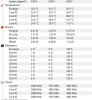
This is my temps with coolers boost on and running CINEBEANCH. So bad, everything was fine 2 days ago when I checked
Attached Files:
-
-
What paste are you using?
You may have to repaste.
Best way to stop core temp difference problem is to do 2 things:
1) replace stock thermal pads on vrm and chokes, with 0.5mm Arctic pads.
2) use thick thermal paste on CPU, like Phobya nanogrease extreme, Noctua NT-H1 or Gelid Extreme. This should help -
Thank you very much for you an answer and help! I am living in Serbian and it is very hard to find that kind of pads. I could try. I am using stock paste, everything is stock. Laptop is never open. Everything started today. Yesterday I did not have any problem. Could stock paste be that bad, I have this laptop just 4 mounts?
-
Yes it can. They don't use paste. they use some sort of square thermal "stamp" pad. But it's hard to say. @GENOCID 's thermal "stamp" became so bad that he was getting 99C core temps just running Cinebench R15 ! And he also never opened the laptop.
he has the new 0.5mm thermal pads already but no paste yet. Wait for his results from his repaste then we will see the results. I am using liquid metal so my results are irrelevent here.Ivan994, DukeCLR and Vistar Shook like this. -
How did you test core 0 / 1 temperature differential? You do understand how it works? You load up all 4 cores with a benchmark that puts the same consistent load on all 4 cores, and then see how far apart they are in temperature.
Most CPU's are at the same temp within a 1c-3c difference. A difference of 5c-6c can start getting troublesome as that hot core may reach thermal throttling when the others are still not reaching thermal throttling.
Now, unless you run a test that does run even load on all 4 cores, you can't declare core temperature differential, because near idle most PC's only run 1 thread or 2 on the CPU, and so a couple of the cores usually will get hotter than the other less used cores
Core 0 is the go to core for running tasks for the system, and user code too, so it will often get much hotter than the other cores during normal use. I've seen a 10c-15c hotter Core 0 quite often.
As posted your temperatures are fine otherwise, running in the 70's-80's doing work. And, as long as you aren't thermal throttling - reaching about 93c there's no loss of performance.
You can get overly concerned with temperatures by reading some of the posts here, it's really over concern, there's no need to re-paste on 99% of the MSI GT73's. They aren't going to thermal throttle, and if you undervolt it pretty much assures it - if the hardware is working as it should.
Your temps are fine, I doubt you have a core temperature differential, it's very rare, only AW / Clevo's with bad QA come out of production and ship with misfit or mistightened heatplates that cause this problem.
MSI GT73 heatplate fits nicely, and fastens well, and MSI seems to have good QA, they rarely ship a bad cooling laptop.
So, given your temps, it would be completely unnecessary to re-paste
You could download prime95 and run 8 threads of memory + cpu test to see the temps of all 4 cores under even load, and then use hwinfo64 to reset the temps just before you start the test to get a clean reading.
I don't think you need to bother doing that either, but it is entertaining, and doesn't require popping open your laptop and messing around inside, so it's a good place to start - to make sure you need to open it up at all - doubtful from what you've posted.
Please let us know what you find
Last edited: Jan 17, 2018 -
Hi,
I have a 1070 v1.0 (HW) modded with 3A vbios, 150-170W. I never faced any issue with/without OC except if I pushed it to high with not enough voltage of course.
I don't think that all the v1.0 have the problem of bad card you mention @Falkentyne .
Is there an easy way to test this? I tried to find your old post about that but didn't found it -
@Falkentyne
Reply from MSI is there is no such firmware update that allows for the Hybrid power to be disabled. Additionally, the Hybrid Power feature is just something that cannot be disabled and they have never heard of it being done. This is a feature and function of our taptops so again, we cannot hook j00 up with it since it doesn't exist.
don't blame the messenger![[IMG]](images/storyImages/tlmRgDI.gif) Vistar Shook and DukeCLR like this.
Vistar Shook and DukeCLR like this. -
-
Hi guys, I bought MSI Gt73vr gtx 1070 laptop about 2 months back in US and now im using it in India. From past one month I'm hearing a whining noise from my adapter when charging. Should I replace the adapter or is there any solution to this. Thanks.
DukeCLR likes this. -
most cases reported of whining noise coming from laptop because of fans not from adopter, why not place adopter far from laptop and checked the noise it's coming from laptop fans or adopter and if it's still coming from adopter, @Falkentyne may suggest something, otherwise replacing adopter will be the only option also are you sure your house wiring grounded properly, usually whining or humming noise from electronic equipment because of poor ground wiring...
If whining sound coming from laptop than fans are culprit, it's a factory problem, live with it or reach MSI on support and ask for Fans which they will ship only within USA (since you bought from USA and have only local warranty) and charge you shipment fee, from USA to India will be up to you. -
I worried also motherboard is faulty or damaged because voltage controls managed by motherboard, not only in gpu. If any problem isn't found on mobo it's good for me.DukeCLR likes this.
-
I rechecked it, and looks like sound is coming from adopter. I will check grounding once and if problem still continues will try to replace the adopter. Thanks for the reply.
-
If you are plugging the power adapter into a power strip instead of directly into a wall plug, try moving it to the wall plug.
Also, since it's a laptop it's easy to move around, so try plugging it in on various parts of your house - if you know which sockets are on what circuit try plugging into each fused / circuit breaker line.
Then try it at another location. Like at work where you know there is a good grounding, like lab bench. Or, a friends house, or a brick and mortar store. See if the buzzing changes or goes away in different places.
Make sure the cable is plugged into the power adapter solidly, I've seen some loose and arcing so that can be causing the noise too.
There is a ground break adapter or "cheater plug" that helps debug ground loops, it's simply a socket with a plug on the other end that disconnects ground - no ground pin:
https://www.google.com/search?rlz=1...ei=MmNfWtKUEojT0gLxgos4&q=ground+cheater+plug
And, if you can find another power adapter like your's - try it on your laptop in the same location that buzzes, and see if it goes away, or if it also happens with another of the same power adapter.
Please let us know how it works out
Shehary likes this. -
Hello,
I want to say thank you for help @ Falkentyne and @hmscott. I have fix my problem with CPU temps. I just repaste my CPU and I lower my CPU temps for 20 C and also fix not event CPU core temps. Now there are different just for 5-6 C.hmscott, Vistar Shook and Falkentyne like this. -
As I tried to explain, MSI does NOT use the best paste or thermal pads. They degrade. They're no different than any other company. They use decent COOLING (although with an issue of core 1 and 3 temps being higher than 2 and 4) due to the cooler also being elevated to cool the VRM's, causing a CPU static pressure balance issue) and powerful fans, but their paste is the same old generic standard crap everyone else uses. Typical sticker. And it degrades.
Ask @GENOCID
when he repastes and his 99C temps in Cinebench R15 drop back down to the 70's, hopefully I will be vindicated.
People on this forum don't realize it, but I have as much OCD as @iunlock And no one works harder at repasting than iunlock.
It's impossible to completely eliminate the core 1 and core 3 higher temps than core 2 and core 4, because of how the heatsink is designed to also cool the VRM's on the other side, which causes an imbalance. You can come close. With 0.5mm thermal pads, you can get them to within 4C with regular paste, and 2C with Liquid metal. AVX workloads however will seriously throw a monkey wrench into that, though.Kevin@GenTechPC and GENOCID like this. -
@Phoenix
ive got reply from msi abou that intel me etc after i explained everything send photos etc first reply was this im gonna quote it
:
Unfortunately, your unit can only be collected for an out-of-warranty repair. Please note that all the laptops that are completely out-of-warranty are shipped to our main repair centre in Poland. The process for an out-of-warranty repair is as it follows: Before a quotation is issued, our technicians first need to examine the unit. After this, we will give you a quotation for the repair. If you accept to pay the amount quoted, we will proceed with the repair. If you refuse to pay the amount quoted, you’ll still need to pay €93.60 for workmanship, admin, VAT and shipping costs.
Let us know if you agree with these terms so we can collect your laptop.
and then when i explained again whats goin on ive got this reply:
There’s nothing wrong with the current BIOS version for this unit. Please familiarize yourself with the Intel Management Engine Firmware instructions before you proceed to update the Intel Management Engine Firmware. To obtain the instructions, please refer to the following link: https://www.msi.com/asset/global/pi...6-011374@Intel ME FW Update Guide v1.0_en.pdf
a bunch of dafts i cant say anything else they still try to blame for their problem with intel me update and first reply is completely something else that i was talking aboutSpartan@HIDevolution likes this. -
That's exactly how a bunch of their CS are.
Completely incompetent and they often do not even understand what a user is talking about.
The only way to actually get a competent reply is to speak to a higher up who will actually LISTEN and who is educated enough to KNOW about and UNDERSTAND the problem.
This is similar to the crap you get with some Dell "supports."GENOCID likes this. -
What kind of non-sense is this. You don't want to repair anything you just want to update your ME Firmware like everyone does as per the instructions on their site which didn't work for you
Their copy/pasting skills are extraordinary I must say with such kind of response.
Try to call or email MSI USALast edited: Jan 17, 2018Papusan, GENOCID and Falkentyne like this. -
I work in a startup, I'm a web dev. My company provides web solution to the tennis club for example. As we are a small company, sometimes, I need to work on the support.
At least 90% of the questions are totally stupid for me.
Client : "Your programm doesn't work".
Me : "What's on the screen whern you connect with chrome? "
Client : "The screen stay black", I cannot even open Chrome"
But we don't provide the hardware
So when you do support, you have so many "stupid" questions that you don't know who is behind the screen:
A guy who knows nothing? A lot
A guy who believe he knows? They are sooo boring
Someone who knows? That's rare
Don't blame the support
Kevin@GenTechPC and hmscott like this. -
this is is what i wrote to them actually replied before first response
hi, i attached a few photos how cpu looks after 6 months on stock speed anyway about that intel update im on LATEST bios from 7re support site and all drivers installed from msi website im on latest EC firmware as well the ting is when i click on batch no matter if i run it as an admin or not i get to the point where it shows fw update 100% then system reboots and error log there created and still nothing changed i even tried newer driver from win raid server but even that did not help. latest bios says .31B. i attached photo as well so you know exactly what i mean. i tried run it many times it was never updated.
i attachted photo what happens in windows command etc.. after first resonse i replied:
lhi, thanks for the suggestion but you still didnt let me know about that intel update, are you goin to release a new bios to fix this issues or any other suggestions as ive heard a lot of people had a similair problem thanks
well i think i explained to them exactly what a problem is with attached photos as well so so they just dont give a fcuk.
i rather wait for a bit longer when someone here will come with a solution or i try to fix it myself rather then spending time to asking and explaining same thing allover again to this customer service lol -
What's your EC firmware and laptop model again?Donald@Paladin44 likes this.
-
its 7RE and im on latest ec as advertised on msi website i cant check exactly cos im away but can give u a model number once ill come back home
Last edited: Jan 18, 2018 -
You can find the exact version of BIOS & EC in the BIOS setup. Let's see if they are up-to-date or not.
Donald@Paladin44 and Vasudev like this.
-
i cant check it cos my laptop is open im still waiting for a phobya nanogrease paste and ive cleaned cpu and heatsink so cant put it back on yet but ive checked so many times i even downloaded twice everything is EXACTLY same as on the website LATEST everything. i must admit that i downloaded drivers from @Phoenix 's thread except intel ME thats from MSI. the only reason i think it might be because i did clean install and did not updated windows. if that wont be an issue i will go back to factory and see if it works there. i even said that to msi CS they ignored that. (windows update)
The Official MSI GT73VR Owners and Discussions Lounge
Discussion in 'MSI Reviews & Owners' Lounges' started by -=$tR|k3r=-, Aug 16, 2016.