 Problems? See this thread at archive.org.
Sent from my iPad using Tapatalk
-
-
I'm just basing this off my own GS60 Ghost Pro and I have to say I love the build quality. Definitely feels sturdy all around. Screen feels a little flimsy though, as it can flex quite a bit but then again the screen is so thin I would say anything will be flimsy at this point...
I'd recommend you visit a showroom unit and decide for yourself. I did that before buying my GS60 and instantly loved the build quality.
Mine is the 1080p unit and I decided against the 3K on my own basis that the 870M couldn't handle most games at that resolution while staying cool (the key here is for the laptop to stay cool). I also went with the 1080p as I feel that the fonts are small enough at this resolution. Any smaller and I'll have to zoom into everything to make it readable.
I haven't tested mine from 100% to 0% doing only normal computing but a mix of installing games and web browsing nets me around 2.5 hours.
I have never used lightroom but basic usage gets me about 50-60C on the CPU side and about low 50s on the GPU side. Ambient temps at about 30C (I live near the equator). I have my laptop sitting on the NZXT Cryo LX cooler but it doesn't look like the cooler does anything for the laptop since the intake vents are on the top instead of the underside.
If you're feeling adventurous and want to tweak clocks and undervolt, go with the 870M. Otherwise just go with the 860M. I have never tweaked my previous laptop (and that one burned itself out after 2.7 years) but I decided to learn undervolting and underclocking with the GS60. Now all I need to know is how to modify fan ECs and vBIOSes.
-
If it's going to be a 2nd RMA, then you can request for a prepaid shipping label since it wasn't your fault that the system didn't get fixed correctly in the first place because you did paid for the shipping cost for the 1st RMA.
-
What are the main build quality or design complaints about the gs60 that i should know before i buy?
-
Massive thread full of information most of which answered in the last few pages...
-
Yes it happen again -_- going back to the MSI service center again.
-
Its interesting that i've not had the wifi issues as badly as others on here. is this because i have the UK model, or because my wfi is closer i wonder!
-
hey i was wondering if anyone could help me out with my gs60 ghost pro 3k edition and flashing custom vbios, i cant find any compatible to my computer. willing to paypal you some money afterwards if all is good. add me on skype "thomaslicata"
-
3k editions come with GTX870Ms. You should be able to flash any vbios that is posted here, either posted by Sen7inel or mardon. No one is sure what msi's updated vbioses do but it is best to keep to the latest vbioses posted. Make sure to flash using the nvidia vbois utility using a usb flash drive. If you mess up while flashing within Windows, you will brick your GPU. There is a complete guide back on like page 130 (very rough estimate). If you want, I can dig it back up and a few of the latest vbioses. I don't see how the 3k edition would be any different from the regular Ghost Pro besides the screen.
-
Hey so I just received my ghost pro yesterday, sadly I am having the wifi issues. The driver (17.0.5.8) doesn't work so am I on my own now with regards to tech support?
-
some pages ago someone posted an update wifi driver for ghost pro
-
I updated the wifi driver and it did nothing. I think it's probably hardware if it's not fixed yet. I'll just have to wait for killer to bring out a version that fits the slot.
Still not had a chance to do another vbios, been too busy with the steam summer sale.
Sonyplaya I've done a video guide to flashing. Search mdonkers85 on YouTube.Vikking likes this. -
Hi guys,
I got my GS60 2PC Ghost almost 2 months ago. I'm loving it so far except one pretty huge problem. It seems that for no apparent reason it gets some weird memory issue. It starts being really choppy, runs out of memory and nothing you do helps bringing it back. It reports that 99% of memory is being used but the process in task manager are displayed as if they use up almost nothing (most of the process state that they use less than 100 kB which is quite silly).
![[IMG]](images/storyImages/FL7jBDL.png)
After a while it has been in this messy state a blue screen (BSOD) appears. I have witnessed 2 of them so far, but they must happen a lot because I leave my laptop on during the night and when I come to work I notice it has restared. I have tried searching online for help but nobody has reported this issue as far as I can see. Could this be some hardware issue (faulty RAM?)?
Here are the two BSOD screenshots, they don't seem related to me and that makes me suspect my RAM.
https://www.dropbox.com/s/xrbroidfoki8dhk/2014-06-18 13.23.44.jpg
https://www.dropbox.com/s/q0lhxtpwe55303d/2014-06-27 09.50.06.jpg -
I had that problem when I was doing c++ programming.
So I'm not really sure whether it's the laptop issue or my c++ code was actually the culprit.
Moreover I noticed the disk reading was also 100%.
It puzzled me a lot so I had to revert back to my old code and somehow the problem magically disappeared. -
Hi Ghost Pro owners! I'm new here and wanted to know the comparison between this and the new Razer Blade? I have owned the first generation Razer Blade 14, but have since sold it. I am now looking for a replacement laptop. I was really satisfied with the old Blade but the only drawbacks I had was that I didn't research enough about it when I first got it so I bought myself a 120 Hz monitor (because most games could run more than 60 fps on the 765M) and realized that HDMI 1.4a could not transmit more than 60 Hz. Now that Razer has released the new blade with a screen that equals or for that matter, surpasses the DPI (and quality maybe?), I was wondering if there is anything noticable better about the two screens? The one thing that makes me lean more towards the Ghost Pro is because of the mini DisplayPort that they have implemented to it which can do 120 Hz. Any thoughts in helping me to lean more one way or the other?
Oh and of course I am talking about the Ghost Pro 3K -
Check if this helps:
Awareness Thread on Windows 8 Memory Leak with NDU.sys - www.hardwarezone.com.sgoverkongen, azer89, mskiller and 3 others like this. -
wow, thank you very much! It seems that might be the issue in fact! I do have a lot of network traffic so it seems logical that I'd have the most issues with it and my non-paged pool did grow to over 3GB (while I have only 8 GB in total). Hope it will fix the issue, I'll report back after a few days once I see if the fix worked!
Thank you again kind sir! -
I have notice on my GS60 Pro after updating settings on the game to play smooth and looking nice, later i have it unplugged and start it up again, it gets very choppy and laggy.
Where do i find the settings for this power/eco mode of the GPU? I just want to have full power when both unplugged and plugged. thanks! -
I had 3 units shipped all had some problem backlight bleeding , loose bezel for screen , the first was the nest but had a bad gpu . I will now give up and probably chalk this upto experience. I have never had any issues with asus even thou many do, my msi experience has been bad. Great looking laptop needs maxwell and killer wifi .
-
It cannot run on full power on battery mode.
The AC adapter provides 120W of power while the battery is just 40W. -
Thanks for the info. That just killed the point of PORTABILITY.
-
There's no NBs that can do what you are asking due to battery limitation, unless you carry a huge battery pack to provide such wattage.
The battery time on GS60 is pretty good, that's what most people want on battery mode, is to have longer operating time while on the go. -
You can till game on battery by tweaking the battery settings as much as you can. but you dont get the same detail, and it dies very quickly!
The point of a gaming NB is not to play games ON the move! Its to be able to carry it from place to place! Its the joy of being a gamer! Same as you never game with the trackpad! -
Wait you don't game with the trackpad... Man have I been doing it wrong ..
Kevin@GenTechPC likes this.
-
Quote Originally Posted by DBASQL View Post
Hello everyone
I know there are tons of complaints on here about the wireless cards. Has anyone actually used a fix that works?
I have a GS60 that I bought for a customer and I want to jump off a bridge. I have tried AC, G, N, Apple AP's, Ubiquity APS, and the user still gets random disconnects. After that they cannot connect back to the wireless at all unless the device is removed from the device manager and reinstalled and that's doesn't even work half the time.
I purchased from hidevolution.com with all the cooling options but if I can't get this sorted this thing is going back even if I have to pay restocking.
I have tried every driver on the planet and I am using Windows 7 Pro that was installed by hidevolution.com.
I did find it odd that they sent it with a stock Win 7 install that was missing most of the primary drivers.
I installed a Ubiquity N AP in the users office to alleviate any concerns about wireless strength.
For this expensive of a unit I have to say it is a good idea but the track pad is trash and the wireless is a joke.
Thanks in advance
DBA
MSI has suggested to update to the newest Intel wireless driver.
GS60 (16H2) is experiencing intermittent wireless connectivity dropouts.
Kevin thanks for the answer. I tried installing that driver and now I get "This device cannot start. (Code 10)" on the wireless device.
I also checked with Ubiquiti and I am using the latest firmware. -
Anyone tried to use a usb wifi adapter ? Wont that solve the problem?
-
I never have wifi problem, tried to download 5GB from steam and it went fine.
My only concern is creating a hotspot, somehow the wifi always stops the connectify service. -
My laptop has no problem connecting to my wi-fi as well. I'm running N 5GHz and I got the same performance as my previous laptop.
The speed is slower when I connect to 2.4GHz N though. -
Anyone using a 1440p monitor? I'm thinking of getting one and was wondering how the 870M fares on it? I'm sure I would have to turn things down to low, but the extra pixels will compensate for it.. I think.
-
It should be ok if you tweak the details and sacrifice AA.
-
Wow what a thread.
Seriously considering this laptop, specifically the new one GS60 Ghost Pro 3K. On paper it appears amazing.
I have a few questions because my usage will be slightly different than most people.
I need something seriously portable but is good for work doing 3D. So, 3ds max, CAD, Photoshop,Lightroom, Ae, Premier, etc.
CPU, RAM and screen res are obviously quite high on the priority list.
My Questions:
- A lot of people are talking about the heat issues, should I be concerned for general use in my software packages? I understand when CPU is being hammered 100% when doing some renders etc it will heat up.
- If I have it sitting in a meeting with me, is the noise going to give people the s?
- What are the issues with the screen resolution outside of gaming? A lot of my colleagues have retina macbooks and have said get the extra resolution no matter what, thoughts? It would be excellent for Lightroom but wondering if it will cause more issues than be benefit.
I'm fairly tech savvy but in Aus this thing is $2800 so I really don't want to be messing with voltages etc after paying that much.
Thanks so much, any assistance to ease my brain would be very helpful.
=D -
What is the power supply model for the MSI Ghost GS60 with 3K?
-
I have the same issue. The trackpad icon shows the two finger tap, but the contextual menu sometimes does not show up. Very frustrating.
I also have issues with the pointer being *very* imprecise, making it difficult to hit some UI elements. It's very noticeable if I move the finger on a horizontal line along the touchpad: the cursor movement is not smooth, and also suffers jumps in vertical direction. I think this occurs only after the laptop has woken up from sleep. If I restart I can get "normal" precision (although still not as good as a MacBook).
Anyone else experiencing these issues? Any solutions? -
Hey!
I am ready to make a decision between Y50 and MSI GS60 Ghost but firstly I would like to know few things and understand them in right way.
MSI GS60 Ghost version: i7-4700HQ, 8GB RAM, GTX860M 2GB(sadly Kepler, whyyy MSI, WHYYY?), 256GB Crucial M550 + 1TB HDD
Questions:
1. I run through this forum many times and many times there are different scores. So How bad are the temps with GTX860M ?
I've seen someone with 90°C , someone with 75°C... so which one is correct ? If it's possible can you also post HWinfo image please?
2. Am I able to get lower temps if I disable Turbo Boost ? If yes how much would it help in term of temperatures and performance in games?
3. How loud it really is? Am I going to be distracted while just webbrowsing or watching a movie(720p or 1080p) in a silent room?
4. Is there a big performance difference between Y50(Maxwell 4GB GDDR5) and GS60(Kepler 2GB GDDR5) performance ? I know there's 10% performance drop for Kepler version but I've seen someone saying that GS60 has a little bit overclocked GPU so It performs like base Maxwell with 2GB.
5. And again ... someone is saying that GS60 has a poor sound quality and someone that it's perfect for it's size... how about comparing it with Y50 JBL Sound system ?
PS: I know that Y50(1TB+8GB SSHD) does not have mSata slot and really poor view angles with FHD Screen ... poor Lenovo ... but it's way better in ratio: performance/price :/
If I buy Lenovo I won't be able to replace HDD for SSD because of Warranty lose and yet there's no version with SSD in my country
I will be working with Blender, Photoshop ... lots of movie watching ... about 2-4 hours gameplay ... I am travelling everyday so that's why it needs to be mobile (GS60 or Y50), otherwise I would rather build Desktop than buying GT60
-
1 & 2 It does not get too hot and is still reasonable for gaming laptop
Several days ago I played Dark souls for 5-6 hour non stop (1080p but AA disabled) I feel that the temp didn't go to dangerous level.
For non-gaming usage, I get 38-40 C for GPU, and 68-70 C for CPU.
I suspect than Y50 has better temp since GS60 is too thin so the cooling is worse, but some guy said Razer blade also suffering from hot temp.
3. Considering dark souls is a "quiet game" with minimal sounds, I even didn't notice the fan.
4. I think Y50 has better performance. But then again, you're going to hardly notice the performance difference since it's only 10%.
5. No, it's good, it even has two sub woofer although I can't really compare since I don't have Y50
As you mentioned GS60 is much lighter and has superior display.
Additionally, my laptop doesn't have an SSD but the 7200 rpm HDD is considerably fast for my work, mainly for coding and parsing source code.
I also use photoshop and illustrator. -
Well ... Y50 stays very very cool during gameplay, temps are not higher than 75°C even while gaming something what uses CPU and GPU at 100% :O ... I would really like to see laptop with cooling and 860M 4GB Maxwell like Y50 but with GS60 design and probably somehow also slim case :/
-
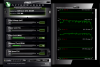
I played Bioshock Infinite at 1080p for 30-40 minutes, got max temp 85 C
-
Does anyone game on a wireless mouse with the GS60? i guess there's no decent bluetooth wireless ones!
-
New guy here. I have been looking at the MSI GS60 Pro for some time. So, I was configuring it on Xotic PC and I noticed that there was an option to get the IC Diamond Thermal Compound on the CPU and GPU. Would you guys recommend it? Im wondering if it would help lower the temperatures everyone is warning about.
-
Hey guys, I just returned my Lenovo y50 in favor of the MSI GS60 Ghost and I have to say, now that I have the GS60, the Lenovo is a POS. The screen, daily performance, sound, keyboard, touchpad, etc. all outshine the Lenovo. Price however goes to Lenovo, but you get what you pay for I guess. I've only had this laptop for less than 10 minutes and I'm happier.
I'm gonna use the crap out of this and see how I like it. Chance are I'm gonna return this one too and go for the 870m instead.charliex3 likes this. -
Yes, I do. It's a Logitech M555b, unfortunately no longer made. In fact it seems Logitech makes exactly one BT mouse these days, designed specifically for ultrabooks, with a touch interface and no wheel or other buttons - probably not very useful for playing games.
The M555b is a treat, however: no lag whatever, plenty fast polling, horizontal as well as vertical scrolling, and a single user-definable button right under the scroll wheel. It also looks great with the GS60; sort of a charcoal matte black. I've used mine in Borderlands 2, Bioshock Infinite, and some arcade-type games with no issues whatever. You do need to change the Intel driver setting in Device Manager so that the computer is not allowed to drop the BT connection to save power or the mouse goes dead periodically when idle.
If you can find one it does the job.
EDIT: Just to be accurate while Logitiech no longer lists it the M555b is still available at Amazon for $42.99. -
The only wireless mouse that is worth using these days for gaming is the Logitech g602
-
My g700s would beg to differ. Any advantage the g602 may have is negated by the lack of a hyperscroll wheel.
-
Both the 602 and 700 are USB-receiver enabled wireless mice; I think the OP was interested in bluetooth specifically (as am I) so as not to take up a USB port.
Bluetooth rodents were plentiful a few years back, even Razer put out a couple of models. I guess sales didn't meet expectations as bluetooth mice suitable for gaming are about rare as hen's teeth today. -
Would anyone recommend the IC Thermal paste over the stock paste? I was configuring up a GS60 at Xotic PC and I came across this option.
-
When choosing a gaming mouse whose primary use is gaming, the choice really should be determined based on the sensor it has. I don't want to clutter up this thread too much, but I'll link this very helpful guide that I came across not too long ago
http://geekhack.org/index.php?topic=56240.0
Just about everything you need to know about a mouse. Basically, the g602 is the only wireless mouse with a proven optical sensor that doesn't suffer from the innate issues that plague laser mice like the g700s, namely inconsistent acceleration. The g602 uses the same sensor as the g100s I believe, which is a very proven mouse as you'll see if you visit the esreality hardware forum -
Has anyone else noticed their battery draining, while it's plugged in? Lately when I've been running some BF4 sessions, my battery icon shows that it has gotten down to ~70% (after a few hours), despite the fact that the power brick is plugged in. On a few occasions, my bare foot has touched the brick and I thought, "yow, that's hot!". Not molten hot, but certainly hot to the touch.
Does the system pull available power from the battery first, and then replenish with the AC as needed?
(this is a 3K Ghost Pro) -
My Microsoft sculpt comfort mouse works very bad, it randomly disconnect. I'm not sure if it's a windows problem or the thing itself, but I'm tired of it and I 'll go soon with a logitech radio one.
-
Cheers for the mouse talk guys! I'm just torn! looks like wireless means a dongle. And the g602 seems to have good battery life. But then i like the look of the RAT 7 wired mice. and Roccat just announced a new mouse, The "tyon".
Its just a market full of so many options! I'm not a pro gamer! i just like to have a nice gaming mouse! helps feel the part, and on the fly dpi reduction stuff and macro buttons really are useful for games!
Also, yes, i notice my battery draining a bit while gaming on AC!
MSI GS60 Ghost/ Ghost Pro Thread
Discussion in 'MSI' started by GreaseMonkey90, Jan 14, 2014.


