 Problems? See this thread at archive.org.
Not sure if anyone has put up any alternate Elan drivers for the trackpad but I've always liked this old driver personally. It's for Samsung but will still work. http://goo.gl/Uwhgvj
-
Interesting - How is it different / better?
N -
Scrolling is smoother, inertia feels more like a Macbook(not the same but more like) and the pointer speed can be increased to a higher level. Could just be me but I felt like the max pointer speed on the stock driver wasn't enough.
-
You convinced me to try it and you're right; it is better. Plus the UI is a little simpler too. Good find!
Even the two finger tap for right click feels a bit more consistent now - excellent! -
Hey guys, I'm currently looking to buy an MSI GS60, and I'm stuck between buying an out of the box GS60-003 or a 3rd-party customized GS60 PRO-052.
GenTech PC - Customize System
w/ 16GB RAM and 2 128GB M.2 SSD's in RAID0.
I know this guy is active on the forums here and is liked, but does anybody have personal feedback from ordering a GS60 from him? How would the warranty work for the laptop? This would be the first laptop that I wouldn't be doing the work myself.+
I also see that he offers free IC Diamond Thermal Compound. I remember reading a while back about how abrasive and damaging the compound was, and there was some controversy over it... -
Can you link me to wherever you read that IC Diamond is damaging? This is the first, I've heard of it.
Also GenTech is a reseller company. Kevin is a representative.
Sent from my iPhone using Tapatalk -
Most of us resellers have feedback in the clevo forum section and then reseller feedback.
-
I don't remember the link to the thread, but I just Googled it and here's a summary of what happened: IC Diamond going crazy over forum members rather than solving the issue: Thermal pastes damaging CPU/GPU processors and heatsinks - Hardware BBQ
Thanks! -
So I went ahead and decided to try out custom ROM
I used the 247.rom and why all works fine I see no difference in temperature when playing AC IV. I still hit 93 degrees.
I do not have a coolerfan and travelling so much I cannot take one with me. I read that Mardons perf.rom is mainly to be used with a cooler that is why i didnt go for that one.
Does anyone know which one is best for reducing the temp a little?
Also before I used the 247.rom i had to update the VBIOS with the update 80.04.EF.00.21 from the MSI homepage. Do I now have to flash the system again for the custom profile again? I did it a few weeks ago, but didnt do a custom rom -
The 247v2 will be cooler. The 247.rom has a memory overclock. Cool.rom is under clocked and undervolted.
-
thank you. just used that one and will get it a try.
And regarding the second question, do you have an answer there too? (edited it in after)
"Also before I used the 247.rom i had to update the VBIOS with the update 80.04.EF.00.21 from the MSI homepage. Do I now have to flash the system again for the custom profile again? I did it a few weeks ago, but didnt do a custom rom"
And gotta say thanks for the help you are always giving. It is super helpful for someone like me who is not too sure what I am doing..
-
hmm. still hitting 93 degrees with 247v2.. guess i just have to live with it
-
Your on the latest vbios now. Any new modded or otherwise you just flash in the usual way.
Try lifting up the laptop at the back a little, that may help.
I use a custom EC fan profile (posted a few pages back) this has a fast GPU fan speed which may help lower temps. -
Really awesome call on the Touchpad Driver. More people should try this. It is definitely more responsive (in the right areas) and not as twitchy. This was huge because I really thought I could deal with the touchpad. But now it's more more pleasurable to use.
-
Hi, just got the GS60-2PE a few hours ago, 870m version.
First impressions are very nice.. have one probably very silly question i couldn't see talked about from a few searches...
There is a sticker on the palm rest, it clearly goes over the black Intel i7 sticker (because there is bubble/air around the edges). I think its just a packaging sticker like the one of the lid.
I presume it is designed for this large palm reset sticker/packing to come off?
It's just mine seems fairly well stuck on.. and it sort of has a egg shell pattern to it.
Sure it probably does come off but thought id ask as i am treating it with kid gloves as it's my precious at the moment
Cheers -
Yes, all the stickers should come off. There's a secret one on the power button too.
-
The best settings I've found are to turn scroll speed all the way up. Then go into Mouse settings and wheel tab and turn the vertical lines down from 3 to 1. That's about as good as I could get it. I'm very satisfied with the trackpad now. 10x better than the out of box experience.
Now I just want to fix my backlight bleed. Anybody open their screen up yet? -
Would you re-buy Ghost or rather go for this acer (for better price): Acer Aspire V Nitro Gaming Notebook | Laptop Release Date 2014 at the moment?
-
I'd have a tough time spending a lot of money on Acer. I can't ever think of a time where their quality had impressed me. That thing is mostly plastic too. I'd have to read a dozen stellar reviews before I'd bite.
-
Hey, guys!
I am a fresh owner of the Gost Pro that i got from Gentech (highly thankfull to them for the great service).
This is actually my very first own notebook, surprisingly, after 12 years of computering.
I have never had a notebook, so i am not familliar with some basic aspects of it and i am hoping i could get some of my questions answerd.
What is the thing with the firmware? Is it like a layer of additional programs between the BIOS and the OS, almost like the drivers? How is then drivers handeled?
Also, how should this machine be OCd? I think i read some posts back that some clock speeds, either for the CPU or the GPU, may be emplemented in the firmware. Or should the GPU be OCd via. post OS programs, like MSI OC Utility? Is there any potential for OC the CPU?
So far I have not updated anything on the laptop, exept the auto updates that showed up. Could you give some recomendations on how i should go forfard?
Sorry for many nooby questions. -
The firmware handles things behind the scenes like power management and fan speeds. The custom firmwares reduce or turn off the idle CPU fan speed and my modified EC also increases the fan speed on the GPU and CPU at the top end.
You overclock the CPU using Intel's XTU software but only by a certain amount. You can also undervolt using the dynamic voltage slider.
If you have the 860m you can overclock using MSI afterburner, if you have an 870m I suggest a custom Vbios and only overclocking the memory if needed.
I personally have a rather large undervolt and 954mhz clock speed (-13mhz underclock) and the RAM running at 5940mhz when required. I'm not posting this Vbios as I doubt most people could run it. I got very lucky with my chip. -
Hello, congrats on your new purchase, and thank you for your business.
1. There are two types of firmware used on the system.
BIOS - Manages the basic but critical things on the system.
EC - Manages the way power works on the system as well as some peripheral functions such as wireless, webcam, brightness adjustment, and fan speed mapping with temperature ranges.
2. CPU/GPU Overclock
The CPU itself has a range of speed that it can operate with per Intel specification to perform self-overclock.
If you wish to push more performance, then you will have to use Intel® Extreme Tuning Utility (Intel® XTU), however, please be careful as improper setting can cause the system to become non-usable until you remove the CMOS battery which is a pain to do so.
For GPU overclocking, you can use MSI Afterburner software to gain some performance, but the most gain is obtained through VBIOS modification.
You can talk to Svet at MSI Forum to obtain his assistance.
https://forum-en.msi.com/index.php?topic=148273.0 -
Any news on new GS60 with 970m? Expected date? How much more to wait....
-
I think October is the release date then they will probably have to revise the motherboard, they may even choose to wait for the next Intel CPU release. If I was a betting man, I'd wager it being next year.
-
Can I put this Kingston Digital Ships M.2 SATA SSDs | Kingston Technology in along side 1TB HDD?
Getting this version:
Intel Core i7-4710HQ; 8GB RAM (DDR3); NVIDIA GeForce GTX 860M (2GB); 1TB HDD (7200RPM) -
Fantastic news! After fiddling with the wireless settings some more where I was previously limited to 30/40Mbps and would get 102Mbps through the ethernet port. I can now achieve pretty much the same speeds via wifi or LAN.
Here are my settings used in the Intel Wirelss AC-7260 Advanced Tab in the device manager:
802.11n Channel Width for 2.4Ghz = Auto
802.11n Channel Width for 5.2Ghz = 20Mhz Only
Ad Hoc Channel 802.11 b/g = 1
Ad Hoc Qos Mode = Disabled
ARP offload for WoWLAN = Disabled
Bluetooth = Enabled
Fat Channel Intolerant = Enabled
GTK rekeying for WoWLAN = Disabled
HT Mode = HT Mode
Mixed Mode Portection = CTS-t-self Enable
NS offload for WoWLAN = Disabled
Packed Coalescing = Disabled
Preffered Band = 5.2Ghz band
Roaming Aggressiveness = 1.Lowest
Sleep on WoWLAN Disconnect = Disabled
Transmit Power = 5.Highest
U-APSD support = Disabled
Wake on Magic Packet = Disabled
Wake on Pattern Match = Disabled
Wireless Mode = 6. 802.11a/b/g
This is all with driver version 17.05.8 Dated 18/6/2014 -
Hello! Quick question is the left side of the space bar led suppose to be like this? Thanks
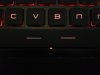
-
Correct me if I'm wrong but aren't you always going to hit 93? That's when the gpu starts to throttle. The key thing to look for is if you are throttling less and/or throttling later than before
-
Unfortunately, the GPU could only perform so much before it hits 93C, so you need to keep the performance setting down so it does not hit 93C in order to sustain a smooth and playable experience.
If the GPU has to throttle down and up then your gaming experience is not going to be enjoyable. -
After a custom rom was applied, I thought the voltage offset slider in nvidia inspector was suppose to work? I can move mine and 'apply' it, but when I bring up the monitor and run a benchmark, it always stays at the voltage that was set in the rom (regardless of whether I raise or lower the voltage offset). Could anyone confirm if their voltages actually stick after changing them in nvidia inspector?
-
I'm having issues with the M.2 Form Factor AC-7260NGW in my new GS60
When the notebook comes out of sleep mode there's a red x in the taskbar wireless icon instead of the normal 5 white bars and no connection
I have to manually restart the card or reboot to again see available SSIDs and connect to mine.
This issue is reported in the AC-7260 Thread in the Networking forum by several member with various brand notebooks.
Yesterday a poster stated that there's a new revision of the M.2 AC-7260 with "Wake Issue Fix".
http://forum.notebookreview.com/networking-wireless/716325-intel-7260-a-68.html#post9776205
Also Amazon is selling a new revision card.
http://go.redirectingat.com/?id=525...ess/716325-intel-7260-a-68.html&xtz=300&abp=1
It states:
"New Revision (for September 1, 2014) of the 7260 AC card 2.4Ghz and 5.xGhz Dual Channel 2 x 2 High Speed B/G/N and AC Band 802.11 Wifi and Bluetooth 4.0" -
Is there a known EC fan profile that has been accepted by the group or is everyone pretty much making their own. Contemplating flashing cool.rom today to keep my temps lower but I want to try and mess with the fan speeds first. I've flashed vbios's before but I'm new to messing with fans.
-
Hang fire. I'm going to repost all of mine tonight. There will be three. Along with my 504 firmware.
Xentar712 likes this. -
As promised here is a tweak guide for the GS60. Please PM me with any additions!
TWEAK GUIDESvegetto, Mighty_X, mosc2k and 1 other person like this. -
Great guide mardon, I'll (unfortunately) be using it tonight!
I mention unfortunately because after installing a few Windows updates, my laptop suddenly kept giving me the blue screen of death. Eventually it went away after booting into Safe Mode and then exiting (didn't even do anything). However, a few days later, my laptop would only boot straight to the I figured I should install the new BIOS released by MSI. Word of advice for anybody with RAID 0. Be very, VERY careful when updating the BIOS! For some reason, my RAID 0 configuration now only has 1 member drive instead of the required 2 (which it had before). My Windows is also installed on this RAID 0, so I am forced to reinstall my Windows and all of the drivers and software I use. I also cannot recover my data because Windows blocks your drivers from being accessed from other OSes such as Ubuntu as long as Fast Startup is enabled (which I cannot disable in BIOS, only in Windows which I cannot access..).
I also noticed no Switchable Graphics appears anymore after updating the BIOS (as seen in the attached screenshot). Wasn't this an option before, and isn't it necessary for having both Intel (integrated) and Nvidia GPUs?
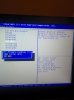
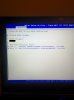
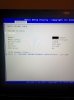
I also blacked out the RAID name for those curious.
Anyone have an idea why I might have been experiencing the BSOD?
OH! I almost forgot to mention, for those who use HDMI on this laptop (at least for me, who used a clean install of Windows 8.1 Pro once I received the laptop): Sound will not transfer to HDMI unless you install a specific Intel driver. I forget the exact name, and I can no longer check because my drivers are inaccessible. I believe it was a driver for the Intel Integrated GPU. This driver was not listed on the MSI driver site (I know because I installed everything on it), but it was on the Intel website. -
The BIOS/UEFI in this laptop is flaky period (but especially when playing with RAID/AHCI). I've had the entire boot tab vanish, as well as a partial boot tab (just random selection boxes without text). I've also been unable to enter the BIOS/UEFI (DELETE key) nor choose the boot device (F11 key). If you look this up on the msi forums, you can see others with same/similar issues. If you do get stuck on the MSI boot screen and you find yourself unable to enter the bios...or do anything else, keep rebooting the laptop and hitting DELETE like crazy and hopefully it will let you in (took me probably 30-50 reboots); it might also help if you plug in a usb drive.mardon likes this.
-
Wow! 30-50 reboots? Did this permanently fix the the issue? I have the same problem, i am not able to get in to the BIOS after a failed update attempt but luckily, Windows still loads.
-
Agreed, the BIOS is just unstable. Finally reinstalled most of everything, but man I really hate doing that.
Currently, I'm quite angry that the new BIOS update removed the Switchable Graphics option for me. This means that if I want to change graphics cards, I have to restart the computer, go into BIOS, and set it to the other option. I am going to contact MSI in the near future about this issue. -
UEFI mode enables fast boot per Microsoft compliance.
Try press and hold the DEL key immediately instead of tapping while the system is powered on. -
My laptop died a month ago after a weekend of being in IGFX mode. I wonder if it was removed for a reason??
-
Hi! So sorry for the late reply (I've been in hospital for the past week) - just wanna say thank you for your reassurances))
Welllll, sort of! I bought my ghost from a retailer in Thailand and they sent it to SVOA, a company that takes care of MSI Thailand warranty and machines that needs fixing. They fixed me up with a new keyboard in 3 days!
One more question if you don't mind... I've just been downloading some games off steam - and the orange GPU light comes on every time I open the application, of course, only - is it normal for the GPU to go up to 52-53 C when I'm just downloading a game...?? I'm not even playing/using the card itself!
Cheers! -
Right click on your desktop, manage 3D settings, then select the program tab, scroll down to steam and then select integrated graphics from the drop down menu... Sorted
-
You, sir, are an absolute godsend.
*falls down to knees and repeatedly bangs forehead on ground*
Let me be the greedy git and take an advantage of this - is there also a way to manually control the left side (I assume GPU's) fan? Most of the time I can only feel the breeze coming out of the right side of the laptop, and it makes me a bit worried XD
*EDIT*
IGNORE THAT. I've just seen your tweak guide!! Thanks so much! -
The left side is the gpu and will only spin up when the GPU hits a certain temperature. The right side is the CPU and unless modified will run all the time.
Look at the tweak guide in my signature if you want to quieten it down a bit.akapine006 likes this. -
do you guys recommend getting this laptop with a Matte screen or the IPS?
edit: how are the temps with the 870M? -
I can't comment on the 3K screen, but I like my matte 1080p. Initially, the GPU would hit 93 celsius and throttle during games. After undervolting, repasting, increasing fan speeds, and buying a cooling pad, temps never go above 83 when gaming. Clocks are all stock. Even after 45 minutes of Furmark, the highest is 91 and no throttling. (Tests were done in a 70 degree fahrenheit room).
-
IPS panel will make every bit of difference on what shows up on the screen when compared to TN panels.
870M is a 100W TDP GPU therefore its heat is pretty high under max loading which is about 90C or less. -
I really like the 3k screen a lot. Probably one of the best laptop screens I've ever seen. I like it better than the 4k panels the razer blade, x3+ and y50. It's glossy but the glare isn't that bad since it's not a glass touchscreen. Similar to the glare on the y500. Gaming at native res is fantastic!(for the games that allow it)
-
The 1080p is wide viewing angle too so is better than a TN panel, but the 3k is that bit higher quality.
-
970m in GS60 screenshot released by nvidia
http://forum.notebookreview.com/gam...x-980m-970m-maxwell-officially-announced.htmlKevin@GenTechPC likes this.
MSI GS60 Ghost/ Ghost Pro Thread
Discussion in 'MSI' started by GreaseMonkey90, Jan 14, 2014.


