 Problems? See this thread at archive.org.
Wondering if there's any UK GE60 (0ND ?)owners about that could help me - do the UK models have the £ symbol on their keyboards?
-
I recently got MSI GE70-0ND-293 with windows 8 in it. Should i get windows7? and what are the benefits getting 7?
-
Sad story I called the local MSI store and asked them for an estimate(how many days will it take for my laptop to be repaired assuming i have a broken hinge) around 3-4 weeks according to them and they asked me what model do i have and where it was bought of course i said its from USA and i said that it is definitely under warranty since i bought not that long ago(november of last year). They told me that they only accept msi units that are bought here. I think sales of msi laptops in the Philippines is not that good since the mark up is crazy high.The ge60 was first sold at 75k(1800-1900usd) and now its around 65000(1625usd) and take note this is the 2012 model with the i7 and 660m. I guess my next purchase would be an asus or AW for the international warranty.I think they should put "1 year international warranty(Philippines not included)" LOL
-
I may be remembering incorrectly, but depending on where you purchased the machine at what price it should have come standard with a one year global warranty. If bought below the MSI standard pricing, it's possible you won't have the full support of that warranty, but I'd definitely get a hold of your reseller and see if they can help get that warranty honored if you're within that year of buying it. -
I bought it from you guys....
-
Then yup, you should have that one year global warranty since we don't violate their pricing terms. Go ahead and fill out an RMA form on our site, listed on the support page, and that will get you in touch with the service team. Tell them about the trouble you're having and they should be able to better advise you and help you get that set up.
-
Thanks in advance! Filled up the RMA already!

-
@jpsm, MSI support outside of USA is CRAP. They may not even know what Worldwide warranty means. Call to the official MSI in Phillipines (NOT THE AUTHORIZED SERVICE CENTER!) and tell them to doublecheck about your circumstances.
@Rahi, it is up to your personal feeling of comfortability. -
Taiwan should have better support than USA
-
I play alot with it. And im not sure if its secure to OC the gpu. And i heard win7 is much stable when it comes to playing games and stuff like that. Just want a MSi customer respond.
-
I'm a GE70 0ND owner.
In the beginning I did have some problems with Win8, but it seems to be ok now. It's not that less stable than Win7 (I come from a Win7 Alienware M17X R2).
If your GPU temperature isn't that high, you can surely overclock it a tad. Add around 5 mhz every time, and pump it up until you get weird flashy things. Then RESET it, and turn it back to the frequency you had max without it all glitching out. Then test the temperature. Make sure it doesn't go above 75 degrees Celcius. If you want to overclock some more, get a cooler pad.
In my opinion, overclocking isn't that worth it. I get a few more FPS out of it (BF3, Ultra preset, from 32 to maybe 35..) Might be that I'm doing something wrong, so other people, please reply to this! I get it up at around + 200 MHz for memory, 80 for clock. Anything wrong with like my card?
Erik -
Hey guys.
I got a MSI GE70 0ND with the i5 and 660m. I think there may be a problem with my gpu because sometimes when I use speedfan it says that the GPU temp is 0C. I have also noticed that this happens when my screen flashes black like 1 or 2 times and then return to normal. I'm guessing that the GPU somehows loses connection and it can be fixed by restarting the computer. Warranty should be available, but I would like to know what the problem is with my laptop.
Thanks -
Sounds like a driver problem. Updated your Nvidia drivers? Try that first.
-
Just don't panic if you don't know something.
Laptop has Optimus so when integrated Intel GPU is working, Nvidia GPU shuts down itself.
You can use HWinfo64 for better info. It will show Nvidia if it is working and you will not see it if it is disabled.
Don't forget to update to the latest BIOS. Do you have Win8 laptop? After flashing latest 514 bios you can flash modded one or better overclocking GPU and better gaming performance. -
Hey guys recently bought myself a ge60 0nd 666us I think was the last numbers, the version with windows 7. Anyways, installed a crucial 256gb msata ssd and cloned over windows, now booting off the ssd. Just wondering if anyone can give some tips on how to increase battery life even further, I was thinking I would get at least four hours with the ssd installed but i usually do around 3 to 3.5.
-
increase battery life for what? You can't expect something be as fast as you want but use less power without hardware change.
1. Decrease brightness
2. Use Eco mode in S-bar.
3/ Disable Turbo using ThrottleStop.
4. Are we talking about I7 or about I5? If I7 then you can disable 2 cores but why would you bought it then?
5/ One guy here had modded BIOS which undervolts NVidia GPU. Go search for his nickname and ask him for bios (good luck)
6. Buy bigger battery if it exists. -
Ok ok. brightness is always at lowest setting. Turbo isnt running, i make sure only games run it. What does the eco mode in the s bar do exactly? And yea im not going to disable 2 of the cores. Also, there might potentially be a 9 cell battery for this notebook does anyone know about that here?
-
You can also buy 8GB 1.35V stick of RAM and use it only. 1 stick vs 2 will save you 2-3 watts. While being 1.35V instead of 1.5 will save some more. In the end you will get 10-25 minutes more but nobody knows how much more.
-
I still got win8. The screen flashes with a full black screen 1 or 2 times as I've mentioned before, but the "Turbo-button" is always lit when this happens. I'm not sure but I think that button lits everytime the laptop uses the nVidia GPU. I am sure that the laptop somehow loses connection to the GPU because I've tried running a game when this problem happens, and the result was really low FPS. Therefore it must be running on the intergrated GPU. What would be best thing for me to do?
Thanks -
Update to the latest drivers ищер Intel and Nvidia. Then if you believe it i working bad send it back.
-
Hey guys i recently encountered a problem with my msi ge60. Whenever i open/startup the machine the fan makes this weird sound so i have to put the laptop back to sleep/close the lid then wake it up again/open the lid to remove the weird sound of the fan. I tried opening up the laptop and cleaned the fan and exhaust/vents but the sound did not disappear. I have to be the unluckiest ge60 owner in the world. A broken hinge and now a fan that is acting up on me. #
Last edited by a moderator: May 12, 2015 -
You are not the unluckiest one. I have NO FAN at all in my laptop right now so...
Read here about fan rattle problem.
If you have no more warranty then you should buy it from majstermsi.
Before doing that try to power drain laptop. Perhaps fan rattles because of too high starting speed. -
what do yo mean by power drain laptop? so what do you use to remove the heat from your laptop if you have no fan?
-
C'mon. You could find what it means for 3 seconds in google. Take battery off, plug DC off, press power button for 5-10 seconds. Also try to set bios to default (why not?).
I use CoolerMaster U3 and removed bottom cover.
OK people. Owners of Windows 7 models of GE60 and GE70, you are now to get a present. Opportunity to overclock stock RAM up to 1866MHz, overclock iGPU and (if you buy unlocked CPU like 2920XM, 2940XM, QBC1 ES 3720QM, 3920XM or 3940QM) even overclocking CPU. This BIOS is tested by couple people including me for more than a half of year. It also includes Prema's GPU unlock and this is the main reason why I have kept it so long.
Win7 GE70 BIOS
Win7 GE60 BIOS
https://www.youtube.com/watch?v=Ol5nm6Hg2oA
I AM NOT RESPONSIBLE IF YOU BRICK YOUR LAPTOP! BIOS FLASHING IS RISKY PROCEDURE, AS WELL AS SETTING WRONG SETTINGS IN BIOS!
DO NOT CHANGE ANY SETTINGS BEFORE ASKING ME IF IT IS SAFE UNTIL I WRITE HERE A SMALL TUTORIAL!DaCM likes this. -
another concern i have whenever the fan rattles or does the thing in the video my whole system becomes laggy. is this normal whenever this thing happens? i havent tried the power drain thing yet btw.
UPDATE:The fan issue i had just disappeared. I just hope that it wont happen again.
-
That is really weird, ti me it sounded like it was rubbing on something.
-
So I'm considering buying a refurbished GE70 with the i7-3630QM and the GTX 660M. However, I've heard about bad temps with it. Owners, how are the temps really? More importantly, would a mild GPU overclock (~100MHz) be safe? Is it easy to clean the fan? Also, I'm guessing that there's no trick to temporarily disable Optimus, is there?
-
There is no problems with temperature. Watch my sig.
However short warranty is bad. Your fan will die sooner or later if it works hard -
Unfortunately, my budget is very small. I have $900 including Amazon gift cards. I could maybe squeeze out $1000, but that's about it. If I can, I'll buy an extra warranty after purchase.
-
800-900 is no to small amount... you consider used laptop.
But you never know what you take -
Used might have an even shorter warranty... Either way, thanks. I'll consider what you said.
-
I'm not advertising Lenovo, as I own a MSI GE60 OND, but if you really want a cheap laptop that isn't used, the Lenovo y510p is pretty good.
I have a question for those Battlefield 3 players. I own a GE60 0ND257US with the 660m 2g, and I7 3630 QM. Playing the game, I am only able to hit 25-40 on low settings, while at the native resolution of 1920 by 1080. Does this sound similar to what you guys reach on Battlefield 3?
Also on a completely different note, how do I clean the fan? I'm not so great with computers, and I don't know if I can open my laptop up without voiding my warranty. Will using compressed air at an angle help me clean out my fan? I haven't cleaned it since I first got it, which was 11 months ago... -
I get around 30-40 FPS on (custom settings) everything on ultra except a bit of shadows and anti aliasing (GE70 0ND 660M 3630QM, no overclock). So there is definitely something wrong there. And also, I clean it by putting a vacuum cleaner (at low power) at the air INTAKE, and use a can of compressed air and blow that into the air EXHAUST (by that you reverse the regular airflow and you blow all the dust out, the same tactic MSI uses on their new Twin Frozr graphics cards).
Erik -
Thanks JamesD! Can you provide a little more detail about what the custom BIOS does? Personally, I would like to get more out of my GPU. Can I see a performance increase that I would not get from MSI Afterburn? Also, can you explain the benefits of overclocking the iGPU?
Thanks again! -
Welcome. I understand that biggest thing that people want from gaming machine is OCing main GPU as it gives boost for gaming. But unfortunately I have nothing to offer for that
By the way, overvolting GPU would give close to nothing anyway while increased heat tremendously.
AS to what it gives, all importnt things I already pointed. You can OC stock RAM (I have Elixir, I guess) from 1333 to 1866. And if you buy QBC1 CPU like I did for 200$ or so, then you can OC it to 3,8GHz on all cores without better AC adapter.
AS to what gives Ocing iGPU... I can play non-demanding games (like tanks online) on Intel HD with fluent frame rate and without any heat and bigger battery life if I need. Also I can use it better for SVP manager. This is awesome stuff which plays all your video in 60fps instead of stock 24. But again, you can do it all on your NVIDIA Gpu if you don't care about heat or battery life.
P.S. I suggest everyone to try SVP. It is awesome stuff as I already said. I can help to setting it up. -
Dammit JamesD. Now that I've watched with SVP I can never watch without it again!

-
Sorry, I "forgot" to mention this. Me too
-
Heya.
I just bought a GE60 2OC, And it works great and all.
But i hear a "wierd noises from left side i guess it is from the hdd? anyway i uploaded the sound i recorded.
Vocaroo | Voice message
do anyone have the same "wierd" sound or is it normal?
Thanks
Toby -
Apocalypse Now in 1080p with SVP....there goes my Friday night! :thumbsup:
-
anyone tried to upgrade their cpu's? im thinking of upgrading to i7 2820qm, do you think it'll work?
-
I think it will but I upgraded to I7-3720QM QBC1. Now I am able to use it at 3,8GHz on 4 cores with unlocked BIOS for non-Win8 notebooks. For laptops which came on-board with Win8 I have not such bios.
-
Can I put 2x128GB SSD RAID0 in this laptop ( GE70 2OE-017 )?
Thanks -
Ask this in MSI GE70 2013 owner's tread
-
Hi,
I have a GE70 with an intel 3630qm. Under substantial load in games it gets to 90+ degrees after around an hour of gameplay. Highest its been after 2 hours or so is 95!
I know these temps are way too hot. I use the turbo fan function and a 4 fan coolermaster pad. Also with the temps been that high it limits the turbo function of the cpu so it only runs at 3.0ghz rather than the capable speed of 3.4ghz.
What temps do you all get under load?
Was thinking of repasting the cpu but then I will void the warranty. Should I send it back under warranty or will I get the same problem again?
I'm sure this will have been mentioned a few times but I wanted to know your views on what I should do.
Thanks -
You will not loose your warranty taking that stick away. You either get 2 year warranty from the manufacture date (check under battery) or after sale date if you register laptop on the MSI site.
Use MX4 paste. -
thanks for the reply! BTW i have a moded bios too! got it from @Prema, i have a ge60 non-win8 too..
i've search the internet and i have seen laptop with hm76 chipset with 2nd gen cpu's so I think it'll work! I saw an i7 2720qm for 1500 Pesos here in the Philippines, that's about 35 dollars, i hope it'll work with my ge60!
thanks for the reply! BTW i have a moded bios too! got it from @Prema, i have a ge60 non-win8 too..
i've search the internet and i have seen laptop with hm76 chipset with 2nd gen cpu's so I think it'll work! I saw an i7 2720qm for 1500 Pesos here in the Philippines, that's about 35 dollars, i hope it'll work with my ge60! -
Thank you for the quick reply. I will order some MX4 paste.
Do you know of any good dismantling guides? I have done plenty of work on desktops but never notebooks so help from a guide would be much needed!
Thanks again James -
This is a link to the guide I found on the MSI forums.
Disassembly guide -
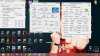
guys! need your opinion! my replaced my cpu to an i7 2670qm, and my temp reached 92c @ full load! any recommendation for d'best thermal paste?
-
MX-4 is cheap and new user friendly.
Official MSI GE60 & GE70 2012 Owners' Lounge
Discussion in 'MSI' started by asurania, May 9, 2012.


