 Problems? See this thread at archive.org.
This is my exact specs except I installed a Samsung 840 series 250gb ssd.
i7-3630qm
12gb ddr3 - 1600
GTX680m
-
Do these apply to the GT60 0NE-403US? -
Yes, although note that 2) will void your warranty.
Though your WEI is unlikely to improve (not that it has a bearing on any real programs). -
Yea. I probably won't do it.. It has plenty of performance the way it is
-
You may want to put your SSD in the stock HDD slot since it's SATA III and move your stock HDD to the empty slot.
the nVidia video card supports optimus required Intel HD4000 graphics, if the Intel HD Graphics is not present the nVidia GPU will not work properly or you can't even install drivers. -
Thanks.. I don't know how changing the ssd to the primary slot increased my windows performance score on the graphics side of things but thank you very much.
-
Which of the two HDD bays is the primary and which is the secondary?
-
The hdd under the dvd burner is the primary.
-
Just an update, I have found that pherein's fan control program can cause your system to shut down under high load conditions when overclocked, to avoid this choose simple mode when editing profiles, don't change temperature thresholds and avoid using 100% fan speed (90% seems fine).
I've not nailed down exactly what combination causes this issue yet. -
Im planning on getting this MSI GT60 but i have only one question... How long will it last if the laptop its always on and its rarely shutted down... Previosly i had a HP dv6t with a 9600M and it lasted like 4 years... just curious... Its more like a server laptop...
-
Is there anything I can do to quiet down the bluray burner ? When i insert a CD it really vibrates and is noisy-ish compared to a Bluray or DVD.
-
Thanks for reply zamdam. Sorry, its still not clear to me. The primary hard drive slot is the one closest to the hinges or the one closer to the opening of the laptop? If I put my hard drive in the wrong slot, can I simply just move it to the correct one? Is one slot faster than the other?
-
I don't know if anyone can answer that question. With proper care, any computer can last a really long time. I have had my MSI GX660R since 2010 and it still runs fine. I think it ran hotter than this computer (GT60 0NE-403). But to be fair, I did not have it running all the time. I shut it down when I didn't use it but I brought it with me everywhere. Similar to how I treat my GT60.
-
The use of a laptop is that your moving a lot and need to carry power with you wherever you are but i dont even touch my laptop because i have it plugged on all the time and i use my external monitor, keyboard and mouse... My old HP died with the plastic cover on the back of the monitor new... hahaha... Thats why i asked... I like laptops over desktops because if someday i need to move then i can carry on all that power...
-
Its the hdd right next to the subwoofer on the bottom. the secondary hdd is farthest away from the subwoofer. The primary is sata3 which operates at 6gb/s and the secondary is sata2 which operates at 3gb/s. Hope this helps
-
It did help! Thanks, and I got it right when I installed it.
-
Good to hear and glad I could help
-
The factory installed HDD slot is the primary.
-
Hello!
I'm going to buy a MSI GT60 0NE-403US and I have few questions.
1. What about overheating? How is it going?
2. What is the stock thermal compound? Should I pay $35 for IC Diamond?
3. This copper cooling upgrade for $80 from Xoticpc is retarded, right? They use a $6 heatsink and I dont think it help something... Does it help?
4. I will buy a SSD Samsung 840 PRO 256GB. The primary hard drive in STOCK model is a HDD 750GB 7200RPM. My mainly idea is to buy 2 SSD and make a RAID0. But there are 2 issues: I'm paying for two SSD and the stock HDD. All stores will just remove the HDD and they wont remove it from final price. Other way is just buy one SSD in second option and keep the 750GB in primary, then I ask to invert (primary / secondary) at comments in my order (thats the way to dont be ripped off), Di you think they would do that? I dont want to burn my money... The another issue its about RAID0 performance with 2 SSD. Do you think it worth the price or just one SSD is enough?
5. Should I buy Corsair ram's due to lower latency or stock ram is enough? I will just play games at most of the time. -
1. General temperatures are pretty good.
2. If you are not confident to do it yourself then it can help.
3. No comment.
4. Slot one is SATA III, slot two is SATA II, if you raid 0 them both they will both run at SATA II speeds so you are better off getting one larger SSD and putting the 750GB drive in the second slot.
5. It helps minimum frame rates but should be your last consideration after getting everything else, if you still have a bit left over then go for it. -
Thanks for quickly reply

I think I should ask to invert my primary / secondary storage option, then I will pay only one time for each hardware (SSD and HDD), right?
About thermal compounds, I read that the stock thermal compound is a Arctic Cooling MX-2...Is that true? -
Apart from changing the bios boot order you can switch drives freely between slots. I am not sure exactly what the the stock thermal compound is, but it is a silvery non white goop type.
-
Hi:
Has anyone had issues with an Intel 6300 wireless card in this SKU? I'm thinking about ordering that card instead of the stock Killer 1202.
Thanks. -
For some reason my Bluetooth isn't turning on. Any ideas?
Also, more times than not when I boot up my laptop it shows that windows is configuring features..

-
When you say not turning on, do you mean not even appearing in device manager?
-
Its in device manager and I have even tried turning it on in device manager and it will not turn on.
-
I fixed it by downloading and installing the bigfoot drivers from the Qualcomm site. Actually as soon as I uninstalled the old drivers my Bluetooth started working.
-
Correct, the stock thermal compound is Arctic Cooling MX-2 but some times their production put too much paste on CPU and GPU.
-
Thanks you sir. I saw some tests and I think MX-2 is as good as IC Diamond.
About my storage drives question, I know you are a seller and perhaps you would not talk it. But when I choose, in any online store, the SSD as primary and HD as secondary, Im paying the hard drive 2 times (In stock config and the second). Its not possible do just buy the SSD and invert with the stock HD. Could you tell me if is it a way to earn some money or just a mistake? I think if your store provide this option, it would be a good point to choose you. -
You could just contact whichever reseller and ask them or swap it yourself, it would take only a couple of minutes to do.
-
Hi, there is a difference between them. Please check my post here - http://forum.notebookreview.com/msi...temperatures-3dmark-scores-5.html#post8999221
-
It's not just the paste but the application, though as I said before replacing the pads with high quality 0.5mm versions and doing your own personal pasting results in the best performance overall.
-
You can send me PM if you have any special requests.
-
Sent you an email ( [email protected] )
-
Oh awesome.. I did not notice that.
Thanks buddy! -
What is the MSI VGA overclock tool for? It doesn't seem that I can open it to do anything, all I can do is click about or exit..
-
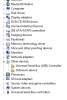
Does anyone have any clue what these two drivers could be.
Also after the clean install the Eject hot key and the hot key to the right of it do not work.
Hopefully this posted correctly -
It's the pre-defined factory OC work with Turbo button.
Not sure if you are using Windows 7 or Windows 8 but should be these two drivers:
Intel Management engine:
http://www.msi.com/service/download/nbdriver-18392.html
USB 3.0 driver:
http://www.msi.com/service/download/nbdriver-18470.html
For Eject and hotkeys on Windows 7 you need to download and install S-Bar:
http://www.msi.com/service/download/utility-19983.html
And .net framework prior install S-Bar:
http://www.microsoft.com/en-us/download/details.aspx?id=30653
For Windows 8:
http://www.msi.com/service/download/utility-19910.html -
I wish i could overclock it to 800mhz with out it ruining my warranty..
-
Why such a specific speed? 771mhz is not far off.
-
LOL.. I thought mine was at 700mhz.. let me check.
Its at 770.8 then i would like an extra 100mhz.. How much of a performance increase do you think i would see.
I play Planetside 2. Battlefield 3, COD BO2. etc. -
870/770 x 100 = 13%
So 10-13% I guess. But do you need that extra performance? -
Maybe i should have bought one with dual 680's or dual 7970s..
I dont need the extra performance, but do any of us "need" these gaming laptops? No, no we dont. We want them.. -
Well then if you have to break the warranty you may as well target something decent like 1050mhz then
-
So I currently have an SSD in the Primary hard drive slot but ordered another one to throw in the secondary. If I just throw another hard drive in the secondary do I have to do anything to enable Raid 0 or will this machine automatically detect and configure itself? Since I will have the same hard drive in both slots will Raid 0 benefit me or is the fact that they are SSD's good enough performance wise?
Unrelated but I'm curious, I recently ran the 3dMark 11 basic test package and received an overall score of 5548. I read somewhere else about people getting scores of up to 6k. Either they have modified their systems or mine is not optimized. Any ideas as to why I get the score I do or is this normal? (310.90 - WHQL)

Thank you in advance for any responses. -
You will need to go to BIOS > Advanced > SATA Mode selection and change from AHCI to RAID> press F10 to save and exit > Go back to BIOS > Intel Rapid Storage Technology > create RAID.
For 3DMark 11, did you turn on TDE? -
Yes sir I did. I pushed the turbo button at the top prior to running the test and a little box came up indicating that rpm gauge is now active and that is the score I received.
-
You run the Benchmark tests only not the Full 3DMark 11 Experience right?
-
I ran the Full 3DMark11 Experience.....and after running the Benchmark only tests I have broken 6k. Thank you Ken.
-
Only the primary drive bay is SATA III 6GB/s.
If the SSD in the primary bay is SATA III 6GB/s and you setup a Raid 0 array with another SATA III 6GB/s SSD in the secondary position the array will only run at SATA II speed/performance because the secondary bay is only SATA II 3GB/s.
The raid array will perform to the specs of the slowest drive in the array.
Consumer grade SSDs or hard drives are really not intended for raid.Two drives raided up means there's 2X the chance of losing all your data should the array be broken.
IMO you would be much better off with the largest SATA III 6GB/s SSD you can afford as a primary drive than to raid0 2 smaller ones.
***The Official MSI GT 60 w/GTX-680M Owner?s Lounge***
Discussion in 'MSI' started by xMAR99, Jul 20, 2012.


