Problems? See this thread at archive.org.
Thanks for posting your results, looking forward to your updates. I'm trying to find a solution to my high temps as well. Artic MX4 failed. Getting highs of 96 playing APEX legends and Anthem. First two days were only hitting 80's.
-
If you are running with Speedshift at 0, try changing it to 80-84. I'm uploading a clip from Monster Energy Supercross 2 I did last night showing the temps and FPS while recording on very high / ultra settings. GPU stays at 71C and CPU is 70-74C, but a consistent 2911 with few spikes above 3000. FPS 60-80 which isn't bad while recording. -
https://www.eluktronics.com/4-cell-batt-mech-15-g2-mech-17/ or call up your vendor, the price will go up or down based on stock within each vendor.
You'll have to contact the vendors for that, mainly since I've heard replacement switches aren't standalone, they like to come with the keyboard frame itself. The likelyhood of the switch you will end up is the new brown "silent" switches.
Based on the dimensions provided for each sleeve, https://www.amazon.com/gp/product/B01ANEYOSG/ref=ox_sc_act_title_1?smid=AME5KMU2R4SX2&psc=1 Only this one is very likely to work, the others are questionable. -
Hi I am attempting to use the Rev Center 2 program, but I have not been able to get it to work well.
If I install on a fresh install on windows then it opens up, but eventually crashes and cannot be opened up again.
The built in fan manager and keyboard config do seem to be working in the background, so whatever settings I set before the crash saved.
I am using BIOS 1.05 - EC 1.35.09 - OverPowered - GK5CN6Z / OP-LP2.
Please let me know if there's anything I can do.
Thanks -
I've managed to do the same and pretty much brick Rev center 2 after toggling the dGPU switch, I'm also missing buttons like to save keyboard colors.
-
I have it set at 84. My CPU can even handle a -0.145v on core and -0.140v on cache. Still hitting 96. Getting over 1250 on Cinebench 15 and since it doesn't run long enough, my temps are under 90.
-
We have two users on IC Diamond. Let's see how this goes!em0ney14 likes this.
-
The 2 Lacdo sleevs are listed as 15.94" though with regards to their internal dimensions so I think they might fit? Although its weird because Amazon lists the product dimensions as 15.6".
-
I took out the arctic silver 5 I had and used Gelid-GC Extreme as suggested on this thread. This paste is amazing. A little over a week later, the GPU and CPU don't get over 80 C on average with a max workload. Cores 0 and 4 are hotter than the others by 4 C at times. Thicker paste seems to be the way to go for this laptop.
-
Let us know how long it lasts then (how many weeks)
em0ney14 likes this. -
Guys, how do I disable the LED Light Bar Strip on this laptop? It is driving me nuts.
I've tried every single possible version of Game Center, Control Center and Rev.Center.
The only time something happened was when I used the MyApp, it turned off for a second and turned white (which makes me believe is not a hardware issue)
Secondly, has anyone noticed that Sleeping and Waking the OS increases the GPU Core clocks? Is there a fix for that or?
Thanks -
A failsafe way is just to adjust the strip colors to "black", which will effectively turn the LEDs off.a_bolog likes this.
-
Also, this works for the light bar as well..
![[IMG]](images/storyImages/SMzfBSu.png)
-
Found a perfect sized sleeve for the 17.3" version, just received the 16" version of this sleeve and it's just right:
https://www.ebay.co.uk/itm/8-10-12-...g-For-7-to-17-inch-Laptop-Tablet/201493763377a_bolog likes this. -
Thanks for testing the Gelid. Please update us with it's performance in the future.
-
I have GC Gelifd Extrem since about 2 months.
Temps while idle or when doing basic tasks remains the same: between 28 and 50°C, but most of the time between 35 and 40°C with fans always turned off (office mode).
Temps when gaming or benchmarking are maybe a little bit higher than during the first days, but nothing big.
![[IMG]](images/storyImages/z1H0ZGk.jpg)
Here is a screen shot at the end of a Cinebench R20. I hitted 3060 on this run (with normal task priority). Curiously most displayed max temps were reached during the previous run. PL2 reached at 78W ^^
I didnt used the 'foil under the screw' trick, so maybe I could get a smaller delta and-or max temp if I did.
During this test I was in equilibrium perf mode and gaming fan mode, with BIOS 1.05 and EC 1.35.09 from OverPowered. I think I didnt reached PROCHOT 95 while gaming with gaming fan mode ON.Installed64 and em0ney14 like this. -
I'll also add another +1 for Gelid, I've gone through a dozen or so of compounds since I started playing games on laptops and found it to perform as good as IC Diamond, but being much easier to apply / re-apply.
-
I’m also using Gelid GC. Temp max 81c avg 75c while playing R6. For the long run I recommend Gelid over Kryonaut.
Verzonden vanaf mijn iPhone met Tapatalk -
Well looking at this viscocity rankings, if anybody has the wallet to fork out for some KPX. Then that would also logically be another option worth trying out / testing more thoroughly.
As you can see for yourselves, by examining the graph linked below here:
https://www.tomshardware.com/reviews/thermal-paste-comparison,5108-12.html
Kind Regards -
Is it okay to undervolt the cpu and overclock the gpu at the same time? Or should I just stick with just undervolting the cpu? And what is the purpose of undervolting the gpu? Is it just to get the temps lower? Will undervolting the gpu affect its performance (lower fps)?
-
It's ok to undervolt both at the same time. Undervolting the GPU is supposed to lower the temps, which translates to higher sustained boost clock speeds, which in turn leads to better performance. I have a stable voltage curve on MSI Afterburner set to 1911 Mhz at 881 mV for the GTX 1060 in this laptop. It stays at that speed until the GPU hits 70 C, where it then drops by 13 Mhz for every 5 C increase in temps afterwards.Last edited: Mar 24, 2019
-
whats f3? and how to reset to default?
-
how did you apply the thicker paste?
-
Should be a button on your keyboard.
https://en.wikipedia.org/wiki/Function_key
Also, while in the BIOS, it sets the values to optimized defaults..... -
I placed a moderate amount of paste over both dies and and then used the included plastic spreader to apply it evenly all over.
-
What is the latest BIOS update for the Mech-17 G1R with an i7-8750h and an RTX 2060? Also, is it necessary to update to that BIOS?
-
XMG has published a new EC 1.38.09 (BIOS stays at 1.09) which corrects the "lid not waking up the display" issue, reported here
Link to the BIOS/EC and other goodies:
Blebleuh likes this. -
Is the BIOS for the GK5 same for the GK7?
-
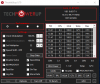
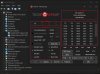
Does anyone have any advice on how can I get the idle PKG Power any lower?
The lowest I could get it is 5W on complete idle, only by disabling the dGPU in Device Manager and a fresh restart, otherwise it's drawing a solid 12W, which enables the laptop to run exactly for 1 hour and 30 minutes idling on battery...
I do not use MSI Afterburner, absolutely nothing is running on the dGPU and tried all the settings in Gaming Center
 Last edited: Mar 24, 2019
 -
Hi, I just get mine with i7-8750H and RTX 2060 6GB ver.
Still new to undervolt.
I wish to get a lower temperature (can run below 80C while gaming).
Anyone can share your tips in undervolting??
And any steps I have to do with my new laptop? -
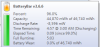
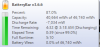
Its weird how many people have reported terrible battery life on this model. I use battery bar to monitor my battery life more accurately and with 25% brightness and no keyboard lights on i get 5 hours pretty much every time.
The only thing i do differently then others is set my max multiplier to 34x for better temps because i do not care about benchmarks as i just game on it and i want a quiet cooler machine.
Also i removed the mechanical drive and am running 1 Samsung 512NVME drive and the stock 256 for the OS and running dual channel 2x8gb 2666 sticks of RAM.
Edit i added a second screenshot of the battery usage 40 minutes in just lightly browsing the web on Chrome and doing some document work. Battery levels remainAttached Files:
Last edited: Mar 24, 2019 -
-
Your speedshift isn't enabled in that setting -
Don't know if it'll be your case but, bear in mind that having RivaTuner Statistics Server running shoots PKG Power consumption up like crazy.
Hope this helps. -
Yeah thats OK i have just been tinkering since i got the machine a week ago. But this was just to show people that this machine can get much better battery life in general with very little work.
I run in balanced mode also so i do nothing else to my machine except pull the plug and shut off MSI afterburner. The keyboard lights shut off automatically and the brightness drops to 25%.
If i get the exteneded battery ill be curious what i can achieve on that one which i plan on doing at some point.em0ney14 likes this. -
Hi, After some trial and error on the configuration.
Finally I found a best solution for my laptop.
But when Try TS Bench on 12threads and 1024M, RING EDP OTHER and CORE PL2 still display as yellow colour.
Any solutions to overcome these issues?
Here is my configuration.
Main Menu: Only Check Speed Shift and Speedstep
EPP set as 84
FIVR: CPU Core offset -125mv IccMax 255.75A
CPU Cache offset -125mv IccMax 148.00A
Check Disable and Lock Turbo Power Limits
TPL: Turbo Boos Long Power Max/Short Power Max : 65/85,
untick both Clamps
Turbo Time Limit 56
PP0 Current Limit 192
Tick Speed Shift and Enable Speed Shift when ThrottleStop starts -
If anyone still care about this topic (maybe @barichon ?), I just asked PCSpecialist France about silent keyboards ("brown switches") and they told me they still have no provision and that it might need a few more month to get them...
I'm so bored of the stock clicky keyboard that doesnt actually need to click to actuate a key. I wish we could find the silent keyboard soon by ourself...Installed64 likes this. -
Maybe one day, it might appear on either taobao, or aliexpress. As the plastic bottom cover did.
Blebleuh likes this. -
Has anyone installed a newer BIOS in 2060 RTX version? I don't know if I can install it the same way as for 1060 version. And another question, there are many opinions about thermal pastes, which one is the best? I would be better if somone with 2060 version could tell me. At stress CPU temp rises up to 96 degrees.
-
I am about to order the gelid gc extreme. do you guys know what thermal pads go on this laptop? what thicknesses? do you have any brands in mind? Since the paste has been cheaped out on, I think it would also be worthwhile to change the pads as well. what do you think? I have been using the kryonaut on this, there is some difference but it is not huge and the temps have crept up. I am on my second pasting and did see some spilling out, like there was not enough paste left to contact with, most of it had spilled out.
-
See this post.
Also, I'm sure that someone here has linked pads he/she used to replace stock ones. The search function migth help you. -
Do you use an external monitor? If yes, it automatically powers up Nvidia GPU (external video ports are all connected to it) which makes it impossible to get lower usage than 5w. With dGPU off I can get to 1.1w in Windows, but I've seen some here screenshot their usage being as low as 0.5w. I have tried multiple re-installs, change of drivers, disabling of devices, but have not been able to hit it that low, so I think it has to be tied to my 2x NVME SSDs maybe? Curiously I have seen 0.4w in Linux mint, however battery life did not seem much better... probably because of lack of Throttlestop.
-
I don't use any external monitor. To reach the 5W I have to completely disable the dGPU in Device Manager together with a restart, otherwise if it's enabled it's drawing 12W. And there is nothing running on the Nvidia, the gpu monitor doesn't show anything, and I have tried a fresh windows reinstall which does the same... I don't know.
But even if say I get into the habit of disabling the Nvidia, 5W is still quite a lot for a completely idle and fresh windows. And I have only one NVME drive. -
Do you have Intel Rapid Storage Technology installed? I remember that being the problem causing high idle power draw and slow boot times.
-
Can anyone recommend a good sleeve?
-
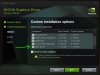
OMG Fixed the high PKG Power!
It was the USB-C driver which is controlled by the NVIDIA board. I had to manually remove the driver from Device Manager and Have Disk from an older driver package.
Now it consumes 1W on idle, and if I connect an external monitor it jumps to 12W, which is normal I guess.
Does anyone have any experience with USB Graphic Adapters? I'd like to run an external monitor while still keep the fan noise / temp low, because I am mainly using the monitor for light browsing and don't need that idle RTX power.
I understood that all the plugs are wired to the dGPU, and I'm thinking if I buy one of these and plug it through the USB, it shouldn't wake up the nvidia, but I might be wrong?Installed64 and dreamcat4 like this. -
This is the carbon fiber skin from ebay. I know I screwed up the edges a bit but it still looks pretty cool.
![[IMG]](images/storyImages/567cfbe59adbed751adbf094d387624b.jpg)
![[IMG]](images/storyImages/e71a61aeae430cc4e23ea83881329c76.jpg)
Sent from my SM-G965U using TapatalkInstalled64, Big Mack and dreamcat4 like this. -
Correct, when I use a USB docking station nvidia GPU stays off and so does CPU package power... it is weird though, sometimes I can see the usage hit around 4w with external screen connected, but it only happens for a few seconds before jumping to 12w+.a_bolog likes this.
-
Hello all! I picked up one of these for my son for Christmas. The headphone jack has stopped working on the right channel. I suspect he yanked on the cord and damaged the jack...
I see that it is on a small audio daughterboard, and Fortune Technology sells them (maybe?), but they sell to distributers/etc, not end-users, and I bet shipping would be a fortune. https://www.fortunetechnology.com/fortune-spares/12141/
Probably wouldn't be too horrible to replace the jack itself on the board if that is the whole problem, assuming you can find a matching jack.
Anyone have any hints/helps? -
How it's called the usb-c in the device manager? And what driver did you use instead?
TONGFANG GK5CN5Z / GK5CN6Z / GK5CQ7Z / GK5CP0Z
Discussion in 'Other Manufacturers' started by sicily428, Apr 22, 2018.


![[IMG]](images/storyImages/mDfbeFG.png)