Problems? See this thread at archive.org.
http://forum.notebookreview.com/sager-clevo/416916-clevo-bios-thread-139.html#post7601720
-
Those all are BIOS/EC for your notebook. Try them in this order and see if there is what you are looking for :
ftp://ftp.clevo.com.tw/ALLBIOS/W2xxHUx/BIOS_102.zip
ftp://ftp.clevo.com.tw/ALLBIOS/W2xxHUx/BIOS_103.zip
ftp://ftp.clevo.com.tw/ALLBIOS/W2xxHUx/W2xHU_10402.zip
ftp://ftp.clevo.com.tw/ALLBIOS/W2xxHUx/BIOS_106.zip
ftp://ftp.clevo.com.tw/ALLBIOS/W2xxHUx/BIOS_108.zip
ftp://ftp.clevo.com.tw/ALLBIOS/W2xxHUx/EC_03.zip
Unfortunately, there is no way to monitor updates yourself if you don't have account with Clevo. Although, you can predict, the new BIOS file name and try the location from time to time (for example try this from time to time ftp://ftp.clevo.com.tw/ALLBIOS/W2xxHUx/BIOS_109.zip) -
NEW FIRMWARES for P15xHMx :
EC firmware 1.00.10
Relaese Date : 2011/7/1
Release Notes : Support ATI HD6990M VGA card -
I guess that firmware confirms that 6990M is coming, since the 580M came out 1 month after the Clevo BIOS was released.
-
Pkhetan, what laptop(s) is that EC for? Also, can you flash any EC you want, or is it like the BIOS where you have to get one specifically for Sager/Clevo?
-
Is the P8150/P8130 I think . YEs, you need a Sager branded BIOS, just email Sager for it.
-
Yes it's for the P150HM / P151HM1
About sager, I don't know if what applies on BIOS, applies on EC too. -
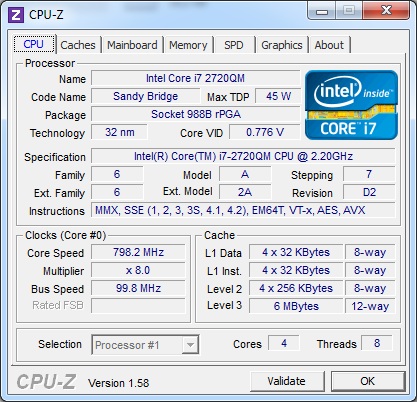
Thanks a lot! I tried all of them but unfortunately none comes with VT-x support. I will try checking for BIOS_109.zip and if it doesn't come I may ask you for another check in a couple of months.
Thanks again! -
Any one know how to go over the verification process in BIOS flashing?
There is one member here who had flashed a BIOS for another model, fortunately he didn't kill his notebook, but when tried to flash with the correct BIOS, he got "The BIOS does not Support this machine PRESS ANY KEY TO REBOOT"
Thank you -
Theres a /X parameter in AFU for "Do not check ROM ID"
Might be worth a shot. -
This is the update.bat :
PH161713 100228.72t /mode=3 /s /x /c /bbl /doskey /force
so he add only /X or replace the /x with /X ? -
It already had /x in there? It's not case sensitive so /X /x same thing.
From the AFU help:
Code:AFUDOS <BIOS ROM File Name> [Option 1] [Option 2] Or AFUDOS <Output BIOS ROM File Name> <Commands> BIOS ROM File Name The mandatory field is used to specify path/filename of the BIOS ROM file with extension. Commands The mandatory field is used to select an operation mode. - /O Save current ROM image to file - /U Get and display ROM ID from BIOS ROM file - /S Refer to Option: /S - /D Verification test of given ROM File without flashing BIOS. Options The optional field used to supply more information for flashing BIOS ROM. Following lists the supported optional parameters and format: - /P Program main bios image - /B Program Boot Block - /N Program NVRAM - /E Program Embedded Controller block if present - /K Program all non-critical blocks - /Kn Program n'th non-critical block only (0>= n <=7) - /Q Quiet mode enable - /REBOOT Reboot after update BIOS done - /X Do not check ROM ID - /S Display current system's BIOS ROM ID - /R Preserve all SMBIOS structures during NVRAM programming. - /Rn Preserve SMBIOS type N during Boot Block programming. - /ECUF Update EC BIOS when newer version is detected. - /Shutdown Shutdown after programming. - /HOLE:Upate sepcific ROM Hole according to RomHole GUID. - /SP Preserve Setup setting. - /MEUF Program ME Ignition Firmware Block. - /EC Program Embedded Controller Block. - /ME Program ME Entire Firmware Block.(only support DOS and WinPE platform) Rules - Any parameter encolsed by < > is a mandatory field. - Any parameter enclosed by [ ] is an optional field. - <Commands> cannot co-exist with any [Options]. - Main BIOS image is default flashing area if no any option present. - [/REBOOT], [/X], and [/S] will enable [/P] function automatically. - If [/B] present alone, there is only the Boot Block area to be updated. - If [/N] present alone, there is only the NVRAM area to be updated. - If [/E] present alone, there is only the Embedded Controller block to be updated.
-
Thanks for posting this up, i flashed to it with no troubles

-
I can do flash my Clevo M723T BIOS with AFUDOS? and no problem?
or mandatory have to use PHLASH16?
I am a member of problem please help me!
-
AFUDOS only works with amibios8 machines like the current line of Clevo's, you'll need to find a similar parameter on PHLASH for your phoenix bios, sorry I was originally under the impression that you were on a newer machine.
Some PHLASH parameters:
Code:USAGE: PHLASH16 [options] [@rspfile] [romfile] romfile Override the default BIOS image name BIOS.WPH with "file". @rspfile Response file containing more options /A:n 32 bit address where to put the File Image. /B:file Override the default BIOS image name BIOS.WPH with "file". /BBL Program boot block. /BU[=name] Backup flash memory into BIOS.BAK before programming. If "name" specified, override the default filename BIOS.BAK. /C Clear CMOS checksum after programming. /CS Verify BIOS.WPH image checksum. /DMC:string Specify chassis manufacturer DMI string. /DMM:string Specify motherboard manufacturer DMI string. /DMS:string Specify system manufacturer DMI string. /DOxx:string Specify OEM DMI string number xx. /DPC:string Specify chassis product ID DMI string. /DPM:string Specify motherboard product ID DMI string. /DPS:string Specify system product ID DMI string. /DSC:string Specify chassis serial number DMI string. /DSM:string Specify motherboard serial number DMI string. /DSS:string Specify system serial number DMI string. /DUS:string Specify UUID DMI string. /DVC:string Specify chassis version DMI string. /DVM:string Specify motherboard version DMI string. /DVS:string Specify system version DMI string. /DEV Display device information from WPH file. /EXIT Exit without rebooting. /E2 Generate a new UUID when current UUID is (FFF...FFF). /H or /? Help screen. /I Verify image size matches flash part size. /MODE=n Specify mode n (0, 1, 2, 3). /MFG Manufacturing mode - Automatically reboot without keypress. /N Program only if BIOS.WPH is different than system BIOS. /NOB Do not allow an older BIOS to be flashed to the platform. /NIC Update network controller driver with *.lom files. /NOBIOSINFO Do not display BIOS date and part number while flashing. /O Override (disable) all options from BIOS.WPH. /P Production mode (minimize messages and delays). /PF=string String to pass on to command line. /PN Program only if same BIOS part number. /REMOTE Specify remote operation over RS232 /RO[=name] Read contents of flash part and save to a file. /R=n Retry flashing a block n times if flash fails. /S Silent operation (turn off speaker). /SWAP=NO Disable Axx autodetection. /T Show debug timing info (Warning: flash is done TEN TIMES!) /V Verify each block after programming it. /VGA Update VGA module with *.dat files. /X Ignore XMS memory manager check. /Z Zero before erasing a block. /UUID Generate a new UUID . /Mod:filename Update current system BIOS with the module specified by filename. /Fbin:filename Update current system BIOS DMI with the interface file specified by filename, do not need image file. To update entire system BIOS you also need the following file: BIOS.WPH (the interface file with the BIOS image) -
I have been asked to make a screen shot for the changelogs of the different P170HM BIOS :
![[IMG]](images/storyImages/p170hm.png)
-
Thanks for that, but now i have a question.
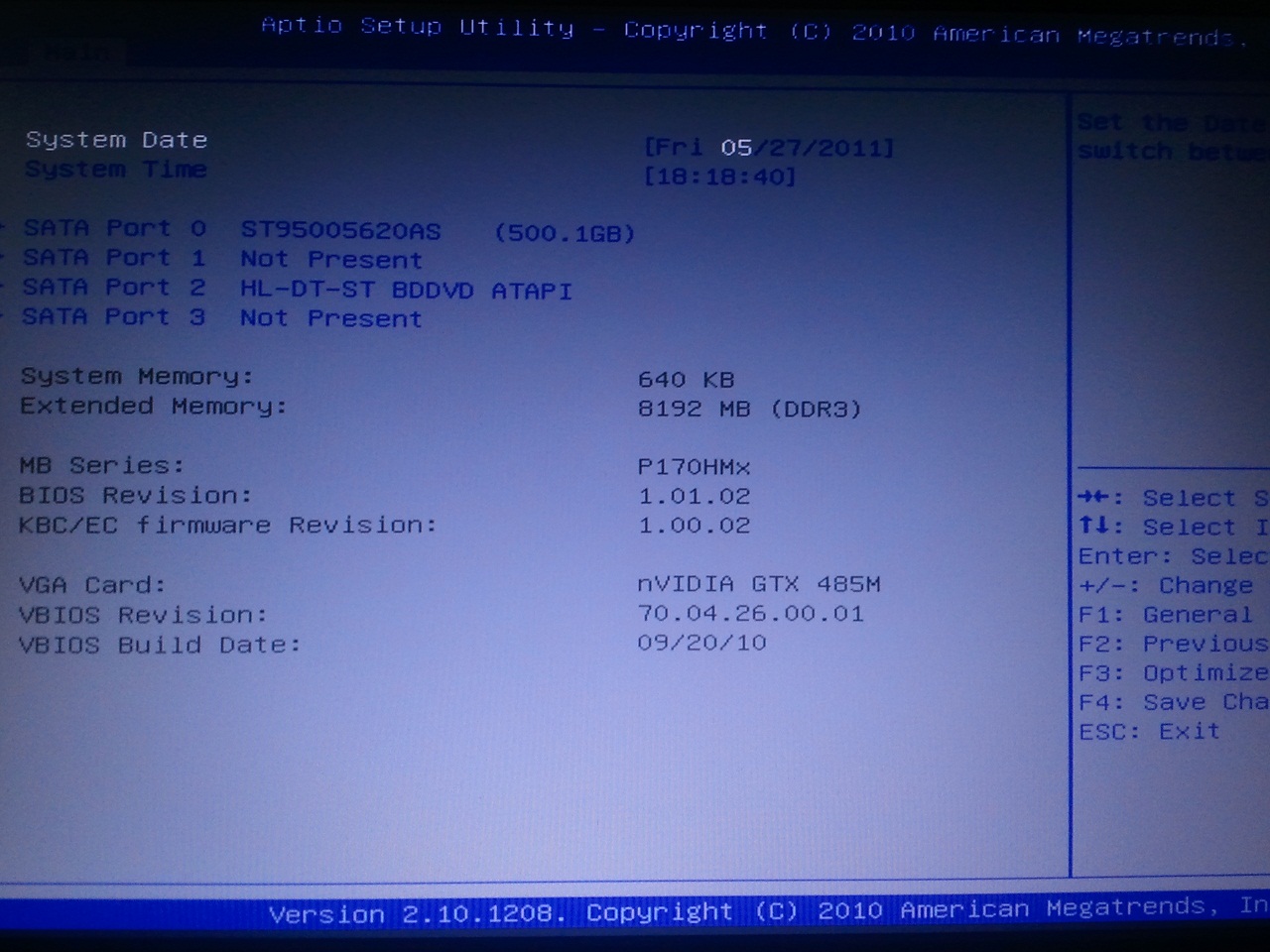
I got alot of bsod a few months ago and clevo gaved me a bios update to 1.0.6. From what i know my laptop is P170HM Clevo rev.B3
What bios do i actually need ???? because i have a GTX 485M which supports 3D
Old bios was
Bios Revision 1.01.02
KBC/EC Revision 1.00.02
New bios is
Bios Revision 1.01.06
KBC/EC Revision 1.00.02
Is the bios correct or do i need the P170HM3 bios ??? -
Who from Clevo did give you the 1.01.06 ?
IMO, if you have the 3D screen, then you had to stick with the 1.01.02 and only update the EC to 1.00.05
by the way when you say "i have a GTX 485M which supports 3D" do you means that you have the 3D screen or only the GTX485M ?
Any way, did the update solve your problem? -
I contacted Clevo and they asked me the serial number of the notebook so they could check it. I have a Clevo P170HM and not the HM3.
My laptop does not support 3D.
As for the update: the problem was a faulty memory module ... yesterday i got a black screen when i wanted to boot my laptop 4 times, did not work so i pulled of the power cable and tried to start it which worked. I wonder if the power source is not good enough.
-
If you have the P170HM then you can update to EC 1.00.05 and BIOS 1.01.07
-
Does this fix my black screen issue ???. Please read here -> http://forum.notebookreview.com/sager-clevo/583708-clevo-p170hmx-problems-alot-6.html#post7683034
-
I've no idea, normally the Releasing Notes are not showed in total, only important things, but it will not hurt your machine to update any way
-
Already done that
but still not fixed.
-
My Clevo P170HMx started to randomly freeze while gaming, browsing the web and even while idle.
Both Windows 7 with latest drivers and Linux Mint 11 freezes.
Im thinking my Intel SSD 510 is to blame, but Intel SSD toolbox said everything was fine.
No firmware updater available either even though newer firmware ships with newer drives.
Im gonna try a BIOS update and hope for the best, but this is one puzzle i cant seem to figure out. -
NEW FIRMWARES for X7200 :
System BIOS 1.00.12
Relaese Date : 2011/7/8
Release Notes : Update RAID ROM to 10.5.0.1034 -
OMAGAWD!!!!!!!
So in the end it was Intels fault. D:
Thanks for pointing me in the right direction, im gonna try this fix as soon as i can remake my Windows 7 USB installer.
+ Rep given! -
Ups missed your previous post , nvm
-
You're welcome. Read the guide. It's a simple Registry edit. You don't need to re-install anything.
-
Should have my baby back soon. Is the .14 revision still the latest X8100 BIOS?
-
Yes it is.
-
Not to cross post, but this question is relevant to this thread as well. - http://forum.notebookreview.com/sag...ger-np7280-owners-lounge-493.html#post7695820
Can anyone answer the question regarding flashing between CLEVO and Sager branded BIOSs for the x7200? Also same question but this time with the NP7280.
TIA. -
is there some sort of modded bios that allow more options/oc ?
-
if you havent seen it already, just check the first page of this thread, especially the passages marked in red
-
No, I had not viewed that. Is it safe to assume that warning also goes for x7200 models as well? The red warning is to Sager users (NP7280), not to Clevo users (x7200). Or is that indeed the *exact* same machine in regards to BIOS operations. Regardless, I'm going to act like it does apply to us Clevo users.
jaybee83, thanks for the post! -
afaik and understood it so far, it applies to both clevo and sager users. thing is, you can switch from a clevo to a sager bios without any problems, but once the swap is done, u cant change back to a clevo bios without any risk of bricking ur rig. at least that was the experience that atmosk (painfully) made.
cheers -
Yes it applies to both Clevo and Sager users. Once you have a Clevo BIOS, don't switch to a Sager one. Simple as that.
I am not sure if this applies for the x7200 as well, but unless some resellers wants to risk themselves to test it... I doubt we will know. Personally I think for older x7200 BIOS, this may not apply, but don't hold me responsible if you brick your laptop. -
As for the X7200: I switched from Clevo to Sager - a modded one by a NBR user for OC CPU like I7-970 - and now back to the newest Clevo Bios 1.12 without problems. Of course I don´t know what would happen if you got the newest Sager Bios.
Really tricky by Sager... why do they do it like that?
And: What are the benefits of a Sager Bios over the Vanilla Clevo Bios other than the logo? -
This has been asked many times. Usually they are exactly the same, sometimes however the Sager version may have certain futures enabled/disabled. In one case for instance, the latest Sager L2 BIOS version for the M860TU has a minor bug fix in comparison to the Clevo one. But these are rare cases. Usually they are the same.
-
Ok, so as long as I don´t have any problems, there is no need for me to go to the Sager Bios...
Just did it with the modded one for some testing/ benchmarking as it was the only available one...
Thanks! -
NEW EC firmware 1.00.11 for P15xHMx
* 2011/7/15
* Modify fan table -
Thank you for keeping us updated pkhetan! +rep
-
The EC is for Sager or Clevo models?
-
File DL link is from the Clevo FTP.
-
Does this solve the issue of the fan slowing down every 5-10 seconds when running in full speed (Fn+1) mode?
-
Going to try it now, I'll let you know once im done
-
I can confirm this does NOT fix the fan speeds surging or slowing down or whatever, it still does it. Ahh well.
-
Initial post updated! Also added the latest X7200 BIOS to it.
-
Sorry I didn't find Clevo m762su model notebook BIOS . how to find?
ftp://usftp.clevo.com.tw/ALLBIOS/m762su -
It's not as if I use Fn+1 mode at all as my system runs just fine with the standard fan profile. So there's no real reason, at least for me, to update. Thanks for checking.
Clevo BIOS Thread
Discussion in 'Sager and Clevo' started by Blacky, Sep 11, 2009.