 Problems? See this thread at archive.org.
Has anyone flashed a P170HM with a P150HM Bios?
I have heard the P150HM has much better fan profiles (less idle ramping), do you think that could work?
-
-
Yep extide, i observed that, because now i heard in some place that if you downgrade using bios 1.07 and above you can't boot up more. But how you sad i have the option to use the latest bios, i think that will be ok, but:
- I have the gtx 680m with over 1060/2500 @ 1,050v i will loose my fan fn + 1?
- If yes is easy fix that?
Thanks for helping
-
Latest BIOS/EC for NP9150EM
- Was also told Clevo is working on new Bios and EC for the P1xxEM.
Sager NP9150EM BIOS 10 (Extracted already, ready for USB).
Zippyshare.com - 915bv10ls1.7z
Sager NP9150EM EC07 (Extracted already, ready for USB).
Zippyshare.com - NP9150(EC).7z
- FN+1 works.
![[IMG]](images/storyImages/35240862.png)
-
I have Bios B10 and EC 08 o.o
![[IMG]](images/storyImages/thumb.png)
-
Yes, but does Fn + 1 work? :thumbsup:
hulawafu77: May I ask if It is okay to downgrade from what Coca has to this? I know there's a problem with downgrading sometimes, I just don't know if this is one of those cases
Thanks in advance! -
Dear hulawafu77, thank you very much for the publication of the latest version of firmware for NP9150.
And now tell us please - whether work on this firmware fans also correct, adequate, properly (IMHO), as they worked on this version :
![[IMG]](images/storyImages/image.png)
-
well Fn + 1 not work , anyway I dont use it xD and I really dont know why this function is so important o.o ? -
Yes I noticed fans weren't working properly with the EC08, but with the EC07 works fine. -
Finally update the first post. Hopefully I got everything right.
If the EC for P170EM and P150EM doesn't work well (ie the keyboard keys are not working properly) let me know and I will make the necessary adjustments. -
Quick question, i'm on bios 4.6.5 (it's the one that came with my 170EM) and can i update directly to EC09 and bios 10?
-
Are the 680m and 7970m easily interchangeable in the P150EM/9150? Or do they need different a different BIOS for the computer to work properly?
-
There is no BIOS 4.6.5 or I am missing something?
Yes, the 680M and the 7970M should be interchangeable. -
Hi guys, i have this doubt, is there any way to use the function of fn+1 in W150ER, if yes how?
-
I really don't know. I only see that in bios version. It says megatrends and then version 4.6.5. So i don´t know if it´s ok to flash the latest bios. I saw here a user with the same doubt but he didn't get a answer.
-
Can take a picture of your screen when at boot ? CPU-Z can also tell you your BIOS version.
-
Thx for the reply. When i get home i will try that. Don't have the clevo with me right now.
-
You should try and use premas bios mod 1.3 for ur w150er that will enable the fn+1 full fan key
you can find it here as well with bios flashing instructions if needed
W150ERx/NP6165 « Prema Mod -
I guess this replay was for me, no?
So... if i done this will be my own risk, the last oficial bios dont suport that?
Are you using that bios mod??
-
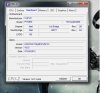 Here it is. bios version 4.6.5 :/
-
i think you better check here
![[IMG]](images/storyImages/IMG_1990.jpg)
-
Yep you're right
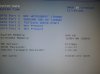
So i can update directly to Bios10 and EC09 right? any problems updating EC09? i have read problems with EC08 and people that had to flash first bios and then EC. -
Download the link with Bios 10 and EC 08 and follow the instructions there. After you update to BIOS 10 and EC 08, update the EC to 09.
-
You can swap in any of those, BIOS version won't matter if it's later than 1.00.01 (not equal to). But if you want the BIOS menu to detect and display GTX680M, you'll need to use version 1.00.05 or later.
-
Just did the update like you described and all whent right
I was kinda nervous while updating :laugh: Thx for all your help
-
No problem. It's normal to be nervous, I am also when I do a BIOS update... but I always tell myself: "it's for the best".
-
well i lost my sound. no sound now. Crap... some tip?
Edit: Restarted the laptop and sound got back. Strange and scary -
See if your device is active in device manager, restart, hit it with a hammer, you know the drill.
-
Guys, can anybody knows why flasher AFU303 from this archive
shows this picture (what kind of nonsense, isn't it?)))
after which - in 15-20 seconds - the laptop is rebooted with the previous version of the BIOS(1.00.05LS1), that is, the firmware does not occur.
The behavior of the "AFU303.exe" the same, as when you run with the parameters and options of the supplied autoexec.bat(afu303 P150EM.LS1 /P /B /N%1 %2 %3 %4), so without them.
How (or what) flash a version of 1.02.10LS1? In fact, that now in my Clevo P150EM EC/KBC=1.00.07SA and BIOS=1.00.05LS1 -
You need to use the AFUDOS from the EC folder
-
Well here on 170EM with bios10 and EC09 gpu fan dosent stop after running something that uses the gpu. I have to open real temp and the gpu fan stops :/ not worth flashing. Now i'm stuck with this. oh well until a update comes
-
You can go to an earlier version of EC fine. I don't like the EC from MySn, I'm going to stick with Sager's. -
i can? so which one do you recomend? Thx in advance. Can i go to Ec06 even if i'm at bios10? whont it damage my laptop or something? Since in 170EM there is no EC07...
-
Next time I will stick to Clevo vanilla releases. Although I think the ones from MySN are the same as the ones from Clevo.
-
to hulawafu77
Tell me, what flasher you used to update the BIOS to version 1.02.10LS1, AFU303.exe or all the same AFUDOS.exe? Write, please, to the command line.
And yet, what have you update in the first place EC or BIOS? ...I first flashed EC, and can therefore have the problem described on the previous page, what do you think?
Sorry for nagging. -
Trying the USB update process. I correctly have EC and Bios 1.00.05.
Can I not update straight to the current version of each? When I try to do flashec.bat in dos I'm told the file is invalid.
Edit: I went back over all the steps from the guide in OP to make a bootable USB stick. I also tried the files provided by hulawafu a couple pages back and extracted the folders to the stick.
I don't see any bat files to run in dos other than a flashec.bat. When I try to run that I get invalid rom file.
Help? -
Unfortunately, since my purchase of a new laptop had to be delayed by a few months, I can't really help you with the details.
I am sure you will figure something out. -
Ok, I had both bios and ec 05, same as you, also a P150EM. Also had the same invalid rom error. When I updated to ec 07 and bios 10, I had to flash the bios first, and then the ec. Even though the opposite is what's recommended, it worked no problem.
-
This is because the included .bat file is set to run the command "AFUDOS ECP150 EM.7SA /e /x" when the included .rom file is named "ECP150.7SA". Add the EM to the file name and it should successfully flash. Alternatively you can edit the .bat file to use for the correct rom name.
When I try to update the main bios however, it just stalls on the screen of random gibberish shown a few posts back. Haven't figured that one out yet! -
Well i asked my reseller for an bios EC update and they will send me one on monday. If it's something new i'll post here. The gpu bug fan can be temporarly fixed by allways having Msi afterburner runing for those interested.
-
Hello everyone! I have a Clevo M765S. And I have some serious problems since I add another one stick of 2GB 667Mhz RAM. It crashes all the time. Could someone post the latest Bios, because I have v1.0.0.10?? Thank you!
-
Your deduction skills are terrible. You have problems since you added the stick of ram. BIOS is not the problem. Think about it. -
what he meant to say is: better run memtest and check the new ram for errors before trying to fix the problem with a bios update
Sent from my Galaxy Nexus using Tapatalk 2 -
But won't that keep the dGPU always on?
-
Well yes but the fan works right this way. Sure the gpu will be on and idling at 40-50º insted of 26-38º, but you don't have to turn a monitoring tool on and then of just to make the gpu fan go off. Just a workaround for now. Is there other way?
-
Fan works fine with EC 07 from Sager, EC 08 from MySN/Clevo has borked fans. Even for CPU, the fan is better on the Sager EC, overall much quieter.
-
Well for the 150EM, i have a 170EM so only EC06. And i can't downgrade because i'm at bios 10
-
Ooh correct fan usage, sounds promising. But aren't here some reports of bricked Clevos by flashing Sager bioses with previously unbranded ones?
-
Hey you think I'm so stupid to post here before I substantiate everything else?? I'm a professional computer technician, and I tried the stick to another laptops, and test it with memtest too!! It is not the stick, if I remove the factory one, and have the laptop working only with the new stick only, it works great! So the only thing it might being responsible, is the BIOS, since the chipset, support 4GB of DDR2 RAM....... So please!! I saw at earlier pages (I think 107), bios 1.0.0.22 and EC 1.0.0.22 links posted via an ftp server but they're not working anymore. Is anyone have these versions of BIOS for this model??
-
Thanks. That worked for EC. Seems like thats a pretty pertinent piece of information, not sure how that is left out of the OP.
It am experiencing the same issue as you with the bios, however. As soon as I press a key to continue I get the rainbow gibberish on my screen. Has anyone figured out how to fix this yet? -
What seemed to work for me is replacing the BIOS afudos with the EC afudos, and making sure that the command it uses is right, so something like: AFUDOS P150EM.LS1 /P /B /N /X %1
I did that running the previous newest Clevo bios, and it worked fine going back to Sager, but I made sure I flashed the EC first, and then the BIOS without restarting!
Clevo BIOS Thread
Discussion in 'Sager and Clevo' started by Blacky, Sep 11, 2009.


