 Problems? See this thread at archive.org.
hi all, how to disable fingerprint hardware ? the device all time connect and disconnect .
-
sounds like a loose contact...?
-
sounds like usb plugin. all time. trash irritating sound, i need unplug finger sensor. hardware
-
Did you try to disable the fingerprint sensor in the device manager or to deinstall it's drivers? How old is your notebook? Maybe its still under warranty.
-
Hi everyone in the forum/thread

I have a Sager W110ER running stock BIOS with...
BIOS version: 1.00.03RSA
KBC/EC FW: 1.00.03SA1
At prema's site there are some stock BIOS, STOCK BIOS & EC | Prema Mod , which the latest version for my model would be "W110ER BIOS 11 & EC 09", If the latest BIOS is 11, under what version my system is running? 03?
Cheers.
PS. Reason I want to upgrade is because Im experiencing random stutters while playing some games, like UT2004 (which shouldn't represent any trouble for this system), BO2, MW3, etc. (stutters shouldn't be SW releated as Im running under a fresh W7 install with a i7-3630QM /nvidia 650m + 8GB RAM) -
i try, but the sensor install / unistall , and plug and play re-install driver. the sound still bip. i need open the trackpad and disconnect hardware.
-
Sager said I have the latest BIOS already, but they sent me a system EC firmware update. They supplied it as an .iso and told me to burn it, but I don't have a cd drive in my laptop. Has anyone had any luck converting an iso to a bootable flash drive? I tried UltraISO and UNetbootin, but both failed to boot properly.
-
Send me your file...
-
1. As for bootable USB:
MS-DOS Bootable Flash Drive - Create - Windows 7 Help Forums
I would daemon tool the image they sent you, and copy files to USB.
2. I followed flashing procedure from txt file found inside EC and/or Bios folder. If you need help let me know.
NEWEST and WORKING Bios and EC I got from here...see page 1:
http://forum.notebookreview.com/sager-clevo/416916-clevo-bios-thread.html
Greetings from coffie city. -
So, what is the benefit to updating my BIOS for my Sager laptop? Also, what is an EC? According to CPU-Z, my BIOS is by American Megatrends Inc. version 4.6.5 and dated for 6/18/2012. which confuses me compared to the version numbers posted above.
-
Thanks for the replies, guys. Sager sent over files to boot from a USB drive. I made a bootable stick with Rufus, so hopefully this works.
Update: I get "Invalid ROM file" when I run the ECflash.bat. Any ideas? -
THX for sending the file!
DONT'T FLASH THAT FILE it is for the older P150 HM model and WILL BRICK YOUR SYSTEM!
Get them to send you the proper one... -
Ahah.. Wow I was just about to try it again too.. Hm, are you certain it's incorrect? Sager said that my BIOS should already be up to date, but they sent over this EC update as well.
-
If you don't own a P150HM then this is absolutely incorrect.
-
Thanks for the warning. Isn't SagerNP8150 the P150HM though? I don't understand the naming conventions.
-
Yes Sager NP8150 is the P150HM, Sager NP9150 is the P150EM.
When did you buy your Notebook? -
To clarify, my computer IS the NP8150. I bought it late 2011.
-
Ha ha ha...OK then exchange the ECFlash.bat file they send you with this one:
https://mega.co.nz/#!fV1SGZyI!IzPr2h7zTikUbze7pxDoDzyRlQF7xnpzNoyBo7Xe1dY -
Haha, phew. Scared me for a sec.
What is the difference with this file? -
the .bat they sent to you is broken.
-
lol no wonder it didn't work. Okay! Great, thanks for all the help!
Update: I'm back! Both EC and BIOS updates went smoothly. Thanks Prema and others for the help.
Now it's finally time to install my new 7970m graphics card. -
Hi everyone
I recently downloaded Premas custom bios for the Clevo W110ER. As I could not really get it working the first time, and stated that the ROM ID's were different, I got ahead and flashed it anyways with AFUDOS using only /X as the command.
I really should have known better, because now I cannot boot my system at all. Whenever I boot my system by pressing the power button, it only lights blue, with the wi-fi indicator on. It has a black screen, and doesn't do much from here. Then it turns itself off after a while. I have tried to press FN+B and other buttons, but no avail. FN+B does seem to read something off of my USB drive, and my PC also stays on the whole time this way. I know that I am quite a "noob" and idiot for doing this, since it's my own fault, but I would still like to know if it's fixable somehow, and if so, how?
EDIT: Also, I should probably note I took a backup of my original BIOS before flashing, if that is needed as well
And thank you all in advance
-
That sounds like you flashed a BIOS for another system...please first upload your backup to see what you have there and also let me know the exact name of the rar file that you downloaded from the blog.
On a second thought: If you would have used a included .bat file and followed the instructions than it would have flashed BIOS & EC at the same time, I guess you flashed only the BIOS by doing it manually with your own commands, which is not a good idea.
-
If you wanted to take a look at the backup, heres a link to it:
https://www.dropbox.com/s/w13amd09egbn18i/W110ERORIG.ROM
I used the W110ER Prema Mod v2.1 from your website, the one for Windows 7 and 8, and no RAM OC function. Yep, I probably only flashed the BIOS, since I manually typed in the commands as, and not using the BAT file, which was pretty stupid of me. If you do have a solution, I would be more than happy to knowCode:AFUDOS W11PM21.11 /X
And thank you very much for your kind help, I really appreciate it
-
OK your original EC is version 1.00.03, so if you only flashed the BIOS, then this is a non-healthy combination.
IRC, that version has the recovery disabled...
Please try this:
- rename your backup file to exactly "W11ER.rom" (not "w11er.rom" or "W11ER.ROM") and follow the FN+B recovery instructions
(the recovery only flashes the BIOS and not the EC, so you can only flash your backup and not the mod).
If that doesn't work rename the mod to "W11ER.rom" and try the FN+B thingy, if it shows you a recovery screen then switch the file on the USB to your backup (also renamed to "W11ER.rom) before proceeding with the flash.
GOOD LUCK! -
I have just tried the method, and it actually worked! I got back into the BIOS and got my original BIOS flashed back.
I also managed to try the proper method for installing your custom BIOS, and now everything works great!
Thank you so much for your help, you have really been a life saver!
-
Hi to all.
Hi Prema. I just flashed this morning your last BIOS MOD for my Claveo P150EM, and I really didnt't find the differences between the stock bios and yours... could you give me a hand? I went into the BIOS and, I think, everything looks the same..?
Thank you in advance
Greetings from Barcelona -
-
Thanks for clarifying Prema! And sorry about the spam, I'll write on those forums instead
cheers! -
Does anyone have the stock Clevo (Sager) 680m BIOS, can they post link? Thanks!
Nevermind. Used svl7's OC BIOS for what I need it's fine. -
I've here stock Clevo 80.04.67.00.01
GK104.rom
https://mega.co.nz/#!dQN3RbyS!R9tW_DzxNm-6ZPewuuVqxQcn1KUa3FyMopBq0fco-hI -
GOOD DAY, PLEASE I NEED THE UPDATE FOR MY PC BIOS CLEVO Model: E412X
BIOS Properties:
BIOS Type: Phoenix
BIOS Version: CALPELLACRB.86C.0000.X.0000000000
System BIOS Date: 05/21/10
Video BIOS Date: 09/18/09
BIOS Manufacturer
Company Name: Phoenix Technologies Ltd.
Problems & Suggestions
Suggestion System BIOS is more than 2 years. Update it if necessary.
Suggestion Video BIOS is more than 2 years. Update it if necessary.
KIND REGARDS.
FERNANDO ENFARRELL -
Finally got the time to update the initial post. Can you please verify that the links to the latest BIOS and EC are correct, also, if I somehow missed a newer version, please let me know.
In a few weeks I will retire all these models to the Clevo BIOS (older models) thread and update the initial post with the newer models that just got released.
Have fun! -
Hello, a client give to me a M550se/M540se. And i see in this topic a bios and ec upgrade, so i made it. First EC, bios, power off. When i turn on, the coller wake up, lights on, but nothing on screen.....go to garbage?
Thx and sorry my bad english. -
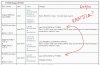
I notice there are two P170EM_B17.zip.
-
Done. Fixed.
-
hi !
Got a clevo w370st... have problems with the fancontrol.. when surfing or watching youtube and the temp is under 70 °c the fan is off, above this temp the fan jumps from 0 to 100%....there are no steps in between thats ... is that normal or can i fix it with bios update ? CPU-Z Says
American Megatrends INC
Version: 4.6.5
Date: 05 20 2013 -
That was a looong reply:
First of all... contact the ppl. you bought your laptop from and ask them for the latest BIOS. We might get things wrong here.
If they can't help you, here is an alternative:
BIOS: repo.palkeo.com/clevo-mirror/P370EM/P370EM3B7jsud.zip
EC: repo.palkeo.com/clevo-mirror/P370EM/P37EMxE54JU.zip
I hope I got these right. And don't forget to give some rep to palkeo - http://forum.notebookreview.com/member.php?u=524582 ! -
Hey guys, I'm looking to update my P170EM bios and was wondering which one would be best for overclocking the 7970m? also I've never updated a bios on a laptop before and was wondering if there was a way to revert back to my old bios if it doesn't work out, thanks for any help in advance
-
the system bios cannot really help u with overclocking the gpu, unless its some kinda modded/unlocked bios
Sent from my Galaxy Nexus using Tapatalk 2 -
Ah damn, I thought a newer bios would improve the stability of the machine a bit and allow me to push higher gpu clocks, only looking for slightly higher clocks to benchmark with
Is there much risk in flashing an official bios, can I revert back if things go wrong?
-
theoretically yes, but it always depends on which version ure using now and how large the jump is to the new bios version. iirc u cannot revert a flash from bios/ec version 1.00.xx to 1.02.xx without bricking ur laptop.
if u wanna squeeze more mhz outta ur gpu try overvolting and/or improving ur cooling by cleaning/repasting/lowering ambient temp/adding cooling capacity
Sent from my Galaxy Nexus using Tapatalk 2 -
I currently have bios version 1.00.06 and firmware version 1.00.7, damn that sucks, better make sure I get it right
Can't overvolt my laptop as it's a p150em and there's no modded bios's that I can overvolt with afaik. I'm pretty sure my cooling is fine I opened it up a couple of weeks ago to repaste and clean out dust inside also I keep the laptop raised up at the back, currently my max temp on the gpu is 75 degrees when overclocked so I don't think it's throttling, was thinking about downloading premas modded bios so i could have max fans on all the time but not sure how stable they would be for overclocking (btw what are ec/kbc files, are they part of the bios?)
-
ec/kbc is the firmware u just mentioned at the beginning of ur post
stands for embedded controller / keyboard controller and is in charge for anything fan, temperature sensor and keyboard related, etc.
hang on a bit longer@p1x0EM gpu overvolt, meaker might help u guys out there soon enough
btw, full fan control is totally worth it imho, temps go down up to 10C just by flicking that max. fan switch
Sent from my Galaxy Nexus using Tapatalk 2 -
So is the firmware something I should install as well as the bios or is it part of it? Cool I'll probably hold out for a while then
-
u would do well to read the first post of this thread in its entirety, my friend
general rule of thumb: when updating the bios, always flash the ec/kbc firmware first, followed by the bios, otherwise u might brick ur system.
Sent from my Galaxy Nexus using Tapatalk 2 -
Hi guys!
It may be a really noob question, but i may be confused with my bad English and could understand the topic incorrectly... I have the ClevoP170EM notebook sold with DNS label with 1.00.03 BIOS. The reseller gave me an 1.00.04 to install first, and 1.02.17 to install right after this. Is this ok? ) -
I think it is. Read the first post about the P170EM and you will understand why.
-
Mirror update !
New models : W230ST, W3xxSK, W650SH, W740SU.
Models updated : P1xxSM, P37xSM, W3xxST, W650SR, W650SZ, and some others.
As usual :
Index of /clevo-mirror
Clevo BIOS Thread
Discussion in 'Sager and Clevo' started by Blacky, Sep 11, 2009.


