 Problems? See this thread at archive.org.
I have exactly the same problem of Guillome... I successfully updated the ec firmware from 10.2.06 to 10.2.07 but the rest doesn't update (bios 1.02.07, 1.02.11, 1.02.13 anc ec 1.03.01).
At the moment, i'm in the following configuration :
- ec 1.02.07
- bios 1.02.06
- mb W550EU
I got files from W540EU/W550EU
Prema, I saw that you had helped Guillome, could you helpme ?
Thanks in advance;
-
Get to 5 posts so you can PM me...

-
Ok I will. Thanks.
-
Hello Floww,
If necessary I could upload the bios file send by Prema. -
He got it the same day...
-
Updated initial post with new BIOS for P370SM / P375SM / P370SM3.
They are from Prema, so don't forget to thank him. -
hi all my name is adam im new in this web need help to unlock by bios 4 my laptop i found topic but is close down and no chance to downoload unlocket bios was post think by >>> kizwan <<< but i dont know how to get in contact ... so if som one can help my laptop is acer aspire 5553g amd phenom II x4 i need to unlock bios and instal it ... please help .......
-
We don't support that in our thread here, sorry.
Try another forum or a different section of this forum.
-
Hi !
Mirror update : Clevo mirror
New models :
- W9xxSU1
- W9xxSU2
Files added for :
- P37xSM
- P1xxSM
- P570WM
- W2xxEL
- W54xSU1
- W5xxSU2
- and some more… -
How do you load into DOS environment, I usually just spam the F12 button on startup but nothing happens after upgrading to WIN 8.1.
I have tried spamming ALL the damn function keys F1 -> F12 but no sign of Bios or DOS ?
How to Solve !?
I know how to make a BOOT-able USB stick (using Rufus) and then I just copy BIOS301 and EC301 to the device. But the problem is after the new OS ( WIN 8.1) I don't know how to load the "device selecter", BIOS menu, DOS- or what ever the name is. Which button should I press at startup to load it?
Trying to install
BIOS Version: 1.03.01
KBC/EC Firmware Revision: 1.03.01 -
Did you try these two sites:
How To Access Advanced Startup Options in Windows 8 or 8.1
5 Ways to Boot into Safe Mode in Windows 8 & Windows 8.1 -
Disable UEFI in BIOS, then press F7 during boot to select the USB.
-
Got this E-mail today from mysn.de
Thank you very much for your email. We decided to exchange the mainboard of your XMG P722 for free. The repairs will are taking by to today and tomorrow. Including testing, shipment should take place on Thursday on the very latest.
Please accept my apologies for the trouble you had and the stress that was caused. I can assure you, that we are improving our internal systems and processes constantly. So, the duration of the RMA case and the contradictory information given by phone and email were an example for a standard RMA case is handled usually in our service centre. Therefore, I would like to apolgize again for this inconvenience.
I also would kindly like to ask you to see our side of the RMA case: We have a mainboard, that might be damaged be the Un-conductive Heat resistant Tack you have used. Please dont get me wrong: I personaly think that you are capable of using this Un-conductive Heat resistant Tack correctly and I also see the point of your anti-theft methode. But the point is, that our distributor, who handles the warranty exchange of spare parts between Clevo and us, sees just one thing: A manipulated mainboard. Nothing else. Thats why, we wont get a refund for the mainboard, which we normally do, if there was a problem with incorrect flashing of BIOS and EC. So basically, we have to cover all costs for this RMA case (mainboard, service, shipping).
I very much hope, that free repair of your laptop is the compensation you were looking forward to get. If not, please let me know. I also would kindly ask you to not manipulate the next maiboard you will receive from us, in case there will be another warranty process.
Thank you very much for your kind understanding and your patience.
Don't know what to say, Amazing -
MySN just won a few more customers. They deserve to be praised.
-
They have for sure, and they do Deserve praise as I don't know another Company that would have done this.
I still can't believe it, this was very kind of them, some People do have a Soul
Thanks again Mysn -
+1
MYsn needs to be number 1 in builders/resellers in everyones list. -
Hello all,
I am waiting on a P370SM3 just ordered.
I am curious as to whether clevo have modified the bios since the models initial release.
@ Prema : Have you or anyone else had the chance to check?
PS: That is good industry practice from MYsn. A lot of resellers could take a leaf out of their book and place the burden of quality back where it belongs, In the manufacturers hands. -
I'm waiting on My Laptop being delivered in the next hour, oh I can't wait, need for speed rivals, battlefield 4, WOT, other 22 games on steam, but most of all My new Guitar Instrumentals I recorded
It's going to be a long night
Got My Laptop back today just after 11:30, having fun, don't know what to play
Thanks MYsn -
They have but its not unlocked.
Although Prema's BIOS mod is already in beta circulation, and hopefully he will be releasing it soon.
If you're feeling brave you can PM him.
Nice! Congrats to you.
Battlefield 4 should run as smooth as a baby's bottom at high settings. -
Certainly does, I forgot I had the China rising expansion, something to look forward too
I got the Targus 17inch chill mat so I can play in bed with no overheating, this does work great, though it's winter here and a warm Laptop on top of You ain't that bad, lol
I've been playing need for speed rivals constantly, addictive, have it playing smooth at 40fps just by adding this piece of code in target within Shortcut Properties
-GameTime.MaxSimFps 40 -GameTime.ForceSimRate 40.0
So the target should look like this "F:\GAMES\Need for speed\Need for Speed(TM) Rivals\NFS14.exe" -GameTime.MaxSimFps 40 -GameTime.ForceSimRate 40.0
I f You have a better Laptop You can try other fps that suits -
Mirror update
New model : W9xxKU
Updates for :
- A110SU
- W670SRQ
- W670SZQ
- WA50SHQ
- P1xxSM
- P37xSM
- P570WM
- W5xxSU2
- W650SZ
- W9xxSU1
- W9xxSU2
- W9xxTU -
Yea but now I've found out that I'm only getting a under 30Mbps from My wifi card which always gave Me 60+Mbs, with a cable I get 60+Mbs, No changes in settings, wifi speed is only showing like 28Mbps, using intel centrino N2230
Do You know anyone that can help with this
Problem solved
RMA tech had main1 and aux 2 (Antenna cables) on the network card cables on the wrong connectors , changed cables around and am getting over 60 Mbps, weird as I heard on eBay it didn't matter what Antenna cable You attach
Now I bought a new card, the advanced N 6235, don't need it now -
Hi, I bumped into thread by searching "bios update pdr region does not exist".
I'm the owner of a p170sm laptop from pcspecialist, they recently sent me a usb key containing a bios update for my laptop.
During the update process I got warning and errors (error 25). I decided to film the update process and post it on youtube so to make it easier to see what's going on:
Here's what I did:
the first time I booted I run flashEC.bat and it run rather quickly. That seemed to work however it only updated one of the two versions which make up the bios.
The second time I run flashme.bat instead and that is what the video shows.
Both version numbers in the bios are now updated making me thing that the update went through properly.
However I have a bad feeling about the warnings and errors, what do you reckon?
I'm including the content of flashme.bat and ecflash.bat
Luca
flashme.bat:
fpt -f P17SM6M.303 -l 0x200000 /y
Call flash.bat
fpt /closemnf /y
Afudos.exe /s /shutdown
ecflash.bat
Last edited by a moderator: May 12, 2015 -
You forgot to execute 'meset' or you didn't connect the PSU.
Step 3 in the readme: "Run Meset.exe under pure DOS environment, system will restart automatically." -
Thanks Prema,
I can see the meset exe in there but I didn't receive a readme with the usbkey so I didn't know what to run.
I unded up running flashec.bat and then flashme.bat (which would then call flash.bat) (and cause the errors/warnings).
Would you mind pointing me to a step by step list I should run to avoid the errors/warnings? ..or a complete readme somewhere?
Thanks
L -
That BIOS is also the older v3.
You can just use the stock v4 or Mod BIOS (based on v3) from my blog (link in my signature). They incl. detailed instructions.
This should have been the included readme for your specific BIOS revision:
-
I did run the process again (this time I run meset first) and the errors disappeared (thank you). I needed to get in the bios after the update and turn off the ehfi network option otherwise my laptop would not boot up.
One thing though, the fpt warning remained:
warning not all of the file data will be written to flash because the file is longer than the flah area to be written to!
File: "P17SM6M.303"
File length: 6291496
Write Length: 2097152
[..]
PDR Region does not exist
GEM (I think) Region does not exist
-
regarding the fpt warnings still present: I noticed that the PCS techteam added the -l 0x200000 option to the fpt line. Now why would they do that I do not know. They also seem to have two separate roms for fpt and afudos (P17SM6M.303 ~4Mb and 03tpcs1.303 ~6Mb ).
1.Can you make any sense out of this Prema?
2.by the way what is the difference between fpt and afudos?
3.and if I was to install your nice bios mod, would it still be possible to reinstall an older bios and ec in the future, just in case I ever needed to send the laptop back for warranty?
thanks again prema -
"PDR Region does not exist
G BE Region does not exist"
Those are optional components of the ME Firmware, which do not exist in most Clevos.
Afudos flashes the BIOS (and or legacy EC) while FPT is here only used to flash the ME Firmware.
The command line tells the FPT software to only write from a specific address onward. The file incl a 4MB BIOS & a 2MB ME Firmware.
The separate files are only because the Clevo guy has apparently no idea what he's doing. He could do everything with just one file.
You can allways return to the stock BIOS as long as the system is not broken in which case it would't really matter...
Blacky likes this. -
Hahaha:
"because the Clevo guy has apparently no idea what he's doing" -
Thanks so much Prema, ok I get it, so the warnings just referred to the ME firmware ( management engine ), not the bios or EC. But I suppose the ME firwmare update didn't go well due to the size warnings.
So I ended up grabbing the ME firwmare from your website (win version) and flashed it successfully, just to make sure
..Yeah for as much as I like PCS support, they didn't make my life easy this time.
-
hi,there are bugs in bios 2.17(stock) for clevo p170em?
you can flash? -
Hi ,
I have a Clevo W650SH with Windows 8.1 and in the last month I have problems with BSOD Memory management.
I already try many things to detect the problem origin. Run Memtest86, change notebook in Full Power Mode etc etc etc.
Anyone know if update bios, can solve this problem? (bios version 1.00.01 "tiny") -
![[IMG]](images/storyImages/3uCv5JV.png)
any1 check Aida64 - benchmark , GTX 765M and GTX 770M -
GPGPU - TEST TOOLS. SCORE -
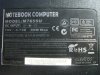
Hi
It is necessary help with Notebook M765SU Bios update
Product code M765SU-W
-
I have a question regarding the Sager NP2740 (Clevo W740SU) bios and EC firmware.
The most recent bios listed on:
W740SU
Doesn't have the EC firmware in the latest archive (B0303.zip) though the archive before it (New_FW.zip) does. Nowhere in the instructions for the newest archive does it say you need the latest EC firmware installed first. So if I were to go straight from the stock Sager bios and firmware to flashing only the latest B0303.zip, wouldn't the laptop brick?
If so, I recommend adding that info in the readme.txt and also the text at the top of the mirror page. Or add the needed EC firmware and instructions in the archives that currently only have a bios. -
Those files are designed for the Technicians at Clevos Partner only not public consumption and thus they are in no way altered...
General rule is to always flash the EC first or live with the consequences!
-
If you're using Windows 8.1 it's better update your BIOS, look at: W650SH Series
BIOS 10/21/2013
1. BIOS 1.03.01 and EC 1.03.02 for W650SH.
2. Add Winodows 8.1 support.
3. Please refer to text files readme_1st.txt, readme.txt and readme_EC.txt to update firmware.
Don't forget to update EC first and only after that the BIOS. -
I just wanted to let you know that my mirror is now fully up-to-date
-
hi, i would like to now about the lasted update bios for Clevo W150HNM and if have a modded bios too...
i now about the clevo mirror but nothing about a modded advanced bios versions...
already thnx to helping normal users =D -
Are the downable BIOS files from post 1 stock CLEVO bios or they are moded Premo Bios? Are they stock CLEVO bios or are they Sager bios?
-
please suggest me a OC profile for Nvidia inspector for my GTX 780M, i have an 180W PSU, currently running at stock and just installed the svl Modded BIOS.
For Far Cry 3, Crysis3, BF4, to what extent i can oc this without hitting the 180W wall? -
They are stock Clevo BIOS files. We sometimes also have Sager versions among them, but when they are Sager, it's explicitly specified that they are Sager.
-
Hi.
Where to get the newest bios for P150EM ? -
Email your reseller or for a modified bios search for prema's bios. He's done some great work
Sent from my Nexus 7 using Tapatalk -
Thanks. I would like a bios with HDD password so that the SSD in encrypted.
-
OMG it's look like you have the answer of my ONLY question for days and days....i have buyes a notebook that have x2 video card:
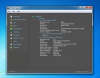
and i want to play with multiscreen on 1pc only...the problem is that to ''MAIN'' account the program use ati video card and to ''2nd,3rd''user it use intel..but on my notebook is opened ''2nd'' and on TV with hdmi cable is oppened ''3rd''...i can't open ''1st'' because it is used with ATI that don't work until i play a game!!!!
This caused to me many problem because i can do nothing with ATI if i don't on pen a game.SO i want to change primary video card and i read i can do only from BIOS.
but i don't have that options in BIOS and so i think i need to UPDATE it.
what BIOS i need??HELP ME PLZ -
All displays go through enduro so the Intel card is handling all the displays. It can only do 2 at a time unless you use widi.
-
Hello all in this Topic,
First: I´m an idiot!
I have an Clevo W370ET and flashed the BIOS W370ST to it, and now *drum-roll* nothing goes on the Notebook... *schnief*
Only a black screen and sometimes the cooling-fan cools it down, but no more reaction..
So, I write here for some help, if its possible...
On the Internet I readed from the option of pressing STRG+POS1 vor a blind BIOSFlash with the BIOS of the Board via diskette.
But here´s the question: All BIOS Data, wich I found in the correct BIOS Zip from the webside are above 4MB. That will NEVER find place on a diskette.
Has some one here experiance on practis this?
Please Help me!! -
Well... there might be a way to blindflash from a USB stick or CD.
I see no other way.
Clevo BIOS Thread
Discussion in 'Sager and Clevo' started by Blacky, Sep 11, 2009.


