Problems? See this thread at archive.org.
Hello guys,
I have a problem and I need to force flash a Clevo stock BIOS on a P650RP6-G.
The problem:
I had v1.05.05 and upgraded to 1.05.08. After the upgrade I observed that my wireless LAN card was not seen anymore (Intel 8260AC).
I looked in Device Manager and tried different things in Windows 10 without success. So I decided to flash 1.05.07 (without knowing that BIOS downgrade is not allowed). After restart, I have black screen (and no signal on mDP or HDMI if I connect an external monitor) and I cannot enter BIOS or boot into windows. The BIOS flashings (both 1.05.07 and 1.05.08) ended successfully without any errors, and I have flashed before without problems (from 1.05.01 to 1.05.05).
What I need:
Can anyone help me with a procedure to force flash 1.05.08 without using the screen? Or there is a way to make BIOS recovery?
Stock Clevo P650 here (Style Note bios screen).
BIOS files used were from Palkeo repository.
Thanks in advance for help.
-
-
Your probably had to renable to wireless card with FN+ F 11 I think.
As for the bad BIOS flash, that's more complicated. Downgrading the BIOS on these machines can brick them if there are incompatibilities between the BIOS and the EC.
I think there is a BIOS recovery method using a USB stick: https://biosmods.wordpress.com/bios-recovery/
If it doesn't work , you will need to go to a repair shop or if the laptop is still in warranty, talk to your reseller. -
If the wireless card is disabled, it should still appear in Device Manager. This one was completely missing like "uninstalled". I could not solve the problem in any way so I decided to flash previous bios. I cannot belive there is no recovery possible.
-
And by the way, I do not know how to rename the file for P650, and I cannot follow any "on screen" instructions since my screen is black.
-
Clevo laptops permit to completely disable certain components via FN + . By disable, the motherboard cuts off access to them, so they will appear as if they were missing. For instance the bluetooth card on my laptop has to be enable at every restart via FN+F12 otherwise it will simply be non-existent for any operating system.
In order to rename your file you will need a secondary computer or laptop. Ask someone to help you out make that USB stick. -
I have a working desktop PC and everything I need. Just tell me exactly what name to put to the file and what keyboard combination will start flashing. I cannot see anything on the Clevo screen. The USB stick needs to be "pure DOS bootable" or just a stick with the BIOS file? Any way to make it flash it directly when powered up? So I can somehow fix my problem?
-
Use rufus to create a bootable MS-DOS stick, copy all files from the extracted v1.05.08 'BIOS' folder to its root plus a modified AUTOEXEC.BAT and boot the Clevo.
Code:beep.bat md AUTOAFUF AFUDOS.EXE backup.rom /O AFUDOS.EXE P65xRP.08 /X /B /P /N /L beep.bat
Copying the beep.bat in the root isn't necessary, of course, but kinda nice to have at least some feedback when you don't have a screen ... which is also the tricky bit in case USB is not the first in the boot order list. If not, then spam F7 to make sure the boot menu pops up and then hit 'Enter'. If there's no beep or 'AUTOAFUF' folder on the stick then repeat, but hit the 'Down' button once after spamming the F7 and so on until you've hit the proper entry on the list.Blacky likes this. -
Thanks a lot! I managed somehow to fix it myself, but your procedure is pure gold. Thanks! I was thinking to make something like this myself but I was not sure about the parameters of the AFUDOS.
-
I've added a link to the initial post to this post in case anyone needs to recover their BIOS.
-
Hello!
I have an XMG P506 (Clevo P651RE) that I recently updated my BIOS on. XMG had BIOS files on their websites and I followed their directions to update the BIOS.
Now to the strange part. After updating my BIOS my Ubuntu Linux distribution started freezing. As I was in the process of cleaning up my installations anyway I decided this was as good a time as any to do a clean install.
My configuration is that I have one Samsung M2 NVME-drive that I did a fresh install of Windows 10 on. It is working fine and is the OS I am writing this post from.
I also have a second SSD drive installed. I wiped this drive and did a clean install of Ubuntu 16.10 of with the USB stick method.
However. At this point I started getting freezes. As in complete system freeze. I cannot do anything but do a hard reset by holding the power button.
At first I thought it was when I connected to WIFI right after installing Ubuntu but after restarting everything I realized Ubuntu freezes as soon as I click any application or settings window.
I tried booting from the USB stick again and choosing "Try without installing" which resulted in exactly the same symptom.
I then downloaded Ubuntu 16.04 instead with, again, the same symptom.
I even tried with Elementary OS (Linux Distro) which also froze during installation.
Now I should mention that I had been running Windows 10 and Linux on these two drives concurrently without any problems for months.
How can a BIOS update stop me from running Linux? Windows 10 seems to be running without any problems whatsoever.
From what I gather it does not have anything to do with any of my disks, since even the "Try Ubuntu"-option freezes.
Summary:
Had Windows 10 and Ubuntu running fine for months.
Did BIOS update from XMG's website, shows fine in BIOS.
Did clean install of Windows 10. No problems.
Did clean install of Ubuntu. Getting freezes whenever I click anything.
What should I do now? I have tried settings BIOS settings to defaults, tried turning UEFI off. What more can I try? -
I believe I found the solution. It seems there is a bug in some BIOS versions from AMI causing problems in some Linux kernels. I have no idea why I did not have these problems prior to updating my BIOS, but I can only assume some new feature or bug fix made this worse.
There is a work-around for now, which is running Linux with boot parameters. In my case:
acpi_osi="!Windows 2015"
For ALOT more information and reading on this I refer you to the thread itself:
https://github.com/Bumblebee-Project/Bumblebee/issues/764#issuecomment-234494238
Posting this here in case anyone else gets the same problems and goes looking for Clevo Bios problems. -
-
Dear Bernhard - yes we charge extra for unlocked BIOS to cover extra H/W warranty costs related to running O/C BIOS.
-
You know that Eurocom has +174$ listed for the "Unlocked system bios with overclocking capabilities" on their P870DM3 configuration page right?
http://www.eurocom.com/ec/configure(,385,0)ec
Maybe you missed that somehow? -
-
I believe this is more of a problem related to Eurocom customer support. I strongly advise you to open a separate topic regarding this issue so we do not derail this thread which deals more or less with generic Clevo issues.
Thank you -
I understand where you coming from, hopefully you get it worked out and installed on your computer. Even if you have to, it is still worth the 95 bucks to get it on your computer in my opinion even if you have to eat the cost. I would be willing to pay double or triple to get it on my sager =).jointhegame likes this.
-
Thanks!
Meanwhile the support has agreed with me.
Thank you very much for Eurocom Support !!!!Blacky likes this. -
-
I am trying to update my bios on my 6 year old np8130. I used rufus to create a bootable usb with a lexar micro sd to usb adapter using all default settings except msdos instead of freedos. I downloaded the correct sager bios files from the older thread. I boot the usb drive but when I try to open the folder with the EC/KBC file, which I guess it shortens with "~1", it says "access denied". Any help would be appreciated.
Last edited: Jan 19, 2017 -
I am trying to update my bios on my 6 year old np8130. I used rufus to create a bootable usb with a lexar micro sd to usb adapter using all default settings except msdos instead of freedos. I downloaded the correct sager bios files from the older thread. I boot the usb drive but when I try to open the folder with the EC/KBC file, which I guess it shortens with "~1", it says "access denied". Any help would be appreciated.
Last edited: Jan 19, 2017 -
Classic MSDOS only supports maximum 8 character long folders/files if I recall correctly. FreDos doesn't have this limitation.
Basically change the name of the folder to something shorter.gnarkill283 likes this. -
Welp I tried shortening the folder title to no avail. Then I noticed the folder was read only so I turned that off but that didn't work. And then I tried freedos and I got the following message "Can not redirect input from file 'ec'". I downloaded these files which Blacky list under np8130 bois: http://www.mediafire.com/file/2pzvvcmbpy9x039/SAGER_815BIOS&EC_USB.rar unzipped and took the 2 individual folders out of the main folder and placed them directly into the usb drive - please help - I was supposed to buy a replacement comp 3 days ago but I don't want to until I'm absolutely sure my current comp has a dying gpu.
Last edited: Jan 19, 2017 -
I tried a number of things before I tried this computer class worth of info and by then I switched to freedos and tried attrib -r c:\ec and it said bad command. I get the denied access when I type cd <"file name which in this case is ec">. I also tried just attrib or a and it said bad command.
-
try in windows
-
you mean turn off read only? I tried that too before I even tried attrib
-
What makes you think the GPU is dying?
Can you take a photo of the screen when you enter the command to flash the BIOS or EC? -
With those files you do not even need to enter any command; both the bios and ec come with an AUTOEXEC.BAT that will do the flashing for you. Simply use rufus to create the bootable MS-DOS stick and copy/paste all files in the EC folder to the root of the stick, overwriting any existing files. Boot from the stick and it will flash after you hit any key. After having flashed the EC use the 'Reset to defaults' option (just a precaution) and repeat the process for the bios.
-
What do you mean start automatically? and I shouldn't be deleting the locale folder and other things that are there after the rufus format right? I am not using 2 usb sticks so how would I know if ec or bios is being flashed. I'm an absolute noob when it comes to this stuff so sorry if this is straightforward. I am trying not to brick my comp so i'd like to keep the ec and bios files seperate. I'm taking those files I linked, copying the 2 folders inside them onto my rufus formatted usb drive, renaming them to ec and bios, restarting my comp and pressing f7 for boot options, and then booting from usb which send me to msdos. There I'm typing dir and then cd <"filename"> and I get access denied - I've tried msdos, freedos, turning off read only on the folders, using attrib in dos, and nothings worked. As a last resort I can try a different ec and bios update but I'd like to stay with sager because I currently have a sager bios.
-
Don't use a folder, there's no need to. Your EC stick should look like this (flash this first):
![[IMG]](images/storyImages/2iiwdhe.png)
After flashing and using ' Reset to defaults' in the bios's settings then copy/paste the bios files to the same stick, again overwriting any existing files:
![[IMG]](images/storyImages/24zku9z.png) gnarkill283 likes this.
gnarkill283 likes this. -
Thanks t456 - that worked but I almost had a heart attack when I flashed the EC and the fans went full blast - louder than I've ever head - and my comp went black. Boot up time is considerably longer after a few restarts - does this eventually lessen?
t456 likes this. -
The fan speed is normal; the EC firmware controls them, but it is hard to do so when it is being overwritten with new data. Presumably they've built in a ' 100%-speed prior to initiating flash procedure', that way there's no risk of overheating and a forced shutdown midway of the flash process.
And it shouldn't boot any slower. Use the 'Reset to defaults' if you haven't already and check the bios menu for boot options. It sounds like it is now on extended boot, which checks all attached hardware. Normally it does this only once, right after removing the cmos battery and after a bios flash. You'd want to set it to 'minimal' or 'fast', whatever the setting is called in the menu.
It is also possible the boot order has changed and the hdd is no longer first in the list. Think it is best to set it to '#1. USB stick' and '#2. HDD/SSD'. That way it is easier to use an auto-recovery stick, in case of any mishap.gnarkill283 likes this. -
I think its dying because its a 6 year old comp and it crashes randomly during every game I play. Others here also suggest the same possibility since I've reformatted, installed the latest drivers, updated windows, and now got the latest bios and it still crashes. I just ordered my new p670hs-g today to finally replace it.
-
Not that it matters now, but random crashes are usually the result of RAM that's gone bad. Did you every try swapping that out?
-
No I have not. I ran windows memory diagnostic and it said memory was fine. Blizzard actually got back to me and I never noticed. This is what they said about the errors I was posting: I'm sorry to hear that you're still crashing due to the e_gfxErrorAPIError. This particular crash is often caused by a TDR error, TDR stands for Timeout Detection and Recovery, which to put simply means that an issue was detected with the video drivers and they had to recover. You can learn more about TDR and what can cause it here. (The article is from Nvidia but the information applies to Nvidia, AMD, and Intel graphics devices)
-
OK I have a Sager 8652-S. Got my files from emailing sager. And my system hanged on the EcWinFlash. I can't even turn the system off by holding the power button. Emailed sager and they haven't got back to me. I really don't know what to do here ):
-
Hi Guys
Does anyone know whether the notebook P870DM to the Intel-Processor Update of the seventh generation(KABYLAKE) give?. New BIOS from Clevo or Prema or anywhere and flash the BIOS.
Thanks... -
I have a P750ZM model from PC Specialist and have managed to botch the BIOS with a failed premamod update - laptop powered off part way through.
Per suggestions earlier in this thread I did try creating a bootable USB stick (two actually, via Rufus) and copying over stock BIOS and a modified autoexec to try and flash the BIOS. I have tried powering on with a combination of keystrokes - Fn+B, Fn+R, Fn+End, Fn+End, Fn+Esc and then again using Ctrl, Shift and Windows keys.
In all cases the power lamp comes on as soon as I plug in the power cord, as do two LED lamps on the front of the laptop and the keyboard LEDs, but the fans don't seem to really get going (although there were occasions initially yesterday when they did go into overdrive). There's no screen activity and no indication that the USB sticks are being accessed. I've also tried booting with RAM and hard drives removed without any joy.
Given all this it does look pretty final - still, I figure there's no harm asking if anyone has other suggestions worth trying. I'm assuming the laptop has no BIOS jumper that can be reset - I did look through the service manual without couldn't obviously see one.
The two autoexec files I've tested with are below in case they are of any worth.
AUTOEXEC 1
@echo off
beep.bat
md AUTOAFUF
AFUDOS.EXE backup.rom /O
AFUDOS.EXE P75xZM.311 /X /B /P /N /L
beep.bat
AUTOEXEC 2
@echo off
beep.bat
md AUTOAFUF
afudos P75xZM.311 /E /P /B /N /X
beep.bat
ELASH14B eP7x0ZM.39 /i /ad /f2 /p
beep.bat
EF2ND10C P7xZM2nd.35 /i /ad
beep.bat
Any suggestions appreciated.
Michael -
If there's no 'AUTOAFUF' folder on the stick afterwards then it hasn't even booted from the pen drive. If the Fn combinations fail then try spamming F7 during boot and hit 'Enter' blindly after you're pretty certain it has had ample time to pass post and enter the boot menu. If there's no beep or folder after this then restart and repeat with F7, but hit the down arrow once before committing with Enter. Another no-go, then hit arrow down twice, then three times and so on. One combination should make it boot from the usb stick, beeping and creating that folder.
Ah, and to be sure; tried a cmos reset yet? -
Thanks for the suggestions - re: CMOS I removed the CMOS battery, left it overnight and put it back in next morning without success. Is there any other method of resetting CMOS or should that have done it?
I did try the boot-F7-down arrow thing (and also Fn-F7 for good measure) however when I think of it I used the same USB port each time. I'll give it a further go using each of the other USB ports. -
Yes, that should've done it, but the famed ' leave overnight' bit is a terribly circumspect method. All you want to accomplish is draining any leftover charge present in the motherboard's capacitors and simply pushing the power button for ten seconds or so will do the same thing, only much faster. Of course, you also have to remove the battery (and adapter) for this to work; the whole idea is to clear all non-default settings from the bios, these needing a small charge full-time to keep them in that non-default state.
If this doesn't pan out then all that's left is flashing it with a programmer. -
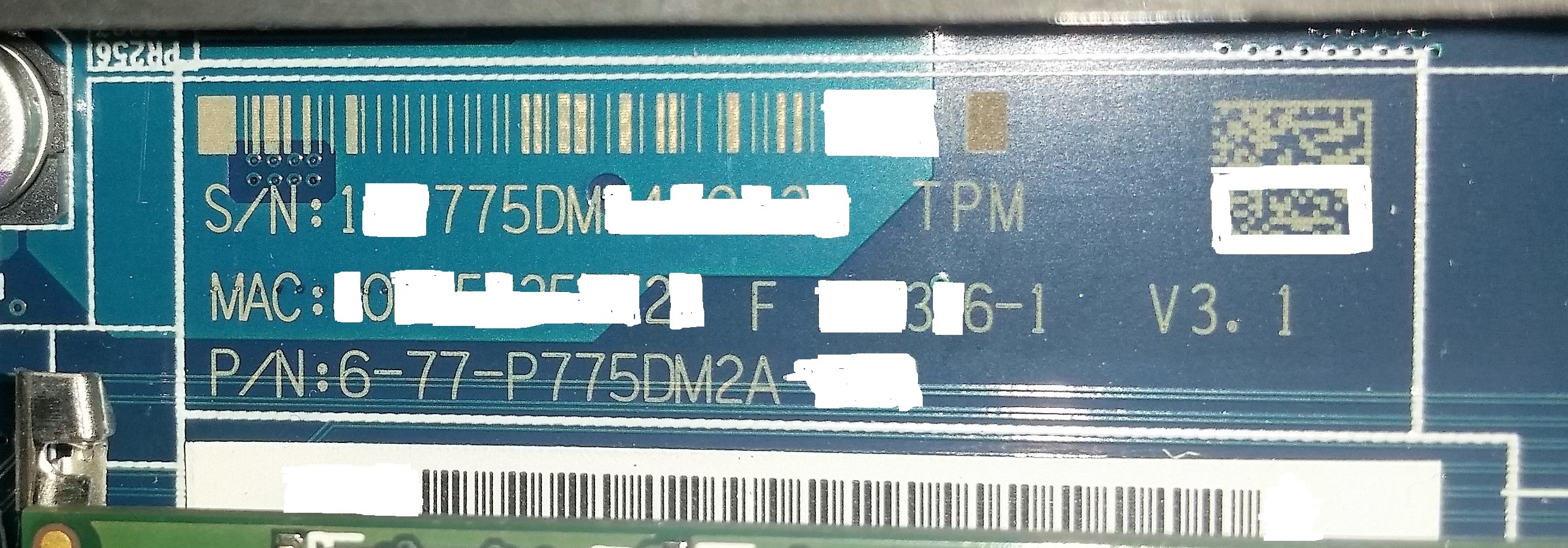
hi. who can me help. my oficial SerialNumber in notebook are erased and worn out after carry a laptop. i have clevo p775dm1-g base laptop. Laptop name is Santech G49. I cannot download new bios for him, because official site need special serial number. I'm afraid to Flash bios from other manufacturers. Someone wrote that after update Bios of another manufacturer the wireless network do not work and begin other errors. site is http://www.santech.eu/notebook/g49-series
i whrite on support Santech - no results and no answers.
Can someone download this bios or help me? View attachment 143145 View attachment 143146Last edited: Mar 14, 2017 -
-
Hi Prema. Thanks for answer. But if you mean about this s\n on motherboard - not valid on manufacter site. I try many combinations - one results- failed.
Attached Files:
-
-
-
thank you so much. It worked. PREMA YOU ARE THE BEST!


Maybe someone will need this information. The red arrow indicates the barcode with the serial number. On the manufacturers' websites this code is often required for downloading different software.Last edited: Mar 14, 2017 -
Hi, I also have the external-screen-remains-black-in-fullscreen-bug with Bios 1.05.05 on the P650RS-G installed.
Unfortunately I cannot find a place to download the neutral Clevo-Bios 1.05.07 from. Can someone give me a hint or should i install the bios from XMG? -
Here? https://repo.palkeo.com/clevo-mirror/P6xxRS/
Also here:
https://www.mysn.de/secure/userarea/download.asp?KategorienOrder=010;010&show=Support
But why don't you email them ? It's better than risking to flash the wrong BIOS and brick your machine. -
Palkeo doesnt have the newest version. Mysn only have their -a and -TR versions.
I will email my reseller.
Clevo BIOS Thread
Discussion in 'Sager and Clevo' started by Blacky, Sep 11, 2009.