 Problems? See this thread at archive.org.
First: Prema, great job! Thank you very much! Because you, my clevo is much better
I use Plextor M5P on W350ETQ and Prema v3. I don't know why, but I can't set HDD master password, only user password.
I made "cold boot", enter BIOS. Then set supervisor and user password. Then go to hdd settings and can set only user password.
How can I set hdd master password?
-
Master Password can't be set via BIOS...
GT OC is for iGPU and yes that is Fast Boot, correct...the HDD password needs a total shutdown before being activated. -
I was looking for information about that... so, master password is factory password and I can't change it, only set user password, right?
Now I have second question. I activated fast boot, UEFI boot, and I have Windows 8 installed in UEFI mode (GPT on disk etc.).
Everything was ok, "high-resolution" logo, OEM (Prema ) logo on Windows boot... but last time everything returned to "old version" - on windows boot I have windows logo, on startup low-res info etc. I didn't change any option, there is still activate UEFI mode and fast boot. What's wrong?
-
Win8 mode has to be enabled too in BIOS OS selection to see the BGRT logo...
-
It's enabled.
-
i had the same and i disabled the CSM part and then i see the Prema logo at boot again. if i leave CSM enabled and enable fast boot i also see the win8 logo instead.
-
It works! Thank you very much
And really last question
I installed Windows 8 and Ubuntu (few times). Now, on boot menu I have terrible mess - one Windows loader, and 4-5 from Ubuntu.
Is there any option to remove old entries? Now I have only Windows 8. -
it looks like this is what you need to do: Remove Ubuntu or XP from the Windows 7 Boot Menu think it will work on win8 as well
-
I know this method, but on UEFI+GPT, os selection is os-independend. I can select Ubuntu or Windows 8 only from BIOS boot menu.
After remove Ubuntu and ext partitions, there are still ubuntu entries in BIOS. -
First, a big thanks to Prema for the superb work on the modded BIOS for the W110ER. Like "Thisusernameisvalid", I too have one of the last production cycle of the W110ER and are experiencing graphics problems with the dGPU. By flashing back and forth between the stock and Prema Mod v3 (standard edition), I believe I've narrowed down the problem to be the vBIOS. With the stock BIOS (v80.07.58.00.A1), the dGPU performs without any problems, but with the v3 (v80.07.14.00.A6) the dGPU graphics problems can be consistently reproduced.
How does one perform a vBIOS update on the W110ER? Is it possible to extract the UEFI vBIOS information from the stock version to replace the older one on the v3? Does it involve updating the oROM (Link ID 10de,fd1) alone, or in association with another firmware module? If so, can anyone help with the Vol/File Index, FileName or the GUID of the UEFI vBIOS module that needs to be updated?
Extremely grateful for any and all assistance on this matter. -
Hi Prema! Long time no talk, huh! I feel a little dumb asking this but what the hay... I used to have Overclocking Features enabled in XTU, being able to set the multi up to 45x, but I had to reset the BIOS via pulling out the BIOS battery because I wanted to enable HT thinking it might have had something to do that with (it wouldn't save my setting in the BIOS until I pulled the BIOS battery). Still no go.. The last time I had overclocking features were before I yanked the BIOS battery 4 months ago (unrealated to pulling the BIOS battery out last night). Any light you could shed on my problem? It's not a big deal really but I like to play around again. Thanks
EDIT: I feel like I said BIOS Battery a lot haha -
Changing 10de,fd1 has no effect Clevo has other measures in place...get to 5 posts and PM me here or on T|I.
You must have been dreaming as multis can't be set in XTU on W110ER but directly in BIOS (Mod).
BTW: ME 8 Firmware v8.1.50.1456 now on the blog for P-EM & W-Ex systems...
ENJOY!steberg likes this. -
Prema,
I cannot thank you enough for taking the time to help. Will accomplish the 5 posts and PM as directed. -
I must be.. this is how I got this overclock because the current BIOS has no options (that I could find) for my 3840QM. I hope I am just being dumb!
EDIT: I am trying to find proof via my screenshots.. this was the stable overclock I could get with XTU and my W110ER. Anything higher would cause the computer to just shut off..
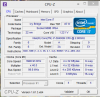
-
The Mod BIOS has OC options. Just enter deisered multis in "CPU Configuration" > "X-Core Ratio Limit".
-
Ah, another BIOS reset and flash fixed that.. so I see what I was thinking. I can change the multi in XTU up to the max I set it in the BIOS. Thanks for letting me down easy
-
Any chance you are working on a BIOS for the Sager NP8255 / Clevo P157SM? specifically to fix the fan, as it ramps up and down too much, and needs better control.
-
Prema Mods for the new systems will come...
BTW: ME Firmware v9.0.21.1462 for Clevos 2013 models (W230ST, Pxx0SM...) now on the blog!
ENJOY!steberg and Rockin_Zombie like this. -
Hey Prema, I was wondering if you were working on something for the W740SU? I'm not sure if it's even possible since it's got an integrated GPU and all.
-
I made a video with Prema BIOS mod, using UEFI and the fastboot settings. It is nice and quick to start up now: Zero to Chrome in under 20 seconds - SSD, Windows 8.1, UEFI + Fast boot, Prema BIOS Mod - YouTube
Thank so much ;DPrema likes this. -
Prema Mod v1 for W230ST now on the blog!
Changelog:
Updated:
-Realtek LAN to v2.57
-Intel Sata Driver and RAID-ROM to v12.7.0.1936
-Intel UEFI vBIOS updated to v5.0.1035
-Haswell CPU Microcodes to v16 (651,6C3)
- Enabled NON Win8 UEFI boot mode
- Activated option to disable bootlogo
- Added CPU Current, Voltage and Power/Time Control for Intel XTU & Throttlestop 6.0
- Added Plug’N'Play support for RAM up to 2133Mhz
- Added RAM OC feature up to 2667Mhz
- Added tons of additional menu items (CPU OC, iGPU OC, disable cores…
- unlocked GTX765M Overclocking Limit
- Prema Mod Style v3.1
ENJOY!
>>> Tutorials <<<
>>> Intel XTU <<<
>>> Latest Hotkey <<< (Win8, to show FN+1 Full Fan) -
Hi
I have ClevoP170HMx
BIOS110 EC_09 (Modificate with SLIC 2.1)
Intel Core i7-2860QM
4 x 4 Gb PC3-10600
GeForce GTX 580M
I want upgrade CPU to 2960XM and oveclocking after ....
It is necessary to me Prema Mod ? -
You would require the raised TDP BIOS Mod to utilize the extra power properly, but the CPU "just works" also without it.
If you buy a certain model ES CPU you will also require a CPU Microcode Mod otherwise it won't be able to OC it even with Intel XTU. -
OK...
...Only by utility Intel XTU, can I overclock this 2960XM on my Clevo P170HMx ? -
Heya Prema, are there anymore updated BIOSES or oROMS from Clevo for the w110er at this stage? I did notice SecureBoot went totally haywire after the windows 8.1 update. Might try a refresh and see if it makes a difference. However, some other brands noticed a perpetual watermark on the desktop and apparently the manufacturers are all scrambling to get BIOS updates out to fix it.
-
Woww, thanks a million ! Trying asap and you'll sure have a donation for the XTU access in the bios ! Good work
-
That's a golden OEM, it will be sweet sailing.
EDIT:
Most people just forget that this is what we have to do on Stock & Mod BIOS:
- Under “boot” set “OS select” to “Win8″
- Under “security” set “Secure Boot Mode” to “custom”
- Under “Key Management” set “Factory Default Key Provisioning” to “enabled”
- install keys then save and exit
Thank You!
EDIT:
ME Firmware v9.0.30.1482 for Haswell Models now on the blog. -
-
Have I correctly understand, what this chip without problems will be overclocking by Intel XTU?
-
-
hi prema , i'm just wondering if the new nvidia drivers ( 331.65 ) disables the bios to overclock my gt 650m on my w150er
?
i've been using you V3 Bios mod for the w150er since the ( 320.xx ) drivers and i've just experiencing this problem now since i updated my driver , now since the 331.65 driver i can t seem to get past by 745 mhz
-
Yep, second time I hear that the driver doesn't play well on systems...
-
Prema Mod v1.1 for W230ST now on the blog.
Changelog:
- Rebased to BIOS & EC 1.03.02
- Updated:
Realtek LAN to v2.58
Haswell CPU Microcode to v17 (6C3)
- Added option to disable dGPU (OS X support, not a power saving measure)
- A little polish here and there
To install OS X 10.9:
- Disable dGPU (Main > Setup)
- Set OS to "other" (Boot > UEFI Setting)
- Enable UEFI - " -
- Disable "CFG lock" (Advanced > CPU Configuration)
Add these lines for HD4600 GPU to config.plist:
Use Clover to Boot!PHP:<key>Graphics</key>
<dict>
<key>ig-platform-id</key>
<string>0x0a260006</string>
Share your tweaks, to get all stuff going.
ENJOY!</dict></dict></dict>
Rockin_Zombie, Art4ull Dodg4ar!!! and bishyb like this. -
weird i also have a gt650m gddr5 in my w150 and here all is well with a driver from the 331 series (331.85) maybe try that 1 then?Prema likes this.
-
Interesting... Perhaps the driver 331.65 and 331.85 are the cause of my TDR Failure crap in some games? Yet somehow I can play skyrim, which has much better graphics then the game that continues to crash (League of Legends) and yet skyrim doesnt cause a crash. Perhaps I'll roll back to a 320 build once I reinstall windows. Because for some reason I can't install or update new/existing drivers. It returns "the data is invalid" or something along those lines.
Sent from my SGH-M919 using Tapatalk -
Notanutcracker
hi, I have the same problem. clevo w253egq and gt 645m, boost stopped working since drivers 331.xx.
for the cause I scratched bios from msi cx61, videobios extracted from it and flashed instead of the default, boost working again))
Clevo VGA BIOS (Default)
80.07.49.00.A1 [Date 07/20/12]
-----------------------
MSI VGA BIOS
80.07.44.00.20 [Date 07/24/12]
![[IMG]](images/storyImages/18bd9869e7433581c437af7455a702b2.jpeg)
-
Hi Prema! Long time no talk, I wanted to ask a quick question that I want to clarify. I am under the impression that the fan curves are controlled by the EC. How hard is such a thing to modify based on what I would like? I noticed the fan shuts off sometimes but I would like to disable that entirely so it's constantly cooling. It seems to love to kick in quite loudly around 70-75c and I think it would be nice to push that off to 80c. I know the W110ER is old news but it's still my favorite laptop (even after trying the G46VW). Hope all it well, thanks!
-
Hey man,
TBH, I have absolutely 0 time to do anything like that atm, working on P570WMx, W230ST, P1xxSM, P3xxSM, GPU compatibility etc all at the same time and Clevo doesn't stop pushing updates, so I have to re-do everything from scratch which was already done. Otherwise the first question people ask when I release a Mod will be: "When do you make a Mod based on the latest BIOS", ha ha ha... -
Heya Prema, I don't know where you get the MEI Software from but the latest one you posted up 9.5.3.120_PV refuses to unpackage and install. Im trying the latest 9.5 to see if its any better.
-
-
Well, when will you make a mod based on the latest bios? OK, I couldn't resist. Well, I could have said, When will you make a mod based on the latest EC? lol. OK, I think I have caused enough trouble.
I am sure you have less then zero time. With what you are doing I am surprised you have time to keep on top of all these threads, and forums, and PMs you get. I figure you must be really good at time management.Prema and ha1o2surfer like this. -
Cheers, I've been looking for these for ages
-
Of course, you are a very popular guy! without everything done here this laptop wouldn't be my favorite! In the quest for better battery life as well I have found that ASPM is disabled on all PCIe lanes on the W110ER! People over at the HP 2570p forums on TechInferno have seen a huge improvement upon enabling that feature. I have tried it with RWEverything but the power draw stays the same (HWinfo says it's enabled too). I might have to try chain loading the script to see that actually enable.. idk just thinking outloud!
Keep sane!!
-
Actually Prema, if it isn't too much trouble, is it possible to implement ASPM/ALPM in the W110er BIOS? it seems more straightforward than the workarounds I've seen floating around.
-
It does improve power draw but upon a restart it disables since it's not configured in the BIOS. I enabled it for all PCIe Endpoints/Root Complexes and I check the status with RWEverything/HWINFo64.
EDIT: If you want I can post the .bin files I have created that you can load directly into RWEverything to enabled ASPM (L0s,L1) for all the PCIe devices. I'd be curious if a few people could test power draw afterwards. I usually idle around 25-35 watts and now I idle around 18-19. I just can't seem to get it lower! hahaAndresRamos likes this. -
Yes please, for the life of me I cannot figure out how rweverything works since all the guides are for Linux environments
Cheers -
Please share your results with the Prema Mod ASPM W11 beta with us.
Cloudfire likes this. -
Ok initial field testing with the W110er ASPM BIOS at work today
System:
i7-3610qm
8gb 1866mhz Kingston PnP 1.5V Cl10
Samsung 840pro 256gb
Intel 6300 Wireless
Software
W110er V3.0 UV ASPM beta
Windows 8.1
Latest ME firmware + SW as per stationdrivers.com
Custom advanced Processor power settings
HIPM+DIPM on
Clevo Mobility centre Processor on High performance (allows freedom to Turboboost while on battery)
Minimum LCD brightness
Wireless On
Normal V3.0 UV BIOS
Post boot idle: 12-13W as per batterybar
30sec idle: 10-11W
1 minute long idle: 9-10W
ASPM enabled V3.0 UV BIOS
HWinfo confirms ASPM active on Pcie Link Hub to endpoint on dGPU lanes and Wireless PCie lanes
Post boot idle: 12-13W
30sec idle: 9.5-11W
1 minute long idle: 8.2-10W
Conclusion: it seems to be effective at the moment. However, I do not possess tools accurate enough to assess the exact difference as it is supposedly a saving of about 1-2W which keeps getting obfuscated whenever BB wakes the CPU from C7 to update the estimated power draw.
More to come as I use it more, again, I'd take these results with a grain of salt for the present time due to batterybar's poor accuracyAndresRamos likes this. -
THX Marksman30k! Looks like ASPM power savings are going to find its way into various Mods...
Latest stock BIOS & EC for W230ST, P1xxSM & P570WM added on the blog (follow my signature)!
It's a simple one step flash method and for P1xxSM models it fixes the 8970M UEFI mode black screen issue.
ENJOY!
steberg, Cloudfire, ha1o2surfer and 2 others like this. -
OK I have not been getting power consumption THAT amazing ever! It has dropped mine a great deal though. I now get around 3 hours versus 2 and a half. Would you mind explaining what software in terms of clevo stuff you have installed?
Pre V3.0 Idle - 29-32 watts
Post V3.0 idle - 16-19 watts (with option to turn off dGPU when card is not active, enabled)
Marksman30k, that is truly impressive numbers you got there. I should double check my ME version..AndresRamos likes this.
PREMA BIOS MOD Review
Discussion in 'Sager and Clevo' started by HTWingNut, Jun 1, 2012.


![[IMG]](http://fastpic.ru/view/58/2013/1129/18bd9869e7433581c437af7455a702b2.jpg.html)