 Problems? See this thread at archive.org.
I'm using Windows 8.1 with the latest Clevo Control centre.
Additionally, I have got a batch file that exposes all the useful processor power settings as per the Windows 7 Power Management document. I would post the file up but the forum isn't letting me, if you want I can post it up as plaintext and you can make your own batch file.
I suspect my i7-3610qm or the 650m are lower leakage than usual since I can get really low power draws at idle even without mods. Roughly 16-17W is normal.
Regarding the ASPM.
I'm finding that my previous power draws are already very close to what it will be with ASPM on but the biggest improvement is that I can actually leave the Wireless ON and it will automatically power gate to the level almost matching to the draw if it were manually powered down.
-
-
I can help testing the power draw, actually can even measure using a multimeter breaking the power cable
 if you guys want me to.
Marksman30k likes this.
if you guys want me to.
Marksman30k likes this. -
Maybe you can rename the extension to some common one like txt or else. Then we rename it to the correct one.
-
So far so good, idle numbers are consistently under 15 watts and everything is working great.
EDIT: if you want to use a GUI version of what I think he is talking about, download park control Then slide both sliders to "Max Parking" -
hi there , i'm currently on 331.65 and i cant seem to surpass 745 mhz barrier , i have installed prema mod v3 and i tried using nvidia inspector and msi afterburner but neither of them works , oh and i also noticed that my turbo boost has stopped working , so the monitor ( GPU - Z ) shows a maximum of 745 Mhz , can anyone give me an insight to this problem ?
thanks in advance if replied
-
Hi, download nvidia inspector and make a shortcut via it's overclocking panel of your stock clocks.
Right click on that shortcut and add this to the end of the "target" (after deleting the values already listed) So it should look like this in the target minus the location in bold, this can be wherever nvidia inspector is located.
C:\nvidiainspector\nvidiaInspector.exe -setBaseClockOffset:0,0,60 -setMemoryClockOffset:0,0,80 -setVoltageOffset:0,0,0 -setTempTarget:0,1,91
This gives you a memory clock of 980mhz and a Core Clock of 1012 which should be stable. I have Premas UV BIOS and this is stable in every game. If it's not backoff the clocks via nvidia inspector and make a new shortcut
Hope that helps -
Prema Mod v1 for P15xSM & P17xSM now on the blog!
ENJOY & Happy Merry Christmas! :hi2:
EDIT:
Changelog:
Enabled NON Win8 UEFI boot mode
- Activated option to disable bootlogo
- Added general XTU support (P15xSM)
- Added CPU Core & Cache Voltage, Current, Power/Time & BCLK software controls (Intel XTU & Throttlestop 6.x+)
- Added TONS of additional menu items:
(CPU OC, iGPU OC, RAM OC, full voltage control, HDD password, SATA & USB control…
- Added ASPM Power Saving features (incl. Linux Support)
- Simplified OS X support (MSR & dGPU)
- Enhanced external GPU Support (TOLUD & PCIe Control)
- Updated Intel UEFI vBIOS to v5.01035
- Fixed iGPU vBIOS 2160 > 2177 (P17xSM)
- Cpu microcodes updated:
661 0A > 0E
651 10 > 16
- Prema Mod Style v3.1Cloudfire likes this. -
Maybe someone will post a new thread with a review on this bios...
-
HTWingNut will make one, actually wanted to do since a couple of months, but he's very busy with kids etc...
-
Kids will do that lol.
Correction on the change log.
"Changelog later...in short it would read >>> ALMOST EVERYTHING NOW FUN <<<"Prema likes this. -
Hi, Prema. Very good job with bios mods, I really appreciate your work. But there is something I need to ask you. Is there any chance that there will be BIOS that will enable CPU fan speed control? Or maybe you now what driver is responsible for the fan's good work? My CPU fan sometimes starts working at 75 degrees or even later (sometimes it's just too late) and my W350ETQ just shuts down. Of course I can force the fan to operate with full speed (FN+1) but I shouldn't be responsible for my laptop's cooling.
I hope you will find time for an answer
PS. I forgot to mention that I have already flashed Your up-to-date BIOS for w350ETQ. Maybe I'm just asking stupid questions but this heat management is driving me crazy. -
Fan control is a function of the EC and not the bios, it's not set up to be addressable in normal operation.
Prema likes this. -
Have you cleaned your heat sinks? As said, the EC controls the fans. He might have an EC with more agressive fan profiles though. But start by cleaning your heatsinks.
-
I cleaned radiator when I installed new SSD. I am looking for a solution on my own. If I succeed I will let you know.
-
Latest stock BIOS & ECs for P370SM, P370SM3, P375SM, P570WM & P570WM3 now on the blog!
ENJOY!
EDIT: Prema Mod v3 for P570WMx now on the blog (link in signature)!
ENJOY & Happy New Year!
-
Prema Mod v1.1 for P15xSM & P17xSM now on the blog.
Changelog:
- Added SATA Options (sorry, forgot them in v1)
- Sata RAID updated to v13.1.0.2030 (Lagacy & UEFI)
- Updated Intel GOPdriver to v5.0.1036
- Updated Realtek EFI UNDI to v2.024
- Added silent & cool EC FAN option to the installer
ENJOY!
steberg likes this. -
Wondering if its ok to flash the Prema w110er UV Bios for the Eurocom Monster 1.0? Also is there any windows flash utility to flash the bios?
-
oh now I see that the prema UV bios is actually designed to be flashed in windows 7 thats good to know, but I still wonder if its ok to flash it on my eurocom monster? does it work on all varients of the w110er?
-
Yes the EC Monster 1 is the W110ER and "DO NOT FLASH IN WINDOWS"!
Create a bootable flash-drive and follow the readme to flash in PURE DOS: FLASHING GUIDE | Prema Mod
ENJOY!
-
Thanks for clearing that up Prema! Will be flashing soon cant wait to have CPU turbo when gaming and lower heat
Another question, on the bios download page it says this
"DO NOT ATTEMPT TO DOWNGRADE TO ANY VERSION LOWER THAN BIOS 04 & EC03.
DO NOT USE NON MATCHING BIOS AND EC VERSIONS
DOING ANY OF THE ABOVE MAY CAUSE A BRICK!"
Im just wondering, right now my bios is 1.02.11 and KBC/EC is 1.02.07, what does this mean exactly? does the 02 mean they are matching bios and EC but too low of a version to re-flash after flashing the prema bios? or are these old versions of the bios I cant flash back to if I decide to flash the prema bios? I want to back up my current bios in case something happens to the laptop so I can send it in for warranty repairs with the original bios if needed
Thanks! -
You are fine to use the Mod. There are stock Clevo BIOS & EC for each model on the blog. Just use those in case you want to return to stock.
-
thanks so much you have been a great help! Since nobody else really knows I will try to ask you one more question you might have the answer for me.
my eurocom monster isnt letting me overclock the GPU with the stock BIOS, i tried nvidiainspector and msi afterburner both dont allow me to overclock and I don't know why for sure, do you know if this is common problem with the stock bios im using? Im hoping when i flash your bios it will fix the problem but I will have to wait to flash your bios because I need to go purchase a USB flash drive
Thanks! -
The unlocked vBIOS is part of the Mod.
ENJOY!
-
Wow really? So i cant overclock my GPU with msi afterburner or nvidiainspector because my stock BIOS locked it? and your unlocks it and allows to overclock? Thats awesome!! thanks so much for answering these question
-
On the W11 the stock vBIOS allows for additional 135Mhz on the GPU core. The Mod allows you to go all the way.
Make sure to update the driver, too:
Drivers | GeForce -
Those are the exact drivers im using, here is what i see when i load the latest msi afterburner
View attachment 107234
for some reason it shows the core and memory at 0, if I try to change the core to +135mhz it doesn't make any difference when i game it stays at 835mhz and i see no performance gains, this is still on the stock bios.
Is the stock bios the reason I can't overclock at all? it seems weird that msi afterburner shows the core and memory to be "0", ill find out for sure but that wont be untill i get my hands on a usb drive to flash your bios -
That looks like the Intel GPU is active instead of the NVIDIA...
Here is the latest MSI Afterburner:
MSI Afterburner 3.0.0 Beta 18 Download -
Thanks for the link, i downloaded it but it didn't change anything I still cant overclock, I will reinstall windows and install the nvidia drivers first this time and also update bios, hopefully after all that it lets me overclock lol
-
This sounds great. But I want to make sure it will work on a Sager NP8265? I thought I read somewhere that Sager customizes the Clevo BIOS...
Thanks! -
No problem, flash Ahoy & ENJOY!
-
I got my flash drive today and flashed the UV bios, Amazing bios! thanks a lot, excellent temps, overclocks great and now it allows me to actually overclock my GPU
my games are running very good now.
Any idea why I can't get my 2670qm to run at a steady 3.1ghz when gaming? I tried throttlestop and it doesn't seem to change anything, is there something I am missing here? -
THX@Intel for misleading people.
These are the designed speeds for 2670qm:
3-4 cores active: 2.8Ghz
3 cores active:
2 cores active: 3.0Ghz
1 core active: 3.1Ghz
So it'll only run on 3.1Ghz while a single core is used...
-
Lol i really didn't know that, ok that makes a little more sense but still I never see above 2.4ghz with cpuid when gaming, maybe its because i set it to 31T in throttlestop, maybe I need to set it to 28T ill try that when I get home
You are such a great help Prema
-
Intel list the chips base speeds so they are pretty honest to be fair.
-
Many user think the chip reaches the advertised Turbo on all cores, I get almost one mail a day from someone who thinks his Turbo is broken...one guy sent me about 50 messages as he simply didn't want to except the fact and was convinced he was cheated...
-
Good work Prema and hope that your considering working on the W370ST/W350ST, I am an owner of the W370ST. They are the 15.6 and 17' counterparts to the W230ST. They still Have the Same GTX765 and I7 4700mq-4900mq.
Just 2 Msata ports no backlit keyboard and 2 sata ports.
Shouldnt be that hard Thats assuming the bios are very similar.
Just our Fans sound like a jet with no clear scaling and I would really like some additional bios features like ram timings such. I am a fan of fine tweaking and I would immensely enjoy it in my laptop considering its possible to have it just its not unlocked. -
Well the fan is locked like the rest AFAIK.
It's down to resellers really on the cpu side as Intel advertise honestly. We show it as a clock range as well to make it clear. -
+1 i have w350st and would love to enjoy prema bios for our laptops
Sent from my Nexus 5 using Tapatalktyler274 likes this. -
+1 as well, the W350STQ receiving a Prema mod would be amazing.
-
Hello Prema I just received my P170SM notebook.
BIOS Version: 1.00.09
EC Firmware: 1.00.04
![[IMG]](images/storyImages/2a5fe3302234193.jpg)
Is it possible for me to directly update to your modded bios? Do i need to install the latest standard BIOS from clevo before update to your version?Last edited by a moderator: Feb 6, 2015 -
No problem, just follow the readme and flash ahoy & enjoy!
joluke likes this. -
Thanx prema just installed it. ME firmware update didn't restart the system well, so I did a force shut down and restart. BIOS check confirmed ME is indeed updated without a issue .
BTW Prema I gave you a small donation
-
THX!
Prema Mod v1 for P370SM, P370SM3 & P375SM released and now on the blog (link in signature).
Changelog in a day or two, have friends over atm...
ENJOY!
Red Line, joluke, 1nstance and 1 other person like this. -
I cannot seem to find the password for the archives on the site. I am trying to download v1.1 for p157sm. Already tried biosmods.wordpress.com but that's not it. I do recall that for v1 there was a different password.
LE: Silly me, it worked with premamod.com
LE2: Whats the deal with Cool and Silent Fan profiles? Like the main difference is clearly the sound part, but did anybody test and have a feedback on temperatures? I installed v1.1 and chose silent profile. If nobody has any feedback, gonna try and report back in a few days in regards to sound/temp ratio. -
"cool" runs all the time on low and speeds up when taxed
"silent" has no fan running unless the system is taxed
So if you live in an environment with low ambient temps "silent" may be a great choice.
If the ambient temp is higher "cool" may offer the better solution as it runs constantly, but on low. In this situation "silent" would constantly switch fans on and off...
Hope that helps.
ENJOY the Mod!
-
Thanks for the info.
For example, there are around 21-22 degrees (Celsius) in the office atm, and am doing rather simple stuff (browsing, installing, uninstall different software, youtube-ing, etc) and the fans are always on @ ~2533rpm (according to HWinfo64). I havent seen them turn off in the past hour since updating to latest mod.
What is the temp threshold when the fans ramp up in load situations, on silent profile?
If I were to want to revert to cool, I would have to repeat the entire flashing process, right? -
As long as Clevo Control Center is in Power Mode the fans will run. Switch to silent or power saver and reboot.
You can flash the other EC by just typing A or B, just make sure to always do the 30s removal of PSU part, otherwise the EC doesn't refresh to the new values. -
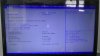
No change to bios menu options after flashing Perma Mod on my P150EM?
From reading the first post, it sound's like more menu options (fine tune) should pop up in the bios.
Hate to be a newbie, but after searching, I found no similar posts... what did I miss?
Before...
After Prema update:
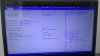
Feel free to update me on where I should "shove it," as in where to move this post to a different forum.
-
Ha ha ha, P-EM has all changes under the hood, no extr a switches. BUT it enables Intel XTU Software support. Just grab it and ENJOY Tuning!
-
One more W370ST owner.
PREMA BIOS MOD Review
Discussion in 'Sager and Clevo' started by HTWingNut, Jun 1, 2012.


