 Problems? See this thread at archive.org.
It's good, hopefully they can tighten things up.
-
-
so guys! ive seen @Johnksss playing around with the corsair ddr4-3800 sticks, but has anyone tried the 4000 sticks yet? i know i know, unlikely to reach full speed, ive had my fair share of experience with the 3000 sticks, that to this day only run up to 2933 in my machine
 still, curious to know what kinda experiences people have had.
with john reaching around 3460-3600 on the 3800 sticks, one could assume that 3600-3733/3800 might be possible with the 4000 sticks...
Sent from my Xiaomi Mi Max 2 (Oxygen) using TapatalkLast edited: Feb 19, 2018Stress Tech, tranquil911 and Vasudev like this. -
Same here re not being able to go beyond 2933 (16-17-17-39) with 2x 8gb gskill pc3200 dimms on a DM1 series even with stupid voltage. Best I managed to do was 3004 on a single stick (which is no good to anyone!) Possibly/Probably a limitation of the DM1 platform itself? Cos if you the shaolin master of ram OC cant breach the 3k mark.. then I don't think its ever going to happen
Stress Tech and jaybee83 like this.
-
ha, thats the thing though, i dont know if its the mainboard´s fault or the memory chips on the ram! the CPU IMC is definitely strong enough for that and ive also tried to up the VDIMM voltage as far as it goes. so curious to know if there is any more juice left to get out of this machine with the 4000 sticks
tranquil911 likes this.
-
The IMC strength is like a factor combined with a motherboard factor.
So motherboard strength x IMC strength = overall memory speed you can attain.
A stronger IMC will still do better in a motherboard with a lower speed rating.Ashtrix, tranquil911, Scerate and 2 others like this. -
The most i could do with my 6700k plus these 2x 8gb Gskill sticks was 3200 cl16-17-17-40 and even then sometimes after a cold boot it went from previously stable to unstable, still don't know what the factor what caused this was, best guess i think the memory training.
Gesendet von meinem SM-N950F mit TapatalkStress Tech and tranquil911 like this. -
And that's on a DM3 series unit? Which indicates its not an CPU IMC limitation on the 6700k's and more likely to be something motherboard related on the DM1 units
-
yeah i guess so, on my prev 771DM1 i had 2400mhz ram running at 2666 i think, if my memory serves me right. I still have some settings to tinker around to get 3200 stable, but right now i'm everything but an enthusiast on my notebook, my new job is super taxing so far so i'm more or less in a "i don't care" phase.
@topic, waiting game has begun, finding a skypro took a while
Stress Tech and tranquil911 like this. -
Yes above 3000Mhz it's going out of spec on the DM units tracing a fair bit.
Stress Tech, Scerate, tranquil911 and 1 other person like this. -
Not on anything other than maybe a TM1Stress Tech, jaybee83 and Scerate like this.
-
so after i got my sop8 adapter and still waiting for the 1.8v adapter + the skypro
![[IMG]](images/storyImages/xICpEs6.jpg)
i'm pretty sure about it, but as a confirmation from the real pros here this should be my vbios chip righty?Stress Tech, Vistar Shook and Mr. Fox like this. -
IIRC John is using the 4000Mhz sticks, but the sticks are generally not the limiting factor.
Yes that's the BIOS chip Scerate.Stress Tech and Scerate like this. -
yes thats what i was afraid of. dont wanna risk paying the hefty premium for the 4000 sticks only to find out they can just run exactly as fast as my 3000 sticks due to the mobo

Sent from my Xiaomi Mi Max 2 (Oxygen) using TapatalkStress Tech, Scerate and Vasudev like this. -
There is always that, but it should be able to run at better specs than most... (speculations of course)Stress Tech, Scerate, jaybee83 and 1 other person like this.
-
-
Stress Tech, Johnksss, KY_BULLET and 4 others like this.
-
Is there an actual benefit unlocking the voltage control(%) in MSI after burner w/o unlock Vbios and Power Limit and Temp Limit are locked. I found this fix:
INTRODUCTION
If you've installed MSI Afterburner before (usually on a notebook) you'd remember it didn't have GPU voltage control. There are unsupported desktop GPU models that require certain workarounds to have voltage control as well working in MSI Afterburner. So this isn't just limited to notebook GPUs.
Simply put, there is a way to get it unlocked for a notebook GPU, but it is limited to +100mV (modified vBIOS allowable) using the fix we are going to apply below. You can read more about this here. (http://forums.guru3d.com/showthread.php?t=399542)
So how does this benefit you when using MSI Afterburner?
You can monitor the GPU voltage in the OSD now, which wasn't available before.
You can use a modified vBIOS with an increased base voltage that allows the "fix" (voltage control) to utilize the remaining 100mV of overvolt in MSI Afterburner, allowing it to be the primary OC utility.
If you aren't looking to do extreme overclocking/overvolting (with a modded vBIOS but limited to +100mV).
ENABLE VOLTAGE CONTROL "FIX"
Step 1: Go to your MSI Afterburner Profiles folder (C:\Program Files (x86)\MSI Afterburner\Profiles)
Step 2: Right-click the file named "VEN_10DE&DEV..." and go > Properties > Security
Step 3: Select "Edit" and then click on "Users (username\Users)" and with the permission boxes below, check "Allow" for the first box - Full control. Click OK and OK again (this allows the file to be saved after editing it).
Step 4: Now you can open the file named "VEN_10DE&DEV..." in WordPad and replace everything you see with this:
[Startup]
Format=2
CoreVoltageBoost=
PowerLimit=
ThermalLimit=
ThermalPrioritize=
CoreClkBoost=
MemClkBoost=
[Settings]
VDDC_Generic_Detection=1
Step 5: Save the file and restart MSI Afterburner
Step 6: Go into MSI Afterburner settings and check the boxes under General > "Unlock voltage control" and "Unlock voltage monitoring" then click OK and restart Afterburner.
Final: GPU voltage control is unlocked and can be used now up to +100mV as well as monitoring GPU voltage in the OSD.
http://voltground.com/misc/MSI_Voltage.PNG
ADDITIONAL NOTES
This "fix" isn't new to overclocking with MSI Afterburner, it's just not a popular topic among notebook users.
Also, when I mentioned, "You can use a modified vBIOS with an increased base voltage that allows the "fix" (voltage control) to utilize the remaining 100mV of overvolt in MSI Afterburner, allowing it to be the primary OC utility" I am referring to having your vBIOS base voltage modified to 100mV below the suggested max voltage for your GPU. You can also adjust the core/boost clocks appropriately to take advantage of this to where it's stable, then flash these vBIOS values. Should you want to use MSI Afterburner as the primary OC utility, you now can since you can adjust voltage the remaining 100mV should you need to max out your overclock.
Note: Raising your base core/boost clocks and voltages to workaround this idea means you will likely run at higher load temperatures since you are no longer using stock vBIOS clocks and voltages, all the time (except idle states).
Credit goes to Dreamonic: https://rog.asus.com/forum/archive/index.php/t-81916.html
Another question is when adjusting the voltage curve in afterburner with sli set-up is it better to adjust individually the gpu's or synchronized them both?Stress Tech, jaybee83 and Vasudev like this. -
Except this does absolutely nothing for Pascal NOTEBOOK GPUs.
You can unlock it but it doesn't do anything.
Coolane already discussed this.
It's locked down in the cancer vbios by ngreedia and no one has found a fix for that.Last edited: Feb 20, 2018Ashtrix, Stress Tech, bennyg and 3 others like this. -
You are better power unlocking it and going for the max clock at stock voltage.
-
@Mr. Fox @Coolane still waiting for my 1.8v adapter board but wanted to know do i have to firmware upgrade the Coright SkyPro or does it work out of the box with the Vbios Chip of my 1070?
Edit: Ok found out i already have the latest firmware from Jan 18th installed, somehow i'm pretty excited for this kind of power unlock, don't ask me why.
Last edited: Feb 21, 2018Stress Tech, Vasudev and Mr. Fox like this. -
When flashing with the skypro....Just make sure it does not 00 out the very first two bytes....
-
When you launch the SkyPro it will usually check for firmware updates and prompt you to download. Always use the latest, as it adds updated chips and fixes bugs on existing chips.
To supplement what Brother @Johnksss suggested ALWAYS read and save your existing BIOS/vBIOS with the SkyPro and save the .BIN file in a safe place where it will not be deleted. That way if you flash a mod that bricks the GPU you can always put back the stock firmware to bring it back to life. Since you haven't done it before, you can practice read/write using the stock firmware, too. If the alligator clip does not have a good connection, it will error out on the verification process at the end and throw a bad checksum. If that happens, check the connection and flash again. It will actually tell you "success" at the end.
Another thing... once in a while, Windows will lose track of the driver. If you cannot detect any chips, open Device Manager and check the status of the SkyPro. Once in a while (not often) I have to reinstall the driver because Windows doesn't find it if the SkyPro has not been plugged into a USB port for a long time. -
Voltage control is via curve only but yes the monitoring in osd is made available. (I now use hwinfo/RTSS for osd which has GPU vid available without tweaks and AB lacks a lot of other sensors)
Overvolting without raising power limits is completely pointless on notebook pascal, it's overvolted by about 200mv across most of the curve by my estimate
Power limit slider in AB is dependent on vbios and is only available for pascal mobile by flashing a modding vbios via coolane's tool
I never got my cards to sync settings when editing the curve. I had to assign each card's settings to a profile separately and the only way I can get both cards switched at the same time is via hotkey. (clicking the profile's button only loads the profile for the GPU marked active by the GUI)
Maybe if using offsets it worksLast edited: Feb 21, 2018Ashtrix, Mr. Fox and cj_miranda23 like this. -
@bennyg
You don't even need to set curve, only the voltage. Then hit ctrl L and it will lock that voltage. Then go to where it says curve and change that to the setting you desire. (150+ or something like that) And it will hold the voltage at that clock speed. -
I doubt it would be stable at an offset of -200mv @bennyg
-
cant, when pressing ctrl F, you can set frequency for voltage but not voltage for frequency. can only change value of mh/ghz
-
Maybe you can't, but it is true. You are over thinking it. You can't type 150 there to begin with. You need to close out that window and hit apply. Then change the core clock. The windows with the voltage, power, core and memory.
Sent from my SM-G955U using Tapatalk -
i'll post some screenshot to see if im on the right track, i do hit apply tho.
-
On that curve window it will allow you to set the voltage for the Curve. Which put you on the right track. You then can Ctrl L to lock the voltage on the Curve. Now hit the X at the top right corner to clear out of that screen which will put you back on the main screen with all the sliders. For core it will say curve. Just type in any number where it says curve and that will now lock the overclock to the voltage you set on the curve window.
Sent from my SM-G955U using TapatalkAshtrix, Stress Tech, Papusan and 1 other person like this. -
That works well. It does a decent job of locking it, even more so with K-Boost enabled (which I do with Precision X OC). The only sad part is that the voltage doesn't go anywhere near high enough.Stress Tech and Papusan like this.
-
No voltage has ever gone high enough without hard mods. Definaltey that is the case on desktop cards. We got kind of lucky on some kepler cards, (Desktop and Mobile) but if you want to move up in ranks. You will need to start hard modding. No way around it. Even harder if you only have 1 card since everyone has 1 card, but right now is not the time to buy since prices are crazy NORMAL now. That is if you been in the laptop game. LOL
I haven't started up on the Desktop folks yet, but now they are in the same boat as us. Only difference is.....Our GPU's are still the same price. $1275 to $1500.Ashtrix, Stress Tech, ole!!! and 2 others like this. -
Yes in hindsight that is overreach... I am in a benching phase and that means to me right now "not crashing" = "perfectly stable" lol
But, I have found all points stable at well over 200mhz offset which looking at the stock curve is shifting the voltage for a given clock down by ~100mV. +300mhz (almost a 200mV reduction) is on the edge of stability but then I have water helping to keep temps below 75 (and I've been in a 30C ambient all day. I must like heat, it just doesn't occur to me to turn the aircon on)
Locking voltage to 1.06V is a reliable way to push these borked MSI 1070s beyond their usual 1.013V crash point. 2150mhz looks pretty stable. The 200W Max in my modded Vbios is a limit though, makes it hard to test stability when heavy workloads cause power throttle.
Maybe MSI paid for some decent bin GP104s for these cards (before stuffing up elsewhere on the card) so a bit silly of me also to turn n=2 into "all pascal"Last edited: Feb 23, 2018hmscott, Stress Tech and Falkentyne like this. -
So I just ordered this stuff for $32.
30 grams of conductive doom.
https://www.ebay.com/itm/Galinstan-...sh=item4b38602455:g:488AAOSwzBJaf3aT#shpCntId
Worth it?Stress Tech and Vasudev like this. -
very good choice i also switched from CLU to pure gallinstan, temps were exactly the same at one tenth of the price
so yeah, totally worth it!
Ashtrix, Stress Tech, Scerate and 3 others like this.
-
That is what Brother @t456 uses as well.Ashtrix, Stress Tech, Scerate and 2 others like this.
-
The mobile parts do tend to be from more central on the water.
-
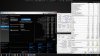
Nice 8700K score in XTU Benchmark: http://hwbot.org/submission/3796204_
![[IMG]](images/storyImages/4svkQhi.jpg)
221.9W
 Scerate, Stress Tech, Papusan and 1 other person like this.
 -
u know, it actually saddens me to say this, but id reaaaaaally be in the mood for a full blown desktop system again... i think id go for a TR 1950x with 1080 ti, man that would be so much fun to tweak and overclock to the max
Sent from my Xiaomi Mi Max 2 (Oxygen) using TapatalkAshtrix, Scerate, Stress Tech and 2 others like this. -
Do it. You'll wonder why it took you so long to go back. You can still have a beast laptop to use when you can't be at the desk when you want to be.Ashtrix, Scerate, electrosoft and 3 others like this.
-
yeah its been ages, had my last desktop system 11 years ago iirc...
well ill need some time to save up the money, unfortunately that dream system would be around 4.5-5k € by that time im sure that 2nd gen TR will be out, maybe together with Ampere
Sent from my Xiaomi Mi Max 2 (Oxygen) using TapatalkAshtrix, Scerate, Stress Tech and 2 others like this. -
Yeah, it was like 12+ years for me. I couldn't afford to build the kind of desktop I wanted, but I'm glad I went ahead and did what I could afford. No regrets at all. The nice part is you can overclock and bench the crap out of it and buy parts in stages as your cash flow allows instead of having to blow a huge wad of cash on a badass laptop that gets you stuck with obsolescence and worth half (or less) of what you paid for it in year or less.Ashtrix, Scerate, Stress Tech and 2 others like this.
-
The last desktop I owned was an x58 platform and I was playing around with hd5870 and gtx 280 cards.
-
...My last desktop around 1999-200x was a Pentium 3 500Mhz, 64MB RAM, with a massive 2GB hard drive, and a Riva TNT 2 Ultra 32MB AGP x4 graphics card. I use to have a game on Quake 3 Arena on my 1600x1200 CRT monitor with ridiculous FPS... Aah good days
That ball in the old 2 button mouse
almostoast, Scerate and Mr. Fox like this. -
Remember cleaning the ball and rollers to remove the crud build-up? It took all of about 60 seconds to fall in love with my first optical mouse.almostoast, Ashtrix, Scerate and 2 others like this.
-
A full blown desktop would be nice.
But how are you guys supposed to find the video cards? -
If one is using it for benching....Then it does not matter what video cards one uses.... Since it's used to bench any card that fits in a PCIE slot.....But if it's for something else....then 1400 and up and cards are easy to find.
-
i dont get that question...what video cards are we talking about here? standard pcie cards are available everywhere *lol* unless ure hinting at the insane prices atm due to mining demand...
btw, as nice as a fullblown highend desktop system would be, i would miss the NBR & TI community... dont wanna hang out with ignorant desktop fanbois!
Sent from my Xiaomi Mi Max 2 (Oxygen) using Tapatalk -
Yes I'm hinting at the absurd prices.
$1050 for a GTX 1080 TI........jaybee83 likes this. -
900.00 if we are nit picking.
https://www.newegg.com/Product/Prod...5989&cm_re=gtx_1080_ti-_-14-125-989-_-Product -
no problem, laptop 1080 TI for $2k, if there is one.
Clevo Overclocker's Lounge
Discussion in 'Sager/Clevo Reviews & Owners' Lounges' started by Spartan@HIDevolution, Mar 4, 2016.


