 Problems? See this thread at archive.org.
It's a TV card slot wired for usb only I believe.
-
-
Now why you wanna rain on my parade Meaker. L
-
Well that's the official line, that does look like a sata channel in and out, I wonder if anyone has a pinout on the msata to compare this from (on my mobile so hard to get another spec sheet up).
Solariseir likes this. -
That's exactly like the mSATA should be (minus the USB lines, but who cares). Check if condensers C927~C930 are there (I doubt it). Then see if there are missing power lines components as well (C254, C249, C324 and C335). You should be good to go once everything is filled with appropriate value components and this 6pin connector moved away (the hell they put it there?).
Solariseir and Takaezo like this. -
The connector near the pads is low enough to not get in the way.
-
From the picture is not exactly clear, you are the ones to check this one out
 I still think that it requires 4mm connector which leaves
almost no room underneath (don't forget mSATAs are double sided, unlike mPCIe). This "almost" could be enough, again you're the ones to confirm it. Happy modding
Solariseir likes this.
I still think that it requires 4mm connector which leaves
almost no room underneath (don't forget mSATAs are double sided, unlike mPCIe). This "almost" could be enough, again you're the ones to confirm it. Happy modding
Solariseir likes this. -
Ah yes it does have to be the reduced z height. You could carefully choose the module too but since the connector is not required you could just remove it while doing the pcie/sata connection work.
Solariseir likes this. -
it could be unused so not wired to any part of mobo/chipset, could be usb, mini pcie or sata lol.
Solariseir likes this. -
I removed the connector (pushed too hard and damaged motherboard). and soldered the pcie connector. it's not working. nor msata or wireless card. there is a bunch of capacitor missing from the board.
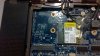
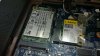 Last edited: Jan 16, 2015triturbo, SFVogt, unityole and 1 other person like this.
 -
by the way the connection is OK, I checked with multimeter and debug card. the power is connected.
-
Drop me a PM, don't know if the caps are there, but you would also need to activate and configure that port in BIOS...
Last edited: Jan 16, 2015triturbo, SFVogt and Solariseir like this. -
You definitely need the caps at the very least to bridge the connection*. That's why I said that you have to check them. Are the power lines delivering the correct voltages?
As for the not wired - it is, they usually miss the corresponding components (again, the caps).
*If you want just bridge the pads. DATA CORRUPTION MAY OCCUR!!! (those are filter caps, and you can see that they are very close to the connector intentionally) You are on your own as always in such mods
Solariseir and Takaezo like this. -
@TriTurbo; so your saying the power form the header to the card needs a capacitor to stabilize the input? your using "caps" as capacitor?
-
if msata and pcie dont work then its likely for USB devices. you can put in a tiny usb stick, or usb wifi module see if they work, or use a usb bluetooth/wireless dongle or something.
-
as TriTurbo said there are some caps (capacitors) missing from the motherboard. 4 * 10nF on the lines and 10uF on powerline. unfortunately I don't have the important ones (10nF) right now. maybe I solder 2.2nF until my next order arrives.
it seems there are some bios modes are necessary to get this thing working, Prema is helping me on this matter. -
Yes, but I was pointing mostly at the data (SATA) lines. Yes.
Could work. I think that most of the standard USB devices require 5V to work, but some may work at 3,3 as well.
If you want to just check it if it's working you could try, but I'll stick to the specs.
I hope you'll figure out the BIOS side of the things before you get the caps.unityole, Solariseir and Takaezo like this. -
I just got p570wm with 3820, 980m single, corsair 8x2 stick.
It OC well to 4.3 with 2133 1n cl10-11-11. But after rebooting cpu and memory clocks keep coming back to stock.
Even if I dont oc memory, it comes back.
And stock cpu with memory oc makes the same result.
I am using v5 prema bios. Any advice would be very helpful to me.
Thanks. -
@fafa_kr; are you using the bios only to set the clocks? I only use the bios as it "hangs in XTU. Of course everything will go to default if you press F2 to many times before the Bios comes up. I use EVGA for overclocking my cards, this can be set to start up and linked. Nvidia inspector also works. I have not loaded Prema's new bios v5 yet as I don't have GTX 980m cards.
-
For starters.
You need to set memory to manual and not auto. Then set your timings.
If you run xtu in windows and reboot, allot of times it will reset. So exit out of xtu first.
If you shut down then turn back on, most of the time it will keep settings.
And rule number one. Use the user set settings. This will save many hours of having to reset your main settings. -
Use xtu to find good settings and the bios to actually set them long term.
-
Exactly.
Bios resets when I restart windows after 3dmark.
But doenst when I shutdown and turn it on.
Not using xtu and doing all OC with bios. -
@Santander, yes I find this is correct as well; once you are set and booted to the settings that you like, shut down and pause then restart will usually hold the settings. Also many times when I reboot, it will go to bios screen without my request. IDK why, however when this happens it does keep the settings the same in bios.
@Solar; very impressive work so far on that new slot. Very interested in this and once your done, maybe you could recommend a good micro soldering thread . I wont be able to order those SLI headers for a couple of weeks and want to study up on the process, before I attempt to find the infamous grad student spoken of previous. I did take EE 321 and have fair understanding of circuits and schematics. And most importantly I have my books still from advanced circuits. Good luck
@fafa_kr; I recommend just F2 every time as long as you have XTU installed (even if you don't use it). for me to have a stable 4.6Ghz OC (current config) and OC'ed video cards, I had to find the sweet spot, then uninstall XTU in order for it to boot properly for any serious period of time. There may also be a security certificate that hangs the system imo. everyone here has tried and created their own specific method for success, I am afraid that you will have to go through this learning curve as well. I can tell you that at one point I could not get my system to hold Bios setting, and when I looked in XTU those settings are not the same as BIOS. At this point I removed XTU, and based on my experience at that point could just OC using Bios only, found my sweet spot, then reinstalled XTU for a benchmark; NOT to change settings. This is my advise from my experience. Hope something there helps.Last edited: Jan 18, 2015 -
So your bios doesnt reset after benching with 3dmark11 and restarting windows?
(not shutdown) -
Only if i crash and don't cut total power to the machine before it resets on it's own.godfafa_kr likes this.
-
It is very simple, like many here said:
- Set stuff in BIOS, safe and exit, full shutdown from Windows, reboot, done.
- As long as XTU is on the system (and was allowed once to set BIOS settings) its watchdog will deem stuff unstable that indeed is, and interfere/reset the BIOS settings.
(Only the BIOS will allow the system to work on its real limits)Solariseir, Takaezo and godfafa_kr like this. -
Thanks I will try aa you guys advise.
-
this manual memory settings only worked on this machine right? cause m18xr2 resets no matter what and it chokes hard
-
Most machines are fine if you can unlock the controls. The alienware is the odd one out.
-
What cpu cooling do you have?
-
-
Nce work sandander, what cooling r u using to oc to 4.7ghz?
-
thanks man. great work like always :thumbsup:
-
What kind of clocks do you get without assistance?
-
Can you post a pic or a link of this "portable ac", i am very interested now.
-
@sandander, nice! lmao, that is a very simple but effective method, I like it. thanks for posting. I think Meaker is interested in what you might be able to do with basic stock cooling, for the betterment of all using the new prema v5 bios and the dual 980m's.
Santander likes this. -
that ac is damn huge, barely portable lol. some of the desktop nowadays have pretty small custom made AC in them wonder how those work.. also intel back then had an AC laptop cooler which never got released, what a shame.
-
I'm interested in how much of a difference your ac is making and if you also have a good sample.
-
Might be just you Brother Meaker. My 4930 will do 4.5/4.6 and my 4960X will do at least 4.7
-
Lol I know my sample is not great but there is not much I can do about that. Just curious on the impact of his clocks.
-
I think my first one only did 4300 mhz as well. That is my second 4930k.
-
4.3-4.4 is an average chip, since the 5 xxx came out you just can't get a decent one second hand and I don't have the funds/energy to keep buying chips.
Takaezo likes this. -
They don't sell Ivybridge CPUS.
-
I know, I guess the way I read your last post it sounded like you wanted to buy a binned Haswell-E chip, which they do sell.
-
Hello folks,
so a couple years ago I bought one of the first Sager 9570's offered by XoticPC typical stock bios. 6core 3930k cpu 32Gb 1600Mhz ram solid state drives in raid 0 the machine has been solid. recently I've been playing with the idea of a higher ram speed. 1866 or 2133. so I just installed 32gb of 2133Mhz ram. of course with the 3930k cpu nothing happened. It still works fine it just runs at 1600Mhz. so I figured I would do some research on CPU's and I decided to get the i7-4960x. well I swapped that thing in and the system wouldn't even boot. so I swapped back and here I am. so my perfect scenario would be to get the i7-4960x to work with the 2133Mhz. ram. but I wouldn't mined the 4960x at 1866Mhz either what do I need to do to get this stuff working please let me know thanks. Im not at the level you guys are at but I do well with hardware and along time ago I did a successful bios flash. So patients would be greatly appreciated thanks. -
You need to flash prema's bios v4 or v5, to recognize ivy-bridge, or perhaps your reseller has the bios that supports ivy. The original bios is for haswell-e. Remenber to donate if you can for prema's hard work. just search prema bios mod and you can find the site.
Hope that helps.
I believe v5 is mostly for those who have gtx980m cards........someone correct me if I am wrong. I have not tried it yet
Oh I also forgot that you have to load the IRST driver for your raid as well, if you get the owners manual from the clevo.tw site it takes you step by step to install the RAID 0 driver and you have to go into bios and enable RAID after install and before it will see the OS (although its a little wordy, or was for me the first time.)Solariseir and 1nstance like this. -
Thank you I currently have Dual NVIDIA GTX 680M in SLI is that supported by Premas MOD
-
There are a few minor tweaks in the V5 too to other things.Solariseir likes this.
-
on the prema's bios mod page it lists the supported cards for each version.
-
they shoulda got that 4790k devil canyon pair up with heatsink of this machine and watch it fly. tbh if theres a broadwell K or broadwell version of 4790k ie 5790k it'll probably win hard. temperature will go way down fosho. as to how high OC goes unsure though.
*** Official Clevo P570WM | P570WM3 / Sager NP9570 Owners Lounge ***
Discussion in 'Sager/Clevo Reviews & Owners' Lounges' started by jclausius, Feb 5, 2013.


