 Problems? See this thread at archive.org.
@Prema , I was just actually considering the idea of uninstalling XTU, can you recommend another decent CPU bench program? just to test short term stability? To be clear: the 4960x has only spiked to 4.61 GHz, even when booted at 5.1.....it never comes even close to actually hitting 5.1.....so far
The hottest temp to date through this core (4960x) is 74C, and it never throttles, (3960x would hit 90's often when benching really hard with 27C ambient air temps, even with the hydro-cooler installed.
-
Use the latest Throttlestop for monitoring, voltage control, benching and most importantly seeing actual TDP values to find the limiting value that prevents it from boosting higher.:
http://forum.techinferno.com/thrott...sion/23-throttlestop-guide-28.html#post133785 -
Oh yeah that is right I forgot about the throttle stop tutorial, I have been meaning to use that for awhile since Mr. Fox was posting about it awhile back. Sweet!!!
-
Prema beat me to it. I use Throttlestop 8 to tweak my CPU if I want it now. It doesn't have *all* the options XTU might (like base clock etc) but it has enough to tweak it for me, and your machines lack the BIOS options like bclk that TS8 lacks, so no real loss there. Grab TS8 from Unclewebb's signature.
Takaezo likes this. -
I think it's a slight bug in the turbo mechanics.Takaezo likes this.
-
Been messing with the TS, it is way different, cant boot like XTU, still working on it here was a screen shot of one of the 4.4 benches that I was successful at.
Santander likes this. -
OK, I have confirmed that my black screen overclocking with 980M is thermally induced. Did some benching on AC and can clock much higher now. Something on the GPU(s) is getting too hot. Repaste with Liquid Ultra a few days back helped a little too. Here is what I observed. When overclocking once the core reaches around 72°C something else is much hotter and makes the screen go black. As long as I can keep the temps below that, I can overclock all I want to. When not pushing the overclocking as hard, the core temps can go much hotter than 72°C without any kind of black screen issue. Not sure what is getting too hot, but I am going to guess either a MOSFET or VRM.
http://www.3dmark.com/fs/4903861
![[IMG]](images/storyImages/d4DkQe1.jpg)
http://www.3dmark.com/3dm11/9849353
![[IMG]](images/storyImages/h83IFfh.jpg) TomJGX, triturbo, Takaezo and 1 other person like this.
TomJGX, triturbo, Takaezo and 1 other person like this. -
Mr. Fox, why don't you try adding VRMs like Meaker did? If you can find a BGA repair shop, you could ask him which VRMs he used. It should split the load and stop them from being overburdened.
-
I would love to hear that too
-
I already shared
-
Yes, I am seriously contemplating it. Brother @Meaker turned me onto the chips I need. I don't know of a good BGA soldering shop in my area, and I am considering teaching myself how to do it. Just need to buy the tools and take the time. I am confident I can do it with the right tools. Just need to learn, practice and build up the nerve to do it. I have some other reasons I want to learn this also. I think I can fix a bunch of things that Alienware cut corners on with the Alienware 18... things like removing the BIOS chip and replacing it with my own socketed BIOS chip with unlocked firmware like @svl7 did with his AW17, and the power handling limit that keeps it from using the dual AC adapter mod.
I think I can make it turn numbers like this with SLI instead of single GPU with two 330W AC adapters... nice physics score, just a terrible shame it cannot power two 780M cards with that kind of overclock.
http://www.3dmark.com/3dm11/9848720
-
Well you might as well learn I suppose! Good luck with it. Maybe if I ever buy 980Ms I'll send them and some VRMs to you so can touch them up XD.
seriously, there probably won't be a BGA repair shop in this country for the next 10 years going by the normal cycle of all-things-Trinidadian™ -
The UK has lots of such little places and you can move parts around quickly
Mr. Fox likes this. -
lol mr fox i tried sending you pm but it says profile is locked/private. i havent had a lot of time for last couple of month this new forum looks getting to me when i tried to do something used to be able to now cant.
-
Same goes to Bulgaria, that's why I attempted my 550m and 8850m MXM-II mods
Takaezo likes this.
-
Lol still battling on with mxm ii, there were some decent mxm-a devices that were pretty fun too
-
with the upcoming new mxm socket there any differences? i recall reading something about MSI TITAN supports 2 gen of GPU lol, that means in 1.5 to 2 yrs a new mxm possibly 4.0 coming out?
-
Or maybe MSI has messed up when they said that MSI TITAN supports 2 gene of GPU. Maybe this does not happen because of new mmx socket?
-
not sure just speculation. ultimately that computer is pretty nice to have with one huge exception is that can't replace CPU with 4940mx so its already dead in me eyesPapusan likes this.
-
What new socket?
They can't go back on their word. It's a selling point of their machines that the next two gens WILL have heatsinks and GPU upgrade kits provided. If they fail to deliver then it's sue-able. In fact, it's already sue-able because they're saying that the 4980HQ is an extreme edition CPU which it is not. -
Well 1 is pretty easy to guarantee as a refresh of maxwell before the next arch hits is likely to happen.
-
You forget that MSi is among the few that actually designs and makes their own hardware (at least the boards, the chassis might be different make). So it is believable that they'll have 2 GPU upgrades even if the market (or what's left of it) moves to the new MXM standard, even though I'm yet to see hard evidence towards it. I think that using the current connector (it's more than suitable for anything you might want, out of laptop that is) and having a board design like the ASUS' G750 GPU module, would be fine. Have you seen that thing? It's literary desktop GPU in a laptop and has more VRM and power related stuff than the current MXM board would EVER accommodate even with less RAM on it, making space for more powaa. Their HD4670 was the last MXM-II when the market went either soldered or MXM-A, so again, I'm expecting that they'll keep their promise, I just hope that they'll throw an AMD or two in the mix
Not anymore, they were experiments before finally pulling the plug and getting my current project - 8740w. Actually there's still some hope for one of them to be successful, but it would be more for fun (the only 2007 model laptop with DX11 support ), than anything else. So far, as with most of my projects, 8740w is the main money pit, so it wont be soon, till I give it another go. This is kinda related to the above - if you have the means and money, you can build whatever you want, as far as it is relatively realistic. You can't expect to put 980m core on MXM-II board and expect it to even turn on. It just lacks the space for extra power related stuff, but 960m, or even 970m might do (well it would probably burn in no time, but who cares
). So MSi has the means and money, again, I see no problem for them to keep their promise.
Last edited: May 29, 2015 -
If the new cards require a new MXM standard because the old one does not have the capacity to satisfy the cards' performance, then MSI can't make them in MXM 3 format. The real question is: "Do they mean two Maxwell refreshes or do they mean one Maxwell refresh and one new architecture's 1st gen cards?"
And only time will tell that one. That's for sure. -
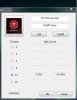
@Santander , I suppose it depends on your AC thermo-logically speaking, Currently I am running at 4.4GHz 27-7 no problems with that. My machine really likes 80Amps through the core and this is the first sweet spot I have been able to find. My load temps never break 70C with 4960x so far. Even attempts at higher clocks seem like 74C is the max. Idle at 4.4 is 30-31 for both my GPU and CPU w/ hydro-cooler temps. The water block temps abt 26C. I think the greatest advantage is that there is more thermo head room with the H100i's, that is to say that it doesn't allow the core to heat up really fast under load. It slowly rises during a bench, which in turn gives a better chance to complete the bench, if you just use AC the temps jump much faster...at least on the 4960x. With e 3970x I Could jump temps form 30C to low 80's just in a couple of seconds, but would then slowly rise until throttle started. I still have not been able to get the 4960x to throttle...not even one time...
here is the 4.4 sweet spots TS bench.
 Last edited: May 30, 2015
 -
When you say water cooling, do you mean you've managed to rig a watercooling loop internally? Or is the machine in a state where it could no longer be considered a laptop?
-
No, it is still portable the two radiators fold up and fasten to the top as in my profile picture. The laptop set up like this just requires a elevated cooling mat in order to not pinch the loop lines. here is a picture of the single cooler from the first mod and the way it sets up.
-
Now, I won't lie that that is bloody impressive to see, but I also have to say that such a mod would be beyond what I'd be comfortable doing. The benefits are amazing without a doubt but even for me that'd be a bit much to carry and use all over the place haha.
I'd much rather run plain old backplate mods with some foil tape and properly lapped heatsinks using some CLU for my machine. But then I suppose I'll probably never take the overclocking crowns XD. -
Hey all, I'm looking to replace my Sager NP 8150-S1 with a 9752-S. I mostly know what I'm doing with customizing it, but I'd appreciate some advice about the drives. The default is a 250 GB mSATA SSD as the os drive and a 1TB HHD primary drive. Since the primary one will mostly be used to dump media to, is it worth it to upgrade to an SSD? Or should I not bother at all with the dual-drive setup and get the 9752 with a slightly bigger single SSD?
Thanks in advance!
My current build from xotic pc, if anyone has other suggestions.
- 15.6” FHD 16:9 LED Backlit Wide screen (1920x1080) Super Clear Matte Type Sager IPS Screen (SKU - SSC879)
- FREE! - 30 Day No Dead Pixel Warranty
- NO Professional Monitor Color Calibration
- Sager - 4th Generation Intel® Haswell Core™ i7-4790 [Z97 Chipset] (3.6GHz - 4.0GHz, 8MB Intel® Smart Cache) (SKU – SPUZ01)
- FREE! - IC Diamond Thermal Compound - CPU + GPU
- NVIDIA® GeForce™ GTX 980M (8.0GB) GDDR5 PCI-Express DX11 (Maxwell) [User Upgradeable] (SKU – GPU03X)
- 24GB DDR3 1600MHz [3x8GB] Dual Channel Memory (Windows 7 Home Premium not supported) (SKU - RAM05S)
- mSATA Slot 1 Preconfigured as an OS Drive ( Operating System – Drive C: ) / mSATA Slot 2 ( Storage Drive )
- 250GB Samsung 850 EVO M.2 mSATA SSD - Default
- 250GB Samsung 850 EVO Series SSD [SSD2 - SATA III] (SKU - HDDYY2)
- Sager - Bigfoot Networks Killer™ Dual Band Wireless-AC N1525 [M.2 Chip] - 802.11 AC/A/B/G/N Wireless LAN Module + Bluetooth 4.0 | (2x2) (SKU - WIFIZ2)
- Sound Blaster Compatible 3D Audio - Included
- Smart Li-ion Battery (8-Cell)
- Standard 230W Sager AC Adapter
- ~Windows 8.1 - 64-Bit (64-Bit CD Included) + MS Office 2013 Trial
- 3 Year Parts & LIFETIME Ltd Labor Warranty + LIFETIME 24/7 Tech Support (SKU - WTY008)
- 3 Year - Two Way Ground Shipping Coverage for Sager Warranty Repairs (Canada) (Must be Combined with Sager 3 Year Parts & LIFETIME Ltd Labor Warranty) -
@Trundel , You should probably find the owners lounge for that particular model of laptop to ask this question on. Although many people here are knowledgeable about many systems. In my opinion there is no reason to purchase any high end system with out SSD's unless its is all you can afford at that time. Furthermore it makes no sense to buy the SSD's from a retailer because they charge a huge mark up. Buy the system without any drives and OS, then add your own with those you can afford at the time.
Last edited: May 31, 2015 -
It only adds about 2 lbs. after all the cooper and two heat sinks are removed
-
Arg, sorry. For whatever reason I thought I was in the 9752 thread when I posted, so my bad!
-
Oh the weight isn't the issue, it's the ease of use not at my desk, and the ease of travel.Takaezo likes this.
-
Well, when you already have two large power supplies and the adapter to remove and set up every time, folding and unfolding (albeit carefully) the radiators is no more than 60 seconds at most. Ease of use doesn't really qualify in the first place..lol, but I understand where your coming from. Depending on the set up location it is about a 4 to 5 minutes job from time zero to in my back pack and ready to haul.
-
Not only that, the requirement of a laptop stand and the need of a place to put the radiators is another issue. Putting it in my backpack isn't the issue XD. I'm just remembering using my P370SM3 for school, and how it fit well on the desk with my mouse and headset, and thinking the P570WM the way you set it up would have needed a larger desk, etc.
-
Open question:
I have been using the throttle stop after uninstalling XTU as suggested. However, every time I go back into the bios and reset(making sure that TS is turned off), I have to go back into bios a second time in order for the setting to stay fixed, specifically the individual manual settings for clocks, this occurs with turbo enabled or disabled.
Basically after resetting things in bios and restarting, if I don't go back into bios prior to startup one more time, the timings default to 40 even though they are listed as other values ie,44,45,48 when the bios is reentered. If I happen to boot without entering the bios a second time, the cocks default to 40, but TS lets them go to a hard limit of 42. This never happened with 3970x, although I didn't use TS but a couple of times. I am using the newest beta version of TS, I thought maybe this is the problem.
Any suggestions about this issue?...Anyone?
Thanks
Taka -
Here is an example of what happens, when I do not go back in a second time and resave the values. They default to 40, but TS allows them to go to 42(see picture). When I reboot and enter the bios after this, all the values will be 40, even though I saved them and restarted at different usually higher clocks. Entering the bios a second time prior to boot and resaving eliminates this from occurring.
Here is my best TS bench at 4.5GHz so far, found another sweet spot in the 4.5 range.
-
@Santander, regarding your question about the benefits of the hydro coolers, here is a s.s. of the temps at idle plus a little AC. With the AC and hydro cooler combo the CPU temps drop a solid 10C, but as you can see the second hydro-cooler is not cooling the GPU1 as well as expected. It seems to stay above 30C, with ac or without, and this is about the same as with the stock heatsink(average about 37C idle), the difference being the GPU1 will not go over about 62C when benching, where as the stock cooling would allow it to hit TDP and they will throttle. I am always running a second or third monitor as well that keeps this temp above 30C.
Santander likes this. -
^^^
Ohhh GOD...You reminded me how much i love this machine.
You are an inspiration Takaezo my friend.

Edit:
Cant wait for Maxwell based Quadro cards.
Any word on this one?Takaezo likes this. -
Thanks, very much for the kind words.
-
You are welcome.
I mean it.
I remember your water cooled laptop thread...It inspired me.
You are a very brave man too, no doubt.
Edit:
+2 to your Rep.
Had to be done.
Last edited: Jun 1, 2015 -
-
hey guys, have your ever saw something like this for liquid cooling the laptop vga card? however in the website it says "NVIDIA Tesla K20 GPU Accelerators". but from the picture it seems like notebook vga cooling system.
@Takaezo , can you post some images from your GPU1 cooling system? that's the one with liquid system? thanks.
Takaezo likes this. -
I corrupted my system trying to boot at 5.2 GHz.....although it was not clocking that high, it was booting at 5.1...I think there was a conflict between the TS and the bios that caused a the Vbios to get corrupted. Anyways recovered and reinstalling windows and updates now. Made a mistake when I was using TS as well by not having my best clock set before I started it the first time. @Solariseir, here is a pic of the GPU1 with hydro cooler, notice I just strapped it to the heat-sink with some zip-ties as I did not want to tap and die any holes in the aluminum as of yet
-
Thanks man.
Today something mysterious happened. I shut down my laptop and came from work to home, and guess what? it didn't boot at all. just black screen and turned off after 20 sec (maybe less).
after half an hour, I found the problem, one of my memory slots (slot number 3) caused this problem. when I install a ram into this slot, laptop doesn't boot. when I remove it, everything is ok.
it ruined the day, now I lost a slot, I can never have 32gb memory and quad channel ever again, . -
Not good news.
I was counting on it.
Weird, desktops got their Maxwell based Quadro cards:
Quadro M6000
http://www.nvidia.com/object/quadro-desktop-gpus.html
10x for the answer. -
-
Ohhh....*#&@$^*!!@~
So..End of the road for pro mobile graphics?
I got to get me a pair!!!
Not fair!!!


-
-
The problem you are having is a problem with your bios. It sounds like it is not fully resetting your CPU to its default values or to the values that you are setting in the bios.
When you are in the bios, ThrottleStop does not exist. It is not secretly running in the background. It is only actively running when you are in Windows. As soon as you reboot and exit Windows, ThrottleStop will stop running and will have zero control of your CPU. When you reboot and enter the bios, it is up to the bios to set all of your CPU registers up correctly. Any CPU registers that ThrottleStop adjusted while you were in Windows, need to be reset by the bios to the appropriate default values or to values that you have selected in the bios. ThrottleStop is not running at this stage so this has to be taken care of by the bios.
If you make changes to the turbo multipliers in the bios and then boot up and run ThrottleStop, the first thing ThrottleStop is going to do is it is going to try and use the previous turbo multipliers that you last saved when you were in ThrottleStop. It is designed to ignore any changes that you have made in the bios. There are times when this is a good thing and there are other times where this behavior might be a bad thing. If you do not want ThrottleStop to do this then before you start ThrottleStop, you need to delete the ThrottleStop.INI configuration file. This deletes all of the previous settings and this will force ThrottleStop to read your new settings directly from the CPU when it starts up.
I am always open to suggestions. Maybe you need an option so ThrottleStop stops and specifically asks you what you want it to do each time it first starts up. To me, an option like that would be annoying but when doing some testing, it might be very useful. Post any suggestions you have in the ThrottleStop thread.
Good advice.
With a 4960X, the maximum multiplier available in ThrottleStop is usually limited to the maximum multiplier that you set in the bios and booted up at. If this is happening and that is a problem, you can try using a special program that Dufus wrote.
MaxMulti
https://www.sendspace.com/file/comwv8
MaxMulti adjusts the maximum multiplier that is set in the chipset. In some situations, MaxMulti will allow ThrottleStop to be used for overclocking unlocked CPUs beyond the multiplier that you have set in the bios. This trick is important for the CPUs that don't use FIVR.ole!!!, Takaezo, Prema and 1 other person like this. -
I doubt it, just no incentive to move to maxwell for many CAD applications.sa7ina likes this.
*** Official Clevo P570WM | P570WM3 / Sager NP9570 Owners Lounge ***
Discussion in 'Sager/Clevo Reviews & Owners' Lounges' started by jclausius, Feb 5, 2013.


![[IMG]](http://i.imgur.com/d4DkQe1.jpg)
![[IMG]](http://i.imgur.com/h83IFfh.jpg)
![[Nikos]](images/avatars/[Nikos])


