Problems? See this thread at archive.org.
It will be hard to keep the GT80 cool enough to run the GTX 980 SLI. THE MSI GT80 is already loud enough as it is. I see some of the manufacturers are experimenting with water cooled units to accomodate these GPU's. With the watercooling set up a user might as well have a desktop. The only way I would consider these is in SLI but the price would be astronomical. Good idea in theory but I will skip this GPU. I hope Pascal will run cooler with the same power and efficiency as this GPU set up.
-
isnt it always like that, most of the time? new gen, new arch and smaller die leads to lower temp with same performance. problem is the high end mostly designed between 75-125w so heat should be no different. can always downclock though
 i do that to my GPU alot so CPU heat can go to GPU heatsink.
DreDre likes this.
i do that to my GPU alot so CPU heat can go to GPU heatsink.
DreDre likes this. -
just brought a second hand sager np9750/clevo was wondering if it supported either 120hz or 3d. there is a round circle under the screen along with a 3d logo. I can not go past 60 Hz in screen resolution settings also monitor states generic pnp monitor on device manager. if 120hz is not supported then where can I get a 120hz screen for this cheaply if possible. thanks in advance
-
Depends on where you live. Basically search after these ones:
LP173WF2 (TP)(B1) - http://www.laptopscreen.com/German/screen-part-number/LP173WF2(TP)(B1)/
LGD02C5 - http://www.laptop-lcd-screen.co.uk/shop/LG-PHILIPS-LGD02C5-17.3-FULL-HD-3D__27407.asp
Edit: Run HWinfo. There you can see which panel is installed. -
It would also seem you would need the motherboard that goes with that.
-
a new motherboard for replacing the screen?
-
Clevo models come with one connector or the other, sagers typically come with both so if it's a sager you should be ok.
-
The P570WM boards had two kinds: one with LVDS only and one with eDP and LVDS (from my understanding). The one with the eDP connector is required for 120Hz panel installation due to the 120Hz panel needing a 50-pin eDP cable.
The only models I know of that come with both connectors are the P37xSM and P37xSM-A models. -
Here is one of mine. And mine is a Sager.
Attached Files:
-
-
I have the box for mine which says p570wm and for screen settings it's
T 17.3" (FHD/GT) (NTSC 90%)
upon doing a driver search the laptop shows up as being a sager np570.
so abit confused to why that will be -
Well, that connector in the picture is for a 3d 120hz screen, so if yours doesn't have that then you can't just add a 120hz screen.
Talking about the horizontal one. -
I am not sure, if this might help, but if your rig comes with this 3D sensor circle at the bottom of the bezel, have a try with HWinfo. HWinfo might show you what type of MoBo you have in your rig installed (hopefully).
Or kindly ask a reseller about that?
@johnksss: Do the MoBo's have specific part numbers to look after? -
My motherboard shows up as "Mythlogic P370SM3" so it might show up as a P570WM3. If @DreDre wants to check with his Sager P370SM3 and see if it also shows up the "3" then we could see. Most of my stuff appears to be custom from Mythlogic. The BIOS splash, the BIOS itself, the motherboard readings, etc so I don't know if I'm an exception to the rule.
DreDre and CaerCadarn like this. -
Yeah, that's a good Point! I'm at work now, so I can't check yet. But as far as I remember HWinfo shows up as P570WM 3.
@54918ss: Just let us know what your outcome is about that. -
yes....mine shows up as P370SM3....in HWINFO as wellD2 Ultima likes this.
-
will do tonight after work thanks
-
can you change your refresh rate up to 120hz from the windows resolution page?
can you change your refresh rate up to 120hz in the resolution page? -
Yes . I sure can.
-
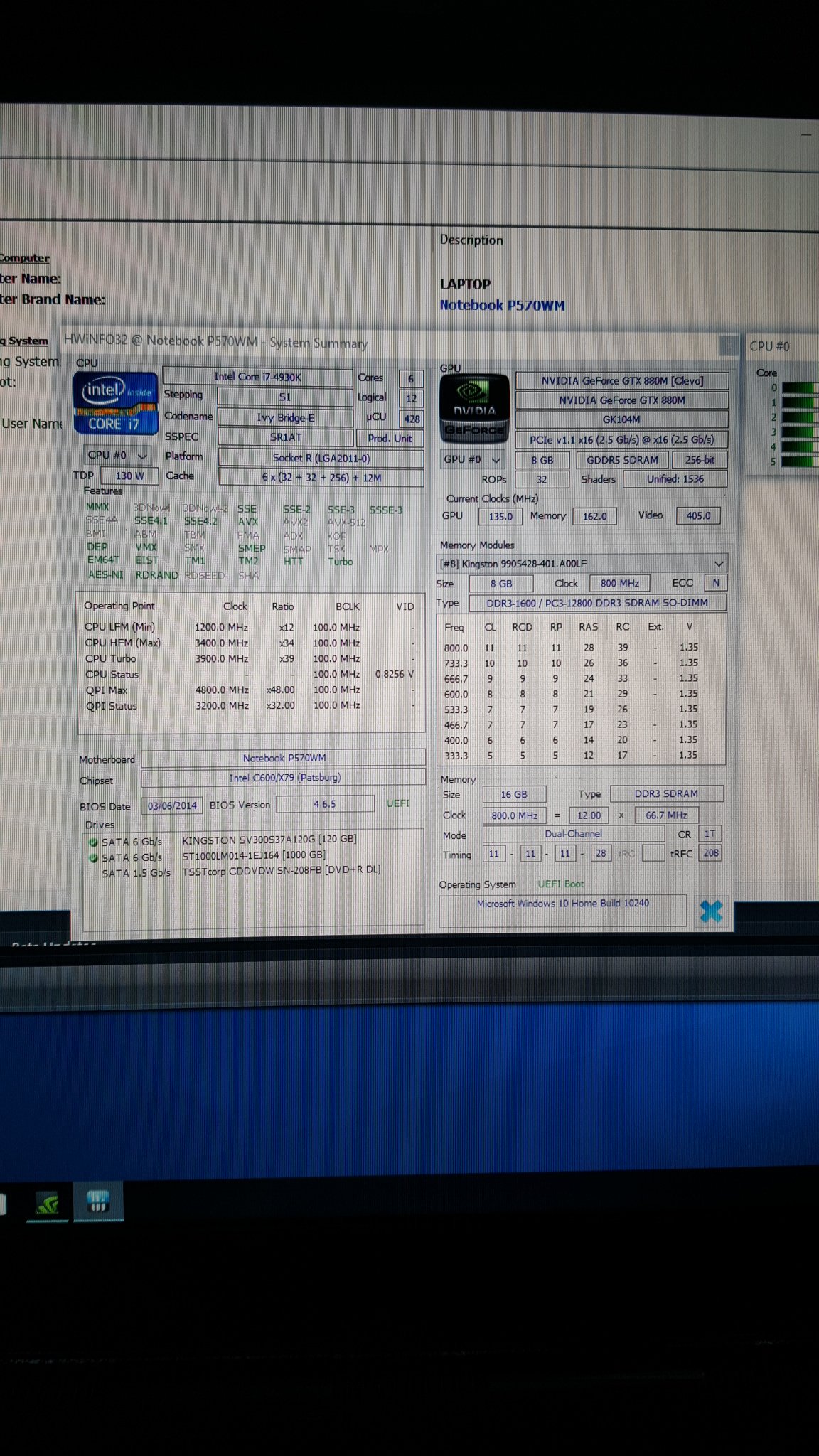
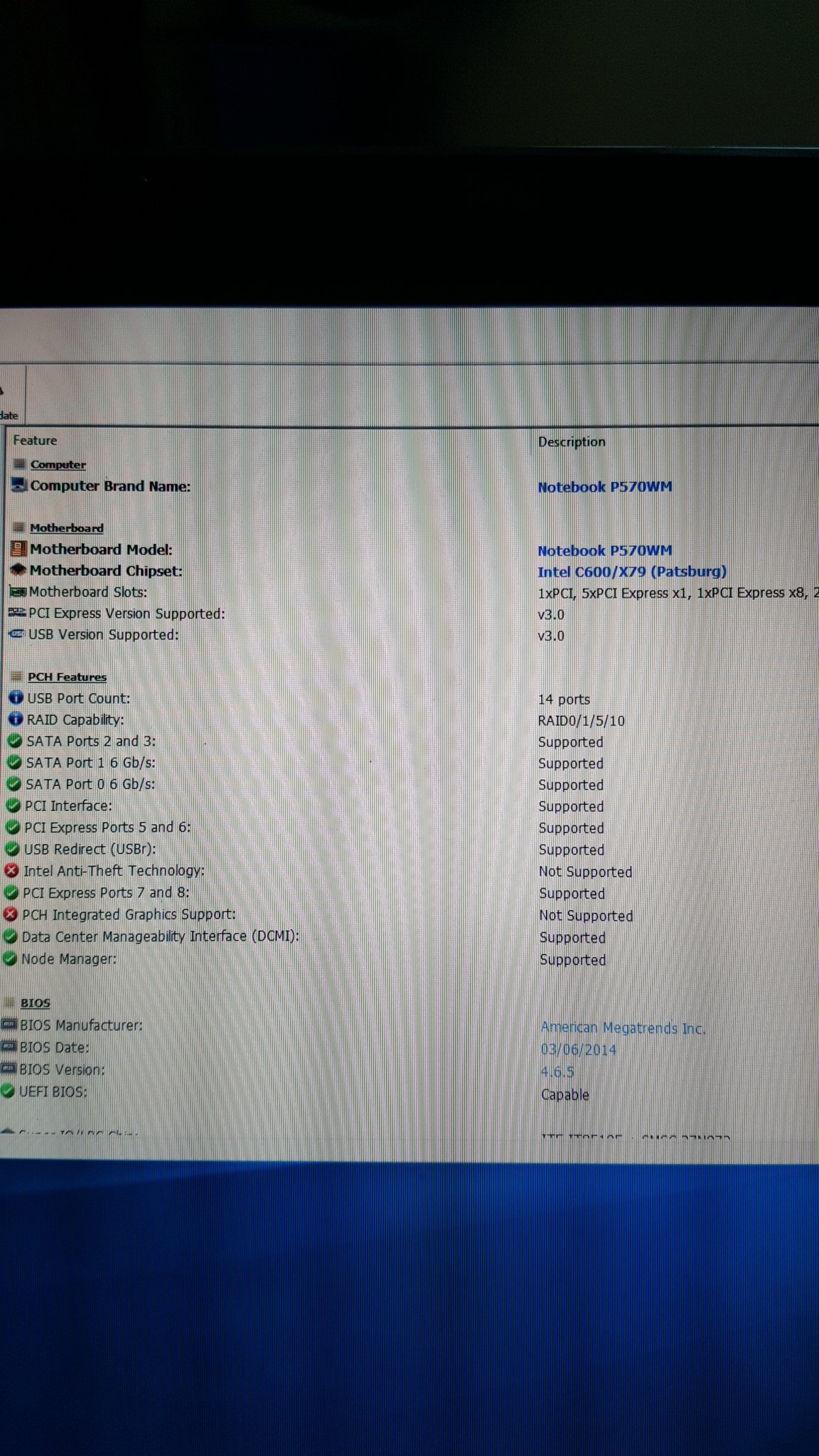
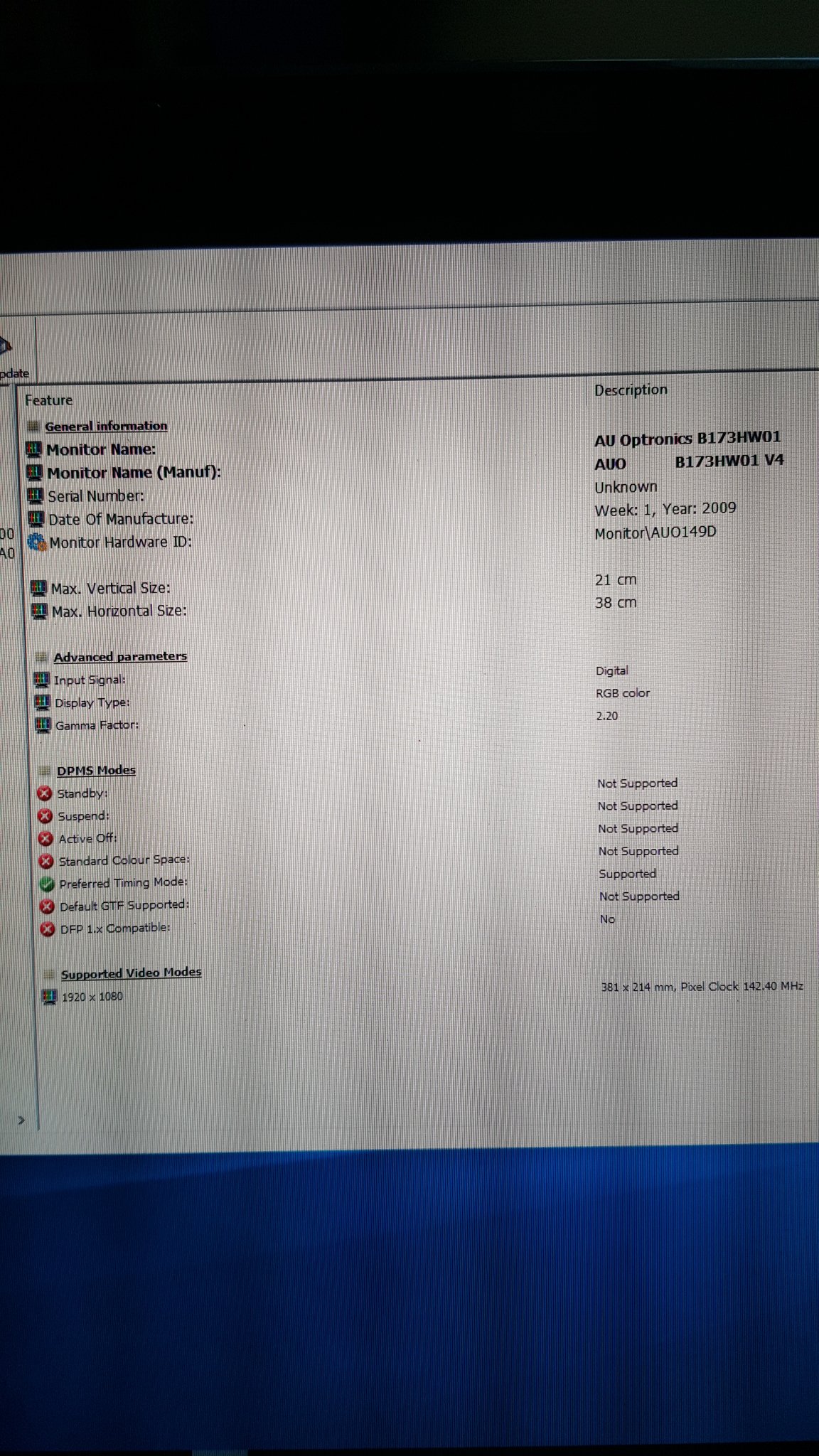
iv downloaded hwinfo32 and mine shows up as notebook p570wm on motherboard
Attached Files:
-
-
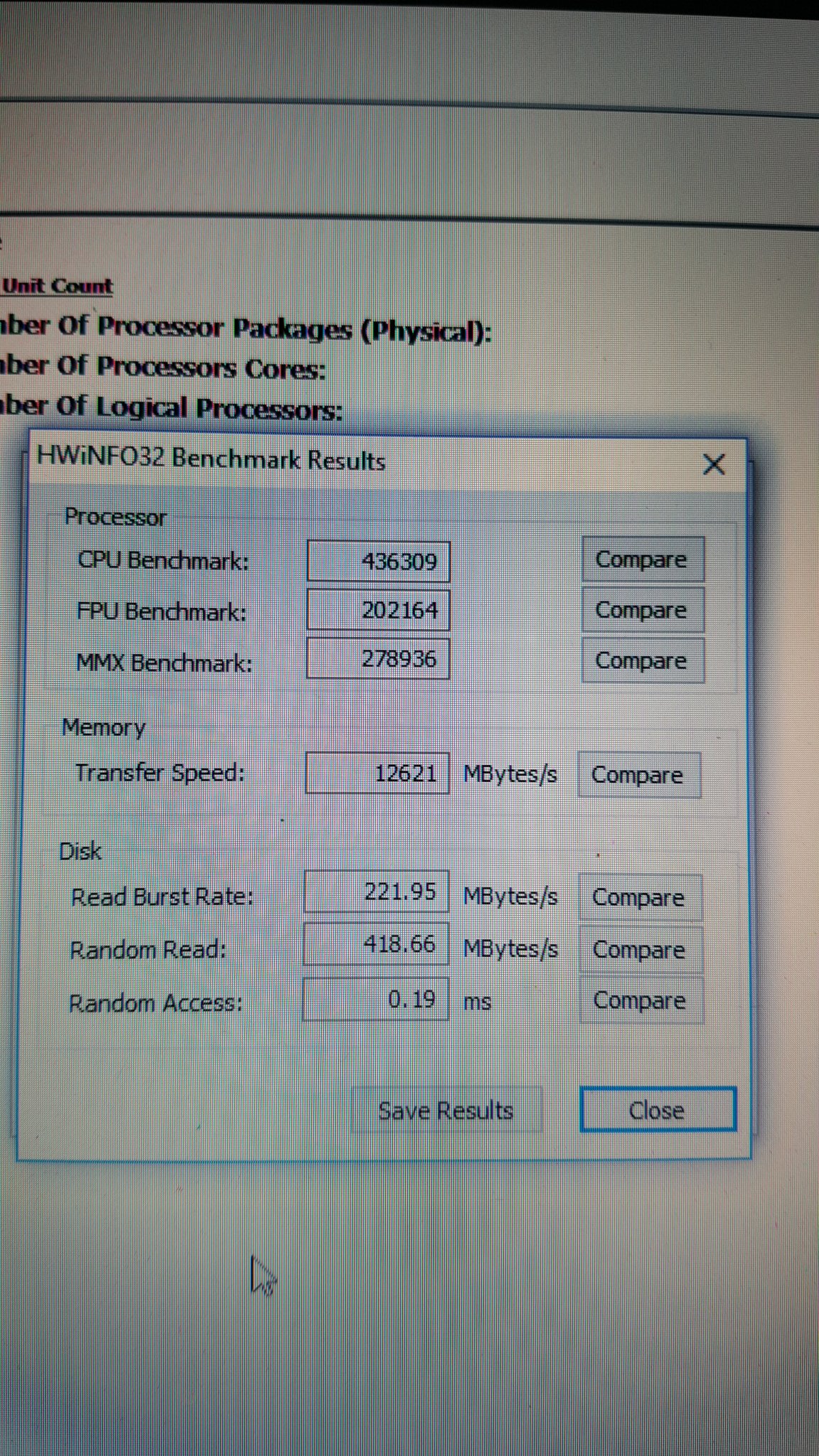
here are some more images of display and motherboard spec
Attached Files:
-
-
also would appreciate if anyone could value this type of set up for me. it's the nvidia 880m sli the rest of specs are on pics. thanks
-
Doesn't look promising! It's a non 3D model by default. Will post some Screenshots of mine shortly.
But if you like to mod, you can convert it into a 3D-120Hz one by following this guide:
http://forum.techinferno.com/clevo/...o-p570wm-sager-np9570-3d-version-p570wm3.html -
what if I just want the 120hz screen. will it be a straight fit or will the motherboard need to be changed
-
120Hz only should be fine without swapping the MoBo, if the connector/pins are the same (40 or 50pins)!
You can get the Info from HWinfo and then compare with the links I provided earlier or at the Laptop panel site. -
![[IMG]](images/storyImages/Screenshot2042.jpg) You need the 50-pin eDP connector. If the eDP slot is not on your motherboard, then you can't plug in the screen. If it is, you can, and you won't get internal 3D.
You need the 50-pin eDP connector. If the eDP slot is not on your motherboard, then you can't plug in the screen. If it is, you can, and you won't get internal 3D.
If you don't have the connector you will need a new board. -
that's what I was thinking as the screen I have is 40 pin and the 120hz is 50 pin. how can I check if I have that connector?
-
Your screen is 40-pin LVDS. Not eDP. You need eDP.
You'd likely have to physically check if you had the eDP connector on the board. -
to be honest I wouldn't know what to look for as iv never opened one up before
-
Okay, now I'm feeling n00bish....
In HWinfo it's P570WM BUT I have 120Hz AND I have 3D. Sorry for confusing you!
Attached Files:
-
-
that's the same as mine, can you show me the monitor page details if possible
it may be that you have a 120hz 3d monitor with 40 pin connector? -
I do not know, if there is a 120hz 3d monitor with 40 pin connector. I highly doubt that. That's what I found out:
http://forum.notebookreview.com/thr...70-clevo-p170hm-owners-lounge.546329/page-354
Mine is
which leads to -
right ok, now I need to open my laptop up and find out where the eDP connector is located. should be near to the 40 pin connector I assume.
-
by the way how much did your setup cost you and what are your specs.
-
I would follow the cable leading from the screen/protruding from the Hinge and look where it ends up. Should suffice to open (only) the bar and keyboard.
-
My specs are in my signature:
Clevo P570WM3 // GTX 780m SLI // i7 3960X // 16GB RAM (1600Mhz) // Intel 330 180GB SSD + 2 x SanDisk Ultra II 480GB SSD (RAID 0) // 120Hz Matte Screen // Win 10 Pro
BUT you never get that when selling it, if you intended that!About 2400€.
-
Yeah that's expensive mine cost me £700 which is about 950 euros
-
 How did you get that forTHIS price??? The cards alone are 900€!
-
right I found the manuals and here's a picture of the motherboard with both connections on
Attached Files:
-
-
where is the 3d connector in this pic?
-
I brought it used, the person had it on for sale for a long time when i made this offer. so think they needed the moneysa7ina likes this.
-
It's number three!
You're lucky man! Damn it!
-
Oh interesting, that must have just been for the p370 series then. So if you have an lvds connector the 90% gamut display clocked up to 85-100hz is your best bet.
-
thanks ma
thanks -
-
oh lol didnt know that, i thought its paladin guy thats the sales person cant remember his username now
-
He is the owner
-
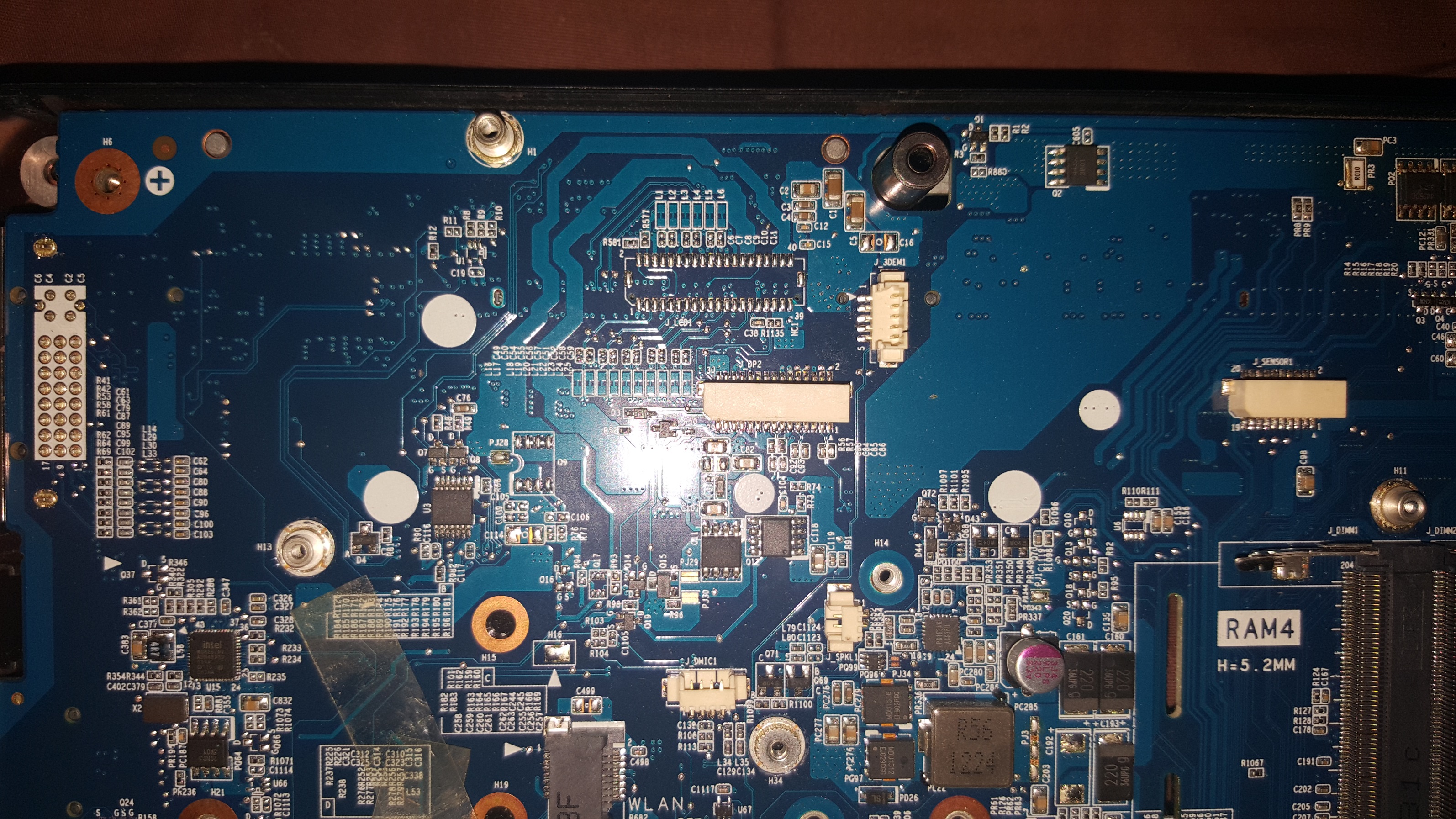
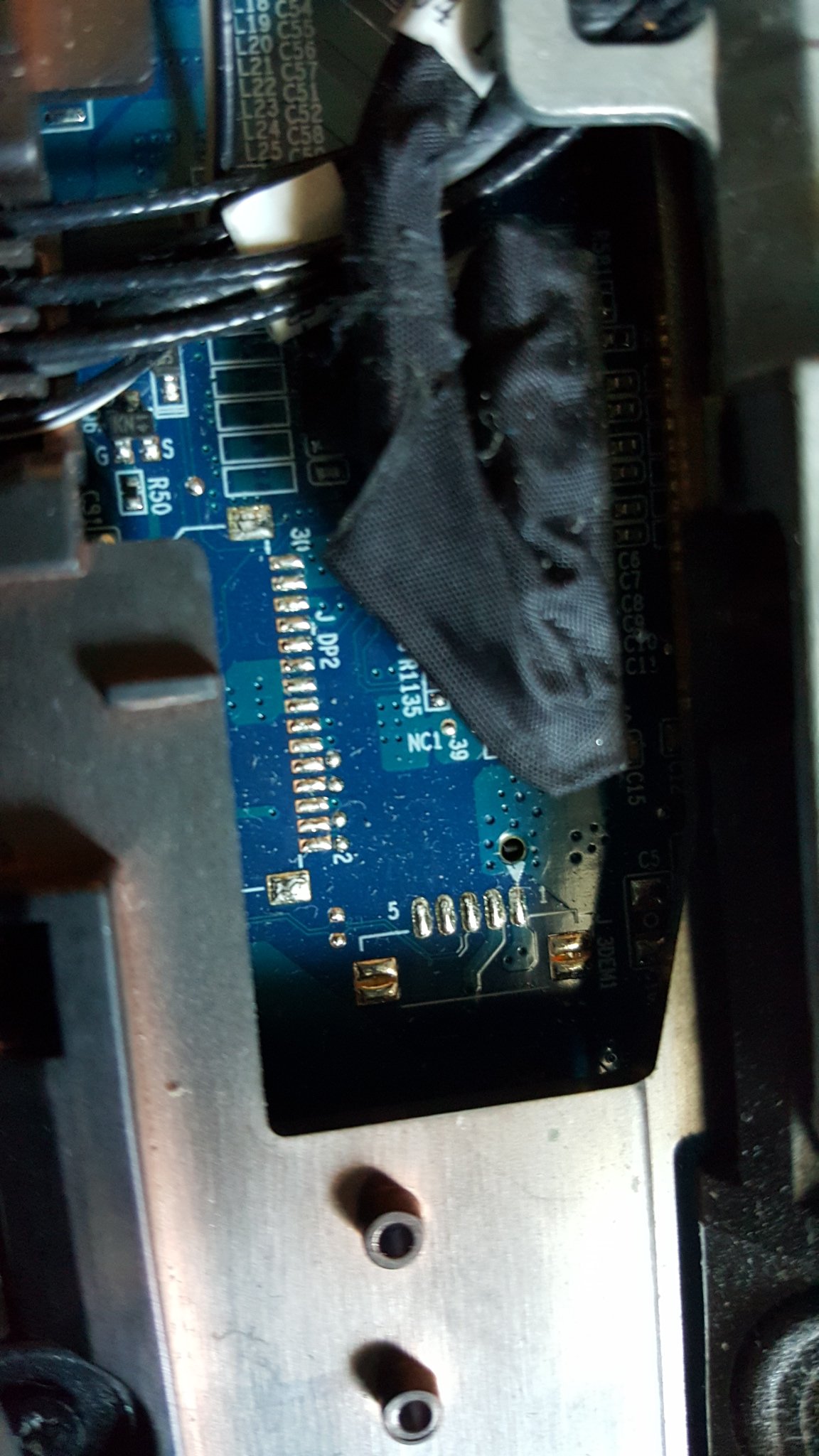
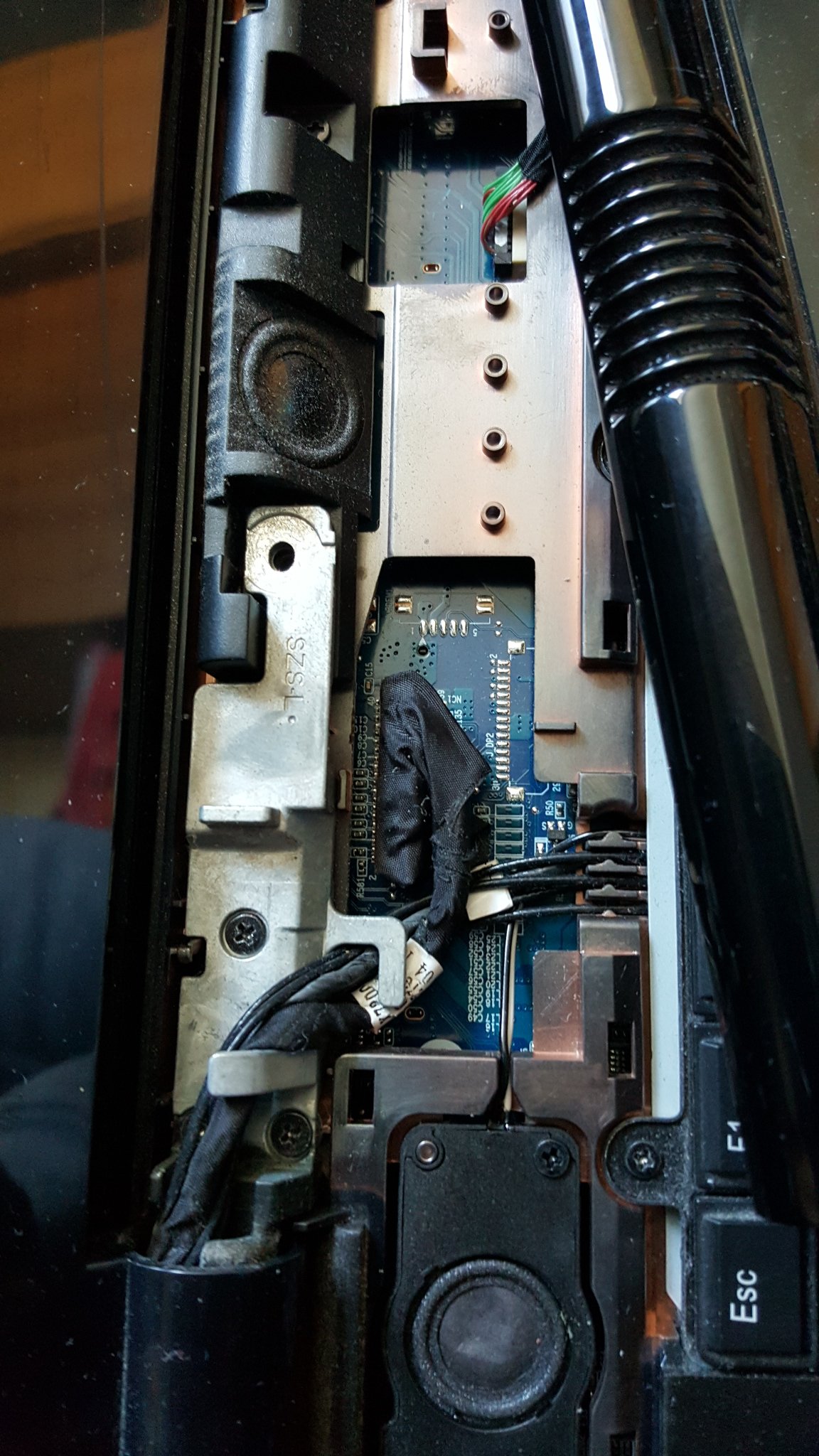
just opened laptop up ( only took 2 screws to get to the screen connectors) and sadly the connectors are missing for 3d screen and scanner. on the positive side they can easily be soldered on for you to upgrade your screen without needing a new motherboard hopefully.
was also wondering how to connect a 50 pin 3d 120hz screen on this when the 40 pin connector is much bigger than the 3d connector. am I missing something out?Attached Files:
-
-
can you try this to see which port your connected to?
you just need to take 2 screws off, pull led led cover at front, and youl be able to see. takes about 2min.Attached Files:
-
-
it's ok iv figured it out the 3d screen is 30 pins from the motherboard and changes to 50 pin through the connector that it uses. so I just need to solder on a 30 pin connector to the board and will be able to connect screen.
number 16 is the 3d screen ribbon/connector that is used to connect the screenAttached Files:
-
*** Official Clevo P570WM | P570WM3 / Sager NP9570 Owners Lounge ***
Discussion in 'Sager/Clevo Reviews & Owners' Lounges' started by jclausius, Feb 5, 2013.