Problems? See this thread at archive.org.
The only thing I know is that Intel use several new ways to thermal protect their newer chips. They are collaborating on this with most Oem manufacturers. For example, none of the laptop manufacturers want to spend unnecessary money on replacement of hardware that fails because of the heat. They use various ways to throttle processors with their bios(Learned from Intel). @unclewebb can certainly provide some answers to Intels new ways to protect chips from destruction in Throttlestop guide..
A small example of what Intel did from Ivy to Hotwell... New protection = Better way to throttle
-
-
@johnksss ,
I laughed a little when you stated that you accidentally burn up your 5960x, not at you, but with you more or less, that sucks. I cant believe that we are still discussing this issue about degradation, I would still consider myself a novice in the OCing department, but I have never seen to date an intel processor that burnt up (post 2001), I am not saying that it cant be done or anything of the sort, just that I think it must be fairly rare.imho.
On another note has anyone seen this and what is the comprehensive community opinion about New 16gb 204 pin sodimm's? -
yea its being out for awhile now but it won't work for our machine. not so sure for x79 chipset though u guys might have it supported. for other laptop, its meant for 2 slots max at 32GB. with ddr4 coming out though theres 3ghz 64gb ram.
-
I think you misunderstood what I said.
The pump quit working and judging from the logs I determined that it had been sitting like that for at least 6 hours.
That chip still worked fine. Not sure about where it burnt up came from.
The "burnt up" reference is more about people spilling stuff on the machine. Over surging the PSU. Setting the wrong voltages to the motherboard and cpu thus frying the cpu.
Although I did directly burn a pad off a 4960X once and microcenter would not take it back and standard warranty said no as well. This was right before intel came out with overclocking X series processors. That was how I got that one replaced long ago.[/quote] -
No worries @Takaezo. All is good!
-
Did it really hit thermals at 85c though? I think you said that a couple pages back.
-
Yes it did. The motherboard is a R5E with over clock panel. The temps shows on it. Max temp is far above 85C, but what was showing was that. Each core was about 100 or so degrees. This comes from watching individual cores which seem to be about 15 to 18 degrees C higher than the die at around this temp. Have no clue if intel turns off cores or the os does or the board itself. Which would might explain it being able to stay that way.
-
Do the CPU cores often read differently in Windows than on the overclock panel? If so, then the OCP might be reading the temperature at the IHS rather than the CPU cores. IHS max allowed temp is a lot lower than core temps, so it makes sense to me.
-
Max core temps can be 85C up to 105C
-
Wow, well if the panel reads the IHS temps then that was really overboard. IHS Tcase for 5960X is only ~67c apparently.
The CPU cores as you say is much higher. I believe haswell generally throttles at 100c and 105c is its TJMax.
But good to know that the chips are so robust. -
Anyone else get an email from Eurocom who owns a panther 5? They said they're offering a 25%+ discount towards a new machine if you trade in your panther 5/5se.
-
25 percent?
Of what price?
25% of 1000 is 250.00
25% of 2000 is 500.00
25% of 3000 is 750.00
25% of 4000 is 1000.00
And what exactly do you have to "turn in" to qualify
1000 cpu
1500 for video cards
Now someone with a lessor machine like say 680m sli and a quad core cpu with stock drives and 60 Hz screen. Do they get the same deal?TomJGX likes this. -
I replied back asking them what the specs have to be. Here's the original message:
Hello
We are planning on running a trade-in promo for customers that have bought one of our Panther Mobile Workstations or Mobile Servers.
We will offer a substantial discount ( at least 25% ) off of the price of any of the new models when you trade in your Panther unit.
Let me know if this would be of interest and I will send more details as they become available. -
I'm thinking my machine is worth more than 1k.
And since I just bought a motherboard from them for 600 bucks, that would be a total lose lose situation.... -
Yeah, I'm curious why they're doing this though, wonder if they're short on P570WMs or what.
I'll ask them how much you'd get with a system of your specs if they reply back.
-
It's interesting, because anything requiring 6 or more threads will still run better on it. Maybe if you HAD to get more ram or as johnksss said if you have a lower spec machine then it makes sense.
-
Hi @ all!
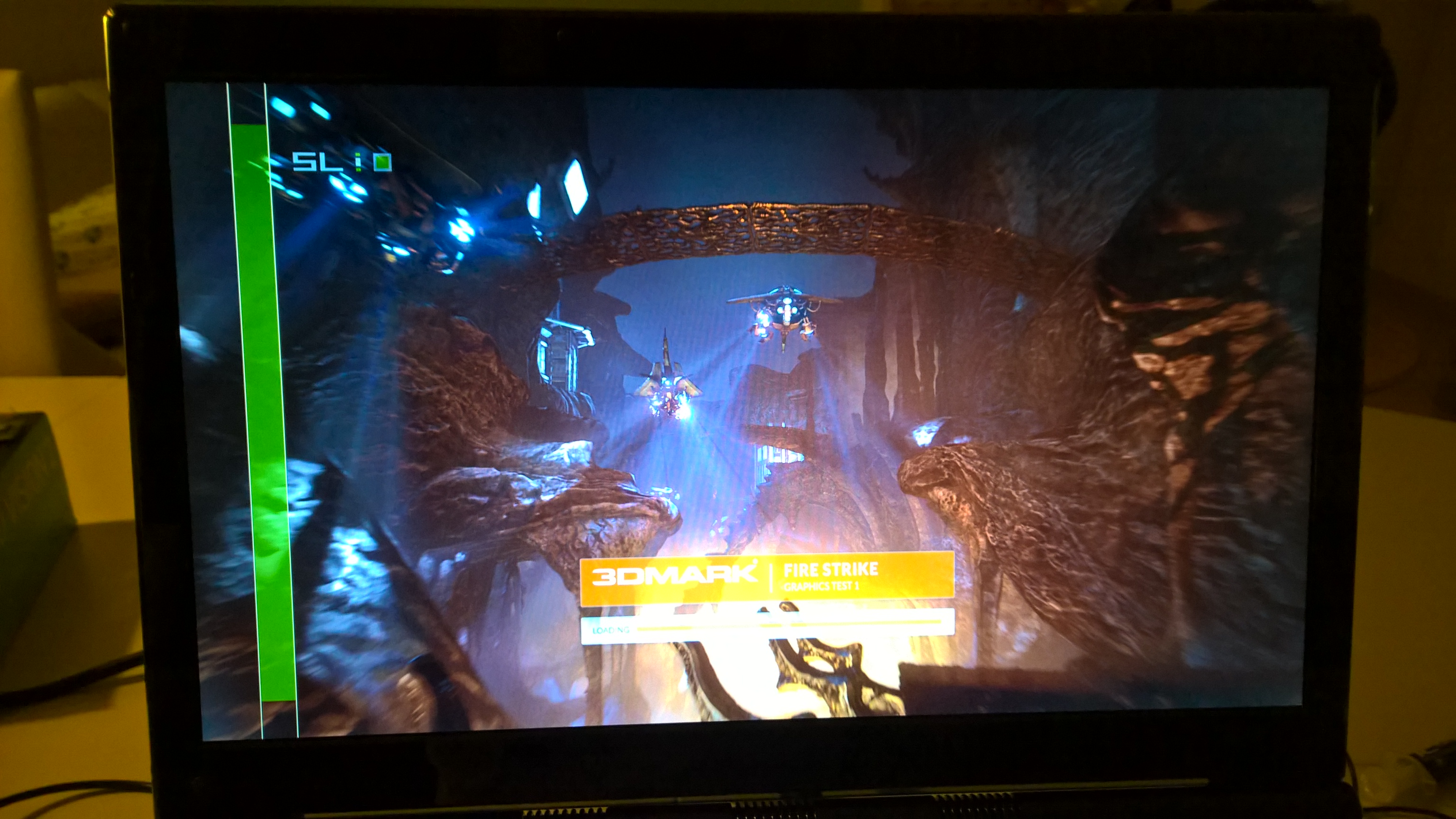
Got a weird "experience" after swapping my aging Kingston RAM's for some new 2133Mhz one's. After starting an application I got this "vertical bar" with SL/5L Logo, which is a lil' bit annoying as I couldn't figure out where it came from nor how I can disable it.
Do you know what this is and how it can be disabled?Attached Files:
Takaezo likes this. -
-
Nvidia control panel, 3d settings is where it should be.
CaerCadarn likes this. -
Yes I received the same offer.....I told them to go pound sand!
-
I just noticed that it looks to be the same exact adapter setup as well. Would that also mean we could cut another 300.00 off the top of the price as well by just keeping our original one or ones instead of ordering new ones. Now that sounds like another true lose lose there.....
Turn in your dual mod to buy another dual mod....Hummmm... -
But what machine would be on the level of the P570WM?
Theoretically the P870DM can have better GPUs (assuming the mobile 980 MXM size doesn't fit in the P570WM) but the CPU is so far apart and the 980Ms should be able to at least ballpark it. -
You can get 12-core Xeons in the P570WM, the P870DM won't come close in multi-threaded workloads. I had a 10-core Xeon in mine, worked real nice in rendering, my 5820k @ 4.5ghz is great but still not as fast as the Xeon was.
The P870DM can support a single 200w gpu or dual 120w MXM GPUs. If we can get the 120W extended MXM style 980s in SLI in the P870DM it'll definitely be faster GPU wise.Takaezo likes this. -
This machine is on par. Meaning they both have their good and better points. And if they decide to come with a 6 or 8 core machine, then that would probably be better. Even a haswell-E machine would do far better unless they come out with 6 or 8 core skylake.
Check this link for an august 2015 run down. It's a review so take it with a a "grain of salt" mentality. -
I can see that I guess. The CPU will never compete with the Xeons for workstation performance or the 4960X for stuff like livestreaming or games that use more than 4 cores/threads, but the GPUs may not be able to hold the mobile 980 MXM chips, and it might even run out of power in that instance too with some OCs.
On the other hand, Haswell-E probably draws too much. Skylake-E should be closer to this time next year? Or maybe early 2017 at the latest? Should support hex-channel DDR4 from what's been floating around. That'll be interesting to see in a laptop but apparently Skylake draws almost the same power as haswell? We might need larger single bricks on the whole, or the machine might be single-GPU. -
I think they want to push for a single gpu "desktop" card in a laptop now. So they can finally get past most of the limitations a dual card setup brings.
The problem comes that we know two high end mobile cards will always be better than one high end single die desktop card.
980M SLI is like having a Titan X in a laptop. We are talking stock no over clocking of anything. And last we checked, GTX 980 was not on top. 980 TI and Titan X
So, they need to get past this testing of the 980 and move to a Titan X class chip. We already proved that the big dogs can handle a lot more watts than what they first expected.
Now, what would be funny is if this setup beats a MSI or Alienware setup running the expansion gpu. (GPU performance only) Yet...They can install a Titan X or a 980 TI, but still not portable.
Just me rambling on....Takaezo, Bullrun, Papusan and 1 other person like this. -
I feel this is also the way they're heading. I don't know if you feel the same way, but SLI in general has been less amazing the last year or so. A lot of games come out that don't support it (or don't support it well) for months, and the popularity of Unreal Engine 4 and Unity Engine 5 means that multi-GPU configs are basically dead in the water for a great many new titles. We know SFR is a thing, and has been for quite some time, but apparently OpenGL Vulkan or DX12 is needed now (I know not if the functionality was lost after DX9 with DX10/DX11) and to even get the functionality, we need redesigned cards. What we have now should not work, as there won't be enough data transferred between the two cards for games that require large amounts of accessed vRAM. In this case, a single, full-powered mobile 980 demolishes all but the most heavily OC'd 980Ms, and you can then OC the mobile 980 anyway so it's a moot point.
I would like to see a Titan X class chip in the mobile form factor as well. I think it depends on how nVidia handles Pascal. The 480M was a disaster all things considered, and a Titan Black wouldn't have come close to working either. Titan X and 980Ti cards work great for the most part, but their instantaneous power draw can be very high, though I believe something like a P870DM could deal with the heat to at least a degree that allows for some OCing. If nVidia reference cards can do it, that machine can do it too. If pascal keeps with maxwell's cool trend and manages a constant voltage with the same ~250W power draw, we might get somewhere real nice with shoving one of those with a good binning into a laptop as a 200W chip.
I think the best time an eGPU is feasible is something like the MSI GS30. But you're right, the eGPU solutions aren't really portable, and if I remember correctly, they require an external screen and keyboard, yes? I suppose it has uses for some, but I don't know about it being a perfect solution. It seems to appease a lot of random people out there, though. The praise for eGPU solutions outside of NBR is phenomenal, and almost equals the bashing most laptops get from the general public if they have "gaming" attached to it.
Please, continue to ramble. I like these discussions. Even if I'm told I'm wrong I'll learn something.sa7ina likes this. -
The newer eGPU solutions actually work with the internal display. So you have your laptop hooked up to an enclosure with a desktop gpu.
I'll take something like the P870DM, P570WM, AW M18x, etc anyday over a eGPU solution.
So sad about SLI. During the fermi days, most games coming out supported SLI. DX12 is suppose to change that but we'll see...
Fitting a Titan X style card based on Pascal should work out as a 200w TDP part for laptops. 14nm die shrink and HBM2 would be just what the card needs to reduce power consumption. -
What!? SLI is dead?
That's really disturbing News.... If this comes true then @Mr.Fox has nothing more to play with. So with Pascal + DX12 + Windows 10 and probably Skylake/Cannonlake we tendentially won't see SLI + Xtreme Core Proc's anymore? Hmm.... -
Interesting, that's better than I thought at least.
Same here.
Indeed, it's been on a big downward trend. It might go back up but nVidia isn't in a big hurry to make all its technologies work with Maxwell and SLI it seems.
I doubt it. DX12 in itself is nothing special for multi-GPU. What's special is its method of essentially bypassing the CPU needing to pre-process frames for the GPU to fill out. CPU load should go WAY down and high FPS should become (game/physics/etc logic permitting) more of a GPU constraint than a CPU constraint. But the cards will need to physically support SFR (the method of bypassing AFR's limitations for engines like UE4/Unity 5/ID tech 5), and currently only AMD's XMDA cards can use it for any game.
Yeah, it's what I was thinking. But Pascal has to be both less power hungry than maxwell (which is ABSOLUTELY power hungry, especially if forcing constant voltage on a card) as well as a bit cooler. HBM would be a welcome addition for laptops more than desktops as it'll get around the low-bandwidth limit we usually deal with. If ALL the cards have HBM it'd be a fantastic thing... but somehow I don't trust all the cards to have it.
I didn't say SLI is dead. I said that for gaming in general, especially with Maxwell GPUs, it's more of a pain right now. It's nowhere near as bad as its early days apparently, but if the tech you're touting your cards having (like MFAA, Gsync + DSR, Virtual Reality, etc) either doesn't work or doesn't play nice with SLI, and most of the newer games either have engine-based usage limitations (Betrayer from 2014 and Metal Gear Solid 5: Ground Zeroes have SLI usage limitations averaging 60% and 70% respectively. Overclocking my GPUs gave an FPS boost, but utilization remained the same, indicating no other system bottleneck... GTA V and Dying Light both took months before I could ever HOPE to pass 90% util on both cards in them), don't support AFR-based SLI at all (Wolfenstein: The New Order and The Old Blood, The Evil Within, and the old game from 2011 Rage all use Id Tech 5 and thus never get SLI... Unreal Tournament 4, Ark: Survival Evolved and EVERY SINGLE OTHER GAME ON THIS HUGE LIST will never support SLI due to Unreal Engine 4... every game on THIS LIST will never support SLI due to Unity engine, even though they're generally not demanding) or have glitches with SLI ( Titanfall is one, Killing Floor 2 has glitched textures and I sometimes see through walls, etc; unfortunately I don't have a screenshot of this happening so I can't show you)... well. It's not a good time for SLI now is it? =D.
For benchmarking? it's fine. There's no problem there, and multi-GPU configs aren't going away at all, I can guarantee that.
The problem is for GAMES, for the gamers. As a gamer, when I got my notebook with SLI, I was amazed to find a non-2D, non-low-graphics-game that DIDN'T use SLI. And for some months afterward, the same thing happened. Games'd release and without even updating drivers would work with SLI out of the box, or I could simply force AFR1/AFR2 and have no problems. After early 2014, things started getting weird. For example: Dark Souls 2 didn't support SLI on release, but running GeDoSaTo (a downsampling tool) automatically made SLI work, for some reason. Titanfall didn't like SLI and was absolutely broken in 3D vision. Watch Dogs was aids with SLI. All sorts of games started being terrible with SLI. AC Unity had a patch come out that caused flickering in the game for SLI users because their freaking opening video didn't flush something from memory, and Ubisoft support started telling people that the game didn't support multiple GPUs. All sorts of stupidity went on. And then the 900 series came out, and killed off some of the old tech (like CSAA) and replaced it with new tech... that didn't work in SLI =D. Functionality has decreased, regardless of what anyone says. I don't like this trend, but I'm predicting this is all for Pascal and Arctic islands which all should be capable of using SFR with Vulkan and DX12.Mr. Fox, sa7ina and CaerCadarn like this. -
Oh damn! I am nailed! If Space Hulk: Deathwing and Torment: Tides of Numenera isn't going to work with SLI, then I will go nuts!!!

That's as good as "SLI is DEAD"!
Jokes aside! Tbh I never had Problems with SLI so far. Every Game I played went (almost) well with SLI. Dragon Age: Inquisition was a bit of a pain though. So if this becomes true (or worse) then Gamers with SLI are back in Medieval Times.... -
Nah, SLI is not dead, but some of the incompetent game devs that don't do things right might as well be. I don't want a single GPU anything. That's for peasants and children.
![[IMG]](images/storyImages/lwSndmM.jpg)
[parsehtml]<iframe width="853" height="480" src="https://www.youtube.com/embed/OjPGwdpjdTI?rel=0" frameborder="0" allowfullscreen></iframe>[/parsehtml]Takaezo, sa7ina, Prema and 1 other person like this. -
The big question will be how well they can get SLI to perform for VR.
Right now a stock GTX 980 is barely faster than two stock GTX970M in SLI.Mr. Fox likes this. -
1275/1400 and 4.3GHz on CPU (so not much of an overclock). Thanks for welcoming me back.
True, it might not be very well suited for that. But, VR will only matter to those that are excited about VR. Kind of like 3D only matters to those that are fans of it. I'm not interested in either one. I just want face-melting performance and parts that overclock like a banshee on hallucinogens and render impressive benchmarks scores. Anything else that happens to work well is just a nice extra side benefit. And, yes, it's true... overclocking only matters to overclockers. (And, that's why AMD can still get away with selling GPUs that totally suck at overclocking.) -
Same with me. I'm never going back to single GPU if I can help it.
It's just I now assume that my second card is going to be useless in most new titles. I'll hack in SLI profiles as much as I can and whatnot, but I just in no way expect SLI to be a guaranteed performance boost anymore. Crossfire is even worse off too.
Considering what I know about nVidia's stereoscopic 3D vision and SLI, I still cannot really fathom how different Occulus VR is supposed to be. As far as I can see they both generally render the same thing at slightly different angles. With Stereoscopic 3D, SLI is basically the messiah. With VR, it's somehow it's now a detriment because they need to render stuff like shadows on each card or something? I don't understand the real difference just because it's on two screens if it's the same basic double-image-tech. Octiceps has tried to explain it before but the explanation just doesn't stick for me. The reason it doesn't work well with SLI feels... like the Occulus guys are the ones doing something wrong. They did say however that AMD was far better to get working (probably due to XMDA)Last edited: Oct 7, 2015 -
I guess the proof of the pudding will be how the titles perform, it's certainly in AMD's and Nvidia's interests to get SLI/Crossfire working in those configs.
-
Ha, it feels like AMD is trying pretty hard to get up to snuff, but I don't know what nVidia is doing with their time. Their drivers basically this whole year have been aids and their cards by design are antagonistic to SLI. Even if they were all poring over Pascal already, you can't make drivers for cards that aren't out yet, etc. They could be doing a ridiculous amount of work, but so far they've nothing to show for it. And they have the money for the R&D too... unlike AMD.
-
It could be their future hopes rely on the higher bandwidths of HBM and their NVlink interconnects. We will have to see.
-
Well this is interesting:
This promotion will run for the month of October only.
Eurocom will offer a 25% discount from our web price on any new model ( with the exception of the Panther P5SE ) with the trade in of your older system.
This is good for any configuration
These trades will be accepted in pretty much any condition - -even if they are not working. We will accept them dead or alive.
The full amount of your new order will be charged and then we will issue a refund when we have received your older system.
Regards,
Garry -
Hummm, sounds pretty silly not to be able to get sli or crossfire working since if they don't.... both companies lose money since no one is buying more than one card.
ole!!! likes this. -
yeah. Team Red is basically lauded by any dev that tries to work with them, and Team Green is the opposite. But unlike Team Red, Team Green can produce broken, mismarketed, terrible cards and the masses will still buy them.
-
those frequency pretty sweet. can u get to 1300/1500?
that sounds like marketing lol
@johnksss what are the chances pascal mobile GPU go mxm? -
You usually run this as a 24/7 clock speed for pretty much anything you're doing on any system, but why not keep say... 4.5-4.7 on something like the M18x R2? Or did you do that and I don't know?
-
@Mr. Fox does not like high electricity bills... Too costly in the long run
-
-
-
Thermal management is a problem on the Clevo running 4.5GHz without AC cooling. 4.3GHz is OK, not wonderful.
I can run the M18xR1/R2/18 at 4.5GHz with Liquid Ultra 24/7 ( not with other pastes... they get too hot) because their cooling systems are superior, but the temps are elevated more than ideals and the fans are constantly howling at full speed doing that, so 4.3GHz keeps it cool enough to not be obnoxious and not prematurely wear out my fans. Imagine sitting in a 10x10 office space with three 18" and one 17" laptops, each with 3 fans and all of them running full blast, LOL. If you place them just right, you've got 4.1 surround sound, but after a while that much fan noise, at that sound frequency, makes you a little batty. I'm sitting in the middle of them 8 to 10 hours a day.
The other thing is, 4.3GHz is a wicked clock speed and there is no benefit to running 4.5GHz in most tasks with my 4930K. Although, the 200MHz difference is definitely more noticeable with a Quad-Core CPU than it is with a Hexa-Core CPU. The difference in performance is between none to negligible in all but the most demanding physics tests where every point in the score matters. I doubt my Heaven benchmark score would change goosing it to 4.5GHz, but it would definitely look and feel more impressive. That's worth something in the right setting... like when you are surrounded by idiots that think laptops cannot/should not be overclocked.
@Papusan - Nope, has nothing to do with electricity consumption. -
I know about your Clevo T_T
"whirrrrrrrrrrrrrrr" and being toasty in winter?
Yes, I particularly love showing people 4.8GHz benchmarks from your M18x R2 =D. It's like something breaks in them and they lose the ability to respond.
I KNEW IT. *parades around* -
It might be better with a nicely binned 4960X CPU that requires less voltage. I have to take my flex VID from 20 at 4.3GHz to 80 at 4.5GHz. That is a HUGE difference in voltage for a measly 200MHz. I have a better than average 4930K, but having to push 1.501v for 4.5GHz benching makes it really tough to keep cool.TomJGX likes this.
-
Oh yeah. I can fully imagine.
Have you thought about trying a springs mod to get some more mounting pressure on your heatsink? I'm certain Meaker has talked about it in the past.
*** Official Clevo P570WM | P570WM3 / Sager NP9570 Owners Lounge ***
Discussion in 'Sager/Clevo Reviews & Owners' Lounges' started by jclausius, Feb 5, 2013.