 Problems? See this thread at archive.org.
I believe you are talking about "Ad Hoc WiFi Hotspot". You can check if your wifi card supports the hotspot by this command in cmd "netsh wlan show hostednetwork".
and create a hotspot with this command "netsh wlan set hostednetwork mode=allow ssid=adhocname key=password"
by the way "Intel Dual Band Wireless-AC 7260" supports Ad Hoc Hotspot.
-
-
yea i know intel cards do from an old notebook ive got at the time i didn't bother to use it as it was the only lappy i got, and tbh transfer speed wasn't so good compare to USB 3. but with that 1300mbps.. at 80-90MB/s thats quite something for wireless connection. even intels 867mbps is pretty decent.
-
You can of course use an ethernet cable to plug in directly for decent speeds too.
-
these old lappy are using 1gbps so maxed at around 100-120MB/s. too bad we dont have laptops capable of doing 10gbps.
-
woah i just realized meaker you're in sales now and not tech support?
-
Still mostly tech but new people are going to be more interested in sales and existing customers should have their support details (or know where to find them
 )
)
-
@Solariseir , I would bet a dollar that your issue is an incomplete connection at one of the fan plugs, your getting the beeps and shut down because there is a fan sensor that is not being read. unplug and replug all you fan headers and also make sure the CPU two pin block is plugged in. I have made a complicated jumper that facilitates not having a fan plug in al those ports .
@unityole , Your are saying that you somehow installed your cloned OS from Alienware 18, and loaded onto p570wm and you then installed basic drivers and your getting twice USB 3.0 transfer speeds?Solariseir likes this. -
a bit different but essentially yea. i dont own alienware 18 but its m18x r2. i installed server 2012 (windows 8) and it auto installs w/e driver it can find and one of them is usb 3.0. i use reflect macrium move that image to p570wm and i get like 270MB/s on usb 3.0 via expresscard and regular usb 3.0 ports.
if i were to do a fresh install of server 2012 on p570wm and test usb 3.0 speed its only around 160MB/s.
tested with HDtune, so window caching is not involved. -
I just tried that out HDTune,
A 4TB WD drive writes at abt 140MB/s, a 238GB corsair Voyager GTX through the three port USB 3.0 express card slot writes at abt 240MB/s, and oddly the twin Samsung 840pros in raid 0 only are getting abt 480MB/s, where it should be running in the 800's +. I have checked it before at that anyway.Last edited: Apr 13, 2016 -
240MB/s? what test u use cause of course block size matter too. but yeah usb 3.0 cap at around 360-380MB/s.
-
I just used the HDTune that you referenced. I just ran it as it was I didn't play with any settings. I don't like to run those benches though I have bricked several different drives that way before, or at least I think that is the cause, i.e., running a bunch of read write benches consecutively.
Edit: previous post getting 480MB/s through raided 840 pros -
While it can mess with the tabling algorithm and make the drives need a time it should not kill a modern SSD.
-
Yeah, that is what happens exactly it messes up the partition tables and then wont boot, everyone that I have recovered though eventually bricks completely shortly after. This is my second GTX 238GB SSD USB drive for example.
I think this also contributed to the early demise of my previous two 840 pros the ones I am running are RMAed replacements -
what tools are u using to brick them and what kind of tests? i have got sammy ssds they dont brick at all. and i run several tests on them etc.
also i donno how 480MB/s is possible though. expresscard should probably be 1 pcie 2.0 lane unless its somehow pcie 3.0 lane, or 2 pcie 2.0 lanes, even then, a usb 3.0 port only capable of doing 400MB/s due to overhead and 8/10 conversion etc. -
@unityole - THE RAIDED SATA III Sammy 840 pros are reading at about 48o, they should be abt 880MB/s plus. I have used DiskBench in the past and several others, but I just used the one your referencing. READ WRITE BENCH TEST ARE what I am referencing. I am not using any tools, just experienced this in the past, many many times I have corrupted a partition header, and even after repairing the partitions and recovering data, inevitably the corrupted drive eventually bricks completely. I have RMAed two Sam 840pros, A 4TB Lacie Blade runner and one Voyager GTX 236GB 3.0USB, and a corsair voyager 8GB usb. Everytime this has happened following several sequential read write benches with disk benching software. For some reason tools like gdisk and testdisk 7 can recover the lost data and rebuild the partition tables, but this is never a permanent fix it.
Anyways I can get 240MB/s reads through my ExpressCard slot, without cloning my OS to Alienware..Last edited: Apr 14, 2016 -
lmao i got confused i thought u had external raided ssds running through usb 3Takaezo likes this.
-
I got around the 1GB/sec out of my 512GB OCZ vectors which I ran in my P570WM.
-
yes, I remember from that before, mine where like 890 mb/s before, maybe I need to check something?
-
cstate off, irst driver install, raid block size 64/128KB better for sequential work loads, window power cpu registry tweak. all those boost up performance quite a bit, finally server 2008 r2 and 2012 r2 gives best ssd performance in windows for sata drives.Takaezo likes this.
-
@unityole , or others,
I was able to turn CPU PARK off on all my cores, what other registry tweak do you recommend?
Thanks
Taka -
@unityole ,
Well I thought I had the IRST install having recently done a scan with intel sytem scan, but it was not. here is a new run of the Sam 840pros RAID O SATA III
Here are the results of the USB 3.0 read tests, I am still a bit hesitant to do write testing.
have labeled the ports left to right 1-3 as looking at the left hand side input panel. I have labeled the ExpressCd USB 3.0 ports left to right as well 1-3. (read tested only)
port / 4TB WD HDD // VoyagerGTX 238GB 3.0 USBstick
1 / 144MB/s // 246 MB/s
2 /EEEI / na // 211
3 / 149 // 210
ExCd
1 /na// 234
2 /na// 235
3 /na// 236
My Crucial M4 256 SSD as on internal SATA II (300MB/s max) should be running a little faster I would think? Here that pic.
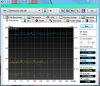 Last edited: Apr 16, 2016ole!!! likes this.
 -
270MB/sec is the max with overhead, have you trimmed your drive and tried another benchmark?
-
using server 2012 with cstate turned off. at 4.2ghz, will probably get higher when i get ivy xeon and clocked higher. i edited registry to have hose options available in power option for windows, first pic is two 850 pro raid 0 2nd is usb 3.0 kingston hyperx.
its funny how your usb drive access time is like 4x less than mine, maybe your's is a ssd flash in usb form factor where as kingston hyperx uses cheap hardware inside lol.Takaezo likes this. -
USB sticks do vary a lot in terms of controller and NAND, they do tend to use a few grades lower NAND than SSDs.
-
I don't have server 2012, I have never used it before, but I did unpark my cores and went through and set up the power plan (again) seems like this changes by itself all the time and I have it set up pretty solid. I will be monitoring it more for awhile.
When I disable Cstates in Bios it completely greys out the entire list of CPU performance settings except for the first two on the list? Is this effectively clearing my OC or what is occurring?
Thanks -
server 2012 only boosts 4k read/write, not so much on sequential. the power settings in screenshot i took is only available after registry tweak, anything from vista and onward has that i believe. afaik bios can't disable cstate, i use throttlestop to turn cstate off with help of window registry tweak though as bios OC for p570wm settings doesnt seem to stick at all.
@Meaker@Sager when u mention trimming drives, p570wm doesnt support raid 0 Trim then? -
RAIDed Samsung840 do not support trim I know that. Yeah I go those power settings enabled.
Just like clock work though, I had to do a disk restore this last hour or so, after doing a bunch of write benches today using the software. Kinda really suck because you need the bench software to know where the system is, but the system doesn't like being bench like that. -
btw do u have any problem trying to get overclock settings to stick? i use xtu and if i restart computer, settings reset and i'd have to set it which requires another restart, find that rather annoying lol. bios settings already doesn't stick for me.
-
Yes, I think the reset is unavoidable, and is thus why Mr. Fox integrated the tutorial from UncleWeb, to be used here. This way you can change no matter what your bios is starting at...at least I think that is the way it is supposed to work, @Mr. Fox may want to answer as to the cause of this auto reset, where it can not even go back to previous values without resetting completely. I use the save user profile every time I OC no matter what that way I always have a reference point.
ole!!! likes this. -
Yes, XTU is a joke. I don't use it any more for anything except BCLK adjustment (which doesn't apply to the P570WM, since that is not available). Don't waste your time with this software crap from Intel. Just use @Prema BIOS and it will give you the best this machine can deliver. The BIOS resetting to defaults is a really stupid and annoying issue, but saving the overclock settings as a custom user profile as Brother @Takaezo mentioned makes it a minor annoyance. If I had to manually reset everything each time, I'd probably sell the machine because that would suck and I would hate it. I have to press F2 and apply my custom BIOS profile once or twice a week and it only takes about 10 seconds, so not a big deal.
ThrottleStop is an amazing product. It cannot modify most BIOS settings on X79, but what it does do that is awesome is when you launch it for the first time (or after deleting the INI file) is adopt your BIOS settings. It can adjust multiplier settings downward, and voltage adjusts itself downward dynamically when it does, but these are only active values while ThrottleStop is running So, what I do is implement my max overclock in the BIOS and let ThrottleStop take those settings as the default. From that point, you can then set three more lower overclock profiles that are easily changed on the fly. To me, that is a HUGE value and @unclewebb is one of my heroes for making ThrottleStop. Because the BIOS lacks the ability to allow Windows software to commit changes, you still have to use the profile in the BIOS to put your settings back after the stupid thing resets itself. Perhaps @Prema will someday find a way to give ThrottleStop write access to the P570WM BIOS settings like it has on most laptops. That would be really sweet. -
@Takaezo , one of cpu fan had a jamming problem, I don't know what happened to it, however I tried to fix it but I pushed a little more that its endurance and broke the fan, now waiting for the new one to deliver. I just installed a small fan from old laptop to shut the beeps and keep the laptop running. Thanks.
Takaezo likes this. -
@unityole,
I have also found that I have more success with older XTU soft like version 4.1.1, but Mr. Fox and Prema have said around pges 200 here that the best result is to tune with bios and use throttle stop as a place holder. -
@Solariseir , and what may I ask was jamming the fan?
-
I only occasionally had them reset myself, it's caused by the intel watchdog.
-
Yes, this is definitely accurate. The old version you can download from Eurocom, Sager and directly from Clevo on the product drivers page works much, much better than this new XTU garbage from Intel.
Yeah, we need a way to disable that piece of crap. Having access to disable it is a super nice feature to the unlocked M18xR1 and R2 BIOS. With that disabled it has never--not even once in 5 years--reset itself. -
thanks for the reply guys, should i uninstall this xtu and watchdog or its already too late? lol
-
No, not to late to get rid of XTU, or try an old version.
You cannot get rid of the Intel Watchdog Timer. All you can do is disable it when the BIOS has a menu available to turn it off.Takaezo likes this. -
I had to enable on an old machine to get the base clock tweaking working. It's there so that if you set something that wont work the system will recover.
-
I have never needed it and have been running with it disabled Sandy Bridge, but for a noob exploring overclocking I can see where it might have merit. I truly hate it with a passion and have no use for it. I would love to have the option to disable it. Worse case scenario, I just clear the CMOS/NVRAM and move on if a setting doesn't cooperate.
Papusan likes this. -
im current using 4.2 i think of xtu so i'll just uninstall that all together. btw setting profile in bios i dont see an option with that, is that the save as user default choice?
-
yes sir, that's it
Get all of the settings you want dialed in, the save that as a " user default" -
@unityole , 4.2 should be a good release. Interestingly, I have a library of XTU versions, but version 4.2 is missing... So I can not vouch for that one. One thing that really is nice about XTU is the system monitor. I use it all the time to monitor particularly active cores and processor freq and total TDP.
Unityole, I also wanted to ask you about the intel 3700 ssd's, how are they holding up, I was not able to get those if you recall and I wanted them, how are they in your experience with them?
Open Question:
I recently tried to use the built in task scheduler in Win 7 to try and get XTU to start automatically at login. It initiates the .exe, but then it errors out. I have never really played with the task scheduler before, so I thought maybe someone here might know a solution?
Thanks,
Taka -
If you haven't already done so, you might want to consider using HWiNFO64 for that. It provides tons of info. I uncheck the "average" column because those values are irrelevant, and I hide a ton of sensors I don't care about, but it's probably the best active monitoring software available. And, having the shared memory support is awesome for RTSS OSD. AIDA64 is also awesome, but I cannot live without the HWiNFO64 sensor panel to keep my OCD self informed about a few things.
Papusan likes this. -
Well I also like the way it displays info and it is customizable enough to match the corsair link soft. But occationally I us the HWinfo.
I was wondering if anyone has used this tweak before and what the result was:
- Moving the Windows Kernel into Memory-
?? Anyone? -
that doesnt seem to work for some reason for me. i have saved the settings i wanted as user default, then i restart it resets. i go into bios to load user default and hit f4 to save and exit, then let it do its thing when it gets into windows it resets again... sigh* donno whats going on.
i have had many ssds die on me, crucial, samsung, sandisk and other types i think mostly to do with controller not so much as flash. i'd say intel's 3700 is excellent, their controller chip i treat it just like their cpu, top quality especially 3700 is meant for enterprise. using raid 0 for my storage for about 3yrs now and sitll no issue at all. as for XTU start up auto, i'd recommend against that, it'll error out half the time anyway lol
i have many ramdisk and i put as many thing as i can into it, i dont think its possible to put windows kernel in it though. there are somethings by system just isnt meant for memory though like windows update and some default window files. i put things like MSEssential, chrome/firefox, Window error reports, most software caching into it and they work very well. -
everything seems fine mechanically, maybe one of the coils overheated or the humidity here did number on it.
About ramdisk, as @unityole said people use it for caching because it clears everytime you turnoff the system. what do you have in mind about moving the windows kernel? you mean installing windows on ramdisk or using some software to transfer your system files?
I remember once I installed visual studio on ramdisk, then I had to move my projects folders to ramdisk too. Then the third party libraries, at the end of the day I just realized I have to move everything into ramdisk to feel the difference.ole!!! likes this. -
@Solariseir, what resistor did you use to solder for msata slot on the mobo?
@johnksss " http://www.ebay.com/itm/Dell-Wirele...628553?hash=item2ca8ec7049:g:rU0AAOSwuAVWzQ8s" why does it says 7Gbps then say 300Mbps?Last edited: Apr 17, 2016 -
Maybe flash @Prema latest BIOS for the P570WM and see what happens. If you already have it, flash it again. Maybe something in NVRAM is corrupted and that might clear it up. I had a weird issue with the memory I was using in the Sky X9, where it was sudden no longer bootable. So, I put other RAM sticks in, flashed the BIOS, then the old sticks worked fine again. Using NVRAM for storing firmware settings is stupid and it sucks.
*** Official Clevo P570WM | P570WM3 / Sager NP9570 Owners Lounge ***
Discussion in 'Sager/Clevo Reviews & Owners' Lounges' started by jclausius, Feb 5, 2013.


