Problems? See this thread at archive.org.
It could be the paste or the sink did you check the heat sink screws are they fully tightened down? you have to be careful of the screw driver you use pretty sure it's JIS type otherwise you can damage the slots.
Could be the paste pumped out over time especially if the sinks were loose.
I checked mine awhile back and one screw was quite loose and the other cpu ones were not fully seated, the gpu ones were though.
To be on the safe side if it is still under warranty you should contact them about it
-
-
I don't think the heatsink screws are loose as I checked them once. But maybe the paste just somehow leaked out slowly as the temps completely stabilize at 88C and do not rise above that even after hours of load. Going to repaste with thermal grizzly kryonaut or some liquid metal. I hear liquid metal is risky though so is it advisable or should I stick with Kryonaut?
I live in India and got my laptop from the US so there's no way I can contact them about warranty I'm pretty confident a repaste would solve it.
-
Repaste is worth a try and yeah I tend to agree about avoiding liquid metal. I have not used kryonaut myself but it sounds like good stuff.
Usually I use Arctic Silver and recently there new MX-4 paste, both work very well.
You mentioned your ambient temp is 30c I have to say that is actually pretty warm I would definitely recommend a good cooling pad -
The temp here sometimes even climbs upto 34c-36c sometimes. This is the first actual summer the beast is running through usually the ambient temp is around 22-24c.
-
Let us know how it turns out.
-
Sure I'll be repasting after a vacation. I'll be returning by 9th Apr. the repaste should be done by apr 20th so will let you know after that.
-
So I will be RMA-ing my P651HP6 due to backlight bleed on my IPS panel. I was checking whether the bleed happens on TN panels too and most people say that they dont, however according to this review
https://www.notebookcheck.net/Schenker-XMG-P507-Clevo-P651HS-G-Notebook-Review.193074.0.html
there is stated, that it has "severe backlight bleeding" in the conclusion. So wheres the truth then? Can it or cant? -
That laptop is pretty much the same (very similar) as the PowerSpec 1510 that I have. I had a bit of bleed but pretty much got rid of it by pulling out starting from the bottom and tweaking the thin bezel that covers the front of the panel.
It is basically just a thin plastic cover held in place by tangs that pull out and snap back in fairly easy. It looks like the panels on some are just not seated proper and the bezel puts pressure in places it shouldn't.
Anyway after a bit of messing with it it's pretty much gone and a non issue.
Chances are if you return it you will get one with the same problem if not worse of course it can also be a bit better.
I say that because I returned one for a couple reasons that being one and the next one I got had the bleed even worse lol
Thing is manufactures don't see it as a defect, but I say it is definitely an assembly problem -
Yeah I noticed that the screen bezels cracked once i pushed on them a little, so I will try your advice and mess with it a bit. I also think that its not a defective screen, but its a pressure problem, since I had a laptop with exactly same screen and it had no bleeding. Thanks for the advice though!
-
Let us know how it works out I am sure quite a few people are having the issue but may be more tolerant of it. Really though who wants big ugly blobs of light on the edges of the screen!
I have worked on a number of laptops most of them though that bezel is screwed securely in place, most of those had TN panels though that are constructed a bit different.
If the panel needed to be replaced or upgraded it is certainly very easy to do on these Clevo machines -
So I tried it out right now and I can confirm that after removing the bezels the bleed almost disappeared, however i could still see it, in the dark on max brightness with black screen. I am sure that if I didnt have the plastic bezel around the screen, i would never ever notice it in normal conditions. But we cant just use our laptops without the bezel, or with it improperly seated. After I put it back on, the bleed might have even got worse than it was before, so I guess I will just try to RMA it and maybe change to the TN panel. Still unsure if the TN panel will or wont bleed though. They dont really want to talk to me about it, they just say that IPS panels tend to bleed, but no info whether the TN will too. I am a little scared to upgrade to the more expensive one after I read that review above, where it stated that it does bleed. I would really like to get rid of this issue.
EDIT: I would really like to hear from you guys, that have the 120hz panel if you have backlight bleed or not. Thanks in advanceLast edited: Mar 31, 2018 -
Okay so maybe somebody here can help me. I am trying to install Linux (Arch) on my P651HS-G.
I cannot get the screen backlight controls to work though. Atleast in MsHybrid mode the screen is either on full blast or off.
I have not tried Discrete mode yet, as it would be suboptimal. I do not plan to game on linux.
Has anybody had any success with this?
I had zero Issues with that. Only time I can slightly see something is on full brightenss and black background.
Edit: i915.enable_dpcd_backlight=1 fixed my issueLast edited: May 20, 2018 -
,
That's a bummer! maybe post a picture of it, are you talking about bright blobs of light on the edges or IPS glow which is normal. IPS panels are supposedly better than TN Panels with color a view angle range. -
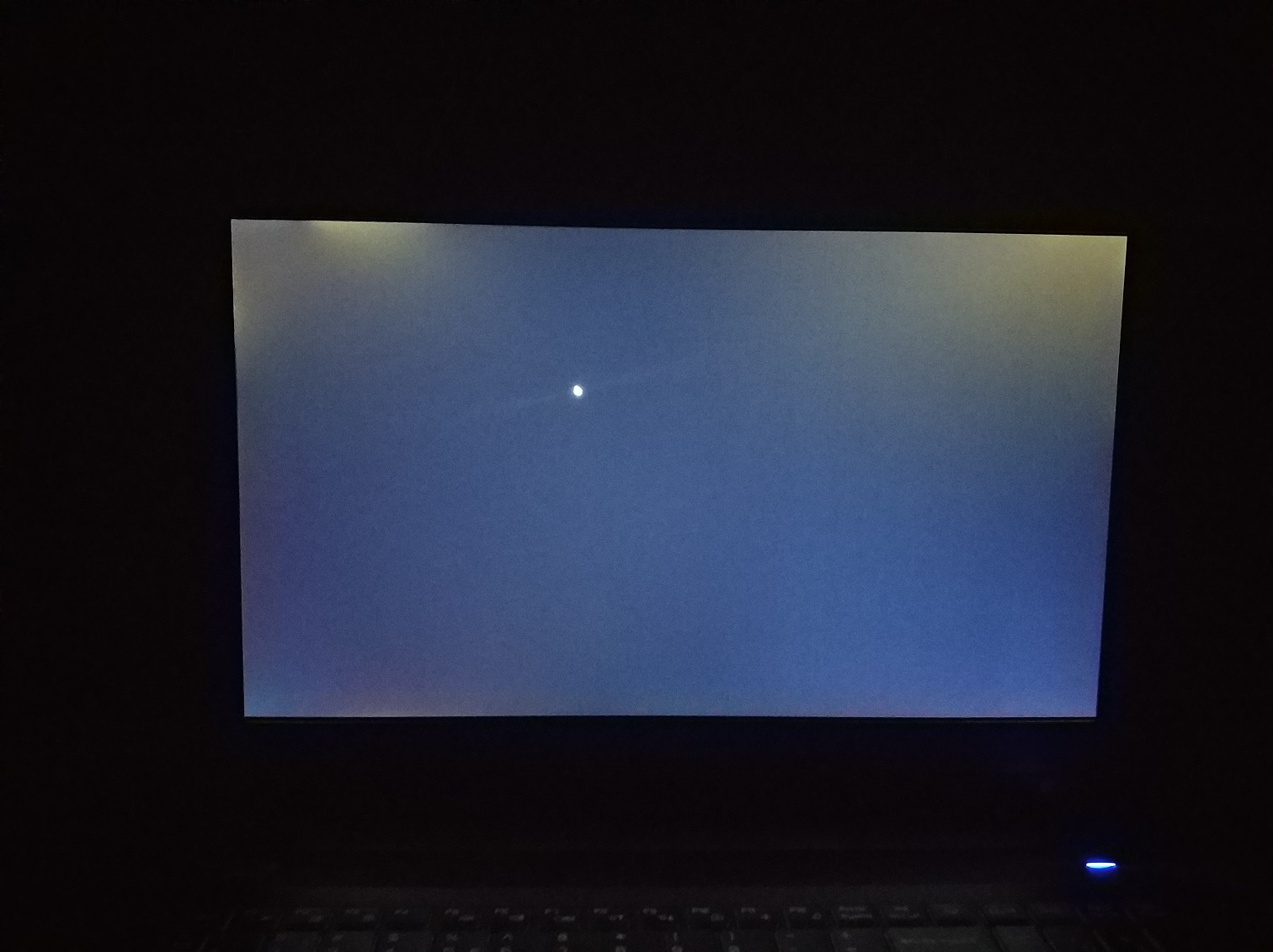
Here you go, its in both left and right top edges.. its often quite noticeable when theres a movie with darker background playing for example.. quite distractive and annoying..
Attached Files:
-
-
Yeah that's not normal without doubt Rma it. It's probably because the panel is not seated correctly not worth the risk of breaking trying to fix
-
Yeah will do once I have the time, they already opened an RMA ticket but I cant send it to them yet lol. Thanks for all the help though!
-
Hey guys,I wanted to check with y'all if anyone else has noticed a rather weird (and potentially dangerous) behaviour on the headphone jack - namely that unless you cycle the jack after boot-up, it defaults to painfully high sound levels? And has anyone found a way to fix that (outside of cycling the 3.5mm jack)?
-
Have not noticed that myself probably a Windows 10 thing but anyway just go into sound properties by right clicking the speaker icon in taskbar notification area choose playback devices choose your device and properties then levels set where you want and it should default back there on startupLast edited: Apr 2, 2018
-
Thanks for that, but I was referring to the DAC/Headphone-amp logic defaulting to full-bore mode as opposed to detecting and re-adjusting to the output device's impedance as it usually does.
Edit: FWIW, here are the steps to reproduce the problem - use a fully up to date P650HS-G with the 1.05.07 BIOS revision, use low-impedance headphones (in my case 16Ω in-ear Phillips), set volume to comfortable level. Shutdown the system. Start it again, play a song (or film clip or whatever) at not uncomfortably-loud levels, cycle the 3.5mm jack and things are back to normal...Last edited: Apr 2, 2018 -
I have the Sager np8156. I haven't been able to see what the fan speeds are, I'm using CAM as a hw monitor. It's not able to show fan speeds for some reason. Also in the control center, custom fan speed is capped at 80%, how do I get it to 100%?
-
Fn + 1 (not F1) IIRC. Also most software can't read the fan speed due to the custom EC.
-
What? Do you know how I can increase the custom max fan speed, this is all I got. https://i.imgur.com/dT22Tcf.png
-
Hey Guys, I need some tech support. I just updated my chipset drivers using Obsidian driver update utility on my P650-HS and it killed my touchpad.
I tried uninstalling the driver using the keyboard. It uninstalls, upon but upon restart it reinstalls the driver but I get no mouse cursor. I'm on the road without my USB mouse.
Any help would be appreciated. -
Try ”Force Enable” on the touchpad drivers. Works for me every time
Sent from my iPhone using Tapatalk -
Thanks, I managed to sort it out by uninstalling the old Synaptic Drivers including the option to delete drivers using my keyboard. I did a full shut down. Then restarted and Windows 10 pulled a newer driver version from Windows update then the one currently available via Obsidian driver update utility.
-
Even with AIDA64 you cannot see or monitor the fan speeds the Clevo systems just don't have the ability, circuitry
Likewise there is really no way to fully control the fans or change the max setting, probably a good reason for that -
Fn + 1 increases your fan's speed to MAX irrespective of profile and other settings. Press it again to bring it back to normal.
-
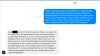
I would like to share a message I have got today from XMG regarding my backlight bleed issue. Theres stated that replacing the screen wont solve the problem, so my only solution would be to replace the screen to a TN panel. I am not sure if this is possible. Has anyone replaced their IPS screen to a TN panel?
Attached Files:
-
-
It sounds like they are referring to "IPS Glow" which is something all IPS panels have. Sometimes that gets confused with light bleed that occurs around the edges on many ips panels and TN panels.
Edge bleed can be fixed in some cases since has to do with the way the panel is put together.
On my Powerspec 1510 (Clevo) I fixed it after a lot of trial and error by popping the the front bezel which just snaps in place out and just readjusting. Usually it comes back when you pop it in place so you have to pop it back out.
I did not go so far as to just remove the panel to see exactly what was going on since eventually I managed to get rid of the bleed and have the bezel properly seated.
Most laptops you cant just remove the bezel like that but from what I gather most Clevos are made so you canslimmolG likes this. -
Is it possible to Upgrade a p650hs-g notebook with the Killer Wireless AC 1550 Wlan-Card ? Are there Compatibility problems?
-
So long as you use like for like sockets (m.2 to m.2 and mini pci-e to mini pci-e) then it will work.
-
It's made by Intel so there should not be any problems with 64 bit drivers. As far as the card it is just a matter of opening the case taking the old one out and plugging the new one in.
Then all you need is a compatible router to take advantage of it.
I bought a new dual band Asus router and connect the stock laptop wi-fi card via 5G, what a huge difference that made compared to 2.4G -
As someone that lived through the 7260AC debacle, that made me chuckle But seriously,though - if the OP just wants the faster throughput, he should just grab the an Intel 9260 and get all of the performance gain for none of the headaches of using a Killer card (in fact, I've still got the 1535 I yanked from my laptop after one too many issues with it)
-
Yeah you told me about this and I tried it, however once I pop it out then the bleed is even worse, it stops once half of the bezel is popped out lol. So my only choice is to get the TN panel to really get rid of it.. And I dont mind, I dont require good color accuracy and the 120 Hz experience might be interesting. Also it has higher brightness which is a good thing. Now the only thing is to find out if it is possible to upgrade to that panel or not, they said they have to check out because its not always possible.
-
Well I am glad at least you got a chuckle Lol I thought they had worked out the issues they had with that brand now that it is actually being manufactured by Intel.
Anyway I have had good luck with the Intel wifi The Clevo 1510 (powerspec) I have has the Intel 8265 Tri-band with 866mbps Max link speed usually I have transfer speeds of 80MBs and have not noted any drops -
Oh sorry about that I did't remember my comment to you.
I have to say though that sounds really bizarre the only way they can come up to fix that is the change it out with a TN panel?
It has to have something to do with how the panel is seated in the cover or plastic burrs etc. especially since you say it went away when the bezel was popped out.
If you were to search the panel that is in there right now and find the tech specs you should be able to come up with a match -
******************************************RMA REVIEW*********************
PREPARE FOR WALL OF TEXT.
So I thought I would share my recent experience with an RMA process I had with HIDEvolution.
Background: I was getting some pretty high caliber thermal numbers when gaming (100 degrees with Destiny 2, The Divison, etc) and I figured it was time to send in the unit. I had been dealing with the thermals for some time by underclocking in the Bios or by switching of Turbo boost but it was time that I stopped being lazy and got the unit shipped in. The laptop also, conveniently, crashed hard (BBSOD - The Blue BLUE screen of death - failure to boot under any circumstances unless an animal is sacrificed to the BSOD GOD) a day before shipping, so it worked out perfectly.
The process of contacting, explaining and eventually shipping the unit in was as painless as sipping on Johnny Walker Blue label. Within a few days the laptop was at the Techs bench and I was being updated. I had somewhat of a unique case as I was actually going to be in Cali during the repair process and wanted to see if the unit could be shipped to my home of record in Santa Cruz as opposed to back in NYC. They, without hesitation, said that is perfectly fine. Awesome adapting on their part. In the end the unit ended up shipping back to NYC as the repairs required more in depth analysis and time.
I was informed that in addition to the thermal issue, and the BSOD GOD swinging his mighty Sword of thousand truths at my OS, I had a bad SD card child board (NO idea i had that issue) and that would push shipment back a few days. No problem, told them to ship to origin of shipment and they gave me the digital thumbs up.
I also, for unkown reasons, lost my K key some months ago and informed them about this. I asked if a new K key could be crafted or sourced and placed back on the keyboard. They did so, at no cost to me - Awsome job on that one.
In the end, TG "ConductoKNOT" was repasted, the unit was repaired and sent back to me. Fast forward to now.... I have never exceeded 92 degrees at a 4.1Ghz overclock playing tripple A games. Its been in my hands for a few days now and all I can say is, Congrats HIDEvolution, you now have a customer for life.
Thanks to @Donald@HIDevolution and the RMA support staff. You guys really know how to provide a good customer experience.Donald@Paladin44 likes this. -
Guys
Is this Back Rear Cover suits CLEVO.P650HP6-G ?
https://www.ebay.com/itm/Eluktro-Pr...224855?hash=item1ed50a0e17:g:2GkAAOSw56NaJbBc
Or it must be Bottom Case (D Cover) - P650HP6-G6-39-P65P3-013
https://www.fortunetechnology.com/fortune-spares/10032/ -
Slight difference in height for HDDs, so if you have a 9.5mm and 7mm drive installed it could cause issues using the other panel.
-
Hello everybody! I have a problem with my laptop (XMG P507 / P651HP6-G).
I bought it almost 2 months ago, but since then every second time when I'm turning it on it takes up to 5 mins to boot. It doesn't happen everytime, sometimes it boots normally (within 30 sec). I already reinstalled Windows 10, tried different drivers (right now I'm using OBSIDIAN TOOLS), but result is the same. Maybe someone here experienced similiar issues or knows what could be the cause of such behaviour.
Would really appreciate any help! -
Have you checked the status of your hard drives? If there are any USB devices plugged in before starting remove them. Or at worst it can be a bad MB device.
You can check the drives SMART status quick with windows by opening a Admin CMD prompt and run "wmic diskdrive get status"
I assume it has a Samsung nvme drive so you can download the "Samsung Magician" software, there is probably a firmware update for it anyway. There are also other utilities like "Crystaldiskinfo" to check drives.
You can check "Event Viewer" for anything unusual, and also "Device Manager" to see if there are an warning notifications.
All those things I mentioned can be started from the Cortana search box the CMD prompt right click to choose "Run as Admin"
I have had all those things, bad drive, bad usb, and bad device causing similar problem. It could possibly be some startup program as well other than a Windows system programDanTheMistborn likes this. -
Is this always on cold boot? Where does it tend to hang?
-
Thank you for the response! Forgot to mention that my drive is Seagate FireCuda 1TB.
So I usually plugged in my wireless mouse and cooling pad, now I unplugged both of them, tried cold boot several times and on a 5th try, Windows again hang for 3-4 mins before starting.
I ran this:
I have Hard Disk Sentinel installed. Here is some info:
Sreenshot1, Screenshot2
As you suggested I checked Event Viewer. It showed critical event with this description and I think it's related to my problem:
Here is full screenshot
Device Manager is showing that hard disk is working properly. -
Yep, cold boot, but not everytime. It can boot normally 3-4 times and on 5th it just hangs. It happens after XMG logo appears, then I have a black screen for 3-4 mins, after that again XMG logo and only then Windows starts to boot
-
That sounds like the UEFI handover to the GPU having issues which might suggest a BIOS related issue.
DanTheMistborn likes this. -
Yes it is starting to sound like a uefi bios issue or hardware issue. You should be able to get into by holding down the F2 key at boot.
Try loading "optimized defaults" there are also settings for "Fastboot" and to switch between "Mshybrid and Discrete"
If fastboot is off try turning it on. If you switch to Discrete it will be forced to use the gpu you can then switch back after a reboot. If you mainly do gaming you might want discrete mode on anyway, you may have log out and in or reboot to see the gpu driver interface on the first boot
All that is worth a try and may give a clue as to what is going on.
If the problem persists I would go for a warranty replacement or repair. You can be sure if you are having the problem others are as well and the service center probably has a better idea of what is causing itDanTheMistborn likes this. -
As Canonfodder said there have been cases where people have reported cold boot issues being initial signs of failure once the software/firmware have been checked and ok.
DanTheMistborn likes this. -
Turned on fastboot and Dicrete mode was already activated. Will report back if the problem is still here.
Btw, my HDD is installed in SATA Port 3, but it shouldn't be the problem, right? I've attached some screenshots of BIOS:
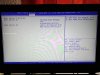
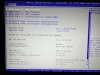
Also, I wrote to XMG support and they suggested to run "memtest86 to test the system memory and CrystalDiskMark to test the SSD/HDD". -
Drives should work in any configuration in terms of slots.
-
The port it is in would not matter at all unless of course there were something wrong with it. The suggested test they gave are pretty standard.
Even though your disk checked out with smart it could still have internal issues. I have seen drives show okay one day and not so good the next Lol.
On my system I also disabled fast startup seems to cause trouble for some people you can find that by right clicking the window start icon in lower left choosing power options and then choose what power buttons do, and then finally change options currently not available.
Worth a try anyway it is similar to hibernation which I almost never use unless for some reason I will have it shut down for extened periods and need to pick up where I left off.
Hibernation can cause long delays.
Most of the time instead of a complete shutdown I always recommend going into standby I know that's not a fix but it is actually a good practice since it keeps the system ready to go just by lifting the lid, keeps it warmed up so to speak but actually uses very little power.Last edited: Apr 23, 2018
*** Official Clevo P65xHS(-G), P65xHPx(-G) / Sager NP8155, NP8156, NP8157 Owner's Lounge ***
Discussion in 'Sager/Clevo Reviews & Owners' Lounges' started by k0nane, Feb 6, 2017.