 Problems? See this thread at archive.org.
Can't buy what they don't offer, though I understand your desire for brand loyalty. Try calling them and asking if they're getting the P67 models anytime soon. If you go with HID remember your NBR discount =3
-
-
Yeah, I think I'll live with it as it's fine with base Windows drivers and I can't fathom not having my laptop for even a day lol... went back to my old one to transfer some files and it was horrendous.
-
-
What's the difference between that and 8620?
-
I do not rightly know. 8260ac is fine too. Feel free.
-
"The main difference is that the ac 8265 is the 4th Generation of Intel 802.11ac, therefore, it includes full support the latest ac features such as MU-MIMO, 802.11r, 802.11k, 802.11v (pending)."D2 Ultima and saturnotaku like this.
-
I have the Killer card on mine, and while I do like it (since disabling advanced stream detect), if I had it to do over again, I would have ponied up the extra $30 for the Intel one.
-
What Killer Suite are you using? Clevo's or Killer's?
-
Hi,
I have some questions about the USB ports on my P670RS-G, does anyone know how much power they are able to give to my phone or tablet? will they charge them as if it was plugged into a wall charger? Also, is there any difference (power wise) between the type C port and the type A's?
I take is these laptops cant receive any power through the USB?
My shop charged me an extra £20 to "upgrade" to the killer card they must have seen me coming. It only works without the killer software installed, I haven't tried disabling advanced stream detect yet.
-
Ok, so I think I am going to take the plunge and get a 960 EVO to go along with the 850 EVO that is in my P670. Is there anything specific I need to know before installing it? I am not completely new to this - built a few desktops years back, but have never had a laptop before where I could add parts.
-
I've repaired many laptops in my time but I can say now that my p670rs-g is the easiest laptop I have ever worked with, it's just so easy to get to all the components and ports, it's obviously due to the fact that these laptops are made to be customized and if that isn't enough, the full service manual is readily available here.
It would definitely be a good idea to check that out before starting because the p670rs-g has 2 m.2 ports but only 1 is designed to take an nvme drive. I'm pretty sure the nvme port is directly to the right of the HDD bay but I'd check the service manual to be sure, it might even be written on the board. -
Correct: The NVMe compatible slot on the P670 is the one that's in a vertical orientation as you look down on the motherboard, to the right of the 2.5" hard drive bays.
-
Always reading the manual is just a smart idea anyway, you get all sorts of useful info
Papusan likes this.
-
Thank you @MrMoo232 I am going to order the drive in a week or two and then give it a shot. We will see how it all goes.
-
Windows 10 has built-in support for NVMe, so installing that OS will be no different than on a standard SATA drive. If you're using Windows 7, the process is a bit more complicated, but @Phoenix has a guide posted in the Windows sub-forum.
-
-
Thanks @saturnotaku and @Phoenix. Right now I have just one drive - the 850 EVO and everything is on it. So what is the right order of operations here? Install the 960 EVO, then fire up the Windows install tool, then format the 850 EVO from within the Windows installer, then install it to the 960 EVO? Or is there some other way of doing it?
-
No, leave only one drive while installing Windows otherwise Windows will install the boot files on the 2nd drive
you really need to read this:
NBR Windows 10 Clean Installation Guide
BUT, I figured out a way to install Windows with multiple drives connected without having it put the boot files on the 2nd drive, if you want that, see:
How to properly install Windows on a system with multiple drives
Be smart....be like...Phoenix
-
Unless something's changed I'm pretty sure Windows just creates the EFI partition on the lowest index drive.
-
Hello, I have a 7mm SSD in my p670rp6, is it possible to add another 15mm HDD or can I only add another 7mm? I Ask because all 2,5" drives above 2tb have 15mm
-
Thanks again @Phoenix. Your guide is the one I followed while installing Windows originally. I just want to make sure I understand how to go from one drive with Windows to two drives, where Windows is on the other one.
Spartan@HIDevolution likes this. -
These machines will only take 9.5mm drives, and only one of them. You cannot add 15mm drives into any laptop I know of.Lycidias likes this.
-
I think you're right. I can't think of a laptop that would support something like a 15mm drive.Lycidias likes this.
-
Well I make sure to say "I know of" because you know there might be some odd thing like a Toughbook or a W650 or something... I don't know. But I can say pretty much every mainstream machine? Nope.
-
It wont even fit in an optical drive bay which is already silly thick.
-
OK, I'm wondering if there's a glitch in the latest XMG-released BIOS and/or EC for this machine. I just did a clean install of Windows. This is the original anniversary edition build (14393.0). Computer has not been connected to the Internet. The only software installed is the GeForce driver so I could get output to my external display. Using either Windows display settings or the NVIDIA driver, I set the system to output only to the external monitor; the laptop's built-in display is off. I put the system to sleep, then upon waking it up, the built-in screen will turn on in addition to the external one and either show nothing or revert the desktop setup to spanned as opposed to just showing on one. It will also switch the external monitor's refresh rate back to 60 Hz from 144.
This was not a problem prior to installing the XMG BIOS/EC, and this is clearly not a Windows issue since I was running the anniversary update just fine on an older Sager-provided BIOS/EC. I assume there's no way to downgrade either.
Can anyone comment? @Meaker@Sager @Prema et al? -
are the 6820HK or the new Kaby Lake 7820HK with their OC-options (if overcocked) not too much heat generating in this thin model?
or in other words: who is really overcocking with this laptop-model and a 6820HK/7820HK?Last edited: Jan 30, 2017TomJGX likes this. -
There were some issues to begin with, so I suppose it's plausible that there are still some issues that need to be ironed out. There were originally issues that say CPU usage increase a lot, with an external screen plugged in. I haven't had further issues since the latest EC and BIOS. I'm really hoping for a Prema Bios for this machine. It was amazing on my last Sager!Lycidias likes this. -
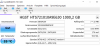
I have found out that my second hdd is only working in sata 300 mode, but 600 is possible. any idea how to fix this?
p670rp6 is my device
thanks!
-
Are you talking about the XMG BIOS I'm referring to or the Sager one (which fixed the high CPU usage when connected to an external display) that was posted in the P650 thread? If you're running the former, can you try running in MSHybrid mode if you're not doing so already and see if you have issues with the system not shutting down or restarting properly?
Your attachment isn't working, but if you're talking about a spinning hard drive, it can barely max out a SATA-150 connection. Any platter drive that advertises SATA-600 capability is doing so for marketing purposes. There is zero real-world benefit. -
I'm not using CCC so what should i use to OC the 6820? without wreckjng the fan profiles?
-
ThrottleStop. Lookup the long thread on it here on the forums.
To2Kool2 likes this. -
-
Use Throttlestop to test, then once you find something that's stable and to your liking, you can actually go into the stock Clevo BIOS to lock it in. 4.0 GHz on all four cores at stock voltage is well within the realm of possibility.
-
but it's weird, after a full reboot it's working in 600 mode. when i resume from hibernation it switches back to 300...
-
Hibernation is broken. Always was.saturnotaku, Papusan and Lycidias like this.
-
you mean by windows,by device or by bios/ec?
-
By windows. I've seen way too many problems from way too many people.
-
does domeone know if the ec/bios can easily be downgraded, like the way i update it?
-
Some people have downgraded the EC, but I personally wouldn't do anything because the risk of bricking your machine is very high. I don't know if you've been following along with my thread on the issues I've had with the XMG BIOS/EC, but the only thing that's really broken for me at this point is the display sleep/wake problem that seemingly occurs only in discrete mode. This is a pretty annoying issue because that's the mode I prefer to be in when using the machine every day.
At the same time, once I did a full-on manual reset of the BIOS and NVRAM, MSHybrid mode has been working better after the XMG BIOS/EC update than before it. Jerky window animations and black full-screen video playback have been fixed. The only thing I can't do is record/stream my desktop using NVIDIA Shadowplay, but that's a limitation you run into with any Optimus-enabled computer. Note that Shadowplay does work once you've started a 3D application or game. I can work around the desktop recording issue by using Mirillis Action! recording software (that I've owned well before purchasing the P670), forcing it to run on the Intel GPU via the NVIDIA control panel, disconnecting my external monitor, and enabling Intel QuickSync within the program itself. Not the most elegant solution, but it'll do. Hopefully, we'll get some kind of fix for the dual-display sleep/wake problem, either from Clevo itself or from @Prema once he's done working his magic on the BIOS for these systems.Last edited: Feb 1, 2017 -
My NB came 1 x 16gb crucial cl17 2400. I'm planning to buy a second stick. Should i be worried about performance sincr it's cl17? maybe i can mix with 2400 cl14? then upgrade the original later? is that a good idea?
-
thanks @ saturnotaku for your reply. i think i won't downgrade, not save enough.
but i have another problem, don't know if it's related to xmg bios/ec:
sometimes when i plug in a sdcard, an external hdd or mounting an iso to a virtual drive, my notebook(win 10, p670rp6) starts freezing. that means i can move the mouse, and click on things but nothing else happens, only waiting cursor. i can't even shutdown the notebook or start programs, really weird... anyone have experienced this?
after daemon tools driver installation my notebook even freezed instantly after boot. only thing that helped was removing the software REALLY quick. seems like a driver problem to me, but system wide, not only with virtual drives
i managed to mount the sd card with shutting down system, plug in sd card and normally boot.
problem only occurs with plug and play when windows is bootedLast edited: Feb 2, 2017 -
CL17 is pretty poor. You could mix the memory, but it will downclock to the slower speed. I have 64 GB (4x16 GB) of Kingston HyperX DDR4-2400 RAM for sale. Link - I can split it into a 32 GB (2x16 GB) kit. Feel free to make an offer if you're interested.Last edited: Feb 2, 2017D2 Ultima likes this.
-
You can, but mixing them is not recommended. You might run into instability if you try it.
-
how much real world performance am i losing by using cl17 vs cl16 vs cl14?
-
unfortunately I'm not in the US
-
-
Thanks. I'm just going to grab the same dimm. I'll upgrade them both later in say 2 years when there should be better ram at cheaper prices
-
You wont notice the difference just now, I think that's sensible, it's already a step up over a lot of modules out there.To2Kool2 likes this.
-
just retired the hel80 from the Intel vbi days. even though I'm not in the us i remember you guys providing us with great support resources.saturnotaku likes this.
*** Official Clevo P67xRP6-G/P67xRS-G (Sager NP8172/8173) Owner's Lounge ***
Discussion in 'Sager/Clevo Reviews & Owners' Lounges' started by D2 Ultima, Sep 11, 2016.


