Problems? See this thread at archive.org.
initially mine was showing 775dm but now using premabios.
-
Great question. I was holding out for the 775 for so long, but eventually let it go for lots of reasons. I initially just needed a 970m (enough to get by while waiting for Pascal options since Maxwell is nearing end of life cycle), but no reseller offered this configuration despite it being an option on Clevo's website. As a result, I couldn't justify the price premium. With the 770 I figured there's a good chance I'd be able to later upgrade via external GPU or Pascal MXM if I'm lucky (that's a big "if" that assumes the larger power brick will be sufficient, that they'll make a Pascal that's compatible with the 770 MXM slot, and that the 770 could handle the thermal load). Also, I really wanted to buy from a reseller that is geographically close (i.e., not in Europe) and that has longevity, so I was really eyeing XoticPC from the start. Which leads me to:
If none of that works out, then I'll just have to buy another laptop in a couple of years. Honestly, though, I'm coming from an 8 year-old laptop (9800M GS w/ 512MB VRAM, 2.2GHz Centrino Duo, 4GB RAM) so the 770 is such a massive improvement I don't feel like I'm missing out on the 775.Last edited: Apr 20, 2016 -
@Irimi-Ai I get it that you waited for a long time. HIDevolution now offers the p775dm with 970m (FHD panel)for not much more, but I guess the price difference was more when you ordered yours(and you didn't trust them then if I remember). Now with the current pricing and their EVOC lineup with free Prema BIOS and a host of unique options. The p775dm is definitely the better buy than the p770dm, but like you said, there is the (slightly expensive) eGPU option too as a backup.
Sent from my Micromax AQ4501 using TapatalkLast edited: Apr 20, 2016 -
P775DM - I'm sure there are others resellers, but did you check with Eurocom (DLX7), HIDevolution, and Schenker/XMG - U716?
-
Yep, I'm familiar with those models, but those are the 775DM1-G but NOT the P775DM-G (which has the 970m option). Well, at least when I was looking they weren't stocking it, but according to god1729 it sounds like HIDevolution may now be stocking the 775DM-G.
-
Actually, the XMG U716 is the 775DM. The 771 is the U706
-
Ahh... I always thought the P775DM was the same thing as the P775DM1, thanks for the clarification. TBH, I'm not sure I ever have seen the P775DM (non-'1') version for sale, only the P775DM1.
-
Haha, I like the dramatic music

-
Yep, almost all of them are the P775DM1-G variant. The only places I've seen with the P775DM-G (non-1) are in Asia, HIDevolution, and possibly Schenker (as noted above...but I'm still not positive...Notebookcheck.net review lists the U716 as a P775DM1-G, and Schenker's own website seems to list it that way, too).
So, if you're in the USA and want to buy a P775DM-G and not deal with international ordering, exchange rates, and possible international repairs/RMA, HIDevolution is the only place to go (and they just recently added it). -
Eurocom Sky DLX7 includes both the P775DM and DM1(look at their GPU configurator).
Sent from my Micromax AQ4501 using Tapatalk -
My bad, forgot to include that one. I think that was mentioned a few posts ago and I forget even since then Thanks for catching that. I didn't look too much at the international resellers because I wanted a US-based reseller, so I don't track them as closely.
-
So, with HIDEvolution and Eurocom DLX7 selling both, I'll go ahead and stand behind my post - http://forum.notebookreview.com/thr...0-owners-lounge.776183/page-371#post-10242716
-
Can anyone take a picture for me and as to where the webcam cable would be at?
I sent my laptop in for service they replaced the monitor and now i got it back the webcam doesn't work so I think they did'nt plug in the cable. Any help would be great.
Or any ideas why the webcam isn't being detected? I am running windows 10 64bit
it was working before i sent it in for service. I installed drivers
never mind I didn't realize there was a Web Cam button to turn it on
*feeling stupid lolLast edited: Apr 23, 2016 -
Wouldn't feel bad about that at all. I know it is a pretty common question about why webcams aren't working when people get their new computers.
-
Yes, you are not the first and you wont be the last
-
Hi all, can anyone else here run their ram at 2133mhz? On Intel xtu it says mines on 1600. I bought my p750dm from metabox here in Australia and on their site it says it comes with 16gb 2133mhz ram.
I tried changing it to 2133 by pressing the xmp profile and proceeded to restart my laptop.. However it couldn't boot afterwards and I had to remove the cmos battery to get it to boot.
Any ideas how to get my ram to run at full speed? -
Are you sure it's not just a reporting bug in XTU? ie check version, get latest etc. Alternatively check using CPU-Z or HWInfo.
My P750DM-G from Metabox uses Samsung M471A1G43DB0-CPB 8GB sticks. They report as 1066mhz in HWInfo (DDR translates that to 2133). Whilst 1600mhz DDR4 sticks do exist they're fairly uncommon.
EDIT: Sidnote..
It is possible to run DDR4 at 1600mhz per channel as well which equates to 3200mhz. Not necessarily in the P700, but on desktops that is a thing. -
Hmm, must be a bug with intel's software then. Just checked CPU-Z and it reports 2133 - so all good
-
@Prema
So I've got a little bug with PremaMod. I'm able to change the RAM voltage within UEFI and everything seems fine. I'm unable or unaware how to monitor the voltage from within Windows to confirm the change is applied, however whenever I boot back into UEFI then it's reverted to the stock 1.2v. This is despite using custom timings so it shouldn't be getting the voltage from the SPD or XMP.
Is anyone else experiencing this? -
Yes I have the same problem. I think it's just MOBO limit.
-
-
Thaiphoon Burner purchased. Time to have some fun. Too bad it's going to have to be one stick at a time for benching. Mismatched sticks and manufacturers. At least until I find a sweet spot between the two of them.
-
Would you mind sharing your results then? I have the same Problem with my rig and my Kingston 2133Mhz sticks, running at 1867Mhz no matter what I set or try. Thaiphoon Burner is some sort of a closed book to me. And I found no "Guide" so far....
-
I'd be happy to, though I've already had some success overclocking my RAM in BIOS - 2133Mhz CL15 T2 upto 2666Mhz CL16 T1.
I've got two 8GB mismatched Cruical and Hynix (both 2133Mhz CL15 T2 Stock) sticks so I can't say how applicable my results will be for you but I'm curious how DDR4 responds to a little more voltage. -
Excuse the double post - this is entirely unrelated so I felt it warranted its own post.
The mobile data factory option on the P7XX series, I'm aware that almost no one has it. I'll confess I'm not sure what form factor this module even is however does that leave an unpopulated slot on the motherboard or is the socket only fitted from the factory?
I've just stumbled across a little adapter, here. I admit I have no idea what form factor the LTE module is however I'm sure they also exist for NGFF as well as Mini-PCIE.
it could be a nice space to fit one of those very cheap, physically very tiny flash drives with horrible read/write speeds. 128GB thumb-size. Sure it might take some modding, removing the top of the USB slot and the casing to the drive plus soldering the two together but the footprint could be tiny and it might be a nice storage spot for music if anyone still keep local copies these days. -
best 15$ you will ever spend, has made such a difference for soo many years... though before thaiphoon it was something else,forget the name of what it was now come to mention it... anyways, this is how you get profiles to work past what the stick says will work, and on MOST cases in laptops using thaiphoon is how you actually get the profiles to work and stick. for me, I remove the latencies I do not want supported, i.e if I'm going to use 1600 cas 8 I remove Cas 9, and 10 from being supported, unless I have a 1866 also then i might keep say - 8,9 in the pool, and then create two different XMp profiles, one for 1600CAS 8 and say 1866 CAS 9 being the other.
-
Thanks, doing that makes a lot of sense. Don't suppose you've had much experience with overclocking DDR4 SO-DIMMS to give any pointers? I used to be able to push my DDR3 DIMMS upto 1.8v with a 3000rpm gentle typhoon on them and they'd hold steady. Got some good benches with a pair of stock 2x2GB CL7 1600MHz but this is a different ball game and any familiarization before I jump in would be welcome.
-
I find DDR4 to be ridiculously good for overclocking. I've not hit any infamous oldschool fsb traps or holes where a gap or range of volatges and timings wouldn't work, and I've not seen any celieng to what it can take. As a joke I thought to burn out a set I had and managed something like 5ghz - forget what the timing was, but it was crazy, because the blk was 1.40x I didn't continue to run it because i just realised, DDR4 is NOT going to be your handicap for any time soon. There was no gain or loss in performance, once the timings are tight, don't stress it. Keeping it stable is easy - and thats usually the best trick. Moderate timings, higher then average voltage but keeping it cool, and making sure it has NO faults works best. with DDR3 AND EVEN MORE SO WITH DDR2 we needed to keep certain ratio's considered and a 1:1 always gave best framerates.. The platforms using DDR4 now, seem much better ( X99 for my here, but maybe your on HM170 or such) I find you do not need to consider high SPEEDS measured in Mhz with DDR4, but a voltage of like 1.3V and lowest timings you can go with 2133Mhz and using the BLK will work rather fine. You should have very very little latency, which is what will attribute to the fastest gain in it all.
-
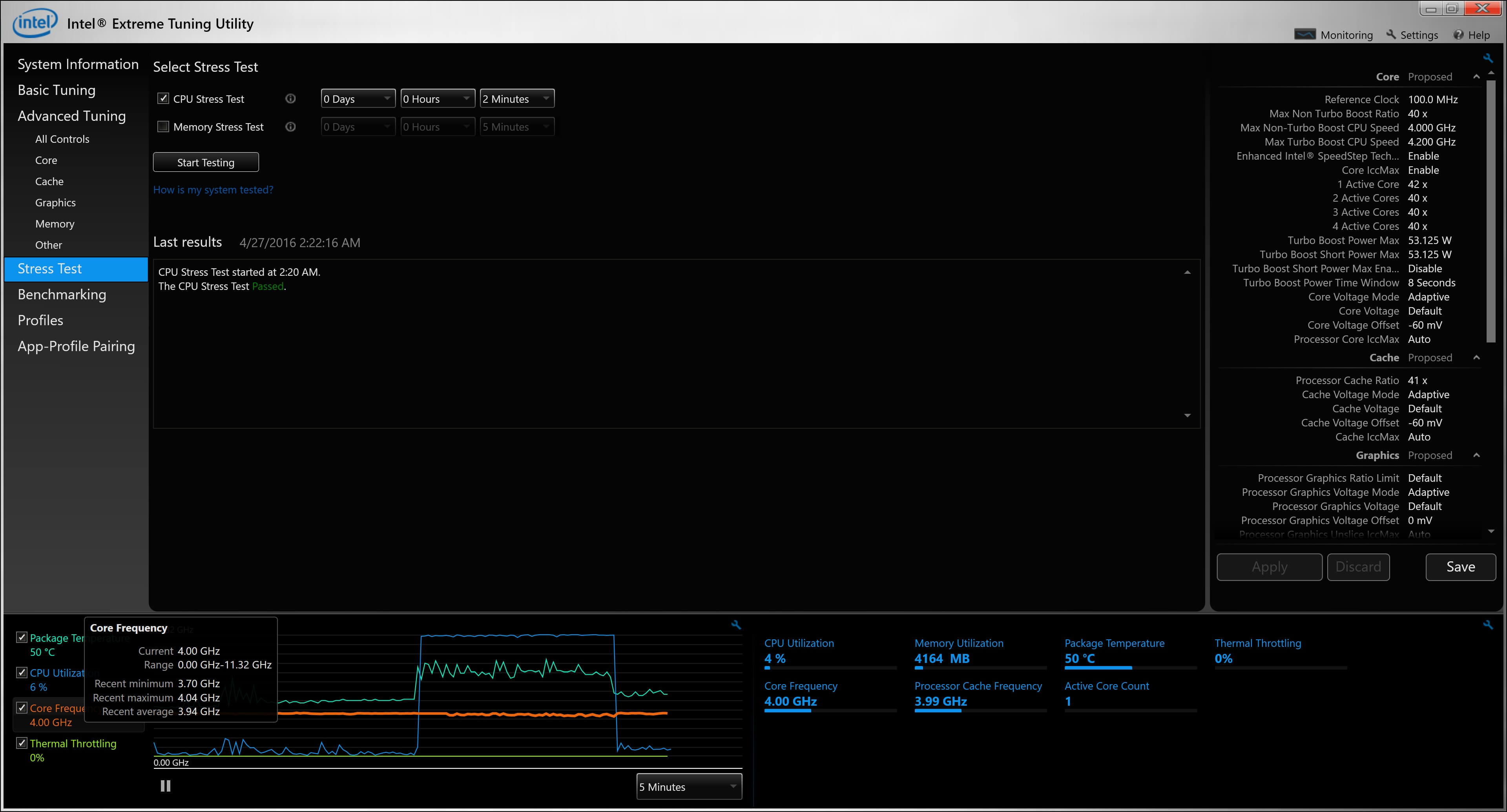
Hello, I was rendering some videos on my P750DM-G and noticed the 6700K CPU was running at 100% and temps were reaching upper 90s and the render process was going to take about 30 mins which is very fast for the type of work I was doing, but too long with high temps so I stopped the render process because I was afraid the temps would shorten the lifespan of the CPU.
I decided to undervolt the CPU using intel's xtu (complete noob to manual controls)
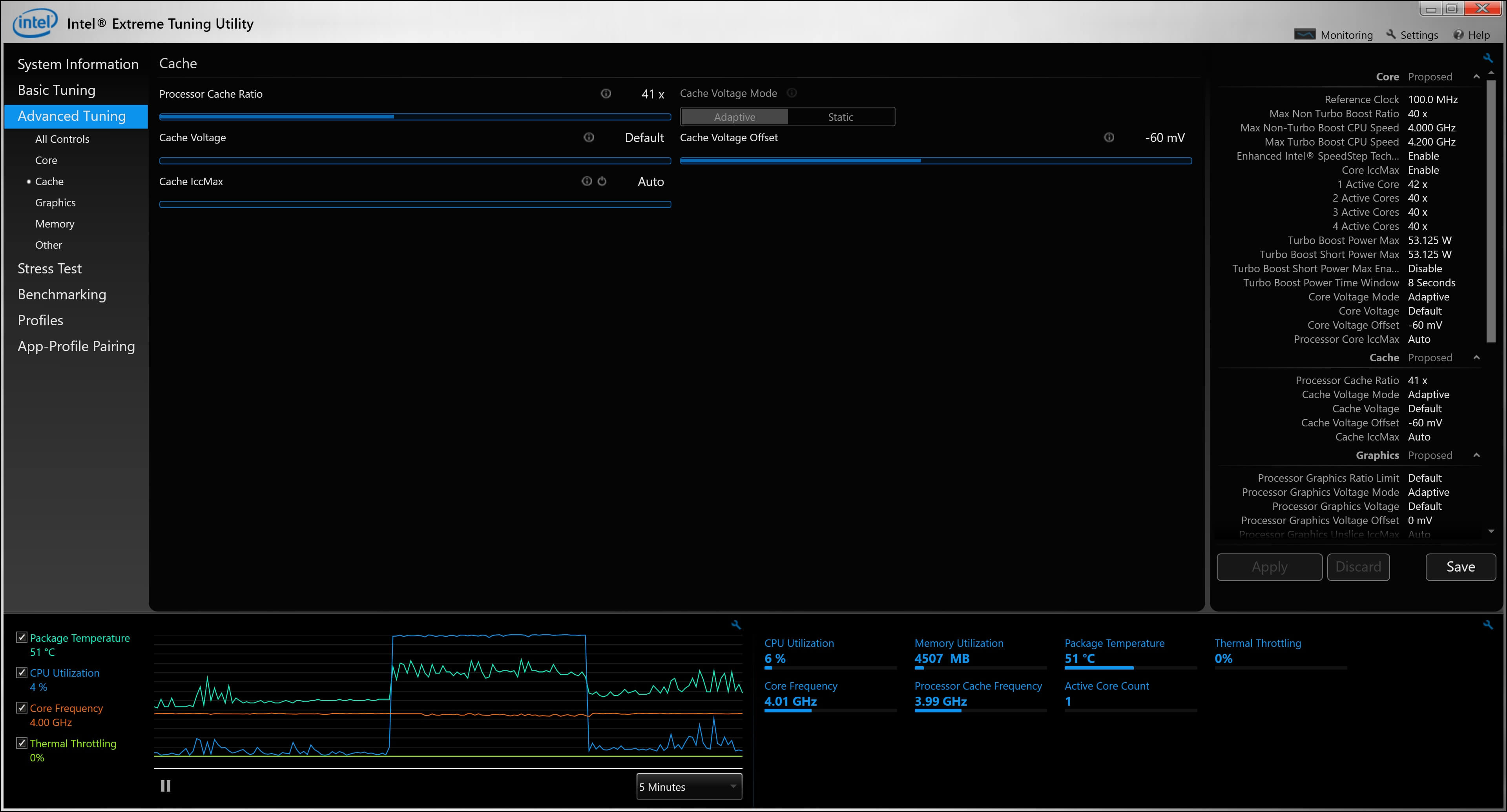
I set the cache voltage offset to -50mv and -60mv which also automatically changed the core voltage offset to the same -50mv and -60mv respectively
I instantly noticed peak temps changed to 75~80 which is good but I also noticed that after a few seconds into any benchmark that the core frequency would drop from 3.96 to ~3.55 and now my Cinebench score dropped from 870ish into the low 700s
I'm very new to this and really don't want to harm my hardware and want extend its lifespan without performance loss
Thank youLast edited: Apr 26, 2016 -
I used Thaiphoon Burner a lot while owning the W110ER. Now while trying it on my P751DM it's saying "writes to SMBus 50-57h is disabled by BIOS". Before shelling out money on it again, would Thaiphoon Burner run on standard clevo bios or do I need to wait for Premamod P750DM?
-
In Haswell and Skylake systems you will need to use my mod for SPD write support (It's locked on stock as per Intel spec)
-
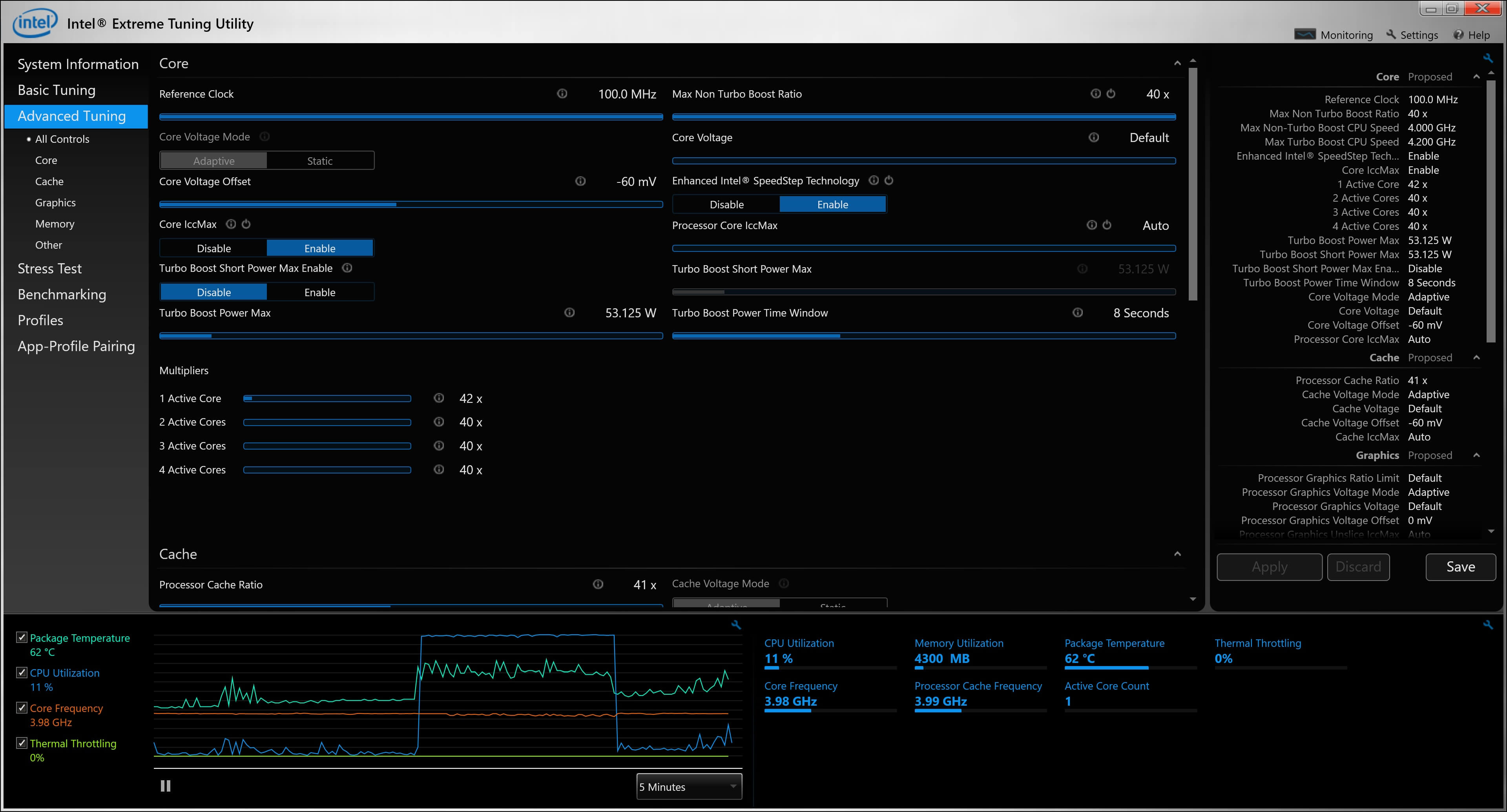
It should actually turbo higher for longer with lower voltages, check you did not change other values like TDP as well. Perhaps post a screenshot of your XTU settings.
-
@steberg you can make this patch yourself without Prema http://www.softnology.biz/tips_spdwritecap2.html
temp1147462323 and steberg like this. -
You have lowered your TDP, that's why the chip is slowing itself down as it is keeping in the new lower power target.
-
To be honest I haven't touched any other setting, I'm not sure which one I'm supposed to change
The only way I was able to change the core voltage offset was to change the cache voltage offset which automatically also changed the core voltage offset
I know I might be asking for too much but every other guide has what I think might be a different version of xtu with different sliders and names
Can you please tell me what i should change for my purpose? Or point me in the right direction to a good guide?
Again thank you
Ps: what should my TDP be? -
I suggest applying defaults and trying again
95W IIRC for stock TDP.
-
Hey guys,
So I'm about 1 week into my new 750DM & already got a nice scratch on the top lid where i rested the power pack while I moved my desk (ugh im a fool..)
does anyone use any kind of scratch resistance surface for these things?
Thanks.. -
Have you tried this? I thought any BIOS modifications needed signing of some description. Hence why people are using Premamod rather than any talk of self-modifying the BIOS. The tools to do so are certainly available, all except the signing kits.
Well I've have limited success with Thaiphoon, it's happy to play games with my Kingston module but the Cruical seems to be write-locked. Any modification is written but has reverted to default when SPD is read again.
Maybe I'll sell these sticks and buy a couple with actual XMP profiles that can be modified so I'm a little less limited. I've just never like spending money on sidegrades when there are upgrades to be had for the same money!
Shame, I was looking forward to a couple of hours of finding a sweet spot compatible with both sticks. I'll wait 6 months, DDR4 prices seem to be dropping pretty quick these days.
I picked up a scratch too, sharp screw on my laptop stand caught the palm rest. I haven't found anything good for scratch resistance and while it taunts me daily, I haven't looked too hard either. I wouldn't know where to start.
There are some vinyl coverings available on aliexpress, I don't know how much protection they'll actually offer and if you would want a carbon-fibre style P750DM but the option is there. -
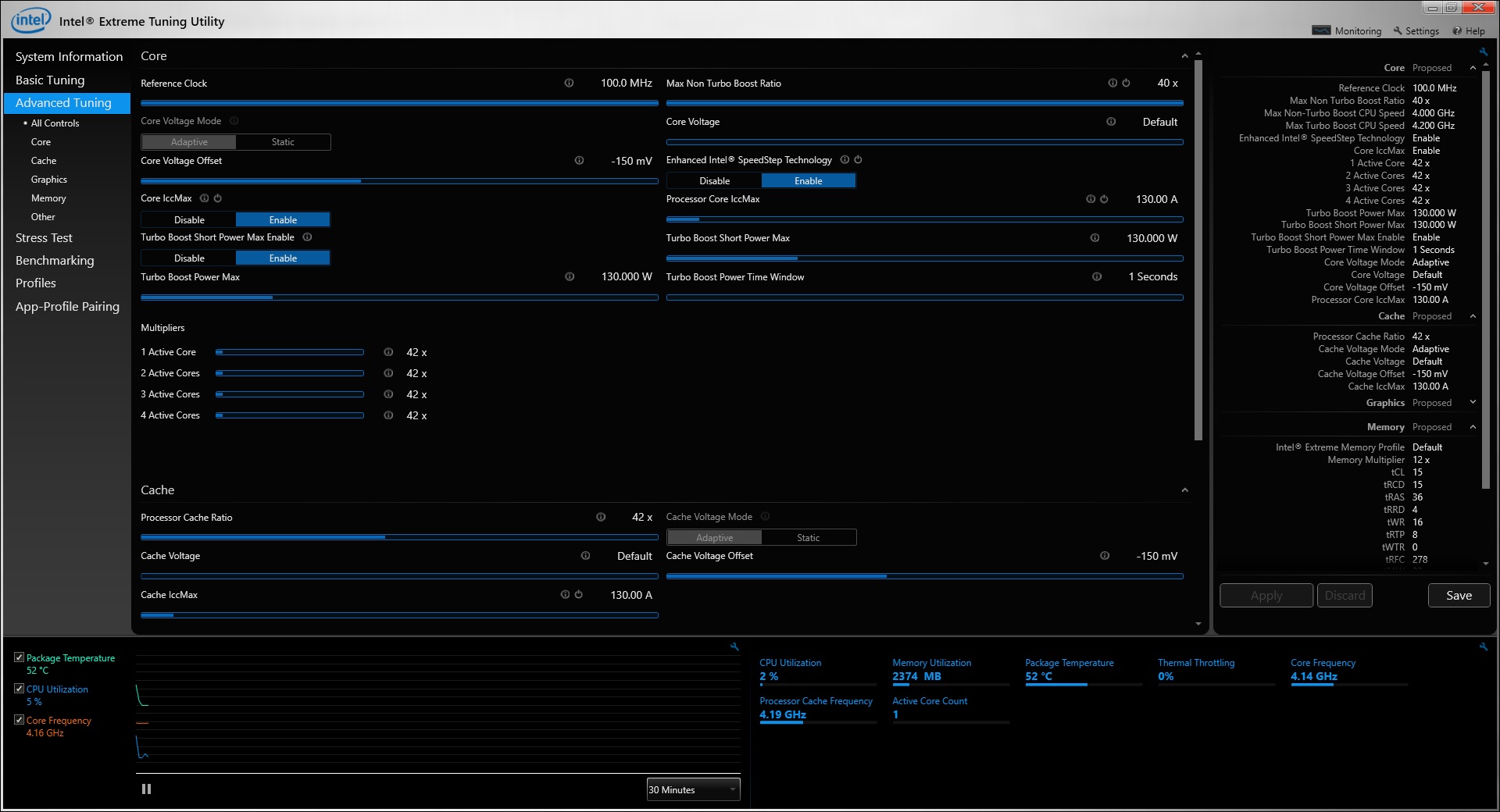
I've got speedstep enabled in intel XTU, however I never see my cpu speed drop below 4ghz in idle. I'd like it to go to like 2-3ghz when cpu is idle, and then go to 4.2ghz when I'm using the computer.
I've attached my screenshot of xtu, just in case I've made a mistake somewhere in the settings, so if anyone knows how to fix it, please let me know.
PS: in power settings i've set it so that on battery and when plugged in, the minimum processor state is 5% and max 100%.
Reason for this is my cpu idles around 45-50 degrees without load and I'd like it to be cooler (hence go below 4ghz).Attached Files:
-
-
You are the man!!
Again thank you for answering my questions.
I got my 6700k to run at full stock speed and stay in the upper 70s under 100% load, with a -100mw voltage offset. -
tried some ocing myself, stuck to 2600 CL14-14-14-32 T1 with 1.2v using the HyperX 2400 Kit, since 3 days everything works flawless so far. I even looked up the chips itself, SK Hynix H5AN4G8NMFR and they seem to be used widely on the desktop ddr4 counterparts, according to Ramlist, so i guess you could potentially oc the sticks even about that far, but beware most of the chips have the -TLC ending wich i didn't see on mine but i think it point's to a direction.
-
Was wondering where this laptop got its nickname "batman" can anybody enlighten me?
-
-
rofl. just because of the edges on the lids? any idea who "coined" or gave its name? hilarious.
-
Anyone using LTE 4g modem on p750dm?
Or anyone know which module I should buy and do we need extra antennae to use it? -
Does anyone here have any issues regarding external monitors (specifically 120Hz+ panels) and the laptop's display ports?
My laptop is connected to a Benq XL2720T (120hz monitor) via display port cable and for some reason, the 120hz option isn't shown in display settings or nvidia control panel.
If I create a custom resolution/refresh rate of 120hz at 1920x1080 in nvidia, both the laptop and monitor screens go black and computer freezes and resets. I've even tried setting it
to "2nd monitor only" however that doesn't seem to help.
I've got vBios installed and I'm wondering if that has a bug or issues when connecting via display port? -
Very nice I'm glad you got it figured out, it's always nice when it comes together.
-
I use a 3G modem with my p751dm-g, detailed instalation instructions on this (romanian) forum:
http://forum.tekadvice.ro/viewtopic.php?f=10&t=16
You can use google translate to read it, if the pictures are not sufficient.
Compatible 4G modem is Huawei ME936 but I do believe P750 models come without the factory options needed for 3g modems. The 3g modem slot is under the keyboard, there you should check if you have extra antennas needed for the modem and also check if under the keyboard you have the sim slot.
I know from my previous laptop (p650se) that p651 models even though you had the sim slot and extra antennas, the sim slot was not hard wired with the modem slot, therefor not being able to use an installed 3g/4g modem.godfafa_kr likes this.
*** Official Clevo P75xDM and P77xDM/Sager NP9758-G and NP9778-G "Batman 2.0" Owner's Lounge ***
Discussion in 'Sager/Clevo Reviews & Owners' Lounges' started by ProFX, May 18, 2015.