 Problems? See this thread at archive.org.
Have you contacted Prostar?
-
-
2 things with mine, purchased from xoticpc but in summer 2016
1) the blue leds are so faint they dont light up anything at all, should i try to get a replacement keyboard? the keyboard works fine though. i did reseat it, same issue, just the blue leds that are an issue, which is the only color that matches my monitor's led lol.
2) i need a backpack to carry this, and ive not had any luck. ive bought 2 off amazon so far and no luck so far. i would ideally like to have a backpack that can also fit my external keyboard as well, so a nice big one would be good, any suggestions? -
1) If you want stronger LEDs that's the liekly fix, were they brighter before?
2) Everki titan is the beast, the belkin slim 17inch is not bad. -
So i sent my laptop to woodzstack to get checked and now they're saying that it's completely busted. I was hoping that it would have been a busted PSU but nope!
oh well. -
Ouch, not what you want to hear.

-
Oh well, I dunno what the next step is i just told them to take their time to look at it.
-
Depends how dead it is, eg just motherboard or others too.
-
Update: nevermind. Just bought an Intel 9260 to replace it. Bye bye Killer.
.....
So, I think the Killer NIC issue for the e2400 Killer WIFI 1535 has finally struck.
In the past few weeks, my internet is dropping out every few minutes on my laptop.
I noticed the Killer Suite somehow auto-installed on my laptop. I uninstalled it and just installed the latest standalone drivers from the killer website, but it's not helping.
I'm trying to figure out how to roll back to an older driver that never gave me issues, but not sure it'll work.
Anyone have ideas? I know Killer NICs are an issue all-around for lots of people regardless of laptop brand. But I didn't ever have an issue with it on my Clevo until recently.
Thanks.Last edited: Jan 31, 2019 -
Did you use the killer uninstall software? Or just uninstall through add/remove programs? Their uninstaller seems to work to keep it off. Or at least it hasn't shown back up on anything I've taken it off from. -
As the E2400 is an Ethernet adapter and you indicate that you have only replaced your wireless adapter, please feel free to reach out to us if you are still having issues with your Ethernet connection. You can submit a ticket here - https://www.killernetworking.com/killersupport/contact
-- Anthony with Killer Networking -
Hi,
Sorry - I meant the Killer 1535 WIFI adaptor was dropping out on me, not the Ethernet one. I don't use the wired ports for internet.
Thanks. -
they were solid blue but now they've faded so much that it seems like they are not on. if i put on purple, it comes reddish, its as if the blue leds dont work at all.
-
That sounds like the circuit for the blue is having issues then.
-
so pretty much just replace the keyboard again? because i did this in a year ago as well.
-
It is a problem with the kb foil that commands the lights (the small one located in the left side of the kb), because of the position that sits in gets damaged over time (happend to me also, but i did not replace the kb coz the buttons works fine)
-
huh okay so its a production issue then i take it? has this been documented elsewhere?
-
Nope, nowhere I know of. Someone can start a tread about this btw, coz I could be something else, but in my case that was the culprit.
-
Not an issue I was aware of on this machine. It does draw cool air through the keyboard too.
-
Can anyone guess what is happening?? Mine P870DM is 3 y.o. and just recently started to freezing in game with black screen. Windows event log says "Critical Kernel-Power 41 (63)" at the point when game just stuck with black screen. Also noticed charging LED gets amber and blinking as well.
-
Usually you might suspect the GPU, have tried monitoring temperatures? Any other abnormal behaviour?
-
Temps are quite ok I guess, CPU - 55~60/GPU - 65~70 under full blast.
-
Then the VRM on the gpu would be the next culprit.
bennyg likes this. -
Is this mean I have to look up for a new GPU card or still have chances to try something else?
Отправлено с моего iPhone используя Tapatalk -
Visual inspection of the card and checking the thermal pads are in reasonable condition and making contact.
That would be the next action. -
Thank you, will check pads first, general condition and post my findings.
-
Feel free to take picture and share
-
Ok, I’ve opened it and noticed a few things, please guide if it is ok or not.
First of all these “wet” heat sink area
Thermal pads visually ok but if you touch it just collapse in pieces.
Also noticed some gaps between pads and card.
Is this burned stuff??
All thermal pads feels sticky and quite wet apart of blue ones which just collapsed.
Any input on this?
Отправлено с моего iPhone используя TapatalkLast edited: Mar 5, 2019 -
Thicker pads tend to have less resistance to damage, just treat them carefully. Move the pads a bit where there has been pinching. Re-seat and screw it back while using your hand to apply firm pressure (just dont snap anything). Obviously the paste needs re-doing, a pea sized blob in the middle of the die will do.
ADD likes this. -
-
Thank you guys @Meaker@Sager @Papusan, GPU was repasted and pads changed all good so far.
-
Obviously keep an eye on it but hopefully no more hot spots or hot vrms
-
I've been having the same issue since last week, my 980 decides to blackscreen at least once or twice a day during heavier loads. I'm not entirely sure what to do? Temps seem fine with the hottest it's gotten before dying being 80C. The laptop shuts down and reboots after 30ish seconds with Windows making the USB chime so I'm pretty sure it's the card that's the issue. Any suggestions?
-
Check your vrms are making good contact to the heatsink.
-
Okay, I'll try that first. GPU was repasted a few months ago so it might have messed with the placement of thermal pads.
-
Normally I'd say check the impressions as a guide but you may have them from before it was repasted, check alignment and for any weird pinch points.
-
I'm assuming it isn't necessary to replace the pads, and that I only have to reallign them? I've never had to replace pads on a system. I'll update you once I get home and have access to thermal paste in a few days. Thanks.
-
Only if the pads are showing signs of wear like crumbling or splitting apart.
-
Got it, thank you.
-
GPU seems to be fine now. Thanks for the help.
-
Good, glass to hear it's working
Did you just refit the heatsink
@alastairpei ?
-
I redid the thermal paste and reseated the thermal pads. Temps went way back down afterwards, but I think the main culprit may have been a thermal pad which wasn't coming into contact with the VRMs.
-
Sounded like it might have been, thanks for confirming
Papusan likes this. -
Does anyone know where the friggin BIOS chip is on this thing? I'm trying to reflash a messed up BIOS using a black CH341A spi flasher... The only thing I found was a chip below the GPU fan, but I saved the .bin file from it and it only had 1MB size.
-
Underneath the keyboard on the other side.
edit: Sorry, underneath the trackpad.Uftherr and DaMafiaGamer like this. -
Thanks a lot... This stuff is where my knowledge ends... I accidentally did some weird stuff with the 1MB one, clicked on program and it started writing something. Sure hope it still works
And there was another one right next to it, attaching the flasher to it made the fan run for a second. When this thing is fixed, I'll either read an entire book about this stuff to become a guru, or stay away from this stuff.
The one in the red circle?
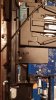
-
No! Do not flash that!! It’s directly underneath the trackpad, you have to take the whole palmrest off underneath you will find the bios chip.
-
That's pretty annoying. I'm not doing that today.
Well, thanks a lot! Greatly appreciate it.
One more thing - would you mind telling me where you have your knowledge from? I'd like to learn more about this, but I don't really know where to start. -
Broke my Clevo. So I have to know.
The 1MB chip is for something else. If you messed with that you might be screwed. -
I powered it on and it behaved just the way it did before I messed with it - bootloop, but the key combinations such as full blast fans were still usable.
Tomorrow I'll have to figure out how to get to that BIOS chip which will probably cost me a few hours, then I'll see whether it was in vain or not!
DaMafiaGamer likes this. -
Firstly I checked the size of the chip, you can usually depict this from the model names written on the chips. Also a key thing to look for is writing next to the chip. Something like U1 or U2 are usually the main bios chips.
How do I know? Well I’ve been working with laptops since I was around 13, now I’m 20 doing micro-soldering on even smaller components, mainly iPhones (u2 charging ic’s and touch ic’s in the plus models) as they are prone to break easier than the rest (blame it on apples trash bendable aluminium).
Anyway I hope that helps, if you did flash that chip you may be ****ed. I REALLY hope you didn’t
*** Official Clevo P870DM/Sager NP9870-G Owner's Lounge - Phoenix has arisen! ***
Discussion in 'Sager/Clevo Reviews & Owners' Lounges' started by NordicRaven, Sep 22, 2015.


