Problems? See this thread at archive.org.
Hello, long time lurker there.
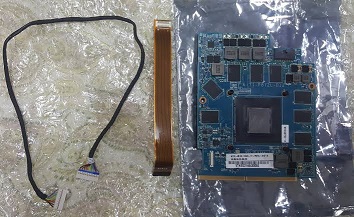
Have anyone tried the chinese nvidia 1070?
I want to upgrade the old 980m without losing a kidney and I don't see any other options
https://www.amazon.com/Replacement-Precision-Workstation-GTX-1070/dp/B088PY9KWW
(in amazon Spain it's 370€)
-
Hi,
So today my P870DM-G decided it doesn't want to boot up properly.
I hit the power button and the light comes on, but it doesn't show a display. The back cover leds come on too and pulse like normal. But I just a black screen. No Post screen or anything.
After a few seconds the fans spin up and run for about a minute. After that, the laptop shuts itself off.
I tried removing the power cord, battery and the CMOS battery, pushing the power button for 30 seconds with no power attached, but still same result after putting it all back together again.
Is it possible the battery pack is dead and just needs to get replaced? I noticed recently I had too lower the screen brightness in order to keep the battery charging faster than it was draining, while plugged in, so I'm thinking that it might not be able to hold a charge anymore?
Can this laptop run without a battery pack plugged in at all? Or does it need a battery pack to run, even with a power cord attached?
Just trying to figure out why it's not booting up for me, or even showing a display.
Any ideas I could try?
Thanks! -
Try a HDMI to a external display IE a monitor or TV. And the laptop dose not need a battery. Is your setup a 980m SLI ?
Plus pull the CMOS battery out for a few hours and hold the power button down..the usual stuff -
No, it's the standard single GTX 980 8GB card.
-
I powered up without battery and with HDMI cable to an external monitor. Still black screen on laptop and no display detected on the external montior.
I tried the function keys to swap monitors too, but no luck.
Also - I swapped in a brand new lithium CR battery, but same result.
I noticed the Caps Lock and Num Lock buttons are not lighting up their little led indicators when pressed either. Not sure if that is a symptom of something?
Doesn't appear to be any keyboard, touchpad or mouse controls loading. -
Ok, this time I removed all batteries, including CMOS, held power button down for 1 minute, turned on laptop with only power cord - no battery and no cmos battery.
Same deal. Keyboard lights up, back cover lights up, power button lights up, green led for power on the edge of laptop lights up. After about 1 minute, the fans kick on and run for about 30 seconds. Then the laptop shuts itself off.
No beeps. No display. No HDD activity on the led.
Maybe it just died? 5 years a good lifespan for this model? Was working perfectly fine this morning. -
Try a single stick of ram in different dimms (ram slots), preferably a different stick than the ones you are running. If that's not possible, try switching between the ones you have.
-
I tried booting with 1 stick, with the other stick, I tried using the other 2 ram slots on the bottom of the mobo, I tried booting with no ram at all, tried booting with no Windows SSD drive.
I'm guessing it's a some hardware problem with the Mobo or maybe a CPU issue at this point.
I'm all out of diagnostic tricks. Is there a way to try a factory reset without needing to get into the BIOS? -
Unplugging it from power and pulling both internal and cmos battery, then holding power button for 30s will reset everything.Papusan likes this.
-
just the video card died, the laptop does not see it.
-
Worth giving it a physical inspection.
-
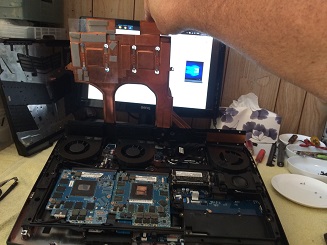
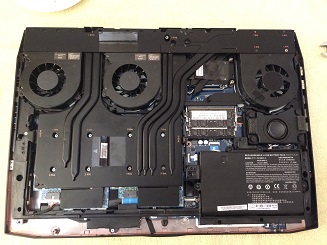
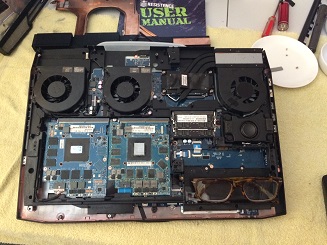
I took it apart.
Didn't see anything melted or burned or out of ordinary.
I removed the heatsinks, the GPU and the CPU, cleaned off all the old gunk and repasted with Artic ME paste.
Put it all back together but still the same boot cycle of black screen and then auto shutoff happens as described before.
Tried removing all the batteries and power cord again and pushing power button for like 5minutes.
Still no luck.
My friend is recommending a local PC repair shop, but I doubt they'll do anymore than what I have already. -
Is there a way to bypass the 980 somehow to test?
-
iGPU is disabled on these machines, so that's not possible. I suspect it might either be the GPU/CPU. Is it possible for you to test with a different CPU or have your 6700k tested in a different board?Papusan likes this.
-
no, this is not possible. you can ask someone for a video card for the test.
-
Yes, no VRM for the IGP so absolutely no way of turning the IGP on.
-
What's the cheapest GPU card I could buy somewhere online for my laptop model that would work plug-and-play, just to test if it's a bad GPU or not?
I assume I need a MXM card?
I had the most recent Nvidia Geforce drivers installed before this happened. -
gtx 970m, gtx 980m clevo, msi vbios. Also in this laptop you can put with minor modifications the video card quadro m3000m m5000m p3000m p4000m p5000m, gtx7xx-gtx9xx, msi gtx1060-1070.
-
Does this laptop have any kind of diagnostic beeping codes?
I booted it up without the GPU or RAM or batteries installed, but it does the same thing all the time. LEDs come on, after about 30 seconds the fans kick on, and then I just have a black screen for about 1 minute before it shuts itself off. Every time. No matter what I do. CMOS reset doesn't do anything either.
I know desktop mobos will beep if stuff is missing, like RAM, CPU, etc.... But I don't know if this clevo has those alert beeps or not?
Should this laptop be making any beeping alerts if something is not plugged in? Or is it not designed to?
Or maybe mine is just not functioning properly to make any of those beeps? -
When the CPU is in does it get warm?
-
No. In fact all the times I've been rebooting the system after the repaste, with and without all the hardware components attached/removed, the paste on the CPU and GPU themselves are still "wet" and haven't hardened up due to any heat exhange.
I don't think the system is making it to the BIOS whenever I boot it up, or rather it gets that far and it fails right before the POST screen. I've tried booting the board 100% barebones with nothing at all plugged into the mobo, and I get the same exact black screen sequence.
At this point, I'd like to get a replacement motherboard for my model, but I don't know where or how much or if they are available anymore. But I really like this laptop and I'm willing to do a motherboard swap before I give up and just scrap it for parts.Last edited: Jul 11, 2021 -
This is as it should be, the laptop does not see additional hardware, there are no sound signals. Before changing the motherboard, check the cpu and gpu. Have you looked at the video card for mechanical damage? You could crack the gpu crystal when replacing the thermal paste.
-
It might not be enough to harden it, but the pipes should at least get warm. If not it's hardly getting anywhere in boot.
-
Hey,
Just an update. I got a used 6700K off ebay and popped that into the socket. Nothing changed. Same black-screen boot, followed by fans running for about 1 minute and then an auto-shutdown. Same result as with the original 6700K CPU. So, I don't think the issue is CPU related.
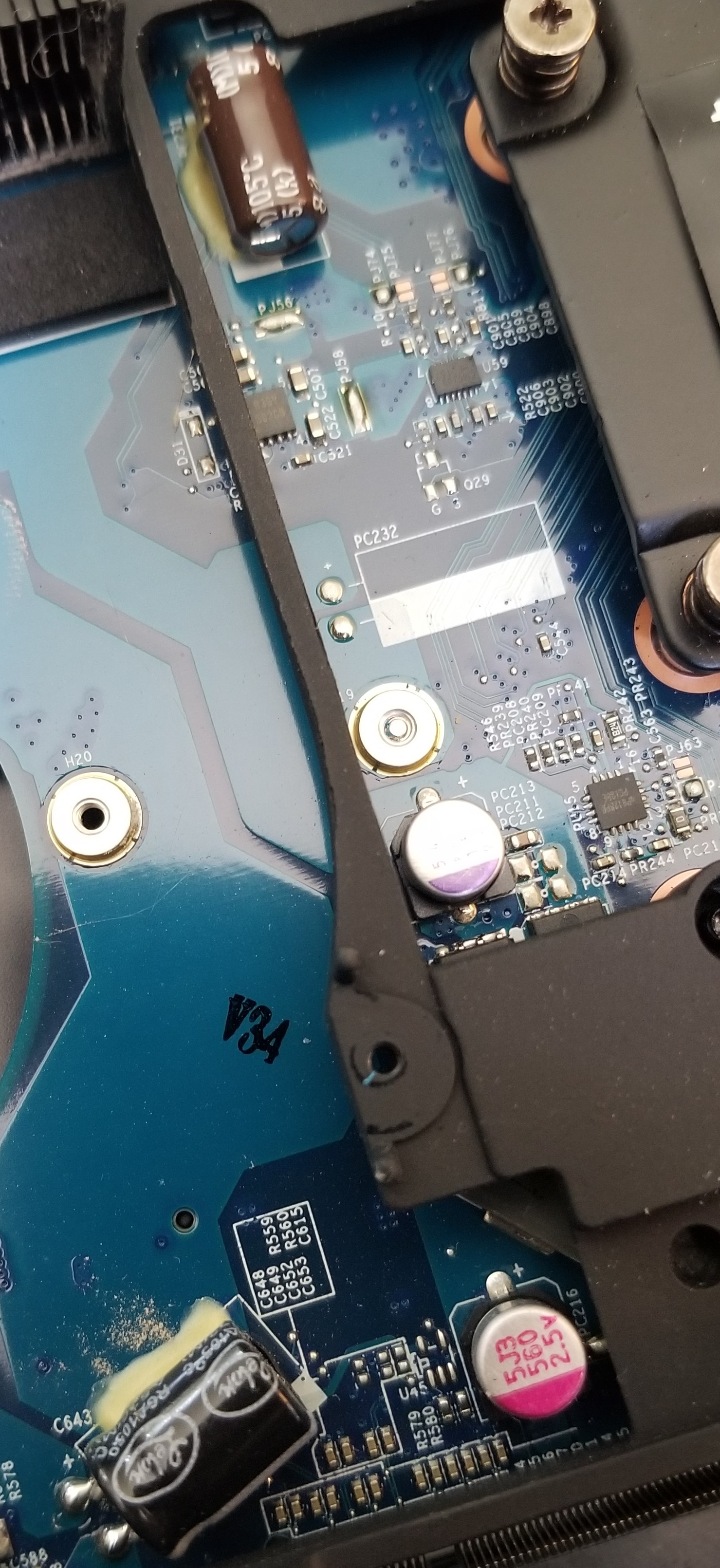
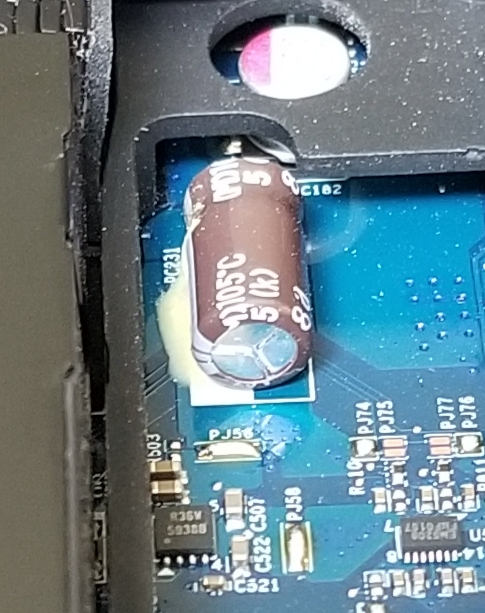
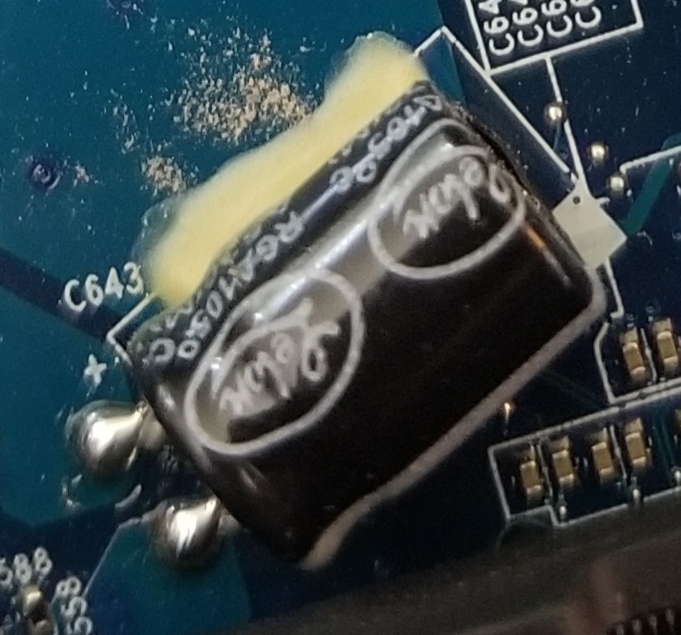
I took the board apart looking for anything odd, and I took a picture of two capacitors on the mobo (attached) that had some sort of yellow glue-like substance under them. Is that just normal glue? Or is that leaking something out of both of them?
The brown cap is next to the CPU and the black one is next to the middle fan that blows through the GPU heat sink.Attached Files:
-
-
is it glue, have you tried another video card?
-
I can't find a cheap used GTX980 desktop MXM card to test it with. In fact, I can only find the 980M models and I don't even know if it would work on my stock mobo/bios without a firmware flash?
The CPU was a lot easier and cheaper to get. -
fit gtx 970m, gtx 980m
-
-
-
Thanks for those links.
Question: has anyone with one of the P870 models ever tried to boot their laptop without a GPU attached? If so, would they have the same black screen boot issue I've been having?
I'm trying to figure out if that's typical behavior for this laptop of it had either a bad GPU plugged in or no GPU plugged in.
I wish I knew it was definitely a bad GPU before buying a replacement. -
-
That's good to know. Maybe the GPU is the problem afterall. If my GPU is bad, maybe the system doesn't see it and goes into the black-screen/auto-shutoff mode.4W4K3 likes this.
-
Possibly unfortunately.
-
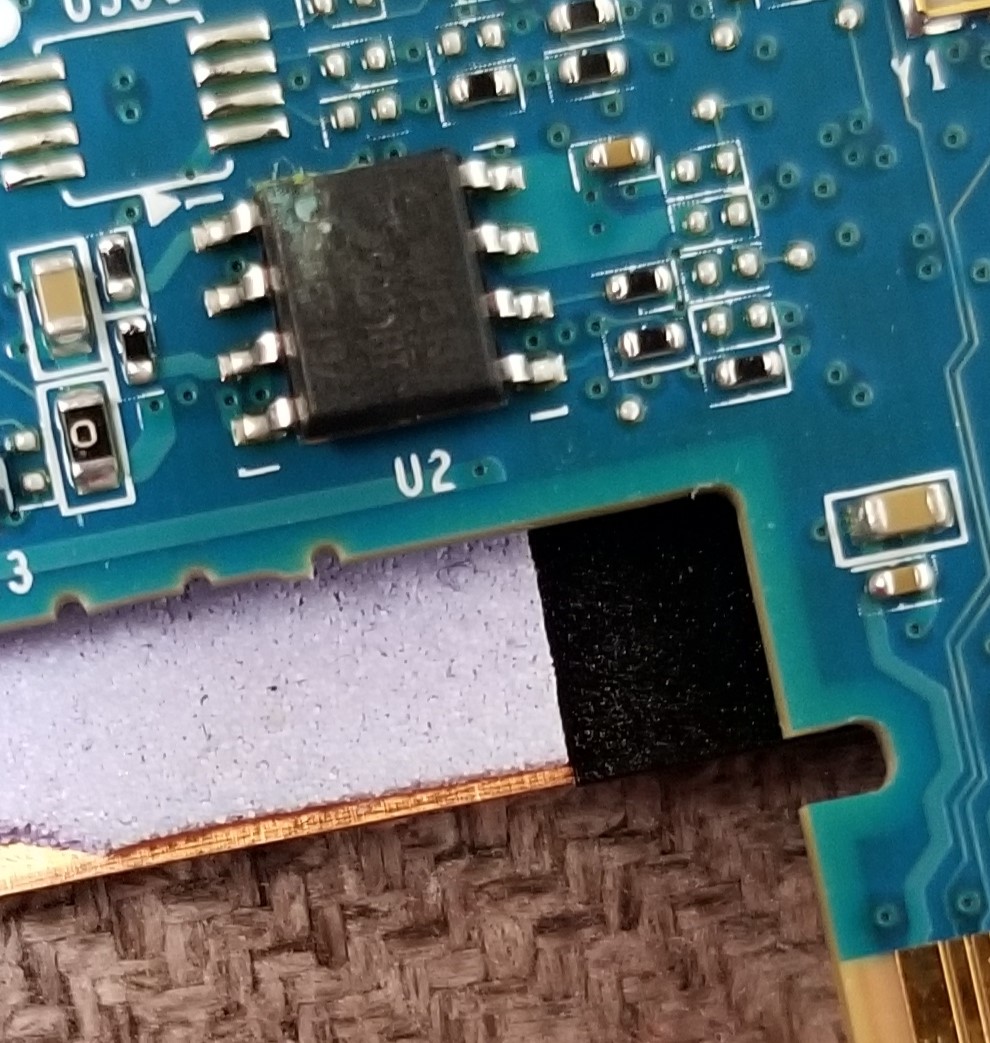
Is this "U2" chip on the GPU board supposed to have a little hole in it with light blue stuff inside and around it?
There's a very small hole, or indentation in the top corner of this chip, and inside it is some light blue stuff, which looks like it's also spread a little bit around that area near the hole.
Is that normal? Or a possible sign of a bad chip? Could this be something that would cause my laptop's boot issues?Attached Files:
Last edited: Jul 31, 2021 -
-
The little "hole" thing is the pin 1 marker which is pretty common. The blue stuff looks like either some corrosion from elsewhere or pad/paste remnants.
Nothing looks likely to cause an issue in the picture. Rubbing alcohol will clean it up. -
Well, looks like I'm throwing in the towel on my P870DM-G.
I got a replacement 980 GTX off Ebay from a reputable seller and swapped it out with the one that was in there.
Same results. Black Screen, Fans, then Auto-Shutdown.
So, I've swapped out both the 6700K CPU and the 980 GTX GPU with the same models, and still no change. I was really hoping it would have booted up, but alas, the same exact results.
I can only assume there's something wrong on the motherboard, but I don't know if it's even worth trying to figure that out. Short of trying to find a replacement barebones motherboard (does anyone even sell those for this model?), I think it's time to strip the laptop for parts.
RIP
P870DM-GS
2016 to 2021
/playing Taps
Thanks for all your help and suggestions! -
Damn that sucks
-
Just got a P870DM2, been wanting a Clevo SLi for a while (just as well I didn’t buy a P370) these are a weapon, and looking thru the CPU upgrades it’s basically a current laptop to 9th gen.
My P870DM2 is a leader brand which seems to be a sager clone or resell of a sager here in Australia. Mobo Bios 1.05.01TLE. KBC 1.05.04
I bought it with no GPU, fine I had a 1060M and an untested 1080M, can’t get the 1060M to load driver, tried a whole lot of them. GPU-Z sees it as a P106 clevo/kapok
So it might be a Max Q variant, which seem to be fraught with peril
Vbios 86.06.18.00.B
Also I don’t really understand the MXM GPUs with the separate power connector, which I have on both the 1060M and 1080M but not on my spare 980M
I’m trying to say will the 980M without the separate power connector work ?
Is the separate connector a SLI thing or only used with 1080/1060/1070 SLI ?
Thanks
OZ -
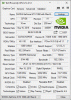
Here is gpuz
-
Device manager driver
-
Darn no images
-
The extra connector is just on the clevo cards of 980 full desktop and 10xx series onwards. It's not the same pinout for the 980 gen iirc.
-
Thank you sir,
got 1060m working with a manual driver install, needed to select 1060 max Q
am going to have to make up my own GPU power cable, do have any specs ?
TE 8S connector ?
OZ
PS how do upload images (NOOB alert) -
Just trying image link was using ipad yesterday, nogo for images
so this GPUZ screeny must be the UHD intel driver that installed first, cleaned out with DDU
then manual driver install selecting MAX Q
https://1drv.ms/u/s!AuIUs1LR-xG-iCu5lgZcVr427F8p
manually installed 1060 MAX Q driverAttached Files:
-
-
DIFFERENCE BETWEEN DM3 AND DM2
Wondered why my DM2 service manual didnt match, i have a DM3, seems to me the difference is
in the 1 piece heatsink for the GPUs, it weighs a ton but all copper and i reckon does a good job.
Only got a 1060M in the master slot ATM, but its happily mining ETHER (while i am at work)
at 60 degrees C, fans on manual full.
100% capacity and using 33 watts.
Wouldnt mind another 50 of these and it would be a good mining setup
OZAttached Files:
-
-
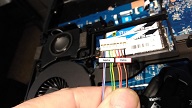
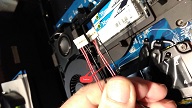
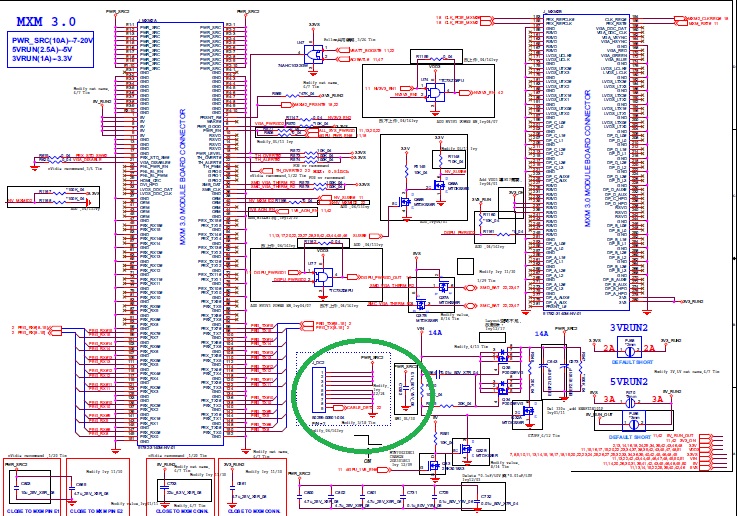
OK working out a solution to make my own MXM GPU power cable
So first pic is what i cant seem to buy easily/cost effective (i can get a SLI cable not power cable)
Doesnt look too hard to manufacture as 2nd pic shows from a thread on here about mini PC build.
(I also have a ZOTAC MAGNUS 1060K which has an MXM GPU) in addition to my P870DM3.
8 sockets/wires into what i think is a TE style 8 socket connector either end.
4 wires are used for power and 4 for ground
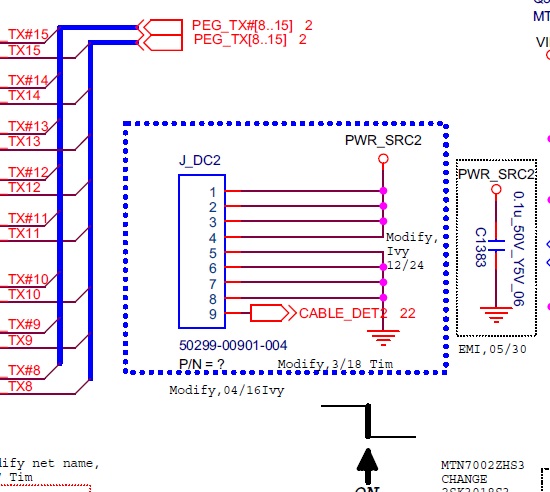
3rd pic is from the p870DMG "phoenix" thread, which may be what MAEGER means by older 980M GPUs having a different power cable eg 4 wires not 8. 2 power and 2 ground.
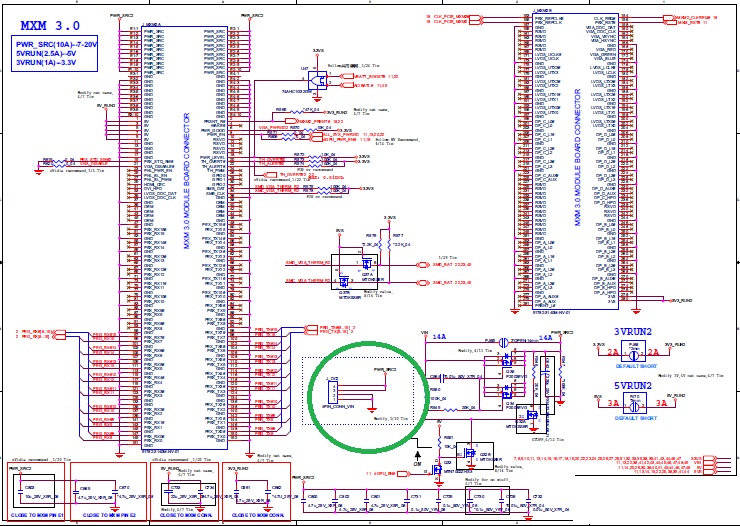
But looking at schematics from DMG and DM3 the wires are just power and ground ,twice as many for the DM3 as I assume more power goes thru them to 10XX cards.
I found a power cable on Eurocom or somewhere 100 euro freight for a 15 euro cable, still punishing
us convicts here in Australia it seems..............Attached Files:
-
-
Looks like mobo connector is 9 pin and GPU connector is 8 pin, missed that when i installed card the other day. So matching plugs (TE miniature if i am right) 8 socket and 9 socket.
Attached Files:
-
-
It's mainly due to it being the dm3 graphics cooler being one large vapor chamber that gives it such cooling performance.
-
I agree this DM3 heat sink would be a great retrofit for other clevo GPU upgrades. I have seen on this forum some very nice but time consuming heat sink solutions. Clevo should sell a batch of these, there is so little on their website (the German one)
I should weigh it next time i have it off
-
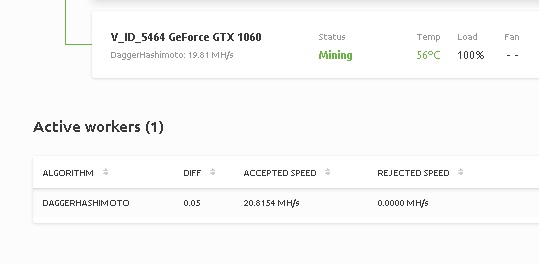
To any miners out there the 1060M is getting a steady 20 MH/S on DaggerHash, which is as good if not better than a desktop 1060, which top out at 22, pic below shows 20.8 and 56 degrees temp.
Which considering i live in the tropics in Australia and the DM3 is in a room withou aircon just a ceiling fan !Attached Files:
-
*** Official Clevo P870DM/Sager NP9870-G Owner's Lounge - Phoenix has arisen! ***
Discussion in 'Sager/Clevo Reviews & Owners' Lounges' started by NordicRaven, Sep 22, 2015.