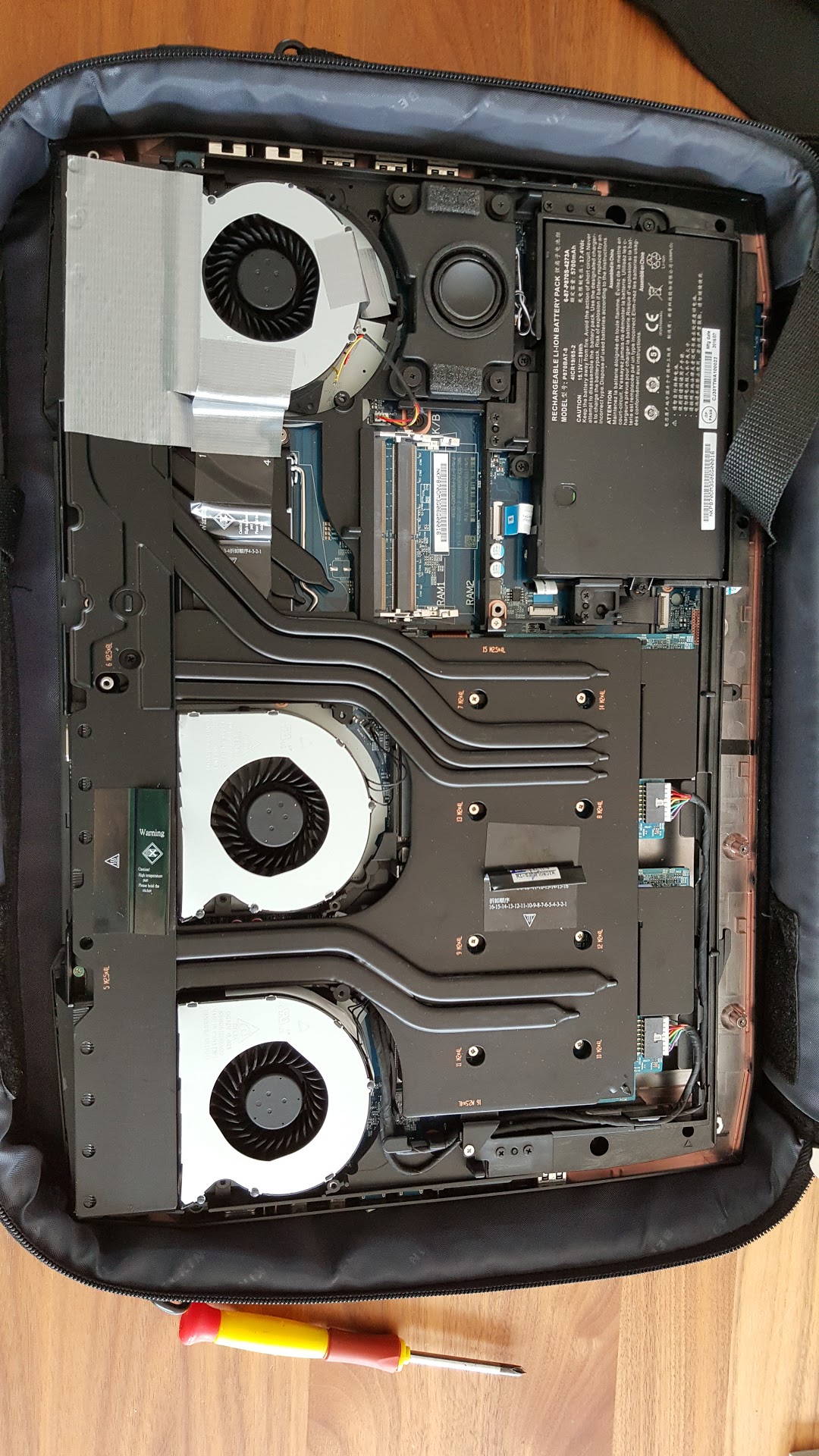
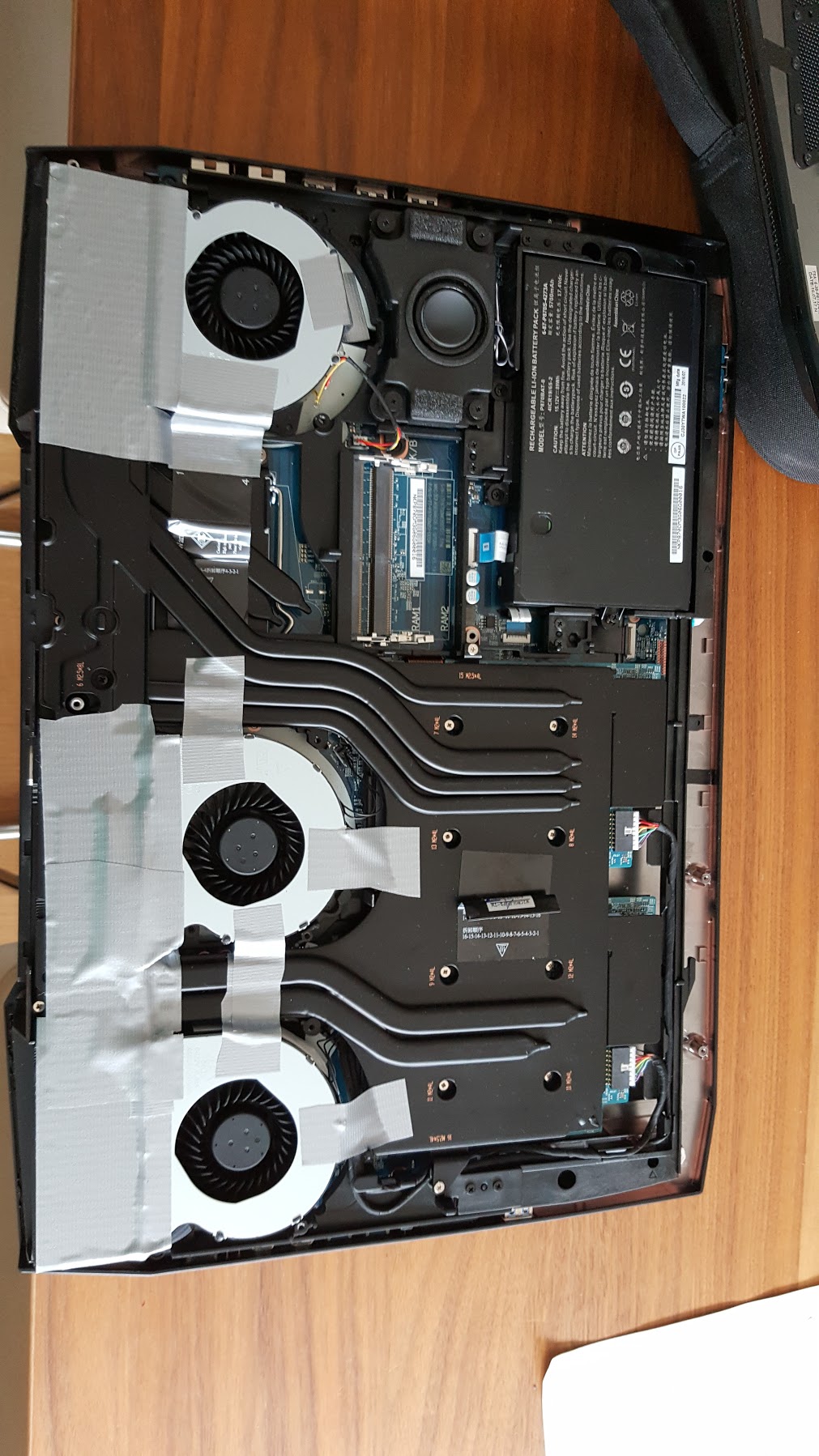
Problems? See this thread at archive.org.
SOIC8 chip looks like (i2c) power led driver, tho im looking at P77xDM service manual.
-
SOIC8/EC2 handles a few things (e.g. typing algorithm itself), but nothing related to boot.
133PIN ITE/EC1 (which e.g. handles FANs) brick on the other hand and it is dead, like in dead dead.Last edited: Oct 7, 2016 -
haha didn't get the part of "dead dead", "it is dead" did you brick yours?
Edit: Guess u meant that bricking the EC will result in laptop look dead? yeah it controls the power circuitry, power led, power trigger and stuff
Edit2: http://www.svod.od.ua/produktsiya/124-programmer-kb9012&usg=ALkJrhgqKvoEzY1i1Ku4ll5w7UNf5U1wFw
Interesting stuff ^, recently supports : ITE8586, ITE8580, ITE8585Last edited: Oct 7, 2016 -
My observations: I deleted XTU and now fan profiles stick after reboot. Automatic profile still does not spin up beyond like 10-20% until 93°. Custom fan profile is a bit weird. It seems the middle gpu fan is not responding, so the cooling is not very effective although fans do spin up. Automatic profile (all 3 fans on very low speeds) is still more effective than custom profile (with only outer gpu fan and cpu fan spinning up). I have a DM2 with a single 1080.
0ptimus likes this. -
-
Can you please report your EC/BIOS version from the bios menu? As you have a different behavior than the rest. (esp on custom profile)
-
oh god:
Wish i knew this was popular among clevos before purchasing...
-
-
Based on this and other posts on the last couple pages, does this mean there will never be any way to change the way the fans work? It's either loud turbine mode with fn+1 and all 3 fans at 100%, or auto mode with what some would say an is an overdue response at 93 degrees? Would be nice if fan profiles could be changed to ramp up earlier to something like 80% to avoid going so high, and the ability to control all 3 fans.0ptimus likes this.
-
Your post went up a moment before mine. So there is hope for my upcoming p870dm3 from hidevolution?
-
well u do have the ability to change the fan behaviour a bit via the clevo control center. its limited, but its there
-
People prefer less noise over better cooling, hence Clevo's current choice of maxing auto FANs at very low rpm.
As usual Prema Mod will be targeted at the power user.
With GPU throttle removed we naturally need to adjust FAN behavior, board power distribution etc to play along...electrosoft, Georgel, Papusan and 5 others like this. -
Yes its still an issue to exit "production" stage with such a problem imo lol
-
Prema maybe you arent aware how slow the fan spin, theyre extremely low ~20 % (sometimes they dont spin, e.g after sleep), custom fan at 65% fan speed which is reasonable in noise cools well
Edit: to add, 70% fan speed vs 100% drops temps by a very small margin at the expense of turbine noise generation, most power people buy this laptop to game/render and work. just a clarification.Last edited: Oct 7, 2016dmxt likes this. -
How did you make it work? Can you please share your experience? Default fan behaviour doesn't work aswell. thanks
-
well i dont have the Phoenix, im just referring to the general fan control in the Clevo Control Center
there, u can set min and max °C values for start and stop, as well as % of max. fans it would reach (up to 80 % in my case).
-
Yeah all of them don't work on phoneix without tweaking, even then auto doesn't work, only custom (after tweaking).
60 is audible, 70 is audible etc, meaning that the fan peaks noise at near 100% only.
fn+1 drops my 1080 to 67c (with mem oc) 70% 71c, I think they shouldn't sell this laptop with single gpu.
Ask any owner here for the difference between 70% and 100%, its quite big, i hope there is a fix soon. thanks for the insight.
edited.hmscott likes this. -
My BIOS version: 1.05.01
KBC/EC Firmware Revision: 1.05.03 -
The fans will max when you hit 90C on the GPU/CPU on the default profile and stick until the GPUs hit around 75C IIRC.
-
I'm on the 775DM3 but disabling XTU and downgrading clevo cc to .58 ( I couldn't find .73) really helped. I use throttlestop 8.3 and undervolt -150mv, cleco cc to custom fan.
For the first time control center seems to remember to default to custom instead of auto on startup. Fans seem predictable as with my other clevo.
Before this fix the fans would run on auto at like 30% even when my Temps were at 50. Other times they would act as expected though.
I'll monitor this over the next few days but hopefully problem fixed. I still need to verify the fans will go up to >60% but less than 80% at heavy gaming load -
I'm waiting for you to release bios mod to reseller so I can finally make a purchase.Ashtrix, Prema, Papusan and 1 other person like this.
-
I never use XTU nor the Clevo CC.
And that issue i mentioned isn't related to XTU, its related to how Clevo CC handles services.Papusan likes this. -
I've been using both and shut it down just before doing my benching runs. No odd fan behavior on mine at all which is frustrating in the sense I wanted to get an idea about the issues some are having.
Prema, Papusan, TBoneSan and 1 other person like this. -
-
Prema's totally going to turn those machines around!^^
For P775 and crashes, it seems that even notebookcheck had crashes on their test unit, something's not right with the hardware / driver / firmware combinations and it really hurts to see this as it'll scare customers away from a very good product..D2 Ultima likes this. -
This is why I keep saying it... Clevo's software is ruining their notebooks. It might actually be better if things were more basic. D900F had zero hotkey problems that I ever encountered. This machine I've seen the hotkey software do weird stuff, especially to my keyboard backlight. And installing/uninstalling it on my system resets many power plan settings.
I said it before and I'll say it again; it's bad enough that I am considering axing the P775DM3 with the 1080 from any recommendation I could give. -
Choosing laptops nowadays like rock and a hard place
Dell has good driver support but their hardware is eh :|electrosoft, Georgel, D2 Ultima and 1 other person like this. -
It's a hard fight for me. P870DM2 is best for single 1080, but it's legit massive and you need to buy dual 330W bricks and then use it with only 1 brick and STILL mod the CPU cooling (likely delidding). It's the most difficult straight up choice to recommend to anyone.
GT73VR single 1080 does everything it's supposed to, buy CPU is BGA and no idea if it limits CPU TDP.
P775DM3 with 1080 I doubt can properly hold its own in any scenario with a CPU + GPU stress. Witcher 3 with unlocked FPS will probably obliterate it without serious hardware modding.
Like, what do I tell people? "Here's three poison chalices, each will inflict a different ailment. Pick one, and pay exorbitant prices for whichever one you pick!" -
Have you seen the Bios mess for the AW Echo models? Same for both, Haswell and Skylake models.Georgel likes this.
-
DM2 comes with 330w single for 1080 or 1070 I think
@iunlock 's 775 seems to run excellent after delid + LM. Throw in undervolting and don't go too crazy on cpu oc and the temps will be fine.
I'm speaking software wise, bios is whole different story
But don't you forget that clevo bios is 1/2 trash without prema
Georgel likes this. -
This is new. DM2 was 2 x 230W and DM3 was 2 x 330W alone; single brick config was not supported for that system by design.
I'm pretty certain I can break it with a livestream.
1/2 trash? That's generous toward the Clevo bios. -
-
Maybe something has changed, hmm?
So even with 750/775 need minimum 2x230?
Does the echo model have secure boot? -
I can't imagine Dell would skip Secure boot
Ashtrix, hmscott, Spartan@HIDevolution and 1 other person like this.
-
-
-
Maybe, or the sellers are updating their configs based purely on common sense.
No, 330W could for the most part handle single 1080/6700K. I mean, with overclocking you can pass that, but it's not like you can't overclock with single 330W brick. If you're benching 2000MHz+ core and 4.9GHz you're probably going to want 2 x 230W minimum for even a P775DM3 model. P750DM2 tops out at 1070 so it won't likely ever need more than one brick. -
Received the second vga fan (ASUS/Delta) and connected it to fan connector one. I had to remove the vga heatsink to get to the vga fan 1 connector and placed heatsink back on without repasting, so everything is still provisory. I ordered ICD and will do a repaste as soon as it arrives. At the moment temp testing is therefore pointless.
I am able to read the rpm of vga fan 1 out now and it is 3600 max on F+1, the CPU fan is about 3800 max. I do not know if the cpu fan has a higher intrinsic speed compared to the vga fan or if it is just variance or if it is the different fan housing.
When I get to repaste I will post some temps under load.
Noise is much better now, especially at Fn+1 ;-)Attached Files:
-
-
Hello,
Doesn't clevo cc use xtu?
I have the same issue and custom works for a minute then fan dont spin.
I purchased mine from hidrevoultion. -
Hello, will prema provide ec fix?
-
Hello how much did the fans cost?
Thanks. -
Cant overclock due to RESIDENCY wtf:
-
Does anyone know of a good dock or hub that does thunderbolt 3 or usb 3.1 type-c to:
-at least four usb 3 ports
-hdmi out
-gigabit ethernet
?
I'm trying not to connect eight wires to my laptop each time I want to use it as my "desktop" with my peripherals and something with those requirements would reduce it to three wires. -
this seems interesting: https://www.amazon.com/dp/B00UUCQVBK/?tag=thewire06-20&linkCode=xm2&ascsubtag=WC66233
-
That price doe
-
Yeah, TB3 peripherals are all absurdly priced right now.
-
it is TB2, usb 3.0 hub on them isnt the fastest aswell, might improve with not yet existing tb3 docks hopefully.
*** Official Clevo P870DM2/P870DM3 (Sager NP9873/NP9872) Owner's Lounge! - The Phoenix 2 is here! **
Discussion in 'Sager/Clevo Reviews & Owners' Lounges' started by Spartan@HIDevolution, Aug 3, 2016.