Problems? See this thread at archive.org.
See my post above to get all the help you need
-
-
UH! Sooner than we think!? Ill leave mine on awaiting HID to login!
-
Its the opposite for me, the internal panel generates my best scores.lctalley0109 likes this.
-
I do hope so too, I went for a Sager NP9873S and I thought the shop I bought it from Had Prema access... but the exclusive partner kill me as I'm stuck with stock bios for now.lctalley0109 likes this.
-
Do keep in mind that some non partner shops might refuse you warranty services if you flash a custom BIOS.Last edited: Dec 6, 2016lctalley0109 likes this.
-
Did you buy it directly from Sager like it did. If they do then meaker would be able to answer that but I did not think they did.
-
Are you on the beta Prema BIOS? What is the resolution/refresh rate of your external monitor? And which VGA connection are you using for the external monitor?lctalley0109 likes this.
-
Asus swift on displayport and the system bios won't impact it
afloyd likes this. -
Hi, I live in Dubai and to me, HIDevolution was the only logical choice to go f
or. Reason being, they have a Global Warranty option that no other company offers. so imagine, if some small part fails in your computer, let's say a keyboard, RAM, etc. They will send you the part and they will even pay for shipping costs since you have a global warranty. If a big part needs changing that you are not comfortable in doing so yourself, they will send you the courier guy to your home to collect your laptop and have it sent to them, after it would be repaired, they would send it back to you, again, at no cost as the global warranty covers shipping costs both ways.
Additionally, if you read my P870DM3 review, you will understand why you never want a Clevo laptop without the Prema BIOS
see:
HIDevolution - The Best Company I ever dealt with
HIDevolution's Warranty!
Benefits of Prema BIOS:
- Fixes the biggest issue with these Clevo laptops where they would throttle the CPU as low as 2.5 GHz the moment both the CPU & GPU are under load due to current issues with the Clevo Stock BIOS/EC Firmware.
- The ability to disable other drives connected to your system without physically removing them from your laptop, this comes in handy when installing Windows as you never want to have more than one drive connected at the time you are installing Windows otherwise the Windows setup will place the boot files on the 2nd drive it sees which hurts performance and makes it a headache when creating system images or restoring since the boot files are not on the main drive.
- The ability to overclock, increase Turbo Power Limits and System IA/Core Current Limits
- The ability to enable Intel Speed Shift Technology (it is disabled in the stock BIOS)
- The ability to run RAM with speeds higher than the standard 2133 MHz. I am not talking about overclocking here, I am talking about actual RAM sticks that are rated to run at 2800 MHz for example like the G.Skill 64GB 2800 MHz kit I have. With the stock BIOS, they will not run above 2400 MHz. In the case of the P870DM3, the stock BIOS now supports up to 2666 MHz. I believe but not more, so the Prema BIOS is a must again
- Fixes the instability with the G.Skill 3000 MHz. RAM using XMP Profile 1 with timings of 16-18-18-18 where in the stock BIOS you would have constant crashes or not be able to boot altogether so you’re forced to use XMP Profile 2 which is slower with 18-18-18-18 timings.
- The ability to enable CSM for those who want to install other OSes like Windows 7
- The ability to undervolt the CPU as the stock voltage is way too high which causes the CPU to overheat much quicker and thus throttle under load.
- The ability to enable or disable CPU AES instructions or Virtualization
- The ability to disable hibernation from the BIOS
- Sets the default keyboard lights from blue to white which suits more tastes
Benefits of Prema VBIOS:
- Power throttle disabled
- Over-voltage slider enabled and adjusted (up to a maximum of 1.2v)
- Activated and adjusted thermal slider (to keep it cooler if desired)
- Core overclock slider limit raised
- Power consumption meter activated
- Fixed 3D voltage base-line in order to stabilize OCs and voltage-match both cards in SLI systems (based on average ASIC)
- Thermal protection @ 92c (once*91c are breached the system throttles volts and clocks in order to protect it)
- Protection against Furmark and Kombustor GPU burnout (AVOID those software even with stock vBIOS)!
pathfindercod, chief.alpha and afloyd like this. -
how come you have the Prema BIOS and you haven't purchased it from a Prema Partner? just says Clevo P870DM2 in your sig
-
I did purchase from a Prema Partner, from Dream Machines, pretty much the only Prema partner based in Europe as the other one never bothered to update to Pascal laptops . I didn't put the reseller in the sig, as I was afraid of being lynched for not being a part of the EVOC bandwagon, haha j/k I didn't add it to my Sig because I was asked for specs, not where I bought it from .
I just applied a 125mv undervolt on both cpu and cache, and I am running OCCT on Large data set, checking stability before pushing it to 150mv .
Sadly I'm in exam period at Uni, so I am pretty limited in time, hence why I am asking for pointers, normally I'd try figuring everything out .Last edited: Dec 7, 2016Papusan, lctalley0109 and jaybee83 like this. -
Also, I applied the undervolt via Throttlestop, as my CCC doesn't work properly, the CPU part of CCC just crashes before it even launches, I have v5 0001 0.73 I'm guessing it has something to do with the version, can anyone point me in the direction of the CCC I should be using, thanks a million .
-
Are you sure your undervolt is stable?Papusan, Benmaui and pathfindercod like this.
-
I guess only NBR forum veterans get to have a discount right?
-
You don't have to be an Notebookreview veteran, just an Active Member with at least 5 posts...heck, anyone can do that in 10 minutes
-
Well stable as in it didn't crash, yes, max temp spikes hit 99°c though, and CPU seemed like it was throttling down about 10%, it was my first time using OCCT though so I'm not too sure what was what, I ran the test for 1h and a bit and all the graphs be it CPU clock speed and temps were stable throughout .
lctalley0109 likes this. -
Either your undervolt isn't working or you have a really bad paste job or gap between the heatsink.Benmaui and lctalley0109 like this.
-
I understand. The fan issue has been something that I have been to look into if someone had to go as far as to change them out. Personally I don't mind a bit of noise from a beast, but if it can be avoided it would be a nice touch. I would want an official fan upgrade instead of a make shift DIY type set up. Don't get me wrong, I have mad respect for those that do DIY upgrades, but for a machine as costly as this, I would only want to tweak software and changing RAM, SSD is as physical as I will be willing to go.
As a matter of fact, when it came to reviews on the DM3 @Phoenix was the one who sold me on the machine. I have gone through that thread like a new convert goes through the Bible. I wishi I can remember who it was that made the fan mods, but what I remember is his pro pic is the DM3 with the new mod.
Mr. Donald kind Sir, I will definitely drop you an email in regards to this subject matter, it seems my suspicions were right about HIDevolution. It is truly the only other option for the international market. Is it possible to get my DM3 with laser etching on the back and palm rest. I don't mind the fan noise too much but @HTWingNut though.... that maximum fan noise was hideous.
Brother, I will be sticking to you like a gun in holster (was going to say P&J but sounded gay reading over it). Like I mentioned, YOU sold me into the DM3. However I got to ask, are you still getting temps in SLi on avg in the mid 80's (GPUs) mid-high 70's (CPU). Have you done any kind of modding at all, or did you just use it out of the box with software tweaks.
Looks like I am going to hit that 5 post mark at this rate
Papusan, PrimeTimeAction and Spartan@HIDevolution like this. -
Was this in automatic fan mode? Try to crank those fans up some in overclock mode if so. Temperatures should drop quite a bit.Benmaui likes this.
-
I really want an SLi, but my biggest dread is the whole TWO MONSTER BRICK ADAPTERS that come with it. Is there like a single 450Wat BLOCK (brick doesn't cut it).
jaybee83 likes this. -
I don't know what fan problems others are having, unless I am pushing the system like when gaming or benchmarking, they are silent when browsing the web and whatnot.
Bear in mind, a fan spins up to max speed once a thermal threshold has been reached. With HIDevolution, make sure to tell them you want IC Diamond on the CPU + GPUs using the X Cross Method, that method gives you the maximum coverage of the thermal paste with the least amount of air bubbles:
![[IMG]](images/storyImages/BdcadBs.jpg)
As long as you go for a delidded CPU, then you will be fine since the CPU won't get hot that easily. Alternatively, if you wanna truly be like me and do it the right way from the get go. Pay the extra and get the Silicon Lottery CPU rated @ 4.8 GHz with factory delidding. Remember, that 4.8 GHz rating was tested in a desktop, so on a laptop which has inferior cooling, that would translate to 200-300 MHz less which is perfectly fine. I am running 4.6 GHz on all cores 24/7 always on the high performance plan. If I wanted even cooler day to day operation, I can set the CPU and Cache ratio all to 4.4 GHz and be done with it.
First system I had was a barebone Clevo P870DM-G with a 6700K that couldn't even run stable at 4.2 GHz x4 (on all cores that is). Next system which was a Eurocom Sky X9 also had a 6700K, this time a bit better, it was able to do 4.3 GHz stable.
I have seen many users here complain about high temps even at stock speeds. The 6700K is a hit or miss, 50-50 chance to get a good one. Even if you don't want to overclock, spending a bit more to get a Silicon Lottery one ensures your CPU will run cooler overclocked or not. Giving you better thermals and longevity since the CPU won't be running hot constantly.
This Silicon Lottery CPU I got (rated to run @4.8GHz in a desktop) can run @ 4.7 GHz not very stable pr 4.6 GHz stable all day long with max temps of 85C no matter what I throw at it.
Since you are an international customer like me, if something isn't to your liking, it's not as quick to send the laptop back and get a replacement so please spend the extra cash to buy the Silicon Lottery CPU and be done with it from the get go.
Be smart.... be like Phoenix...afloyd and chief.alpha like this. -
Not for now, I head Eurocom are making a 700w single large brick maybe once it's out, you can order that separately. But for now, dual adapters it is. Be prepared for a daily workout you'll get used to it.
With a dual 1080 GTX, the machine simply is not usable with a single adapter. If you give it any load while on a single adapter, the load would be too high that the adapter would switch off until you unlpug it then replug it again from the wall so forget a single adapter for this beast. It's power thirsty with all those desktop components that it sports.lctalley0109 and chief.alpha like this. -
Donald@HIDevolution.... Like he said up top!
NOTED! Was very curious about the random temps on the exact same machine and you wind up getting 4.5 - 4.6GHz. I am thrilled about this. You have unlocked the constant nagging in my thought process about the 6700K in laptops with this! I am definitely going that route.
TRUTH! Don't have that luxury at all.
Great minds Phoenix, great minds...Spartan@HIDevolution likes this. -
@Phoenix nix What about your Dual GPU temps and taming them?
Spartan@HIDevolution likes this. -
once you get your laptop, I will send you a PM for a personal one on one tweaking session, walk you through all the BIOS options, undervolting, overclocking safely, etc.
If you can come to Dubai, it'd be even better, we can meet in the cafe I go to daily like how I did with @Shakeeb AnjumShakeeb Anjum and chief.alpha like this. -
nothing to tame, they run max @ 77C in Firestrike: [it all boils down to a good paste job]
PS: The reason you see the CPU clock speeds only @ 4100 MHz is because that was before I installed the Prema BIOS. just comes to show you how crappy the stock BIOS is. Once I installed the PREMA BIOS, it's a stable 4.6 GHz with no throttling
![[IMG]](images/storyImages/Fire_Strike_GTX_1080_SLI_375_95_W10.png) Shakeeb Anjum, lctalley0109 and pathfindercod like this.
Shakeeb Anjum, lctalley0109 and pathfindercod like this. -
I will post a new benchmark now with new temps. Mind you, I am in a cafe, so no cooling pad, just the laptop and its fans.......
chief.alpha likes this. -
More out of curiosity, CCC shows core 1 at 45x and cores 2, 3, 4 at 44x. How come? Does it matter?
I'm not overclocking yet and in no rush to until I delid and of course the Prema BIOS gets released. -
@chief.alpha
Check the GPU Temps here.......also notice the CPU stable @ 4.6 GHz with no throttling:
![[IMG]](images/storyImages/ffffffffff.png) afloyd and lctalley0109 like this.
afloyd and lctalley0109 like this. -
I'm not sure how your system runs in automatic fan mode but like you said it runs fine when not doing anything intensive like games or benching but as for my computer the fans do not ramp up at all even when reaching thermal threshold in automatic fan mode. I believe this is one of the issues that some are seeing. Almost as if the automatic fan profile is broke and is useless to use. I just leave my in overclock fan as doing anything non intensive the fans run quiet anyways.PrimeTimeAction and afloyd like this.
-
You should be able to set them all to 45X. But you say you are not overclocking yet? an x45 multiplier is overclocked by 300 MHz man
I would advise you not to mess with your machine and wait for the Prema BIOS
Also, set all the overclocking features in CCC to default/stock, then uninstall CCC, then install the latest one and do following to install CCC without the CPU overclocking / XTU built in garbage:
Control Center AP v5.0001.0.90 (AKA Hotkey Driver)
To install the Clevo Control Center without the built-in CPU/Memory Overclocking tool (which contains XTU components):
Edit the OEM.INI file in the Clevo Control Center driver's directory before you install it:
Change SupportXTUFanTable=1 to SupportXTUFanTable=0 -
I ran about 4 hours last night on BF1, did 42x4 CPU & 42x Cache with -100mV undervolt. GPU core/mem +50/+100 set with MSI Afterburner. Results were about the same as yours (69*C max CPU), but my GPU temp max was 66*C. I forgot to get a screenshot of the HWInfo64 stats, and I had accidentally disabled the fraps logger... But for the time it did run it averaged 119 FPS, and gaming definitely seemed snappier overall!lctalley0109 likes this.
-
Very nice. I haven't been able to see any gains with overclocking the GPU memory. I actually loose some average FPS if I overclock the GPU memory on my machine.
-
Those are very impressive temps at a stable 4.6 GHz. Very nice.
-
Gratitude Phoenix! Will definitely do that.
Amazing....SIMPLY AMAZING! That is very noteworthy! However I would want this forum to share their thoughts on this 7700K P870X. Chassis seems very similar to this DM3. However the kicker here is that it has 4k 100% Adobe RGB. Price tag is north of $10K. http://techfrag.com/2016/11/29/clevo-p870x-laptop/# -
That's not a real sale, that's an NDA-breaking advertisement for CEG.
chief.alpha and Spartan@HIDevolution like this. -
Not many people are going to need 3 x 2TB 950 pro's and 2 x 2TB 850 pro's. That eats up so much of the cost of the computer.chief.alpha likes this.
-
interesting. All the same is there really a difference between having the DM3 over a similar iteration other than the screen and 7700k? Surely It's a side grade if anything right? Though a laptop with 100% adobe rgb and power to back up that display is sex! But i cannot really wait for a 7700k to get its act together like the 6700K 4.6Ghz in phoenix 's build.
Spartan@HIDevolution likes this. -
With early reports of 7700K running much hotter (and just slightly faster) than a 6700K, i would worry about the temps. The 6700K itself in a P870DM2/3 is at the edge of comfort limit IMO and using 7700K will push it beyond that.
EDIT: And that 100% Adobe RGB 4K has been an option since first gen P870DM.chief.alpha and Spartan@HIDevolution like this. -
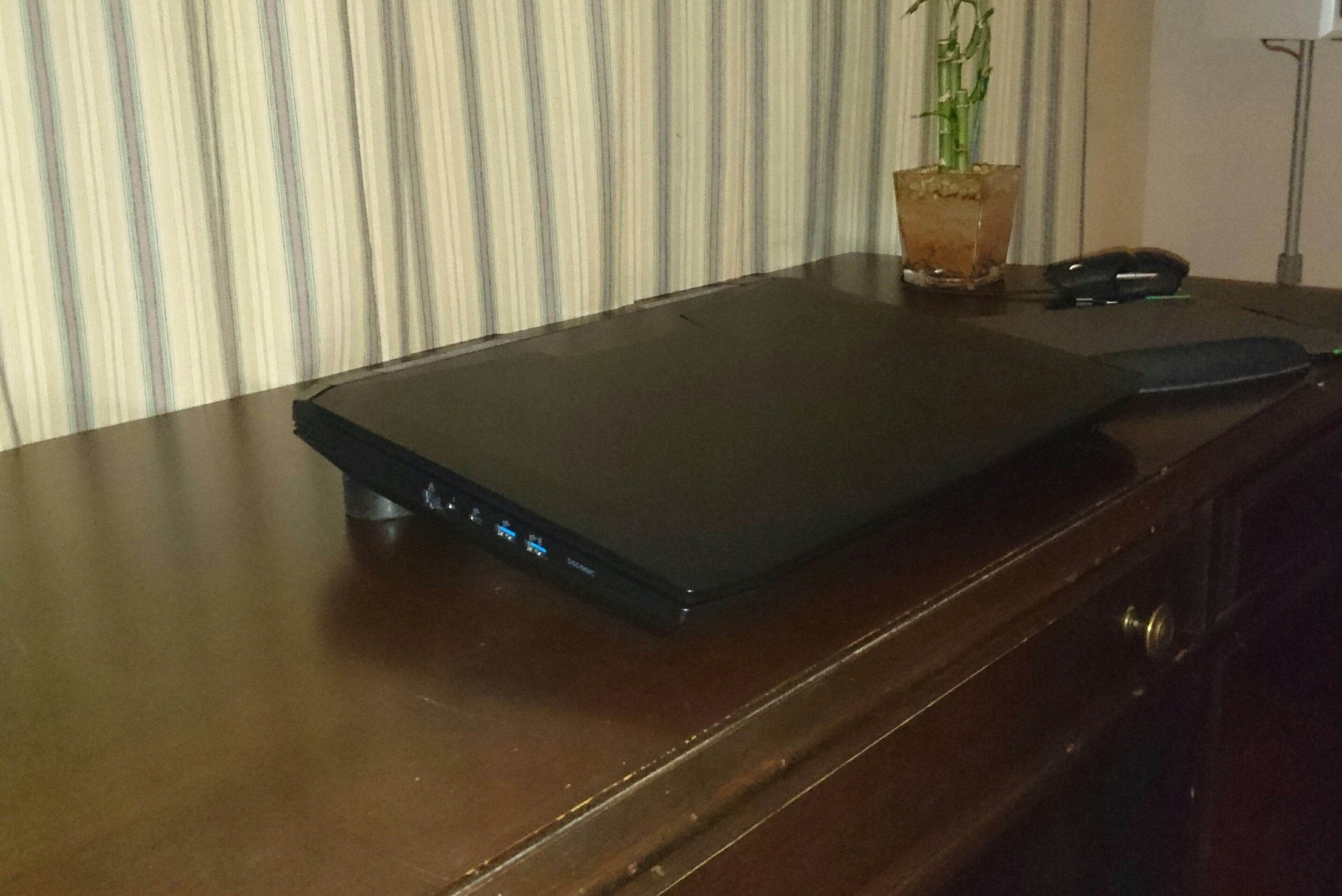
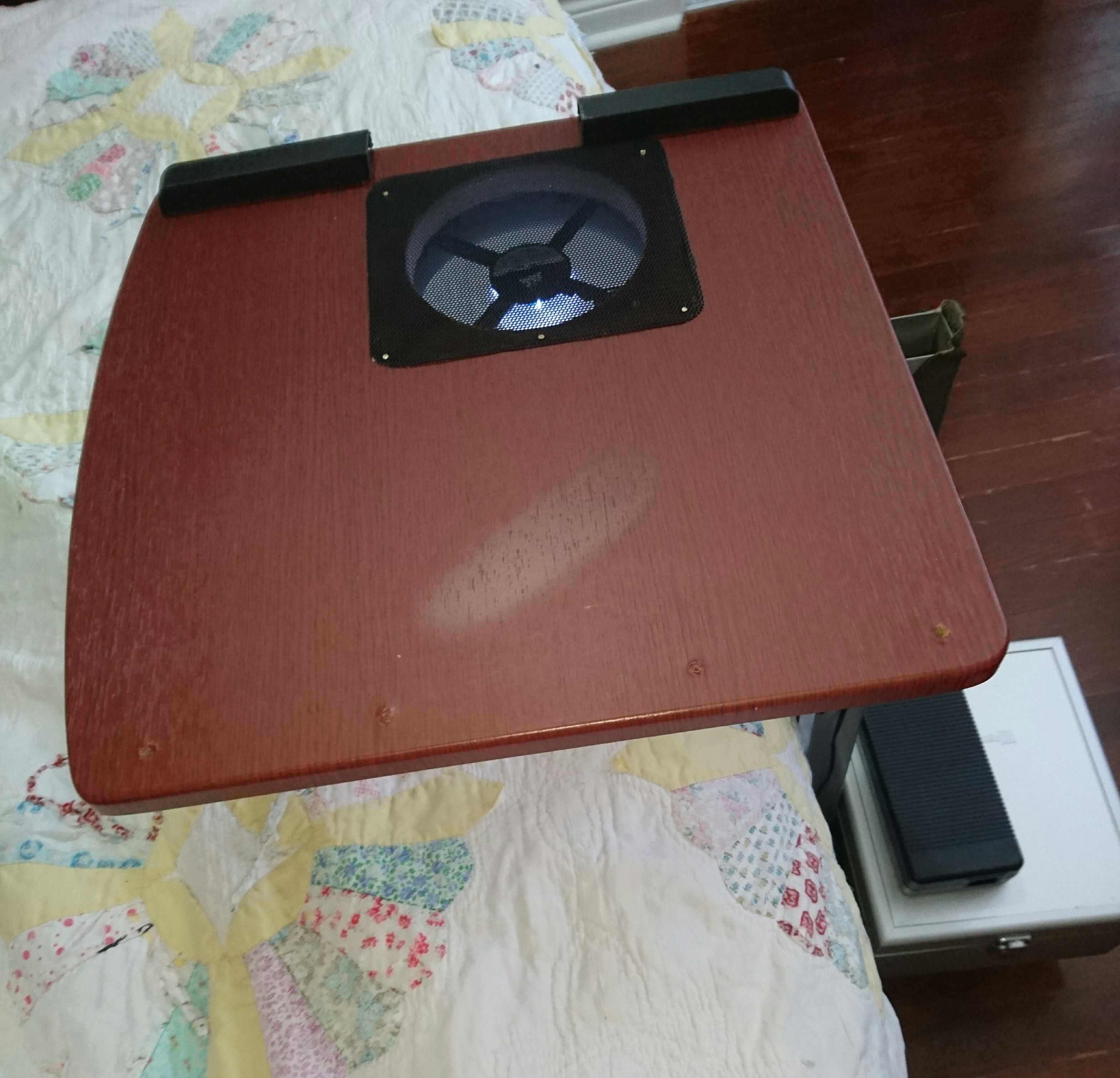
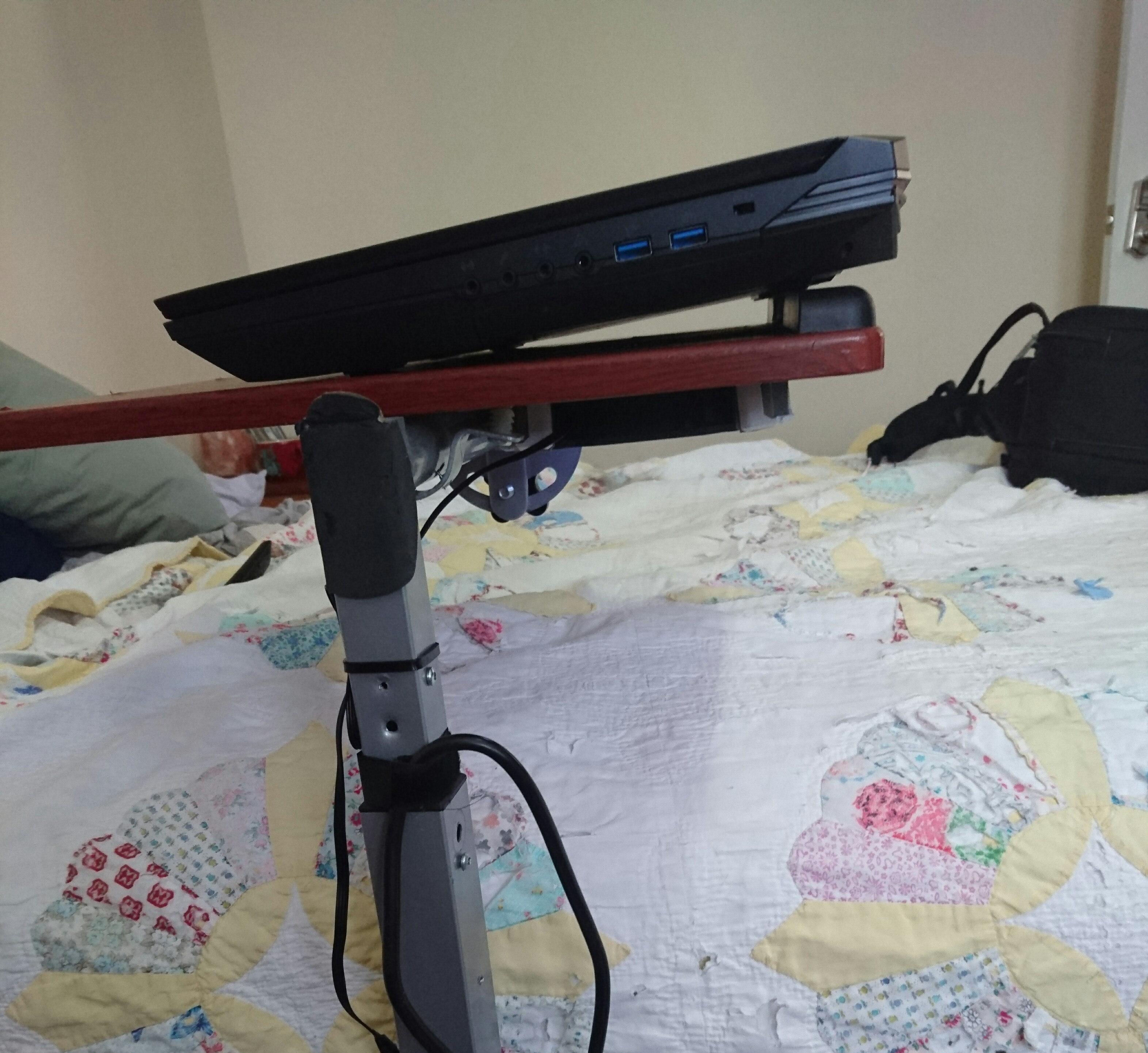
I played around with the Notepal U3 12v fan mod and found that the stronger fan needed more space under it that the U3 can provide. Also space is needed between the fan and the bottom tray.
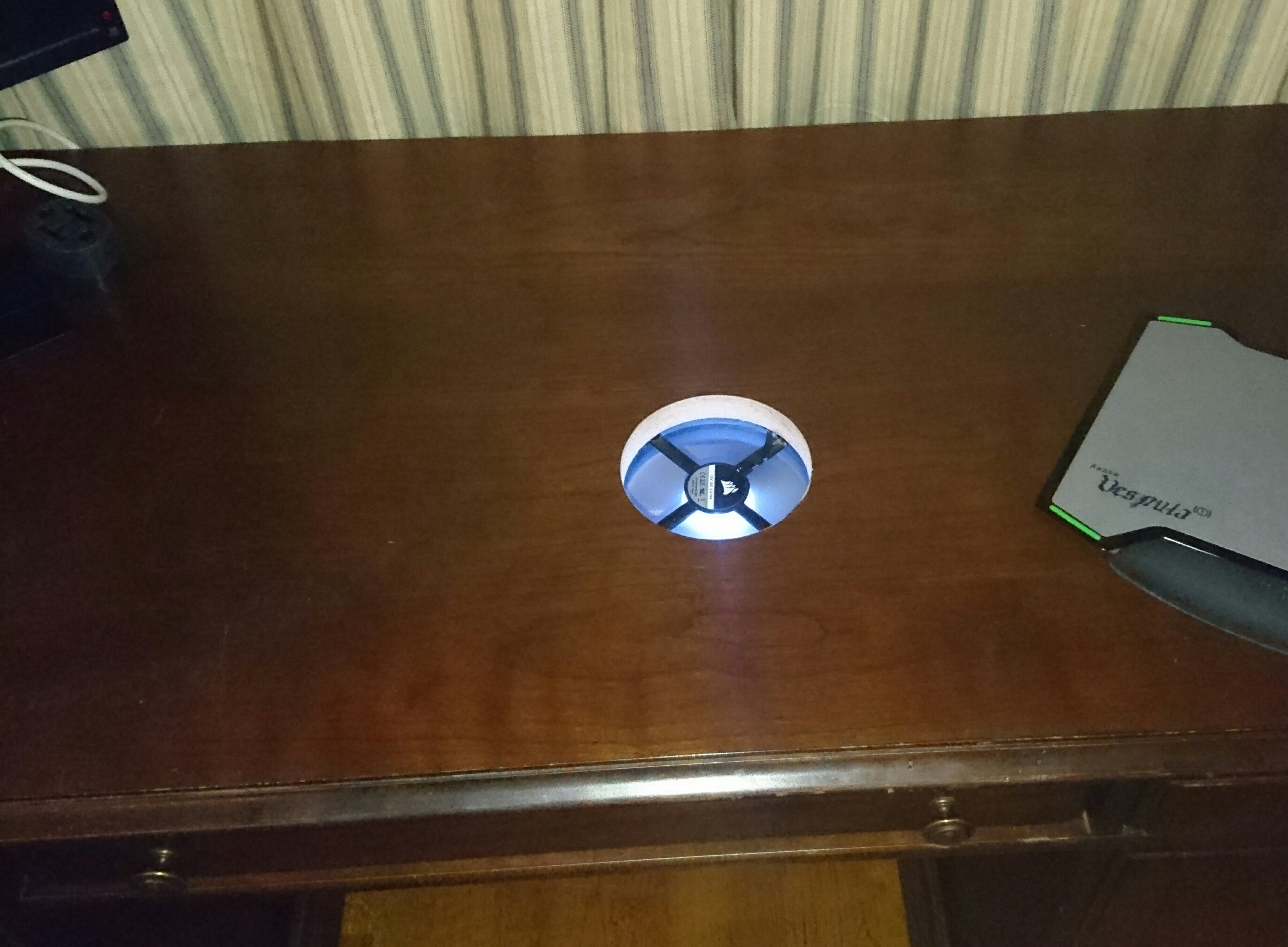
So I figured..if I'm always going to have a beastly laptop, then I may as well sacrifice my beautiful desk for the cause.
I don't travel much so the laptop is mainly for going between bedroom and office.
Mod uses
12v DC wall adapter
140mm magnetic levitation fan, 2000rpm, 100 cfm ( if unobstructed underneath the fan)
I figured I'd do it to my rolling bedside laptop tray too.
So far with BF1 I can use auto fan and be in the 70`s at 1440p.
With overclock, high 50's are average. it does depend on the map.
Before this mod I would suddenly spike into the mid 80's after about an hour of play. My theory is that motherboard heat build up over time.
I've always raised the back of the laptop even before the mod. Once my 1 year warranty is up ( eurocom) I'll do the bottom tray mod and hopefully get under 10 degrees
Attached Files:
izombot and lctalley0109 like this. -
-
Maybe pics are too big for server
Attached Files:
lctalley0109 likes this. -
-
Nice, thanks for sharing. Sounds like it was a huge improvement temp wise for you.
-
You should use external image hosting like imgur.com / etc ... The built in hosting here doesn't work welllctalley0109 likes this.
-
Yeah looks like I lost the silicon lottery, pretty sure the undervolt is running, looks like I need to purchase a Rockit delid tool and void my CPU's warranty
Before anyone suggests a razor blade, I'm just gonna say this, I'm a left handed klutz, so not a chance
Last edited: Dec 7, 2016lctalley0109 likes this. -
I would get he delid tool, worth every penny. Good thing is you can pick up a spare 6700k on sale for Christmas for $250-275.
TBoneSan, Benmaui and lctalley0109 like this.
-
-
The relid kit that comes separate is nice to if you plan to use glue to keep it in place, if not no need for it.
Benmaui likes this. -
Take a look at this post that @Donald@HIDevolution did earlier in this thread about how they delid the 6700K... Couple extra pointers in there you might can apply to yours!
-
I bought the delid + relid kit and the glue good to know
I'll check out the guide thanks afloyd
Last edited: Dec 7, 2016afloyd likes this. -
I was under the impression Coollaboratory liquid ultra hardened once applied? and cured for a bit, anyways have a tube of it on the way, plus a tube of GC extreme and Thermal grizzly kryonaut already in my possesion, not sure which of those two I'll use on the heatsink repaste .
Couldn't you use a thermal paste the same way @Donald at HID uses the silicon to trap in the liquid metal?
*** Official Clevo P870DM2/P870DM3 (Sager NP9873/NP9872) Owner's Lounge! - The Phoenix 2 is here! **
Discussion in 'Sager/Clevo Reviews & Owners' Lounges' started by Spartan@HIDevolution, Aug 3, 2016.